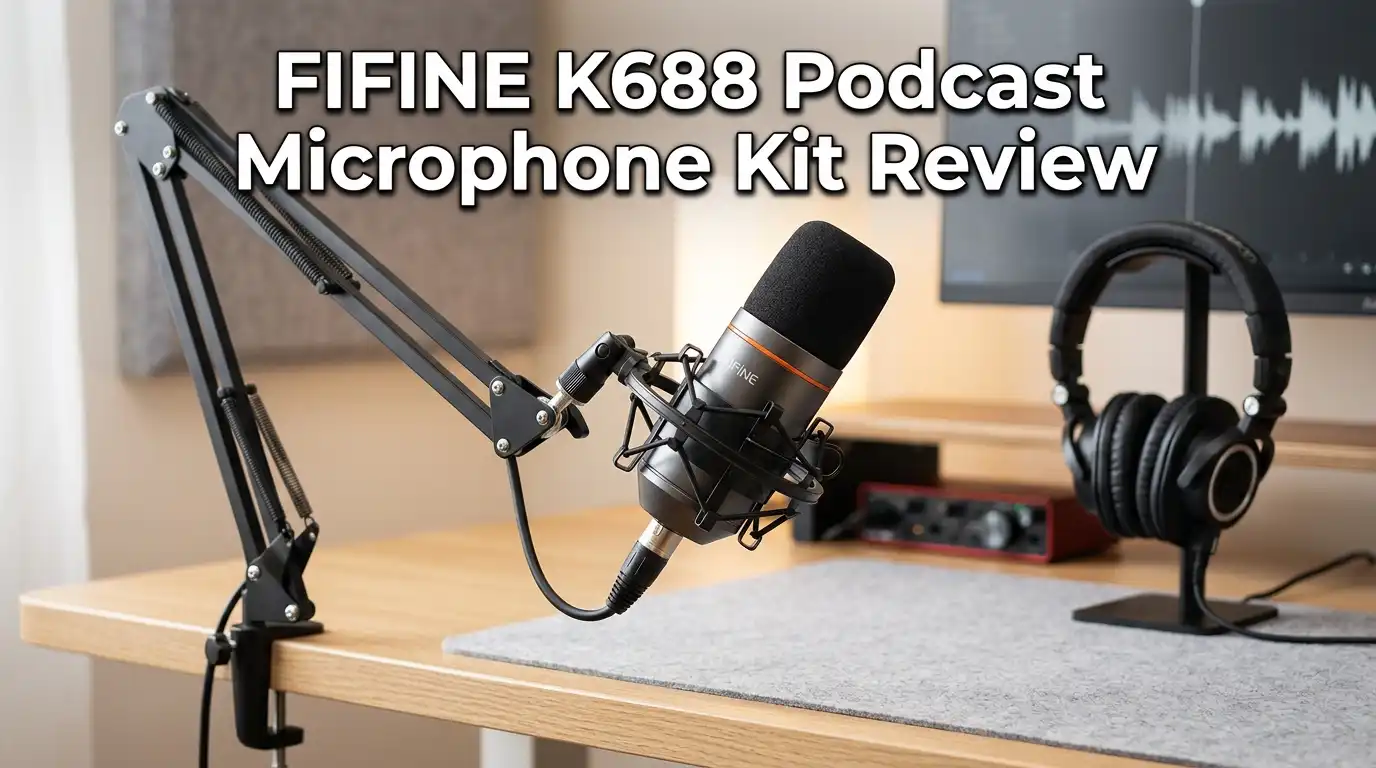
FIFINE K688 Podcast Microphone Kit Review 2026: Worth Buying?
You want clean voice recordings, but studio gear costs too much. You also do not want to fight with drivers, phantom power, or a mixer just to talk into a microphone.
The FIFINE K688 sits right in that gap. It is a dynamic USB/XLR microphone aimed at podcasters, streamers, and remote workers who want a plug-and-play setup that still leaves room to grow.
This review is built on hands-on impressions, real owner feedback, and the published specs. I focus on how it sounds, how it feels, and who should skip it. No hype. Just what you actually get for the money in 2026.
In a Nutshell
- Dual USB-C and XLR connectivity. Start with plug-and-play USB today, then move to an audio interface later. Rare at this price.
- Dynamic cardioid capsule. It captures your voice from the front and rejects background noise from the sides and rear. Great for untreated rooms.
- Touch-sensitive mute button. A green-to-red top tap mutes you instantly. Slick and silent during live sessions.
- Onboard gain and headphone knobs. Adjust mic level and zero-latency monitoring without touching software.
- Solid metal build with shock mount. It feels far sturdier than the budget price suggests.
- Best for spoken word, not music. The 70 Hz to 15 kHz response favors voices over instruments or deep low end.

Last update on 2026-07-25 / Affiliate links / Images from Amazon Product Advertising API Some of the links on this website are affiliate links, which means that at no additional cost to you, I earn a commission if you click through and make a purchase. I only recommend products and services that I believe will add value to my readers. Thank you for your support!
What You Get in the Box
The K688 ships in a simple cardboard box lined with molded plastic. Inside you get the microphone, its attached metal shock mount, an 8.2-foot USB-C to USB-A cable, a 5/8″ to 3/8″ thread adapter, and a foam windscreen.
What is missing matters. There is no boom arm, no desk stand, and no XLR cable. The shock mount needs its own support, so plan to buy an arm or stand separately.
The packaging does its job and protects the mic well. It is not flashy, but nothing arrives loose or scratched. For a kit at this price, the contents are honest and clearly listed.
First Impressions and Unboxing
Lifting the K688 out of the box is the moment most people change their mind about budget mics. It is heavier than expected. The all-metal body and shock mount give it real weight, around 323 grams together.
The finish is semi-matte black, clean and understated. It looks like a broadcast microphone, not a toy. The grey pop filter pulls off easily to reveal a metal grille over the diaphragm.
Twist the gain and headphone knobs and you feel firm resistance. That friction makes small adjustments easy. The build quality alone reassures you that the money was not wasted here.
Top 3 Alternatives for FIFINE K688
If the K688 is not quite right, these three mics compete in the same budget USB/XLR space.

Last update on 2026-07-25 / Affiliate links / Images from Amazon Product Advertising API Some of the links on this website are affiliate links, which means that at no additional cost to you, I earn a commission if you click through and make a purchase. I only recommend products and services that I believe will add value to my readers. Thank you for your support!
FIFINE AmpliGame AM8

Last update on 2026-07-25 / Affiliate links / Images from Amazon Product Advertising API Some of the links on this website are affiliate links, which means that at no additional cost to you, I earn a commission if you click through and make a purchase. I only recommend products and services that I believe will add value to my readers. Thank you for your support!
MAONO PD400X

Last update on 2026-07-25 / Affiliate links / Images from Amazon Product Advertising API Some of the links on this website are affiliate links, which means that at no additional cost to you, I earn a commission if you click through and make a purchase. I only recommend products and services that I believe will add value to my readers. Thank you for your support!
FIFINE K669B USB Microphone
Connectivity and Setup
This is the K688’s headline feature. You get both USB-C and XLR outputs on the same mic. For most buyers, the USB connection is the whole point. You plug it into a PC, Mac, or PS5, and it works with no driver install.
The XLR port lets you connect to an audio interface or mixer down the line. Since it is a dynamic mic, it needs no phantom power. In fact, turning phantom power on can cut the signal.
Be honest with yourself, though. The mic sounds essentially the same over XLR as over USB. The XLR path is future-proofing, not an instant upgrade.
Build Quality and Design
The K688 is built around a metal shock mount cradling a solid metal body. The construction feels durable enough to survive a knock, though I would not test that on purpose. The shock mount also dampens desk thumps and keyboard bumps.
The cardioid dynamic capsule sits behind a removable pop filter and a protective grille. Everything looks deliberate and professional. There are no creaks or rattles.
One small gripe: the design reads as serious studio gear, which is great, but it also commits you to a boom arm to make it look its best. On a bare desk it can feel a bit unsupported.
Controls and Onboard Features
The K688 keeps its controls simple and useful. The top of the mic has a touch-sensitive mute button. It glows green when live and red when muted. There is no physical click, so it makes no noise mid-recording. That is a genuinely smart touch.
On the back you get two knobs: one for mic gain and one for headphone volume, plus a 3.5mm headphone jack for zero-latency monitoring.
The catch is placement. The knobs sit on the rear, so you cannot see the level markings while facing the mic. The notch indicators are also hard to read. Functional, but not ideal for quick visual checks.
Sound Quality and Performance
This is where expectations need grounding. The K688 sounds clear, crisp, and clean for spoken voice. The cardioid pattern keeps your words front and center while pushing room noise into the background.
In side-by-side tests against pricier condensers, the K688 actually pulls in less ambient noise, which is a real win for untreated home setups. Speak 10 to 20 cm away and you get a pleasant, slightly broadcast-style warmth.
It is not flawless. The capsule has a gentle bump in the upper mids, so sibilance can creep in if you sit too close. The detail and depth fall short of a dedicated studio condenser. For voices, though, it more than holds its own.
The Honest Downsides
No review is complete without the flaws. First, several owners note the maximum output is on the quiet side. Even with gain and headphone volume maxed, monitoring can feel softer than you expect. You will likely boost levels in editing.
Second, the frequency response of 70 Hz to 15 kHz and 16-bit/48 kHz USB recording limit it. It will not capture deep low end or fine studio nuance, and competitors like the PD400X offer 24-bit depth.
Third, a few users report long-term reliability concerns common to USB mics. Treat it gently and avoid cheap hubs.
Who Should Buy It and Who Should Skip It
Buy the K688 if you are a beginner podcaster, streamer, vlogger, or remote worker who wants clean voice audio without a learning curve. It shines in untreated rooms and for anyone on a tight budget who still wants a path to XLR later.
Skip it if you are a professional voiceover artist or a musician recording instruments. The limited low end and 16-bit USB ceiling will frustrate you. Singers and those needing studio-grade detail should look higher up the range.
If you already own an interface and a good condenser, the K688 adds little. It is a first mic, not a second one.
Value for Money in 2026
Last update on 2026-07-25 / Affiliate links / Images from Amazon Product Advertising API Some of the links on this website are affiliate links, which means that at no additional cost to you, I earn a commission if you click through and make a purchase. I only recommend products and services that I believe will add value to my readers. Thank you for your support!
At its usual $60 to $80 street price, and often discounted lower, the K688 is one of the strongest value picks in the budget category. The metal build alone feels like it should cost more.
You are paying for flexibility and convenience: dual connectivity, onboard controls, a quiet mute, and clean cardioid voice capture. Few rivals offer all of that at this price.
The value drops only if you push it past its purpose. For voice-first creators, it delivers far more than the price tag implies. For music or pro work, that same money is better spent elsewhere.
Final Verdict
The FIFINE K688 earns its popularity. It is a well-built, easy, flexible voice microphone that sounds clean and rejects noise better than its price suggests. The touch mute, dual USB/XLR ports, and solid metal body make it a confident recommendation for new podcasters, streamers, and remote workers.
Its limits are clear: a quiet maximum output, a voice-focused frequency range, and 16-bit USB recording. None of these matter much for spoken word.
So, is it worth buying in 2026? For voice creators starting out, yes. It does exactly what it promises and rarely more, which is precisely the point.
Last update on 2026-07-25 / Affiliate links / Images from Amazon Product Advertising API Some of the links on this website are affiliate links, which means that at no additional cost to you, I earn a commission if you click through and make a purchase. I only recommend products and services that I believe will add value to my readers. Thank you for your support!
Frequently Asked Questions
Does the FIFINE K688 need phantom power?
No. The K688 is a dynamic microphone, so it does not require phantom power. If you connect it over XLR, leave phantom power off. Turning it on can actually mute the signal.
Does the K688 come with an XLR cable or boom arm?
No. The box includes the mic, shock mount, USB-C cable, thread adapter, and windscreen only. You must buy an XLR cable and a boom arm or stand separately if you want them.
Is the K688 good for singing or recording instruments?
Not really. Its 70 Hz to 15 kHz response and 16-bit USB recording favor spoken voice. It lacks the deep low end and fine detail that vocals and instruments need.
Does it work with PS5 and Mac?
Yes. The K688 is plug-and-play over USB with Windows, Mac, Linux, and PS5. No driver or software install is required for full functionality.
Why is the K688 audio so quiet?
Some users find the maximum output low even with gain maxed. This is a known trait. The fix is simple: boost the level in your editing software during post-production.
Should I use USB or XLR?
For most people, USB is best. It is plug-and-play and unlocks the mute button, knobs, and headphone jack. Use XLR only if you already own an audio interface or mixer.
Disclosure: This content is part of an Amazon Creator Connections campaign, meaning I earn a commission from qualifying purchases.
Using these links costs you nothing extra but directly supports my blog and future content.

Hello everyone my name is Alenya and i am a gadget discovering Enthusiast 🐻🐻