Apple HomePod Review 2026: Is It Worth the Money?
The Apple HomePod has come a long way since its first launch. As we dive into 2026, this smart speaker continues to impress with its incredible sound quality and seamless integration with the Apple ecosystem.
You might wonder if the HomePod is worth your investment. This review will answer all your questions.
We will explore every feature, sound performance, smart home capabilities, and how it stacks up against competitors. Get ready to discover why the HomePod remains one of the best smart speakers you can buy this year.
Key Takeaways:
- Sound Quality: The HomePod delivers premium audio performance with deep bass and crystal-clear highs. It uses computational audio technology to adjust sound based on your room’s acoustics automatically.
- Smart Features: Siri integration allows hands-free control of music, smart home devices, and information queries. The HomePod works as a central hub for HomeKit devices.
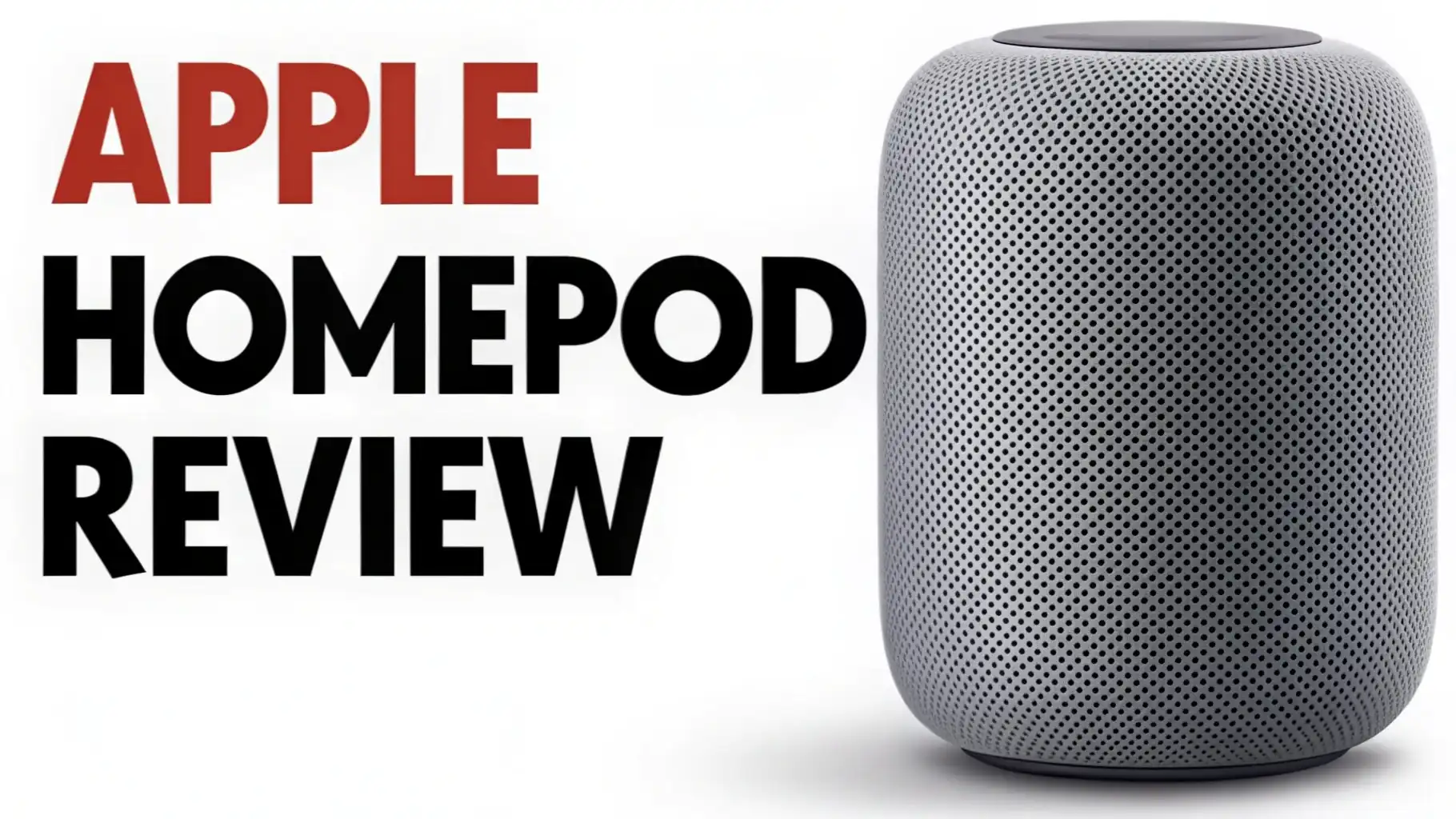
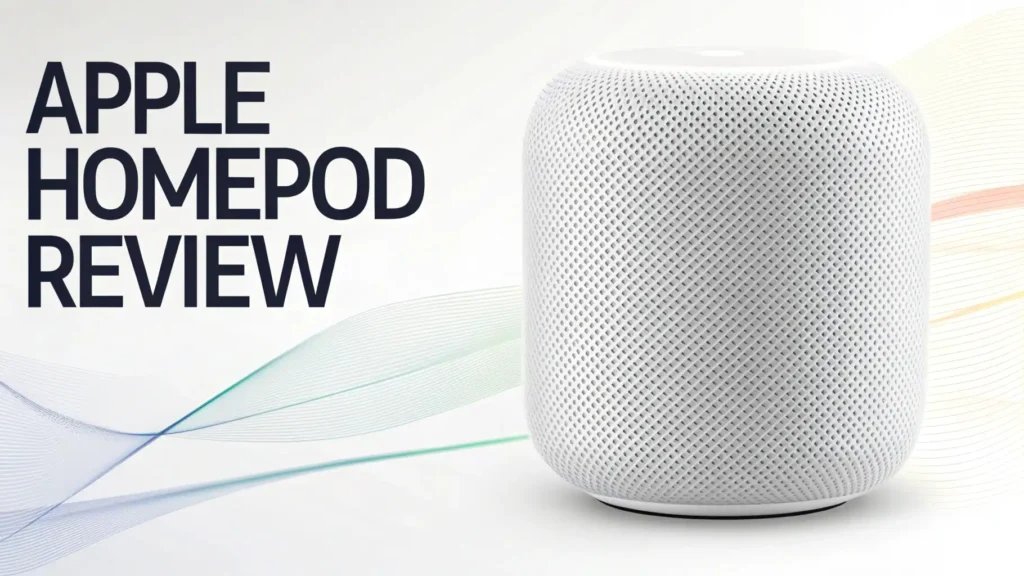
- Design Excellence: The minimalist mesh design looks stunning in any room. The HomePod measures just over 6 inches tall and fits perfectly on shelves, desks, or countertops.
- Ecosystem Integration: Works seamlessly with iPhone, iPad, Mac, and Apple TV. The multi-room audio support lets you play synchronized music throughout your home.
- Price Value: Starting at around $299, the HomePod offers premium features at a competitive price point. The HomePod mini provides an affordable alternative at $99 for smaller spaces.
- Latest Updates: Software version 26 brings enhanced crossfade support, improved AirPlay performance, and better Dolby Atmos integration for immersive listening experiences.

Last update on 2026-09-19 / Affiliate links / Images from Amazon Product Advertising API Some of the links on this website are affiliate links, which means that at no additional cost to you, I earn a commission if you click through and make a purchase. I only recommend products and services that I believe will add value to my readers. Thank you for your support!
Apple HomePod 2nd Generation
The second generation Apple HomePod represents a refined version of Apple’s vision for smart speakers. This device brings together exceptional audio engineering with intelligent features.
The HomePod uses an S7 chip to process sound in real time. This chip enables computational audio that analyzes the music and adjusts playback automatically. The speaker features five beamforming tweeters arranged around its base.
These tweeters optimize high frequencies to produce detailed and articulate audio. The high-excursion woofer delivers deep, rich bass that fills your room. You will notice the difference immediately when you play your favorite tracks.
The mesh fabric exterior comes in multiple colors including midnight and white. This fabric is not just beautiful. It allows sound to pass through seamlessly while protecting the internal components.
Sound Quality That Exceeds Expectations
Sound quality defines the HomePod experience. Apple engineered this speaker to deliver studio-quality audio in your home. The computational audio technology works behind the scenes constantly.
It analyzes the characteristics of your music and applies complex tuning models in real time. This means every song sounds exactly as the artist intended.
The bass response is particularly impressive. The HomePod can reach frequencies as low as 27Hz, which is remarkable for a speaker of this size. You will feel the impact of bass-heavy tracks without any distortion.
The five tweeters create a 360-degree soundstage. Music projects evenly in all directions. This design choice means you get consistent audio quality no matter where you sit in the room.
The HomePod also supports high-fidelity audio formats including lossless and Dolby Atmos content. When you play Dolby Atmos tracks from Apple Music, the speaker creates a three-dimensional audio experience.
Instruments and vocals appear to come from different positions around you. The clarity remains exceptional even at high volumes. You can push the HomePod to its limits without hearing harshness or distortion in the audio output.
Siri Integration and Voice Control
The HomePod features advanced voice recognition powered by a four-microphone array. These microphones can hear your commands even when loud music plays. Siri responds quickly to your requests.
You can ask Siri to play specific songs, artists, albums, or playlists from Apple Music. Voice control extends beyond music.
Ask Siri about the weather, set timers, convert measurements, or get sports scores. The personal requests feature allows you to send messages, make calls, or set reminders using your voice.
Siri can recognize different family members through voice recognition. This personalization means each person gets relevant responses based on their preferences and data. The integration with Apple’s ecosystem makes Siri particularly useful.
You can ask Siri to find your iPhone if you misplaced it. Control your Apple TV using voice commands through the HomePod. The speaker also works as an intercom system.
Send voice messages to HomePods in other rooms or broadcast announcements throughout your entire home. These features transform the HomePod into a communication hub for your family.
Top 3 Alternatives for Apple HomePod


Last update on 2026-09-19 / Affiliate links / Images from Amazon Product Advertising API Some of the links on this website are affiliate links, which means that at no additional cost to you, I earn a commission if you click through and make a purchase. I only recommend products and services that I believe will add value to my readers. Thank you for your support!

Last update on 2026-10-14 / Affiliate links / Images from Amazon Product Advertising API Some of the links on this website are affiliate links, which means that at no additional cost to you, I earn a commission if you click through and make a purchase. I only recommend products and services that I believe will add value to my readers. Thank you for your support!

Last update on 2026-09-01 / Affiliate links / Images from Amazon Product Advertising API Some of the links on this website are affiliate links, which means that at no additional cost to you, I earn a commission if you click through and make a purchase. I only recommend products and services that I believe will add value to my readers. Thank you for your support!
Smart Home Hub Capabilities
The HomePod functions as a central hub for your HomeKit accessories. This capability sets it apart from basic speakers. You can control lights, thermostats, locks, cameras, and other smart devices using voice commands.
The HomePod stays connected to your home network constantly. This connection allows remote access to your smart home even when you are away.
The Matter support expands compatibility with devices from various manufacturers. You no longer need to worry about brand restrictions when building your smart home.
Creating automations and scenes becomes simple with the HomePod. Tell Siri to activate a good morning scene that turns on lights, adjusts the thermostat, and starts your coffee maker.
Set up routines that trigger based on time, location, or sensor inputs. The HomePod can receive notifications from compatible devices. Your security camera can alert the HomePod when it detects motion.
The speaker will announce the notification and allow you to check the camera feed on your iPhone. These integrations create a cohesive smart home experience centered around your HomePod.
Apple Music and Streaming Services
Apple Music integration is seamless with the HomePod. You get access to over 100 million songs with a subscription. The speaker takes full advantage of lossless audio and spatial audio tracks. Voice control makes discovering new music effortless.
Ask Siri to play music based on mood, activity, or genre. The personalized playlists and recommendations adapt to your listening habits. You can create custom radio stations based on your favorite artists.
While Apple Music offers the best experience, the HomePod supports other streaming options through AirPlay. Stream Spotify, Pandora, Amazon Music, or any audio app from your iPhone or iPad to the HomePod.
The AirPlay 2 technology ensures high-quality wireless transmission without lag or compression. You can also play podcasts, audiobooks, and radio stations. The continuity feature lets you transfer audio between devices seamlessly.
Start listening on your iPhone during your commute and hand off playback to your HomePod when you arrive home. The transition happens automatically without interrupting your content.
Multi-Room Audio and Stereo Pairing
The HomePod shines in multi-room audio setups. Place multiple HomePods throughout your home and control them individually or as groups. Play the same music everywhere for parties or choose different content for each room.
The synchronized playback ensures perfect timing across all speakers. You will not hear any delay or echo between rooms. Creating speaker groups in the Home app takes seconds. Name each HomePod based on its location and assign it to the appropriate room.
Stereo pairing transforms two HomePods into a powerful stereo system. The speakers communicate wirelessly to create left and right channels. This setup dramatically expands the soundstage and improves instrument separation.
The bass response becomes even more impressive with two HomePods working together. Stereo pairing works automatically when you place two HomePods in the same room.
The speakers detect each other and configure the stereo channels without manual setup. This configuration is perfect for home theater setups with Apple TV 4K. The paired HomePods deliver immersive Dolby Atmos audio for movies and shows.
Apple HomePod Mini

Last update on 2026-09-19 / Affiliate links / Images from Amazon Product Advertising API Some of the links on this website are affiliate links, which means that at no additional cost to you, I earn a commission if you click through and make a purchase. I only recommend products and services that I believe will add value to my readers. Thank you for your support!
The HomePod mini offers the core HomePod experience in a smaller, more affordable package. At just 3.3 inches tall, this tiny speaker delivers surprisingly powerful sound. The mini uses the S5 chip and computational audio to optimize playback.
The full-range driver provides balanced audio with clear vocals and decent bass. The acoustics impress listeners who expect limited performance from such a compact device.
The HomePod mini includes all the smart features of its larger sibling. Siri responds to your commands, controls your smart home, and manages your music. The mini also serves as a HomeKit hub for remote access to your accessories.
The intercom functionality works perfectly with other HomePods throughout your home. At $99, the HomePod mini represents excellent value.
You can place them in bedrooms, offices, or smaller spaces where the full-size HomePod might be excessive. The mini supports stereo pairing for enhanced audio when you want more power.
Setup Process and User Experience
Setting up the HomePod is remarkably simple. Plug in the speaker and bring your iPhone close to it. A setup animation appears on your iPhone screen automatically.
Follow the on-screen prompts to connect the HomePod to your Wi-Fi network and sign in with your Apple ID. The entire process takes less than two minutes.
The HomePod syncs your Apple Music library, playlists, and preferences instantly. Your personal Siri settings transfer to the speaker as well.
The Home app becomes your control center for managing HomePod settings. Adjust the speaker’s location, create automations, and configure accessibility features. The touch interface on top of the HomePod is intuitive.
Tap once to play or pause music. Tap twice to skip forward or three times to skip backward. Touch and hold to activate Siri.
The LED display provides visual feedback for every interaction. The mesh fabric glows with colorful patterns when Siri listens or responds. These visual cues make the HomePod feel alive and responsive to your needs.
Privacy and Security Features
Apple emphasizes privacy in all its products, and the HomePod follows this commitment. The speaker processes most Siri requests directly on the device. Your voice commands do not automatically upload to Apple’s servers.
When server communication is necessary, the data is encrypted and anonymous. Apple does not build profiles based on your Siri interactions. The four-microphone array only activates when you say “Hey Siri” or press the top of the speaker.
The encrypted communication between your HomePod and other Apple devices protects your data. HomeKit accessories use end-to-end encryption for control commands. Your smart home data remains private and secure.
The HomePod includes a physical mechanism that disconnects the microphones when you need complete privacy. This transparency builds trust and gives you control over when the device listens.
Apple regularly updates the HomePod software to address security vulnerabilities and improve privacy protections. These updates download and install automatically to keep your device secure.
Comparing HomePod to Competitors
The smart speaker market offers numerous options. The Amazon Echo Studio provides excellent value with spatial audio and a lower price. Alexa offers more third-party skills and integrations than Siri.
However, the Echo Studio cannot match the HomePod’s audio quality in direct comparisons. The computational audio and room adaptation give the HomePod a clear advantage. The Sonos Era 100 competes directly with the HomePod on sound quality.
Sonos speakers deliver rich, balanced audio with excellent clarity. The Era 100 supports multiple voice assistants and streaming services. This flexibility appeals to users who want options beyond the Apple ecosystem.
The Google Nest Audio offers solid performance at a budget-friendly price. Google Assistant excels at answering questions and providing information. The Nest Audio integrates seamlessly with Google services and Chromecast devices.
However, the audio quality does not reach HomePod levels. The bass lacks depth and the soundstage feels narrower. The HomePod’s advantage lies in its complete ecosystem integration.
If you own other Apple devices, the HomePod enhances your entire experience. The seamless handoff, spatial audio with Apple TV, and HomeKit hub capabilities create value beyond just audio quality.
Software Updates and Future Features
Apple continues to improve the HomePod through regular software updates. Version 26 brought crossfade support for smooth transitions between songs. This feature eliminates the silence between tracks when listening to albums or playlists.
AirPlay improvements reduce latency and increase reliability when streaming from other devices. The Dolby Atmos implementation receives ongoing refinements for better spatial audio performance. Bug fixes and stability improvements ensure smooth operation.
Future updates promise even more enhancements. Apple is working on improved Siri natural language processing. This development will make conversations with your HomePod more fluid and contextual.
Enhanced smart home automation capabilities are in development. Multi-user voice recognition continues to improve for better personalization. The integration with upcoming Apple products and services will expand the HomePod’s functionality.
Apple’s commitment to long-term software support means your HomePod investment remains valuable for years. The speaker you buy today will gain new features and improvements through free updates.
Amazon Echo Studio

Last update on 2026-09-19 / Affiliate links / Images from Amazon Product Advertising API Some of the links on this website are affiliate links, which means that at no additional cost to you, I earn a commission if you click through and make a purchase. I only recommend products and services that I believe will add value to my readers. Thank you for your support!
The Amazon Echo Studio stands as a powerful alternative in the premium smart speaker category. This speaker features five directional speakers that create immersive spatial audio.
The Echo Studio supports Dolby Atmos and Sony 360 Reality Audio formats. It automatically analyzes your room’s acoustics and adjusts audio output accordingly. The built-in smart home hub supports Zigbee devices without additional hardware.
Alexa provides extensive third-party skills and compatibility with numerous services. The Echo Studio costs approximately $220, making it more affordable than the HomePod while still delivering impressive performance for music lovers and smart home enthusiasts.
Is the HomePod Worth Buying in 2026?
The HomePod represents a significant investment in your home audio setup. The premium sound quality justifies the cost for audiophiles and Apple fans. If you already own multiple Apple devices, the HomePod integrates seamlessly into your ecosystem.
The HomeKit hub functionality adds value for smart home users. The spatial audio support enhances your Apple TV experience dramatically.
However, the HomePod faces limitations. Siri lags behind Alexa and Google Assistant in some areas. The exclusive Apple Music integration may frustrate users who prefer other streaming services.
Consider the HomePod mini if budget is a concern. It provides most HomePod features at a fraction of the cost. The mini works perfectly in smaller rooms or as part of a multi-room setup.
If you primarily use Android devices or prefer Amazon or Google ecosystems, alternative speakers make more sense. The Echo Studio and Google Nest Audio offer better compatibility with non-Apple services.
For dedicated Apple users who value premium audio and seamless integration, the HomePod delivers exceptional value and performance that competitors struggle to match.
Frequently Asked Questions
What makes the HomePod different from other smart speakers?
The HomePod distinguishes itself through computational audio technology that adapts to your room automatically. It features five beamforming tweeters and a high-excursion woofer for exceptional sound quality. The deep integration with Apple’s ecosystem, HomeKit hub functionality, and support for spatial audio formats set it apart from competitors.
Can I use HomePod without an iPhone?
You need an iPhone or iPad to set up the HomePod initially. After setup, the speaker operates independently for basic functions like playing music through Apple Music voice commands. However, you lose access to many features without an Apple device. Personal requests, handoff, and full HomeKit control require an iPhone.
Does HomePod work with Spotify?
The HomePod does not support direct Spotify integration through voice commands. You can stream Spotify to the HomePod using AirPlay from your iPhone, iPad, or Mac. This workaround allows you to play Spotify content, but you must control playback from your device rather than using voice commands.
How does stereo pairing work with HomePod?
Stereo pairing connects two HomePods in the same room to create left and right audio channels. The speakers detect each other automatically and configure stereo separation without manual setup. You assign both speakers to the same room in the Home app to enable pairing. The stereo configuration dramatically expands the soundstage and improves audio quality.
What smart home devices work with HomePod?
The HomePod supports all HomeKit-compatible devices including lights, thermostats, locks, cameras, sensors, and switches. The speaker also supports Matter devices, expanding compatibility across brands. You control these devices using Siri voice commands or through the Home app. The HomePod serves as a hub for remote access to your smart home when you are away from home.
Can I use HomePod as a TV speaker?
Yes, the HomePod works excellently as a speaker for Apple TV 4K. The integration supports Dolby Atmos audio for immersive movie and show experiences. Stereo pairing two HomePods creates a powerful home theater system. The HomePod automatically becomes the default audio output when connected to Apple TV. You control volume using the Siri Remote or voice commands.

Hello everyone my name is Alenya and i am a gadget discovering Enthusiast 🐻🐻