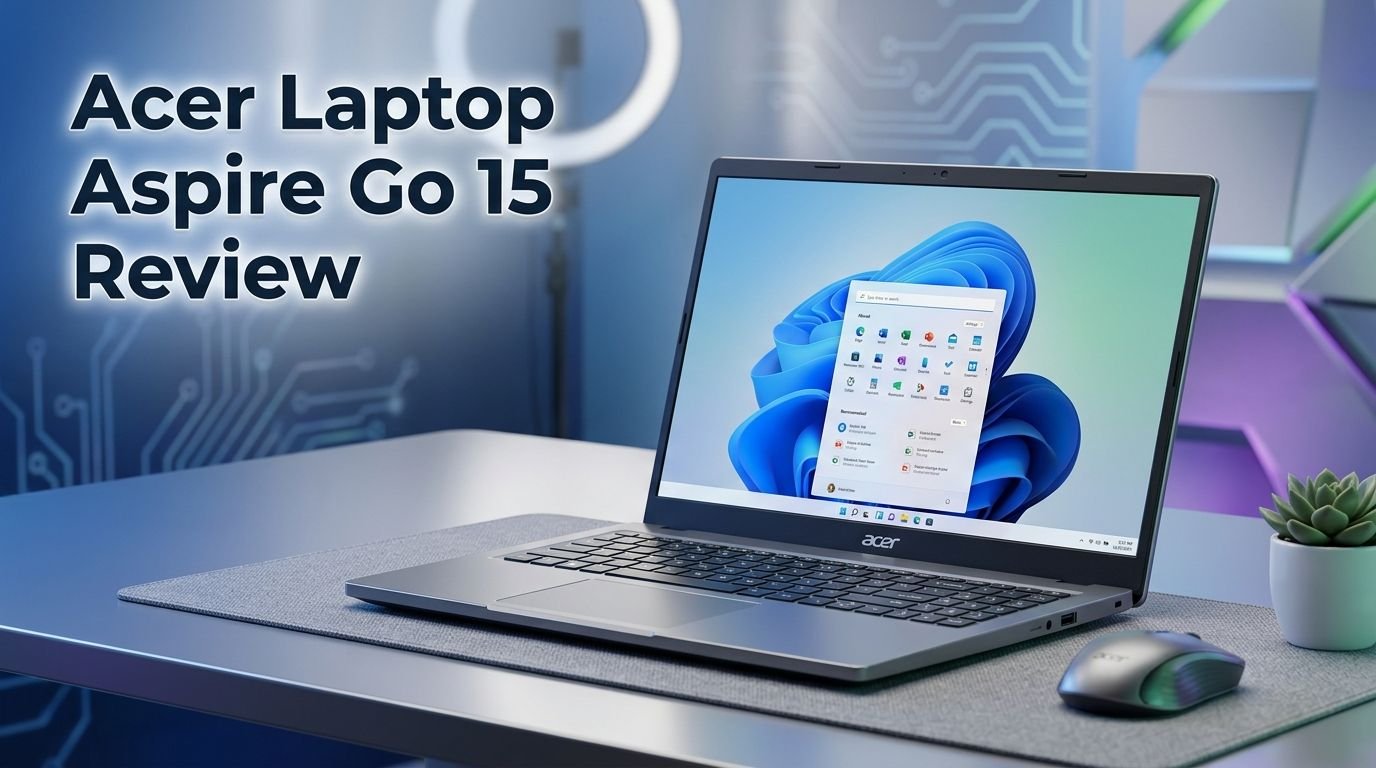
Acer Laptop Aspire Go 15 Review 2026: Top Tier or Trash?
Are you looking for a budget laptop that handles everyday tasks without burning a hole in your wallet? The Acer Aspire Go 15 has been making serious waves in the affordable laptop market. It promises solid performance, a crisp 15.6 inch display, and generous RAM and storage at a price that undercuts most competitors.
But does it actually deliver? Can a laptop under $500 truly keep up with your daily workflow, streaming, and browsing needs? In this detailed review, we break down every single aspect of the Acer Aspire Go 15.
We cover the design, display quality, keyboard feel, battery life, real world performance, and much more. By the end of this post, you will know exactly whether this laptop deserves your money or if you should look elsewhere.
Key Takeaways:
- The Acer Aspire Go 15 offers 16 GB DDR5 RAM and a 512 GB SSD at a price point that most competitors simply cannot match. You get double the RAM and four times the storage compared to last year’s model. This alone makes it a standout pick for budget buyers.
- The 15.6 inch Full HD IPS display delivers solid viewing angles and clear visuals for daily use. It is not an OLED or high refresh rate panel, but it gets the job done well for web browsing, document editing, and streaming.
- Battery life sits around 6.5 to 9 hours depending on your usage and brightness settings. It is not class leading, but it should get most users through a workday with careful power management.
- The Intel Core i3 N355 processor handles basic productivity tasks like web browsing, Microsoft Office, and video calls. However, it struggles with heavy workloads and gaming. This is not a performance machine.
- The laptop lacks a keyboard backlight and fingerprint reader, which are features you might expect even at this price range. These are small but notable omissions.
- At around $279 to $499 depending on the configuration, the Acer Aspire Go 15 delivers exceptional value for students, casual users, and anyone who needs a reliable everyday machine.

Acer Aspire Go 15: Overview and First Impressions
The Acer Aspire Go 15 lands in the budget laptop category with a clear mission. It wants to be the best affordable 15.6 inch Windows laptop you can buy. The moment you unbox it, you notice the clean silver and black design. Acer calls the color “Pure Silver.” It looks professional and understated.
The laptop feels lighter than expected at 3.74 pounds. You can pick it up with one hand if needed. The plastic chassis does not creak or flex in alarming ways. It feels solid for its price range.
Acer ships this laptop with Windows 11 Home in S Mode by default. This means you can only install apps from the Microsoft Store. However, switching out of S Mode takes just a few clicks and costs nothing. Most review units come pre-configured out of S Mode already.
First impressions are positive. The screen looks bright enough in indoor settings. The keyboard has a satisfying amount of travel. The trackpad responds smoothly. For a laptop in this price bracket, the Acer Aspire Go 15 punches above its weight in look and feel.
Acer Aspire Go 15: Design and Build Quality
The design of the Acer Aspire Go 15 follows a classic laptop formula. It uses a full plastic body with a silver lid and a black keyboard deck. There are no flashy accents or RGB lights here. The look is clean, simple, and professional.
Build quality is surprisingly decent for a budget machine. The lid does not bend too much under pressure. The keyboard deck has a slight flex, but nothing that causes concern during regular typing. The hinges feel firm and hold the screen in place without wobble.
At 0.92 inches thick at the thickest point, the laptop is a bit chunky by modern thin and light standards. But that extra thickness gives the keyboard more depth and room for ports. The trade off feels fair.
The hinge opens to about 145 degrees. You need two hands to open the lid. Once open, the screen stays stable even during active typing sessions. The bottom of the laptop has rubber feet that keep it from sliding around on smooth desks.
One downside worth noting is the amount of bloatware that comes pre-installed. You will find shortcuts to Booking.com, Dropbox promotions, and other apps pinned to the taskbar. This is common at this price range. You can remove all of it in a few minutes.
Acer Aspire Go 15: Display Quality
The Acer Aspire Go 15 features a 15.6 inch IPS panel with a 1920 x 1080 resolution. This is a Full HD display with a matte finish. The matte coating reduces glare and reflections, which makes it easier to use in bright rooms or near windows.
Color accuracy is acceptable for everyday use. Web pages, documents, and streaming content look clear and vibrant enough. The IPS technology provides wide viewing angles, so the screen does not wash out when viewed from the side.
Brightness tops out at around 300 nits. This is adequate for indoor use. However, you may struggle to see the screen clearly in direct sunlight. Many users find themselves cranking the brightness to 100%, which does impact battery life significantly.
The display is not a touchscreen. There is no stylus support either. If you need touch input, you will have to look at other models. For a budget laptop, though, this Full HD IPS panel is a strong offering. Many competitors at this price still use lower quality TN panels with poor viewing angles.
The 15.6 inch screen size also gives you more workspace than smaller 13 or 14 inch budget laptops. This extra screen real estate helps with multitasking, spreadsheets, and side by side window use.
Top 3 Alternatives for Acer Aspire Go 15
If the Acer Aspire Go 15 does not match your needs, here are three solid alternatives in the same budget range.
1. Lenovo IdeaPad 1 15

2. HP Laptop 15 (2025)

3. ASUS VivoBook Go 15

Each of these laptops competes directly with the Acer Aspire Go 15. They offer similar screen sizes, price points, and feature sets. The Lenovo IdeaPad 1 15 stands out for its slim design. The HP Laptop 15 brings strong battery life and a reliable build. The ASUS VivoBook Go 15 pairs a Ryzen processor with military grade durability.
Acer Aspire Go 15: Keyboard and Trackpad Experience
The keyboard on the Acer Aspire Go 15 is full sized with a number pad on the right. This is a nice bonus for anyone who works with spreadsheets or enters numbers frequently. The keys have a satisfying amount of travel, estimated at around 1.5 mm. Each key press feels deliberate and responsive.
Typing on this keyboard is a pleasant experience. The keys are well spaced and do not feel cramped. Long typing sessions feel comfortable. The key feedback is firm without being too stiff.
The biggest disappointment here is the lack of keyboard backlighting. If you work in dim environments or enjoy using your laptop in bed at night, you will struggle to see the keys. This is a feature that many competing budget laptops include. Its absence here is a real miss.
The trackpad earns positive marks. It is reasonably sized and has a smooth surface that handles multi finger gestures well. The click mechanism produces a satisfying clunk rather than a cheap sounding snap. Scrolling, pinching, and swiping feel accurate and responsive.
Overall, the input experience on the Acer Aspire Go 15 is above average for its price class. The keyboard is genuinely enjoyable to type on. The trackpad works as expected. The only real complaint is that missing backlight.
Acer Aspire Go 15: Performance and Speed

The Acer Aspire Go 15 runs on the Intel Core i3 N355 processor. This is an N series chip, which means it belongs to Intel’s budget lineup. It has 8 efficient cores and can boost up to 3.9 GHz. Paired with 16 GB of DDR5 RAM, the laptop handles basic daily tasks without much trouble.
Web browsing with multiple tabs open works fine. Microsoft Word, Excel, and PowerPoint run smoothly. Streaming videos on YouTube or Netflix is a seamless experience. Spotify and other light apps run in the background without causing slowdowns.
However, benchmark scores tell a different story for heavy workloads. The PCMark 10 overall score landed at 3,851, which falls behind laptops with standard Core i5 or Ryzen 5 processors. The Cinebench R20 multithread score of 1,760 shows the CPU struggles with intensive tasks.
The Handbrake video encoding test took over 44 minutes to complete. This is significantly slower than mid range laptops. If you plan to edit videos, render 3D content, or run demanding software, this laptop will frustrate you.
The Intel UHD graphics scored just 731 in 3DMark Time Spy. This makes the laptop unsuitable for any kind of PC gaming beyond very basic titles. The integrated GPU simply cannot handle modern games or GPU accelerated applications.
For its target audience of students, office workers, and casual users, the performance is perfectly adequate. Just set your expectations correctly.
Acer Aspire Go 15: Battery Life and Charging
The Acer Aspire Go 15 packs a 53 watt hour battery. This is on the smaller side for a 15.6 inch laptop. Battery life varies significantly based on screen brightness and workload.
In controlled testing with a looped 4K video at 250 nits brightness, the laptop lasted about 401 minutes. That is roughly 6 hours and 41 minutes. Acer claims up to 10.5 hours under similar conditions, but that likely requires much lower brightness settings.
Real world usage paints a mixed picture. Light web browsing and document work can push the battery to around 7 to 8 hours. But if you crank the brightness to 100% and run multiple applications, expect closer to 5 to 6 hours.
The laptop charges through USB Type C, which is a welcome feature. You can use many standard USB C chargers in a pinch. However, both USB C ports sit on the left side only. There is no right side charging option, which limits flexibility when you are near a power outlet.
For users who plan to keep this laptop mostly on a desk, battery life is not a deal breaker. If you need all day battery away from an outlet, you may want to lower brightness or consider a laptop with a larger battery.
Acer Aspire Go 15: Webcam and Microphone
The Acer Aspire Go 15 includes a 720p webcam above the display. Image quality is acceptable for video calls and virtual meetings. Faces appear clear enough in well lit rooms. Colors look natural and exposure adjusts reasonably well.
A 1080p webcam would have been better, but at this price, 720p is standard. Most people will find it perfectly fine for Zoom calls, Google Meet sessions, and casual video chats. In low light, the image does get grainy, as expected.
One notable omission is a physical webcam shutter. There is no sliding cover to block the camera when not in use. You will need to rely on software to disable it, or use a small sticker if privacy is a priority.
The dual digital microphones perform surprisingly well. They capture voices clearly and reduce background noise to a reasonable degree. Paired with a good set of headphones or earbuds, this laptop is well equipped for online meetings and remote classes.
Acer deserves credit for the microphone quality here. It is better than what many budget laptops offer. If video calls are a big part of your daily routine, you will appreciate this.
Acer Aspire Go 15: Ports and Connectivity
The Acer Aspire Go 15 offers a generous selection of ports for a budget laptop. The left side features two USB Type C ports (USB 3.2 Gen 2), one HDMI 2.1 port, and one USB Type A port (USB 3.2 Gen 1).
The right side has a second USB Type A port, a combo audio jack for headphones and microphones, and a Kensington lock slot. This port layout covers most common needs without requiring a dongle or hub.
The HDMI 2.1 port is a standout feature. It lets you connect an external monitor easily. Students can plug into classroom projectors. Remote workers can extend their workspace to a larger screen.
There is no microSD card slot or Ethernet port. If you need wired internet or card reader access, you will need an adapter. This is a minor inconvenience for most users.
Wireless connectivity includes Wi-Fi 6 and Bluetooth 5.1. Wi-Fi 6 delivers fast and stable internet speeds for streaming and browsing. Bluetooth 5.1 connects your wireless headphones, mice, and keyboards without issues. The laptop does not support Wi-Fi 6E or Wi-Fi 7, but Wi-Fi 6 is still more than sufficient for most home and office networks.
Acer Aspire Go 15: Speakers and Audio Quality
The speakers on the Acer Aspire Go 15 are functional but not impressive. They sit on the bottom of the laptop and fire downward. This means sound bounces off the surface below, which can muffle the audio slightly.
Volume levels are adequate for a quiet room. You can hear dialogue in movies and podcasts clearly. However, the speakers lack bass and depth. Music sounds thin compared to laptops with better speaker systems.
Testing with music reveals the limitations clearly. High notes stay distinct and do not blur together. But the low end is almost absent. If audio quality matters to you, a pair of external speakers or good headphones will make a huge difference.
For casual YouTube videos, quick Netflix sessions, and video calls, the built in speakers are good enough. They will not replace a dedicated Bluetooth speaker, but they serve their purpose for everyday audio needs.
The combo audio jack on the right side supports both headphones and microphones. This lets you connect your favorite wired headset easily. Most users will get the best audio experience from this laptop through headphones rather than the built in speakers.
Acer Aspire Go 15: Software and Operating System
The Acer Aspire Go 15 ships with Windows 11 Home. The operating system runs smoothly on this hardware. App launches are quick enough. The Start menu and settings respond without noticeable lag.
As mentioned earlier, the laptop arrives in S Mode by default. S Mode restricts app installations to the Microsoft Store only. This boosts security but limits flexibility. Switching out of S Mode is free and takes about 30 seconds. Most users should switch immediately to install browsers like Chrome or Firefox and other essential applications.
Acer includes some pre-installed software that most users will want to remove. Promotional shortcuts and trial software clutter the taskbar and Start menu. A clean-up session after first boot is recommended. It takes about 10 minutes to remove everything unnecessary.
The laptop supports Microsoft Copilot features built into Windows 11. The dedicated Copilot key on the keyboard gives you quick access to AI powered assistance. You can use it for writing help, quick answers, and productivity shortcuts.
Windows updates run smoothly on this machine. The 512 GB SSD provides enough space for the operating system, updates, and your personal files. You will not run into storage pressure as quickly as you would on a 128 GB or 256 GB model.
Acer Aspire Go 15: Who Should Buy This Laptop?
The Acer Aspire Go 15 fits a specific audience perfectly. Students who need a reliable machine for note taking, research, and online classes will love this laptop. The large screen, comfortable keyboard, and solid performance for light tasks make it ideal for academic use.
Home users who browse the web, stream content, manage emails, and use social media will also find this laptop more than capable. It handles these tasks without slowdowns or frustrating wait times.
Remote workers with basic office needs can rely on this machine for video calls, document editing, and spreadsheet work. The good microphone quality and adequate webcam support a smooth meeting experience.
This laptop is not for gamers. The Intel UHD graphics cannot run modern games at playable frame rates. It is also not for creative professionals who need strong CPU or GPU performance for video editing, photo rendering, or 3D modeling.
If you need a secondary laptop for travel or couch browsing, the Acer Aspire Go 15 serves that role well. Its light weight and decent battery make it a practical portable machine.
Budget conscious buyers who refuse to compromise on RAM and storage will appreciate the 16 GB and 512 GB configuration. This spec sheet is rare at this price point and represents genuine value.
Acer Aspire Go 15: Pros and Cons Summary
The strengths of this laptop are clear. The 16 GB DDR5 RAM and 512 GB SSD combination at this price is exceptional. The Full HD IPS display delivers solid visuals with good viewing angles. The keyboard feels great for long typing sessions. The port selection covers most daily needs.
The weaknesses are equally clear. The Intel N series processor limits performance for anything beyond basic tasks. Battery life at high brightness falls short of all day use. The lack of keyboard backlighting is a notable omission. No fingerprint reader or facial recognition means you type your PIN every time.
The speakers are below average for media consumption. The webcam is only 720p. There is no touchscreen option. The USB C ports are only on one side of the laptop.
When you weigh the pros against the cons, the Acer Aspire Go 15 comes out ahead for its price. The compromises it makes are reasonable given the cost. No budget laptop is perfect, and this one makes smarter trade offs than most competitors.
The value proposition is strong. If you accept the performance ceiling and battery limitations, you get a well built, well equipped laptop that handles everyday computing with confidence.
Acer Aspire Go 15: Final Verdict
The Acer Aspire Go 15 earns a strong recommendation for budget laptop shoppers. It delivers where it matters most for everyday users. The screen is good. The keyboard is comfortable. The specs are generous. The price is right.
At around $279 to $499 depending on where you buy and which configuration you choose, it represents some of the best value in the budget laptop market right now. The jump to 16 GB RAM and 512 GB storage over last year’s model is a significant upgrade that makes this laptop genuinely useful long term.
You will not be editing 4K videos or playing the latest games on this machine. But you will browse the web quickly, write documents comfortably, join video calls confidently, and stream your favorite shows in crisp Full HD. For most people, that is exactly enough.
If you are a student, a casual home user, or someone who needs an affordable workhorse for basic productivity, the Acer Aspire Go 15 deserves a serious look. It may just be the best budget laptop under $500 in 2026.
Frequently Asked Questions
Is the Acer Aspire Go 15 good for students?
Yes. The Acer Aspire Go 15 is an excellent choice for students. The 16 GB RAM and 512 GB SSD handle research, note taking, online classes, and document work with ease. The large 15.6 inch screen provides comfortable reading and multitasking space. The price fits most student budgets.
Can I play games on the Acer Aspire Go 15?
The Acer Aspire Go 15 is not suitable for modern gaming. The Intel UHD graphics scored only 731 on 3DMark Time Spy. Very basic or older games may run at low settings. But current titles will not perform well. If gaming is a priority, look at laptops with dedicated GPUs.
How long does the Acer Aspire Go 15 battery last?
Battery life ranges from about 5 to 9 hours depending on brightness settings and workload. Light web browsing at lower brightness can push past 8 hours. Heavy use at full brightness drops closer to 5 or 6 hours. The 53 watt hour battery charges through USB Type C.
Does the Acer Aspire Go 15 have a backlit keyboard?
No. The Acer Aspire Go 15 does not include keyboard backlighting. This is one of its main drawbacks. If you frequently work in dim lighting, you may want to consider an alternative laptop that offers this feature.
Is 16 GB RAM enough for everyday use in 2026?
Absolutely. 16 GB of DDR5 RAM is more than enough for web browsing, office work, video streaming, and light multitasking. It provides a smooth experience with dozens of browser tabs open. This amount of RAM should keep the laptop feeling fast for several years of typical use.
What is the best price for the Acer Aspire Go 15?
The Acer Aspire Go 15 retails between $279 and $499 depending on the retailer and configuration. The base model with 8 GB RAM starts lower. The 16 GB/512 GB configuration that we recommend is available at Best Buy, Target, and Amazon. Watch for sales to grab the best deal.