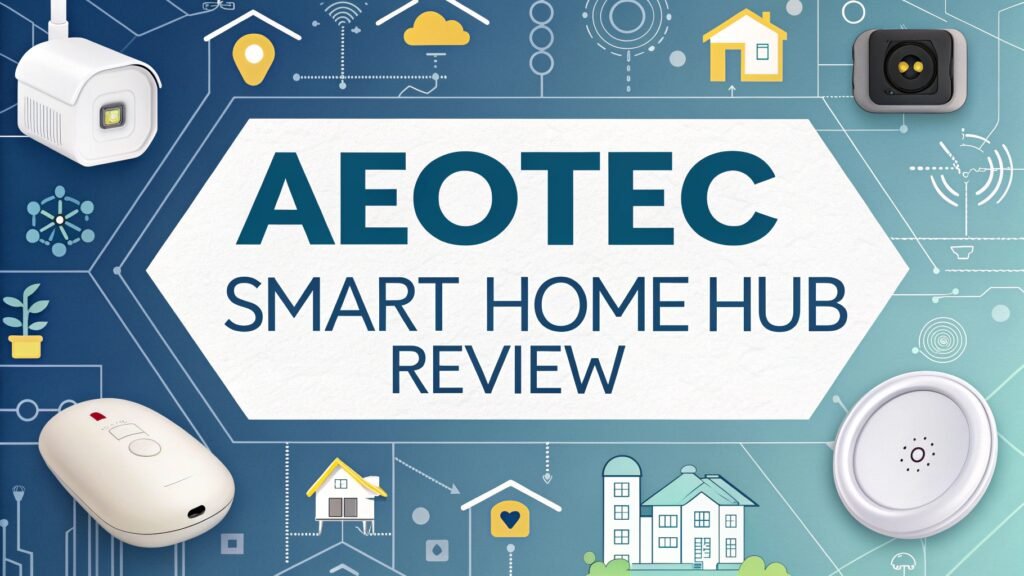
Aeotec Smart Home Hub Review: The Ultimate Guide
The smart home revolution has transformed how we interact with our living spaces. At the center of this transformation sits the Aeotec Smart Home Hub, a powerful device that has earned recognition as one of the best smart home controllers available today.
This comprehensive review examines everything you need to know about this remarkable hub that connects, automates, and controls thousands of smart devices seamlessly.
Whether you are starting your smart home journey or upgrading from an older system, this hub delivers the performance, compatibility, and reliability that modern homeowners demand.
Key Takeaways
- Universal Compatibility: The Aeotec Smart Home Hub supports multiple protocols including Zigbee 3.0, Z-Wave Plus, WiFi, Matter, and Thread, making it compatible with over 5,000 devices from 270+ brands
- Impressive Range: Features up to 100 feet Z-Wave range indoors and 40 feet Zigbee range, ensuring reliable connectivity throughout your home
- Voice Control Integration: Works seamlessly with Amazon Alexa and Google Home, allowing hands-free control of your entire smart home ecosystem
- Local Processing Power: Equipped with a 528MHz ARM Cortex-A7 processor and 256MB DDR memory for fast, reliable local automation without internet dependency
- Easy Setup Process: The SmartThings app provides intuitive installation and device management, making smart home automation accessible to users of all technical levels
- Future-Proof Technology: Built-in Matter and Thread support ensures compatibility with emerging smart home standards and devices
![SmartThings Hub 3rd Generation [GP-U999SJVLGDA] Smart Home Automation Hub Home Monitoring Smart Devices - Alexa Google Home Compatible - Zigbee, Z-Wave, Cloud to Cloud Protocols – White](https://devicediscoveries.blog/wp-content/plugins/aawp/public/image.php?url=YUhSMGNITTZMeTl0TG0xbFpHbGhMV0Z0WVhwdmJpNWpiMjB2YVcxaFoyVnpMMGt2TWpGb1EyaDFNRzkxYmt3dVgxTk1NVFl3WHk1cWNHYz18MTc3MjMzNDY4NA=)
What Makes the Aeotec Smart Home Hub Special
The Aeotec Smart Home Hub represents the evolution of Samsung’s SmartThings platform. This third-generation device brings together years of smart home innovation into a compact, reliable package. Unlike many competitors that focus on single protocols, this hub embraces multiple communication standards.
The hub’s multi-protocol support sets it apart from basic alternatives. Your smart lights can communicate via Zigbee while your door locks use Z-Wave, and your security cameras connect through WiFi. Everything works together through one central control point.
Performance specifications showcase the hub’s capabilities. The 528MHz ARM Cortex-A7 processor handles multiple device communications simultaneously. The 256MB DDR memory ensures smooth operation even with complex automation routines running continuously.
The compact design measures just 5 inches square and less than an inch tall. This small footprint allows placement anywhere in your home without drawing attention. The sleek white finish blends seamlessly with modern home decor.
Design and Build Quality Excellence
Premium construction defines the Aeotec Smart Home Hub’s physical presence. The durable plastic housing feels solid and well-engineered. Weight distribution creates stability on shelves and entertainment centers without requiring mounting hardware.
The minimalist aesthetic appeals to users who prefer clean, uncluttered technology. No unnecessary buttons, lights, or indicators distract from the hub’s primary function. A single LED provides status information when needed.
Port configuration includes Ethernet connectivity for reliable network connection. USB ports remain absent, but the hub’s wireless capabilities eliminate the need for physical device connections. Power comes through a standard DC adapter.
Ventilation design prevents overheating during extended operation. The hub runs cool and quiet, making it suitable for bedroom or living room placement. No fan noise disrupts your home’s peaceful environment.
Setup Process Made Simple
Installation simplicity makes the Aeotec Smart Home Hub accessible to users regardless of technical expertise. The SmartThings mobile app guides you through each step with clear instructions and helpful illustrations.
Network connection requires either WiFi or Ethernet. Most users prefer the wireless setup for flexibility, while Ethernet provides maximum stability for demanding automation scenarios. Both options work seamlessly with the hub’s capabilities.
Device pairing happens through the app’s intuitive interface. Scan QR codes, press buttons, or use automatic discovery depending on your device type. The hub supports SmartStart for Z-Wave devices, eliminating complex pairing procedures.
Account creation with Samsung SmartThings provides cloud backup and remote access. Your automation rules and device configurations remain safe even if you replace the hub. Multiple family members can share access with appropriate permissions.
The entire setup process typically completes within 30 minutes. Most of this time involves downloading the app and creating accounts rather than actual hub configuration. Device addition continues seamlessly after initial setup.
Top 3 Alternatives to Aeotec Smart Home Hub


Protocol Support and Device Compatibility
Multi-protocol architecture represents the Aeotec Smart Home Hub’s greatest strength. Zigbee 3.0 support connects sensors, bulbs, switches, and other low-power devices. The protocol’s mesh networking extends range and improves reliability throughout your home.
Z-Wave Plus compatibility brings door locks, thermostats, and security devices into your network. Z-Wave’s longer range and robust mesh capabilities make it ideal for larger homes or challenging wireless environments.
WiFi connectivity integrates cameras, smart speakers, and internet-connected appliances. The hub coordinates these devices with your mesh network devices, creating unified automation scenarios.
Matter over Thread support prepares your system for the smart home’s future. As more manufacturers adopt these standards, your hub remains compatible with emerging technologies and devices.
Device compatibility extends beyond simple connection. The hub translates between different protocols, allowing Zigbee sensors to trigger Z-Wave switches or WiFi cameras to activate mesh network lighting scenes.
Performance and Range Analysis
Z-Wave performance delivers up to 100 feet of indoor range with clear line-of-sight. Real-world performance varies based on construction materials and interference, but most users achieve 60-80 feet reliably.
Zigbee networking provides approximately 40 feet of indoor range per hop. The mesh design allows devices to extend the network automatically. With sufficient Zigbee devices, coverage extends throughout large homes effectively.
Processing speed handles complex automation rules without delays. Multiple sensors triggering simultaneous actions execute smoothly. The hub rarely experiences the lag that affects some competitor products.
Memory management keeps the system responsive even with dozens of connected devices. The 256MB RAM proves sufficient for typical home automation scenarios. Heavy users might notice slight delays with extremely complex rule sets.
Network connectivity remains stable through the hub’s robust wireless implementation. Ethernet connection provides additional reliability for users with demanding automation requirements or spotty WiFi coverage.
SmartThings App Experience
User interface design prioritizes simplicity without sacrificing functionality. The main dashboard displays device status, recent activity, and quick controls. Navigation feels intuitive for both beginners and experienced users.
Device management happens through clear, logical menus. Add devices, adjust settings, or remove equipment with straightforward procedures. Device tiles provide instant status updates and quick access to common controls.
Automation creation uses SmartThings’ Smart Lighting and SmartThings Labs features. Build simple scenes or complex conditional rules. The visual interface makes automation logic understandable without programming knowledge.
Remote access works reliably from anywhere with internet connectivity. Monitor your home, adjust settings, or trigger scenes while traveling. Push notifications keep you informed of important events.
The app receives regular updates that add features and improve performance. Samsung’s continued development ensures compatibility with new devices and emerging smart home standards.
Voice Control Integration
Amazon Alexa compatibility enables natural language control of connected devices. Say “Alexa, turn off the living room lights” or “Alexa, set the thermostat to 72 degrees” for instant response.
Google Assistant support provides similar voice control capabilities. “Hey Google, lock the front door” or “Hey Google, start movie night scene” executes commands through your Google Home devices.
Voice automation extends beyond simple device control. Create routines that respond to voice commands with multiple actions. “Good morning” might turn on lights, adjust the thermostat, and start your coffee maker simultaneously.
Natural language processing understands various ways to express the same command. The integration feels natural and responsive, making voice control a practical part of daily routines.
Security and Privacy Features
Local processing keeps many automation rules running even without internet connectivity. This approach improves response times and protects your privacy by reducing cloud dependence.
Encryption standards protect communication between the hub and connected devices. Z-Wave S2 and Zigbee 3.0 security ensure unauthorized access remains extremely difficult.
Account security through Samsung’s infrastructure includes two-factor authentication options. Multiple security layers protect your smart home data and prevent unauthorized access.
Privacy controls allow you to limit data sharing and control information collection. Review and adjust privacy settings to match your comfort level with cloud-connected services.
Firmware updates arrive automatically, ensuring your hub maintains the latest security protections. These updates install during low-usage periods to minimize disruption.
Energy Monitoring and Management
Power consumption tracking works with compatible smart switches and outlets. Monitor individual device usage or track whole-home energy patterns through detailed reports.
Cost analysis helps identify energy-wasting devices and usage patterns. Set budgets and receive alerts when consumption exceeds targets. Historical data reveals trends and improvement opportunities.
Automation optimization can reduce energy waste through intelligent scheduling. Turn off devices automatically when not needed, adjust heating and cooling based on occupancy, or shift high-consumption activities to off-peak hours.
Solar integration works with compatible solar monitoring systems. Track generation, consumption, and grid interaction through unified dashboards. Optimize self-consumption with smart device scheduling.
Advanced Automation Capabilities
Complex rule creation goes beyond simple if-then scenarios. Multiple conditions, time delays, and device states combine to create sophisticated automation logic. Weekend schedules differ from weekdays, vacation modes activate automatically, and seasonal adjustments happen seamlessly.
Scene management allows instant environment changes. “Movie Night” dims lights, closes blinds, adjusts temperature, and activates entertainment systems with one command. Create unlimited scenes for different activities and moods.
Conditional logic considers multiple factors before executing actions. Motion sensors only trigger lights when it’s dark, door locks only engage when everyone leaves, and security systems only arm during specified hours.
Integration possibilities extend through SmartThings Labs and community-developed solutions. Connect with services like IFTTT, webhooks, and custom applications for unlimited expansion potential.
Smart Home Security Integration
Security system compatibility includes major brands like ADT, Scout, and Brinks. Professional monitoring services integrate seamlessly with DIY smart home devices for comprehensive protection.
Camera integration supports popular brands including Arlo, Ring, and Nest. View feeds, receive motion alerts, and trigger actions based on camera events through the unified SmartThings interface.
Door and window monitoring through compatible sensors provides comprehensive perimeter protection. Receive instant alerts when openings are breached, automatically trigger lighting, or activate alarms based on your preferences.
Emergency response automation can activate all lights, unlock doors, and send notifications during fire or security emergencies. Pre-configured emergency scenes ensure quick response when seconds matter.
Troubleshooting Common Issues
Connectivity problems often stem from range limitations or interference. Adding mesh devices or repositioning the hub usually resolves most wireless communication issues. Ethernet connection eliminates many WiFi-related problems.
Device pairing failures typically require factory reset and retry procedures. Check device compatibility lists and ensure proper pairing mode activation. SmartStart simplifies Z-Wave device addition significantly.
Automation reliability improves with proper rule structure and realistic expectations. Avoid overly complex conditions that might fail. Test new rules thoroughly before relying on them for important functions.
App performance benefits from regular updates and cache clearing. Restart the app or hub when experiencing unusual behavior. Most issues resolve with simple troubleshooting steps.
The SmartThings community provides extensive support resources. User forums, official documentation, and video tutorials address most common problems effectively.
Pricing and Value Proposition
Cost analysis positions the Aeotec Smart Home Hub competitively within the premium smart home controller market. The initial investment pays dividends through years of reliable service and extensive device compatibility.
Value comparison against alternatives reveals superior protocol support and processing power. While cheaper options exist, few match the hub’s comprehensive capabilities and long-term support commitment.
Total ownership costs remain low due to local processing capabilities and efficient power consumption. Monthly cloud service fees stay minimal compared to some competitor platforms.
Investment protection comes through Samsung’s ongoing development and Matter/Thread support. Your hub investment remains valuable as smart home standards evolve and new devices enter the market.
Frequently Asked Questions
Is the Aeotec Smart Home Hub compatible with Apple HomeKit?
The Aeotec Smart Home Hub does not support Apple HomeKit directly. However, many connected devices work with HomeKit through their manufacturer apps, and some workarounds exist through Home Assistant integration for advanced users.
How many devices can the Aeotec Smart Home Hub support simultaneously?
The hub officially supports up to 200 connected devices across all protocols. Real-world performance remains excellent with 50-100 devices, which covers most residential smart home installations comfortably.
Does the hub work without internet connectivity?
Yes, many automation rules continue working during internet outages through local processing. Voice control and remote access require internet connectivity, but basic automation, lighting scenes, and sensor responses function offline.
Can I migrate from a Samsung SmartThings Hub to the Aeotec version?
Migration is straightforward since both hubs use the same SmartThings platform. Export your device list and automation rules, then import them to the new hub. Some device re-pairing may be necessary.
What’s the difference between Aeotec Smart Home Hub V3 and V4?
The V4 model (Smart Home Hub 2) offers improved processing power, USB expandability, and enhanced Thread support. However, it lacks Z-Wave compatibility, making the V3 better for users with existing Z-Wave devices.
How often does the hub receive software updates?
Samsung provides regular firmware updates, typically monthly, that add features, improve performance, and maintain security. Updates install automatically during low-usage periods to minimize disruption to your smart home operation.