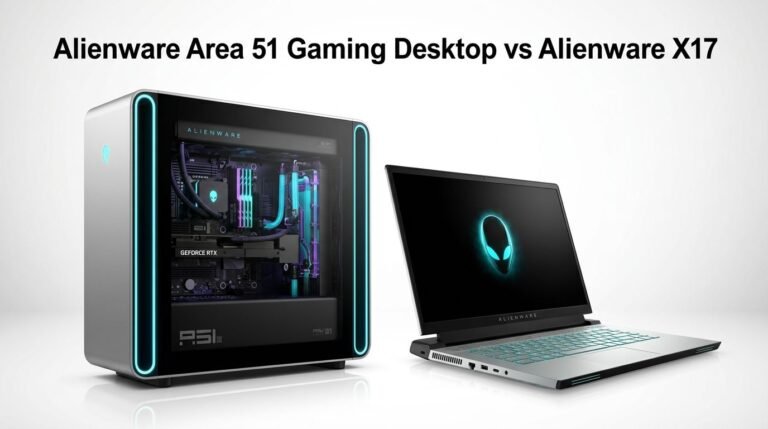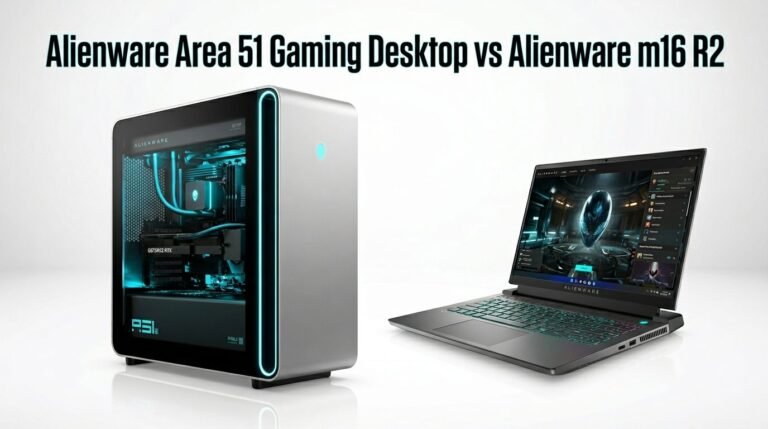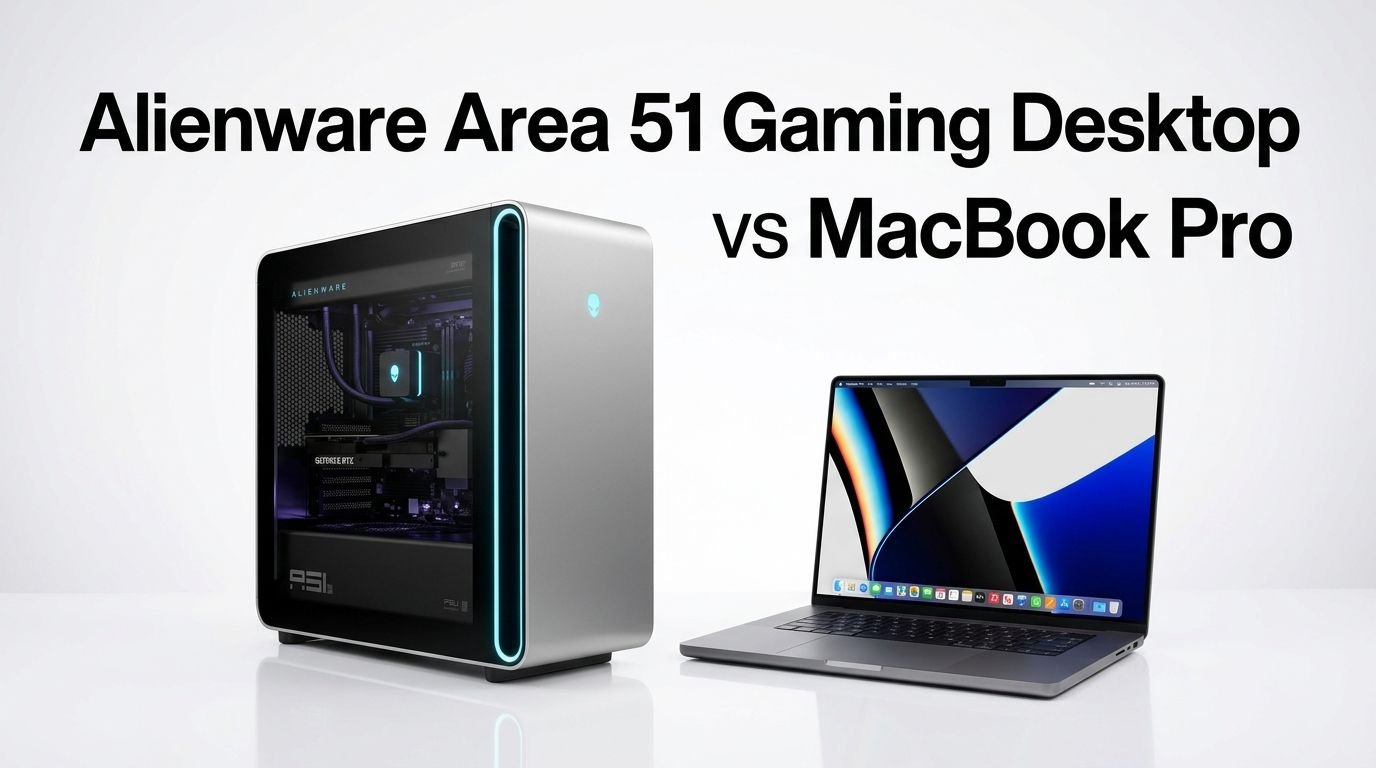
Alienware Area 51 Gaming Desktop vs MacBook Pro
The Alienware Area 51 gaming desktop and the MacBook Pro represent two very different philosophies in computing power.
One is a massive, 80-pound tower built to crush 4K games at triple-digit frame rates. The other is a sleek, 4.7-pound laptop that fits in a backpack and still delivers professional-grade performance.
So which one deserves your money? The answer depends on what you need most: raw gaming muscle or portable creative power. Both machines cost serious cash. Both deliver serious results. But they serve very different users with very different goals.
Key Takeaways
- The Alienware Area 51 is a dedicated gaming powerhouse. It pairs the Intel Core Ultra 9 285K (24 cores) with up to an NVIDIA RTX 5090 GPU. This combination delivers dominant 4K gaming performance with frame rates that no laptop can match right now.
- The MacBook Pro 16 with M5 Pro focuses on creative and professional workflows. Its 18-core CPU and 20-core GPU handle video editing, 3D rendering, music production, and software development with speed and efficiency. It also runs some games well through Apple’s growing library support.
- Portability is a clear win for the MacBook Pro. At under 5 pounds with up to 24 hours of battery life, the MacBook Pro goes anywhere. The Alienware Area 51 weighs close to 80 pounds and stays on your desk permanently.
- Price ranges overlap but serve different purposes. The Alienware Area 51 starts around $3,400 and can exceed $6,000 with top specs. The MacBook Pro 16 with M5 Pro starts around $2,499. Your budget should align with your primary use case.
- Software ecosystems differ greatly. The Alienware runs Windows 11 with full access to PC game libraries like Steam, Epic, and Game Pass. The MacBook Pro runs macOS with a strong creative software suite but a limited gaming library compared to Windows.
- Both machines offer premium build quality and design. The Alienware features a stunning new chassis with standard ATX parts. The MacBook Pro continues Apple’s tradition of a unibody aluminum design with a gorgeous Liquid Retina XDR display.
Alienware Area 51 Gaming Desktop Overview

The Alienware Area 51 returned in 2025 with a complete redesign. Dell scrapped the old proprietary internals and built this desktop around standard ATX components. That means you can upgrade the motherboard, GPU, PSU, and other parts yourself. This was a major shift for Alienware.
The chassis is massive. It measures over 80 liters in volume and weighs nearly 80 pounds. But that size serves a purpose. The interior provides excellent airflow and room for the largest consumer GPUs available. The design looks striking with its angular panels and customizable AlienFX RGB lighting.
This machine uses the Intel Core Ultra 9 285K processor with 24 cores and 32 threads. It clocks up to 5.7 GHz and handles gaming, streaming, and multitasking without breaking a sweat. Paired with 64GB of DDR5 RAM at 6400 MT/s, the system delivers fast memory performance for every workload.
Storage comes from a 4TB NVMe SSD in the top configuration. Load times are almost instant for modern AAA games. The 360mm liquid cooling system keeps the CPU temperatures in check even during long gaming sessions.
Pros:
- Extreme 4K gaming performance with RTX 5090
- Standard ATX parts allow easy upgrades
- 360mm liquid cooling keeps temperatures low
- 64GB DDR5 RAM handles any multitasking load
- Stunning design with full RGB customization
Cons:
- Very heavy at nearly 80 pounds
- High starting price of $3,400 and up
- Large footprint requires a big desk
- No portability whatsoever
- Fan noise can increase under full load
MacBook Pro 16 Inch with M5 Pro Overview

Apple released the MacBook Pro 16 with the M5 Pro chip in early 2026. This laptop pushes Apple silicon performance further than ever. The M5 Pro chip features an 18-core CPU and a 20-core GPU on a single unified architecture. That means the CPU and GPU share the same memory pool for faster data access.
The laptop ships with 24GB of unified memory in its base configuration. This shared memory design eliminates the bottleneck between CPU and GPU. Video editors, 3D artists, and music producers benefit directly from this approach.
The 16.2-inch Liquid Retina XDR display outputs a resolution of 3456 x 2234 pixels. It supports ProMotion with a 120Hz adaptive refresh rate. Peak brightness reaches 1600 nits for HDR content. Colors are accurate right out of the box for professional photo and video work.
Battery life is outstanding. Apple claims up to 24 hours of video playback on a single charge. Real-world use typically delivers 14 to 18 hours depending on the workload. MagSafe fast charging gets the battery back up quickly.
Pros:
- Outstanding battery life up to 24 hours
- Brilliant 16.2-inch Liquid Retina XDR display
- M5 Pro chip delivers near-desktop performance
- Weighs only 4.7 pounds for full portability
- Silent operation under most workloads
Cons:
- Limited gaming library compared to Windows
- No user-upgradeable RAM or storage after purchase
- Starts at around $2,499 for the M5 Pro model
- Runs macOS only without Boot Camp for Windows
- GPU performance does not match a desktop RTX 5090
Processor Performance Comparison
The processor battle here is Intel Core Ultra 9 285K versus Apple M5 Pro. These chips approach performance from completely different angles.
The Intel Core Ultra 9 285K in the Alienware uses 24 cores and 32 threads. It reaches boost clocks of 5.7 GHz and packs 76MB of total cache. This processor excels at single-threaded gaming tasks and heavily multithreaded workloads alike. It draws significantly more power than the Apple chip, but it plugs into a wall outlet so that’s not a concern.
The Apple M5 Pro uses an 18-core CPU design with 6 performance cores and 12 efficiency cores. It maxes out at roughly 4.5 GHz on the performance cores. Benchmarks from Notebookcheck show the M5 Pro matches or slightly beats the previous M4 Max in multi-core workloads. That is impressive for a chip inside a thin laptop.
For pure gaming, the Intel chip wins. PC games are optimized for x86 architecture and high clock speeds. The Ultra 9 285K paired with a dedicated GPU demolishes anything the M5 Pro can do in gaming benchmarks.
For creative and professional work, the M5 Pro holds its own. Its unified memory architecture and efficient core design deliver fast export times in Final Cut Pro, Logic Pro, and similar macOS applications.
Graphics and GPU Power
This is where the two machines differ most. The Alienware Area 51 can house an NVIDIA GeForce RTX 5090 with 32GB of GDDR7 memory. This is the fastest consumer GPU available. It handles 4K gaming at 100+ FPS in most modern titles with ray tracing enabled.
The RTX 5090 also supports DLSS 4 with Frame Generation. This AI upscaling technology boosts frame rates dramatically. Games look sharp and run smooth even at maximum settings. Content creators also benefit from NVIDIA’s CUDA cores for GPU-accelerated rendering in apps like Blender and DaVinci Resolve.
The MacBook Pro’s M5 Pro GPU has 20 cores built into the SoC (System on a Chip). It shares the 24GB unified memory pool with the CPU. This GPU handles 4K video editing, 3D modeling, and light gaming with ease. Apple’s Metal API provides strong optimization for macOS applications.
However, the M5 Pro GPU cannot match the RTX 5090 in raw gaming throughput. Desktop discrete GPUs simply have more transistors, more power, and more dedicated memory bandwidth. If gaming is your primary activity, the Alienware’s GPU advantage is enormous.
Design and Build Quality
The Alienware Area 51 features a completely new chassis design for 2025. It uses a dark metallic exterior with angular cuts and a tempered glass side panel. The AlienFX lighting system lets you customize millions of color combinations across multiple zones. It looks aggressive and futuristic.
Inside, the cable management is clean. Dell used standard ATX components, so the interior feels like a high-end custom PC rather than a locked-down prebuilt. The 1500W Platinum-rated power supply sits at the bottom and feeds power to all components efficiently.
The MacBook Pro 16 keeps Apple’s signature unibody aluminum design. It comes in Space Black and Silver finishes. The build is solid with zero flex in the keyboard deck or display hinge. At 0.66 inches thick and under 5 pounds, it feels premium in every way.
Both machines offer excellent build quality. The Alienware feels like a showpiece for your gaming room. The MacBook Pro feels like a precision instrument you carry to meetings and coffee shops. Your lifestyle determines which design philosophy appeals more.
Display Quality
The Alienware Area 51 does not include a monitor. You need to buy a display separately. This gives you freedom to choose any monitor that fits your needs. Gamers often pair it with a 4K 144Hz or 1440p 240Hz gaming monitor for the best experience.
The MacBook Pro 16 comes with its own 16.2-inch Liquid Retina XDR display built in. This screen outputs 3456 x 2234 resolution with 1000 nits sustained brightness and 1600 nits peak HDR brightness. The ProMotion 120Hz refresh rate makes scrolling and animations buttery smooth.
For color accuracy, the MacBook Pro display covers the full P3 wide color gamut. Photo editors and video producers trust it for color-critical work without an external reference monitor. This is a major advantage for creative professionals.
The Alienware gives you flexibility in display choice. You can pick an ultrawide, a high-refresh gaming panel, or a color-accurate production monitor. But that adds extra cost on top of the desktop’s price.
Storage and Memory
The Alienware Area 51 reviewed configuration packs 64GB of DDR5 RAM at 6400 MT/s and a 4TB NVMe SSD. That is a generous amount for gaming, streaming, and content creation. The desktop supports up to 192GB of DDR5 across four DIMM slots. You can also add extra NVMe drives for additional storage.
The MacBook Pro 16 M5 Pro ships with 24GB of unified memory in the base model. You can configure it up to 48GB at the time of purchase. Unified memory means both the CPU and GPU access the same memory pool at the same speed. This is efficient but cannot be upgraded after purchase.
Storage on the MacBook Pro starts at 512GB or 1TB SSD depending on the configuration. Apple charges a premium for storage upgrades. The SSD speeds are extremely fast, often exceeding 7,000 MB/s in read tests.
The Alienware clearly wins on memory and storage expandability. You can add RAM sticks and extra SSDs anytime. The MacBook Pro locks you into your purchase configuration forever.
Cooling and Noise Levels
The Alienware Area 51 uses a 360mm AIO liquid cooler for the CPU. The large 80-liter chassis provides plenty of room for airflow. Reviews from Hot Hardware and PCMag report that the system runs surprisingly quiet at idle. Under full gaming load, fan noise increases but stays manageable at normal sitting distances.
The GPU uses its own large cooling solution with multiple fans. The spacious interior prevents hot air from building up inside the case. Thermal throttling is rare even during extended gaming sessions.
The MacBook Pro 16 uses Apple’s internal fan system with a dual-fan design. Under light workloads like web browsing and document editing, the laptop is completely silent. The fans spin up during heavy tasks like video exports or sustained rendering. Even then, noise levels remain low compared to most Windows gaming laptops.
Apple’s efficiency advantage shows here. The M5 Pro chip generates far less heat than the Intel and NVIDIA combination in the Alienware. This means the MacBook Pro spends most of its time in a silent or near-silent state.
Gaming Performance
If gaming is your primary goal, the Alienware Area 51 wins this category by a wide margin. The RTX 5090 GPU delivers frame rates that no laptop can match. At 4K resolution with ray tracing and DLSS enabled, expect 100+ FPS in titles like Cyberpunk 2077, Alan Wake 2, and Call of Duty.
The Intel Core Ultra 9 285K feeds the GPU fast enough to avoid bottlenecks. The 64GB of DDR5 RAM ensures no stuttering during intensive scenes. The fast NVMe storage loads games in seconds.
The MacBook Pro can game, but it faces limitations. macOS supports a growing but still smaller library of games through the Mac App Store, Steam, and Apple’s Game Porting Toolkit. Titles like Resident Evil Village, Baldur’s Gate 3, and No Man’s Sky run well on the M5 Pro.
However, many popular PC games never receive macOS ports. You miss out on a large chunk of the gaming library. Performance in games that do run on macOS is respectable but far behind what the RTX 5090 delivers.
Creative and Professional Workflows
The MacBook Pro 16 with M5 Pro dominates creative workflows. Final Cut Pro renders 8K timelines with smooth playback. Logic Pro handles hundreds of audio tracks without latency. Adobe Premiere Pro and DaVinci Resolve run natively on Apple silicon with excellent optimization.
The unified memory architecture gives the M5 Pro a unique advantage. Large video files and 3D models load directly into shared memory without copying between CPU and GPU memory pools. This speeds up rendering and preview times significantly.
The Alienware Area 51 is also excellent for content creation. The RTX 5090’s CUDA cores accelerate rendering in Blender, After Effects, and Premiere Pro on Windows. Adobe apps often run slightly faster on Windows for GPU-heavy tasks due to mature CUDA support.
Both machines handle professional work well. The MacBook Pro is better for on-the-go production and macOS-exclusive apps. The Alienware is better for heavy GPU rendering and workflows that benefit from NVIDIA’s CUDA ecosystem.
Software and Ecosystem
The Alienware Area 51 runs Windows 11. This gives you access to the largest software library on any platform. Every major game, creative tool, development environment, and productivity app supports Windows. Game Pass, Steam, Epic Games Store, and GOG all work flawlessly.
The MacBook Pro runs macOS Sequoia (or the latest version). macOS offers excellent creative apps like Final Cut Pro, Logic Pro, Xcode, and the full Adobe Creative Cloud suite. The Apple ecosystem integration with iPhone, iPad, Apple Watch, and AirPods is seamless through features like AirDrop, Handoff, and Universal Clipboard.
Gaming software availability favors Windows heavily. Thousands of games on Steam have no macOS version. If you want to play the latest AAA titles on launch day, the Alienware with Windows is the clear choice.
For developers, the MacBook Pro offers a Unix-based terminal and strong support for web development, iOS/macOS development, and cross-platform tools. The Alienware supports all Windows development tools plus WSL (Windows Subsystem for Linux) for Unix workflows.
Value for Money
The Alienware Area 51 starts at $3,399 for the base configuration with an RTX 5080. The RTX 5090 configurations can exceed $5,500 to $6,700. You also need to buy a monitor, keyboard, and mouse separately. Total setup cost can easily surpass $7,000.
The MacBook Pro 16 with M5 Pro starts at approximately $2,499. It includes the display, keyboard, trackpad, speakers, and webcam. You get a complete system out of the box. Upgrading memory and storage adds cost, but the base model is fully usable.
For raw gaming performance per dollar, the Alienware delivers more graphical power. But you spend a lot more overall. The MacBook Pro offers a complete portable workstation at a lower total cost with exceptional build quality and battery life.
Value depends on your priorities. Gamers get more bang for their buck from the Alienware. Professionals who need portability and a complete package get better value from the MacBook Pro.
Who Should Buy the Alienware Area 51?
The Alienware Area 51 is built for serious PC gamers who want the best possible performance. If you play AAA games at 4K with maximum settings and ray tracing, this desktop delivers that experience. It is also a good fit for streamers who game and broadcast simultaneously.
PC enthusiasts who enjoy upgrading and customizing their hardware will appreciate the standard ATX design. You can swap the GPU, add more storage, and upgrade RAM without any proprietary restrictions. This extends the machine’s lifespan for years.
Content creators who rely on NVIDIA CUDA acceleration for rendering in Blender, After Effects, or DaVinci Resolve will also benefit from the RTX 5090. The raw GPU compute power is unmatched by any laptop chip.
Who Should Buy the MacBook Pro?
The MacBook Pro 16 with M5 Pro is ideal for creative professionals who need a portable powerhouse. Video editors, photographers, musicians, and software developers will love the performance and the stunning display. The silent operation and all-day battery life make it perfect for working from anywhere.
If you live inside the Apple ecosystem and use an iPhone, iPad, and other Apple devices, the MacBook Pro integrates perfectly. Handoff, AirDrop, iCloud syncing, and Sidecar create a smooth multi-device workflow.
Students and professionals who need a single machine for everything benefit from the MacBook Pro’s all-in-one design. You get a high-resolution display, great speakers, a sharp webcam, and a comfortable keyboard in one package. No extra peripherals are required to get started.
Final Verdict: Alienware Area 51 vs MacBook Pro
These two machines serve different audiences and do not directly compete. The Alienware Area 51 is a stationary gaming beast that crushes 4K games and GPU-intensive workloads. The MacBook Pro 16 with M5 Pro is a portable creative powerhouse with incredible battery life and a world-class display.
Choose the Alienware if gaming performance is your top priority and you want a machine you can upgrade over time. Choose the MacBook Pro if portability, battery life, and creative workflows matter most to you.
Both are premium products with premium prices. Neither is a bad choice. Your daily workflow and lifestyle should guide the decision.
FAQs
Can the MacBook Pro play the same games as the Alienware Area 51?
No. The MacBook Pro runs macOS, which supports a smaller game library than Windows. Many AAA titles do not have macOS versions. The Alienware with Windows 11 gives you access to thousands more games through Steam, Epic, and Game Pass.
Is the Alienware Area 51 worth the high price?
For dedicated gamers who want 4K performance with ray tracing, the Alienware Area 51 delivers outstanding value in terms of raw power. The standard ATX design also means you can upgrade parts over time, which protects your investment.
Can I use the MacBook Pro for video editing?
Yes. The MacBook Pro 16 with M5 Pro is one of the best laptops for video editing. It handles 4K and 8K timelines smoothly in Final Cut Pro, Adobe Premiere Pro, and DaVinci Resolve. The Liquid Retina XDR display provides accurate colors for grading.
Does the Alienware Area 51 come with a monitor?
No. The Alienware Area 51 is a desktop tower only. You need to purchase a monitor, keyboard, and mouse separately. This adds to the total cost but also lets you choose peripherals that match your preferences.
How long does the MacBook Pro battery last for real work?
Most reviewers report 14 to 18 hours of real-world use on the MacBook Pro 16 with M5 Pro. Apple rates it at up to 24 hours for video playback. Battery life varies based on screen brightness, workload type, and active applications.
Can I upgrade the RAM in the MacBook Pro later?
No. Apple solders the unified memory into the M5 Pro chip. You must choose your desired memory configuration at the time of purchase. The Alienware Area 51 supports user-upgradeable DDR5 RAM with up to 192GB capacity.