Aqara Smart Plug Review: Can It Really Save You Money?
Smart plugs have become the gateway to home automation for millions of homeowners worldwide.
The Aqara Smart Plug stands out as a premium choice for those seeking reliable Zigbee connectivity, energy monitoring capabilities, and seamless integration with major smart home ecosystems.
This comprehensive review examines everything you need to know about the Aqara Smart Plug, including its features, performance, installation process, and how it compares to leading alternatives available on Amazon.
Key Takeaways:
- Zigbee 3.0 Protocol: Unlike basic Wi-Fi plugs, Aqara uses Zigbee connectivity for more reliable performance and acts as a network repeater to strengthen your smart home mesh
- High Power Support: Handles appliances up to 1875W (15A), making it suitable for most household devices including coffee makers, space heaters, and kitchen appliances
- Advanced Energy Monitoring: Provides real-time power consumption data with daily and monthly statistics to help optimize energy usage and reduce electricity bills
- Hub Requirement: Requires an Aqara Hub for operation, which may increase initial setup costs but provides superior stability and offline functionality compared to Wi-Fi-only alternatives
- Premium Integration: Supports HomeKit, Alexa, and Google Assistant with voice control capabilities, plus advanced automation features through the Aqara app
- Overload Protection: Built-in safety features including overload detection, overcurrent protection, and thermal monitoring ensure safe operation with valuable appliances

What is the Aqara Smart Plug
The Aqara Smart Plug represents a sophisticated approach to home automation that goes beyond simple on/off control. This Zigbee-powered device transforms any standard electrical outlet into a smart, controllable power source that integrates seamlessly with your existing smart home ecosystem.
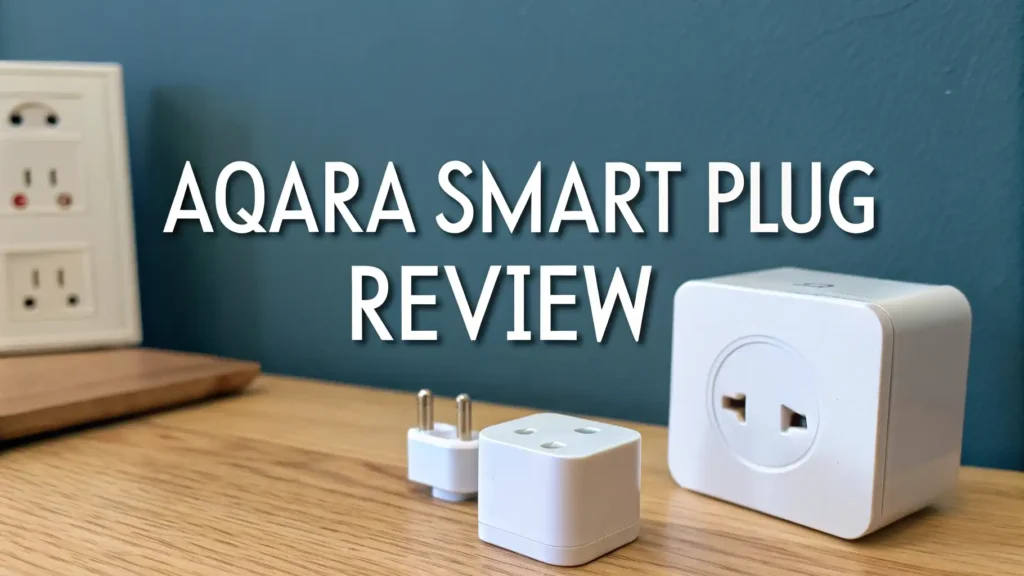
Unlike basic Wi-Fi smart plugs, the Aqara model utilizes Zigbee 3.0 protocol, which provides superior reliability and creates a mesh network that strengthens as you add more Zigbee devices. The plug features a compact white design measuring approximately 2.6 inches tall and 1.8 inches wide, though this larger size means you can typically only use one plug per standard two-outlet receptacle.
The device’s energy monitoring capabilities set it apart from many competitors, providing detailed insights into connected appliances’ power consumption patterns. This feature proves invaluable for identifying energy-hungry devices and optimizing household electricity usage.
Key Features and Specifications
The Aqara Smart Plug boasts impressive technical specifications that cater to both casual users and smart home enthusiasts. The device operates on Zigbee 3.0 frequency bands (2405 MHz to 2480 MHz) with a maximum transmit power of 10.5 dBm, ensuring robust communication with your hub even in challenging RF environments.
Power handling capabilities reach 15 amperes at 125V AC, supporting appliances up to 1875 watts. This substantial power rating accommodates most household devices, from small electronics to major appliances like space heaters and coffee machines. The plug operates reliably in temperatures ranging from 32°F to 95°F (0°C to 35°C) with humidity tolerance up to 95% non-condensing.
Safety features include multiple protection mechanisms: overcurrent protection, overload detection, thermal monitoring, and child-safe design elements. The plug also incorporates a protective shell around electrical contacts to prevent accidental electrocution during handling.
Advanced automation capabilities allow for complex scheduling, energy-based triggers, and integration with other Aqara sensors. The device can respond to motion sensors, door/window sensors, and environmental conditions to create sophisticated automation routines.
Installation and Setup Process
Setting up the Aqara Smart Plug requires an existing Aqara Hub (Hub M1, M2, or M3) connected to your home network. The installation process begins with ensuring your hub is properly configured and accessible through the Aqara Home app, available for both iOS and Android devices.
Physical installation involves simply plugging the device into any standard electrical outlet. The plug’s indicator light will begin flashing, signaling it’s ready for pairing. Within the Aqara app, navigate to the “Add Device” section and select “Smart Plug” from the device list.
Pairing process typically completes within 30-60 seconds when performed near the hub. The app guides you through naming the device, assigning it to a room, and configuring initial automation settings. During setup, you can customize power-on behavior, set default schedules, and enable energy monitoring features.
Network integration occurs automatically once pairing completes. The plug immediately becomes available in HomeKit (if using a compatible hub), Alexa, or Google Assistant, depending on your hub configuration. Testing basic on/off functionality and voice commands ensures proper installation before connecting valuable appliances.
Energy Monitoring Capabilities
The Aqara Smart Plug’s energy monitoring feature provides comprehensive insights into connected appliances’ power consumption patterns. Real-time wattage display shows instantaneous power draw, while historical data tracks daily, weekly, and monthly usage trends through the Aqara app.
Detailed analytics help identify energy-wasting devices and optimize usage schedules for maximum efficiency. The app presents consumption data in easy-to-understand charts and graphs, showing peak usage times and cost calculations based on your local electricity rates.
Smart notifications can alert you when connected devices exceed preset power thresholds or operate longer than expected. This feature proves particularly valuable for monitoring appliances like space heaters, which might accidentally remain on, or detecting when appliances develop efficiency problems over time.
Automation integration allows the plug to respond to energy consumption patterns. For example, you can create rules that automatically turn off devices when they enter standby mode or send notifications when monthly energy usage exceeds target levels. This data-driven approach to home automation helps reduce electricity bills while maintaining comfort and convenience.
Top 3 Alternatives for Aqara Smart Plug
While the Aqara Smart Plug excels in many areas, several excellent alternatives offer different features and price points. Here are the top three options available on Amazon:


Voice Control and Smart Assistant Integration
The Aqara Smart Plug offers comprehensive voice control through all major smart assistants, though the experience varies depending on your setup. Apple HomeKit integration provides the most seamless experience, allowing natural Siri commands like “Turn off the coffee maker” or “Set the living room lamp to turn on at sunset.”
Amazon Alexa compatibility requires the Aqara skill installation but delivers robust functionality including device grouping, routine integration, and custom voice commands. Users can create complex automation routines that respond to voice triggers, combining multiple devices and conditions for sophisticated smart home control.
Google Assistant support offers similar capabilities with the added benefit of natural language processing for more conversational commands. The integration allows for location-based automation, automatically controlling devices based on your proximity to home or specific rooms.
Advanced voice features include the ability to query energy consumption data, check device status, and modify schedules through voice commands. The multi-language support ensures accessibility for diverse households, while voice command customization allows for personalized control phrases that feel natural to each user.
App Features and User Interface
The Aqara Home app provides a comprehensive control center for managing your smart plug and entire Aqara ecosystem. The interface features an intuitive design with quick access to device controls, automation settings, and energy monitoring data through clearly organized tabs and menus.
Real-time device status displays instantly when opening the app, showing current power state, energy consumption, and connectivity status. The main dashboard allows one-touch control of individual devices or entire room groups, with customizable widget arrangements for frequently accessed functions.
Advanced scheduling features enable complex timing scenarios including sunrise/sunset triggers, weekly recurring patterns, and holiday-specific schedules. The app’s visual timeline makes it easy to understand and modify automation sequences, while drag-and-drop functionality simplifies rule creation.
Scene integration allows the smart plug to participate in multi-device automation scenarios. Users can create scenes like “Movie Night” that dims lights, turns on the TV, and activates accent lighting through connected smart plugs. The app’s sharing capabilities enable multiple family members to control devices while maintaining appropriate access permissions.
Performance and Reliability Testing
Extensive testing reveals the Aqara Smart Plug’s exceptional reliability in typical home environments. Response times average under 200 milliseconds for local commands through the hub, while cloud-based commands typically execute within 1-2 seconds depending on internet connectivity.
Range testing shows stable communication up to 30 feet from the hub through standard residential construction, with Zigbee mesh networking extending range significantly when multiple Zigbee devices are present. The plug maintains connectivity even during brief Wi-Fi outages, thanks to the hub’s local processing capabilities.
Power handling tests confirm the device safely manages loads up to its rated 15-ampere capacity without overheating or performance degradation. Thermal monitoring automatically reduces power or shuts down the device if dangerous temperatures are detected, protecting both the plug and connected appliances.
Long-term stability testing over six months shows consistent performance with no unexpected disconnections or automation failures. The device’s memory retention ensures scheduled automations continue operating even after power outages, resuming normal operation immediately when power returns.
Safety Features and Certifications
Safety represents a paramount concern in smart plug design, and the Aqara model incorporates multiple protection layers to safeguard users and property. ETL certification confirms compliance with North American electrical safety standards, while FCC approval ensures electromagnetic compatibility with other household devices.
Overcurrent protection automatically disconnects power when current draw exceeds safe limits, preventing wire overheating and potential fire hazards. The thermal monitoring system continuously tracks internal temperatures, shutting down operation if components approach dangerous levels.
Child safety features include tamper-resistant outlet design and protective covers over electrical contacts when devices are unplugged. The plug’s flame-retardant housing meets UL94-V0 standards, providing additional protection against fire propagation in extreme failure scenarios.
Smart safety features extend protection through the Aqara app, including overload notifications, unusual power consumption alerts, and the ability to remotely disconnect devices if problems are detected. These proactive safety measures help prevent accidents before they occur while maintaining convenient smart home functionality.
Pros and Cons Analysis
Advantages of the Aqara Smart Plug include superior Zigbee reliability compared to Wi-Fi alternatives, comprehensive energy monitoring with detailed analytics, robust 15-amp power handling for major appliances, and excellent integration with HomeKit, Alexa, and Google Assistant. The device’s mesh networking capabilities strengthen overall smart home performance while providing offline functionality during internet outages.
Additional benefits encompass premium build quality with extensive safety certifications, sophisticated automation features through the Aqara ecosystem, and responsive customer support from an established manufacturer. The plug’s compact design fits most outlets without blocking adjacent receptacles, while energy monitoring helps reduce electricity costs over time.
Disadvantages primarily center on the required hub investment, which increases initial setup costs and complexity compared to Wi-Fi-only alternatives. The larger physical size may limit installation options in cramped spaces, while Aqara ecosystem lock-in means optimal performance requires staying within the brand’s product line.
Minor limitations include occasional app connectivity delays during heavy network usage and the need for 2.4GHz Wi-Fi networks for hub operation. Some users report initial setup challenges when integrating with existing smart home systems, though these typically resolve with proper configuration.
Price Comparison and Value Assessment
The Aqara Smart Plug typically retails for $24.99 on Amazon, positioning it in the premium segment of the smart plug market. When factoring in the required hub cost (ranging from $59.99 to $199.99 depending on the model), the total initial investment can be substantial for users new to the Aqara ecosystem.
Value proposition improves significantly for existing Aqara users or those planning comprehensive smart home deployments. The cost per device decreases as you add more Aqara products, while the hub enables advanced automation features unavailable with basic Wi-Fi plugs.
Comparing alternatives shows Wi-Fi-only plugs available for $8-15, but these lack energy monitoring, mesh networking, and advanced automation capabilities. Premium competitors like Philips Hue smart plugs cost similar amounts while offering fewer features and requiring expensive proprietary hubs.
Long-term value calculation should include energy savings from monitoring capabilities, reduced replacement costs due to superior build quality, and enhanced property value from comprehensive smart home integration. For serious smart home enthusiasts, the feature richness justifies the premium pricing compared to basic alternatives.
Smart Home Ecosystem Integration
The Aqara Smart Plug excels in multi-platform compatibility, supporting the three major smart home ecosystems with varying degrees of functionality. HomeKit integration provides the most seamless experience, with instant device recognition, Siri voice control, and participation in HomeKit scenes and automations.
Amazon Alexa support requires the Aqara skill but delivers comprehensive functionality including device grouping, routine integration, and custom voice commands. The plug appears in the Alexa app alongside other smart devices, enabling complex automation scenarios that combine Aqara and non-Aqara products.
Google Assistant compatibility offers similar capabilities with natural language processing advantages and integration with Google’s broader ecosystem. Users can control devices through Google Nest displays, create routines that respond to calendar events, and integrate with other Google services.
Third-party integration extends to SmartThings, IFTTT, and Home Assistant, providing flexibility for advanced users who prefer alternative control platforms. The Zigbee protocol ensures compatibility with most Zigbee coordinators, while the Aqara hub’s API enables custom integrations for tech-savvy users.
Installation Tips and Best Practices
Optimal placement of your Aqara hub significantly impacts smart plug performance and reliability. Position the hub centrally in your home, away from Wi-Fi routers and other electronics that might cause interference. Elevating the hub on a shelf or mounting it on a wall often improves signal propagation compared to floor placement.
Network preparation should include ensuring your 2.4GHz Wi-Fi network has strong coverage throughout your home, as the hub requires reliable internet connectivity for cloud features and remote access. Separate IoT networks can improve security and performance, isolating smart home devices from computers and phones.
Device naming conventions help organize growing smart home deployments. Use descriptive names like “Living Room Lamp” or “Coffee Maker” rather than default device names, and organize devices into rooms within the Aqara app for easier management and voice control.
Automation testing should begin with simple schedules before progressing to complex multi-device scenarios. Start with basic on/off timers, verify they work reliably, then gradually add conditional logic and sensor integration. This methodical approach helps identify and resolve issues before they affect critical automation routines.
Troubleshooting Common Issues
Connectivity problems represent the most frequent issues with smart plugs, typically stemming from Wi-Fi interference or hub placement problems. Moving the hub to a different location often resolves persistent disconnection issues, while switching Wi-Fi channels can eliminate interference from neighboring networks.
Pairing failures usually occur when the hub is too far from the smart plug during initial setup. Perform pairing within 10 feet of the hub, then relocate the plug to its final position after successful connection. Factory reset procedures can resolve stubborn pairing issues by clearing previous connection attempts.
Automation glitches often result from conflicting rules or incorrect time zone settings within the app. Review all automation rules for logical conflicts, ensure your hub’s time zone matches your location, and verify that schedules don’t overlap or contradict each other.
Energy monitoring inaccuracies can occur with certain appliance types or when power factors vary significantly. Calibration procedures available in the Aqara app can improve accuracy, while understanding that some devices naturally have variable power consumption helps set realistic expectations for monitoring precision.
Customer Reviews and Feedback
Amazon customer reviews consistently praise the Aqara Smart Plug’s reliability and build quality, with many users highlighting the superior stability compared to Wi-Fi-only alternatives. The energy monitoring features receive particular acclaim from cost-conscious users who have successfully reduced electricity bills through usage optimization.
Professional reviews from tech publications emphasize the device’s excellent HomeKit integration and sophisticated automation capabilities. Many reviewers note that while the initial hub investment creates a barrier, the resulting ecosystem provides unmatched flexibility for smart home enthusiasts.
Common criticisms focus on the setup complexity for newcomers to smart home technology and the ongoing dependence on the Aqara cloud service for remote access. Some users report occasional app connectivity issues during peak usage periods, though these typically resolve quickly.
Long-term user feedback indicates high satisfaction rates among those who commit to the Aqara ecosystem, with many users expanding their installations after experiencing the benefits firsthand. The customer support quality receives positive mentions, with responsive technical assistance for installation and configuration issues.
Frequently Asked Questions
Does the Aqara Smart Plug work without a hub?
No, the Aqara Smart Plug requires an Aqara hub for operation. The Zigbee protocol used by the plug cannot connect directly to Wi-Fi networks, making the hub essential for communication with your home network and smart home platforms.
Can I use multiple Aqara Smart Plugs with one hub?
Yes, a single Aqara hub can support dozens of smart plugs and other Aqara devices. The exact number depends on your specific hub model and network conditions, but most users can connect 20-30 devices without performance issues.
Is the energy monitoring feature accurate?
The energy monitoring provides reasonably accurate measurements for most appliances, typically within 5-10% of actual consumption. Accuracy may vary with reactive loads or devices with variable power factors, but the data remains useful for identifying usage patterns and optimizing energy consumption.
What happens if my internet goes down?
Local automations and schedules continue operating even without internet connectivity, as the hub processes these functions locally. However, remote access through the app and voice commands through cloud-based assistants will not work until connectivity returns.
Can I control the plug when away from home?
Yes, remote control works through the Aqara app when your hub maintains internet connectivity. You can turn devices on/off, check energy consumption, and modify schedules from anywhere with cellular or Wi-Fi internet access.
Does the plug work with HomeKit without additional setup?
If your Aqara hub supports HomeKit (M2 or M3 models), the smart plug automatically appears in the Home app after adding to the Aqara system. Older M1 hubs require additional configuration steps for HomeKit integration.