ASUS ROG GM700 Gaming Desktop Review 2026: Worth It?
Are you searching for a gaming desktop that delivers serious power right out of the box? The ASUS ROG GM700 has been turning heads since its launch, and for good reason.
This full tower prebuilt gaming PC packs top tier hardware into a sleek 58L chassis. It runs modern AAA games at high to ultra settings with impressive frame rates.
But here’s the real question. Does it live up to the buzz, or are you better off building your own rig? In this review, we break down every detail of the ASUS ROG GM700.
Key Takeaways:
- Multiple configuration options make the GM700 flexible. You can choose from the AMD Ryzen 5 8400F all the way up to the Ryzen 9 9950X 3D processor. GPU choices include the NVIDIA GeForce RTX 5060, RTX 5060 Ti, RTX 5070 Ti, and AMD Radeon RX 9060 XT or RX 9070 XT. This range covers budgets from around $1,199 to $2,749.
- 32GB DDR5 RAM comes standard in most configurations. The system supports up to 64GB across four DIMM slots. This is plenty for gaming, streaming, and multitasking at the same time.
- The 58L full tower case features a tempered glass side panel and clean cable management. It supports triple slot GPUs with room to spare. ASUS also includes a GPU support bracket in select models to prevent sag.
- Cooling performance is solid. Higher end models include a liquid cooler, while entry level configurations use an air cooler. Both options keep temperatures in check during extended gaming sessions.
- The GM700 ships with a gaming RGB keyboard and mouse included. This means you can start playing the moment you plug it in. WiFi 6 and 2.5Gbps Ethernet keep your connection fast and stable.
- Upgradeability stands out for a prebuilt. The B650 chipset on AMD models gives you access to PCIe 4.0 expansion slots, extra M.2 SSD slots, and four SATA ports for additional storage down the road.

ASUS ROG GM700 Gaming Desktop Overview
The ASUS ROG GM700 is a full tower gaming desktop from the Republic of Gamers lineup. ASUS launched this system as part of its 2025 refresh, and it has quickly become one of the most popular prebuilt gaming PCs on the market. It targets gamers who want strong performance without the hassle of building a PC from scratch.
The GM700 comes in several configurations. The AMD platform uses the B650 chipset and offers processors like the Ryzen 5 8400F, Ryzen 7 8700F, Ryzen 7 9800X3D, and even the Ryzen 9 9950X 3D. GPU options span from the RTX 5060 to the RTX 5070 Ti on the NVIDIA side, and from the RX 9060 XT to the RX 9070 XT on the AMD Radeon side.
ASUS also offers Intel based G700 models with processors like the Core Ultra 7 265F and Core Ultra 9 285K. These use a different motherboard platform but share the same chassis and design language.
Pricing starts at around $1,199 for the base Ryzen 5 8400F model with an RX 9060 XT. The mid range RTX 5060 Ti model with a Ryzen 7 8700F typically sells for around $1,379 to $1,899. The top end Ryzen 7 9800X3D with RTX 5070 Ti pushes closer to $2,749. This wide range means there is a GM700 for almost every budget.
Design and Build Quality
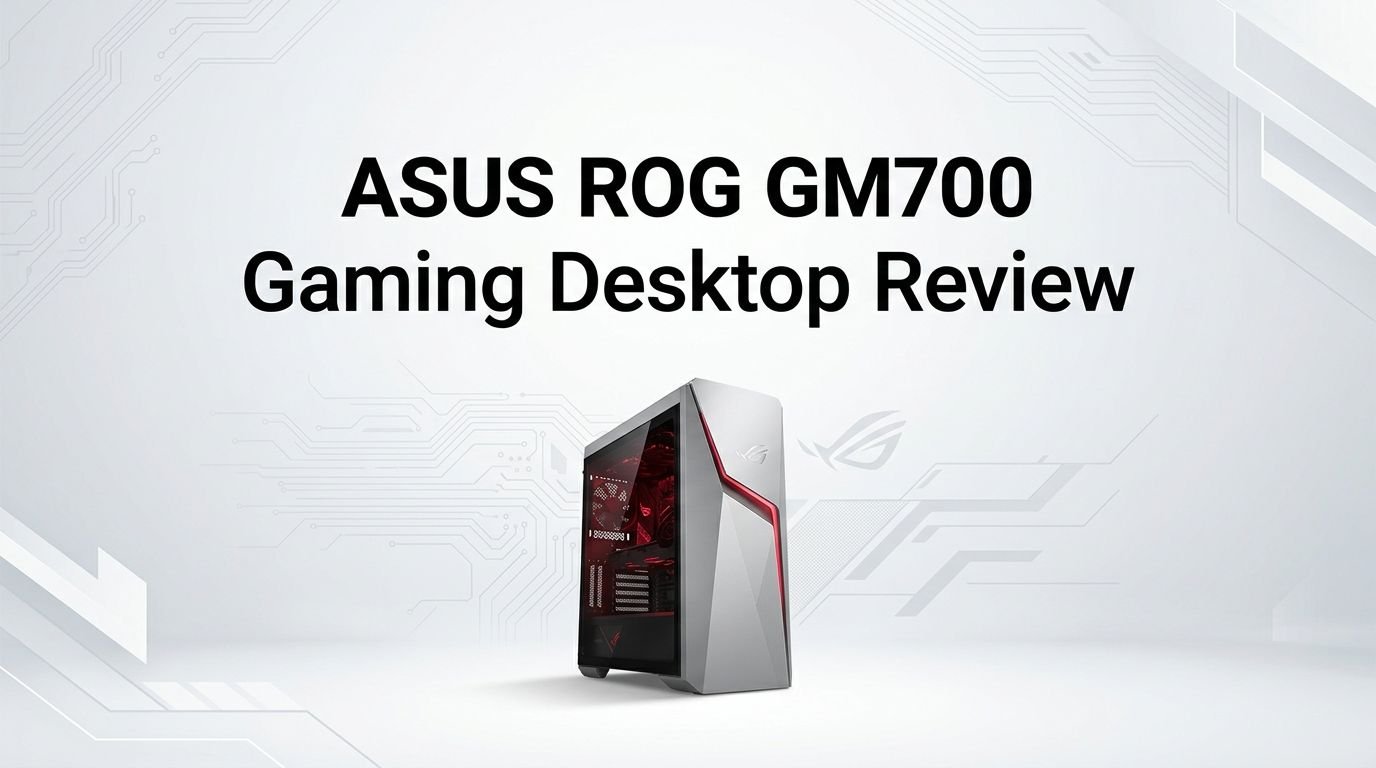
The ASUS ROG GM700 looks premium. The 58 liter full tower chassis uses a matte black finish with sharp angular lines that match the ROG brand identity. A large tempered glass side panel shows off the internal components. RGB lighting accents the interior and the front panel, giving it that signature gaming PC glow.
Dimensions measure 9.45 x 20.05 x 18.88 inches. The system weighs about 39.68 lbs. It is a big desktop. You will need a sturdy desk or floor space to place it comfortably. The size does come with benefits though. The spacious interior allows excellent airflow and makes future upgrades easy.
Cable management inside the GM700 is surprisingly clean for a prebuilt. ASUS routes cables behind the motherboard tray and uses zip ties to keep everything tidy. This improves airflow and also looks great through the glass panel.
The front panel features USB 3.2 Gen 1 and Gen 2 Type C ports, a headphone jack, and a microphone input. The rear I/O panel offers additional USB ports, HDMI 1.4, DisplayPort 1.4, Gigabit Ethernet, and three audio jacks. The port selection covers most use cases without needing extra adapters.
Processor Performance
The processor is the brain of any gaming PC. The ASUS ROG GM700 gives you several CPU options. The most popular mid range choice is the AMD Ryzen 7 8700F. It runs at 4.1 GHz base and boosts up to 5.0 GHz. It has 8 cores and 16 threads with 16MB of cache.
For gamers who want the absolute best frame rates, the Ryzen 7 9800X3D is the top pick. This chip uses AMD’s 3D V Cache technology. It delivers 96MB of total cache. It runs at 4.7 GHz base and boosts up to 5.2 GHz with 8 cores and 16 threads. This processor consistently ranks as the fastest gaming CPU available in single threaded workloads.
The entry level Ryzen 5 8400F offers 6 cores and 12 threads at 4.2 GHz base. It handles 1080p gaming well. The flagship Ryzen 9 9950X 3D pushes to 16 cores and 32 threads with a boost up to 5.7 GHz. This chip excels at both gaming and heavy productivity tasks like video editing and 3D rendering.
Top 3 Alternatives for ASUS ROG GM700
1. Lenovo Legion Tower 7i Gen 8

2. iBUYPOWER Slate Black Gaming Desktop

3. Corsair Vengeance a7500 Gaming PC

Graphics Card Options and Gaming Performance
The GPU is where the ASUS ROG GM700 truly shines. ASUS offers five distinct GPU options across the various configurations. On the NVIDIA side, you can pick the RTX 5060 (8GB GDDR7), RTX 5060 Ti (16GB GDDR7), or RTX 5070 Ti (16GB GDDR7). On the AMD side, the RX 9060 XT (16GB GDDR6) and RX 9070 XT (16GB GDDR6) are available.
The RTX 5060 Ti sits in the sweet spot for most gamers. It handles 1440p gaming at high to ultra settings with consistent frame rates above 60 FPS in titles like Cyberpunk 2077, Alan Wake 2, and Hogwarts Legacy. DLSS 4 support and advanced ray tracing give you even better visuals with minimal performance loss.
The RTX 5070 Ti is for gamers who want to push 4K resolution or play at very high refresh rates at 1440p. This card delivers excellent performance in modern AAA games and future proofs your system for the next few years of game releases.
Memory and Storage Configuration
Most ASUS ROG GM700 configurations ship with 32GB of DDR5 RAM spread across two 16GB DIMMs. This is the current standard for a solid gaming and productivity experience. The motherboard has four DDR5 U DIMM slots and supports up to 64GB total.
DDR5 memory provides higher bandwidth than DDR4. This benefits gaming performance and is especially useful for content creation workloads. The dual channel setup ensures you get full memory bandwidth right out of the box. You can easily add two more sticks later if you need 64GB for heavy workloads.
Storage options include 1TB or 2TB M.2 NVMe PCIe 4.0 SSDs depending on the configuration. PCIe 4.0 delivers read speeds up to 7,000 MB/s on many drives. This means fast boot times, quick game loads, and snappy file transfers.
The motherboard also includes two M.2 2280 SSD slots and four SATA 6.0 Gb/s ports. You can add a second NVMe SSD and multiple SATA drives without swapping anything. For gamers with large libraries, this storage expandability is a big deal. Modern game sizes often exceed 100GB, so having room to grow matters a lot.
Cooling System and Thermal Management
Keeping a powerful gaming PC cool is critical. The ASUS ROG GM700 uses two different cooling approaches based on the configuration. Entry level models with the Ryzen 5 8400F and some Ryzen 7 8700F configurations use an air cooler. The higher end models with the Ryzen 7 9800X3D and Ryzen 9 9950X 3D use a liquid cooler.
The liquid cooled models perform noticeably better under sustained loads. The AIO (all in one) liquid cooler keeps CPU temperatures well within safe operating ranges, even during long gaming sessions or stress tests. Users on forums have reported GPU temperatures staying around 70 to 75 degrees Celsius under load, which is excellent for a prebuilt.
The 58L case volume helps here. The large chassis provides ample room for airflow. Multiple fan mounting positions allow air to flow from front to back efficiently. The Turbo fan mode in the ASUS software lets you ramp up fan speeds for maximum cooling during intense gaming moments.
Connectivity and Ports
The ASUS ROG GM700 delivers a comprehensive set of ports for modern use. The front I/O panel includes USB 3.2 Gen 1 Type A ports and a USB 3.2 Gen 2 Type C port. You also get a headphone jack and microphone input on the front for quick access.
The rear I/O panel has four USB 2.0 Type A ports, two USB 3.2 Gen 1 Type A ports, one USB 3.2 Gen 2 Type A port, and one USB 3.2 Gen 2 Type C port. This gives you plenty of connections for peripherals, external drives, controllers, and VR headsets.
Networking includes Gigabit Ethernet through an RJ45 port and WiFi 6 wireless. Some configurations also include 2.5Gbps Ethernet, which is faster for wired connections. Bluetooth 5.4 support is available for wireless peripherals and audio devices.
Display outputs on the motherboard include HDMI 1.4 and DisplayPort 1.4. The GPU itself adds extra display outputs. The RTX 5060 Ti and RTX 5070 Ti both provide three DisplayPort and one HDMI. This means you can run a multi monitor setup without any issues.
Audio Quality
The ASUS ROG GM700 features High Definition 7.1 Channel Audio. Three audio jacks on the rear panel support surround sound configurations. This is a solid baseline for gaming audio without needing a separate sound card.
ASUS also includes Dolby Atmos support on this system. Dolby Atmos creates a three dimensional sound experience. You can hear footsteps, explosions, and environmental effects with more depth and accuracy. This gives competitive gamers an edge in games where audio cues matter.
The front panel headphone and microphone jacks make it easy to plug in your gaming headset. Audio quality through these ports is clean and clear for most users. Audiophiles may still prefer a dedicated DAC or external sound card, but the built in audio handles gaming and media well.
For streaming and content creation, the audio outputs work with most USB microphones and audio interfaces. You can connect studio monitors or high end headphones through the rear jacks. The 7.1 channel capability also shines with surround sound speaker setups for an immersive movie or gaming experience.
Upgradeability and Future Proofing
One of the biggest advantages of the ASUS ROG GM700 over many prebuilts is its upgradeability. The system uses standard ATX components. The AMD B650 chipset motherboard supports the AM5 socket. This means you can swap in future AMD processors without changing the motherboard.
The chassis supports triple slot GPUs, so you can upgrade to larger, more powerful graphics cards down the line. Three PCIe 4.0 x16 expansion slots give you room for additional cards. The 600W (base models) or 850W (higher end models) 80 Plus Gold power supply provides enough headroom for moderate GPU upgrades.
However, if you plan to install a very power hungry GPU in the future, you may need to upgrade the power supply on the 600W models. The 850W models handle most current GPUs with room to spare. The PSU swap is straightforward in this case thanks to the spacious interior.
Storage expansion is generous. Two M.2 slots and four SATA ports mean you can add multiple drives without hitting limits. RAM can be expanded to 64GB across four slots. The case also has mounting points for additional fans if you want to improve airflow further.
Included Accessories and Software
ASUS bundles a few useful extras with the ROG GM700. Every configuration includes a gaming RGB keyboard and a gaming RGB mouse. Both are USB wired peripherals with backlighting. They are decent for getting started, though most serious gamers will eventually upgrade to higher end peripherals.
The system comes preloaded with Windows 11 Home. ASUS also installs the MyASUS utility app. This app lets you manage system settings, run diagnostics, and update drivers. It also provides access to fan profiles and performance modes.
For gamers, the ASUS Armoury Crate software controls RGB lighting effects across compatible ROG devices. You can sync your keyboard, mouse, and internal lighting to create a unified look. The software is straightforward and does not add much bloat to the system.
ASUS provides a standard warranty with the GM700. The warranty covers hardware defects and component failures. Customer reviews praise the clean software experience, noting that ASUS does not overload the system with unnecessary preinstalled apps. This is a welcome change from many other prebuilt brands.
Pros and Cons of the ASUS ROG GM700
Every product has strengths and weaknesses. The ASUS ROG GM700 is no exception. Let’s look at both sides honestly.
On the positive side, the GM700 offers excellent build quality for a prebuilt. The tempered glass panel and clean cable management look fantastic. Component choices are solid across all configurations. The wide range of CPU and GPU options means you can find a model that fits your exact needs and budget.
Performance is strong. Users report smooth gameplay at 1080p and 1440p with even the mid range configurations. The included keyboard and mouse let you start playing right away. WiFi 6, Bluetooth 5.4, and plenty of USB ports cover all your connectivity needs.
On the downside, the base model’s 600W power supply limits future GPU upgrades. You may need to replace it if you want to install a higher end graphics card later. The B650 chipset is capable, but it does not support PCIe 5.0 for storage, which some competitors offer.
The motherboard in some configurations is a micro ATX board inside a full tower case. This leaves a lot of empty space and can look odd through the glass panel. Some Reddit users have also noted that the AIO cooler in certain models is a proprietary ASUS unit, which could be harder to replace than a standard AIO.
Price Comparison and Value Assessment
The ASUS ROG GM700 prices itself competitively. The Ryzen 7 8700F and RTX 5060 Ti model at Best Buy sells for around $1,899, though it has been spotted on sale for as low as $1,379. At the sale price, this is an outstanding deal for the hardware you receive.
Compared to building a similar PC yourself, the GM700 comes close in total cost. A custom build with a Ryzen 7 8700F, B650 motherboard, 32GB DDR5 RAM, 1TB NVMe SSD, RTX 5060 Ti, 600W PSU, case, and Windows license would cost roughly $1,200 to $1,400 at current component prices.
The GM700 adds the convenience of professional assembly, cable management, warranty support, and included peripherals. When you factor those in, the price premium is small. The higher end Ryzen 7 9800X3D and RTX 5070 Ti model at around $2,749 faces stiffer competition from custom builders. But even here, the value proposition holds up for buyers who prefer a turnkey solution.
The Costco Ryzen 9 9950X 3D model with an RX 9070 XT and 2TB SSD often comes bundled with a Costco membership discount. This makes it a strong option for those looking for maximum productivity and gaming performance in one machine.
Final Verdict on the ASUS ROG GM700
The ASUS ROG GM700 is one of the best prebuilt gaming desktops you can buy right now. It delivers strong performance across all configurations. The build quality is impressive. The upgrade path is clear for those who want to improve it over time.
The mid range models with the RTX 5060 Ti offer the best bang for your buck. They handle 1440p gaming with ease and leave room for future improvements. The top end models with the Ryzen 7 9800X3D and RTX 5070 Ti deliver near custom build performance at a competitive price.
Minor drawbacks like the 600W PSU on base models and the proprietary AIO cooler are worth noting. But they do not ruin the overall experience. For most buyers, the convenience, design, and performance of the GM700 make it an easy recommendation.
If you want a gaming PC that works great from day one and can grow with your needs, the ASUS ROG GM700 deserves a spot on your shortlist.
Frequently Asked Questions
Is the ASUS ROG GM700 good for 4K gaming?
Yes, but only with the higher end configurations. The RTX 5070 Ti model handles 4K gaming at medium to high settings in most modern games. The RTX 5060 Ti is better suited for 1440p gaming. For consistent 4K at ultra settings, you would want the RTX 5070 Ti or consider a future GPU upgrade.
Does the ASUS ROG GM700 come with WiFi?
Yes. The GM700 includes WiFi 6 (802.11ax) and Bluetooth 5.4 wireless connectivity. You do not need to buy a separate WiFi adapter. Some models also feature 2.5Gbps Ethernet for faster wired connections alongside the standard Gigabit Ethernet port.
Can I upgrade the GPU in the ASUS ROG GM700?
Absolutely. The case supports triple slot GPUs and has enough internal space for large graphics cards. Just check the power supply wattage in your specific model. The 850W PSU models can handle most current GPUs. The 600W models may need a PSU upgrade before installing a high power GPU.
Does the ASUS ROG GM700 include a monitor?
No. The GM700 does not come with a monitor. You need to purchase a gaming monitor separately. ASUS makes excellent ROG gaming monitors that pair well with this system, but any monitor with HDMI or DisplayPort input will work.
How loud is the ASUS ROG GM700 during gaming?
The GM700 runs quietly during normal use and light tasks. Fan noise increases during heavy gaming but stays within reasonable levels. The liquid cooled models are generally quieter under load than the air cooled models. The Turbo fan mode in ASUS software increases noise, but it keeps temperatures very low during intense gaming sessions.
Is it worth buying the ASUS ROG GM700 instead of building a PC?
For many buyers, yes. The GM700 saves you hours of research, assembly, and troubleshooting. It comes with a warranty, clean cable management, and included peripherals. The price gap between the GM700 and a comparable custom build is small. If you value convenience and do not enjoy the building process, the GM700 is a smart choice.