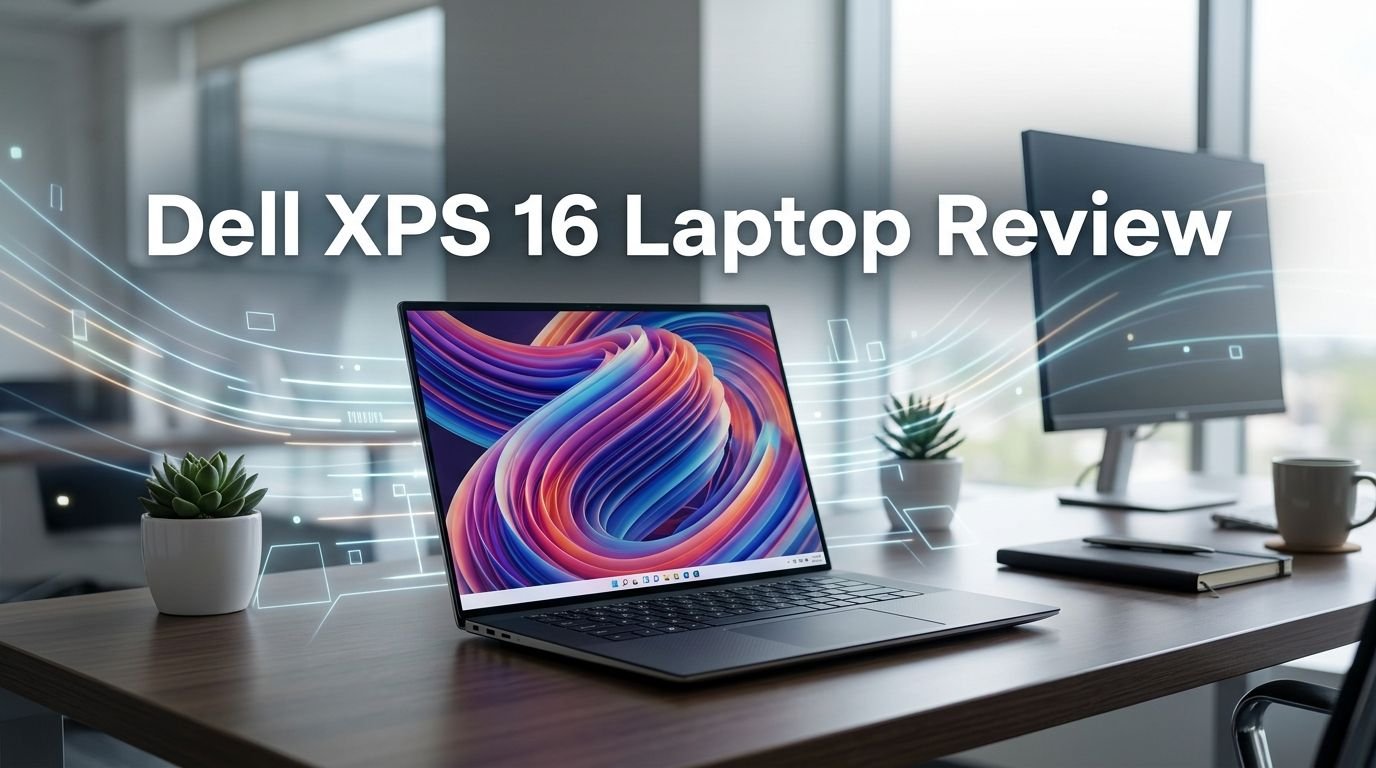
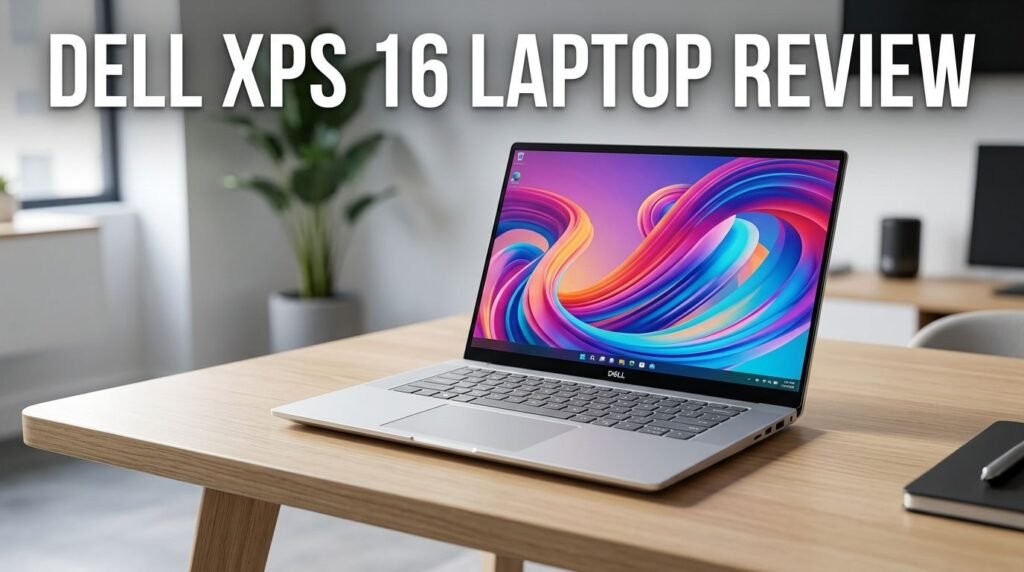
Dell XPS 16 Laptop Review 2026: Worth the Price Tag?
The Dell XPS 16 is back. After skipping the XPS name entirely in 2025 and rebranding as the “Dell 16 Premium,” Dell has revived its beloved XPS lineup with a complete overhaul.
The 2026 model brings Intel Panther Lake processors, a lighter chassis, and a fresh design language that has everyone talking.
But is it worth your money? The Dell XPS 16 (2026) starts at $1,749 and climbs past $2,100 for the OLED configuration. That is a lot of money. You need to know if this laptop can deliver the performance, battery life, and build quality that justify the price tag.
Key Takeaways
- The Dell XPS 16 (2026) weighs just 3.65 pounds, a massive drop from the previous generation. Dell achieved this by removing discrete graphics options and using a smaller cooling solution. The result is a laptop that feels far more portable than before.
- Intel Panther Lake processors deliver strong performance per watt. The base model uses the Core Ultra 5 325, while higher configurations offer the Core Ultra 7 355 and Core Ultra X7 358H. These chips provide solid multitasking power and excellent efficiency.
- Battery life has improved significantly thanks to Panther Lake’s efficiency gains. The 70Wh battery now lasts several hours longer than last year’s model under similar workloads. Dell claims up to 31 hours of streaming on the 2K display model.
- There is no dedicated GPU option. This is the biggest trade off. Content creators and gamers who need strong graphics performance will miss the GeForce RTX options available on the 2025 Dell 16 Premium. Integrated Intel Arc graphics handle light tasks fine but cannot replace a discrete GPU.
- The touch sensitive function keys are gone. Dell replaced the frustrating capacitive keys from previous models with traditional physical keys. This alone makes the typing experience much better.
- Two display options are available: a 1920×1200 IPS matte panel at 120Hz and a 3200×2000 OLED touchscreen at 120Hz with HDR support. Both look excellent for their class.

Dell XPS 16 (2026) Overview
The Dell XPS 16 (2026) was announced at CES 2026 in January. It marks the return of the XPS branding after Dell experimented with the “Dell 16 Premium” name throughout 2025. The model number is DA16260.
Dell offers three processor options. The entry level uses the Intel Core Ultra 5 325. The mid range features the Core Ultra 7 355. The top configuration packs the Core Ultra X7 358H. All three are Intel Panther Lake chips built on an updated architecture.
The base model starts at $1,749.99 with the Core Ultra 5, 16GB of LPDDR5x RAM, a 1TB SSD, and the FHD+ IPS display. The OLED touchscreen configuration with the Core Ultra X7 358H tops out around $2,160. These prices place the XPS 16 squarely in premium laptop territory.
This laptop competes against the Samsung Galaxy Book6 Ultra, Asus Zenbook S16, Lenovo Yoga Pro 9i 16, and even the Apple MacBook Pro 16. It tries to win you over with a lighter build, excellent battery life, and a clean design.
Design and Build Quality
The 2026 XPS 16 looks and feels different from every previous version. Dell used machined aluminum for the chassis with 75% recycled aluminum for the top and bottom covers. The edges are boxier and sharper. They remind you of the MacBook Pro 16’s design language.
The laptop measures 13.88 x 9.35 x 0.58 inches and weighs 3.65 pounds (1.65 kg). That is roughly 600 grams lighter than the outgoing Dell 16 Premium. You can feel this weight difference the moment you pick it up.
Rigidity is excellent. The lid does not flex under pressure. The keyboard deck stays firm during typing. Dell has maintained the premium feel that XPS buyers expect. The hinge moves smoothly and holds the screen at any angle without wobble.
Dell uses a minimalist aesthetic with no visible branding on the lid. The look is clean and professional. You get two color options: Platinum and Graphite. Both feature tone on tone finishes that keep the laptop looking understated.
Display Options and Quality
The Dell XPS 16 offers two display panels. The base option is a 1920×1200 IPS matte display running at 120Hz. The upgrade is a 3200×2000 OLED touchscreen also at 120Hz with HDR support.
The IPS panel surprised many reviewers. It delivers a contrast ratio of 2056:1, which is unusually high for an IPS screen. Brightness averages around 515 nits across the panel. Color accuracy covers 97.4% of sRGB out of the box. After calibration, the average color deltaE drops to just 1.26, which is very good.
The OLED option takes things further. It covers 100% of DCI P3 with deeper blacks, richer colors, and HDR 500 support. The OLED panel also supports touch input and a glossy finish. If you work with photos, video, or design, the OLED is the clear pick.
Both panels support variable refresh rate (VRR), though it is disabled by default. You can enable it through Windows Advanced Display settings. The IPS model can drop its refresh rate as low as 1Hz to save power, which is a rare feature.
Top 3 Alternatives for Dell XPS 16
If the Dell XPS 16 does not check all your boxes, these three laptops offer strong competition in the same price range.

The ASUS Zenbook S 16 runs AMD Ryzen AI 9 365 processor with a stunning 3K OLED display. It weighs just 3.37 pounds and is only 12.9mm thin. This is a great option if you want an even lighter 16 inch laptop with excellent battery life and a gorgeous screen.

The Lenovo Yoga Pro 9i 16 brings Intel Ultra 9 285H and an NVIDIA GeForce RTX 5070 GPU. Its 3.2K Tandem OLED display hits 1000 nits of brightness. If you need dedicated graphics performance that the XPS 16 cannot provide, this is your best bet.

The Samsung Galaxy Book5 Pro 360 offers a 16 inch 3K AMOLED touchscreen with S Pen support. It is a 2 in 1 convertible that gives you more flexibility than the XPS 16’s clamshell design. Samsung’s Galaxy ecosystem integration is a bonus for Galaxy phone owners.
Intel Panther Lake Performance
The Intel Panther Lake processors are the heart of the Dell XPS 16 (2026). The base Core Ultra 5 325 has 8 cores and 8 threads. It features 4 performance Cougar Cove P cores running up to 4.5GHz and 4 efficient Darkmont LP E cores at 3.4GHz.
The sustained power limit sits at 32W with burst performance up to 56W. This is a conservative power target compared to last year’s chips. But the efficiency gains from the Panther Lake architecture mean you get comparable or better single threaded performance at lower power draw.
For everyday productivity, the Core Ultra 5 325 handles web browsing, office applications, video calls, and light photo editing without breaking a sweat. Multi threaded workloads like rendering or compiling code see good improvements over the previous Arrow Lake generation.
The higher end Core Ultra X7 358H configuration offers more cores and higher clock speeds for users who need extra headroom. It handles demanding tasks like 4K video editing and large dataset processing with solid results.
Integrated Graphics: The Big Trade Off
This is where the 2026 XPS 16 makes a controversial choice. There is no discrete GPU option. Every configuration ships with Intel Arc integrated graphics only.
The integrated GPU handles everyday tasks well. It can manage light photo editing, basic video work, and even some older games at lower settings. But it cannot match the NVIDIA GeForce RTX 4060 or RTX 5070 that was available on the previous Dell 16 Premium.
Dell made this choice to reduce weight, heat, and power consumption. Without a discrete GPU, the laptop runs cooler and quieter. The cooling system is smaller. The battery lasts longer. These are real benefits for users who prioritize portability over raw graphics power.
If your workflow depends on GPU accelerated tasks like 3D rendering, heavy video editing, or machine learning training, this laptop will fall short. You can use an external GPU via Thunderbolt 4 to get around this limit. But that adds cost and removes the portability advantage.
For most users who handle documents, presentations, spreadsheets, video calls, and media consumption, the integrated graphics are perfectly fine. Just know what you are giving up before you buy.
Keyboard and Trackpad Experience
Dell removed the touch sensitive function keys that frustrated users on the 2024 and 2025 models. The 2026 XPS 16 now uses traditional physical keys across the entire keyboard. This is a welcome change.
Key travel and feedback match the XPS 14. The keys feel crisp with good tactile response. The keyboard includes a backlight that illuminates evenly. Typing for long sessions feels comfortable. The key spacing is generous, and you get a full size layout with dedicated arrow keys.
The trackpad is large, measuring approximately 15.2 x 9 cm. It is slightly bigger than the XPS 14’s trackpad. The surface is smooth with excellent tracking accuracy. Multi finger gestures work reliably.
One drawback remains. The clickpad uses a haptic feedback system with a shallow click. Drag and drop actions can feel awkward because the feedback is subtle. Some users prefer a traditional mechanical click mechanism. This is a personal preference issue, but it is worth testing in a store before committing.
Battery Life and Charging
Battery life is one of the strongest selling points of the 2026 XPS 16. The laptop packs a 70Wh battery using new 900ED battery cells. These cells are smaller and lighter than standard ones, which helped Dell reduce overall weight.
Dell claims up to 31 hours of streaming on the 2K IPS display model. Real world results vary, but independent tests confirm significant improvements over the previous generation. Panther Lake’s efficiency is the main reason. The CPU draws less power during light workloads, which extends battery life by several hours.
The OLED model uses more power due to its higher resolution and brighter pixels. Expect shorter battery life on that configuration, closer to 10 to 15 hours during mixed use. That is still respectable for an OLED laptop.
Charging happens through USB C with a 100W adapter included in the box. You can charge through any of the three Thunderbolt 4 ports. Fast charging gets you from 0% to roughly 50% in about 45 minutes.
Ports and Connectivity
The Dell XPS 16 keeps things minimal on the port front. You get three USB C Thunderbolt 4 ports and a 3.5mm headphone jack. That is it.
All three USB C ports support data transfer at 40Gbps, display output via DisplayPort, and power delivery. This is an improvement over last year’s model, where not all USB C ports had full Thunderbolt 4 support.
Dell has removed the MicroSD card reader that was present on the older model. Photographers and videographers who relied on this slot will need a USB C adapter or hub. This is a frustrating omission on a premium laptop.
Wireless connectivity includes Wi Fi 7 via the Intel BE211 module and Bluetooth 6.0. Wi Fi 7 delivers strong download and upload speeds on 6GHz networks. The wireless module is soldered and cannot be replaced.
If you need HDMI, USB A, or Ethernet ports, you will need a dock or adapter. For a laptop at this price, the port selection feels lean.
Webcam and Audio
The webcam received a big upgrade. The 2026 XPS 16 uses an 8MP camera with IR support for Windows Hello face recognition. This is a major step up from the 2MP webcam on the previous Dell 16 Premium.
Video quality during calls is sharp and detailed. The camera handles low light conditions better than before. Color accuracy looks natural. The IR sensor enables fast and reliable facial authentication.
One missing feature: there is no physical camera privacy shutter. You must rely on the software toggle to disable the webcam. A physical shutter would have been a nice addition for privacy conscious users.
The speaker system uses a quad speaker setup with two 3W speakers and two 2W speakers. Sound quality is good for a laptop. The audio is clear with decent bass response and enough volume to fill a small room. It is suitable for video calls, music, and casual media viewing.
Thermals and Fan Noise
Without a discrete GPU, the Dell XPS 16 runs cooler and quieter than its predecessor. During light workloads like browsing and document editing, the fans stay mostly silent. You will rarely hear them spin up.
Under sustained CPU load, the fans do engage. Noise levels remain reasonable. The laptop stays quieter than most competitors with dedicated GPUs. This makes it a pleasant machine for quiet environments like libraries or meeting rooms.
The downside is surface temperatures. Under heavy CPU load, the keyboard deck and bottom panel can get warm. The area around the CPU can reach high temperatures internally. This is a common issue with thin and light laptops that prioritize quiet operation.
For most users, thermal performance is fine. You will only notice heat during extended rendering, compiling, or stress testing. Everyday tasks keep the laptop comfortable to use on your lap.
Software and Warranty
The Dell XPS 16 ships with Windows 11 Home on the base model. Dell pre installs a few utilities including SupportAssist and Dell Optimizer. The software bloat is minimal compared to some competitors.
Dell Optimizer can tune performance settings and battery profiles. SupportAssist handles driver updates and system diagnostics. Both are useful tools. You can uninstall them if you prefer a cleaner setup.
The laptop comes with a 1 year limited manufacturer warranty for US purchases. Dell offers extended warranty options up to 4 years for additional cost. Given the premium price of this laptop, an extended warranty is worth considering.
Dell also highlights sustainability in this model. The packaging is 100% recyclable and plastic free. The battery uses 50% recycled cobalt. The keycaps use 90% recycled steel. These details matter if environmental impact factors into your buying decisions.
Upgradeability and Repairability
Upgradeability is limited on the 2026 XPS 16. The laptop supports a single M.2 SSD and nothing else is user replaceable. RAM is soldered to the motherboard and cannot be upgraded after purchase.
The service process changed from previous models. Instead of removing the bottom panel, you must remove the keyboard deck to access the motherboard. This makes DIY repairs more involved. You should read Dell’s service manual before attempting any internal work.
The single M.2 slot means you cannot add a second storage drive. This is disappointing on a 16 inch laptop where internal space should allow for more. Competitors like the Asus Zenbook S16 and Lenovo Yoga Pro 9i offer more flexibility.
If you plan to keep this laptop for several years, buy the configuration you need from day one. You will not be able to add more RAM or a second drive later. The 32GB RAM option is the safer choice for future proofing.
Who Should Buy the Dell XPS 16 (2026)?
The Dell XPS 16 (2026) is an excellent choice for professionals and productivity focused users who want a premium, lightweight laptop with outstanding battery life. Writers, business travelers, consultants, and casual content creators will love it.
It is a great fit if you spend most of your time in browsers, office apps, video calls, and light creative work. The display options are excellent. The build quality is top tier. The battery will last through a full workday and beyond.
This laptop is not the right choice for heavy gamers, 3D artists, or professionals who rely on dedicated GPU power. The lack of a discrete graphics option is a deal breaker for those workflows. If you need that power, look at the Lenovo Yoga Pro 9i 16 or Samsung Galaxy Book6 Ultra instead.
If you can live without a discrete GPU and value portability, build quality, and battery life above all else, the Dell XPS 16 (2026) is one of the best premium laptops you can buy right now.
Final Verdict: Should You Buy the Dell XPS 16 in 2026?
The Dell XPS 16 (2026) is a strong comeback for the XPS brand. Dell fixed the most annoying issues from previous years. The touch sensitive keys are gone. The laptop is much lighter. Battery life is excellent. The Intel Panther Lake chip delivers great performance per watt.
The missing discrete GPU is the biggest weakness. It limits who this laptop is for. But for the audience Dell is targeting, productivity focused professionals who value portability, the trade off makes sense.
At $1,749 and up, this is a premium purchase. You are paying for exceptional build quality, excellent displays, long battery life, and a refined user experience. If those qualities match your priorities, the Dell XPS 16 (2026) will not disappoint you.
Frequently Asked Questions
How much does the Dell XPS 16 (2026) cost?
The Dell XPS 16 (2026) starts at $1,749.99 for the base configuration with the Intel Core Ultra 5 325, 16GB RAM, 1TB SSD, and FHD+ IPS display. The OLED touchscreen model with the Core Ultra X7 358H costs around $2,160. Prices may vary by retailer and configuration.
Does the Dell XPS 16 (2026) have a dedicated GPU?
No. The 2026 Dell XPS 16 ships with Intel Arc integrated graphics only. Dell removed discrete GPU options to make the laptop lighter and more efficient. If you need dedicated graphics, consider the Lenovo Yoga Pro 9i 16 or the 2025 Dell 16 Premium instead.
How long does the Dell XPS 16 (2026) battery last?
Dell claims up to 31 hours of streaming on the IPS display model. Real world battery life depends on your workload, screen brightness, and configuration. The OLED model will deliver shorter battery life due to its higher resolution panel. Expect around 10 to 15 hours of mixed use on the OLED version.
Can I upgrade the RAM in the Dell XPS 16 (2026)?
No. The RAM is soldered to the motherboard and cannot be upgraded. You should choose the right amount of RAM at the time of purchase. The base model comes with 16GB, and higher configurations offer 32GB of LPDDR5x memory.
What ports does the Dell XPS 16 (2026) have?
The laptop has three USB C Thunderbolt 4 ports and a 3.5mm headphone jack. There is no HDMI, USB A, or SD card reader. You will need a USB C hub or dock for additional port options.
Is the Dell XPS 16 (2026) good for gaming?
The Dell XPS 16 (2026) is not a gaming laptop. It uses integrated Intel Arc graphics, which can handle older or casual games at low settings. For any serious gaming, you need a laptop with a dedicated NVIDIA or AMD GPU.