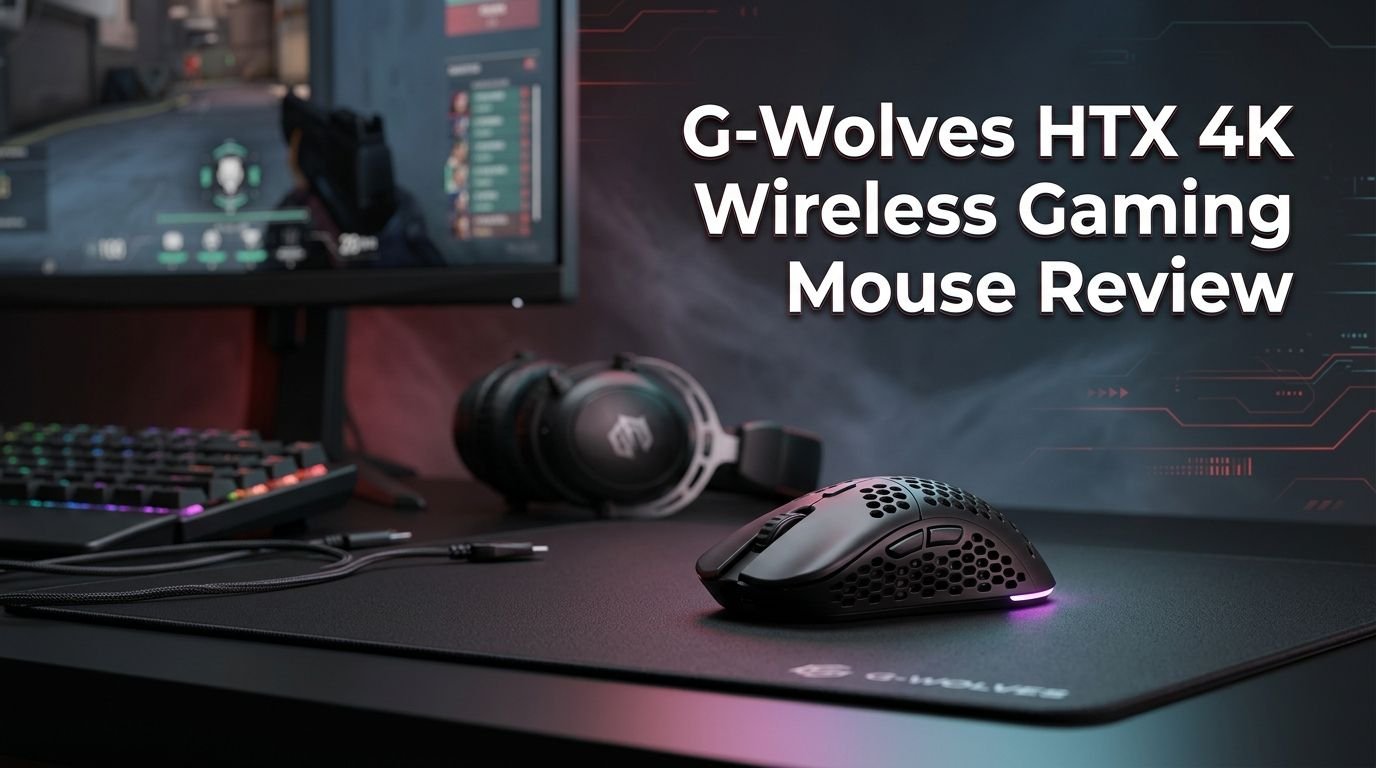
G-Wolves HTX 4K Wireless Gaming Mouse Review 2026
The gaming mouse market has exploded with options over the past few years. Lightweight, wireless, high polling rate mice are everywhere now. But one mouse carved out a special place in the community long before many of its rivals even existed.
The G-Wolves HTX 4K arrived with a bold promise. It delivered true 4000 Hz wireless polling in a shell that weighs just 43 grams. That combination was groundbreaking. And it still impresses in 2026.
If you play competitive shooters like Valorant, CS2, or Apex Legends, you know that every millisecond counts. You know that mouse weight affects your flick speed and tracking accuracy. The HTX 4K was built with those players in mind.
Key Takeaways:
- The G-Wolves HTX 4K weighs approximately 43 grams without a honeycomb shell design, making it one of the lightest solid-shell wireless mice you can buy. That weight lets you move fast and make micro-adjustments with ease during intense FPS gameplay.
- True 4000 Hz wireless polling rate is a standout feature. This means the mouse reports its position to your PC 4,000 times per second. The result is smoother, more responsive cursor movement that competitive players can feel instantly.
- The PixArt PAW3395 sensor handles tracking at up to 26,000 CPI with a max tracking speed of 650 IPS. It is a proven, accurate sensor used in many top-tier gaming mice. Spin-outs and tracking errors are nearly nonexistent.
- Zippy DF3-P1L1 mechanical switches with a 60 million click lifespan provide crisp, responsive main button clicks. They offer a light, tactile feel that works well for rapid clicking in FPS and MOBA titles.
- Battery life sits around 16 hours at the full 4000 Hz polling rate and extends past 50 hours at 1000 Hz. A spare battery is also included in newer batches, so you can swap batteries and keep playing without charging downtime.
- The ambidextrous shape measures 119mm long, 60.4mm at the grip width, and 36.3mm tall. It suits small to medium hands best, especially for claw and fingertip grip styles. The low profile keeps your hand close to the mousepad for control.

G-Wolves HTX 4K Wireless Gaming Mouse
The G-Wolves HTX 4K is a wireless gaming mouse built for competitive play. It was first released in January 2023 and remains a solid option even in 2026. The original MSRP was $179, though prices have dropped since then.
G-Wolves is a brand based in Beijing, China. They have gained a loyal following among the enthusiast mouse community on Reddit, YouTube, and various review sites. Their approach focuses on pushing boundaries with weight, polling rate, and sensor technology.
The HTX 4K version uses the PixArt PAW3395 sensor paired with a Nordic nRF52840 MCU. This microcontroller handles the 4000 Hz wireless connection with stability. It also supports Bluetooth for casual use.
The mouse comes in multiple colors including black, white, blue, red, pink, and even a special Ruby edition. Both honeycomb and solid shell variants are available. The solid shell version weighs approximately 43 grams while the honeycomb shell shaves off a few more grams.
Inside the box, you get the mouse, a USB dongle, a paracord charging cable, spare mouse feet, a spare battery (in newer batches), and a USB-C dongle adapter. The packaging and included accessories are generous for the price point.
Design and Build Quality
The G-Wolves HTX 4K has a clean, minimalist look. The solid shell version uses a matte finish that resists fingerprints well. There are no RGB lights, which helps save battery life and keeps the overall weight low.
The shell is made of thin but sturdy plastic. G-Wolves reduced material thickness to achieve the low weight. Earlier batches had occasional quality control concerns, but newer production runs have improved significantly. The mouse feels solid and does not creak or flex under normal grip pressure.
Button wobble on the main clicks is minimal. The side buttons sit flush and are easy to reach with your thumb. The scroll wheel has defined steps with a tactile bump, and it does not feel loose or mushy.
The bottom of the mouse features large PTFE mouse feet that glide smoothly on most mousepads. The sensor lens sits centered. A power switch and DPI button are also located on the underside.
Overall, the build quality is good for a 43 gram mouse. You can feel that it is light, but it does not feel cheap. The matte coating provides a comfortable, controlled grip even during sweaty gaming sessions.
Top 3 Alternatives for G-Wolves HTX 4K Wireless Gaming Mouse
1. Razer Viper V3 Pro

2. Logitech G PRO X Superlight 2

3. G-Wolves HTX ACE Wireless Gaming Mouse
Shape and Ergonomics
The HTX 4K uses an ambidextrous shape. This means it works for both left-handed and right-handed users. The profile is low and flat with a subtle hump placed slightly toward the back of the mouse.
The dimensions are 119mm in length, 60.4mm in grip width, and 36.3mm in height. This places the mouse in the small to medium category. Players with hand sizes around 17cm to 19cm in length will find the best fit here.
The low button height is one of the defining features of this shape. Your fingers rest very close to the mousepad surface. This gives you a strong sense of control, especially for precise aiming in shooters. Players who use a claw grip or fingertip grip will feel right at home.
Palm grip users with larger hands may find the mouse too small and too flat. The lack of a pronounced hump means your palm will not get full support. If you prefer a filled, ergonomic shape, this mouse may not be the best match.
The sides have a slight inward curve that helps with lifting and repositioning. There is no rubber grip on the sides, but the matte coating provides enough friction to hold the mouse securely during fast swipes.
For FPS players who rely on quick, snappy aim and frequent mouse lifts, the HTX 4K shape is excellent. It encourages a light, agile grip style that promotes speed and accuracy.
Sensor Performance
The PixArt PAW3395 is the sensor inside the G-Wolves HTX 4K. This is one of the best optical sensors available in gaming mice. It supports CPI values up to 26,000 and a tracking speed of 650 IPS.
In daily use, the sensor tracks flawlessly on cloth and hard mousepads. There are no spin-outs, no jitter, and no acceleration issues. The tracking feels smooth, consistent, and responsive at all CPI levels.
The lift-off distance (LOD) is adjustable between 1mm and 2mm through the software. A low LOD is important for FPS players who lift their mouse frequently during gameplay. At 1mm, the sensor cuts off tracking quickly after you lift the mouse, which prevents unwanted cursor movement.
Motion Sync is also available as an adjustable option. This feature synchronizes sensor data transmission with USB polling events. It can reduce jitter and make cursor movement feel smoother. The trade-off is a very slight increase in input delay, measured in fractions of a millisecond.
The sensor handles fast flick shots and slow tracking movements with equal precision. Whether you play on 400 CPI or 1600 CPI, the PAW3395 delivers consistent performance. It has been tested and proven across hundreds of mice from different brands.
In 2026, the PAW3395 remains a top-tier sensor. Some newer mice use updated variants, but the real-world difference is negligible for most players.
4000 Hz Polling Rate Explained
The headline feature of the HTX 4K is its true 4000 Hz wireless polling rate. This means the mouse sends position data to your PC 4,000 times per second. Compare this to the standard 1000 Hz polling rate found in most gaming mice.
At 1000 Hz, the mouse updates every 1 millisecond. At 4000 Hz, it updates every 0.25 milliseconds. This reduces the gap between your physical mouse movement and the cursor movement on screen. The result is a smoother, more fluid experience.
You can see the difference most clearly in fast-paced FPS games. Cursor movement at 4000 Hz appears less “choppy” and more continuous. Micro-adjustments feel more precise. Many competitive players report that once they switch to high polling rates, going back to 1000 Hz feels sluggish.
The HTX 4K also supports lower polling rates including 2000 Hz, 1000 Hz, 500 Hz, 250 Hz, and 125 Hz. You can adjust this through the G-Wolves software. Lowering the polling rate will extend battery life significantly.
One important note is that 4000 Hz polling requires more CPU resources than 1000 Hz. Older or lower-end systems may see a slight performance impact. Most modern gaming PCs handle it without issues. If you have a current-generation processor, you will not notice any frame drops or lag.
The 4000 Hz polling rate was a major selling point in 2023, and it continues to matter in 2026 as high-refresh-rate monitors (240 Hz, 360 Hz, and beyond) become more common.
Click Performance and Switches
The G-Wolves HTX 4K uses Zippy DF3-P1L1 mechanical switches for the main buttons. These switches have a rated lifespan of 60 million clicks. Newer production batches upgraded this to 100 million clicks according to the official product page.
The click feel is light, crisp, and snappy. There is a clear tactile bump with minimal pre-travel and post-travel. The actuation force is low, which means you can click rapidly without finger fatigue. This is excellent for games that require quick, repeated clicks like Valorant or Fortnite.
The click latency measures at approximately 1 millisecond relative to the fastest reference mice. This places the HTX 4K among the fastest-clicking gaming mice available. You will not notice any perceptible delay between pressing the button and seeing the action on screen.
The side buttons are crisp and well-positioned. They use separate switches and have a satisfying click. The scroll wheel click is firm but easy to press. The scroll steps are well-defined and work well for weapon switching in games.
The debounce time is adjustable from 0 to 30 milliseconds through the software. A lower debounce means faster click registration, but setting it too low can cause double-click issues. The default setting strikes a good balance between speed and reliability.
Overall, the switch performance is a strong point of the HTX 4K. The Zippy switches deliver a premium click feel that competes with mice twice the price.
Battery Life and Charging
Battery life on the G-Wolves HTX 4K depends heavily on your polling rate setting. At the full 4000 Hz polling rate, expect around 16 hours of continuous use. This is enough for multiple long gaming sessions before you need to charge.
If you drop the polling rate to 1000 Hz, the battery life extends past 50 hours. This is a huge jump and gives you days of use between charges. Most players find a good balance between polling rate and battery life based on their needs.
The mouse uses a 300 mAh rechargeable battery. It charges through a USB Type-C port on the front of the mouse. The included paracord cable is lightweight and flexible, so you can game while charging without it feeling like a wired mouse.
Newer batches of the HTX 4K include a spare battery in the box. This is a thoughtful addition. You can swap out the depleted battery for a fresh one and continue gaming without waiting for a charge. Not many mice offer this feature.
Charging speed is reasonable. A full charge from empty takes about two to three hours. A quick 15-minute charge provides enough juice for several hours of gameplay at 1000 Hz.
The mouse also supports Bluetooth connectivity for casual browsing and productivity tasks. Bluetooth mode consumes far less power and extends battery life even further.
Software and Customization
The G-Wolves HTX 4K uses the G-Wolves Software for customization. You can download it from the official G-Wolves website. The software lets you adjust several important settings.
CPI values are adjustable in fine increments up to 26,000 CPI. You can set multiple CPI stages and cycle through them using the DPI button on the bottom of the mouse. Most competitive players stick to values between 400 and 1600 CPI.
The polling rate is adjustable through the software. You can select from 125 Hz, 250 Hz, 500 Hz, 1000 Hz, 2000 Hz, and 4000 Hz. The software also lets you adjust the lift-off distance, debounce time, and Motion Sync settings.
Button remapping is available for all six buttons. You can assign macros, keyboard shortcuts, or custom functions to any button. The software stores profiles directly on the mouse, so your settings travel with you to any PC.
The software interface is functional but basic. It is not as polished as Razer Synapse or Logitech G Hub. However, it gets the job done. All the essential settings are easy to find and change. There are no unnecessary features or bloated processes running in the background.
Firmware updates are also delivered through the software. G-Wolves has released multiple firmware updates that improved polling rate stability, sensor performance, and battery management. Keeping your firmware updated is recommended.
Mouse Feet and Glide
The G-Wolves HTX 4K comes with default PTFE mouse feet pre-installed. The feet are smooth and provide a fast, consistent glide on cloth mousepads. They have a thickness of approximately 0.7mm.
Out of the box, the glide is good. The mouse moves freely with very little resistance. On speed-oriented cloth pads, the HTX 4K feels effortless to push around. On control pads, there is a bit more friction, but tracking remains smooth.
A set of spare PTFE feet is included in the box. This is a welcome addition. Mouse feet wear down over time, especially on rougher pad surfaces. Having spares means you can replace them without ordering third-party feet.
The aftermarket mouse feet community also supports the HTX 4K well. You can find third-party feet from brands like Corepad, Tiger Arc, and Lethal Gaming Gear. These aftermarket options often provide an even smoother glide than the stock feet.
The base of the mouse is flat and well-balanced. There are no sharp edges on the feet that could catch on the mousepad. The sensor lens sits flush, so there is no wobbling or uneven tracking.
If you care about a fast, smooth glide, the HTX 4K delivers solid performance right out of the box. And the options for upgrades make it even better.
Who Should Buy the G-Wolves HTX 4K?
The G-Wolves HTX 4K is best suited for competitive FPS players who value low weight and high polling rates. If you play games like Valorant, CS2, Apex Legends, or Overwatch 2, this mouse will give you a real advantage.
Players with small to medium-sized hands (17cm to 19cm in length) will find the shape most comfortable. Claw grip and fingertip grip users will get the best experience. The low profile and flat shape support agile, precise mouse control.
The mouse is also a great choice for mouse enthusiasts and collectors. The HTX 4K comes in multiple colors and shell styles. It offers impressive specs at a price point that is lower than many flagship competitors.
If you play mostly casual games, MMOs, or strategy titles, the HTX 4K may be more mouse than you need. The ultra-low weight and high polling rate matter most in fast-paced shooters. For general use, a less specialized mouse would save you money.
Palm grip users with large hands should look elsewhere. The flat, low-profile shape will not provide enough support for a full palm grip. Mice like the Razer DeathAdder V3 or Logitech G703 are better fits for that grip style.
Budget-conscious buyers should also consider that the HTX 4K originally launched at $179. While prices have come down, it is still not a budget mouse. Make sure the features match your actual needs before purchasing.
G-Wolves HTX 4K vs. the Competition
The lightweight wireless mouse market has grown a lot since the HTX 4K launched. Let us compare it with some key competitors.
Razer Viper V3 Pro weighs 54 grams and offers 8000 Hz polling. It has a larger shape, a more polished software experience, and an updated sensor. However, it costs more and is heavier. The HTX 4K wins on weight. The Viper V3 Pro wins on software and ecosystem.
Logitech G PRO X Superlight 2 weighs 60 grams and recently added 8000 Hz polling support. It has a safe, universally liked shape and excellent build quality. The Superlight 2 is heavier and costs about the same. The HTX 4K is lighter and offers a different shape preference.
Finalmouse UltralightX is the closest competitor in terms of weight. It uses a carbon-composite honeycomb shell to hit approximately 29 to 35 grams. It supports 8000 Hz polling and offers a unique design. It is harder to find and often more expensive.
The HTX 4K holds its own against all three competitors. It was ahead of its time with the 4000 Hz polling rate. The 43-gram weight remains impressive. And the price has become more competitive over time.
For players who prioritize raw weight savings and high polling rates at a fair price, the HTX 4K is still a strong contender in 2026.
Pros and Cons of the G-Wolves HTX 4K
Every mouse has strengths and weaknesses. The HTX 4K is no exception. Here is an honest breakdown.
The biggest strength is the weight-to-performance ratio. At 43 grams with a solid shell, the HTX 4K delivers premium specs without a honeycomb design. This means fewer dust and debris issues inside the shell while maintaining an incredibly low weight.
The 4000 Hz polling rate was a groundbreaking feature at launch. It still provides a noticeable smoothness advantage over standard 1000 Hz mice. Players who have used 4000 Hz consistently report better micro-adjustment accuracy.
Click latency is excellent at approximately 1 millisecond. The Zippy switches feel responsive and satisfying. The PAW3395 sensor tracks without errors. These core performance metrics are hard to fault.
On the downside, battery life at 4000 Hz is limited to about 16 hours. This is below average compared to newer mice that manage 70+ hours at high polling rates. You will need to charge more frequently if you always use the maximum setting.
The software is functional but not refined. It lacks the polish and features found in Razer Synapse or Logitech G Hub. This matters if you value a seamless software experience. The settings work fine, but the interface could be better.
Availability can be inconsistent. G-Wolves products are sometimes out of stock or only available through specific retailers. This can make purchasing less convenient than buying a Razer or Logitech mouse from any major retailer.
Final Verdict
The G-Wolves HTX 4K remains a remarkable gaming mouse in 2026. It delivered true 4000 Hz wireless polling and a 43-gram weight before most competitors even started thinking about those specs. It pushed the industry forward.
The PixArt PAW3395 sensor is still excellent. The Zippy mechanical switches feel crisp and fast. The ambidextrous shape works well for claw and fingertip grip players with small to medium hands. The build quality has improved with newer batches.
If you are a competitive FPS player looking for a lightweight wireless mouse with a high polling rate, the HTX 4K deserves your attention. It delivers where it counts most: in-game performance. The combination of low weight, fast clicks, and responsive sensor tracking is hard to beat at this price point.
The mouse is not perfect. Battery life at 4000 Hz is short. The software needs polish. And the shape will not work for everyone. But for its target audience, the HTX 4K hits the mark.
We give the G-Wolves HTX 4K a solid recommendation for competitive gamers who value performance over polish. It earned its reputation in the enthusiast mouse community, and it continues to hold up well against newer options.
Frequently Asked Questions
Is the G-Wolves HTX 4K good for FPS games?
Yes, the G-Wolves HTX 4K is excellent for FPS games. The 43-gram weight lets you move the mouse quickly and make fast adjustments. The 4000 Hz polling rate provides smooth cursor movement with minimal delay. The PAW3395 sensor tracks accurately at all CPI settings. Competitive shooters like Valorant, CS2, and Apex Legends benefit the most from these features.
How long does the G-Wolves HTX 4K battery last?
Battery life depends on your polling rate setting. At 4000 Hz, the battery lasts approximately 16 hours. At 1000 Hz, it extends beyond 50 hours. Newer batches include a spare battery so you can swap it out instead of waiting for a charge. The mouse charges through USB Type-C, and a quick 15-minute charge provides several hours of gameplay at lower polling rates.
What grip style works best with the G-Wolves HTX 4K?
The HTX 4K works best with claw grip and fingertip grip styles. The low-profile, flat shape keeps your fingers close to the pad surface. This promotes precise control and quick aim adjustments. Palm grip users, especially those with large hands, may find the mouse too small and too flat for comfortable use.
Does the G-Wolves HTX 4K have a honeycomb shell?
The G-Wolves HTX 4K is available in both solid shell and honeycomb shell versions. The solid shell version weighs approximately 43 grams. The honeycomb version weighs a few grams less. Most buyers prefer the solid shell because it prevents dust from entering the mouse and provides a smoother feel under the fingers.
Is the G-Wolves HTX 4K still worth buying in 2026?
The G-Wolves HTX 4K is still worth buying in 2026 for the right user. Its 43-gram weight, 4000 Hz polling, and PAW3395 sensor remain competitive. Newer mice like the Razer Viper V3 Pro and Finalmouse UltralightX offer updated features, but they often cost more. If you want a lightweight, high-performance mouse at a reasonable price, the HTX 4K is still a strong pick.
Can I use the G-Wolves HTX 4K on Mac?
Yes, the G-Wolves HTX 4K supports Windows, Mac, and Linux. Basic mouse functions work on all three operating systems. However, the full customization software is only available for Windows. Mac and Linux users can still adjust CPI and polling rate through the button on the bottom of the mouse.