Govee Smart TV Backlight 3S Review 2026: Worth Buying?
Have you ever watched a movie and thought, “This is good, but something is missing”? Well, that something might just be the glow behind your TV.
The Govee Smart TV Backlight 3S has been making waves in 2026, and honestly, once you try it, going back to a plain black wall feels criminal. Whether you stream Netflix late at night or game until 2 AM, this little kit promises to wrap your entire room in the colors of your screen. Sounds dreamy, right?
In this review, we break down everything about the Govee Smart TV Backlight 3S. We cover its features, performance, setup, value for money, and how it stacks up against competitors. By the end, you will know exactly whether this backlight deserves a spot behind your TV.
Key Takeaways
- The Govee Smart TV Backlight 3S is a camera-based LED strip system designed for 55 to 75 inch TVs. It uses a small camera to read your screen and sync the LEDs in real time to match what is on display.
- It features upgraded fish-eye correction technology, which means the camera captures colors from the edges of your screen more accurately than older models. This results in smoother and more realistic color transitions.
- The RGBICW lamp beads include a warm white chip, giving you a total of four colors in one bead. This lets the backlight produce cleaner whites and more natural skin tones during regular viewing.
- Setup takes roughly 20 to 30 minutes for most users. You stick the LED strip around the back of your TV, mount the camera on top, connect everything to the control box, and calibrate through the Govee Home app.
- Voice control works with Alexa, Google Assistant, and Siri, making it a solid fit for almost any smart home setup in 2026.
- The Govee Smart TV Backlight 3S co-branded with Netflix supports 99+ scene modes, black bar elimination, and music sync, making it one of the most feature-rich backlights in its price range.

What Is the Govee Smart TV Backlight 3S
The Govee Smart TV Backlight 3S is a smart LED backlight kit designed to create an immersive ambient lighting effect around your television. It is part of Govee’s growing TV backlight lineup and carries the model number H6098. This product also comes in a Netflix co-branded version, which adds special Netflix-themed scene modes to the mix.
The kit includes an LED strip, a small camera, a control box, and a power adapter. The camera sits on top of your TV and watches the screen to detect colors in real time.
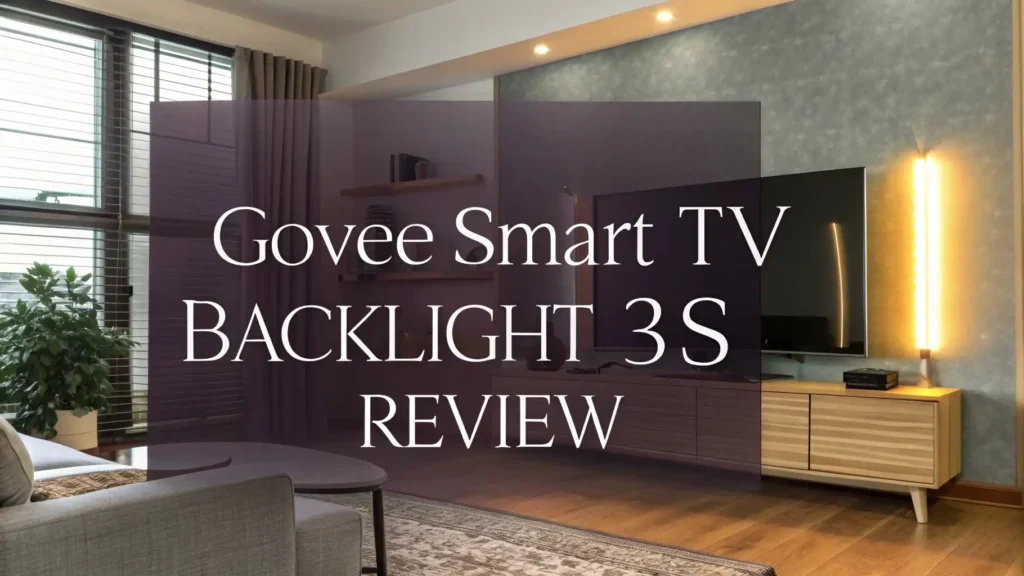
The LED strip then mirrors those colors on the wall behind your TV, creating what many people call an “Ambilight-style” effect. This was once only available on premium Philips TVs, but Govee has made it accessible to almost everyone.
The 3S is specifically designed for TVs ranging from 55 to 65 inches, with a separate 16.4ft version for 75 to 85 inch screens. The strip itself is flexible, includes corner clips for clean installation, and uses adhesive backing that sticks firmly to most TV panels.
Key Features of the Govee Smart TV Backlight 3S
The Govee Smart TV Backlight 3S comes packed with features that make it stand out in its price category. Here is what makes it special:
Fish-Eye Correction Technology is the headline feature. The camera uses a wide-angle lens to see your entire screen. Without correction, this lens distorts colors at the edges. The 3S fixes that distortion digitally, so the colors at the corners of your TV are just as accurate as the ones in the center. This is a major improvement over older Govee models.
RGBICW Lamp Beads give the strip four light channels instead of the usual three. The extra warm white channel allows for much purer and more natural whites. This matters a lot when you watch content with lots of bright scenes or skin tones.
Black Bar Elimination is another smart feature. When you watch a widescreen movie with black bars at the top and bottom, the camera ignores those bars and only reacts to the actual content. This keeps the lighting from going dark unnecessarily.
Music Sync Mode lets the LEDs react to sound. You can use this mode for parties, gaming, or music sessions, and the lights pulse along with the beat.
99+ Scene Modes give you endless options to set the mood without using the camera sync feature.
Design and Build Quality
The Govee Smart TV Backlight 3S has a simple and clean design. The LED strip is thin, flexible, and easy to bend around the corners of your TV. The adhesive backing feels strong, and most users report that it holds well even after months of use.
The camera has a compact rectangular shape with a gravitational hanging design. This means you can hang it over the top edge of your TV without any additional tools. For ultra-thin TVs, Govee includes adhesive pads to keep the camera stable.
The control box is small and connects to both the LED strip and the camera. It has a single USB-style power port and sits neatly at the back of your TV without drawing attention. The overall build feels solid for the price point. It is not premium in the way a Philips Hue product feels, but it is absolutely good enough for everyday use and long-term durability.
One thing worth noting is that the cables are of decent length. Most users will have no trouble routing them neatly, even on large TV setups. Corner clips are included, which help keep the strip tight against the TV frame at each turn.
Top 3 Alternatives for Govee Smart TV Backlight 3S


How to Set Up the Govee Smart TV Backlight 3S
Setting up the Govee Smart TV Backlight 3S is straightforward. Here is how the process works:
Step one is to clean the back of your TV. Wipe it down with a dry cloth to make sure the adhesive sticks properly. Any dust or grease will weaken the bond over time.
Step two is to attach the LED strip. Start from the bottom left corner and work your way around the TV. Use the included corner clips to make clean bends. The strip is marked so you always know which direction to run it.
Step three is to mount the camera. Hang it over the top center of your TV. If your TV is ultra-thin, use the adhesive pads. Make sure the camera has a clear, unobstructed view of the full screen.
Step four is to connect everything to the control box and plug it into power.
Step five is to download the Govee Home app and follow the calibration steps. The app walks you through the fish-eye correction calibration. This step takes about five minutes and makes a big difference in color accuracy. Most users complete the full setup in under 30 minutes.
Color Accuracy and Performance
This is where the Govee Smart TV Backlight 3S truly shines. The fish-eye correction technology delivers noticeably better color accuracy at the screen edges compared to older models like the Govee DreamView T1 or standard backlights without correction.
During action movies, the LEDs change colors fast and smoothly. During dark thriller scenes, the backlight dims correctly and creates a sense of depth in the room. During sports broadcasts with lots of green, the walls behind your TV glow green in a way that genuinely feels like the game is wrapping around you.
The warm white chip makes a real difference in scenes with natural lighting, sunsets, or skin tones. Colors do not look oversaturated or artificial. Govee claims 40% wider color gamut coverage compared to standard backlights, and based on real-world use, that claim holds up reasonably well.
Music sync mode reacts to bass and treble separately, giving it a more dynamic feel than basic beat-matching. The 99+ scene modes range from ocean waves to campfire glows, and you can create your own custom modes through the app.
App and Smart Home Integration
The Govee Home app is your main control hub for the 3S. The app is available for iOS and Android. It connects via 2.4GHz Wi-Fi and Bluetooth, and the setup process is quick and painless.
Inside the app, you can adjust brightness, color temperature, scene modes, and music sync sensitivity. You can also schedule the lights to turn on and off at specific times, which is a handy feature for creating consistent viewing rituals.
Voice control works with Amazon Alexa, Google Assistant, and Siri Shortcuts. You can say “Hey Alexa, set TV backlight to movie mode” and it just works. This level of integration makes the 3S a natural fit for any smart home in 2026.
The DreamView feature in the app also lets you sync the 3S with other Govee devices, like the Govee Gaming Light Bars, so your entire room reacts to what is on screen. This creates a genuinely cinematic experience without spending hundreds of dollars on a full Philips Hue setup.
Govee Smart TV Backlight 3S vs TV Backlight 3 Lite
Many buyers ask about the difference between the 3S and the newer TV Backlight 3 Lite. Here is a clear breakdown:
The 3S (H6098) was co-branded with Netflix and sold primarily through retailers like Sam’s Club and Walmart. It uses RGBICW beads, fish-eye correction, and a single wide-angle camera. It is an excellent mid-range option.
The 3 Lite (H6099) is the Amazon-focused successor. It introduces an updated camera design, slightly improved fish-eye correction, and the same RGBICW bead technology. Reddit users describe the 3 Lite as “essentially a newer version of the 3S.”
If you can find the 3S at a lower price, it is still an excellent buy. If you want the latest version with slightly improved calibration, the 3 Lite is the better long-term investment.
Both products share the same core technology and deliver similar real-world performance. The differences are small and will not matter to most casual viewers.
Pros and Cons of the Govee Smart TV Backlight 3S
Every product has its strengths and weaknesses. Here is an honest look:
What works well:
The fish-eye correction makes a real difference. Colors at the edges of the screen are accurate and smooth. The warm white chip improves overall color rendering. Setup is simple and the app is intuitive. Voice control with Alexa, Google, and Siri works reliably. The price is competitive for the feature set offered.
What could be better:
Calibration can require a few attempts in bright rooms. The camera may struggle to read colors accurately if there is strong ambient light competing with the TV. The control box is functional but not the most elegant design. Some users report that the adhesive can weaken over time in warm climates. The 3S is harder to find on Amazon compared to the 3 Lite, which is a minor inconvenience.
Overall, the pros far outweigh the cons. For the price, the Govee Smart TV Backlight 3S delivers an experience that used to require a significantly larger budget.
Who Should Buy the Govee Smart TV Backlight 3S
The Govee Smart TV Backlight 3S is a great fit for a specific type of buyer. Here is who will love it:
Movie fans who stream Netflix will get the most out of this product. The Netflix co-branding means scene modes are tuned to complement streaming content. The black bar elimination also makes widescreen films look better with dynamic lighting.
Casual gamers will enjoy the music sync and fast color response during gameplay. It adds atmosphere without the complexity of a full HDMI sync box setup.
Smart home enthusiasts will appreciate the deep integration with Alexa, Google Assistant, Siri, and the Govee ecosystem.
Budget-conscious buyers who want an Ambilight-style experience without spending $300 or more will find the 3S to be one of the best value products in its category in 2026.
If you are a hardcore competitive gamer who needs zero-latency HDMI sync, the Lytmi Fantasy 3 or Philips Hue Sync Box may serve you better. But for everyone else, the Govee 3S is hard to beat.
Govee Smart TV Backlight 3S Price and Value
The Govee Smart TV Backlight 3S typically retails between $40 and $65 depending on the retailer and TV size. Sam’s Club and Walmart often offer it at competitive prices, sometimes with promotional bundles.
At this price point, the value proposition is strong. You get camera-based color sync, warm white chip technology, fish-eye correction, smart home integration, and 99+ scene modes. Competitors at the same price typically offer either fewer features or lower build quality.
The only real competition at this price is the Govee TV Backlight 3 Lite, which is slightly more expensive but available more widely on Amazon. If you find the 3S at a good price, do not hesitate. It delivers everything you need for an immersive home theater experience.
Final Verdict
The Govee Smart TV Backlight 3S earns a strong recommendation in 2026. It hits the right balance between price, performance, and features. The fish-eye correction technology genuinely improves color accuracy at the screen edges. The RGBICW warm white chip makes colors look natural rather than garish. The app works well, the voice control is reliable, and the setup is simple enough for anyone.
It is not a perfect product. Calibration can take a few tries in bright environments, and the Amazon availability is limited compared to the TV Backlight 3 Lite. But none of those are deal-breakers. For the money, this is one of the best TV backlight kits you can buy today.
If you want to transform your living room into a personal cinema without breaking the bank, the Govee Smart TV Backlight 3S is exactly what you are looking for.
Frequently Asked Questions
Does the Govee Smart TV Backlight 3S work with all TV brands?
Yes. The Govee Smart TV Backlight 3S works with any TV brand including Samsung, LG, Sony, TCL, Hisense, and others. It uses a camera to read the screen, so it does not require any internal connection to the TV. As long as your TV falls within the supported size range of 55 to 75 inches, the system will work.
How long does setup take for the Govee Smart TV Backlight 3S?
Most users complete the full setup in 20 to 30 minutes. This includes attaching the LED strip, mounting the camera, connecting the control box, and running the calibration process in the Govee Home app. The calibration itself takes about 5 minutes.
Can I use the Govee Smart TV Backlight 3S without Wi-Fi?
You can use basic functions via Bluetooth without Wi-Fi. However, for full smart home integration, voice control with Alexa or Google Assistant, and remote access through the Govee Home app, a 2.4GHz Wi-Fi connection is required.
Is the Govee Smart TV Backlight 3S compatible with gaming consoles?
Yes. The 3S works with any device that outputs content to your TV screen, including PlayStation 5, Xbox Series X, and Nintendo Switch. The camera reads the screen regardless of the input source. For faster sync response during competitive gaming, an HDMI-based sync solution may be preferable.
What is the difference between the Govee Smart TV Backlight 3S and the 3 Lite?
Both products use fish-eye correction and RGBICW lamp beads. The 3S (H6098) was released as a Netflix co-branded product and is sold mainly at mass retailers. The 3 Lite (H6099) is the updated Amazon-focused version with a slightly refreshed camera design. Their real-world performance is very similar. The 3 Lite is considered the newer and more widely available option.
Does the Govee Smart TV Backlight 3S support Siri?
Yes. The Govee Smart TV Backlight 3S supports Siri Shortcuts through the Govee Home app. You can set up custom Siri commands to control brightness, switch scene modes, or turn the lights on and off using voice commands on any Apple device.
Can the Govee Smart TV Backlight 3S be used for rooms other than the living room?
Yes. While it is designed for TV use, many users also install it in home theaters, gaming rooms, and bedrooms. The 99+ scene modes and music sync make it a versatile ambient lighting solution for any room where you want a dynamic light effect. It looks great in any low-light entertainment setting.