HP 17 Touch Laptop Review 2026: Worth Your Money?
Are you looking for a big screen laptop that does not break the bank? The HP 17 Touch Laptop might be exactly what you need.
This 17.3 inch touchscreen laptop has gained a strong following among students, remote workers, and families alike. Its large display, responsive touch input, and solid everyday performance make it a popular pick in 2026.
But does it truly deliver on its promises? Can it handle your daily workload, streaming habits, and casual browsing without frustrating slowdowns?
Key Takeaways:
- The 17.3 inch HD+ touchscreen offers a spacious viewing area. It is great for multitasking, streaming videos, and working with spreadsheets side by side. The BrightView display delivers vivid colors for everyday use.
- Processor options range from Intel Core i3 to Intel Core i7 and even Intel Core Ultra 5/7 in newer 2025/2026 editions. The Intel Core i7-1355U and Intel Core Ultra 5 225U variants handle multitasking, office apps, and web browsing with ease.
- Battery life reaches up to 9 hours on select models. This is solid for a 17 inch laptop and means you can work through most of the day without searching for a power outlet.
- RAM configurations start at 8GB and go up to 64GB. The base models suit light users, while higher RAM options work well for people who keep many browser tabs and apps open at once.
- The full size keyboard with a numeric keypad makes data entry comfortable. Many users praise the key spacing and tactile feel for long typing sessions.
- Pricing stays competitive in the budget to mid-range segment. You can find configurations starting around $400 and going up to $900+, which makes the HP 17 Touch Laptop one of the most affordable large screen options in 2026.

HP 17 Touch Laptop Overview and Design
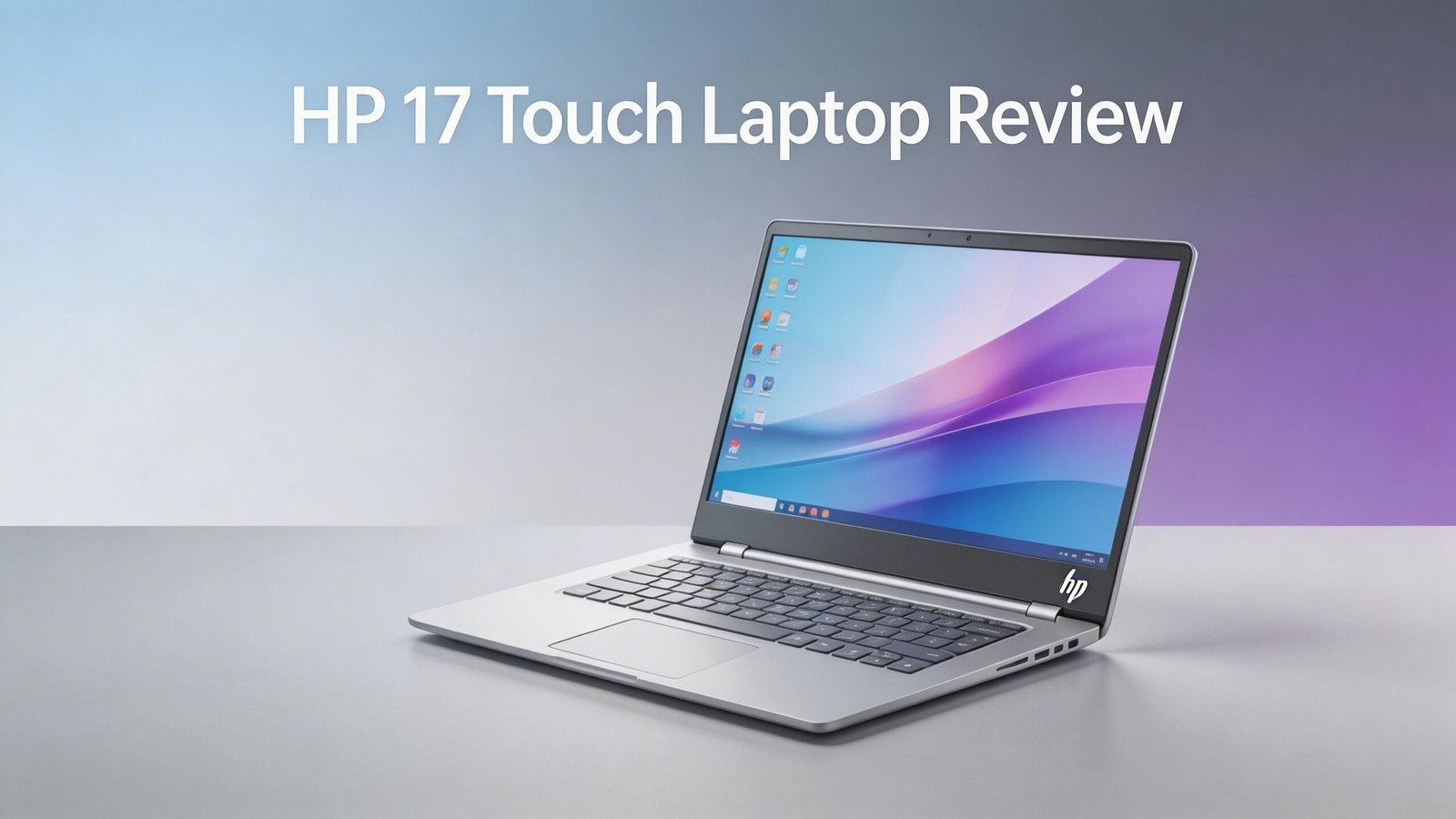
The HP 17 Touch Laptop carries a clean, professional look. Its Natural Silver finish gives it a modern appearance without looking flashy. The chassis uses a plastic body, which keeps the weight manageable for a 17.3 inch device.
HP designed this laptop with practicality in mind. The lid opens smoothly, and the hinges feel sturdy enough for daily use. The overall build quality sits right where you would expect for a budget to mid-range laptop.
The laptop weighs around 4.5 to 5 pounds depending on the configuration. That is heavier than a 13 or 15 inch ultrabook, but it is reasonable for a large screen laptop. You can still carry it in a backpack if needed.
The bottom panel has adequate ventilation openings. These help keep the system cool during extended use. HP kept the design straightforward, and that simplicity works in its favor. There are no unnecessary gimmicks here, just a clean, functional machine built for everyday tasks.
Display Quality and Touchscreen Performance
The 17.3 inch HD+ (1600 x 900) BrightView display is the central feature of this laptop. The large screen makes everything easier to see, from documents and emails to streaming content. You get more visual space compared to standard 15.6 inch laptops.
The touchscreen is responsive and accurate. Taps, swipes, and pinch-to-zoom gestures register smoothly. This adds a layer of convenience for browsing the web, scrolling through documents, and interacting with Windows 11.
However, the HD+ resolution is not Full HD (1920 x 1080). Text and images look good at normal viewing distances, but they can appear slightly less sharp compared to FHD panels. If you need pixel-perfect clarity for photo editing or design work, this resolution may feel limiting.
The BrightView coating makes colors pop, but it also creates reflections in bright environments. You may notice glare if you use the laptop near windows or under strong overhead lights. For indoor use in typical lighting, the display performs well for the price.
Processor and Performance Breakdown
The HP 17 Touch Laptop comes in several processor options. The Intel Core i3-1215U handles basic tasks like email, web browsing, and document editing. The Intel Core i5-1335U adds more speed for moderate multitasking.
The Intel Core i7-1355U is the best choice for users who want strong everyday performance. It offers 10 cores and can boost up to 5.0 GHz. This makes it capable of running multiple apps, browser tabs, and light creative software without major slowdowns.
Newer 2025/2026 editions feature the Intel Core Ultra 5 225U processor. This chip brings improved power efficiency and AI capabilities through the built-in Copilot key. It handles office work, video calls, and content streaming with smooth results.
Do not expect gaming or heavy video editing performance from this laptop. The integrated Intel UHD or Intel Iris Xe graphics handle casual tasks and light photo editing, but they fall short for demanding workloads. This laptop targets productivity and entertainment, not professional creative work or gaming.
Top 3 Alternatives for HP 17 Touch Laptop
1. Lenovo IdeaPad 3 17.3″ Laptop

2. Dell Inspiron 7706 2-in-1 17″ QHD+ Touchscreen Laptop

3. ASUS Vivobook 17 Laptop 17.3″ FHD Display

RAM and Storage Options
The HP 17 Touch Laptop offers flexible memory and storage configurations. Base models start with 8GB DDR4 RAM, which works for light browsing and simple office tasks. Mid-range options come with 16GB RAM, and high-end configurations go up to 32GB or even 64GB.
For most users, 16GB RAM hits the sweet spot. It allows smooth multitasking with several Chrome tabs, a Word document, and a Zoom call running at the same time. The 8GB option can feel sluggish if you push it with too many open apps.
Storage options include 256GB, 512GB, and 1TB PCIe NVMe SSDs. Some models also offer a combination of eMMC storage and SSD. The NVMe SSD provides fast boot times and quick file access. You can expect the laptop to start up in seconds rather than minutes.
If you store lots of photos, videos, or large files, aim for at least 512GB SSD. The 256GB option fills up fast, especially with Windows 11 and its updates taking a good chunk of space. Cloud storage or an external drive can help if you go with a smaller SSD.
Keyboard and Trackpad Experience
The full size keyboard with a dedicated numeric keypad is one of the best features of the HP 17 Touch Laptop. The extra number keys make data entry, accounting work, and spreadsheet editing much faster.
Key travel feels comfortable and consistent. The keys are not too shallow and not too deep. Typing for long periods does not cause fatigue, which is a plus for students and office workers. Select models also include a backlit keyboard for working in dim environments.
The trackpad is smooth and responsive. It supports Windows Precision drivers, so multitouch gestures like two-finger scrolling and three-finger swiping work reliably. The trackpad surface is large enough for comfortable navigation.
Some users note that the trackpad click can feel slightly stiff compared to premium laptops. This is a minor trade-off for the price point. Overall, both the keyboard and trackpad deliver a pleasant and productive typing experience for the money.
Battery Life and Charging
Battery life on the HP 17 Touch Laptop varies by model and usage. HP rates some configurations at up to 9 hours and 15 minutes of video playback. Real-world use with Wi-Fi browsing and mixed tasks typically delivers around 6 to 7 hours.
That is solid performance for a 17.3 inch laptop. Larger screens consume more power, so getting a full workday of moderate use is a respectable result. You can attend classes, work at a coffee shop, or browse at home without constant charging.
The laptop uses a standard HP charger. Charging from low to full takes roughly 2 to 2.5 hours. Some newer models support fast charging, which gives you a significant boost in a short charging window.
Keep in mind that screen brightness, touchscreen use, and processor load all affect battery drain. Running the display at maximum brightness while streaming video will shorten your battery life. Lowering brightness and closing unused apps helps extend your time away from the outlet.
Ports and Connectivity

The HP 17 Touch Laptop includes a useful selection of ports. You get one USB Type-C port, two USB Type-A ports, one HDMI 1.4b port, a headphone/microphone combo jack, and an SD card reader on most configurations.
The USB Type-C port supports data transfer and can connect to external displays or docking stations. The two USB Type-A ports handle your mouse, keyboard, thumb drives, and other peripherals. The HDMI port lets you connect to an external monitor or TV for a bigger display.
Wireless connectivity includes Wi-Fi 6 (802.11ax) and Bluetooth 5.3. Wi-Fi 6 provides faster speeds and better performance in crowded networks. Bluetooth 5.3 ensures stable connections to wireless headphones, mice, and speakers.
The SD card reader is a nice bonus for photographers and content creators who want to transfer files from a camera. Not every laptop in this price range includes this feature, so it adds extra value to the HP 17 Touch.
Audio and Webcam Quality
The HP 17 Touch Laptop features dual speakers placed on the bottom or sides of the chassis. Audio quality is decent for a budget laptop. Voices sound clear during video calls, and casual music listening works fine at moderate volumes.
Bass response is limited, and the speakers can sound thin at maximum volume. This is common for laptops in this category. If you care about audio quality, a pair of headphones or external Bluetooth speakers will make a big difference.
The built-in HD webcam works for video calls on Zoom, Teams, and Google Meet. Image quality is adequate for standard meetings but can look grainy in low light. The camera does not match the quality of 1080p FHD webcams found on some pricier laptops.
A privacy shutter or software-based camera toggle is available on some models. This gives you peace of mind that your camera is off when you do not need it. For regular video calls and online meetings, the webcam gets the job done.
Windows 11 Experience and Software
The HP 17 Touch Laptop ships with Windows 11 Home on most configurations. Business models come with Windows 11 Pro, which adds features like BitLocker encryption and remote desktop capabilities.
Windows 11 runs smoothly on models with 16GB RAM and an SSD. The Start menu, snap layouts, and virtual desktops work well on the large 17.3 inch screen. You can easily snap two or three windows side by side and stay productive.
Newer 2025/2026 models feature a Copilot key on the keyboard. This gives you quick access to Microsoft Copilot, the AI assistant built into Windows 11. You can use it for writing help, quick searches, and task management.
HP includes some pre-installed software. Most of it is optional, and you can uninstall apps you do not need. The laptop also comes with a trial of McAfee security software and in some bundles, a one-year subscription to Microsoft 365.
Who Should Buy the HP 17 Touch Laptop?
This laptop fits several types of users. Students benefit from the big screen, comfortable keyboard, and long battery life. Writing papers, researching online, and attending virtual lectures all work well on this machine.
Remote workers and office professionals will appreciate the full-size keyboard with numeric keypad. The large display makes it easy to work with spreadsheets, documents, and email without squinting. If your work involves data entry, this laptop is a strong pick.
Families looking for a shared home computer will find this laptop practical. The touchscreen makes it easy for kids to interact with educational apps. The adults in the house can use it for budgeting, online shopping, and streaming.
This laptop is not ideal for gamers, video editors, or graphic designers. The integrated graphics and HD+ resolution fall short for those use cases. If you need a workhorse for creative or gaming tasks, look at laptops with dedicated GPUs and higher resolution screens.
HP 17 Touch Laptop Pros and Cons
The biggest strengths of the HP 17 Touch Laptop include its spacious 17.3 inch touchscreen, comfortable full-size keyboard, and good battery life for the screen size. The variety of processor and RAM options lets you pick a configuration that fits your budget and needs.
The affordable pricing is another clear advantage. You get a lot of screen real estate and capable hardware for the money. The port selection is also generous compared to ultrabooks that cut corners with only USB-C ports.
On the downside, the HD+ resolution can disappoint if you compare it to Full HD panels. The display brightness may not be enough for outdoor use or very bright rooms. The laptop is also heavier than compact alternatives, so frequent travelers might find it bulky.
The plastic build feels sturdy enough but lacks the premium feel of metal chassis laptops. The webcam quality is basic, and the speakers do not deliver rich sound. These are common sacrifices at this price point, and they do not significantly hurt the overall experience.
Value for Money in 2026
The HP 17 Touch Laptop delivers strong value in the budget to mid-range laptop market. Configurations start around $400 for basic models with an Intel Core i3 and 8GB RAM. Mid-tier i5 and i7 models with 16GB RAM and 512GB SSD typically fall between $550 and $750.
Compared to competitors like the Lenovo IdeaPad 3 17″ and ASUS Vivobook 17, the HP 17 Touch Laptop holds its own. It often matches or beats these rivals on touchscreen quality and keyboard comfort. The price difference between brands is small, so your choice may come down to personal preference.
If you wait for seasonal sales on Amazon, Best Buy, or Costco, you can find even better deals. Black Friday, Prime Day, and back-to-school sales often drop prices by $50 to $150. That turns an already affordable laptop into an outright bargain.
For the features you get, the HP 17 Touch Laptop is one of the best values in the large screen laptop category in 2026. It does what it promises, does it well, and does not ask for too much of your budget.
Final Verdict: Should You Buy the HP 17 Touch Laptop?
The HP 17 Touch Laptop is a reliable, budget-friendly machine for everyday computing. Its large touchscreen, solid keyboard, and flexible configurations make it a smart choice for students, professionals, and families.
It will not win awards for display sharpness or speaker quality. It is not a gaming machine or a creative powerhouse. But for browsing, streaming, office work, and general productivity, it gets the job done with room to spare.
If a big screen, touchscreen input, and affordable price are your top priorities, this laptop earns a strong recommendation. Pick the configuration that matches your workload, and you will have a dependable computer that serves you well throughout 2026 and beyond.
Frequently Asked Questions
Is the HP 17 Touch Laptop good for college students?
Yes, the HP 17 Touch Laptop works very well for college students. The large screen makes reading, note-taking, and research comfortable. The battery lasts long enough for a full day of classes. The full-size keyboard with numeric keypad is great for writing essays and working with data.
Can I upgrade the RAM and storage on the HP 17 Touch Laptop?
Most HP 17 models allow RAM and SSD upgrades. You can typically add more RAM or swap in a larger SSD. Check your specific model number for exact upgrade options, as some configurations may have soldered RAM.
Does the HP 17 Touch Laptop have a backlit keyboard?
Select configurations include a backlit keyboard. Not every model comes with this feature. If backlit keys are important to you, check the product listing carefully before purchasing to confirm the feature is included.
Is the HP 17 Touch Laptop suitable for video editing?
The HP 17 Touch Laptop can handle very light video editing with basic software. However, it is not built for intensive video editing tasks. The integrated graphics and HD+ resolution limit its performance in professional editing software like Premiere Pro or DaVinci Resolve.
How long does the HP 17 Touch Laptop battery last with regular use?
With typical use including web browsing, document editing, and occasional streaming, the battery lasts around 6 to 7 hours. HP rates some models at up to 9 hours of video playback under ideal conditions. Actual results depend on screen brightness, active apps, and Wi-Fi usage.
Does the HP 17 Touch Laptop support external monitors?
Yes, you can connect an external monitor through the HDMI 1.4b port or the USB Type-C port. This lets you extend your workspace or mirror your screen on a larger display. It works well for presentations and dual-screen productivity setups.