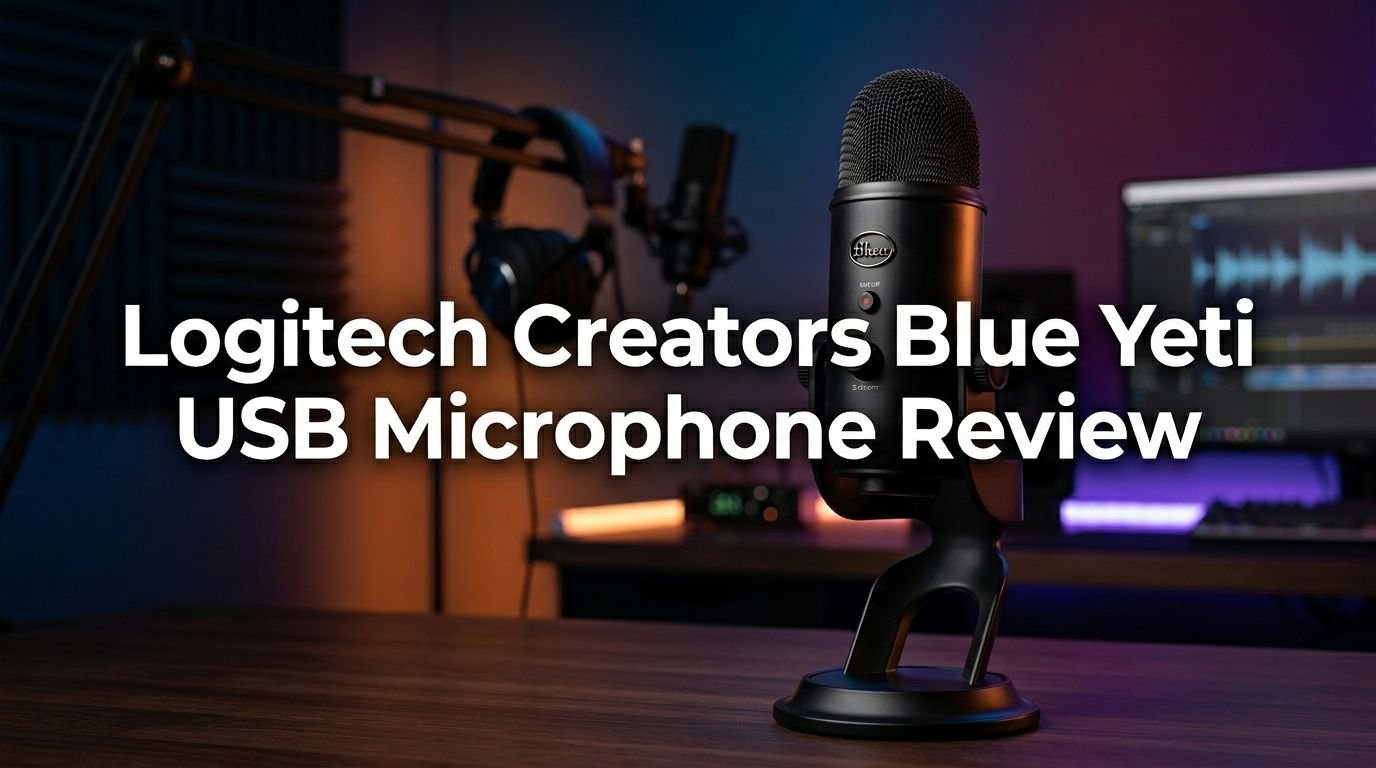
Logitech Creators Blue Yeti USB Microphone Review 2026: Worth It?
Are you looking for a USB microphone that delivers studio-quality audio without burning a hole in your wallet?
The Logitech Creators Blue Yeti USB Microphone has been a fan favorite for content creators, podcasters, and gamers for years. But does it still hold up in 2026?
I spent weeks testing this microphone across podcasting, streaming, voice-overs, and music recording. This review covers everything from sound quality and build design to real-world performance and value for money.
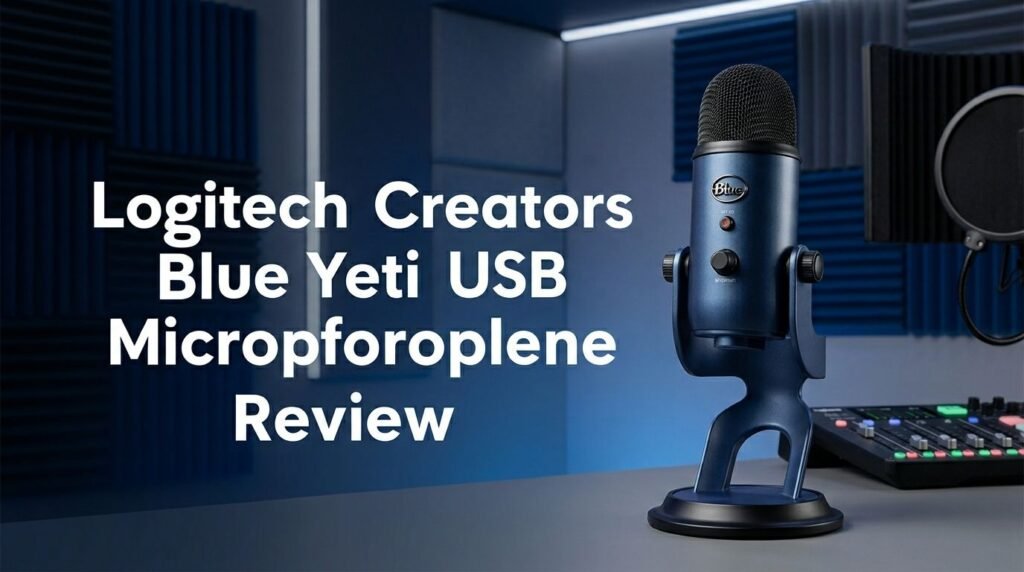
Key Takeaways:
- The Blue Yeti offers four polar patterns (Cardioid, Stereo, Omnidirectional, and Figure 8), which makes it one of the most versatile USB microphones under $130. Most competitors at this price only offer one or two patterns.
- Plug-and-play setup means zero hassle. You do not need an audio interface, XLR cable, or phantom power. Just connect the USB cable to your PC or Mac and start recording within seconds.
- Audio quality is clear and broadcast-ready with a frequency response of 20Hz to 20kHz and a 48kHz/16-bit sample rate. It uses three custom 14mm condenser capsules for crisp, detailed sound.
- The all-metal build is heavy and durable, weighing about 2.2 lbs with its stand. This microphone feels premium and can survive daily use on any desk setup.
- Background noise pickup is a known trade-off. As a condenser mic, the Yeti is more sensitive to ambient sounds than dynamic microphones. A quiet recording space and proper gain settings are important.
- Blue VO!CE software integration gives you access to voice effects, filters, and audio presets. This feature adds real value for streamers and podcasters who want polished audio fast.

Logitech Creators Blue Yeti USB Microphone Overview
The Logitech Creators Blue Yeti USB Microphone is a condenser mic built for creators, gamers, and professionals. Blue Microphones (which stands for Baltic Latvian Universal Electronics) was acquired by Logitech in 2018 for around $117 million. The Yeti now lives under the Logitech for Creators brand.
This microphone has earned its spot as one of the best-selling USB mics on Amazon for good reason. It combines professional-grade features with a simple plug-and-play design. You get four polar patterns, onboard controls, and a built-in headphone jack for real-time monitoring.
The Blue Yeti works with both PC and Mac. It is compatible with popular recording software like Audacity, GarageBand, OBS, and FL Studio. You do not need drivers or external power supplies. This makes it a solid pick for anyone who wants to start recording right away.
In 2026, the Yeti remains a strong option despite increased competition. It continues to deliver reliable audio performance at a price point that fits most budgets. The microphone is available in several colors, including Blackout, Silver, and Midnight Blue.
Build Quality and Design
The first thing you notice about the Blue Yeti is its weight and sturdiness. This is an all-metal microphone with an all-metal stand. It weighs roughly 1.2 lbs on its own and about 2.2 lbs with the included desktop stand.
The desktop stand has a fold-back design that lets you tilt and angle the microphone. This gives you some flexibility in positioning, though many users eventually switch to a separate boom arm for better placement. The standard 5/8-inch thread mount fits any universal microphone stand or boom arm.
One downside is the stand assembly. The original Yeti uses around 10 washers and bushings to connect the mic body to the stand. Removing and reattaching the mic can be frustrating. This is something Blue improved in the Yeti Nano, which uses just two screws.
Despite this quirk, the overall build inspires confidence. The mic feels like it can handle years of daily use. Multiple long-term owners report that their Blue Yeti still works perfectly after five or more years.
Sound Quality and Audio Performance
Sound quality is where the Blue Yeti earns its reputation. The mic uses a custom three-capsule array with three Blue-proprietary 14mm condenser capsules. This setup produces clear, detailed, and broadcast-quality audio.
The frequency response spans 20Hz to 20kHz, which covers the entire range of human hearing. The maximum SPL is 120dB, and the signal-to-noise ratio sits at 100dB. These numbers translate to clean recordings with minimal self-noise.
Audio sounds crisp and articulate with strong clarity in the mid and high frequencies. Vocals come through with good presence and detail. The sound profile leans slightly toward the cooler side. It prioritizes clarity over warmth, which suits podcasting and voice-over work well.
For best results, position your mouth about 5 to 6 inches from the mic and use a pop filter. Set the gain around 50% to avoid clipping. You can always boost volume in post-production, but fixing distorted audio is much harder.
Top 3 Alternatives for Logitech Creators Blue Yeti USB Microphone
If the Blue Yeti does not match your needs, these three alternatives are worth a close look.
1. Shure MV7 USB Podcast Microphone

The Shure MV7 is a dynamic microphone with both USB and XLR outputs. It offers better background noise rejection than the Blue Yeti. The built-in Voice Isolation Technology keeps your audio clean even in noisy rooms. This is a premium option for serious podcasters and streamers.
2. Audio-Technica AT2020USB+ Condenser Microphone

The AT2020USB+ delivers warm and natural sound in a cardioid-only pattern. It features a built-in headphone jack with mix control for blending mic audio and playback. This mic is lighter and more compact than the Blue Yeti, making it easier to mount on a boom arm.
3. HyperX QuadCast USB Condenser Microphone

The HyperX QuadCast targets gamers and streamers with its tap-to-mute sensor and LED status indicator. It includes four polar patterns, a built-in anti-vibration shock mount, and a pop filter. The red LED design gives it a distinct gamer aesthetic that stands out on any desk.
Four Polar Patterns Explained
The Blue Yeti’s four polar patterns give it a clear edge over most USB microphones in its price range. Here is what each pattern does and when to use it.
Cardioid mode picks up sound from the front while rejecting audio from the sides and rear. This is the go-to setting for solo podcasting, YouTube voice-overs, singing, and gaming streams. Most users will spend 90% of their time in cardioid mode.
Stereo mode uses both the left and right channels to create a sense of space and width. It works well for recording acoustic instruments, ASMR content, or any situation where you want a more immersive sound.
Omnidirectional mode captures sound equally from all directions. This is ideal for conference calls, group discussions, or recording ambient sounds. You can place the mic in the center of a table, and it will pick up everyone around it.
Figure 8 (Bidirectional) mode picks up sound from the front and back while rejecting the sides. It is perfect for two-person podcast interviews where both speakers sit across from each other. You save money by only needing one mic instead of two.
Onboard Controls and Features
The Blue Yeti puts essential controls right on the microphone body. This means you do not need to open software or touch your computer during a recording session.
The front of the mic features a mute button and a headphone volume dial. Press the mute button once, and the LED flashes to confirm the mic is muted. Press it again to unmute. The volume dial adjusts your headphone monitoring level. It does not affect the recorded audio level.
On the back, you will find the gain control knob. This adjusts the sensitivity of the microphone. A lower gain setting reduces background noise pickup, while a higher gain setting captures quieter sources. I recommend starting at around 50% and adjusting from there.
The bottom of the mic houses a 3.5mm headphone jack for zero-latency monitoring. This lets you hear your voice in real time without any delay. It also has the mini-USB port for connecting to your computer. The included USB cable handles both data and power.
Blue VO!CE Software Integration
Blue VO!CE is Logitech’s companion software for the Blue Yeti and other Logitech microphones. It adds a layer of real-time voice processing that can transform your audio without any third-party plugins.
The software includes voice effects, studio-quality presets, and advanced modulation. You can apply broadcast vocal effects, add radio-style compression, or create fun voice transformations for streaming. These presets work directly inside popular apps like OBS, Streamlabs, Discord, and Zoom.
Blue VO!CE also gives you HD audio samples and noise reduction tools. You can fine-tune EQ settings, adjust compression, and set limiter thresholds. For streamers and podcasters who want quick, professional-sounding results, this software is a genuine time-saver.
The software is free to download on both PC and Mac. It does require the Logitech G HUB platform to run. Some users find G HUB a bit heavy for a simple microphone utility, but the added voice features make it worth the install.
Who Should Buy the Blue Yeti?
The Blue Yeti suits a wide range of users. Its versatility makes it a smart investment for anyone who records audio at a desk.
Podcasters will appreciate the cardioid and figure 8 modes. Solo hosts and two-person shows can both benefit. The clear audio and onboard controls make recording sessions smooth and simple.
YouTube creators and streamers get broadcast-quality sound without a complicated setup. The plug-and-play design means you can go live in under a minute. Blue VO!CE adds extra polish with real-time effects and presets.
Gamers benefit from the mute button and low-latency headphone monitoring. You can chat with teammates on Discord while keeping background noise in check with proper gain settings.
Musicians and voice actors can use the stereo and omnidirectional modes for creative recordings. The Yeti handles vocals, acoustic instruments, and spoken word with solid clarity.
Remote workers who attend frequent video calls will notice a huge upgrade over laptop microphones. The Yeti makes your voice sound professional on Zoom, Teams, and Google Meet.
Pros of the Logitech Creators Blue Yeti
The Blue Yeti has many strengths that justify its popularity. The four polar patterns offer flexibility that you rarely find in USB mics under $130. You get cardioid, stereo, omnidirectional, and figure 8 modes in a single device.
Plug-and-play setup removes all barriers to entry. There is no need for external audio interfaces, XLR cables, or phantom power. Connect the USB cable, select the mic in your audio settings, and start recording.
The all-metal construction feels premium and durable. This microphone is built to last for years. Many owners report using theirs daily for five years or more without any issues.
Onboard gain control is a standout feature. Adjusting sensitivity directly on the mic gives you quick, tactile control during recordings. The mute button with LED feedback is also a practical touch.
The 3.5mm headphone jack delivers zero-latency monitoring. Hearing your voice in real time helps you maintain consistent volume and tone throughout a session.
Cons of the Logitech Creators Blue Yeti
No microphone is perfect, and the Blue Yeti has a few areas that could be better. The most common complaint is background noise sensitivity. As a condenser mic, the Yeti picks up keyboard clicks, fan noise, and room echo more easily than dynamic microphones.
The microphone is large and heavy. At 2.2 lbs with the stand, it takes up significant desk real estate. If you have a small desk, the Yeti’s footprint might be a concern.
The mini-USB connection feels outdated in 2026. Most modern peripherals have moved to USB-C. You may need to buy a separate adapter or cable if your computer lacks a USB-A port.
Stand assembly is frustrating. The 10 washers and bushings required to mount the mic on its stand make disassembly and reassembly a chore. Users who switch between the desktop stand and a boom arm will find this annoying.
The 16-bit audio resolution is another limitation. Competing microphones like the Blue Yeti X and Audio-Technica AT2020USB-X now offer 24-bit recording. For casual use, 16-bit is fine. For professional music production, you may want higher bit depth.
Blue Yeti vs. Blue Yeti Nano
Many buyers debate between the original Blue Yeti and the Blue Yeti Nano. Both microphones come from the same brand and share a similar price point near $100. But they serve slightly different needs.
The original Yeti offers four polar patterns, while the Nano gives you only two (cardioid and omnidirectional). If you need stereo or figure 8 modes, the original Yeti is the clear choice.
The Nano wins on portability and ease of use. It is smaller, lighter, and much easier to mount on a boom arm. Its two-screw stand design is a huge improvement over the original’s washer-heavy assembly.
Sound-wise, the Nano adds a touch of warmth and body that the original lacks. The original Yeti sounds more sterile and analytical. The Nano smooths out the voice slightly, giving it a more natural broadcast tone.
The Nano uses a 24-bit/48kHz sample rate, while the original runs at 16-bit/48kHz. This gives the Nano a slight technical edge in audio fidelity. The Nano also has a more modern micro-USB connection on its underside.
If desk space is tight and you only need cardioid mode, the Nano is a smarter pick. If you want maximum versatility with four pickup patterns, go with the original Blue Yeti.
Tips for Getting the Best Sound from Your Blue Yeti
A few simple adjustments can dramatically improve your Blue Yeti recordings. These tips work for podcasting, streaming, music, and voice-over projects.
Use a pop filter or windscreen. Plosive sounds like “P” and “B” can cause audio spikes. A foam windscreen or a mesh pop filter placed between your mouth and the mic solves this problem. These accessories cost less than $10 and make a noticeable difference.
Set your gain to 50% or lower. High gain amplifies everything, including unwanted background noise. Start low and increase only if your voice sounds too quiet. You can always boost volume in post-production using Audacity or your preferred DAW.
Keep 5 to 6 inches between your mouth and the mic. Getting too close causes proximity effect and muffled audio. Sitting too far away introduces room reverb and a hollow tone. Five to six inches is the sweet spot for most voices.
Invest in a boom arm. The included desktop stand works, but a boom arm gives you better positioning. You can angle the mic at mouth level without leaning forward. The InnoGear and RODE PSA1 are popular and affordable choices.
Treat your recording space. Hang blankets, add foam panels, or record in a carpeted room with soft furniture. These steps reduce echo and room reflections that condenser microphones like the Yeti tend to capture.
Is the Blue Yeti Still Worth It in 2026?
The short answer is yes, especially for beginners and mid-level creators. The Blue Yeti delivers a combination of sound quality, versatility, and ease of use that few USB microphones match at this price.
Competition has increased since the Yeti first launched. Microphones like the Shure MV7, HyperX QuadCast, and Audio-Technica AT2020USB-X offer strong alternatives. Some of them beat the Yeti in specific areas like noise rejection or bit depth.
But the Yeti’s four polar patterns remain a rare feature at this price. The all-metal build, onboard controls, and free Blue VO!CE software add significant value. For someone who records podcasts, streams games, attends video calls, and occasionally records music, the Blue Yeti covers all of those bases with a single purchase.
If you record in a quiet room and use proper mic technique, the Blue Yeti delivers audio that sounds genuinely professional. It has earned its reputation as a go-to USB microphone, and it continues to deserve that title in 2026.
Final Verdict
The Logitech Creators Blue Yeti USB Microphone remains one of the best USB microphones you can buy. It is not the newest or the most advanced option on the market. But it offers an unbeatable mix of features, sound quality, and durability for under $130.
The four polar patterns, plug-and-play USB connection, and onboard controls make it easy to use for any recording task. The all-metal build ensures it will last for years. Blue VO!CE software adds a layer of polish that enhances your audio without extra cost.
The downsides are real but manageable. Background noise pickup requires a quiet space. The mini-USB port feels dated. The stand assembly is annoying. And 16-bit recording is behind some newer competitors.
For most home creators, podcasters, streamers, and remote workers, the Blue Yeti still earns a strong recommendation. It does what it promises, does it well, and does it at a fair price.
Frequently Asked Questions
Is the Blue Yeti good for podcasting in 2026?
Yes. The Blue Yeti is a solid podcasting microphone. Its cardioid mode captures clear vocal audio while rejecting side noise. The figure 8 mode works well for two-person interviews. Use a pop filter and keep your gain around 50% for the best results. Thousands of successful podcasts have been recorded on a Blue Yeti.
Does the Blue Yeti work with Mac and PC?
The Blue Yeti works with both Mac and PC. It is a plug-and-play device that requires no additional drivers. Connect the USB cable, select the mic in your system audio settings, and start recording. It is also compatible with recording software like Audacity, GarageBand, OBS, and FL Studio.
Can I use the Blue Yeti for gaming and streaming?
Absolutely. The Blue Yeti is a popular choice among gamers and streamers. It works seamlessly with OBS, Streamlabs, and Discord. The mute button and headphone monitoring make it practical for live sessions. Blue VO!CE software lets you apply voice effects and presets in real time.
Does the Blue Yeti pick up background noise?
The Blue Yeti is a condenser microphone, and condenser mics are more sensitive to ambient sound. It will pick up keyboard clicks, fan noise, and room echo if your recording space is not treated. Lower your gain, use cardioid mode, and add some acoustic treatment to reduce unwanted noise.
What is the difference between the Blue Yeti and Blue Yeti X?
The Blue Yeti X is an upgraded version with four condenser capsules instead of three. It supports 24-bit/48kHz recording versus the original’s 16-bit/48kHz. The Yeti X also features a smart knob with an LED meter for visual gain monitoring. It costs slightly more but offers better audio fidelity and real-time feedback.
Is the Blue Yeti better than the Shure MV7?
It depends on your needs. The Shure MV7 is a dynamic microphone that rejects background noise better than the Blue Yeti. The MV7 also offers both USB and XLR connections. The Blue Yeti wins on versatility with its four polar patterns and lower price. Choose the MV7 for noisy rooms and the Yeti for versatile home recording.