Logitech M720 Triathlon Multi-Device Wireless Mouse Review 2026
Are you tired of juggling multiple mice across your desk for different computers? The Logitech M720 Triathlon has been a favorite among productivity users for years.
It lets you connect to three devices at once and switch between them with a single button press. But does this mouse still hold up in 2026?
In this detailed review, we break down every feature, specification, and real-world performance detail of the Logitech M720 Triathlon.
Key Takeaways:
- Multi-device connectivity is the standout feature. The M720 Triathlon pairs with up to three devices using Bluetooth or the included Logitech Unifying Receiver. You can switch between your laptop, desktop, and tablet with one press of the Easy-Switch button on top.
- Battery life is exceptional. A single AA battery powers this mouse for up to 24 months. That means less hassle and fewer interruptions during your workday. Very few mice at this price point offer this kind of endurance.
- The ergonomic shape fits comfortably in right hands. The sculpted body supports natural hand posture. Long work sessions feel less tiring compared to flat, symmetrical mice. It weighs 135 grams with the battery, which gives it a solid but not heavy feel.
- Hyper-fast scrolling saves time on long documents. The dual-mode scroll wheel lets you switch between precise line-by-line scrolling and rapid free-spinning mode. This is a feature you usually find only on more expensive Logitech models.
- Six programmable buttons add flexibility. You can customize button functions through the Logi Options+ software. This lets you assign shortcuts, gestures, and app-specific commands to speed up your workflow.
- The price-to-feature ratio is hard to beat. The M720 Triathlon delivers premium-level features at a mid-range price. It competes directly with mice that cost $70 to $100 more.

Logitech M720 Triathlon Multi-Device Wireless Mouse Overview
The Logitech M720 Triathlon is a full-size wireless mouse built for productivity users who work across multiple devices. Logitech launched this mouse as a bridge between its budget-friendly options and the premium MX Master series. It borrows several key features from the MX line while keeping the price accessible.
This mouse uses Logitech Advanced Optical Tracking with a 1000 DPI sensor. It connects through both 2.4 GHz wireless (via the Unifying Receiver) and Bluetooth Low Energy. The dual connectivity options make it compatible with Windows, macOS, Chrome OS, Linux, and iPadOS.
The M720 measures 4.53 inches in depth, 2.91 inches in width, and 1.78 inches in height. Its contoured right-hand shape includes a thumb rest, forward and back buttons, and a gesture button. The build quality feels solid with a matte black finish that resists fingerprints well.
What makes the Triathlon name fitting is its ability to perform across three devices without breaking a sweat. The Easy-Switch button on top cycles through your paired devices instantly. This feature alone has made it a go-to choice for remote workers and multi-computer setups since its original release.
Design and Build Quality
The M720 Triathlon has a clean, professional look that fits any workspace. The matte black plastic body has a slightly textured surface on the sides for better grip. The overall shape curves gently to match the natural resting position of a right hand.
Logitech placed rubber grips on both sides of the mouse. These grips prevent slipping during fast movements or extended use. The rubber material has held up well over time based on long-term user reports. It does not wear down quickly or become slick with regular use.
The scroll wheel sits between the left and right click buttons and features a chrome-plated metal design. Behind the scroll wheel, you will find the scroll mode toggle button. This small button switches between ratchet scrolling and hyper-fast free-spinning mode.
On the left side, two thumb buttons handle forward and back navigation by default. Below those buttons, a dedicated gesture button enables custom actions when combined with mouse movements. The overall button placement feels intuitive and easy to reach without shifting your grip.
The bottom of the mouse features the optical sensor, the on/off switch, the battery compartment, and the storage slot for the Unifying Receiver. The power switch is a physical slider, which helps save battery during transport or storage.
Comfort and Ergonomics
Comfort is one of the strongest selling points of the M720 Triathlon. The sculpted right-hand shape supports your palm, fingers, and thumb naturally. You do not need to strain or adjust your hand position during use.
The mouse fits medium to large hands best. Users with smaller hands may find it slightly wide, but it remains usable. The height of 45mm and the gentle slope keep your wrist in a neutral, relaxed position. This reduces the risk of fatigue during long work sessions.
The thumb rest on the left side is a welcome addition. It gives your thumb a defined place to sit rather than dragging along the mouse pad. This small detail makes a real difference during eight-hour workdays.
The weight of 135 grams (with battery) gives the mouse a satisfying heft. It does not feel cheap or flimsy. At the same time, it is light enough to glide across surfaces without excessive effort. The PTFE feet on the bottom provide smooth movement on most desk surfaces and mouse pads.
Many users report using the M720 for years without any wrist or hand discomfort. The ergonomic shape does not replace a vertical mouse for those with existing RSI issues. However, for general comfort in daily productivity tasks, the M720 delivers consistently well.
Multi-Device Connectivity and Easy-Switch
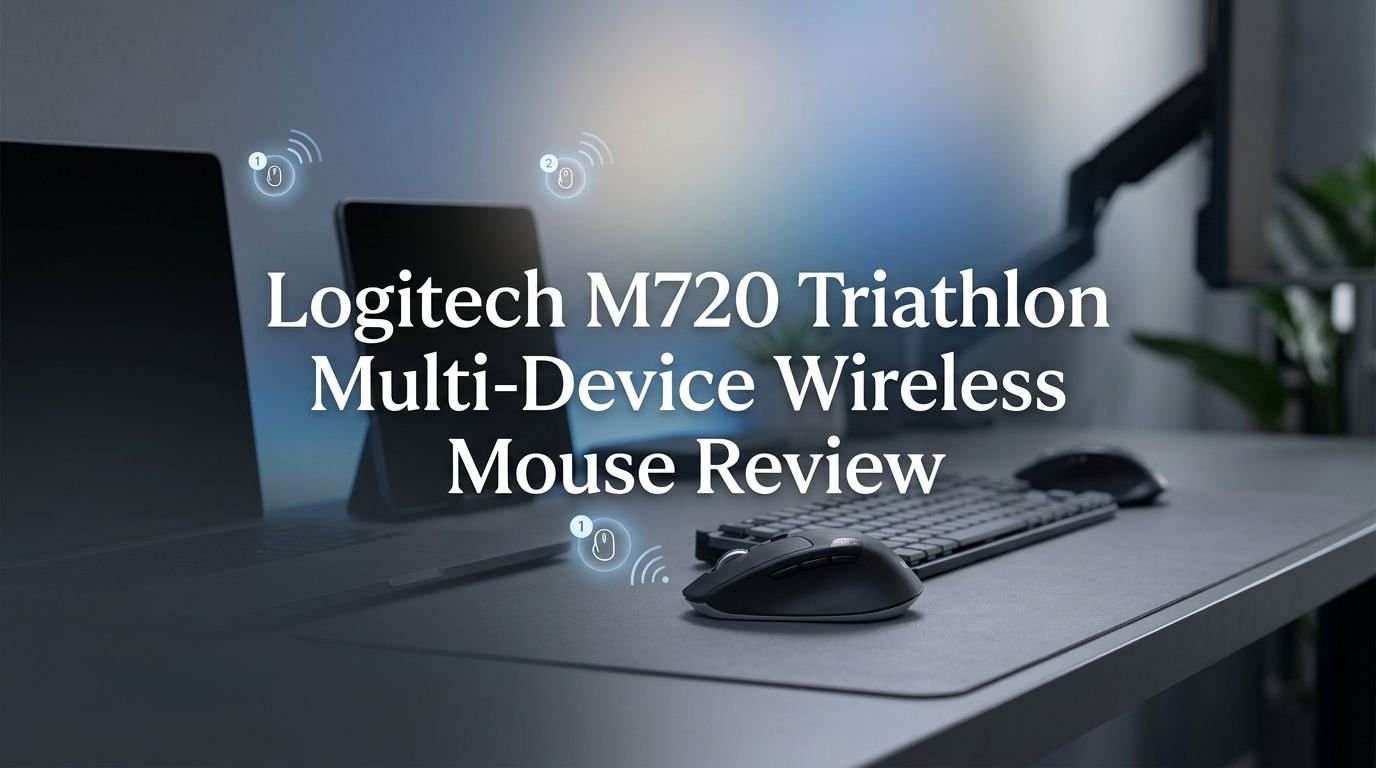
The Easy-Switch feature is the heart of the M720 Triathlon. A small button on the top of the mouse lets you cycle between three paired devices. Each press moves to the next connection slot, marked by indicator lights numbered 1, 2, and 3.
You can assign each slot to a different device. For example, slot 1 can connect to your work laptop via Bluetooth, slot 2 to your desktop via the Unifying Receiver, and slot 3 to your tablet via Bluetooth. Switching takes about one to two seconds, which is fast enough for seamless workflow transitions.
The Bluetooth connection uses Bluetooth Low Energy (BLE) technology. This provides a stable connection with low power consumption. The 2.4 GHz Unifying Receiver plugs into a USB-A port and offers slightly lower latency compared to Bluetooth. You can mix and match both connection types across your three device slots.
Logitech Flow software takes multi-device connectivity further. With Flow, you can move your cursor between computers by simply sliding it to the edge of one screen. You can also copy and paste text, images, and files between devices. This feature requires the Logi Options+ app installed on each computer.
For professionals who switch between a MacBook and a Windows desktop daily, this feature eliminates the need for separate mice entirely. The M720 remembers your paired devices and reconnects automatically.
Top 3 Alternatives for Logitech M720 Triathlon
1. Logitech MX Master 3S

2. Logitech MX Anywhere 3S

3. Razer Pro Click Mini

Hyper-Fast Scrolling and Scroll Wheel Performance
The M720 Triathlon features a dual-mode scroll wheel that most budget mice simply do not offer. You can switch between two modes by pressing the button directly behind the scroll wheel.
In ratchet mode, the wheel clicks through content line by line. This gives you precise control for reading documents, browsing web pages, or selecting items in a spreadsheet. Each click of the wheel feels tactile and defined.
In hyper-fast mode, the wheel spins freely. A single flick sends you flying through hundreds of lines in a long document or spreadsheet. This feature alone saves significant time for anyone who works with large files, PDFs, or data sets. The transition between the two modes is instant and requires no software.
The scroll wheel also supports horizontal tilting. You can tilt the wheel left or right to scroll sideways. This works great in spreadsheets, timelines, and wide web pages. The tilt action feels slightly stiff at first but becomes natural after a few days of use.
The metal scroll wheel has a satisfying weight to it. It does not feel loose or wobbly during normal use. Some reviewers have noted a slight play in the wheel if you push it side to side, but this does not affect daily scrolling performance in any meaningful way.
Sensor and Tracking Performance
The M720 Triathlon uses Logitech Advanced Optical Tracking at 1000 DPI. This sensor works well on most common surfaces including wood desks, mouse pads, fabric, and coated surfaces.
The tracking is accurate and consistent for everyday productivity tasks. Cursor movement feels smooth and responsive at the default DPI setting. You can adjust the tracking speed through the Logi Options+ software, though the hardware itself stays at 1000 DPI.
One limitation is that the sensor does not track on glass surfaces. If you frequently work on glass desks or tables, you will need a mouse pad. This is a common limitation at this price point. Mice with glass-tracking capability, like the Logitech MX Master 3S with its 8000 DPI sensor, cost significantly more.
The wireless range reaches up to 33 feet (10 meters) in open conditions. In practical use, you can expect reliable performance from several feet away. The 2.4 GHz connection via the Unifying Receiver provides slightly faster response times than Bluetooth, making it the better choice for desktop setups.
For office work, web browsing, document editing, and general computer tasks, the 1000 DPI sensor handles everything capably. It will not satisfy competitive gamers who need high DPI and polling rates, but that is not the intended audience for this mouse.
Battery Life and Power Management
Battery life is one of the M720 Triathlon’s most impressive features. Logitech rates the mouse at up to 24 months on a single AA battery. Actual battery life varies based on usage patterns, but most users report getting well over a year before needing a replacement.
The mouse uses one standard AA battery, which comes included in the box. This means you do not need to charge it via USB or remember to plug it in overnight. When the battery runs low, a small LED indicator on the mouse alerts you ahead of time.
The use of a replaceable AA battery instead of a built-in rechargeable battery is a deliberate choice. Some users prefer this approach because it eliminates charging downtime. You simply swap in a fresh battery and continue working. Others prefer rechargeable mice for environmental reasons.
The physical on/off switch on the bottom helps preserve battery when you are not using the mouse. The mouse also enters a sleep mode automatically after a period of inactivity. It wakes up almost instantly with a click or a movement.
Power management through the Logi Options+ software does not offer additional battery settings. However, the combination of efficient Bluetooth Low Energy technology and automatic sleep mode keeps consumption minimal. This is a mouse you can set and forget for months at a time.
Logi Options+ Software and Customization
The Logi Options+ app unlocks the full potential of the M720 Triathlon. This free software is available for Windows, macOS, and Chrome OS. It gives you granular control over button functions, scrolling behavior, and device-specific settings.
You can reassign all six programmable buttons to perform different tasks. Options include keyboard shortcuts, media controls, window management commands, and more. The gesture button on the side enables gesture-based actions. Hold the button and move the mouse up, down, left, or right to trigger four different commands.
One standout feature is app-specific customization. You can set different button configurations for different applications. For example, the forward and back buttons might control page navigation in Chrome but switch between slides in PowerPoint. The mouse automatically adjusts its settings based on the active application.
Logi Options+ also lets you adjust scrolling speed, cursor sensitivity, and pointer acceleration. You can fine-tune these settings per device slot, so your desktop configuration stays separate from your laptop configuration.
The Logitech Flow feature lives within Logi Options+ as well. Once enabled, Flow detects your paired computers on the same network and allows seamless cursor movement and file transfer between them. Setup takes just a few minutes and works reliably over Wi-Fi.
Compatibility Across Operating Systems
The M720 Triathlon works with a wide range of operating systems. Logitech officially supports Windows 10 and later, macOS 11 and later, Chrome OS, Linux, and iPadOS. This broad compatibility makes it useful in mixed-OS environments.
On Windows, the mouse works out of the box. All buttons function with default Windows actions. The Logi Options+ software provides full customization on this platform. Gesture controls, Flow, and app-specific profiles all work perfectly on Windows.
On macOS, the experience is equally smooth. Scrolling direction, button mapping, and gesture controls all adapt to macOS conventions. The Logi Options+ app has a native macOS version that matches the Windows version in features and stability.
Chrome OS support covers the basics. The mouse connects via Bluetooth and functions well for everyday tasks. The Logi Options+ app has more limited functionality on Chrome OS compared to Windows and macOS, but core features like button remapping still work.
On Linux, the mouse connects through Bluetooth or the Unifying Receiver without issues. Third-party tools like Solaar allow some level of customization. Logitech does not offer official Logi Options+ software for Linux, but the mouse works perfectly for standard tasks. iPadOS users can connect via Bluetooth and use the mouse for tablet navigation.
Logitech M720 Triathlon for Work From Home
The M720 Triathlon has become a popular choice for work-from-home professionals. Its multi-device switching ability fits the hybrid work lifestyle perfectly. You can pair it with your personal laptop, work laptop, and a tablet without any dongles cluttering your desk.
The quiet click mechanism ensures you do not disturb others during video calls or shared workspaces. While not as silent as dedicated “silent click” mice, the M720’s buttons produce a moderate, low-pitched click that blends into typical office noise.
For remote workers who use both a standing desk and a traditional desk, the mouse transitions easily between surfaces. The optical sensor handles different desk materials and mouse pads without recalibration. Just pick it up and move.
The long battery life also appeals to remote workers who dislike dealing with cables and charging. A single AA battery lasting up to two years means one less thing to think about during your busy week.
Logi Flow adds real value for professionals who use two computers side by side. Dragging files or copying text between a personal Mac and a work PC becomes effortless. This feature transforms the M720 from a simple mouse into a genuine productivity tool for multi-computer setups.
Logitech M720 Triathlon vs. MX Master 3S
This is the comparison most buyers want to see. The MX Master 3S is Logitech’s flagship productivity mouse. It shares several features with the M720 but costs roughly twice as much.
The MX Master 3S offers an 8000 DPI sensor compared to the M720’s 1000 DPI. It also tracks on glass surfaces, which the M720 cannot do. The MX Master 3S uses a rechargeable battery with USB-C charging, while the M720 relies on a replaceable AA battery.
In terms of scroll wheel technology, the MX Master 3S features MagSpeed electromagnetic scrolling. This provides faster and quieter scrolling than the M720’s mechanical dual-mode wheel. The MX Master 3S also includes a dedicated thumb scroll wheel for horizontal scrolling. The M720 handles horizontal scrolling via its tilt wheel.
The comfort and ergonomics are excellent on both mice. The MX Master 3S has a slightly larger footprint and a more pronounced thumb rest. Users with larger hands may prefer its shape.
Where the M720 wins is value. It delivers about 80% of the MX Master 3S experience at roughly 50% of the price. If you need glass tracking, USB-C charging, and the highest DPI, the MX Master 3S justifies its premium. If those features are not essential, the M720 offers nearly the same productivity benefits for much less money.
Who Should Buy the Logitech M720 Triathlon?
The M720 Triathlon is best suited for productivity-focused users who work across multiple devices. If you use two or three computers daily, this mouse will simplify your setup immediately.
Remote workers and freelancers benefit the most from this mouse. The multi-device switching, long battery life, and comfortable design all align with the needs of people who spend hours at a desk. The affordable price also makes it an easy recommendation for home office budgets.
Students who switch between a laptop and a desktop will appreciate the Easy-Switch feature. The programmable buttons also help speed up research and document editing tasks.
This mouse is not ideal for gamers. The 1000 DPI sensor and relatively high click latency do not meet gaming requirements. If you need a mouse for both work and gaming, consider a gaming mouse with multi-device support or keep separate mice for each task.
People with left-hand dominance should look elsewhere. The M720 has an asymmetric, right-hand-only design. Logitech does not offer a left-handed version of this model.
If you want premium features without the premium price, the M720 Triathlon remains one of the best choices on the market in 2026. It does not try to be everything for everyone, but it excels at what it promises.
Pros and Cons of the Logitech M720 Triathlon
Every product has strengths and weaknesses. Here is an honest look at where the M720 Triathlon excels and where it falls short.
The biggest pros include its multi-device connectivity, hyper-fast scrolling, and outstanding battery life. The Easy-Switch feature works flawlessly and makes multi-computer workflows seamless. The 24-month battery life is genuinely impressive and removes charging anxiety entirely.
The comfortable ergonomic shape is another major advantage. The sculpted design with rubber grips and a defined thumb rest supports long hours of use. The six programmable buttons and gesture controls add real productivity value through the Logi Options+ software.
On the downside, the 1000 DPI sensor is basic by 2026 standards. While it works fine for office tasks, it cannot track on glass and lacks the precision of higher-end sensors. Users who need adjustable DPI on the fly will miss that feature.
The scroll wheel has slight lateral play that some users notice. This does not affect scrolling performance, but it can feel a bit loose compared to the MX Master series. The mouse also lacks USB-C charging, relying instead on a replaceable AA battery. This is a pro or con depending on your personal preference.
The right-hand-only design excludes left-handed users entirely. Additionally, the Logi Options+ software does not support Linux officially. These are minor issues for the target audience, but they are worth noting before purchase.
Final Verdict: Is the Logitech M720 Triathlon Worth It in 2026?
The Logitech M720 Triathlon continues to be a smart buy in 2026. It delivers multi-device connectivity, excellent comfort, and premium scrolling features at a price that undercuts most competitors. This mouse proves that you do not need to spend $100 or more to get a capable productivity mouse.
The 24-month battery life, Easy-Switch for three devices, and Logi Options+ customization give you a feature set that punches well above its price class. The hyper-fast scroll wheel and gesture button add daily time savings that compound over weeks and months.
Its limitations are real but manageable. The 1000 DPI sensor works fine for office tasks. The lack of glass tracking and USB-C charging are trade-offs at this price. For most productivity users, these compromises will not affect their daily experience.
If you need a reliable, comfortable, multi-device wireless mouse that does not break the bank, the Logitech M720 Triathlon earns a strong recommendation. It has stood the test of time and remains one of the best value propositions in the wireless mouse market today.
Frequently Asked Questions
Can the Logitech M720 Triathlon connect to three devices at the same time?
Yes, the M720 Triathlon pairs with up to three devices simultaneously. It uses the Easy-Switch button on top to cycle between them. You can use Bluetooth for two devices and the Unifying Receiver for the third, or any combination that suits your setup.
Does the Logitech M720 Triathlon work on glass surfaces?
No, the M720 Triathlon’s optical sensor does not track on glass. You will need a mouse pad or a non-glass surface for reliable tracking. If glass tracking is essential for you, consider the Logitech MX Master 3S, which supports glass surfaces.
What type of battery does the M720 Triathlon use?
The M720 uses a single AA battery. It is not rechargeable via USB. Logitech includes one AA battery in the box. The battery lasts up to 24 months under typical usage conditions.
Is the Logitech M720 Triathlon good for gaming?
The M720 Triathlon is not recommended for gaming. Its 1000 DPI sensor and standard polling rate are sufficient for productivity tasks but fall short of gaming requirements. If you need a mouse for gaming, look for models with higher DPI, faster polling rates, and lower latency.
Does the M720 Triathlon work with iPads?
Yes, the M720 connects to iPads running iPadOS 13.4 or later via Bluetooth. You can use it to navigate the iPad interface, open apps, and control the cursor. Some advanced Logi Options+ features may not be available on iPadOS.
How do I customize the buttons on the Logitech M720?
Download the Logi Options+ software from the Logitech website. Once installed, the app detects your M720 and lets you reassign buttons, configure gestures, adjust scrolling speed, and set up app-specific profiles. The software is available for Windows, macOS, and Chrome OS.