Merkury Smart Camera Review 2026: Worth Your Money?
Are you looking for a budget home security camera that won’t drain your wallet? The Merkury Smart Camera might be the answer.
This small, affordable camera promises 1080p HD video, motion detection, night vision, and voice assistant support at a fraction of what big brands charge. But does it deliver on those promises?
In this Merkury Smart Camera review for 2026, we put this popular indoor camera through its paces. We looked at everything from video quality to app performance to smart home integration.
Key Takeaways
- The Merkury Smart Camera costs less than $25, making it one of the most affordable 1080p indoor security cameras on the market. You get solid features like two-way audio, motion detection, and night vision at a very low price point.
- No monthly subscription is required. You can store footage locally on a microSD card (up to 128GB) without paying any recurring fees. Cloud storage is available as an optional add-on.
- It works with Alexa and Google Home. You can use voice commands to view your camera feed on smart displays or other compatible devices. This adds real convenience to your daily routine.
- The camera only supports 2.4 GHz Wi-Fi networks. If your home runs on a 5 GHz network, you will need to switch bands during setup. This can cause some frustration for certain users.
- Video quality is decent for the price but not exceptional. The 1080p resolution handles daytime footage well. Night vision reaches up to 26 feet in total darkness. However, the image does not match premium cameras from Arlo or Ring.
- Some users report Wi-Fi connectivity issues. Dropped connections and laggy live feeds appear in customer reviews. Placing the camera close to your router can reduce these problems.

Merkury Smart Indoor Camera Overview
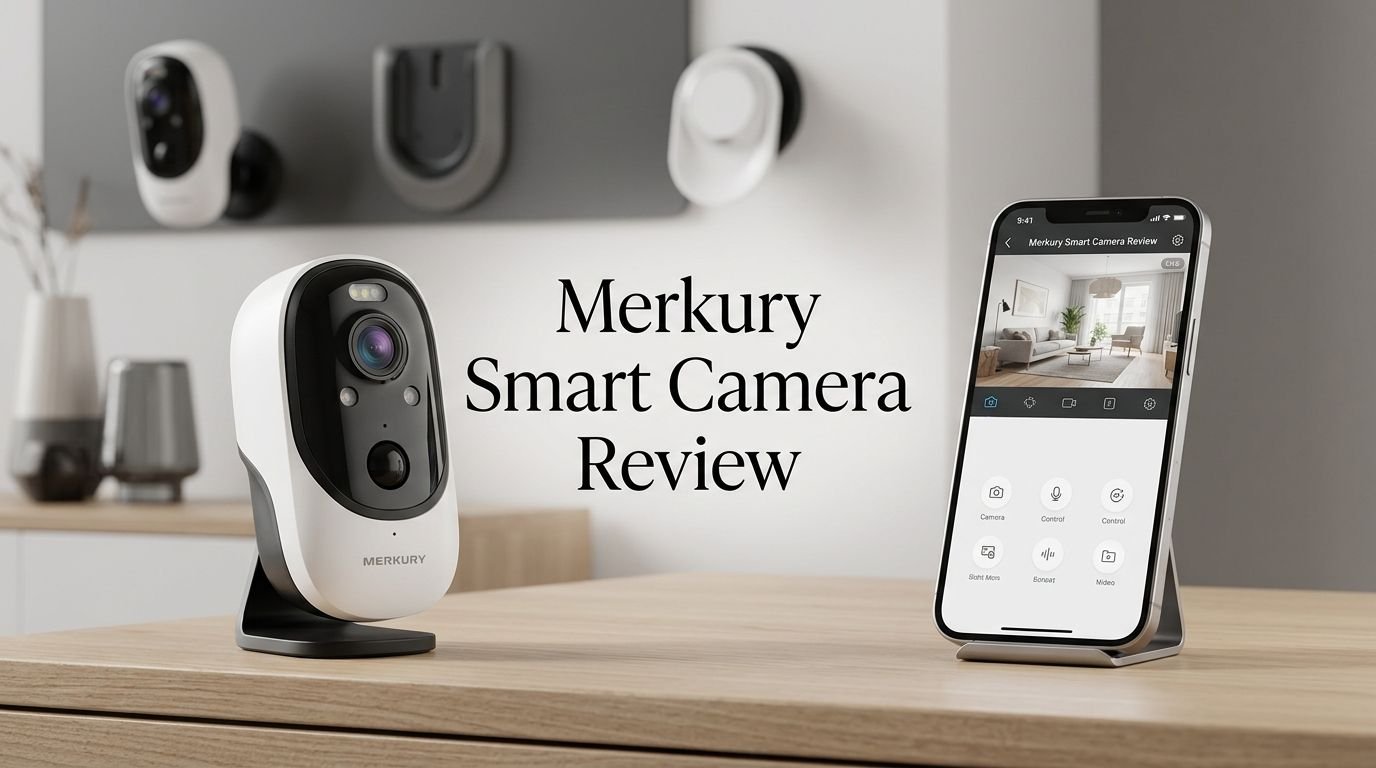
The Merkury Smart Indoor Camera is a plug-in security camera built for indoor use. It records video in 1080p Full HD resolution and connects to your home Wi-Fi network. The camera uses the Merkury Smart app for live streaming, playback, and settings control.
Merkury Innovations, the company behind this camera, sells a wide range of affordable smart home products. Their lineup includes smart bulbs, smart plugs, LED strips, and security cameras. All of these devices connect through one app, which makes managing your smart home simple.
The indoor camera features two-way audio, so you can listen and speak through the device. This makes it useful as a baby monitor or a pet camera. You can check in on your loved ones from anywhere using your smartphone.
Motion detection sends instant alerts to your phone. You can set custom motion zones to reduce false alarms from areas you don’t care about. The camera also has infrared night vision that provides clear footage up to 26 feet in complete darkness.
Video Quality and Resolution
The Merkury Smart Camera captures footage at 1080p HD resolution. This level of detail is more than enough for identifying people, pets, and objects in your home. Faces appear clear, and text on packages or screens remains readable at close range.
During the day, the camera produces bright, well-balanced images. Colors look accurate, and the contrast stays consistent. The 135-degree field of view covers a wide area, so you can monitor an entire room with a single camera placement.
Night vision performance is solid for a budget device. The infrared LEDs activate automatically in low light. They illuminate up to 26 feet in total darkness, producing clear black-and-white footage. Objects and faces remain visible, though fine details can get slightly lost at longer distances.
The camera does struggle with rapid changes in lighting. If someone turns on a bright light in a dark room, the image takes a second or two to adjust. This is common among cameras in this price range and not a major concern.
Top 3 Alternatives for Merkury Smart Camera


Setting Up the Merkury Smart Camera
Setting up the Merkury Smart Camera is straightforward. The entire process takes about five to ten minutes if your Wi-Fi cooperates. You do not need any special tools or technical knowledge.
Start by downloading the Merkury Smart app from the Apple App Store or Google Play Store. Create a free account using your email address. The app sends a verification code to confirm your identity.
Next, plug the camera into a power outlet using the included USB cable and power adapter. The camera powers on automatically and enters pairing mode. A blinking light signals that it is ready to connect.
Open the app and tap “Add Device.” The app generates a QR code on your phone screen. Hold the camera about six inches from your phone to scan this code. You will hear a confirmation tone from the camera when the scan succeeds.
Motion Detection and Alerts
The Merkury Smart Camera uses motion detection to monitor activity in its field of view. The camera detects movement and sends a push notification to your phone through the Merkury Smart app. This feature runs around the clock.
You can adjust the sensitivity level in the app settings. A higher sensitivity picks up small movements like a pet walking by. A lower sensitivity focuses on larger motions like a person entering the room. This flexibility helps reduce unwanted alerts.
The camera also supports custom motion zones. You can draw specific areas on the camera’s view where you want motion alerts. For example, you might focus on a doorway while ignoring a window with blowing curtains. This feature saves you from constant false notifications.
When the camera detects motion, it records a short video clip. These clips save to your microSD card if one is inserted. You can also view them in the app’s activity timeline. Each clip includes a timestamp and thumbnail for quick browsing.
Night Vision Performance
The Merkury Smart Camera includes automatic infrared night vision. The camera switches to night mode on its own when the room gets dark. You do not need to toggle any settings manually.
The infrared LEDs provide clear black-and-white footage up to 26 feet in complete darkness. This range covers most standard rooms in a home. Objects, furniture, and people remain visible and identifiable at this distance.
Image quality at night is crisp within the first 15 feet. Beyond that range, details start to soften. Faces are still recognizable but small features like text on clothing become harder to read. This is expected for a budget camera.
The camera handles partial darkness well too. Rooms with dim lamps or ambient light from windows produce usable footage. The camera blends infrared and available light to create a balanced image.
Two-Way Audio Quality
The Merkury Smart Camera has a built-in microphone and speaker for two-way audio. This lets you listen to sounds in the room and speak back through the camera from your phone.
Audio clarity on the listening side is good. You can hear conversations, crying, barking, and other household sounds clearly. The microphone picks up sounds from several feet away without distortion.
The speaker output is adequate but not powerful. Your voice comes through the camera with enough volume to be heard in a quiet room. It may struggle in noisy environments or large spaces. The audio can sound slightly tinny at higher volumes, which is typical for small camera speakers.
Two-way audio works well for checking on babies and pets. You can soothe a crying baby or tell your dog to get off the couch from another room or even another city. The feature also helps for quick conversations with family members at home.
There is a slight audio delay of one to two seconds during two-way communication. This means conversations feel less natural compared to a phone call. However, the delay is short enough for practical communication.
Merkury Smart App Experience
The Merkury Smart app is the control center for this camera. It is available for both iOS and Android devices. The app manages live viewing, playback, settings, and device pairing.
The app interface is clean and simple. The home screen shows all your connected Merkury devices in a grid layout. Tapping on a camera opens the live feed with controls for recording, screenshots, audio, and settings.
Live streaming loads quickly, usually within three to five seconds. You can watch in full screen mode and pinch to zoom on specific areas. The stream quality stays at 1080p as long as your Wi-Fi connection holds steady.
The activity timeline organizes recorded clips by date and time. You can scroll through past events and play them back directly in the app. Each clip shows a motion-triggered thumbnail, which helps you find important moments fast.
Overall, the Merkury Smart app is functional and easy to learn. It does not match the polish of the Wyze or Blink apps, but it covers all the essential features without confusion.
Smart Home Integration
The Merkury Smart Camera works with Amazon Alexa and Google Home. These integrations let you control the camera with your voice and view the feed on compatible smart displays.
With Alexa, you can say commands like “Alexa, show me the living room camera.” The live feed then appears on an Echo Show or Fire TV device. You can also include the camera in Alexa routines for automated actions.
Google Home integration works the same way. You can say “Hey Google, show me the front door camera” to view the feed on a Nest Hub or other Google smart display. The camera appears in the Google Home app alongside your other smart devices.
Setting up voice control is easy. In the Merkury Smart app, you link your account to Alexa or Google Home. The process takes about two minutes and requires no extra hardware or subscriptions.
Storage Options and Subscription Plans
The Merkury Smart Camera gives you two storage options: local microSD card storage and optional cloud storage. This flexibility lets you choose the method that fits your budget and preferences.
Local storage uses a microSD card slot on the camera. The slot supports cards up to 128GB. The camera records motion-triggered clips or continuous footage depending on your settings. A 128GB card can hold several weeks of recorded video.
The camera does not include a microSD card in the box. You need to purchase one separately. A quality 128GB microSD card costs about $10 to $20. This is a small extra expense but worth noting.
Cloud storage is available through a subscription plan. Merkury offers plans that store your video in the cloud for a set period. Cloud storage provides the benefit of accessing footage even if the camera is stolen or damaged. Your recordings stay safe on remote servers.
Build Quality and Design
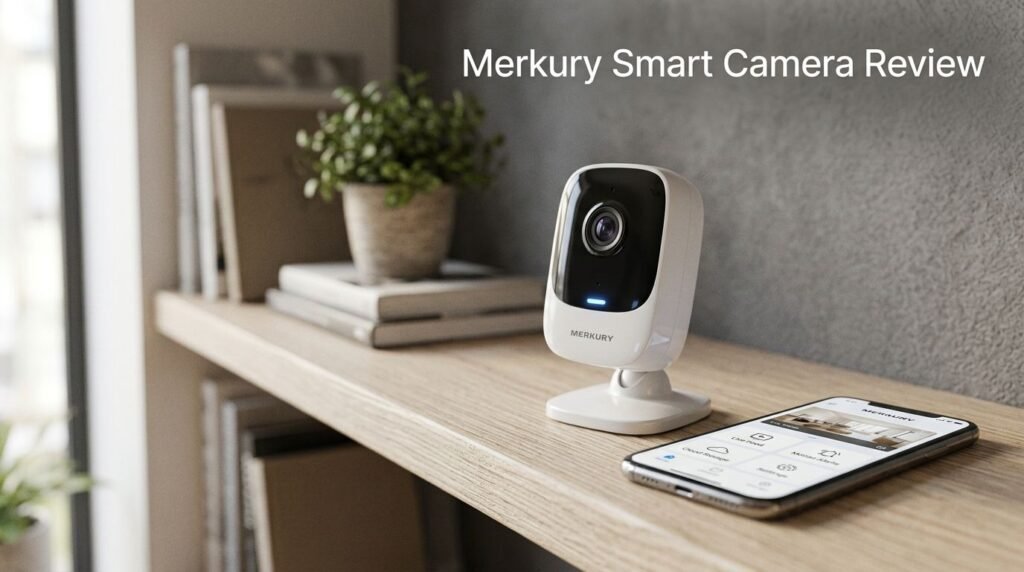
The Merkury Smart Camera has a small, compact design that blends into most rooms. It measures just a few inches tall and weighs very little. You can place it on a bookshelf, desk, or nightstand without drawing attention.
The camera body is made of white plastic with a matte finish. It looks clean and modern. The construction feels lightweight but not flimsy. The lens sits on the front face with a small status LED indicator.
The flexible stand is a nice design choice. It bends and rotates, allowing you to angle the camera in almost any direction. This is better than a fixed mount because you can adjust the view without moving the entire camera.
Mounting options include flat surface placement and wall adhesive. The included adhesive pad sticks firmly to most smooth surfaces. If you prefer a more permanent installation, you can use a small screw mount (sold separately).
Merkury Smart Camera vs. the Competition
How does the Merkury Smart Camera stack up against similar budget cameras? Let’s compare it to three popular rivals: the Blink Mini 2, the TP-Link Tapo C200, and the Wyze Cam v3.
Price is where the Merkury camera wins. At under $25, it costs less than all three competitors. The Blink Mini 2, Tapo C200, and Wyze Cam v3 each cost between $25 and $35. If budget is your top priority, Merkury has the edge.
For video quality, all four cameras record at 1080p. The Wyze Cam v3 stands out with its Starlight color night vision sensor. The Blink Mini 2 has a built-in spotlight for color night footage. The Merkury camera uses standard infrared, which produces black-and-white images at night.
Smart home support varies. The Merkury camera works with Alexa and Google Home. The Blink Mini 2 is deeply integrated with Alexa but has limited Google support. The Tapo C200 supports Alexa and Google Home. The Wyze Cam v3 also works with both major assistants.
For storage flexibility, the Merkury camera and Tapo C200 both offer free local storage without subscriptions. The Blink Mini 2 and Wyze Cam v3 work best with their respective subscription plans, though both support microSD cards too.
Pros and Cons of the Merkury Smart Camera
Every product has strengths and weaknesses. Here is a clear breakdown of what the Merkury Smart Camera does well and where it falls short.
The pros include its extremely low price point. You get a 1080p camera with two-way audio, motion detection, and night vision for less than a restaurant dinner. This makes it accessible for students, renters, and anyone on a tight budget.
No subscription requirement is another major win. You can store video locally on a microSD card and never pay a monthly fee. This adds up to significant savings over the life of the camera compared to subscription-dependent models.
Alexa and Google Home compatibility adds value without extra cost. You can view the camera feed on smart displays and include it in voice-activated routines. This feature works reliably and is easy to set up.
The flexible stand gives you more mounting options than a rigid base. You can aim the camera precisely where you need it. The adhesive pad also makes wall mounting quick and tool-free.
Who Should Buy the Merkury Smart Camera?
The Merkury Smart Camera is ideal for budget-conscious buyers who want basic indoor monitoring without ongoing costs. If you need a simple camera to watch over a baby, pet, or room while you’re away, this camera delivers the essentials.
Renters will appreciate the tool-free installation. The adhesive mount leaves no holes in the wall. The compact size means the camera takes up almost no space on a shelf or table.
First-time smart home users will find the setup simple. The Merkury Smart app walks you through every step. Voice assistant support with Alexa and Google Home makes it easy to add the camera to an existing smart home.
Students and young adults living in dorm rooms or small apartments get a practical security solution at a very low price. You can monitor your space and talk to visitors without spending more than $25 total.
This camera is not the best choice for people who need outdoor surveillance, advanced AI detection, or 2K/4K video quality. It also may not satisfy users who rely on Apple HomeKit or prefer a premium app experience.
Final Verdict on the Merkury Smart Camera
The Merkury Smart Camera earns its place as a solid budget security camera for 2026. It delivers 1080p video, functional night vision, two-way audio, and smart home integration at a price that is hard to beat.
Its biggest strength is the subscription-free local storage. You buy the camera, insert a microSD card, and you’re done. No monthly fees, no hidden costs, no complicated pricing tiers.
The camera does have real limitations. Wi-Fi connectivity can be inconsistent. The app needs more polish. Night vision is infrared-only without color. Motion detection lacks AI smarts. These are fair trade-offs for the price, but they matter if you expect a premium experience.
For anyone who needs a simple, affordable, and functional indoor camera, the Merkury Smart Camera is worth your attention. It won’t replace a Nest Cam or Arlo Pro, but it was never meant to. It fills a gap for people who want something reliable without spending much.
Frequently Asked Questions
Does the Merkury Smart Camera require a subscription?
No, the Merkury Smart Camera does not require a subscription. You can store all your footage locally on a microSD card (up to 128GB) without paying any monthly fees. Cloud storage is available as an optional paid plan, but it is not necessary to use the camera’s core features.
Does the Merkury Smart Camera work without Wi-Fi?
The Merkury Smart Camera requires a 2.4 GHz Wi-Fi connection to function. You need Wi-Fi for live streaming, motion alerts, two-way audio, and app control. Without Wi-Fi, the camera cannot send notifications or stream video to your phone.
Can I use the Merkury Smart Camera outdoors?
The standard Merkury Smart Indoor Camera is designed for indoor use only. It is not weatherproof or rated for outdoor conditions. Merkury does sell separate outdoor camera models if you need exterior coverage for your home.
What app does the Merkury Smart Camera use?
The camera uses the Merkury Smart app, available on both iOS and Android. This app replaced the older Geeni app for Merkury camera products. You can use it for live viewing, playback, motion settings, and smart home device management.
Is the Merkury Smart Camera compatible with Apple HomeKit?
No, the Merkury Smart Camera does not support Apple HomeKit. It works with Amazon Alexa and Google Home only. If you are in the Apple ecosystem and need HomeKit support, you will need to look at alternatives like the Eufy Indoor Cam or other HomeKit-compatible models.
How far can the Merkury Smart Camera see at night?
The infrared night vision on the Merkury Smart Camera works up to 26 feet in complete darkness. Within this range, the camera produces clear black-and-white footage. Objects and people remain identifiable, though fine details may soften beyond 15 feet.