Meross Smart Plug Review: Complete Guide 2026
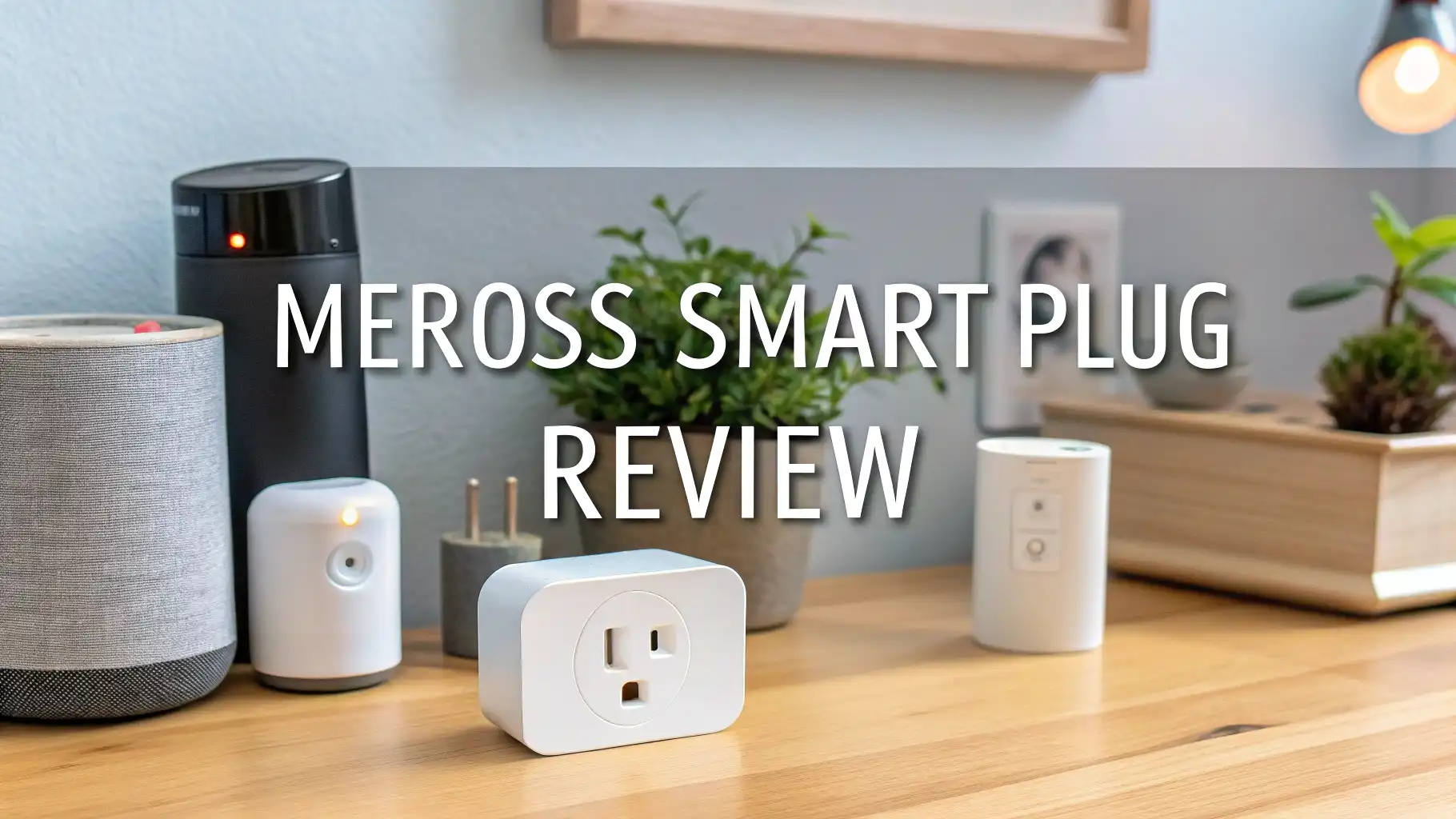
Smart home technology has changed how we control devices in our homes. The Meross smart plug stands out as one of the most popular choices for people who want easy automation without breaking the bank.
This complete review will help you understand everything about Meross smart plugs and show you the best options available on Amazon right now.
These compact devices plug into your regular outlets and let you control anything connected to them.
Key Takeaways
- Wide Compatibility: Meross smart plugs work with Apple HomeKit, Amazon Alexa, Google Assistant, and Samsung SmartThings. You do not need to worry about which ecosystem you have.
- No Monthly Fees: These devices require no subscription or monthly charges. You pay once and use all features forever through the free Meross app.
- Energy Monitoring Available: Select models include built-in power meters that track your electricity usage in real-time. This helps you identify energy-hungry devices and reduce your utility bills.
- Matter Protocol Support: Newer Meross plugs support Matter technology, which provides better cross-platform compatibility and enhanced privacy. Your devices work locally without sending data to the cloud constantly.
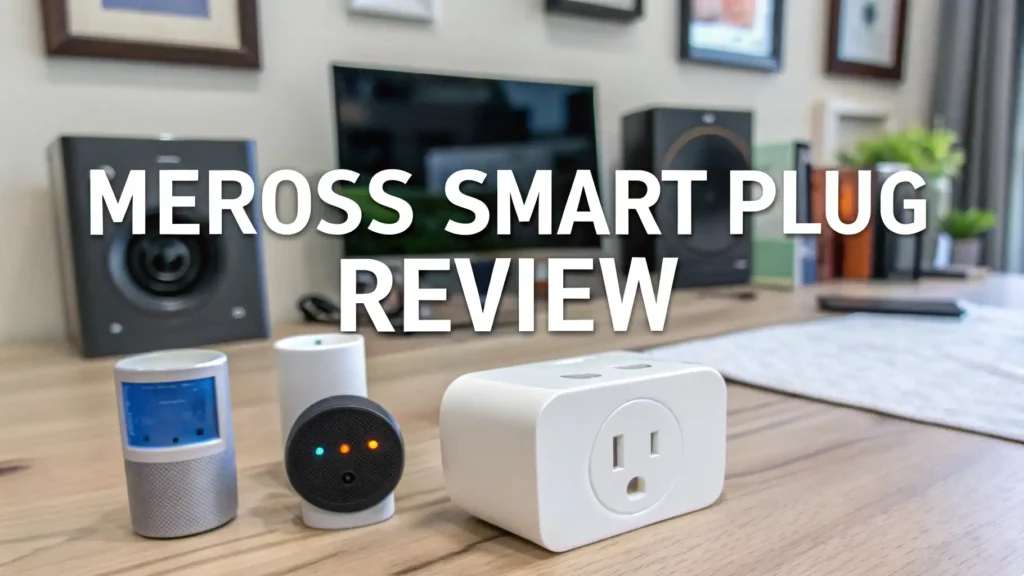
- Compact Design: The mini versions measure just 1.9 x 1.9 x 1.2 inches, allowing you to stack two plugs in the same outlet without blocking the second socket.
- 15A Maximum Load: Most Meross plugs handle up to 15 amps or 1800 watts, which covers most household devices like lamps, fans, humidifiers, and small appliances.

Meross Smart Plug Mini 15A WiFi Outlet (4-Pack)
The Meross Smart Plug Mini 4-Pack gives you excellent value for your money. Each plug measures less than two inches on each side, which means you can use two plugs in the same wall outlet. The compact size does not sacrifice any features. These plugs support all major voice assistants right out of the box.
Setting up these plugs takes just a few minutes. You download the Meross app, plug in your device, and follow the simple instructions. The app connects your plug to your 2.4GHz WiFi network. Once connected, you can control your devices from anywhere in the world. Turn off the iron you forgot about while at work. Turn on your porch light before you get home.
The reliability of these plugs impresses most users. They stay connected to your WiFi network without constant disconnects. The physical button on each plug lets you control devices manually if needed. The LED indicator shows you the connection status at a glance. Green means connected, amber means setting up, and flashing shows it is ready to pair.
Meross Matter Smart Plug with Energy Monitoring

The Matter Smart Plug with energy monitoring takes things to the next level. This model includes a built-in power meter that tracks exactly how much electricity your devices use. You can see real-time power consumption in watts and view historical data to spot trends. This information helps you reduce your energy bills by identifying power-hungry devices.
Matter protocol support makes these plugs future-proof. Matter is the new smart home standard backed by Apple, Google, Amazon, and Samsung. Devices with Matter work across all platforms without compatibility issues. Your plug connects locally to your home network, which means faster response times and better privacy. Your commands do not need to travel to the cloud and back.
The energy monitoring feature provides detailed insights. You can see how much power a device draws when idle versus when running. Some appliances use surprising amounts of standby power. The Meross app shows you daily, weekly, and monthly energy consumption. This helps you track which devices cost the most to run and make informed decisions about replacing old, inefficient appliances.
Meross Outdoor Smart Plug Weatherproof Design

The Meross Outdoor Smart Plug brings smart control to your yard and patio. This weatherproof plug features two independently controlled outlets in a durable, IP44-rated case. The plug resists rain, snow, and extreme temperatures. You can safely use it in any outdoor location where you would use a regular outdoor extension cord.
Each outlet operates separately, giving you more control options. Connect holiday lights to one outlet and a fountain to the other. Set different schedules for each outlet. The independent control means you save energy by only running what you need when you need it. The physical buttons on the front let you manually control each outlet even without your phone.
The outdoor plug works perfectly for landscape lighting, decorative lights, pool pumps, and outdoor fans. Set schedules to turn your porch lights on at sunset and off at sunrise automatically. Create holiday lighting scenes that turn on at specific times. Use voice commands to control your outdoor devices while staying inside where it is warm and dry.
Top 3 Alternatives for Meross Smart Plug


How Meross Smart Plugs Transform Your Daily Routine
Smart plugs change how you interact with regular devices. Your old lamp becomes a smart light that turns on when you say good morning. Your fan runs only when needed, saving electricity. Your phone charger stops wasting standby power when you are not home. These small changes add up to significant convenience and energy savings.
Morning routines become easier with scheduled automation. Set your coffee maker to start brewing before your alarm goes off. Turn on your bathroom heater 15 minutes before you wake up. Create a morning scene that turns on multiple devices with one command. These automations make your mornings smoother and less rushed.
Evening automation helps you wind down. Schedule your lights to dim at bedtime. Turn off entertainment devices automatically at night. Set your bedroom fan to turn on when you usually go to sleep. Away mode randomly turns lights on and off when you travel, making your home look occupied and deterring potential intruders.
Energy Monitoring Features Explained
Energy monitoring gives you visibility into your electricity usage. The built-in power meter measures voltage, current, and total power consumption. This data appears in the Meross app as easy-to-read graphs and numbers. You can view instantaneous power draw or historical trends over days, weeks, and months.
Understanding your energy usage helps you make better decisions. You might discover that your old desktop computer uses three times more power than a modern laptop. Your electric kettle might use more energy than expected. Armed with this information, you can replace inefficient devices or change your usage habits to save money on utility bills.
The app calculates estimated costs based on your local electricity rates. Enter your rate per kilowatt-hour and see exactly how much each device costs to run. Set energy budgets and receive alerts when devices exceed expected consumption. This feature helps you catch appliances that are starting to fail before they completely break down or become fire hazards.
Setting Up Your Meross Smart Plug in Minutes
The setup process is straightforward for anyone with basic smartphone skills. First, download the Meross app from the App Store or Google Play. Create a free account using your email address. No credit card required and no subscription fees ever. The app is free to use with all features unlocked from day one.
Plug your Meross device into a wall outlet. The LED will start flashing, indicating it is ready to pair. Open the Meross app and tap the plus button to add a new device. Select your plug model from the list. The app will search for your plug using Bluetooth or WiFi Direct. This process takes just seconds.
Connect your plug to your home WiFi network. Enter your WiFi password in the app. Make sure you connect to your 2.4GHz network, not 5GHz. Most smart home devices only work with 2.4GHz WiFi. The plug will connect to your network and the LED will turn solid green. You can now control your plug from anywhere with internet access.
Voice Control Integration with Major Platforms
Voice control makes smart plugs incredibly convenient. Say “Hey Siri, turn on the living room lamp” and your light turns on instantly. No fumbling for your phone or walking to a switch. Voice commands work from anywhere in your home where your voice assistant can hear you.
Amazon Alexa integration offers the most automation options. Create Alexa routines that combine multiple actions. Say “Alexa, good morning” to turn on your coffee maker, adjust your thermostat, and play the news all at once. Alexa routines can trigger based on time, location, or device status.
Google Assistant provides natural language processing that understands context. You can say “turn on the fan” without specifying which fan if you are in that room. Google Assistant remembers your preferences and learns which devices you use most often. The integration with Google Calendar lets you create schedules based on your appointments.
Scheduling and Automation Made Simple
Schedules eliminate the need to manually control devices every day. Set your porch light to turn on at 6 PM and off at 11 PM. Your holiday lights can follow their own schedule during December. Schedules repeat automatically so you set them once and forget about them.
The Meross app lets you create multiple schedules per device. Your bedroom fan might turn on at 10 PM on weekdays but 11 PM on weekends. Your space heater can have different schedules for weekdays versus weekends. Each schedule can have different days, times, and actions.
Sunrise and sunset triggers adapt to your location. Your outdoor lights turn on at actual sunset, which changes throughout the year. You do not need to adjust schedules seasonally. The app automatically calculates sunrise and sunset times for your GPS location and adjusts your automation accordingly.
Safety Features and ETL Certification
Safety comes first with any electrical device. Meross smart plugs carry ETL certification, which means they meet rigorous North American safety standards. Independent testing labs verify the plugs will not overheat, short circuit, or cause electrical fires under normal use conditions.
The plugs include overcurrent protection that shuts off power if too much current flows through them. This protects both the plug and your connected device. Fire-resistant materials in the plug housing contain any problems that might occur. The three-prong design ensures proper grounding for safer operation.
Maximum load ratings are clearly specified at 15 amps or 1800 watts. Never exceed these ratings by plugging in space heaters, hair dryers, or other high-power devices that draw more current. The plug will get hot and could fail or cause a fire. Use smart plugs only with devices that draw less than the rated capacity.
Troubleshooting Common Connection Issues
WiFi connection problems are the most common issue. Make sure your plug connects to your 2.4GHz network, not 5GHz. Check that your router does not have client isolation enabled on the guest network. Smart plugs need to communicate with your phone on the same network segment.
If your plug keeps disconnecting, move your router closer or add a WiFi extender. Weak signals cause intermittent connections. Metal objects, concrete walls, and interference from other electronics can block WiFi signals. Try relocating your plug to a different outlet closer to your router.
HomeKit setup sometimes fails during the initial pairing. Turn off your mobile data and use only WiFi during setup. Make sure your phone runs iOS 13 or later. Reset your plug by holding the button for 10 seconds until the LED flashes rapidly, then try pairing again.
Comparing Meross Models: Which One is Right for You?
The basic Mini Smart Plug works perfectly for most indoor applications. Choose this if you just want simple on-off control of lamps, fans, and small appliances. The 4-pack provides the best value if you plan to automate multiple devices throughout your home.
Energy monitoring models cost slightly more but provide valuable insights. Pick the energy monitoring version if you want to track consumption or identify energy-wasting devices. These models help you understand and reduce your electricity bills over time.
Matter-enabled plugs offer the best future-proofing. The Matter protocol ensures compatibility with new devices and platforms as they emerge. Choose Matter models if you use multiple smart home ecosystems or plan to expand your system later.
Outdoor plugs are essential for yard and patio automation. The weatherproof design withstands rain, snow, and temperature extremes. Choose outdoor models for holiday lights, landscape lighting, pool equipment, and outdoor decorations. The independent outlets give you more control flexibility.
Frequently Asked Questions
How much does it cost to run a Meross smart plug continuously?
Smart plugs consume very little power, typically less than 1 watt when idle. Running one plug continuously costs about 10 to 15 cents per year based on average electricity rates. The energy monitoring features help you save far more than the plug itself consumes. Your smart plug pays for itself quickly by helping you identify and eliminate energy waste.
Can I use Meross smart plugs without internet access?
You can turn plugs on and off using the physical button without internet. However, you need internet for remote control, voice commands, and automation features. Local voice control through HomeKit works even without internet as long as your home network stays up. Schedules stored on the plug continue running during internet outages.
Do Meross smart plugs work with 5GHz WiFi networks?
No, Meross smart plugs only connect to 2.4GHz WiFi networks. The 2.4GHz frequency provides better range and wall penetration than 5GHz. Most modern routers broadcast both frequencies simultaneously. Make sure you connect your plug to the 2.4GHz network during setup. Your phone can use the 5GHz network after setup completes.
What devices should I avoid plugging into smart plugs?
Never plug high-power devices like space heaters, air conditioners, washers, dryers, or water heaters into smart plugs. These appliances draw more current than the 15-amp rating. Hair dryers, curling irons, and electric kettles often exceed the power limit. Medical devices like CPAP machines should plug directly into wall outlets for reliability.
How many Meross smart plugs can I control with one account?
The Meross app supports unlimited devices on one account. You can add as many smart plugs, switches, and other Meross devices as you want. The app organizes devices by rooms and allows you to create unlimited scenes and schedules. Your home WiFi network capacity might limit the total number of connected devices before you hit app limits.
Does Meross sell my usage data to third parties?
Meross states they do not sell user data to third parties. Matter-enabled plugs process most commands locally for enhanced privacy. Energy monitoring data stays in your account and is not shared. Always review the privacy policy in the app for the most current information about data handling practices.
Can I control Meross plugs when traveling abroad?
Yes, you can control your plugs from anywhere with internet access. The remote control feature works globally as long as both your phone and your home plugs have internet connections. Set schedules before traveling so your devices continue operating automatically even if you have limited internet access while abroad.
How long do Meross smart plugs typically last?
With normal use, Meross smart plugs should last several years. The lack of moving parts means less wear and tear. Electrical components can degrade over time, especially in hot environments. Most users report reliable operation for three to five years or longer. The company offers warranty coverage for manufacturing defects.