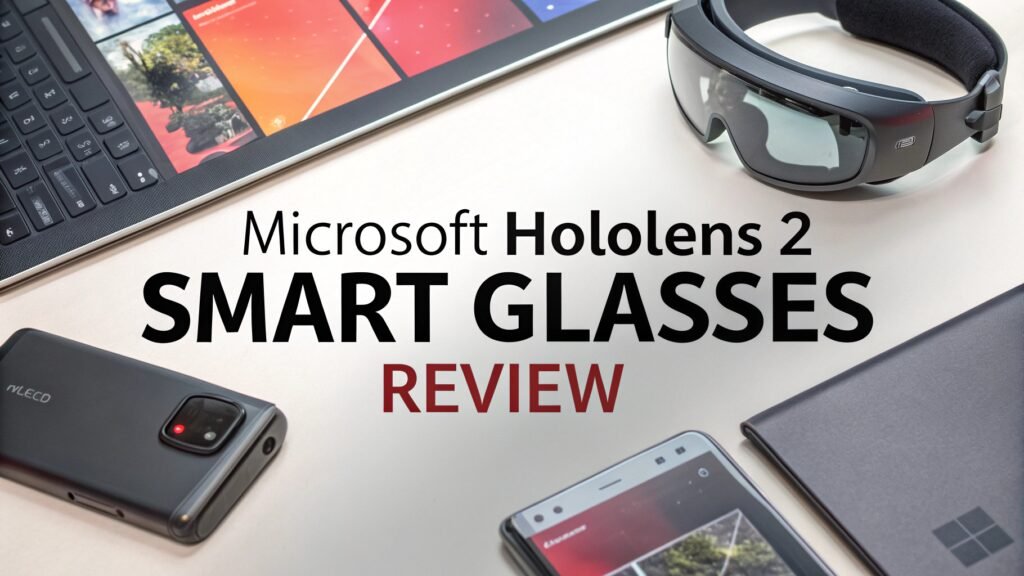
Microsoft HoloLens 2 Smart Glasses Review In 2026
The Microsoft HoloLens 2 represents a significant leap forward in mixed reality technology. This enterprise-focused smart glass device combines cutting-edge holographic displays with advanced spatial computing capabilities.
Whether you are exploring augmented reality applications for business, education, or personal use, understanding the HoloLens 2’s features and capabilities becomes essential.
This comprehensive review examines every aspect of Microsoft’s flagship mixed reality headset, from its innovative design to its practical applications in various industries.
Key Takeaways
- Enhanced Field of View: The HoloLens 2 delivers a 52-degree diagonal field of view, more than doubling the effective viewing area compared to the original HoloLens
- Improved Comfort and Fit: Features a flip-up visor design and dial-in fit system that accommodates users wearing prescription glasses
- Advanced Hand Tracking: Offers two-handed fully articulated hand tracking without the need for controllers or external sensors
- Enterprise-Ready Battery Life: Provides 2-3 hours of active use with a 5660 mAh battery, ideal for professional workflows
- High-Resolution Display: Incorporates 2K 3:2 light engines with 1440×936 pixels per eye for crisp holographic content
- Cloud Integration: Seamlessly connects with Microsoft Azure services for enterprise-grade mixed reality applications

Microsoft HoloLens 2 Design and Build Quality
The Microsoft HoloLens 2 showcases exceptional engineering in its design approach. Microsoft completely reimagined the headset’s ergonomics compared to the original model. The device features a front-heavy balance point that distributes weight more evenly across your head. The new flip-up visor mechanism allows users to quickly transition between the real world and mixed reality environments.
The build quality demonstrates Microsoft’s commitment to enterprise durability. The headset uses premium materials including carbon fiber components and high-grade plastics. The adjustable headband incorporates memory foam padding for extended comfort during long work sessions. The dial-in fit system on the back provides precise adjustment for different head sizes and shapes.
One notable improvement involves the accommodation of prescription glasses. The HoloLens 2 features sufficient clearance and adjustable positioning to work comfortably with most eyewear styles. This addresses a major limitation of the original HoloLens and makes the device accessible to a broader user base.
Display Technology and Visual Performance
The HoloLens 2’s display system represents a major advancement in holographic technology. Microsoft implemented 2K 3:2 light engines that deliver 1440×936 pixels per eye resolution. This provides significantly sharper text and more detailed holographic objects compared to previous generation devices.
The 52-degree diagonal field of view offers more than double the effective viewing area of the original HoloLens. Users can now see larger holographic objects and interfaces without constantly repositioning their heads. This expanded viewing area makes applications like 3D modeling and spatial data visualization much more practical.
However, the display technology has some limitations. Bright ambient lighting can wash out holographic content, making outdoor use challenging. The waveguide optics work best in controlled indoor environments with moderate lighting conditions. Color reproduction appears vibrant for most applications, though the display cannot achieve true black levels due to its see-through nature.
Hand Tracking and Input Methods

The HoloLens 2 introduces sophisticated hand tracking capabilities that eliminate the need for handheld controllers. The system recognizes two-handed fully articulated gestures including individual finger movements. Users can directly manipulate holographic objects using natural pinch, grab, and touch gestures.
The hand tracking accuracy impresses in most scenarios. Fine motor control works well for tasks like selecting buttons, dragging objects, and drawing in 3D space. The system responds quickly to gesture inputs with minimal latency. Microsoft’s machine learning algorithms continue to improve recognition accuracy through software updates.
Voice commands provide an alternative input method through Cortana integration. The built-in microphones capture voice input reliably in quiet to moderately noisy environments. Users can navigate menus, launch applications, and control system functions using natural language commands.
Eye tracking capabilities add another layer of interaction precision. The system can detect where users are looking and provide contextual information or controls. This proves particularly useful for hands-free operation in industrial scenarios where users need to keep their hands available for other tasks.
Top 3 Alternatives for Microsoft HoloLens 2


Battery Life and Performance
The HoloLens 2 incorporates a 5660 mAh battery that provides 2-3 hours of active use. This battery life suits most professional workflows and training sessions. The device supports USB-C charging and can operate while plugged in for extended sessions.
Performance comes from a Qualcomm Snapdragon 850 processor paired with 4GB of RAM and 64GB of storage. This configuration handles most mixed reality applications smoothly. Complex 3D models and multi-app scenarios may experience some performance limitations, but basic applications run without issues.
The thermal management system keeps the device comfortable during extended use. The HoloLens 2 rarely becomes uncomfortably warm, even during processor-intensive tasks. Fan noise remains minimal and does not interfere with the user experience.
Standby battery life extends up to two weeks, allowing the device to remain ready for quick activation. The power management system efficiently balances performance with battery conservation.
Audio System and Spatial Sound
Microsoft implemented an innovative spatial audio system in the HoloLens 2. The device uses directional speakers that deliver sound directly to the user’s ears without blocking ambient noise. This open-ear design maintains situational awareness while providing clear audio feedback.
The spatial audio technology creates convincing 3D soundscapes. Audio sources appear to originate from specific locations in space, enhancing the mixed reality illusion. This proves particularly effective in gaming and simulation applications where audio cues provide important spatial information.
Sound quality delivers clear speech and adequate music reproduction. The system excels at voice calls and application audio feedback. However, the open design means that others nearby can hear audio content, which may limit use in quiet environments.
The built-in microphone array supports noise cancellation and voice isolation. This ensures clear communication during video calls and voice command recognition even in moderately noisy environments.
Software Ecosystem and Applications

The HoloLens 2 runs Windows Holographic, a specialized version of Windows 10 designed for mixed reality. The operating system provides familiar Windows functionality adapted for holographic interfaces. Users can run multiple applications simultaneously in floating windows positioned throughout their physical space.
Microsoft Store offers a growing selection of HoloLens-compatible applications. Enterprise applications dominate the catalog, covering areas like remote assistance, 3D modeling, medical training, and manufacturing support. Consumer entertainment options remain limited compared to traditional mobile app stores.
Development tools support Unity and Unreal Engine for creating custom applications. Microsoft provides comprehensive documentation and tutorials for developers interested in building HoloLens experiences. The Mixed Reality Toolkit simplifies common development tasks and interaction patterns.
Cloud integration through Microsoft Azure enables powerful mixed reality scenarios. Applications can leverage cloud computing for complex processing tasks while maintaining real-time performance on the device.
Enterprise and Professional Use Cases
The HoloLens 2 excels in professional environments where mixed reality provides clear value. Remote assistance applications allow experts to guide technicians through complex procedures using shared holographic annotations. This proves invaluable for equipment maintenance and troubleshooting scenarios.
Medical training and education benefit significantly from the HoloLens 2’s capabilities. Students can examine detailed 3D anatomical models and practice procedures in simulated environments. This provides hands-on learning experiences without requiring physical specimens or equipment.
Manufacturing and design applications enable engineers to visualize products in real-world contexts. Teams can collaborate on 3D models, identify design issues, and iterate solutions more efficiently than traditional methods allow.
Architecture and construction professionals use the HoloLens 2 to overlay building information models onto physical construction sites. This helps identify conflicts, verify installations, and communicate design intent more effectively.
Gaming and Entertainment Features
While primarily designed for enterprise use, the HoloLens 2 offers some gaming and entertainment possibilities. The device can display floating video screens for movie watching, though the limited field of view affects the experience compared to traditional displays.
Gaming applications take advantage of the room-scale tracking to create experiences that blend with physical environments. Spatial puzzle games and educational experiences work particularly well on the platform. However, the limited gaming library and enterprise focus mean entertainment options remain secondary to productivity applications.
The social aspects of mixed reality gaming show promise. Multiple HoloLens users can share experiences and see each other’s holographic avatars in the same physical space. This creates unique collaborative gaming possibilities not available on traditional platforms.
Comfort and Extended Use

Extended wearing comfort represents a significant improvement over the original HoloLens. The balanced weight distribution and improved padding reduce pressure points that caused discomfort in the first generation. Most users can wear the device for the full 2-3 hour battery life without significant discomfort.
The flip-up visor design allows quick breaks from mixed reality without removing the entire headset. This proves essential for professional workflows where users need to alternate between holographic and real-world tasks frequently.
Heat generation remains minimal during normal use. The device does not become uncomfortably warm even during extended sessions with demanding applications. The fanless design operates silently without adding noise to the work environment.
Users wearing prescription glasses report generally positive comfort experiences. The adjustable fit system accommodates various frame styles, though very large or thick frames may still cause some fitting challenges.
Connectivity and Setup Process
Setting up the HoloLens 2 proves straightforward for users familiar with Windows devices. The initial configuration requires a Microsoft account and Wi-Fi connection. The device walks users through calibration procedures including eye tracking setup and spatial mapping.
Wi-Fi connectivity supports both 2.4GHz and 5GHz networks with enterprise security protocols. Bluetooth support enables connection to accessories like keyboards and mice for text input scenarios.
The spatial mapping system learns your environment during initial use. This creates persistent anchor points that allow holographic objects to remain positioned correctly across sessions. The system stores multiple environment maps for use in different locations.
Enterprise deployment options include device management through Microsoft Intune and Azure Active Directory integration. IT administrators can configure devices centrally and deploy applications to groups of users.
Price and Value Proposition
The HoloLens 2 carries a premium price point reflecting its enterprise focus and advanced technology. At approximately $3,500, the device targets professional users and organizations rather than consumers. This pricing positions it as a specialized tool rather than a mainstream consumer product.
For enterprises implementing mixed reality solutions, the HoloLens 2 provides significant value through productivity improvements and training efficiencies. Organizations report reduced travel costs, faster problem resolution, and improved training outcomes that justify the investment.
Individual consumers and hobbyists may find the price difficult to justify given the limited entertainment content and consumer applications. The device’s value proposition centers on professional and educational use cases where mixed reality provides clear benefits.
Financing options through Microsoft and partners make the device more accessible to organizations with budget constraints. Subscription models and device-as-a-service offerings provide alternatives to large upfront purchases.
Comparison with Competitors
No products found.
The HoloLens 2 competes primarily with Magic Leap 2 and emerging AR glasses from various manufacturers. Microsoft maintains advantages in enterprise software integration and development ecosystem maturity. The Azure cloud integration provides capabilities that competitors struggle to match.
Magic Leap 2 offers similar mixed reality capabilities with some technical advantages in display quality and field of view. However, Microsoft’s enterprise partnerships and software ecosystem provide stronger business case justification for most organizations.
Consumer-focused AR glasses from companies like Nreal and Rokid target different use cases with lower pricing and emphasis on entertainment applications. These devices cannot match the HoloLens 2’s advanced hand tracking and spatial computing capabilities.
VR headsets like Meta Quest provide different experiences focused on immersive virtual environments rather than mixed reality. While less expensive, these devices cannot overlay digital content onto the real world, limiting their applicability for many professional scenarios.
Frequently Asked Questions
Can you wear regular glasses with HoloLens 2?
Yes, the HoloLens 2 accommodates most prescription glasses through its adjustable fit system. The dial-in mechanism provides sufficient clearance for various frame styles. However, very thick or large frames may still cause fitting issues.
How long does the HoloLens 2 battery last?
The HoloLens 2 provides 2-3 hours of active use from its 5660 mAh battery. Standby time extends up to two weeks. The device supports USB-C charging and can operate while plugged in for extended sessions.
What is the field of view on HoloLens 2?
The HoloLens 2 offers a 52-degree diagonal field of view, which represents more than double the effective viewing area compared to the original HoloLens. This expanded view makes applications more practical and immersive.
Is HoloLens 2 good for gaming?
While the HoloLens 2 supports some gaming applications, it focuses primarily on enterprise and professional use cases. The gaming library remains limited, and the device excels more in productivity and training applications than entertainment.
Does HoloLens 2 work outdoors?
The HoloLens 2’s display technology works best in controlled indoor environments. Bright outdoor lighting can wash out holographic content, making the display difficult to see. The device functions technically but with reduced visual quality in bright conditions.
What operating system does HoloLens 2 use?
The HoloLens 2 runs Windows Holographic, a specialized version of Windows 10 designed for mixed reality applications. This provides familiar Windows functionality adapted for holographic interfaces and spatial computing scenarios.