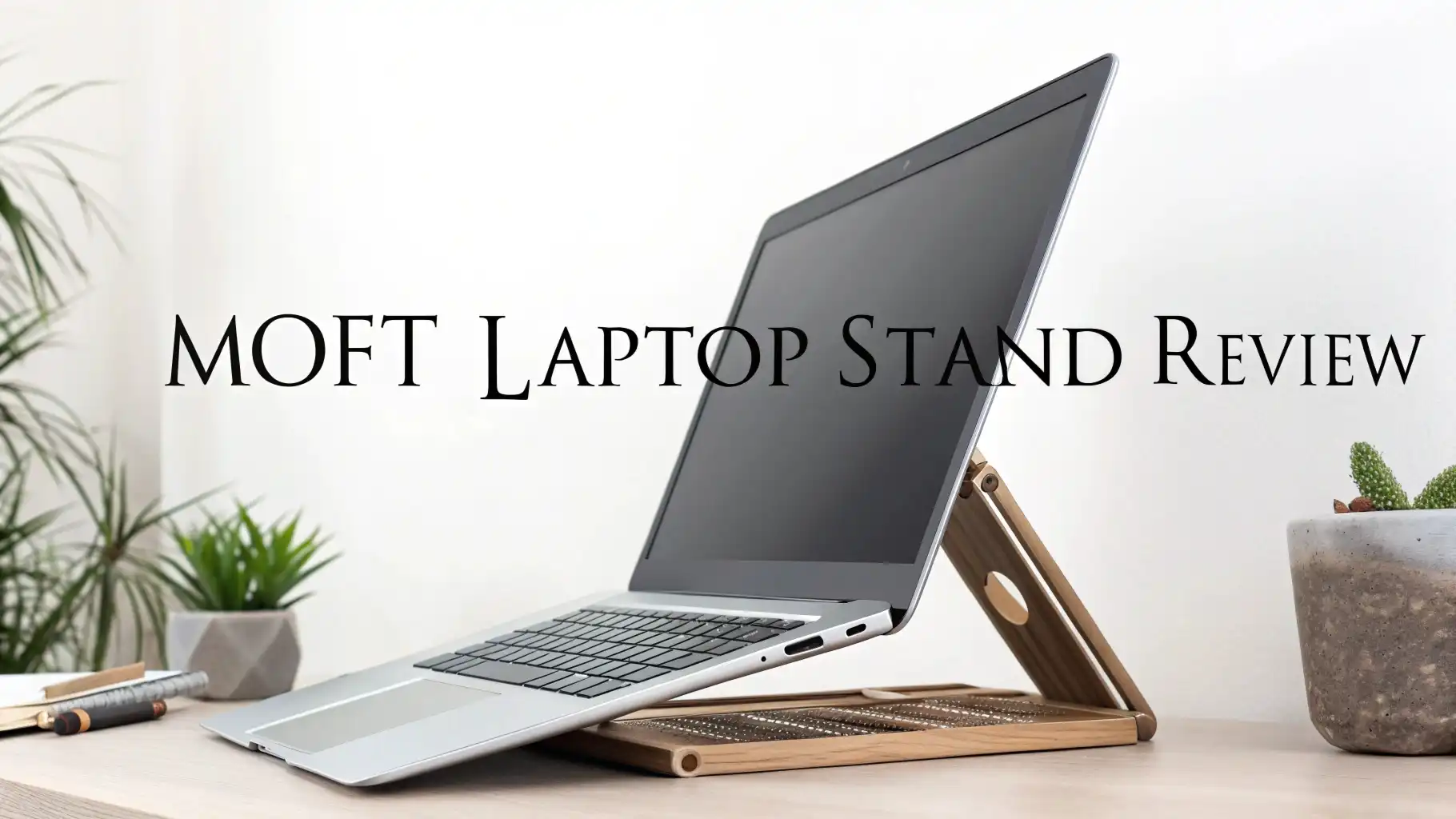
MOFT Laptop Stand Review 2026: Worth the Price?
Have you ever looked at your laptop setup and thought, “This is giving my neck a real workout”? You are not alone. Millions of people work hunched over flat laptops every single day.
The result? Neck pain, shoulder aches, and tired eyes. But what if a tiny, paper-thin gadget could fix all of that? That is exactly what the MOFT Laptop Stand promises.
And in this 2026 review, we are going to find out if it truly delivers. Spoiler alert: it is more impressive than it looks. Keep reading, because this one is a game-changer for anyone who works on a laptop.

Key Takeaways
- Ultra-thin design: The MOFT Laptop Stand is only 0.1 inches thick and weighs just 3 ounces. You will not feel it in your bag. You will barely see it on your laptop.
- Ergonomic support: It raises your laptop screen to a better eye level. This reduces strain on your neck, shoulders, and back during long work sessions.
- Two adjustable angles: The stand gives you two height positions, 15 degrees and 25 degrees, so you can find your most comfortable working angle.
- Strong and reliable: It is built from PU leather and fiberglass materials. It can hold laptops up to 11 pounds without wobbling or sliding.
- Adhesive and reusable: The stand sticks directly to the bottom of your laptop using a special adhesive that is completely reusable and leaves no residue.
- Great value for money: At around $24 to $28, the MOFT Laptop Stand offers premium ergonomic benefits at a very affordable price point compared to bulkier alternatives.

What Is the MOFT Laptop Stand?
The MOFT Laptop Stand is a slim, foldable laptop riser made by the brand MOFT, which stands for My Own Floating Table. The brand became famous for its ultra-portable accessories, and the laptop stand is one of their most popular products worldwide.
The idea behind this stand is simple. You stick it to the bottom of your laptop, and it stays flat until you need it. When you are ready to work, you simply unfold the stand and prop your laptop at a more comfortable viewing angle. When you are done, it folds flat again. It becomes almost invisible on your laptop.
The MOFT Laptop Stand was originally launched through a Kickstarter campaign, and it quickly raised massive attention.
Key Features of the MOFT Laptop Stand
The MOFT Laptop Stand packs a lot of useful features into a very small package. Here is what makes it stand out from other laptop stands on the market.
Paper-thin profile: The stand measures just 0.1 inches in thickness. This is thinner than most credit cards. When attached to your laptop, it adds almost no bulk at all. This makes it ideal for people who value a clean, minimal setup.
Fiberglass and PU construction: The stand uses a combination of fiberglass reinforcement and vegan PU leather on the exterior. This combination gives the stand strength without adding weight. It feels premium in the hand and looks clean on any laptop.
Two viewing angle options: The stand provides two angle positions. The first is 15 degrees, which is great for typing. The second is 25 degrees, which is better for viewing your screen. Both angles raise the laptop significantly compared to a flat desk setup.
Ventilation design: The stand has cutouts and an open structure that allows air to flow beneath your laptop. This helps prevent your laptop from overheating during long work sessions, which is important for performance and long-term device health.
Design and Build Quality
The design of the MOFT Laptop Stand is one of the main reasons people fall in love with it. It looks and feels like a premium product, even at its affordable price.
The outer shell uses vegan PU leather, which gives it a soft, matte texture. It does not look cheap or plastic-like. The fiberglass core adds structural rigidity, so the stand does not bend or deform under pressure. The overall construction feels intentional and thoughtful.
The stand folds out using a simple origami-style mechanism. Two flaps fold outward from the center panel to create a stable triangular support base. This design distributes the weight of the laptop evenly across the surface it rests on.
Color options are available in several shades, including black, grey, navy blue, and pink. Each color matches well with popular laptop finishes like silver MacBooks or black ThinkPads. The branding on the stand is minimal, which contributes to its clean, professional look.
Top 3 Alternatives for MOFT Laptop Stand


How Does the MOFT Laptop Stand Work?
Using the MOFT Laptop Stand is very simple. The setup takes less than a minute the first time, and after that, it becomes second nature.
First, you clean the bottom surface of your laptop with the included cleaning wipe. Then you peel the protective film off the adhesive side of the MOFT stand. You align the stand with the center of your laptop’s bottom panel, making sure it does not cover any ventilation ports. You press it firmly and hold it for about 30 seconds to let the adhesive bond properly.
Once the stand is attached, it stays flat against the bottom of your laptop when not in use. It adds no noticeable height or bulk when you carry the laptop in a bag or sleeve. When you want to use the stand, you pull on one of the flaps and the stand unfolds automatically into its support position.
To switch between the two angles, you simply adjust which flap you pull out. Pulling both flaps gives you the 25-degree angle. Using just one flap gives you the 15-degree angle. The adjustment takes only a few seconds.
Ergonomic Benefits of Using the MOFT Laptop Stand
One of the biggest reasons people buy the MOFT Laptop Stand is to improve their posture and reduce body strain. And the stand genuinely delivers on this front.
When you use a laptop flat on a desk, your head naturally tilts forward and downward to look at the screen. This position puts significant pressure on the cervical spine. Over time, this leads to what many doctors now call “tech neck”, a condition that causes chronic neck and shoulder pain.
The MOFT Laptop Stand raises your laptop screen to a more natural eye level. This encourages you to sit upright, keeping your spine in a neutral position. Studies on workplace ergonomics consistently show that even a small increase in screen height can reduce neck strain by a significant margin during long work sessions.
The 15-degree angle is ideal for typing-heavy tasks like writing, coding, or data entry. It brings the keyboard to a slightly elevated position, which many users find more comfortable for their wrists. The 25-degree angle works better for reading, video calls, or watching content, as it moves the screen closer to eye level.
Performance and Stability Test
Stability is a critical factor for any laptop stand. A wobbly stand makes typing frustrating and can even put your laptop at risk. The MOFT Laptop Stand performs very well in this area.
The stand stays firm during normal typing sessions. There is no rocking or wobbling when you type at regular speed. The adhesive keeps the stand locked to the laptop firmly, so the connection between stand and laptop is very solid.
On smooth desk surfaces, the rubber feet on the bottom panel do a good job of preventing the stand from sliding around. However, on very glossy or polished surfaces, the grip is slightly less effective, and some users recommend placing a thin rubber mat underneath for added security.
When tested with heavier laptops, the stand maintains its position without any sign of structural failure. A 15-inch MacBook Pro, which weighs around 4.7 pounds, sits comfortably on the stand with no flex or tilt. Even laptops approaching the 11-pound weight limit stay stable under normal use conditions.
Compatibility: Which Laptops Does It Fit?
The MOFT Laptop Stand is designed to work with a wide range of laptops from 11 inches to 16 inches in screen size. This covers the majority of consumer and professional laptops available today.
It works with popular models including Apple MacBook Air, MacBook Pro 13 and 14 inch models, Dell XPS 13 and 15, HP Spectre and Envy series, ASUS ZenBook series, Lenovo ThinkPad and IdeaPad models, Microsoft Surface Laptop, and Acer Swift series.
One important thing to note is that the adhesive version of the stand should only be used on laptops that do not have air vents on the bottom panel. For laptops with bottom vents, MOFT offers a non-adhesive version that sits underneath the laptop without blocking any cooling ports.
The stand is not recommended for tablets or 2-in-1 convertible laptops used in tablet mode, as the stand is designed to support the laptop from below in a fixed upright position. For 2-in-1 users, MOFT’s Z stand or other accessory stands may be a better fit.
Portability and Travel Use
Portability is where the MOFT Laptop Stand truly shines. It is, without question, one of the most travel-friendly laptop stands available in 2026.
At just 3 ounces, you will not feel any extra weight in your laptop bag. At 0.1 inches thick, the stand does not change the profile of your laptop at all. It fits into any sleeve, bag, or backpack that your laptop already fits into, with no adjustments needed.
This makes the MOFT stand ideal for people who work from coffee shops, coworking spaces, hotel rooms, airport lounges, and client offices. You carry it with your laptop without even thinking about it. When you arrive at your workspace, you simply unfold it and you are ready to work ergonomically within seconds.
Compared to traditional laptop stands, which require their own carrying case or bag space, the MOFT stand gives you ergonomic benefits with virtually zero trade-off in portability. Digital nomads, frequent fliers, and remote workers consistently rate it as one of the best accessories for on-the-go productivity.
Students also benefit greatly from this stand, particularly those who move between classrooms, libraries, and dorm rooms throughout the day. The convenience factor is simply unmatched in this price range.
Pros and Cons of the MOFT Laptop Stand
Every product has strengths and weaknesses. Here is an honest breakdown to help you decide.
Pros of the MOFT Laptop Stand:
- Ultra-portable with virtually zero added weight or bulk. The stand is one of the thinnest ergonomic accessories available for laptops today. It sticks flat to your laptop and disappears into your bag completely.
- Strong adhesive that stays in place during use. The bond is secure enough for active typing sessions without any movement or wobble.
- Genuinely improves ergonomics and reduces neck strain. Users report noticeable improvements in comfort after switching to this stand, especially during long workdays.
- Affordable price point compared to other ergonomic laptop stands that offer similar or fewer benefits.
- Reusable adhesive that works for a long time. The stand can be removed and reapplied multiple times without losing adhesive quality.
Cons of the MOFT Laptop Stand:
- Only two angle options. Some users want more flexibility in height and angle adjustment. The stand is limited to 15 and 25 degrees, which may not suit everyone.
- Not ideal for laptops with bottom vents. If your laptop has air vents on the bottom panel, the adhesive version could block airflow. You would need the non-adhesive version instead.
- Moderate stability on very smooth surfaces. On polished glass desks or very slick tabletops, the stand can slide slightly without a rubber mat underneath.
- Not designed for use on soft surfaces. It does not work well on beds, laps, or soft couches where a rigid flat surface is not available.
Who Should Buy the MOFT Laptop Stand?
The MOFT Laptop Stand is a great fit for a specific group of people. Let us be clear about who will love it and who might want to look elsewhere.
You should buy the MOFT Laptop Stand if:
- You work on a laptop for more than three hours a day and want to reduce neck and back strain. The ergonomic lift it provides makes a real difference over time.
- You are a frequent traveler or commuter who wants ergonomic support without carrying extra gear. The zero-bulk design fits this perfectly.
- You are a student who moves between locations during the day. The convenience of having the stand always attached to your laptop is a big win.
- You prefer a clean, minimal desk setup and do not want a bulky stand taking up space on your desk.
You might want to consider an alternative if:
- You need a highly adjustable stand with many height settings. The Roost V3 or Nexstand K2 would give you more flexibility in this area.
- You use your laptop in a fixed home office setup and want maximum stability. An aluminum stand like the Lamicall would serve you better.
- You have a laptop with bottom air vents and do not want to deal with switching to a non-adhesive version.
Price and Value for Money
The MOFT Laptop Stand is priced at around $24 to $28 on Amazon USA, depending on the color and version you choose. For this price, you are getting a product that solves a real problem in a genuinely clever way.
Compare this to traditional laptop stands that cost anywhere from $40 to $150 and require you to carry a separate accessory. The MOFT stand gives you ergonomic benefits at a fraction of the price and with none of the portability baggage.
The value is particularly high for remote workers and travelers who value portability above all else. The stand pays for itself very quickly in terms of comfort improvement and potential prevention of posture-related health issues, which can be costly to treat.
For home office users who are happy sitting at a fixed desk all day, the value calculation is slightly different. In that case, a more adjustable aluminum stand may give you more options for roughly the same investment. But for everyone who moves around with their laptop, the MOFT stand offers exceptional value that is hard to beat.
The reusable adhesive also contributes to long-term value. You do not need to replace the stand frequently. With proper care, one stand can last well over a year of regular use, making the per-day cost of ownership very low.
Final Verdict: Is the MOFT Laptop Stand Worth It?
After looking at everything, the answer is a clear yes. The MOFT Laptop Stand is worth every penny for the right user.
It delivers exactly what it promises. It is thin, light, and almost invisible. It sticks firmly to your laptop and raises your screen to a better ergonomic angle. It improves your posture. It keeps your laptop cool. And it does all of this without adding any meaningful weight or bulk to your everyday carry.
The design is clever, the materials are quality, and the price is fair. For remote workers, students, travelers, and minimalists, this is one of the best purchases you can make for your laptop setup in 2026.
Is it perfect? No. It has only two angle options. It is not the best choice for a fixed desk setup where a full adjustable stand would serve you better. And it needs a clean flat bottom surface to adhere properly.
Frequently Asked Questions
Does the MOFT Laptop Stand damage your laptop?
No. The MOFT Laptop Stand does not damage your laptop. It uses a specially formulated adhesive that bonds securely to the bottom panel of your laptop without leaving any residue when removed. It is safe for aluminum, plastic, and all common laptop finishes. Simply peel it off slowly from one corner to remove it cleanly.
Can I use the MOFT Laptop Stand on a laptop with bottom vents?
The adhesive version of the MOFT stand is not recommended for laptops with air vents on the bottom. Covering these vents can restrict airflow and cause overheating. MOFT offers a non-adhesive version specifically for laptops with bottom vents. It sits underneath the laptop without using any adhesive and does not block any ventilation ports.
How long does the adhesive last?
The adhesive on the MOFT Laptop Stand is designed to last for many months of regular use. Users report that the adhesive maintains good bonding strength for one year or more. If the adhesive loses some strength over time, you can restore it by cleaning the surface with a damp cloth and letting it dry before reapplying.
Is the MOFT Laptop Stand compatible with MacBook Pro and MacBook Air?
Yes. The MOFT Laptop Stand is compatible with Apple MacBook Pro and MacBook Air models, including 13 inch, 14 inch, 15 inch, and 16 inch versions. It works with both older Intel models and newer M-series chips. Just make sure your MacBook does not have ventilation openings on the bottom panel if using the adhesive version.
Can you type comfortably with the MOFT Laptop Stand?
Yes. Many users find typing more comfortable with the MOFT stand in the 15-degree angle position. The slight elevation brings the keyboard to a more natural wrist angle. However, for extended typing sessions, ergonomists recommend pairing the stand with an external keyboard so your arms can rest at a comfortable 90-degree angle while the screen sits at eye level.
Is the MOFT Laptop Stand washable or reusable?
The stand itself is not washable. However, the adhesive pad is reusable and can be refreshed by gently wiping it with a damp cloth to remove dust and oils. Once it dries, the adhesive regains much of its bonding strength. The PU leather exterior of the stand can be wiped clean with a slightly damp cloth if needed.
What is the difference between the MOFT Adhesive and Non-Adhesive versions?
The adhesive version sticks directly to the bottom of your laptop permanently using a reusable adhesive pad. The non-adhesive version rests underneath the laptop without any attachment. The non-adhesive version is a better choice for laptops with bottom air vents, laptops you share with others, or situations where you do not want anything attached to the device permanently.