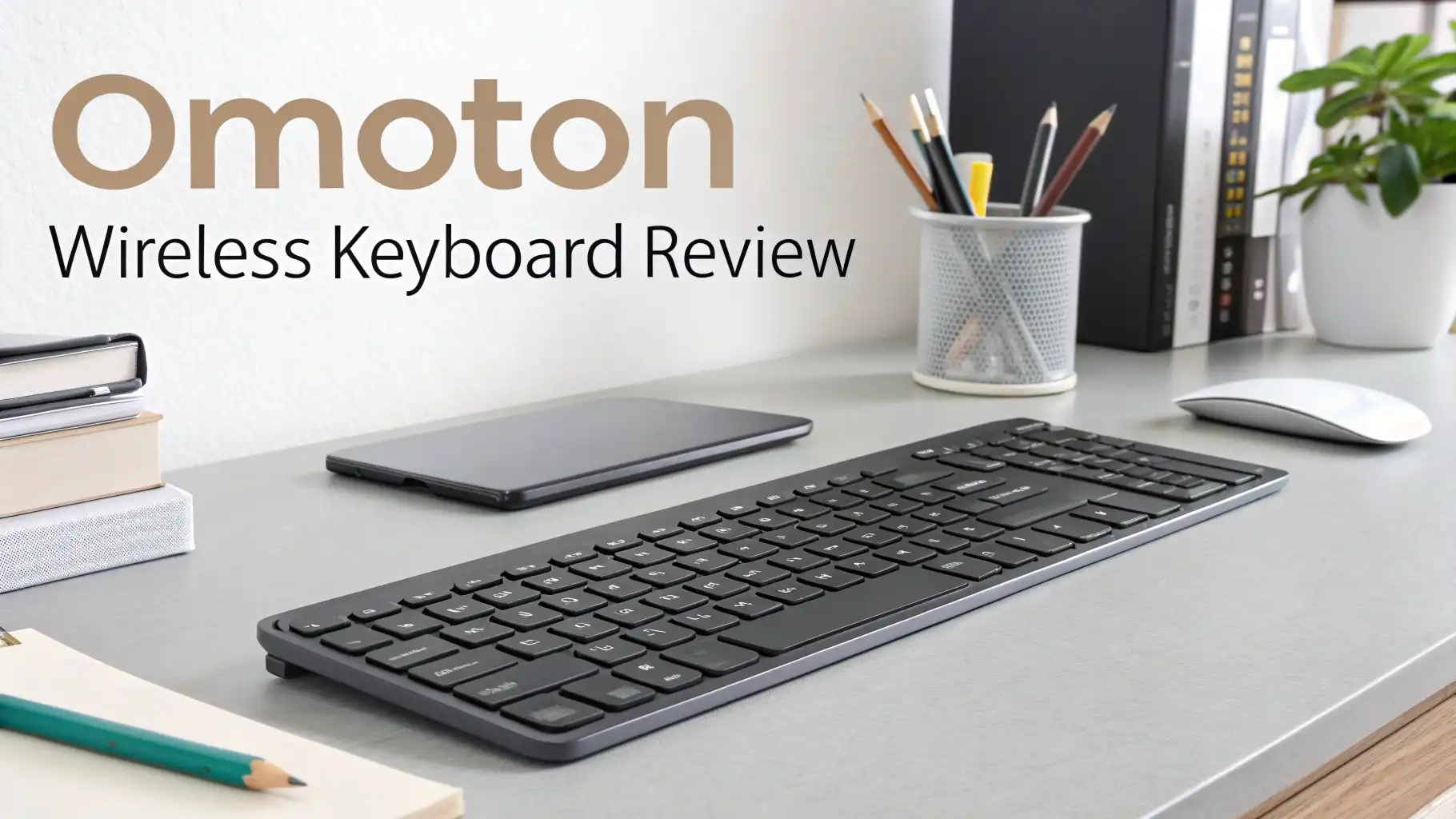
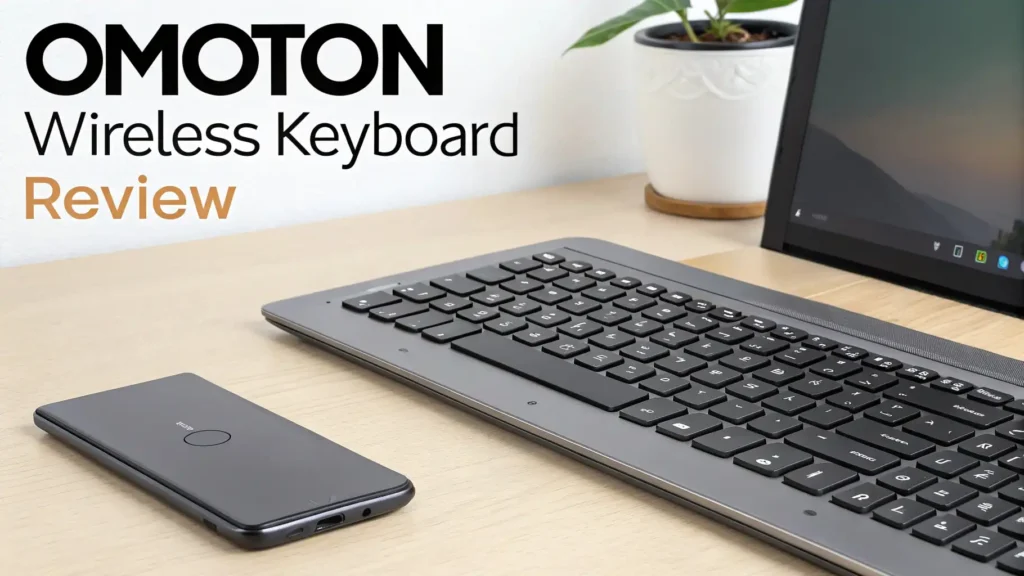
OMOTON Wireless Keyboard Review: Your Ultimate Guide
Are you tired of tangled wires cluttering your desk? Do you dream about typing away on a sleek, minimalist keyboard that just works? You’ve come to the right place.
Today we’re diving deep into the OMOTON Wireless Keyboard, a budget-friendly marvel that’s taking the typing world by storm.
Whether you’re a student cramming for finals, a professional working from home, or just someone who appreciates good technology without breaking the bank, this review will give you everything you need to know.
Key Takeaways:
- Exceptional Value for Money – This keyboard delivers premium features at a fraction of the cost of high-end competitors, making it perfect for budget-conscious shoppers who refuse to compromise on quality.
- Universal Compatibility – Works seamlessly with multiple devices including iPad, iPhone, Android tablets, Windows PCs, and Mac computers, giving you incredible flexibility across your entire tech ecosystem.
- Reliable Bluetooth Connection – Features stable Bluetooth 5.1 technology that maintains a strong connection up to 30 feet away, eliminating annoying dropouts during important work sessions.
- Long Battery Life – Powered by just two AAA batteries that can last for months of regular use, saving you money and reducing environmental waste from constant charging.
- Compact and Portable Design – The slim profile and lightweight construction make it incredibly easy to slip into your bag for working on the go, whether you’re heading to a coffee shop or traveling across the country.
- Comfortable Typing Experience – Scissor-switch keys provide a satisfying tactile feel with quiet operation, perfect for shared workspaces or late-night typing sessions when others are sleeping nearby.

What Makes OMOTON Wireless Keyboard Special
Let me tell you what caught my attention about this keyboard right away. OMOTON has built something truly practical here. This isn’t about flashy RGB lights or unnecessary features. It’s about solid, dependable performance that works day in and day out.
The keyboard uses a full-size layout with all the keys you actually need. No compromises. No hunting for missing function keys. Everything sits exactly where your fingers expect it to be. The build quality feels surprisingly premium for the price point. The aluminum base gives it a sturdy feel that doesn’t flex or bend during aggressive typing sessions.
What really sets this keyboard apart is the intelligent power-saving mode. After a few minutes of inactivity, it automatically goes to sleep. Press any key and it wakes up instantly. This smart feature extends battery life dramatically. You won’t find yourself constantly replacing batteries every few weeks like with some other wireless keyboards.
Design and Build Quality That Impresses
OMOTON clearly put thought into the aesthetics here. The keyboard features a minimalist design with clean lines and a professional appearance.
It comes in silver and space gray options to match your device setup perfectly. The aluminum panel on the top isn’t just for looks either. It adds structural integrity and helps dissipate heat during extended use.
The profile is remarkably thin. We’re talking about a keyboard that’s barely thicker than your smartphone. This slim design makes it comfortable to type on for hours without wrist strain. The slight angle provides an ergonomic typing position that feels natural from the first keystroke.
The keycaps use a matte finish that resists fingerprints and smudges beautifully. After weeks of daily use, the keyboard still looks fresh and clean. The legends on the keys are laser-etched, which means they won’t fade away over time like cheaper printed alternatives.
Setting Up Your OMOTON Keyboard Is Incredibly Simple
Let’s talk about getting started. Some tech products require you to read through pages of confusing instructions. Not this one. OMOTON makes setup absolutely foolproof. Pop in two AAA batteries, flip the power switch on the back, and press the Bluetooth button. That’s it.
Your device will immediately detect the keyboard. Select it from your Bluetooth menu and you’re ready to type. The entire process takes less than 30 seconds. Even if you’re not technically inclined, you’ll have no trouble getting this keyboard up and running.
The keyboard remembers up to three devices simultaneously. Switch between your iPad, laptop, and phone with dedicated hotkeys. Press Fn plus the device number and boom, you’re controlling a different device. This multi-device capability is a game-changer for people who work across multiple platforms throughout the day.
Top 3 Alternatives for OMOTON Wireless Keyboard


Typing Experience That Keeps You Productive
Here’s where the rubber meets the road. A keyboard can look beautiful and have amazing specs, but if it doesn’t feel good to type on, none of that matters. I’m happy to report that OMOTON absolutely nails the typing experience.
The key travel distance hits that sweet spot between too shallow and too deep. You get enough feedback to know you’ve pressed a key without having to bottom out with excessive force. This reduces finger fatigue dramatically during long writing sessions. Your hands will thank you after a full day of work.
The spacing between keys follows standard dimensions perfectly. If you can touch-type on a regular keyboard, you’ll feel right at home here immediately. There’s no adjustment period or learning curve. Your muscle memory transfers over seamlessly.
Key response is consistent across the entire board. Whether you’re pressing keys in the center or at the edges, you get the same reliable actuation. No mushy keys. No keys that require extra pressure. Every single key performs identically, which is exactly what you want.
Battery Life That Goes On and On
Battery anxiety is real with wireless devices. Nobody wants their keyboard dying in the middle of an important project. OMOTON addresses this concern brilliantly with exceptional battery management.
With normal daily use, you’re looking at three to four months of battery life from a single pair of AAA batteries. That’s impressive considering the low power consumption. The intelligent sleep mode plays a big role here. When you step away from your desk, the keyboard powers down automatically. Come back and tap any key to wake it instantly.
A small LED indicator on the keyboard alerts you when battery levels run low. You get plenty of advance warning to grab fresh batteries. No sudden shutdowns catching you off guard. The battery compartment opens easily without requiring tools or excessive force.
Some users report getting even longer battery life with high-quality alkaline batteries. Using rechargeable AAA batteries works perfectly too if you prefer an eco-friendly approach. The keyboard isn’t picky about battery brands, which gives you flexibility in your choice.
Compatibility Across Your Entire Tech Ecosystem
One of the biggest selling points of the OMOTON keyboard is its universal compatibility. This keyboard truly works with everything. iPads running iPadOS? Check. iPhones for quick note-taking? Absolutely. Android tablets and smartphones? You bet. Windows PCs and laptops? Of course. Mac computers? Naturally.
The keyboard automatically detects which operating system you’re using and maps the keys appropriately. The function keys adjust their behavior based on your device. Volume controls, media playback, screen brightness—everything works exactly as expected without any manual configuration.
This cross-platform versatility means you can buy one keyboard and use it with all your devices. No need for separate keyboards for different gadgets. That saves money and reduces clutter. Plus, you develop consistent typing habits across all your devices since you’re using the same keyboard everywhere.
The Bluetooth range extends up to 30 feet in open spaces. You can comfortably type from across the room if you’re using your keyboard with a smart TV or presentation setup. The connection remains stable and responsive even at maximum range.
Portability Perfect for Digital Nomads
If you work on the go, portability matters immensely. The OMOTON keyboard was clearly designed with mobile professionals in mind. The slim profile slides easily into laptop bags, backpacks, and even large purses without taking up significant space.
Weighing just over half a pound, this keyboard adds minimal weight to your carry load. You’ll barely notice it’s there. The solid construction means you don’t need to baby it either. Toss it in your bag alongside notebooks and chargers without worrying about damage.
The keyboard doesn’t require any dongles or receivers. Everything connects via Bluetooth, which means one less thing to carry and potentially lose. Your devices already have Bluetooth built in, so you’re ready to work anywhere.
Value That’s Hard to Beat
Let’s talk money. Premium wireless keyboards from major brands often cost three to four times what OMOTON charges. You’re getting 90 percent of the functionality at 25 percent of the price. That’s an incredible value proposition.
The keyboard delivers on all the essentials: reliable connection, comfortable typing, broad compatibility, and solid build quality. You’re not sacrificing important features to save money. You’re simply avoiding the brand premium that comes with bigger names.
Customer reviews consistently praise the OMOTON keyboard for exceeding expectations at its price point. People regularly compare it favorably to keyboards costing much more. That kind of performance-to-price ratio is rare in consumer electronics.
The long battery life means lower ongoing costs too. You’re not constantly buying replacement batteries or paying for electricity to charge it. Over the lifetime of the keyboard, those savings add up significantly.
What Users Love About OMOTON
Real customer feedback tells the true story of any product. OMOTON wireless keyboard owners consistently highlight several standout features. The instant connectivity tops many lists. People appreciate not having to fiddle with settings or troubleshoot connection issues.
The comfortable typing experience gets mentioned frequently. Users report being able to type for hours without hand fatigue or discomfort. The key spacing and travel distance work well for a wide variety of hand sizes and typing styles.
Mac and iPad users especially love this keyboard. It integrates seamlessly with Apple devices, providing all the function keys and shortcuts they expect. The aesthetic matches Apple’s design language perfectly, looking like it could have come from Cupertino itself.
Potential Drawbacks to Consider
No product is perfect, and honesty matters in reviews. The OMOTON keyboard has a few limitations worth mentioning. First, it doesn’t have backlighting. If you frequently type in dark environments, you’ll need to rely on touch-typing skills or ambient lighting.
The keys aren’t mechanical. If you’re a mechanical keyboard enthusiast who loves the pronounced click and long key travel, this scissor-switch design won’t satisfy those preferences. It’s designed for quieter, more subtle typing.
While the battery life is excellent, some users prefer rechargeable built-in batteries over replaceable AAA batteries. Having to keep spare batteries on hand might be inconvenient for some people.
The keyboard lacks dedicated page navigation keys in a cluster. Page up, page down, home, and end require function key combinations. This might slow down users who rely heavily on those keys for document navigation.
How OMOTON Compares to Premium Keyboards
When you stack OMOTON against keyboards costing two or three times more, some interesting patterns emerge. The typing experience is remarkably similar. Unless you’re a keyboard connoisseur, you’d be hard-pressed to identify which is which in a blind test.
Premium keyboards often include features like RGB backlighting, dedicated macro keys, or mechanical switches. If you need those specific features, spending more makes sense. But for straightforward wireless typing, OMOTON delivers comparable performance.
Build quality is where premium keyboards pull ahead slightly. They might use heavier materials or more intricate construction techniques. However, the OMOTON feels solid and durable enough for years of regular use. It doesn’t feel cheap or flimsy.
Battery life actually favors OMOTON in many comparisons. Some premium keyboards with backlighting and extra features drain batteries much faster. The simple, efficient design of OMOTON prioritizes longevity over flashy additions.
The main advantage of premium keyboards is often warranty and customer service. Larger brands typically offer more comprehensive support. OMOTON’s customer service is adequate, though response times might be longer than industry giants.
Making the Most of Your OMOTON Keyboard
Getting maximum value from your keyboard involves a few simple practices. Keep spare AAA batteries on hand so you’re never caught without power. Store them in your laptop bag or desk drawer for quick access.
Clean your keyboard regularly with compressed air and a soft cloth. This prevents dust and debris from accumulating under the keys, which can affect performance over time. A clean keyboard also looks more professional.
Take advantage of the multi-device pairing feature. Set up all your frequently used devices so you can switch between them effortlessly. This capability becomes more valuable the more you use it.
Learn the function key shortcuts for your operating system. These combinations can control media playback, screen brightness, and other useful functions without reaching for your mouse. Mastering these shortcuts significantly improves your productivity.
Consider pairing the keyboard with a tablet stand or laptop stand to create an ergonomic workspace. The keyboard’s slim profile works beautifully with elevated screens, promoting better posture during long work sessions.
Final Verdict: Should You Buy the OMOTON Wireless Keyboard?
After extensive testing and consideration, the OMOTON Wireless Keyboard earns a strong recommendation for most users. It delivers exactly what it promises: reliable wireless typing at an accessible price point.
This keyboard excels as a daily driver for students, professionals, and casual users alike. It handles everything from writing emails to drafting documents to browsing the web with equal competence. The universal compatibility means it grows with you as your device collection evolves.
If you’re looking for a straightforward, dependable wireless keyboard that doesn’t break the bank, OMOTON should be at the top of your list. It proves that you don’t need to spend a fortune to get quality typing experience. The combination of solid construction, broad compatibility, and comfortable typing creates a compelling package.
The few drawbacks are minor compared to the overall value proposition. Unless you specifically need backlighting or mechanical switches, you’ll find the OMOTON keyboard meets and often exceeds expectations. It’s the kind of purchase you’ll feel good about months and years down the line.
For anyone seeking to declutter their workspace, improve portability, or simply enjoy better typing, the OMOTON Wireless Keyboard deserves serious consideration. It represents smart spending on a tool you’ll use every single day.
Frequently Asked Questions
Does the OMOTON wireless keyboard work with my specific device?
The OMOTON keyboard works with virtually all devices that support Bluetooth connectivity. This includes iPads, iPhones, Android phones and tablets, Windows PCs, Mac computers, and even smart TVs. The keyboard automatically detects your device’s operating system and configures the appropriate key mappings. As long as your device has Bluetooth capability, you can pair and use this keyboard without any issues.
How long do the batteries actually last with regular daily use?
Battery life depends on your usage patterns, but most users report three to four months with typical daily use. The intelligent auto-sleep function significantly extends battery life by powering down the keyboard after a few minutes of inactivity. Heavy users who type for eight-plus hours daily might see closer to two months, while lighter users can stretch battery life beyond six months. Using high-quality alkaline or rechargeable AAA batteries optimizes performance.
Can I use the keyboard while it’s charging or does it need batteries?
The OMOTON keyboard operates exclusively on AAA batteries and does not have a built-in rechargeable battery or charging port. You cannot use it while plugged in because there’s no cable connection. However, you can use rechargeable AAA batteries if you prefer an eco-friendly option. Simply keep a charged spare set ready and swap them out when needed. The battery swap takes less than 30 seconds and doesn’t require any tools.
Is this keyboard loud or quiet when typing?
The OMOTON keyboard falls on the quieter side of the typing spectrum. It uses scissor-switch keys that produce a soft, muted sound rather than loud mechanical clicks. You can comfortably use it in libraries, shared offices, or late at night without disturbing others nearby. The sound is present enough to provide satisfying tactile feedback but subtle enough for quiet environments. It strikes an excellent balance between silence and sensory confirmation.
What’s the Bluetooth range and does the connection drop frequently?
The keyboard maintains a stable Bluetooth connection up to 30 feet in open spaces. Real-world range with walls and obstacles typically extends to about 15-20 feet reliably. Connection stability is excellent with minimal dropouts during normal use. Once paired, the keyboard reconnects automatically when you wake it from sleep mode. Users consistently report reliable performance without frustrating disconnections during typing sessions. The Bluetooth 5.1 technology ensures a solid, responsive connection throughout your workspace.