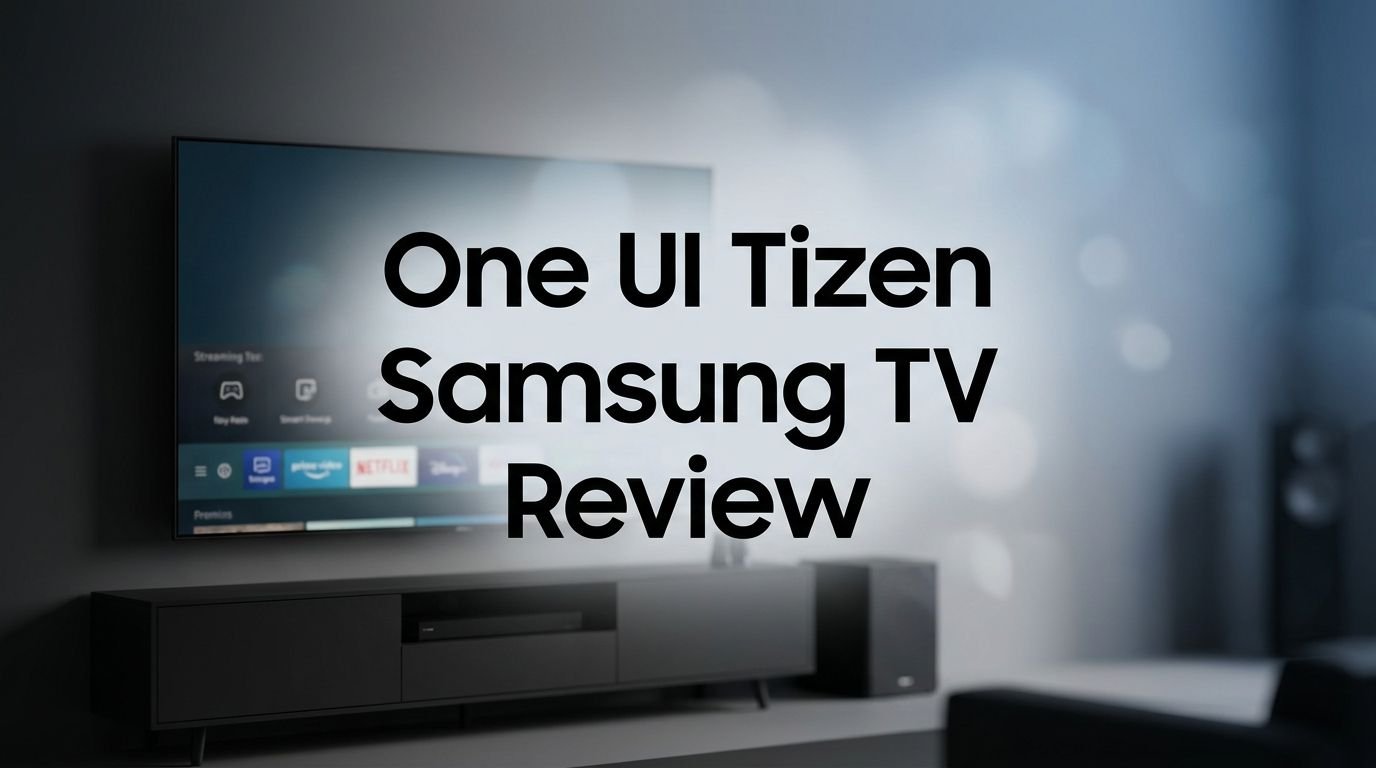
One UI Tizen Samsung TV Review 2026: Is It Worth Buying?
Samsung has been the world’s number one TV brand for 20 consecutive years. A big reason for that success is its smart TV operating system.
One UI Tizen powers every Samsung TV sold today, and in 2026, it has received its biggest upgrade ever. Samsung now calls its AI strategy Vision AI Companion, and it lives inside the One UI Tizen interface across all 2026 models.
But is the hype justified? Does One UI Tizen deliver a smooth, intuitive experience? Can it compete with Google TV and LG’s webOS?
Key Takeaways:
- One UI Tizen unifies the Samsung ecosystem. The interface looks and feels like Samsung’s phone software. If you own a Galaxy phone, you will feel right at home. Settings, icons, and menu layouts follow the same design language across all Samsung devices.
- Vision AI Companion is the standout feature for 2026. Samsung’s new AI platform lets you talk to your TV using Bixby, get on-screen content recommendations, and access smart home controls. It also includes AI Soccer Mode, Live Translate in 12 languages, and Generative Wallpaper with voice prompts.
- Samsung promises up to 7 years of Tizen OS updates. This is a strong commitment that means your TV will receive new features and security patches for years after purchase. Very few TV brands match this promise.
- The app ecosystem is solid but still limited compared to Google TV. Major apps like Netflix, Disney+, YouTube, and Prime Video run perfectly. However, some niche apps remain unavailable on Tizen.
- Gaming Hub and cloud gaming remain key strengths. Samsung’s Gaming Hub provides console-free cloud gaming through Xbox Game Pass, NVIDIA GeForce NOW, and Amazon Luna. The 2026 models also support up to 144Hz refresh rates.
- Eclipsa Audio is Samsung’s new spatial sound system. Developed with Google, it adds immersive 3D sound across all 2026 Samsung TVs without the need for external speakers.

What Is One UI Tizen on Samsung TVs?
One UI Tizen is Samsung’s proprietary smart TV operating system. Samsung first introduced Tizen on its TVs years ago. In 2024, the company layered its One UI design framework on top of Tizen. This created a cleaner, more modern interface.
The idea is simple. Samsung wants all its products to share the same look and feel. Your Galaxy phone, Galaxy Watch, and Samsung TV now follow a consistent visual style. Menus use rounded corners. Fonts are clean. Navigation follows a centralized hub layout.
In 2026, One UI Tizen has matured into a fast and polished platform. The home screen shows your recently used apps, personalized content recommendations, and quick access to Samsung TV Plus. You can customize the layout, rearrange apps, and pin your favorites.
Samsung also added a Quick Settings panel that mirrors the one on Galaxy phones. You can change picture mode, adjust sound settings, and toggle Bluetooth from one place. This small addition makes daily use much more convenient.
The interface runs smoothly on all 2026 Samsung TVs. Even budget models like the Crystal UHD U8000F show no lag or stuttering. Premium models with the NQ4 AI Gen2 processor feel even snappier.
Samsung S95F OLED with One UI Tizen
The Samsung S95F OLED is the flagship Samsung TV for 2025/2026. It uses a QD-OLED panel that delivers perfect blacks, stunning color, and incredible brightness. Running One UI Tizen on this hardware is a premium experience.
The S95F features the NQ4 AI Gen3 Processor with 128 neural networks. This chip powers real-time AI picture enhancement and sound optimization. Every frame of content gets analyzed and adjusted for the best possible quality.
One UI Tizen on the S95F feels extremely responsive. App switching is instant. Scrolling through the home screen is buttery smooth. The OLED HDR Pro technology pushes peak brightness higher than previous Samsung OLEDs, and the Glare Free screen coating reduces reflections in bright rooms.
For gamers, the S95F supports Motion Xcelerator 165Hz, four HDMI 2.1 ports, and FreeSync Premium Pro. The Gaming Hub loads quickly from the One UI Tizen menu, giving you instant access to cloud games and connected consoles.
This TV also features Dolby Atmos and Object Tracking Sound+ for immersive audio. The combination of OLED picture quality and the polished One UI Tizen software makes the S95F the best Samsung TV you can buy right now.
Samsung Neo QLED QN80F with One UI Tizen

The Samsung QN80F is a popular mid-range option in the Neo QLED 4K lineup. It brings Quantum Mini LEDs for precise backlighting and 100% color volume. The picture is bright, colorful, and sharp at every angle.
One UI Tizen on the QN80F delivers the same clean interface you get on premium models. Samsung does not restrict software features based on TV price. You get the full Vision AI experience, including AI upscaling, AI Sound, and SmartThings integration.
The QN80F uses the NQ4 AI Gen2 Processor. It handles 4K upscaling, HDR tone mapping, and real-time scene analysis. Old DVD-quality content looks surprisingly good on this TV.
Motion Xcelerator 144Hz keeps gaming smooth and responsive. The TV also supports FreeSync Premium and has a dedicated Game Mode in the One UI Tizen settings.
The 65-inch QN80F retails for $1,599.99. That makes it a strong value pick for buyers who want Mini LED picture quality and the full Samsung smart TV experience.
Top 3 Alternatives for Samsung One UI Tizen Smart TV
1. LG 55-Inch Class OLED evo AI C5 Series Smart TV

2. Sony 65-Inch Mini LED QLED 4K BRAVIA 7 Smart Google TV

3. TCL 65-Inch QM7K Series Mini LED QLED 4K Smart Google TV

Vision AI Companion: The Biggest 2026 Feature
Samsung Vision AI Companion is the headline feature across all 2026 Samsung TVs. It transforms the TV from a passive display into an interactive assistant for your household.
You can press the AI button on your Samsung remote to activate Bixby. Then ask your TV anything. Want to know what song is playing in a scene? Ask. Want recipe suggestions based on a cooking show? Ask. Want to find similar movies to what you are watching? Just ask.
Vision AI Companion uses on-screen content recognition to understand what is displayed. It can identify actors, products, locations, and sports teams. This makes the viewing experience feel more connected and informative.
AI Soccer Mode is a fun addition for sports fans. The TV detects a live soccer match and optimizes picture and sound settings for a stadium-like experience. It tracks the ball, zooms into replays, and enhances crowd noise.
Live Translate now supports 12 languages. Real-time subtitles appear on screen so you can enjoy foreign content without searching for subtitle files. This feature works with live broadcasts and streaming apps.
Generative Wallpaper is a creative tool. You can tell your TV to generate an image using a voice prompt. The AI creates a unique wallpaper for your Ambient Mode. It is a small feature, but it shows how Samsung integrates AI into everyday use.
One UI Tizen App Ecosystem in 2026
The One UI Tizen app store includes all major streaming services. Netflix, Disney+, Amazon Prime Video, Hulu, Apple TV+, HBO Max, Peacock, Paramount+, and YouTube are all available. These apps receive regular updates and support 4K HDR playback.
Samsung TV Plus remains a built-in bonus. It offers thousands of free channels and on-demand content. You do not need a subscription. Channels cover news, sports, movies, music, and kids content.
The Samsung Gaming Hub is another standout. It brings together Xbox Cloud Gaming, NVIDIA GeForce NOW, Amazon Luna, and other cloud gaming services. You can play AAA games without a console.
However, the Tizen app store is smaller than Google TV’s Play Store. Some niche apps, indie streaming services, and regional apps may not be available. If you depend on a specific app, check its availability on Tizen before you buy.
Samsung has improved app load times in 2026. Apps open faster and run more stably than on older Tizen versions. The company also added a multi-view feature that lets you display two apps side by side on supported models.
Gaming Performance on One UI Tizen
Samsung TVs have become a favorite among gamers. The One UI Tizen interface plays a big role in this reputation. The Game Bar is a quick-access overlay that shows real-time stats like frame rate, input lag, and HDR status.
You can activate the Game Bar by pressing and holding the play button on your remote. It appears as a transparent toolbar at the bottom of the screen. From here, you can switch between Game Mode, change aspect ratios, and toggle VRR settings.
Samsung Gaming Hub loads directly from the home screen. It shows your recently played cloud games, trending titles, and recommended picks. You can jump into a game within seconds.
The 2026 Neo QLED and OLED models support 144Hz to 165Hz refresh rates depending on the series. Combined with HDMI 2.1, ALLM (Auto Low Latency Mode), and FreeSync Premium Pro, Samsung TVs deliver an excellent console and PC gaming experience.
Input lag numbers on Samsung TVs in 2026 are among the lowest in the industry. The S95F OLED and QN90F Neo QLED both test under 10ms in Game Mode. This level of responsiveness matters for competitive online gaming.
SmartThings and Smart Home Integration
One UI Tizen turns your Samsung TV into a smart home control hub. The SmartThings app is built into the OS. You can view and manage connected devices directly on your TV screen.
Supported devices include smart lights, cameras, locks, thermostats, robot vacuums, and other Samsung appliances. The TV can display your doorbell camera feed as a picture-in-picture overlay while you watch a show.
SmartThings Map View shows a visual layout of your home with all connected devices. You can tap on any device to adjust its settings. This is useful for families who want a centralized control point.
Samsung also supports Matter and Thread protocols on its 2026 TVs. This means your TV can communicate with smart home devices from other brands. You are not locked into the Samsung ecosystem for home automation.
Pet Care and Child Monitoring features use the TV’s built-in camera (on supported models) to detect pets or children and send alerts to your phone. These are optional features that require user activation and consent.
Eclipsa Audio: Samsung’s New Spatial Sound
Eclipsa Audio is Samsung’s new immersive audio format. Samsung developed it in partnership with Google. It competes directly with Dolby Atmos as a spatial sound technology.
Every 2026 Samsung TV includes Eclipsa Audio support. The format allows content creators to place audio objects in 3D space around the listener. Sounds can come from above, below, behind, and beside you, even from the TV’s built-in speakers.
Eclipsa Audio is open and royalty-free. This is a major advantage over Dolby Atmos, which requires licensing fees. Samsung hopes this openness will encourage more content creators and streaming services to adopt the format.
The 2026 Samsung TVs still support Dolby Atmos alongside Eclipsa Audio. You do not lose access to existing Dolby content. Samsung gives you both options, so you can enjoy the best audio regardless of the format used.
On premium models, the Q-Symphony feature synchronizes TV speakers with Samsung soundbars for wider, fuller sound. Combined with Eclipsa Audio, this creates a convincing surround sound experience without a full speaker setup.
One UI Tizen vs Google TV vs webOS
Choosing a smart TV platform is a personal decision. Here is how One UI Tizen stacks up against its two biggest competitors in 2026.
One UI Tizen offers a clean, fast interface with deep Samsung ecosystem integration. It excels in gaming features, SmartThings connectivity, and free content through Samsung TV Plus. The 7-year update promise adds long-term value.
Google TV (found on Sony, TCL, and Hisense TVs) has the largest app ecosystem thanks to the Google Play Store. It integrates well with Google Assistant, Chromecast built-in, and Google Home devices. If you use Android phones and Google services, Google TV feels natural.
LG webOS powers all LG TVs. It has a simple card-based layout that is easy to learn. LG also supports Dolby Vision and Dolby Atmos across its lineup. The webOS app selection is decent but smaller than Google TV.
One UI Tizen’s biggest strength is the Samsung ecosystem. If you already own Samsung phones, watches, and appliances, the integration is seamless. Its biggest weakness remains the smaller app library compared to Google TV.
Samsung Crystal UHD U8000F: Budget One UI Tizen Experience

Not everyone needs a premium OLED or Neo QLED. The Samsung Crystal UHD U8000F is the entry-level Samsung TV for 2025/2026. It starts at under $200 for the 43-inch model.
This TV runs the same One UI Tizen software as the expensive models. You get Samsung TV Plus, Gaming Hub, SmartThings, and Vision AI features. The interface looks identical. The only difference is slightly slower load times due to the basic Crystal Processor 4K chip.
The U8000F delivers a solid 4K picture with HDR10+ support. Colors look natural and bright. The MetalStream design gives it a slim, modern look at a very low price.
For casual viewers, movie watchers, and families on a budget, the U8000F proves that the One UI Tizen experience does not require a big investment. It is one of the best value smart TVs available in 2026.
Display Quality Across Samsung’s 2026 Lineup
Samsung offers multiple display technologies in 2026. Each one provides a different viewing experience, but they all run One UI Tizen.
QD-OLED (S95F, S90F) delivers perfect blacks, infinite contrast, and vivid colors. These are the best Samsung TVs for dark room viewing and HDR content.
Neo QLED with Quantum Mini LEDs (QN90F, QN85F, QN80F) provides high brightness, excellent color volume, and strong contrast. These TVs work well in bright rooms and for sports viewing.
Mini LED (M80H, M70H) is a new 2026 category for Samsung. These TVs offer premium-level brightness and contrast at more affordable prices. The M70H starts at just $349.99 for the 43-inch model.
Crystal UHD (U8000F, U7900F) uses standard LED backlighting. Picture quality is good for the price but lacks the contrast and brightness of higher-end models.
No matter which technology you choose, One UI Tizen ensures you get the same smart features and app access. Samsung’s AI upscaling technology also improves picture quality on every model by analyzing and enhancing each frame.
Samsung Knox Security on One UI Tizen
Privacy and security matter on smart TVs. Samsung uses its Knox security platform to protect One UI Tizen. Knox is the same enterprise-grade security framework used on Samsung phones and tablets.
Knox on Samsung TVs encrypts your personal data. It monitors for malware and unauthorized access. It also blocks suspicious network connections that could compromise your TV.
Samsung provides regular security patches through Tizen OS updates. With the 7-year update commitment, your TV receives protection against new threats for a long time.
You can also manage privacy settings directly from the One UI Tizen menu. Options include disabling ACR (Automatic Content Recognition), turning off voice data collection, and controlling which apps can access your location.
Samsung’s approach to TV security is more transparent than many competitors. Knox Security provides a trusted execution environment that isolates sensitive processes. For families concerned about smart TV privacy, Samsung offers solid controls and protection.
Should You Buy a Samsung One UI Tizen TV in 2026?
Samsung’s One UI Tizen has become a polished and feature-rich smart TV platform. The 2026 updates, including Vision AI Companion, Eclipsa Audio, and expanded AI features, make it one of the best TV operating systems available.
Buy a Samsung TV if you want a clean interface, strong gaming features, excellent Samsung ecosystem integration, and long-term software support. The range of TVs from budget Crystal UHD to flagship OLED means there is an option at every price point.
Consider alternatives if you need the largest possible app library (Google TV wins here) or if you prefer Dolby Vision support on every model (LG provides this). Samsung still does not support Dolby Vision on its TVs, which remains a notable omission.
Overall, One UI Tizen in 2026 is fast, intelligent, and fun to use. It has earned its place among the top smart TV platforms. The 7-year update promise and Samsung’s Vision AI roadmap suggest it will only get better.
Frequently Asked Questions
What is One UI Tizen on Samsung TVs?
One UI Tizen is Samsung’s smart TV operating system. It combines the Tizen OS with Samsung’s One UI design framework. The result is a clean, modern interface that matches the look and feel of Samsung Galaxy phones and watches. It powers every Samsung smart TV sold in 2025 and 2026.
Does One UI Tizen support Dolby Vision?
No. Samsung TVs do not support Dolby Vision as of 2026. Samsung uses its own HDR10+ and HDR10+ Advanced formats instead. These formats provide similar HDR quality, but some streaming content is only available in Dolby Vision. This remains a drawback for Samsung TVs.
How long will Samsung update One UI Tizen?
Samsung promises up to 7 years of Tizen OS updates on its newer TV models. This includes feature updates, security patches, and app compatibility improvements. This is one of the longest update commitments in the TV industry.
Can I install third-party apps on One UI Tizen?
The Tizen app store is the primary way to install apps on Samsung TVs. You cannot sideload APK files like you can on Android/Google TV. Samsung’s app store has all major streaming apps but lacks some niche and regional options.
Is Samsung Gaming Hub free to use?
Yes. Samsung Gaming Hub is free to access on all supported Samsung TVs. However, the cloud gaming services available through it (Xbox Cloud Gaming, GeForce NOW, Amazon Luna) may require their own subscriptions. Samsung TV Plus and some casual games within the Hub are completely free.
Does One UI Tizen work with non-Samsung smart home devices?
Yes. Samsung TVs with One UI Tizen support Matter and Thread protocols. This means they can communicate with smart home devices from many brands, including Google, Amazon, Apple, and others. The SmartThings app on your TV serves as the central control hub.