Philips Class 4K Ultra HD Google Smart LED TV Review 2026
Are you looking for a big screen TV that gives you sharp 4K picture quality without breaking the bank? The Philips Class 4K Ultra HD Google Smart LED TV has been turning heads for all the right reasons.
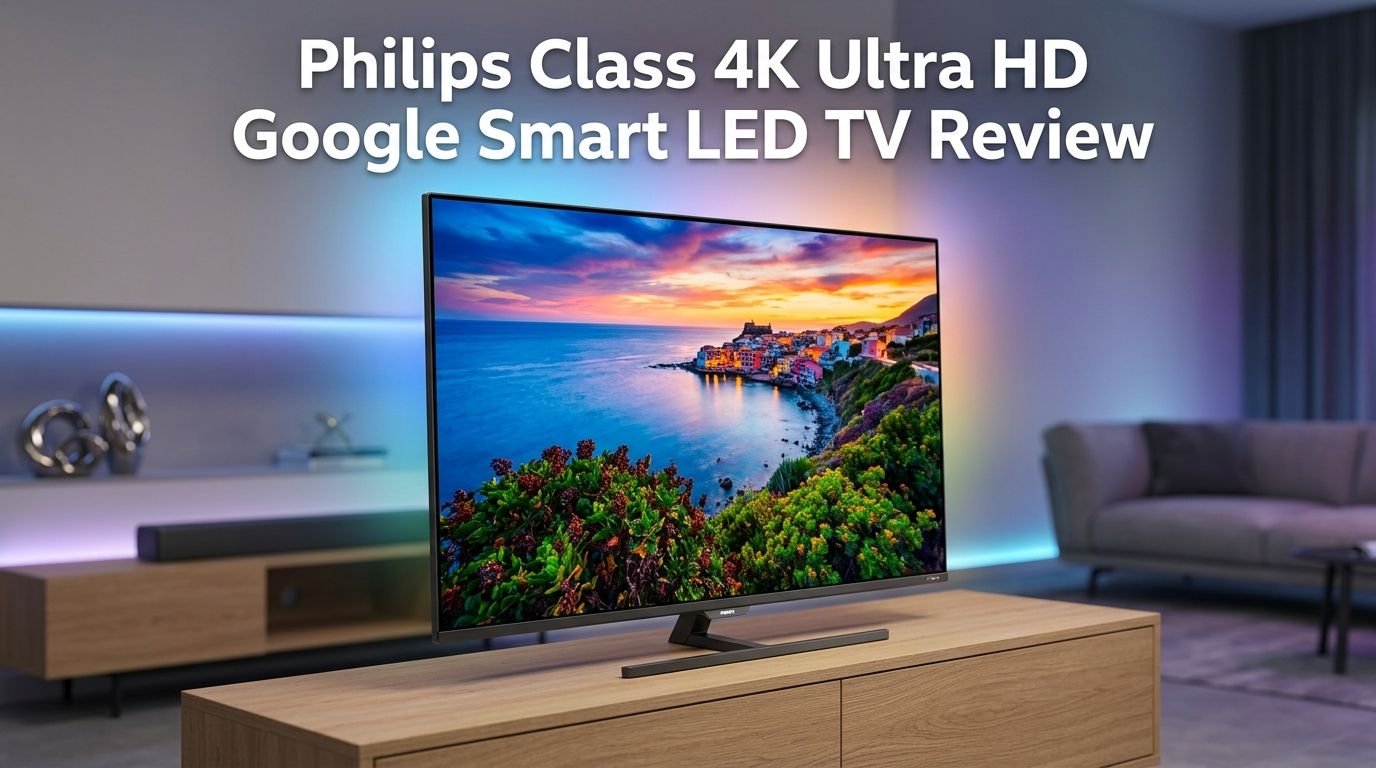
It packs a crisp 2160p display, built-in Google TV, HDR10 support, and Chromecast into a sleek European design.
But does it actually deliver on its promises? In a market flooded with Samsung, TCL, and Hisense options, does the Philips 7000 series hold its own? Whether you want a solid living room TV for movie nights or a budget pick for your bedroom, this review will help you decide.
Key Takeaways
- The Philips Class 4K Ultra HD Google Smart LED TV uses a 3840 x 2160p resolution panel with HDR10 support. It delivers vivid colors, deep blacks, and crisp details at a price point well below many competitors. You get true 4K picture quality for casual viewing, sports, and streaming.
- Google TV is built into this television. You get direct access to Netflix, YouTube, Prime Video, Disney+, and thousands of other apps from the Google Play Store. The interface organizes your content from all your subscriptions into one easy home screen.
- The included Bluetooth voice remote supports Google Assistant. You can search for movies, control smart home devices, adjust volume, and switch apps using voice commands. This removes the need for extra smart speakers or streaming sticks.
- Sound quality is average with its built-in stereo speakers and Dolby Audio support. The two speakers produce clear dialogue and decent mid-range audio. However, you may want a soundbar if you plan on watching action movies or want deeper bass.
- Build quality follows the brand’s European design language. The slim bezels and narrow profile give the TV a modern, clean look. It weighs about 30 pounds and supports VESA 300x300mm wall mounting.
- Connectivity options include 3 HDMI ports, 1 USB 2.0 port, Bluetooth 5.1, dual-band Wi-Fi, Ethernet, and an optical audio output. This covers most home entertainment setups, but gamers may find the 60Hz refresh rate limiting for competitive play.

Philips Class 4K Ultra HD Google Smart LED TV Overview
The Philips Class 4K Ultra HD Google Smart LED TV belongs to the 7000 series lineup from Philips. This TV targets budget-conscious buyers who want a reliable 4K experience with smart features built right in. It comes in multiple screen sizes, including 43-inch, 50-inch, 55-inch, 65-inch, and 75-inch models.
Philips, a Dutch company with decades of experience in consumer electronics, designed this TV with its signature European aesthetics. The result is a clean, slim panel with narrow bezels that let the screen do the talking. The model number for the 65-inch variant is 65PUL7552/F7.
Google TV powers the entire smart experience on this set. Unlike older Android TV interfaces, Google TV curates content from all your installed streaming apps. It shows personalized recommendations right on the home screen. You also get full access to the Google Play Store for downloading additional apps.
The 4K UHD panel runs at 3840 x 2160 pixels with a 120 PMR (Picture Motion Rate). HDR10 and HLG support add extra color range and contrast detail. These features make the TV a strong performer for streaming 4K content from platforms like Netflix and YouTube.
Pricing for this television falls in the budget category. Most sizes retail well under $400, and you can often find deals that push the price even lower. This makes it one of the more affordable 4K Google TV options available today.
4K Ultra HD Display Quality and Performance
Picture quality is the first thing most buyers care about. The Philips 4K Ultra HD LED panel delivers a 3840 x 2160p resolution with a 1000:1 contrast ratio. The IPS-type display provides wide 178-degree viewing angles both horizontally and vertically.
Colors look vibrant and natural on this screen. The TV uses digital noise reduction and MPEG artifact reduction to clean up lower-quality source material. A custom color management system lets you tweak the picture to your preference. You can adjust color temperature, saturation, and sharpness from the settings menu.
HDR10 support is a highlight here. It expands the range of brightness and color detail in compatible content. Scenes with high contrast, like sunsets or dark interiors, show more depth and realism. HLG (Hybrid Log-Gamma) support adds HDR capability for live broadcast content as well.
The 120 PMR helps with motion smoothness during fast-moving scenes. Sports fans and action movie watchers will notice fewer motion artifacts. However, it is important to note that the native refresh rate is 60Hz. The 120 PMR is Philips’ own motion processing metric, not the same as a true 120Hz panel.
For the price, this display performs well for everyday viewing. It handles Netflix originals, YouTube 4K videos, and live TV content with ease. You will not get the deep local dimming of a mini-LED TV at this price. But as a standard LED backlit set, it punches above its weight.
Google TV Smart Platform and User Interface
The Google TV platform is one of the strongest selling points of this Philips television. Google TV replaced the older Android TV interface with a cleaner, more content-focused layout. The home screen shows rows of recommended movies and shows pulled from all your installed streaming apps.
You get pre-installed apps right out of the box. These include Netflix, YouTube, Prime Video, Discovery+, and Tubi TV. You can install many more from the Google Play Store, including Disney+, Hulu, HBO Max, Peacock, and Spotify.
The interface organizes content by genre, mood, and personal taste. Google TV learns your preferences over time and gets better at suggesting content you might enjoy. You can also create individual profiles for different family members. Each person gets their own set of recommendations.
Chromecast is built into the TV. This means you can cast content from your phone, tablet, or laptop directly to the big screen. There is no need for an external Chromecast dongle. This works with most apps that support Google Cast, including YouTube, Spotify, and many others.
One common complaint from users is that the Google TV interface can feel slow at times. Some reviewers reported lag after software updates. Philips has addressed this in patches, but the TV’s limited processing power can still cause occasional delays. Patience helps, and restarting the TV often fixes temporary sluggishness.
Top 3 Alternatives for Philips Class 4K Ultra HD Google Smart LED TV
1. TCL 65-Inch Class T7 Series 4K QLED Smart Google TV

2. Hisense 65-Inch Class A6 Series 4K UHD Smart Google TV

3. Samsung 65-Inch Class Crystal UHD U8000F 4K Smart TV

Google Assistant and Voice Control Features
Voice control is a major convenience feature on this Philips TV. The included Bluetooth remote has a dedicated Google Assistant button. Press it, speak your command, and the TV responds almost instantly. You can ask it to play a specific movie, search for a genre, or open a streaming app.
Google Assistant goes beyond basic TV control. You can ask it about the weather, set timers, get sports scores, and even control smart home devices. If you have smart lights, thermostats, or cameras connected to your Google Home ecosystem, you can manage them all from your couch.
The voice remote uses Bluetooth 5.1 connectivity. This means it does not need a direct line of sight to the TV. You can hold the remote at any angle or even point it behind you, and it still works. This is a noticeable upgrade over older infrared remotes.
Voice search accuracy is strong. The TV picks up natural language queries well. You can say things like “show me comedies from the 2020s” or “play Stranger Things on Netflix.” It understands context and delivers relevant results quickly.
One limitation is that the always-listening mode is not available. You need to press the button on the remote to activate Google Assistant. This is a minor inconvenience compared to TVs that support hands-free voice activation. Still, the button-press method provides a layer of privacy that many users actually prefer.
Sound Quality and Audio Performance
The Philips 4K Ultra HD Google Smart LED TV features a stereo speaker system with Dolby Audio processing. Two built-in speakers sit at the bottom of the panel. They produce clear dialogue and adequate volume for a mid-sized room.
A 5-band equalizer gives you control over the audio output. You can boost bass, adjust treble, or fine-tune the mid-range frequencies to match your content. Sound style presets are also available. These include options for movies, music, news, and a personal custom setting.
Auto Volume Leveling is a useful feature on this set. It prevents sudden volume spikes during commercials or channel changes. This is especially helpful for late-night viewing or when children are sleeping nearby.
However, sound quality is one area where this TV does not excel. The built-in speakers lack deep bass response. Action movies and music lose some impact without low-frequency depth. The speakers also do not project sound as wide as higher-end TVs with front-firing or upward-firing drivers.
For most casual viewers, the audio performance is acceptable for daily use. But if you enjoy immersive movie experiences or listen to a lot of music through your TV, investing in a separate soundbar is a smart move. The TV supports digital audio output via optical, ARC through HDMI 2, and Bluetooth audio for wireless headphones or speakers.
Design and Build Quality
The Philips 4K Ultra HD Google Smart LED TV follows the brand’s signature European design philosophy. Slim bezels frame the display on all four sides, creating a nearly borderless viewing experience. The overall look is clean, modern, and understated.
At just 3.3 inches deep without the stand, this TV sits flat against a wall for VESA mounting. The 300x300mm VESA pattern supports most standard wall mount brackets. This thin profile makes the TV a great choice for wall-mounted setups in living rooms or bedrooms.
The included tabletop stand is wide and sturdy. It keeps the TV stable on a flat surface. The stand width spans about 38.3 inches on the 65-inch model, so make sure your TV console or table can accommodate it. The stand adds swivel capability, which lets you adjust the viewing angle without moving the entire piece of furniture.
Build materials feel solid for the price range. The back panel is made of textured plastic that resists fingerprints. The screen has a semi-matte finish that helps reduce glare from overhead lights and windows. The TV weighs about 30 pounds without the stand, making it manageable for a single person to lift and install.
Overall, the design will blend into most home decor styles. It does not draw attention to itself. It lets the content on the screen be the focus. This is a clear win for buyers who prefer function over flashy aesthetics.
Connectivity and Port Options
This Philips TV offers a solid set of connectivity options for its price point. You get 3 HDMI ports, which is enough for a streaming stick, gaming console, and soundbar. HDMI 2 supports ARC (Audio Return Channel) for sending audio to an external sound system.
All HDMI ports support 4K input at up to 3840 x 2160 at 60Hz. The computer input via HDMI goes up to 4K at 4096 x 2160 at 60Hz. HDCP 2.3 protection is present on all HDMI ports, so you will not run into issues with protected content from streaming services.
Wireless connectivity includes dual-band Wi-Fi (802.11ac MIMO) and Bluetooth 5.1. The dual-band Wi-Fi supports both 2.4GHz and 5GHz networks. This gives you flexibility to connect on the less crowded 5GHz band for smoother streaming. An Ethernet port is also available for a wired internet connection if you prefer maximum stability.
A USB 2.0 port lets you plug in flash drives or external storage devices for media playback. The TV supports multiple video codecs including H.264, H.265/HEVC, MPEG2, and MPEG4. You can play local video files directly from a USB drive.
Additional ports include a composite video input with audio, a headphone jack, and a digital optical audio output. The antenna input is a standard 75-ohm F-type connector for over-the-air broadcasts. This full set of connections makes the TV flexible enough for a variety of home entertainment scenarios.
Gaming Experience on the Philips 4K LED TV
Game Mode is built into this Philips TV. It reduces input lag by minimizing post-processing effects. This makes the TV more responsive during gameplay. You can activate Game Mode from the picture settings menu with just a few clicks.
However, gamers should set realistic expectations. The native refresh rate is 60Hz. This means the TV does not support 120fps gameplay from PS5 or Xbox Series X at 4K resolution. For casual gamers and those playing at 60fps, the TV performs just fine.
HDMI 2.0 ports are present instead of HDMI 2.1. This limits bandwidth to 18 Gbps rather than the 48 Gbps offered by HDMI 2.1. Features like VRR (Variable Refresh Rate), ALLM (Auto Low Latency Mode), and eARC are not available on this model.
For Nintendo Switch, PS4, or casual PC gaming, the Philips 4K LED TV is a suitable option. The 4K resolution still makes games look sharp and detailed. Colors render well, and the HDR10 support adds visual depth to supported game titles.
Competitive gamers who play first-person shooters or fast-paced racing games should look at TVs with a true 120Hz panel and HDMI 2.1 support. The Philips 7000 series is better suited for story-driven games, RPGs, and casual titles where frame-by-frame speed is less critical.
HDR10 and Color Accuracy Explained
HDR10 is the standard HDR format supported by this Philips TV. It uses static metadata to deliver a wider brightness and color range than SDR (Standard Dynamic Range) content. Bright highlights pop more, and dark shadows retain detail that would be lost on non-HDR displays.
The TV also supports HLG (Hybrid Log-Gamma). HLG is an HDR format used for live broadcasts. It does not require metadata, making it backward compatible with SDR displays. This means live sports, news, and events broadcast in HLG will look better on this Philips set.
Color accuracy on this panel is good for the price. The IPS display type naturally provides consistent colors across wide viewing angles. Whether you sit directly in front of the screen or off to the side, colors do not wash out as much as they would on a VA panel.
The TV includes a custom color management tool in its picture settings. You can adjust individual color channels to fine-tune the output. Most users will not need to touch this, but it is a nice option for anyone who wants precise color control.
One limitation is that the TV’s peak brightness is modest. HDR content looks best on screens that can reach high brightness levels. This Philips model gets bright enough for a dimly lit room but may struggle to deliver full HDR impact in a very bright living space. Closing blinds or dimming overhead lights will help.
Remote Control and Ease of Use
The Philips 4K Ultra HD Google Smart LED TV comes with a compact Bluetooth voice remote. The remote is simple and well-organized. It features dedicated buttons for Netflix, YouTube, and Google Assistant. You do not need to scroll through menus to access your favorite apps.
The Bluetooth 5.1 connection means the remote works from anywhere in the room. It does not require line-of-sight to the TV’s IR sensor. This is a major quality-of-life improvement over traditional remotes. You can control the TV from behind a blanket or around a corner.
Setup is simple. The TV guides you through the initial Google TV configuration step by step. You can sign in with your Google account using your phone, which is faster than typing with the remote. Most users report completing the full setup in under 10 minutes.
The remote also supports HDMI CEC (EasyLink). If your connected devices support CEC, the Philips remote can control them too. You can power on your soundbar, switch inputs, and adjust volume on external devices using the single TV remote.
The remote’s small size can be a double-edged sword. Some users find it easy to lose between couch cushions. The button layout is intuitive, but the lack of backlighting means you may struggle to find buttons in a dark room. A small LED or glow-in-the-dark button ring would have been a welcome addition.
Power Consumption and Energy Efficiency
The Philips 4K Ultra HD Google Smart LED TV consumes about 169 watts during active use. This is a reasonable power draw for a 65-inch LED television. Smaller screen sizes in the 7000 series consume even less power, making them efficient options for bedrooms and offices.
Standby power consumption drops to less than 0.5 watts. This means the TV draws almost no electricity when it is turned off but still plugged in. You will not notice a significant difference on your electricity bill from leaving the TV in standby mode.
The LED backlight technology used in this Philips TV is inherently more energy-efficient than older CCFL backlights. It also runs cooler, which contributes to a longer lifespan for internal components. The operating temperature range is 5°C to 40°C (41°F to 104°F).
A sleep timer is included in the TV’s convenience settings. You can set the TV to turn off automatically after a set period. This is helpful if you tend to fall asleep while watching late-night shows. It saves energy and prevents unnecessary screen-on hours.
For eco-conscious buyers, this TV checks most boxes for responsible energy use. It delivers large-screen 4K entertainment without the high power demands of OLED or mini-LED panels. Over a year of average use, the power cost is modest and well within what you would expect for a TV of this size.
Who Should Buy This TV?
The Philips Class 4K Ultra HD Google Smart LED TV is best suited for budget-conscious buyers who want a large 4K display with reliable smart features. If you need a solid TV for streaming movies, watching live sports, or browsing YouTube, this set delivers strong value.
First-time smart TV buyers will appreciate the Google TV platform. It is intuitive and well-organized. The voice remote with Google Assistant makes it even easier to find content without memorizing complex menus. The learning curve is minimal.
Families will benefit from the multiple user profile feature on Google TV. Each family member can have their own recommendations and watchlist. Parental controls and child lock features are also built in. You can restrict content and protect settings with ease.
This TV is also a good choice for secondary rooms. If you already have a premium TV in the living room, the Philips 4K LED makes an excellent pick for a bedroom, guest room, or home office. Its slim design and wall-mount compatibility keep it out of the way.
This TV is not ideal for serious gamers or home theater enthusiasts. The 60Hz panel, lack of HDMI 2.1, and modest peak brightness limit its appeal for those audiences. If you need VRR, 120Hz gaming, or deep local dimming, you should consider spending a bit more on a mini-LED or OLED option.
Pros and Cons of the Philips 4K Ultra HD Google Smart LED TV
Pros of this television are clear and worth highlighting. The 4K resolution with HDR10 delivers a sharp, colorful picture for the price. Google TV provides a smooth, app-rich smart platform with built-in Chromecast and Google Assistant. The Bluetooth voice remote is simple and effective. Connectivity is adequate with 3 HDMI ports, Bluetooth 5.1, and dual-band Wi-Fi.
The slim European design looks great in any room. VESA wall mount support adds installation flexibility. Multiple screen sizes from 43 inches to 75 inches give buyers plenty of choice. The price point sits well below many competing 4K smart TVs from bigger brands.
Cons are also important to address honestly. The 60Hz native refresh rate limits fast-motion performance and gaming capabilities. No HDMI 2.1 port means no support for VRR, ALLM, or eARC. Sound quality from the built-in speakers is just average. The Google TV interface can lag on occasion due to limited processing power.
Peak brightness is modest, which reduces the HDR impact in bright rooms. The TV’s contrast ratio of 1000:1 is standard for IPS panels but lower than VA panels that offer deeper blacks. There is also no local dimming feature, which means dark scenes may appear slightly washed out compared to higher-end sets.
In summary, the strengths far outweigh the weaknesses for the intended audience. This is a budget TV that delivers a premium-looking experience at a fraction of the cost.
Final Verdict on the Philips Class 4K Ultra HD Google Smart LED TV
The Philips Class 4K Ultra HD Google Smart LED TV is a strong budget pick in 2026. It offers true 4K resolution, HDR10, Google TV, and a well-designed remote at a price that undercuts most of its competition. For everyday streaming, live TV, and casual use, it gets the job done.
You will not find advanced features like mini-LED backlighting, 120Hz panels, or Dolby Vision on this set. But those features typically come at two to three times the price. For what you pay, the Philips 7000 series punches well above its weight class.
The Google TV platform is the star of the experience. It is smooth, feature-rich, and supported by a massive app library. Voice control through Google Assistant adds genuine daily convenience. Chromecast support rounds out a solid smart TV package.
If your budget is tight and you want a reliable 4K TV with smart features that work, this Philips model deserves serious consideration. Pair it with a budget soundbar, and you have a complete entertainment setup for a fraction of the cost of flagship TVs.
Our recommendation: buy it if you value screen size and smart features over bleeding-edge display technology. It is one of the best value-for-money 4K Google TVs you can get right now.
Frequently Asked Questions
Does the Philips 4K Ultra HD Google Smart LED TV support Dolby Vision?
No, this TV does not support Dolby Vision. It supports HDR10 and HLG for high dynamic range content. Dolby Vision is a premium HDR format that requires specific hardware and licensing. If Dolby Vision is a priority for you, consider alternatives from TCL, Hisense, or LG that include this feature at a similar price range.
Can I wall mount the Philips 4K Ultra HD Google Smart LED TV?
Yes, this TV supports VESA wall mounting. The 65-inch model uses a 300 x 300mm VESA pattern. You will need a compatible wall mount bracket and appropriate screws. The TV is only 3.3 inches deep without the stand, so it sits close to the wall for a clean look.
How many HDMI ports does this Philips TV have?
The TV includes 3 HDMI ports. HDMI 2 supports ARC (Audio Return Channel) for connecting a soundbar or AV receiver. All three ports support 4K input at 60Hz with HDCP 2.3 protection. There are no HDMI 2.1 ports on this model.
Is this Philips TV good for gaming?
It works fine for casual gaming at 4K/60fps. Game Mode reduces input lag for a more responsive experience. However, the 60Hz native refresh rate and lack of HDMI 2.1 mean it is not suited for competitive gaming or 120fps gameplay on PS5 and Xbox Series X.
What streaming apps come pre-installed?
The TV comes with Netflix, YouTube, Prime Video, Discovery+, and Tubi TV pre-installed. You can download additional apps like Disney+, Hulu, HBO Max, Peacock, and Spotify from the Google Play Store.
Does this TV have Bluetooth?
Yes, the TV features Bluetooth 5.1. You can connect wireless headphones, speakers, game controllers, and other Bluetooth devices. The included voice remote also connects to the TV via Bluetooth, which means it does not need line-of-sight to function.