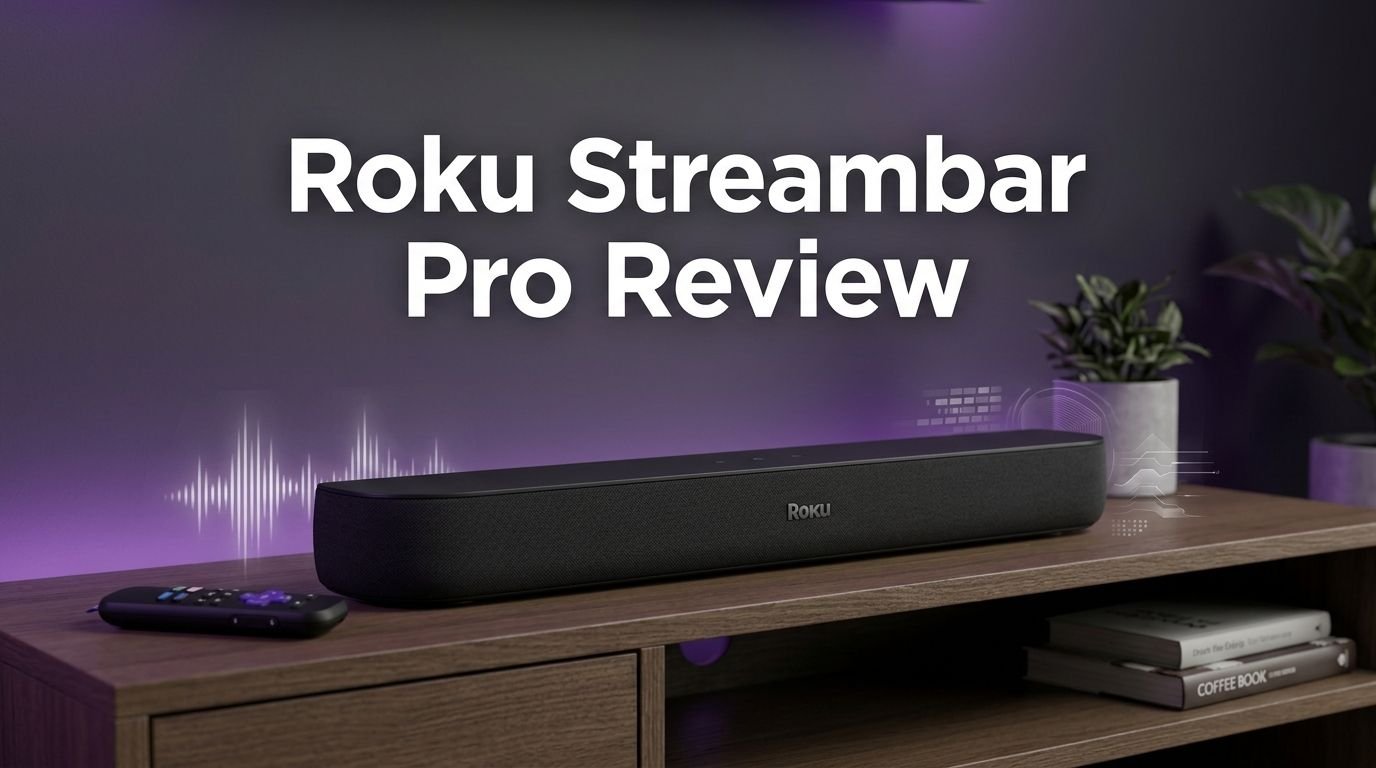
Roku Streambar Pro Review 2026: Live Up To The Hype?
Your TV speakers sound flat. Dialogue gets buried under action scenes. You also want a 4K streaming device but hate cable clutter. Sound familiar?
The Roku Streambar Pro promises to solve all of these problems in one compact package. It combines a 4K HDR streaming media player with a premium soundbar in a single device.
But here’s the real question. Does it actually deliver on that promise in 2026? With newer soundbars and streaming devices flooding the market, this product still holds its own in some surprising ways.
Key Takeaways:
- The Roku Streambar Pro is a 2 in 1 device that works as both a 4K HDR streaming media player and a premium soundbar. This eliminates the need for separate devices and reduces cable clutter behind your TV.
- It features four 2.5 inch full range drivers that output up to 36 watts of total power. The sound is a significant upgrade over built in TV speakers, especially for dialogue clarity and movie watching.
- The device supports Dolby Audio decoding but does not support Dolby Atmos or DTS:X. If you need 3D object based sound, you will need to look elsewhere.
- You can expand it to a 4.1 surround sound system by adding Roku wireless speakers and a Roku wireless subwoofer. This is a feature many competing soundbars at this price do not offer.
- The included Roku Voice Remote features a headphone jack for private listening, personal shortcut buttons, and voice search. This remote alone adds great value to the package.
- It runs on Roku OS, which gives you access to thousands of free and paid streaming channels. The interface is clean, fast, and very easy to use for people of all ages.

Roku Streambar Pro: Design and Build Quality
The Roku Streambar Pro measures 32.2 inches long, 3.9 inches deep, and 2.8 inches tall. It fits comfortably under most TVs without blocking the screen or the IR sensor. The all black finish gives it a sleek, modern look that blends into any living room setup.
The build quality feels solid for its price range. The front is covered with a cloth grille that hides the four internal speakers. The back panel houses the HDMI ARC port, optical audio input, USB A port, power connector, and a reset button. These connections give you plenty of flexibility for different TV setups.
At just over 5 pounds, it is light enough to move around but heavy enough to stay planted. You can also wall mount it if your TV hangs on a wall. The compact form factor is one of the biggest selling points of this device. It does not take up much space, and it does not look bulky or out of place.
The overall design philosophy here is simplicity. Roku clearly built this for people who want a clean, no fuss setup. There are no flashy LED displays or complicated button layouts on the unit itself.
Sound Quality and Audio Performance
Sound quality is where the Roku Streambar Pro truly shines for its price class. The four 2.5 inch full range drivers push out up to 36 watts of total power. This is far more powerful than your average TV speakers. Dialogue sounds clear and present. Movie soundtracks have more depth. Music playback through Bluetooth is pleasant and full.
The device supports Dolby Audio decoding, which means it can handle Dolby Digital and Dolby Digital Plus content from streaming services. This gives you richer, more detailed sound during movies and shows. However, it does not support Dolby Atmos or DTS:X. You will not get 3D spatial audio from this soundbar.
For a compact, budget friendly unit, the bass response is surprisingly decent. It will not shake your walls, but you can feel a warmth in the low end during action sequences. If you want deeper bass, Roku lets you pair a wireless subwoofer for that extra punch.
The Speech Clarity mode is a standout feature. It enhances dialogue so you can hear every word without cranking up the volume. Late night viewers will also love the Night Mode, which reduces loud sounds while keeping dialogue at a comfortable level.
Streaming Features and Roku OS Experience
The Roku Streambar Pro runs Roku OS, one of the most popular streaming platforms in the world. The home screen is clean and organized. You can find your favorite apps in seconds. Roku gives you access to thousands of streaming channels including Netflix, Hulu, Disney Plus, Amazon Prime Video, Apple TV Plus, and many more.
The system supports 4K resolution at 60fps with HDR10 support. Picture quality from the built in streamer is sharp and vibrant. Content loads quickly, and there is very little buffering on a stable internet connection. The dual band Wi Fi connection keeps streaming smooth.
One of the best parts of Roku OS is its free content. The Roku Channel offers a massive library of free movies, TV shows, and live TV channels. You do not need to pay a subscription to enjoy hours of entertainment. This is a huge plus for budget conscious users.
The interface is very responsive. Apps open fast. Navigation is smooth. Roku regularly updates the OS with new features and improvements. The search function works across all your installed channels. You type a movie title once, and Roku shows you every app where it is available.
Top 3 Alternatives for Roku Streambar Pro
1. Sonos Beam (Gen 2)

2. Bose TV Speaker

3. Amazon Fire TV Soundbar

Setting Up the Roku Streambar Pro
Setting up the Roku Streambar Pro is one of the easiest processes you will encounter with any home audio device. You plug in the included Premium High Speed HDMI cable from the soundbar to the HDMI ARC port on your TV. That single cable carries both audio and video.
If your TV does not have an HDMI ARC port, no problem. Roku includes an optical cable as a backup connection option. You will still get great audio performance through the optical input. After connecting the cable, plug in the power adapter, and the on screen setup wizard walks you through every step.
The Roku Voice Remote pairs automatically during setup. You connect to your Wi Fi network, sign in to your Roku account, and you are streaming within minutes. The entire setup process takes less than 10 minutes for most people.
Make sure to enable HDMI CEC in your TV settings. This lets the Roku remote control your TV’s power and volume. It creates a seamless one remote experience that simplifies daily use. You will not need to juggle multiple remotes anymore.
The Roku Voice Remote: A Closer Look
The Roku Streambar Pro comes with a Roku Voice Remote that deserves special attention. It features a built in 3.5mm headphone jack on the side. You can plug in any wired headphones and enjoy private listening without disturbing anyone else in the room.
This is incredibly useful for late night TV watching. The audio streams directly to your headphones through the remote. The volume controls still work, and you get a personal, immersive listening experience. Very few competing products offer this feature at this price.
The remote also has personal shortcut buttons for popular streaming services. You can launch Netflix, Apple TV Plus, Disney Plus, or Hulu with a single button press. The voice search button lets you find content, control playback, and even ask for weather updates using your voice.
The remote feels comfortable in hand. It is lightweight, responsive, and the button layout is intuitive. Even people who are not tech savvy pick it up and start using it without any instructions. Roku nailed the remote experience with this product.
Expandable Surround Sound System
One of the most impressive features of the Roku Streambar Pro is its expandable audio ecosystem. You can pair it with Roku Wireless Speakers and a Roku Wireless Subwoofer to create a 4.1 channel surround sound system. This turns a simple soundbar into a full home theater setup.
The pairing process is wireless and straightforward. You go into the Roku settings menu, select audio devices, and follow the on screen instructions. Within minutes, your Roku speakers and subwoofer sync with the Streambar Pro.
The surround sound experience is genuinely impressive for a system at this price point. You get front channel audio from the soundbar, rear channel audio from the wireless speakers, and deep bass from the subwoofer. Movies and shows feel more immersive with sound coming from different directions.
This modular approach is smart. You can start with just the soundbar and add components over time as your budget allows. Not many competitors in the sub $200 category offer this level of expandability. It gives the Streambar Pro a long term value advantage.
4K HDR Streaming Performance
The Roku Streambar Pro streams content in 4K resolution with HDR10 support. This means you get crisp, detailed visuals with a wide range of colors and improved contrast. HDR content on services like Netflix and Disney Plus looks vibrant and lifelike.
The built in streaming player handles 4K at 60 frames per second without any hiccups. The processor is fast enough to run the Roku OS smoothly. You will not notice lag or stuttering during regular use. Channel switching is quick, and apps load in just a few seconds.
The device connects via dual band 802.11ac Wi Fi. This ensures a stable connection for high bandwidth 4K streaming. You can also connect to the internet using a wired connection through an optional USB Ethernet adapter if your Wi Fi is unreliable.
One thing to note is that the Streambar Pro does not support Dolby Vision. It handles HDR10 only. If Dolby Vision is a priority for you, this could be a deal breaker. However, for the majority of users, HDR10 delivers an excellent viewing experience that is a clear step up from standard definition.
Bluetooth Connectivity and Music Streaming
The Roku Streambar Pro includes Bluetooth connectivity. You can pair your smartphone, tablet, or laptop and use the soundbar as a standalone Bluetooth speaker. This is great for playing music when you are not watching TV.
The pairing process is simple. Go to the Roku settings, enable Bluetooth, find the Streambar Pro on your device, and connect. The sound quality for music is good. It fills a medium sized room with clear mids and highs, and acceptable bass.
You can also stream music through Roku OS apps like Spotify, Pandora, Apple Music, and Amazon Music. The soundbar doubles as a music player, adding even more value to the purchase. It is a versatile device that works for entertainment beyond just TV shows and movies.
Keep in mind that Bluetooth range is standard. You can expect reliable connectivity within about 30 feet of the device. Walls and obstacles may reduce this range slightly. For most living room setups, this is more than enough.
Roku Streambar Pro: Pros and Cons
Every product has strengths and weaknesses. The Roku Streambar Pro is no exception. Let’s look at both sides honestly.
The pros are significant. The 2 in 1 design saves space and reduces cable clutter. The sound quality is excellent for the price. Roku OS is fast, reliable, and packed with free content. The remote with its headphone jack is a standout feature. The expandable surround sound option gives you room to grow your setup.
The cons are worth noting too. There is no Dolby Atmos or DTS:X support. There is no Dolby Vision either. The bass, while decent, can feel thin during heavy action scenes without a subwoofer. The soundbar only has a 2.0 channel configuration out of the box. You need additional Roku speakers to get true surround sound.
The remote uses infrared for some functions, which means you need line of sight to the device. This can be a minor annoyance depending on your room layout. Also, the device does not support HDMI passthrough. It uses HDMI ARC only, which limits some advanced setups.
Overall, the pros outweigh the cons for most casual to mid level users. If you want a simple, affordable upgrade for your TV’s audio and streaming, this device delivers solid results.
Who Should Buy the Roku Streambar Pro?
The Roku Streambar Pro is ideal for a specific type of buyer. If you have a TV with poor built in speakers and no dedicated streaming device, this product solves both problems at once. It is perfect for bedrooms, guest rooms, apartments, or smaller living rooms.
Budget conscious shoppers will love the value. You get a soundbar and a 4K streamer for the price of many standalone soundbars. Roku’s free content library adds even more value without requiring any subscriptions.
People who value simplicity will appreciate this device. The setup takes minutes. The remote is intuitive. The Roku OS interface is one of the easiest to navigate in the industry. Even older adults or people who dislike complicated technology can use this with ease.
However, if you are an audiophile seeking Dolby Atmos and premium surround sound from day one, this is probably not the right fit. Home theater enthusiasts with existing high end AV receivers should also look elsewhere. This device targets the mainstream audience who wants better sound and easy streaming.
Roku Streambar Pro vs Roku Streambar SE
Many shoppers wonder how the Streambar Pro compares to the cheaper Roku Streambar SE. The differences are significant. The Streambar Pro is wider at 32.2 inches compared to the SE’s more compact size. This larger form factor houses more powerful drivers and produces fuller sound.
The Streambar Pro supports expandable surround sound with Roku wireless speakers and subwoofer. The Streambar SE does not offer this option. If you plan to build a multi speaker setup over time, the Pro is the only choice.
Audio quality on the Pro is noticeably better. The four 2.5 inch drivers deliver richer sound with more clarity. The SE uses smaller drivers and has a thinner sound profile. For movies and music, the Pro provides a more immersive experience.
Both devices run Roku OS and support 4K HDR10 streaming. Both include a Roku Voice Remote. The streaming experience is identical. The main difference is audio performance and expandability. If budget is your top concern and you just need basic audio improvement, the SE works fine. If you want better sound and future proofing, the Pro is worth the extra investment.
Is the Roku Streambar Pro Still Worth Buying in 2026?
This is the big question. The Roku Streambar Pro has been on the market for a few years now. New competitors have arrived. Some reports even suggest the product may be discontinued or replaced by Roku soon. So should you still buy it?
If you can find it at a discounted price, it remains an excellent value. The combination of 4K streaming and decent audio in one device is still appealing. Roku OS continues to receive updates, so the software side stays fresh and functional.
However, if you are buying at full retail price, you should weigh your options carefully. Newer soundbars like the Amazon Fire TV Soundbar offer similar value with more current features. The Sonos Beam Gen 2 delivers superior audio quality and Dolby Atmos support, though at a higher price.
The Roku Streambar Pro still makes sense for buyers who prioritize simplicity, Roku OS, and the 2 in 1 form factor. It does what it promises. It improves your TV’s sound and gives you a reliable 4K streaming platform in one compact device.
Final Verdict on the Roku Streambar Pro
The Roku Streambar Pro is a smart, practical, and affordable home entertainment solution. It combines good audio performance with one of the best streaming platforms available. The setup is effortless. The remote is thoughtfully designed with a private listening headphone jack. The expandable surround sound option gives you flexibility.
Its weaknesses are clear. No Dolby Atmos. No Dolby Vision. No jaw dropping bass without a subwoofer. But for its target audience, these limitations are acceptable trade offs for the convenience and value it provides.
If you need a simple upgrade for your TV that handles both sound and streaming, the Roku Streambar Pro deserves your attention. It is a solid product that has earned its spot in countless homes, and it continues to perform well in 2026.
Frequently Asked Questions
Does the Roku Streambar Pro support Dolby Atmos?
No, the Roku Streambar Pro does not support Dolby Atmos or DTS:X. It supports Dolby Audio decoding, which includes Dolby Digital and Dolby Digital Plus. For 3D spatial audio, you would need a different soundbar like the Sonos Beam Gen 2 or Samsung HW Q990F.
Can I use the Roku Streambar Pro with a non Roku TV?
Yes, absolutely. The Roku Streambar Pro works with any TV that has an HDMI ARC port or an optical audio input. It is not limited to Roku branded TVs. It adds both streaming and audio capabilities to any television.
Does the Roku Streambar Pro have a built in subwoofer?
No, it does not have a built in subwoofer. However, you can wirelessly pair a Roku Wireless Subwoofer to add deeper bass to your setup. This is sold separately and connects through the Roku OS settings menu.
Can I use Bluetooth headphones with the Roku Streambar Pro?
The Roku Streambar Pro supports wired headphones through the 3.5mm jack on the Roku Voice Remote. Bluetooth headphone support depends on the Roku OS version and specific headphone compatibility. The wired option through the remote is the most reliable method for private listening.
How does the Roku Streambar Pro connect to Wi Fi?
The device supports dual band 802.11ac Wi Fi (2.4GHz and 5GHz). During setup, you select your home network and enter your password. The 5GHz band is recommended for 4K streaming as it provides faster speeds with less interference.
Is the Roku Streambar Pro being discontinued?
There have been reports and price reductions suggesting Roku may replace or discontinue the Streambar Pro. If you are interested in this product, buying it while it is still available and potentially discounted could be a smart move. Check current availability on Amazon and the official Roku website.