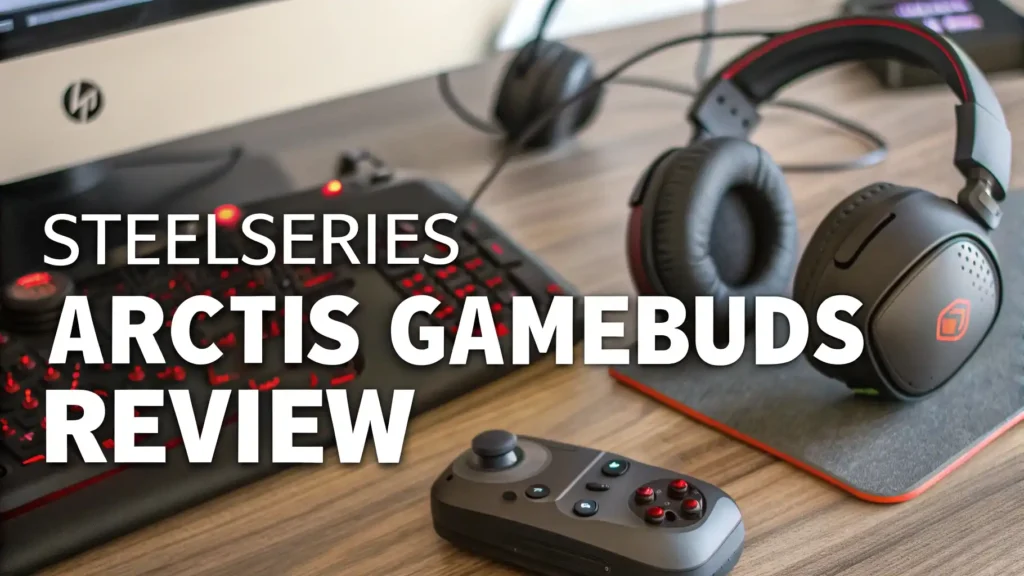
SteelSeries Arctis GameBuds Review in 2026
Are you tired of switching between multiple headsets for different gaming platforms? Do you want exceptional audio quality without the bulk of traditional gaming headsets?
The SteelSeries Arctis GameBuds might be the answer you have been looking for. These gaming earbuds promise to deliver professional-grade sound, active noise cancellation, and seamless connectivity across all your devices.
In this detailed review, we will explore everything about these earbuds and help you decide if they deserve a spot in your gaming setup.
Key Takeaways:
- Dual Connectivity Options: The GameBuds offer both 2.4GHz wireless connection for gaming and Bluetooth 5.3 for music and calls. You can switch between them instantly without disconnecting.
- Impressive Battery Life: Get up to 10 hours of continuous use on a single charge, with an additional 30 hours from the charging case. That means 40 hours total before you need to plug in.
- Active Noise Cancellation: These earbuds feature true ANC technology that blocks out distractions, plus a transparency mode when you need to hear your surroundings.
- 100+ Audio Presets: Access over 100 game-specific audio profiles through the Arctis Companion app. Each preset is tuned for different games to give you a competitive edge.
- Quick Charge Feature: Just 15 minutes of charging gives you 3 hours of playtime. The case also supports Qi wireless charging for added convenience.
- Multi-Platform Compatibility: Works seamlessly with PlayStation 5, PlayStation 4, PC, Nintendo Switch, and mobile devices. One pair of earbuds for all your gaming needs.

SteelSeries Arctis GameBuds: First Impressions and Design
The moment you unbox the SteelSeries Arctis GameBuds, you notice the premium build quality. The earbuds come in a sleek charging case that fits easily in your pocket. The case feels solid and durable, with a matte finish that resists fingerprints. You get three different ear tip sizes in the box, ensuring a comfortable and secure fit for extended gaming sessions.
The earbuds themselves are lightweight and ergonomically designed. Each earbud weighs just a few grams, so you barely notice them during long gaming marathons. The button controls on each earbud are easy to locate by touch, allowing you to adjust volume, skip tracks, or activate ANC without fumbling around. The overall aesthetic is modern and understated, with the SteelSeries logo subtly placed on each earbud.
What really stands out is the IP55 water resistance rating. This protection means your earbuds can handle sweat during intense gaming sessions and even light rain if you wear them outside. The included USB-C dongle is tiny and plugs directly into your device, providing that crucial low-latency connection that gamers demand.
Sound Quality: Where the Arctis GameBuds Truly Shine
Sound quality makes or breaks any audio device, and the Arctis GameBuds deliver impressively. These earbuds feature 6mm neodymium magnetic drivers that produce rich, detailed audio across the entire frequency range. The bass response is punchy without being overwhelming, which is perfect for hearing enemy footsteps in competitive shooters.
The mid-range clarity ensures that dialogue and in-game communications come through crystal clear. You will never miss important callouts from your teammates. The high frequencies are crisp and detailed, bringing out the subtle sounds in your game environment. Whether you are playing a story-driven adventure or a competitive multiplayer game, the audio presentation is excellent.
What sets these earbuds apart is the 360-degree spatial audio feature. This technology creates a three-dimensional soundscape around you, making it easier to pinpoint enemy locations. In games like Call of Duty or Valorant, this competitive advantage can be the difference between winning and losing. The spatial audio works across all platforms, though it is most impressive on PlayStation 5 with compatible titles.
The frequency response ranges from 20Hz to 20,000Hz, covering the full spectrum of human hearing. This wide range ensures you hear every detail, from the deepest explosions to the highest-pitched effects. Music listening is also enjoyable on these earbuds, with a balanced signature that works well for most genres.
Active Noise Cancellation and Transparency Mode
The Active Noise Cancellation on the Arctis GameBuds is genuinely effective. When you activate ANC, it blocks out consistent background noise like air conditioning, traffic, or noisy roommates. This feature helps you focus completely on your game without distractions.
The ANC uses multiple microphones to sample ambient sound and create opposite sound waves that cancel it out. The technology works best with low-frequency sounds, reducing them significantly. Mid-range noises are also dampened, though sudden loud sounds will still come through. This is actually a safety feature, ensuring you do not miss important sounds like alarms.
When you need to hear your surroundings, the transparency mode is just one tap away. This mode uses the external microphones to pipe ambient sound into your ears. It works great when someone wants to talk to you or when you need to hear announcements. The transparency mode sounds natural, without the weird robotic quality some earbuds have.
You can customize the ANC strength through the companion app, choosing between maximum noise cancellation or a more balanced mode that saves battery. The app also offers different ANC profiles for various environments, automatically adjusting based on your surroundings.
Top 3 Alternatives for SteelSeries Arctis GameBuds


Battery Life: Gaming All Day Without Worries
Battery life is a critical factor for wireless gaming earbuds, and the Arctis GameBuds excel in this department. SteelSeries claims up to 10 hours of use per charge with the 2.4GHz connection active, Bluetooth connected, ANC off, and volume at 100%. Real-world testing confirms these numbers are accurate.
With ANC enabled, battery life drops to around 7 to 8 hours, which is still impressive for gaming earbuds. If you use Bluetooth alone without the gaming dongle, you can squeeze out even more playtime. The charging case provides an additional 30 hours, bringing the total to 40 hours before you need to find a power outlet.
The quick charge feature is a lifesaver when you forget to charge overnight. Just 15 minutes in the case gives you approximately 3 hours of gaming time. A full charge from empty takes about 90 minutes for the earbuds and case combined. The case supports both USB-C wired charging and Qi wireless charging, so you can charge it on any compatible wireless charging pad.
Battery indicators on the case show you exactly how much power remains. Four LED lights display the case charge level, while the app shows you the individual earbud battery percentages. This detailed information helps you plan your charging schedule and avoid unexpected shutdowns mid-game.
Microphone Quality: Clear Communication for Team Play
Gaming requires clear communication, and the Arctis GameBuds deliver with their dual-microphone system on each earbud. These microphones use advanced noise reduction and voice isolation technology to ensure your teammates hear you clearly, even in noisy environments.
The microphones perform surprisingly well for earbuds. Your voice comes through naturally without sounding tinny or muffled. The AI-enhanced processing filters out background noise like keyboard clicks, mouse movements, and ambient sounds. Your teammates will hear you speaking clearly, not your household chaos.
In quiet environments, the mic quality is excellent, rivaling some dedicated gaming headsets. In noisier situations, the microphones work harder to isolate your voice. While they do a good job, some background noise will still come through if it is very loud. The microphones automatically adjust their sensitivity based on ambient noise levels.
The sidetone feature lets you hear your own voice in the earbuds while speaking. This prevents you from shouting because you cannot hear yourself. You can adjust the sidetone level in the companion app to find the perfect balance. Some users prefer strong sidetone, while others want minimal feedback.
Connectivity: Seamless Switching Between Devices
The dual connectivity system is one of the GameBuds’ strongest features. The 2.4GHz wireless connection provides ultra-low latency for gaming, ensuring audio stays perfectly synchronized with on-screen action. The included USB-C dongle works with any device that has a USB-C port, including PlayStation 5, PC, Nintendo Switch, and many mobile devices.
The Bluetooth 5.3 connection handles everything else. You can connect to your smartphone, laptop, or tablet for music, podcasts, and calls. The Quick-Switch feature lets you seamlessly move between the gaming connection and Bluetooth. Press and hold the button on the case, and you instantly switch modes.
The pairing process is straightforward. For the 2.4GHz connection, just plug in the dongle and power on the earbuds. They connect automatically. For Bluetooth, hold the pairing button until the LED flashes, then select the GameBuds from your device’s Bluetooth menu. The earbuds remember multiple paired devices and automatically reconnect when in range.
Connection stability is excellent across both modes. The 2.4GHz connection maintains a strong signal up to 30 feet from the dongle, even through walls. Bluetooth range is similar, working reliably within typical home environments. Audio quality remains consistent without dropouts or interference during normal use.
Companion App: Customization at Your Fingertips
The Arctis Companion app transforms these earbuds from good to great. Available on mobile devices and PC, the app gives you complete control over every aspect of your audio experience. The interface is clean and intuitive, making it easy to find the settings you need.
The app’s headline feature is access to over 100 game-specific audio presets. These presets are created by SteelSeries audio engineers and professional gamers, tuned specifically for popular titles. You will find presets for games like Call of Duty, Fortnite, Apex Legends, FIFA, and many more. Each preset adjusts the EQ, compression, and other parameters to highlight important audio cues in that specific game.
You can also create your own custom EQ profiles with the 10-band equalizer. The app includes preset starting points like “Bass Boost,” “Treble Boost,” and “Flat,” which you can modify to your preference. Real-time audio preview lets you hear changes as you make them. Save multiple custom profiles and switch between them instantly.
The app also controls ANC settings, letting you adjust noise cancellation strength and transparency mode intensity. Button customization lets you reassign the controls on each earbud to match your preferences. You can also check battery status, update firmware, and manage connected devices all from one central location.
Comfort and Fit: Made for Marathon Gaming Sessions
Comfort is crucial for any earbuds you plan to wear for hours, and the Arctis GameBuds score high marks here. The ergonomic design fits naturally in your ear canal without creating pressure points. The earbuds sit flush with your ears, so they do not stick out awkwardly or catch on clothing.
The three sizes of silicone ear tips ensure you find the perfect fit. The tips create a good seal that improves both sound quality and ANC effectiveness. The seal also prevents the earbuds from falling out during movement. Many users find the medium tips work best, but having options is important because everyone’s ears are different.
The lightweight construction means you can wear these earbuds for extended periods without fatigue. Each earbud weighs just a few grams, so there is no heavy feeling pulling on your ears. This makes them ideal for long gaming sessions, work calls, or all-day wear.
Some users with smaller ears report that even the smallest tips feel slightly large at first, but most adjust within a few days. The earbuds do not cause pain or irritation even after 4 to 5 hours of continuous use. The breathable design prevents moisture buildup, keeping your ears comfortable even during intense gaming.
Gaming Performance Across Different Platforms
These earbuds truly shine when it comes to multi-platform compatibility. On PlayStation 5, they work flawlessly with the console’s 3D audio features, creating an immersive soundscape that enhances every game. The PS5-specific audio presets in the app are particularly impressive, optimized for popular PlayStation titles.
For PC gaming, the low-latency 2.4GHz connection ensures perfect audio sync with your gameplay. The Sonar software provides even deeper customization on Windows, with parametric EQ and virtual surround sound options. You get access to more advanced features compared to the mobile app, making PC the most customizable platform.
Nintendo Switch gamers will appreciate the USB-C dongle, which plugs directly into the console’s bottom port. This provides much better audio than Bluetooth, with no lag or connection issues. The GameBuds work in both handheld and docked modes, making them perfect for portable gaming.
Mobile gaming on Android and iOS benefits from the dual connection setup. Use the 2.4GHz dongle with a USB-C adapter for competitive mobile games, or switch to Bluetooth for casual gaming and music. The earbuds automatically adjust audio processing based on the connection type for optimal performance.
Value for Money: Are These Earbuds Worth the Investment?
At $127.99 to $159.99 depending on sales, the SteelSeries Arctis GameBuds sit in the mid-to-premium price range for gaming earbuds. This pricing positions them against competitors like the Sony INZONE Buds at $238 and the ASUS ROG Cetra at $219.99. The Arctis GameBuds offer comparable features at a more accessible price point.
When you consider everything you get – dual connectivity, ANC, 40-hour total battery life, 100+ audio presets, multi-platform support, and excellent sound quality – the value proposition becomes clear. You are essentially replacing multiple headsets with one versatile pair of earbuds that works everywhere.
The build quality justifies the price. These earbuds feel premium and durable, not like budget products. The included accessories are high quality, and the case feels solid. SteelSeries backs the GameBuds with a warranty and generally has good customer service reputation.
For serious gamers who play across multiple platforms, these earbuds can save money compared to buying platform-specific headsets. For casual gamers who also want quality earbuds for music and calls, the versatility makes them a smart investment. The main question is whether you prefer earbuds over traditional headsets – if you do, these are among the best available.
Pros and Cons: The Complete Picture
Let’s break down the strengths and weaknesses to give you a balanced view of the Arctis GameBuds.
The advantages include exceptional multi-platform compatibility, truly useful game-specific audio presets, impressive battery life for the category, effective ANC for focused gaming, comfortable fit for extended use, low latency 2.4GHz connection, quick charge capability, Qi wireless charging support, excellent microphone quality for earbuds, and a comprehensive companion app with deep customization.
The disadvantages include a higher price than budget gaming earbuds, the USB-C dongle not working with older devices, ANC reducing battery life significantly, some users finding the fit takes time to adjust to, the case being slightly bulky compared to music earbuds, and no wired connection option for when batteries die.
These cons are relatively minor when weighed against the overall package. Most issues come down to personal preference rather than fundamental flaws. If you need maximum battery life, you can disable ANC. If you have older devices, adapters are available. The pros significantly outweigh the cons for most users.
Comparing the Arctis GameBuds to Competitors
The gaming earbud market has grown significantly in recent years. The Sony INZONE Buds offer similar features with 360 Spatial Sound and noise cancellation but cost $238, making them significantly more expensive. They provide 48 hours total battery life, which is better than the GameBuds, but most users find 40 hours more than sufficient.
The ASUS ROG Cetra True Wireless SpeedNova at $219.99 offers Dirac Opteo audio processing and bone-conduction microphones. They claim 46 hours of battery life and feature adaptive ANC. However, user reviews suggest they are less comfortable for extended wear compared to the SteelSeries option.
Budget alternatives like the IAMJOY Gaming Earbuds at around $20 to $40 provide basic gaming features but lack the audio quality, ANC, and premium features that make the Arctis GameBuds special. For serious gamers, the extra investment in the SteelSeries product pays off in audio fidelity and features.
The GameBuds strike an excellent balance between price and performance. They compete directly with premium options while costing less. The comprehensive feature set makes them more versatile than cheaper alternatives. For most gamers, they hit the sweet spot of quality and value.
Who Should Buy the SteelSeries Arctis GameBuds?
These earbuds are ideal for multi-platform gamers who switch between console, PC, and mobile gaming regularly. If you own a PlayStation 5, gaming PC, and Nintendo Switch, having one set of earbuds for all platforms is incredibly convenient. The quick-switch functionality makes transitions seamless.
Competitive gamers will appreciate the low-latency connection and game-specific audio presets. The ability to hear subtle audio cues like footsteps and reloads can give you a competitive edge. The spatial audio helps with positioning enemies in 3D space.
Commuters and travelers who game will love the compact form factor and excellent battery life. The ANC blocks out airplane noise and public transportation sounds. You can game on your Switch during your commute, then switch to Bluetooth for music when you walk.
Content creators who need versatile audio solutions will find value in the high-quality microphone and multi-device connectivity. You can use them for gaming streams, video calls, and general content consumption. The comfortable fit makes them suitable for all-day wear.
These earbuds are not ideal for users who exclusively game on one platform with no need for portability. A dedicated headset might serve better in that case. They also are not the best choice for audiophiles seeking the absolute highest fidelity – dedicated audiophile earbuds would be better, though the GameBuds are excellent for gaming-focused listening.
Frequently Asked Questions
Can I use the SteelSeries Arctis GameBuds with Xbox?
Yes, you can use these earbuds with Xbox Series X/S and Xbox One through the 2.4GHz USB-C dongle, but you may need a USB-C to USB-A adapter since Xbox consoles use USB-A ports. There is also an Xbox-specific version of the GameBuds available that comes with the appropriate adapter and Xbox-optimized audio presets in the companion app.
How long does it take to fully charge the GameBuds and case?
A complete charge from empty takes approximately 90 minutes for both the earbuds and charging case. If you use the quick charge feature, just 15 minutes of charging provides about 3 hours of playtime. The case supports both USB-C wired charging and Qi wireless charging for convenience.
Do the Arctis GameBuds work while charging?
No, you cannot use the earbuds while they are in the charging case. However, with up to 10 hours of battery life per charge and quick charging capability, this is rarely an issue. The long battery life means you can charge them during natural breaks without interrupting your gaming sessions.
Can I use just one earbud at a time?
Yes, the GameBuds support mono mode, allowing you to use a single earbud while the other charges. This feature is useful if you need to remain aware of your surroundings or if you want to extend your total listening time by alternating earbuds. Both earbuds function independently in this mode.
Are the SteelSeries Arctis GameBuds good for music listening?
Absolutely. While they are optimized for gaming, the GameBuds deliver excellent sound quality for music. The balanced audio profile works well across various music genres. The companion app’s equalizer lets you adjust the sound signature to match your music preferences. The ANC also enhances music listening in noisy environments.
How do I update the firmware on my Arctis GameBuds?
Firmware updates happen through the Arctis Companion app on your mobile device or PC. When an update is available, the app will notify you. Simply keep the earbuds in the case with the lid open, ensure they are charged at least 50%, and follow the on-screen instructions. The update process usually takes 5 to 10 minutes and should not be interrupted.