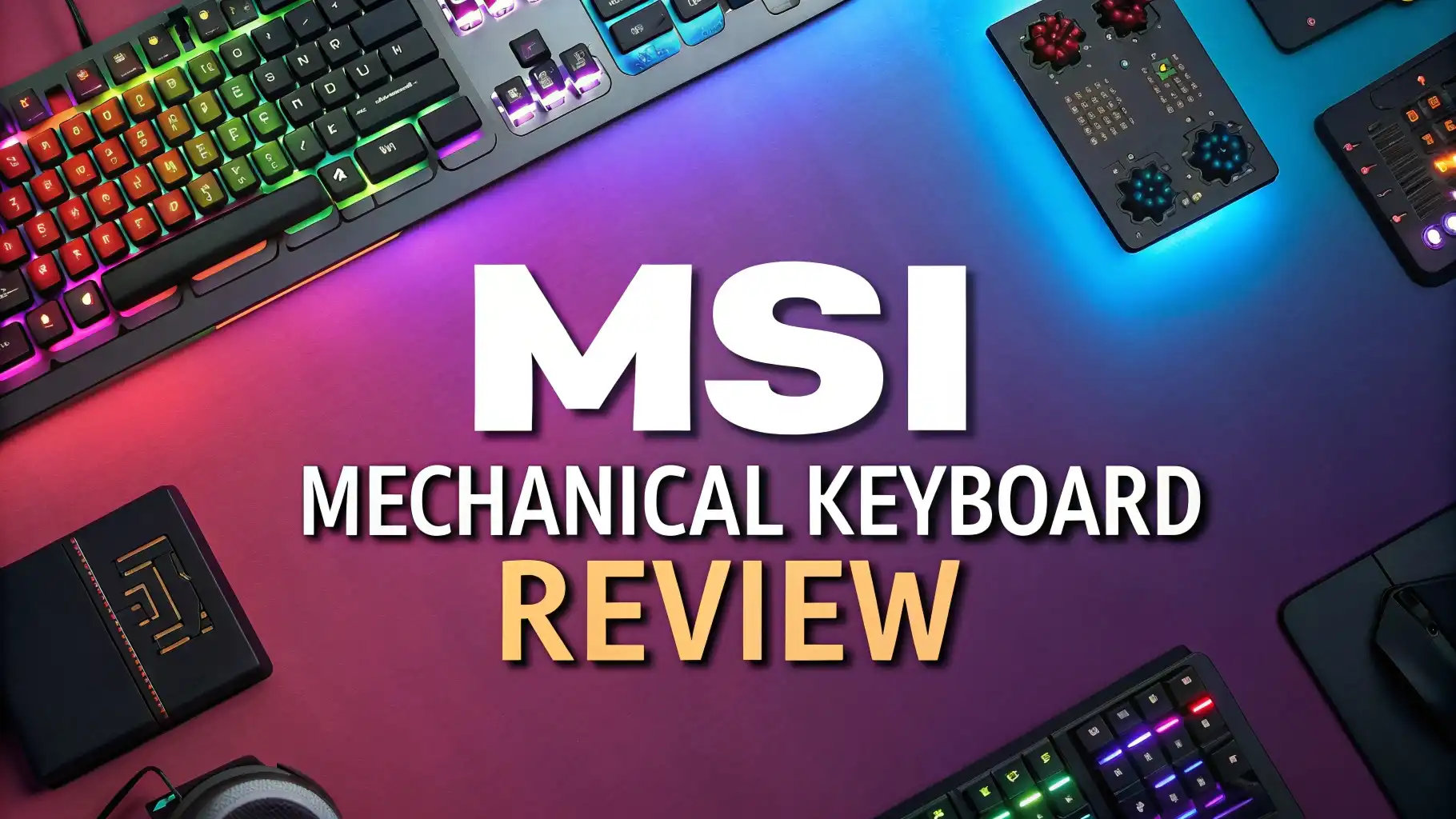
MSI Mechanical Keyboard Review 2026: Is It Worth Buying?
So you are looking for a mechanical keyboard that does not cost a fortune but still feels like a premium piece of gear? You have landed in the right place.
The MSI Vigor GK50 Elite has been one of the most talked-about mechanical keyboards in the budget-to-mid-range category, and in 2026 it still holds its ground quite well.
Whether you are a competitive gamer, a casual player, or someone who types all day for work, this keyboard promises to deliver something for everyone.
Key Takeaways
- The MSI Vigor GK50 Elite features Kailh Box White or Box Red switches, giving users a choice between a clicky tactile feel and a smooth linear experience. The switches are IP56 rated for dust and water resistance, which is rare at this price point.
- Build quality is strong for the price. The keyboard uses an aircraft-grade aluminum top plate that adds stiffness and a premium feel without making the board too heavy to move around.
- Per-key RGB Mystic Light delivers bright, vivid colors across the full layout. You can control lighting effects directly from the keyboard without needing to open any software at all.
- Full N-key rollover and anti-ghosting are standard on this board. That means every key press registers correctly, even during the most intense gaming sessions with multiple keys held down at once.
- The MSI Steel Series app integration exists but has a reputation for being a bit buggy. Most users prefer to control lighting effects directly from the keyboard using the built-in controls.
- The price sits in the mid-range zone, making it a solid option for gamers who want a real mechanical keyboard without spending over $100 on something from Corsair or Razer.

Last update on 2026-07-28 / Affiliate links / Images from Amazon Product Advertising API Some of the links on this website are affiliate links, which means that at no additional cost to you, I earn a commission if you click through and make a purchase. I only recommend products and services that I believe will add value to my readers. Thank you for your support!
What Is the MSI Vigor GK50 Elite Mechanical Keyboard
The MSI Vigor GK50 Elite is a full-sized mechanical gaming keyboard from MSI. It comes with either Kailh Box White switches for a clicky, tactile response or Kailh Box Red switches for a smooth, linear feel.
MSI also made a TKL version of this keyboard for people who want a more compact setup without the number pad on the right side.
This keyboard targets gamers and typists who want real mechanical switches, solid build quality, and customizable RGB lighting, all at a price that does not break the bank. The GK50 Elite fits comfortably in the budget to mid-range category, going up against boards from brands like Redragon, Corsair, and Logitech.
MSI released this board as part of their Vigor lineup, which is their line of gaming peripherals. The keyboard supports full N-key rollover, has a detachable USB Type-C cable, and includes three adjustable tilt angles so you can find a comfortable typing position quickly.
Design and Build Quality of the MSI Vigor GK50 Elite
One of the first things you notice when you pick up the MSI Vigor GK50 Elite is how solid it feels in your hands. The top plate is made from aircraft-grade aluminum, which gives the keyboard a rigid, premium feel that you do not usually find at this price level. The base is plastic, but it does not flex or creak under pressure.
The keycaps are made from ABS plastic with a matte coating on the top surface. They feel smooth under the fingers and the legends are clear and easy to read. However, over a long period of time, ABS keycaps tend to develop a shine from repeated use, so you may want to replace them later with PBT caps if you care about that kind of thing.
The keyboard comes in a clean black and silver color scheme that looks great on most desk setups. The font used for the key legends is simple and modern, which gives the board a refined look that does not scream gamer keyboard too loudly.
One standout feature here is the detachable USB Type-C cable. This is a thoughtful addition because if your cable gets damaged, you can simply replace it without having to buy a brand new keyboard. The board also has three tilt levels at 0 degrees, 3 degrees, and 7 degrees, so you can adjust the angle to match your typing posture.
Switch Options and Typing Feel
The switches are the heart of any mechanical keyboard, and the MSI Vigor GK50 Elite does not disappoint. The keyboard comes with Kailh Box switches, which are a reliable and well-respected choice in the mechanical keyboard world. You get two main options.
The Kailh Box White switch delivers a clicky, tactile experience. Each keypress produces an audible click sound along with a physical bump, letting you know the key has registered. These switches have a 45g actuation force and a 1.8mm actuation point, which makes them feel crisp and responsive for both typing and gaming.
The Kailh Box Red switch is the linear option. It is smooth from top to bottom with no click or tactile bump. This makes it quieter and faster for gaming, especially for actions that require rapid, repeated keypresses.
What makes these switches special compared to regular Kailh switches is the box-shaped stem design. This design protects the internals from dust and moisture, giving the switch an IP56 rating for water and dust resistance.
A slight accidental spill on this keyboard is unlikely to cause damage, which is a very useful feature in real-world use. The switches are rated for 70 million keystrokes, which means they should last for many years of daily use.
Top 3 Alternatives for MSI Mechanical Keyboard


Last update on 2026-07-28 / Affiliate links / Images from Amazon Product Advertising API Some of the links on this website are affiliate links, which means that at no additional cost to you, I earn a commission if you click through and make a purchase. I only recommend products and services that I believe will add value to my readers. Thank you for your support!

Last update on 2026-07-28 / Affiliate links / Images from Amazon Product Advertising API Some of the links on this website are affiliate links, which means that at no additional cost to you, I earn a commission if you click through and make a purchase. I only recommend products and services that I believe will add value to my readers. Thank you for your support!

Last update on 2026-07-28 / Affiliate links / Images from Amazon Product Advertising API Some of the links on this website are affiliate links, which means that at no additional cost to you, I earn a commission if you click through and make a purchase. I only recommend products and services that I believe will add value to my readers. Thank you for your support!
RGB Lighting and Customization
The RGB Mystic Light system on the MSI Vigor GK50 Elite is one of its most visually impressive features. The keyboard uses per-key RGB illumination, meaning every single key has its own dedicated LED that you can control individually. The result is a bright, vibrant light show that looks great in any dark setup.
You can change lighting effects, colors, and brightness directly from the keyboard using the built-in function key shortcuts. MSI includes several preset lighting modes like a wave effect, reactive typing mode, and static color options. These work right out of the box without installing any software.
For deeper customization, you can use the MSI Mystic Light or SteelSeries GG software to create your own lighting profiles and save custom macros.
However, it is worth noting that many users and reviewers have reported that the software can be buggy and unreliable at times. The good news is that the keyboard works perfectly well without the software, so this is not a dealbreaker.
The lighting is consistent and even across all keys, which is not always the case with budget keyboards. The RGB bleeds slightly around the edges of the keycaps, creating a nice glow effect on the desk surface below the board.
Gaming Performance of the MSI Vigor GK50 Elite
For gaming, the MSI Vigor GK50 Elite performs very well. The board supports full N-key rollover, which means every single key registers independently, no matter how many keys you hold down at the same time. This is important for gaming scenarios where you might be pressing movement keys, ability keys, and modifier keys all at once.
Anti-ghosting is active across all 104 keys, so you never have to worry about missed inputs during intense gameplay. Response times feel snappy and the 1.8mm actuation point on the Box White switches means your keypresses register quickly.
During heavy gaming sessions in fast-paced games like first-person shooters and battle royales, the keyboard handles everything thrown at it without any notable issues.
The stable aluminum base does not slide around during rapid keypresses, which is something cheap keyboards sometimes struggle with. The rubber feet on the bottom do a good job of keeping the board in place on smooth desk surfaces.
The compact switch housing of the Kailh Box design also contributes to a more stable keystroke, reducing wobble and improving accuracy compared to standard Kailh switches. This translates to a more precise and confident feel during gameplay.
Typing Experience for Everyday Use
While the MSI Vigor GK50 Elite is marketed as a gaming keyboard, it handles everyday typing tasks very well too. The Kailh Box White switches provide satisfying tactile feedback that makes typing feel engaging and accurate. Every keypress gives you clear confirmation that the key registered, which reduces typing errors over long writing sessions.
The matte-coated ABS keycaps feel comfortable under the fingers and the key spacing follows a standard layout, so there is no adjustment period if you are switching from another full-sized keyboard. The three tilt angle options help you set up the keyboard at the angle that feels most natural for your wrist position.
One thing to keep in mind is that the Box White switches are audibly clicky. In a home office setting or during late-night sessions, the clicking sound is noticeable. If you share a space with others or prefer quiet typing, the Box Red switch variant is the better choice, or you might want to look at a dedicated silent keyboard like the MSI Strike 600.
For writers, students, or anyone who types for several hours daily, the GK50 Elite is a capable and enjoyable board. The switch durability rating of 70 million keystrokes means it handles heavy daily use for years without any decline in performance.
Software and Macro Support
MSI pairs the Vigor GK50 Elite with its MSI Center software for macro programming and advanced lighting customization. The software allows you to assign custom macros to specific keys, adjust per-key RGB colors, and create lighting profiles that sync with other MSI hardware on your desk.
The macro functionality works as expected and is useful for gamers who want to automate complex in-game actions or set up productivity shortcuts for work. You can store multiple profiles and switch between them using the built-in profile key on the keyboard.
However, as mentioned in the RGB section, the software experience is not perfect. Some users report crashes, slow loading times, and occasional sync issues between the software and the keyboard. These problems are not universal and many users report no issues at all, but it is something to be aware of before you buy.
The positive side is that the keyboard functions completely normally without the software installed. All basic functions, lighting presets, and media controls work through hardware-based shortcuts using the function key row. So even if you decide to skip the software entirely, you will not lose any essential features.
Connectivity and Compatibility
The MSI Vigor GK50 Elite connects to your computer via a detachable braided USB Type-A to USB Type-C cable. The cable is 1.8 meters long, which provides enough length for most desk setups without creating a tangled mess. The detachable nature of the cable is a big practical advantage for portability and storage.
Compatibility is broad. The keyboard works with Windows 7, 8, 10, 11, and macOS systems. You simply plug it in and the operating system recognizes it immediately as a standard HID keyboard device. No driver installation is required for basic use.
The keyboard does not have a wireless option, which is something to keep in mind if you prefer a cable-free desk. For most gamers, a wired connection is preferred anyway because it eliminates any possibility of input lag or connectivity drops during critical gaming moments.
There is no USB passthrough port on this keyboard, which some users might miss if they like to plug in a mouse or charging cable directly into the keyboard. Overall, the connectivity setup is clean, simple, and reliable for the vast majority of users.
Noise Level and Sound Profile
Noise is one of the biggest factors people consider before buying a mechanical keyboard. The MSI Vigor GK50 Elite in Box White switch configuration produces an audible click sound with each keypress. This is the classic mechanical keyboard sound that many people love, but it does mean the keyboard is not suitable for quiet shared environments.
The Box White switches produce a sharp, crisp click that is satisfying to hear during gaming and typing. The sound is clear and defined rather than hollow or rattly, which is a sign of good switch and housing quality.
If you want a quieter version, the Box Red switch variant is significantly quieter since it has no click mechanism. The keypresses produce a soft thud rather than an audible click, making it more suitable for office use or shared spaces.
MSI also offers the Strike 600 SILENT keyboard for people who need a fully silent mechanical experience. That board uses Kailh Midnight Pro Silent Tactile switches rated at below 35dB, which is barely audible at all. But if you are happy with the satisfying sound of clicks, the Box White GK50 Elite delivers one of the best sounding experiences in its price range.
Price and Value for Money
The MSI Vigor GK50 Elite sits in the mid-range pricing zone, typically around $80 to $120 depending on the retailer and variant. For that price, you get a full-sized mechanical keyboard with aircraft-grade aluminum construction, IP56-rated Kailh Box switches, per-key RGB Mystic Light, full N-key rollover, and a detachable Type-C cable.
Compared to budget mechanical keyboards under $50, the GK50 Elite is in a different league in terms of switch quality, build durability, and feature set. Compared to premium boards from Corsair and Razer that cost $130 and above, the MSI offers most of the same core functionality at a lower entry price.
The value proposition is strong for gamers and typists who want a genuine premium mechanical experience without spending top dollar. The switch IP rating, aluminum plate, and per-key RGB combination is genuinely hard to match at this price point from competitors.
If budget is your primary concern, you can find the TKL version for slightly less, which drops the number pad and gives you a more compact form factor. Either way, the GK50 Elite gives you a lot of keyboard for the money you spend.
Who Should Buy the MSI Vigor GK50 Elite
The MSI Vigor GK50 Elite is a great fit for a specific type of buyer. Here is who will get the most out of this keyboard:
Gamers on a budget who want real mechanical switches and not membrane or rubber dome alternatives will love this board. The snappy Kailh Box switches and full N-key rollover make it a capable gaming tool that does not hold you back in competitive play.
Typists and writers who enjoy a tactile, clicky feedback from their keyboard will appreciate the Box White switch variant. The typing experience is genuinely satisfying and the aluminum build adds a premium feel that makes long sessions more enjoyable.
People who want durable hardware get peace of mind from the IP56 water and dust resistance and the 70 million keystroke switch rating. This board is built to last through years of daily heavy use.
If you work in a shared or public space, the Box White version may be too noisy for your environment. In that case, consider the Box Red version or one of the quieter alternatives listed above.
People who want wireless connectivity or a hot-swappable switch board may want to look at newer MSI Forge series keyboards or alternatives that offer those features.
Final Verdict
The MSI Vigor GK50 Elite is a genuinely excellent mechanical keyboard for anyone looking for solid performance, strong build quality, and vivid RGB lighting at a fair price.
The Kailh Box switches stand out as the highlight of the entire package. They feel precise, they are durable, and the IP56 rating gives them a practical advantage that most budget keyboards cannot match.
The aircraft-grade aluminum top plate adds a premium touch to what is otherwise a mid-range product, and the per-key RGB Mystic Light system delivers a light show that rivals keyboards costing twice as much.
Yes, the software has its quirks and the ABS keycaps will eventually develop shine. But these are minor complaints for a keyboard that gets the fundamentals so right.
In 2026, the MSI Vigor GK50 Elite remains one of the smartest value picks in its category. If you are a gamer or a typist who wants a real mechanical keyboard without overspending, this board should absolutely be on your shortlist.
Frequently Asked Questions
What switches does the MSI Vigor GK50 Elite use?
The MSI Vigor GK50 Elite uses Kailh Box switches. The most popular variant comes with Kailh Box White switches, which provide a clicky tactile feedback. A Box Red linear switch variant is also available for users who prefer a quieter, smoother keypress experience. Both switch types carry an IP56 rating for dust and water resistance and are rated for 70 million keystrokes.
Is the MSI Vigor GK50 Elite good for gaming?
Yes, the MSI Vigor GK50 Elite is a very capable gaming keyboard. It features full N-key rollover and anti-ghosting across all 104 keys. The 1.8mm actuation point on the Box White switches makes keypresses feel snappy and responsive. The aluminum base keeps the keyboard stable during fast-paced gaming sessions. Most gamers find it performs reliably in demanding games including shooters, MOBAs, and RPGs.
Does the MSI Vigor GK50 Elite need software to work?
No, the keyboard works without any software installed. All core functions including lighting presets, media controls, and profile switching are accessible through built-in function key shortcuts. The MSI Center software is optional and mainly used for advanced macro programming and custom per-key RGB lighting configurations.
Is the MSI Vigor GK50 Elite loud?
The Box White switch version is noticeably loud because of its clicky mechanism. It produces a sharp clicking sound similar to classic Cherry MX Blue switches. If you need a quieter experience, choose the Box Red switch variant, which produces only a soft thud. For near-silent typing, the MSI Strike 600 with Kailh Midnight Pro Silent switches is the recommended MSI option.
Does the MSI Vigor GK50 Elite have a wireless version?
No, the MSI Vigor GK50 Elite is a wired-only keyboard. It connects via a detachable USB Type-A to Type-C braided cable. If you need wireless connectivity, you should look at the MSI Forge GK600 TKL Wireless or the newer MSI Strike Pro Wireless, both of which offer Bluetooth and 2.4GHz wireless modes.
What is the actuation force of the Kailh Box White switches?
The Kailh Box White switches on the MSI Vigor GK50 Elite have a 45g actuation force and a 1.8mm actuation point. This makes them feel light and fast compared to many standard gaming switches. The total travel distance is 3.6mm, which is standard for most mechanical switches.
Can I replace the keycaps on the MSI Vigor GK50 Elite?
Yes, the MSI Vigor GK50 Elite uses a standard layout with MX-compatible switch stems, so you can replace the keycaps with any standard MX-compatible keycap set. This is great news if you want to upgrade from the stock ABS keycaps to higher quality PBT keycaps for better durability and texture over time.

Hello everyone my name is Alenya and i am a gadget discovering Enthusiast 🐻🐻