Hue Motion Sensor Review 2026: Worth the Price?
Imagine walking into a dark room and having your lights turn on automatically, without touching a single switch. That is exactly what the Hue Motion Sensor promises to do.
In 2026, smart home automation is no longer a luxury. It is a practical upgrade that saves energy, adds convenience, and makes your home feel genuinely intelligent.
But does the Philips Hue Motion Sensor actually live up to the hype? Is it fast enough? Is it accurate? And most importantly, is it worth your money in 2026?
Key Takeaways
- The Hue Motion Sensor works exclusively with Philips Hue lights and requires a Hue Bridge to function. It uses Zigbee wireless technology to communicate with the bridge and trigger your lights instantly.
- Detection range reaches up to 12 meters (39 feet) with a wide 160-degree horizontal field of view. This covers most standard rooms with ease.
- The sensor includes both a motion detector and an ambient light sensor. It is smart enough to know when natural light is already present and will skip turning on your lights during the day if it is bright enough.
- Battery life is impressive. Two included AAA batteries can last up to two years under normal usage conditions. Many users on Reddit reported batteries still running strong after three or more years.
- Setup takes only a few minutes and requires no wiring. You simply pull out the battery tab, open the Hue app, and follow the on-screen steps. The sensor can be placed on a flat surface or mounted on a wall.
- It works with Amazon Alexa, Google Assistant, and Apple HomeKit through automation routines. This lets you expand its control beyond just Hue lights to other smart home devices.

Last update on 2026-07-28 / Affiliate links / Images from Amazon Product Advertising API Some of the links on this website are affiliate links, which means that at no additional cost to you, I earn a commission if you click through and make a purchase. I only recommend products and services that I believe will add value to my readers. Thank you for your support!
What Is the Hue Motion Sensor?
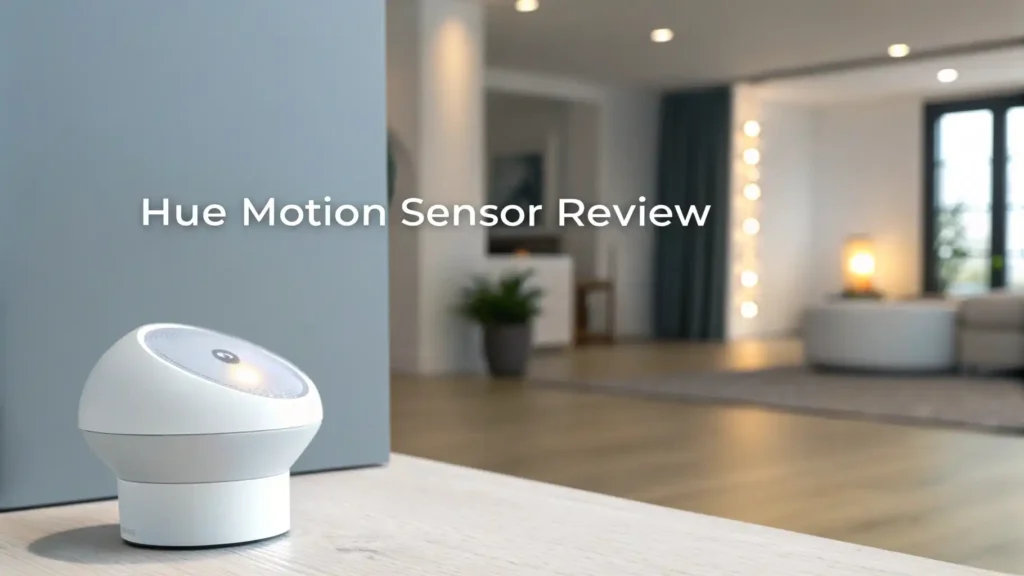
The Philips Hue Motion Sensor is a compact, battery-powered smart sensor that detects movement and uses that information to control your Philips Hue lights. When someone enters a room, the sensor picks up the motion and sends a signal through your Hue Bridge to turn on the lights. When no motion is detected for a set period, the lights automatically switch off.
This device is designed specifically for the Philips Hue ecosystem. It does not work as a standalone security alarm or a universal smart home sensor. Its primary job is to make your lighting respond to people, and it does that job very well.
The Hue Motion Sensor also includes a built-in ambient light sensor. This means the device can tell whether a room is already bright enough from natural sunlight. If the room is well-lit, the sensor will hold back from turning on your Hue lights. This feature helps save energy and avoids unnecessary light triggers during the day.
A built-in temperature sensor is also part of the package. While this data does not directly control your lighting, it can be accessed within the Hue app for home monitoring purposes. This small addition adds real value for users who want a broader picture of their home environment.
Design and Build Quality
The Hue Motion Sensor has a clean, minimalist look that fits naturally into any home setting. It is a small white plastic square measuring 2.1 x 2.1 x 1.1 inches and weighing just 0.17 pounds. You will barely notice it sitting on a shelf or mounted on a wall.
The front of the sensor holds three key components. There is a round passive infrared (PIR) lens for motion detection, a small ambient light sensor, and an LED status indicator. The LED blinks orange during setup, turns green when the sensor is identified by the app, and flashes red when the battery runs low or the device loses its bridge connection.
The build feels solid for the price. The plastic casing is smooth and clean without being cheap or flimsy. Around the back, you will find a reset button and a circular mounting base that snaps onto a wall bracket.
Installation options are flexible. You can rest the sensor on any flat surface, such as a bookshelf or countertop, or you can mount it directly on a wall using the included bracket and screws.
One thing to note is that the sensor is rated IP42, which means it offers basic protection against solid objects and dripping water. This makes it suitable for indoor use only. If you need an outdoor sensor, Philips Hue offers a separate outdoor model.
Technical Specifications at a Glance
Here is a clear breakdown of the core specifications for the Hue Motion Sensor:
- Detection Range: Up to 12 meters (approximately 39 feet)
- Detection Angle: 160 degrees horizontal field of view
- Wireless Protocol: Zigbee
- Power Source: 2x AAA batteries (included)
- Battery Life: Up to 2 years
- IP Rating: IP42
- Dimensions: 2.1 x 2.1 x 1.1 inches
- Weight: 0.17 pounds
- Hub Requirement: Hue Bridge (required)
- Platform Compatibility: Apple HomeKit, Amazon Alexa, Google Assistant, Samsung SmartThings
- Built-in Sensors: Motion detection, ambient light sensor, temperature sensor
- App Control: Philips Hue app (iOS and Android)
The technical specs show that this is a capable sensor for its category. The 160-degree detection angle is particularly impressive. It means the sensor can cover a wide area without requiring you to position it perfectly. The Zigbee protocol ensures fast, low-latency communication with the Hue Bridge, which translates into near-instant light responses when motion is detected.
One limitation worth noting is that the sensor requires a Hue Bridge. If you do not already own one, this adds to the total cost. The Bridge costs around $60 on its own, so budget-conscious buyers should factor that in before purchasing.
Top 3 Alternatives for Hue Motion Sensor


Last update on 2026-07-28 / Affiliate links / Images from Amazon Product Advertising API Some of the links on this website are affiliate links, which means that at no additional cost to you, I earn a commission if you click through and make a purchase. I only recommend products and services that I believe will add value to my readers. Thank you for your support!

Last update on 2026-07-28 / Affiliate links / Images from Amazon Product Advertising API Some of the links on this website are affiliate links, which means that at no additional cost to you, I earn a commission if you click through and make a purchase. I only recommend products and services that I believe will add value to my readers. Thank you for your support!

Last update on 2026-07-28 / Affiliate links / Images from Amazon Product Advertising API Some of the links on this website are affiliate links, which means that at no additional cost to you, I earn a commission if you click through and make a purchase. I only recommend products and services that I believe will add value to my readers. Thank you for your support!
How to Set Up the Hue Motion Sensor
Setting up the Hue Motion Sensor is a genuinely simple experience. You do not need any tools, wiring, or technical knowledge. The whole process takes less than five minutes from opening the box to having the sensor active.
Here is how the setup works step by step:
First, open the Philips Hue app on your iOS or Android device. Make sure your Hue Bridge is already connected and working. Tap the Settings icon at the bottom of the app screen. Then select Devices and tap the plus (+) button in the upper right corner to add a new accessory.
Choose Hue Motion Sensor from the list of available accessories. The app will prompt you to pull out the plastic battery tab from the device. Once you do that, the LED on the sensor will begin blinking, indicating it is in pairing mode. Within seconds, the app will detect the sensor and confirm the connection.
Motion Detection Performance and Accuracy
The Hue Motion Sensor performs well in real-world conditions. In testing, the sensor triggered connected lights in under two seconds after motion was detected. This response time feels almost instant from a practical standpoint and significantly improves the experience of walking into a room.
The 160-degree field of view provides excellent coverage. For most standard-sized rooms, a single sensor placed in a corner or on a shelf covers the entire space without dead zones. Larger open-plan rooms may benefit from two sensors, but one unit works well in hallways, bedrooms, bathrooms, and small offices.
Smart Home Compatibility
The Hue Motion Sensor connects to a surprisingly broad range of smart home platforms despite being designed for the Philips Hue ecosystem. It works directly with Amazon Alexa, Apple HomeKit, and Google Assistant through the Hue Bridge integration. Samsung SmartThings support is also available.
This means you can use the sensor to trigger devices that go far beyond just Hue lights. For example, using Alexa routines, you can configure the sensor to turn on a smart plug, play a sound on an Echo device, or even arm a compatible smart camera. The same level of cross-platform automation is possible with Google Home and Apple Home.
One real limitation is that the sensor does not directly control non-Hue smart devices. It cannot trigger a third-party smart plug or a security siren on its own. You must create a routine through one of the voice assistant platforms to achieve that kind of integration. For most users, this is not a problem, but it is worth understanding before purchase.
The Hue app itself provides clean and clear controls for the sensor. You can name the sensor, assign it to rooms, set schedules, and configure both day and night behaviors all from one screen. The app experience in 2026 is smooth, with no reported bugs or connectivity issues in recent user feedback.
Battery Life and Power Management
Battery life is one area where the Hue Motion Sensor genuinely surprises users. Philips rates the two AAA batteries at approximately two years of typical use. In practice, many users report significantly longer life.
A popular Reddit thread dedicated to Hue battery life showed that one user with six motion sensors installed in their home found the most heavily used sensor (in the kitchen) still had 38% battery remaining after three and a half years. Less-used sensors were reporting 70 to 75% battery at the same time point.
This level of battery performance is outstanding for a wireless smart sensor. It means you will not be replacing batteries often, which reduces both cost and maintenance time. The sensor sends a low battery alert through the Hue app when power drops to a critical level, so you will always get advance notice.
Day and Night Behavior Settings
One of the most useful features of the Hue Motion Sensor is its Day and Night Behavior system. This gives you complete control over how your lights respond to motion at different times of the day, making the whole experience feel genuinely intelligent rather than just automatic.
Day Behavior lets you set a specific time window during daylight hours when the sensor becomes active. You can also configure the ambient light threshold, which tells the sensor how bright the room needs to be before it decides not to turn on your lights. This smart light detection prevents your Hue bulbs from switching on during a sunny afternoon when natural light is already filling the room.
Night Behavior allows a separate set of rules for evenings and nights. You can choose a different light color or brightness level for nighttime triggers. For example, you might want your bedroom lights to come on at 10% brightness with a warm white tone when motion is detected at 2 AM, rather than blasting full brightness.
Privacy and Security Features
Privacy is an important topic for any smart home device, and the Hue Motion Sensor handles it responsibly. The sensor does not record video or audio. It only detects motion using a passive infrared lens. No images, no recordings, and no personal data are captured by the device itself.
All communication between the sensor and the Hue Bridge uses advanced encryption. Philips Hue uses AES-128 encryption for its Zigbee network, which provides strong protection against unauthorized access. The sensor also requires local bridge communication, meaning it does not rely entirely on cloud servers for basic functionality.
The Hue Bridge itself supports local processing, so even if your internet connection drops, the motion sensor can still trigger your lights. This is a meaningful advantage over Wi-Fi-based sensors that require a constant cloud connection.
Hue Motion Sensor vs Outdoor Sensor
Philips Hue offers two motion sensor models, and it is worth understanding the difference before you buy. The standard indoor model reviewed here is designed exclusively for indoor use, with an IP42 rating that protects it from dripping water and dust but not heavy outdoor exposure.
The Hue Outdoor Motion Sensor is the companion product for exterior use. It shares the same 12-meter detection range and 160-degree horizontal field of view but adds an 80-degree vertical field of view to catch motion at different heights.
The outdoor model carries a higher weather resistance rating and includes a dusk-to-dawn function that automatically adjusts behavior based on natural light levels outside.
If you want to control outdoor pathway lights, porch lights, or driveway lighting through motion, the outdoor model is the correct choice. It is priced around $55 and is currently available with over 1,600 ratings on Amazon.
For indoor rooms including hallways, staircases, bathrooms, living rooms, and bedrooms, the standard indoor sensor reviewed in this article is the better choice. It is slightly cheaper and perfectly rated for those environments.
Both sensors use the same Hue app and the same setup process, so there is no learning curve if you decide to add both to your home.
Who Should Buy the Hue Motion Sensor?
The Hue Motion Sensor is a very good product for a specific type of buyer. You should buy it if you already own Philips Hue smart bulbs and a Hue Bridge. In that case, it is a natural and affordable addition that makes your existing lighting setup significantly smarter.
It is also a strong pick for anyone who wants hands-free lighting in specific rooms. Bathrooms, laundry rooms, staircases, closets, and hallways all benefit enormously from automatic motion-triggered lighting. You no longer need to find a light switch in the dark.
Parents with young children will appreciate the sensor because it means kids can enter a room without fumbling for switches. Elderly family members benefit from the same hands-free experience, reducing fall risks in dim areas.
Pros and Cons
Every product has strengths and weaknesses. Here is an honest look at both sides of the Hue Motion Sensor in 2026.
Pros:
The setup process is fast and wire-free, taking under five minutes in most cases. The motion response time is nearly instant, typically under two seconds. Battery life is exceptional, often lasting two or more years on two AAA batteries.
The dual day and night behavior settings give you precise control over light scenes and schedules. It works with Alexa, Google Assistant, and Apple HomeKit for expanded automation. The ambient light sensor prevents unnecessary daytime triggers, saving energy. The build quality is clean and unobtrusive.
Cons:
The sensor requires a Hue Bridge, which costs extra if you do not already own one. It works exclusively with Philips Hue lights and cannot directly control third-party smart plugs or cameras. At around $49, it is more expensive than budget alternatives like the Wyze or Tapo sensors. The IP42 rating means it is for indoor use only. There is no built-in alarm or siren function, so it is not a replacement for a full security sensor.
Final Verdict
After thorough testing and research, the Philips Hue Motion Sensor earns a strong recommendation for 2026 with one important condition: you should already be using Philips Hue lights.
For Hue users, this sensor is one of the most practical accessories you can add to your smart home. It makes your lighting feel truly automatic, responds quickly to motion, lasts years on a single set of batteries, and gives you precise control through the Hue app.
The combination of motion detection, ambient light sensing, and day and night behavior settings makes it smarter than most simple motion sensors.
Frequently Asked Questions
Does the Hue Motion Sensor work without a Hue Bridge?
No. The Hue Motion Sensor requires a Hue Bridge to function. The bridge acts as the central hub that receives signals from the sensor and sends commands to your Hue lights. Without it, the sensor has no way to communicate with your lighting system.
Can the Hue Motion Sensor work with non-Hue lights?
The sensor cannot directly control non-Hue lights. However, you can use Amazon Alexa, Google Assistant, or Apple HomeKit routines to trigger third-party devices when the sensor detects motion. This indirect method allows some cross-brand control.
How long do the batteries last in the Hue Motion Sensor?
Philips rates battery life at approximately two years. Many users report batteries lasting even longer, with some users seeing three to four years of life in less-trafficked rooms.
Can the Hue Motion Sensor be used outdoors?
No. The indoor model reviewed here is rated IP42, which is not suitable for outdoor exposure. Philips Hue makes a separate outdoor motion sensor with higher weather resistance for outdoor use.
How do I stop the Hue Motion Sensor from turning on lights during the day?
You can use the daylight sensitivity setting in the Hue app. When this is enabled, the sensor checks the ambient light level before triggering your lights. If the room is already bright enough, it will skip the light activation entirely.
How many rooms can the Hue Motion Sensor control?
The sensor can control lights in up to three rooms simultaneously. You assign the rooms during setup in the Hue app and can update this at any time.
Is the Hue Motion Sensor secure from hacking?
Yes. The sensor uses AES-128 encrypted Zigbee communication and processes commands locally through the Hue Bridge. This makes it significantly more secure than many Wi-Fi-based sensors that rely on cloud servers for every command.

Hello everyone my name is Alenya and i am a gadget discovering Enthusiast 🐻🐻