HP 962 Cyan, Magenta, Yellow Ink Cartridge Review 2026: Worth It?
If your HP OfficeJet Pro keeps flashing a low-ink warning, you face a simple question. Do you pay HP prices for genuine cartridges, or gamble on a cheaper third-party refill?
The HP 962 Cyan, Magenta, Yellow set is the official color trio for the OfficeJet Pro 9000 series. It promises sharp documents and clean color without the headaches that plague off-brand ink.
This review covers real performance, page yield, and the recognition errors buyers actually report. It is written for home-office users and small-business owners who print mixed color and text every week.
In a Nutshell
- Genuine HP color set: This is the original Cyan, Magenta, and Yellow trio. It avoids most “non-genuine cartridge” errors that third-party ink triggers on OfficeJet Pro machines.
- Page yield: Each standard color cartridge prints roughly 700 pages at 5% coverage. That suits light to moderate color use, not heavy photo work.
- Compatibility: Built for the OfficeJet Pro 9010, 9015, 9018, 9020, and 9025 series, including the “e” models.
- Print quality: Buyers praise bright, smudge-free color that blends cleanly without bleeding on plain paper.
- The catch: If one color runs dry, the printer often blocks all printing until you replace it. This frustrates many owners.
- Best for reliability seekers: Choose this if you value consistent recognition and warranty safety over the lowest possible price.


Last update on 2026-07-19 / Affiliate links / Images from Amazon Product Advertising API Some of the links on this website are affiliate links, which means that at no additional cost to you, I earn a commission if you click through and make a purchase. I only recommend products and services that I believe will add value to my readers. Thank you for your support!
What Is the HP 962 Color Ink Set
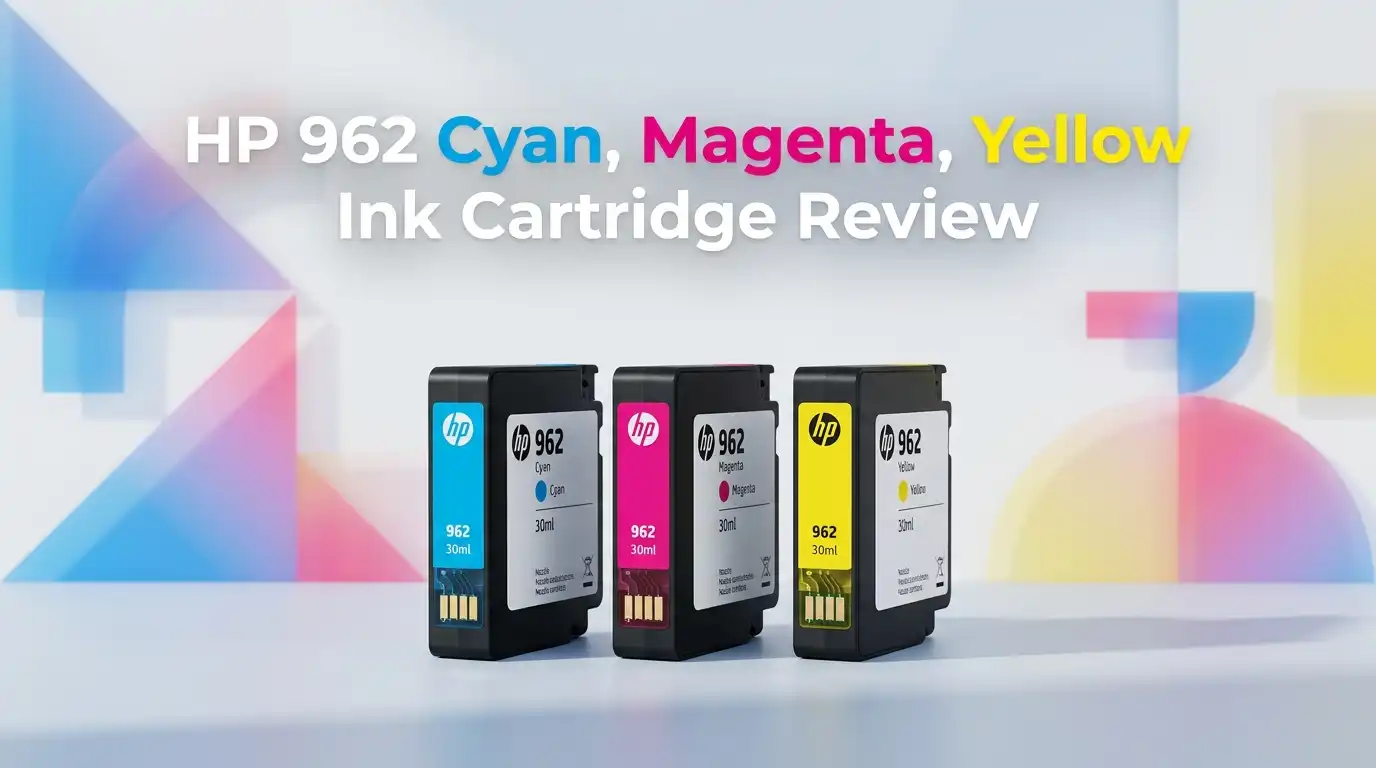
The HP 962 is a set of three separate ink cartridges in cyan, magenta, and yellow. Each color sits in its own tank, so you replace only the empty one.
These are standard-yield cartridges. HP also sells an XL version for users who print more often. The standard set targets people with normal monthly volume.
The ink is dye-based for color, which gives vivid output on documents and casual photos. It is engineered to pair with the printhead in your OfficeJet Pro machine.
This product is the genuine HP part, not a remanufactured clone. That distinction matters more than usual with HP, as you will see in the error section below.
Which Printers Work With It
The HP 962 fits a specific family of machines. It works with the OfficeJet Pro 9010, 9012, 9015, 9018, 9020, and 9025 series.
That includes the popular 9015e and 9025e models sold widely to home offices. The “e” simply signals HP Instant Ink eligibility out of the box.
Before you buy, check your printer’s model number on the front panel or HP Smart app. The 962 will not fit older OfficeJet Pro 8000-series printers, which use the 952 instead.
Buying the wrong family is the most common ordering mistake. A quick model check saves a return and a wasted week.
If you run multiple identical printers in an office, stock the same set across all of them. Cross-compatibility within the 9000 series is the main appeal here.
Top 3 Alternative for HP 962 Color Ink Set
If the standard set doesn’t match your volume or budget, consider these genuine HP options.

Last update on 2026-07-19 / Affiliate links / Images from Amazon Product Advertising API Some of the links on this website are affiliate links, which means that at no additional cost to you, I earn a commission if you click through and make a purchase. I only recommend products and services that I believe will add value to my readers. Thank you for your support!
HP 962XL Black, Cyan, Magenta, Yellow High-Yield Ink Cartridges 5-Pack

Last update on 2026-07-19 / Affiliate links / Images from Amazon Product Advertising API Some of the links on this website are affiliate links, which means that at no additional cost to you, I earn a commission if you click through and make a purchase. I only recommend products and services that I believe will add value to my readers. Thank you for your support!
HP 962XL Black + 962 Cyan, Magenta, Yellow Ink Cartridges 4-Pack

Last update on 2026-07-19 / Affiliate links / Images from Amazon Product Advertising API Some of the links on this website are affiliate links, which means that at no additional cost to you, I earn a commission if you click through and make a purchase. I only recommend products and services that I believe will add value to my readers. Thank you for your support!
HP 952XL Black + 952 Cyan, Magenta, Yellow Ink Cartridges 4-Pack
Page Yield and Real Print Cost
Each color cartridge prints about 700 pages at 5% coverage. That coverage figure is light, so heavy color graphics drain ink faster than the number suggests.
For text-heavy users who print occasional charts or logos, the yield feels fair. For anyone printing full-page color or photos, the math gets expensive fast.
The XL version nearly triples capacity to around 1,800 color pages. If you replace the standard set more than three times a year, the XL is the smarter spend.
Several buyers note the ink lasts a long time and does not fade as the tank empties. Output stays consistent down to the low-ink warning.
Per-page color cost remains high compared to tank printers. This is the trade-off of any cartridge system, not a flaw unique to HP.
Print Quality Honest Look
This is where the 962 earns its reputation. Verified buyers consistently describe bright, clear color with no blotching or streaking on plain paper.
One reviewer summed it up well: colors blend but don’t bleed. Edges stay crisp on text, and gradients in charts look smooth rather than banded.
HP markets “professional-quality documents.” In honest terms, that holds for business reports, invoices, and simple graphics. It is true and not exaggerated here.
Photo output is decent but not lab-grade. The dye ink looks good on standard paper, yet glossy photo prints reveal its limits against dedicated photo printers.
For the intended audience, small-office document printing, the quality satisfies. Just set expectations correctly if you wanted gallery prints.
Unboxing and Setup Experience
The three cartridges arrive in a compact recyclable box with individual sealed wrappers. There is no scent beyond faint plastic, and the units feel solid in hand.
Install is genuinely easy. You peel the tab, slide each cartridge into its color-coded slot, and close the door. The printer aligns automatically.
Most buyers call the process a breeze and note that no instructions are needed. The color coding makes wrong placement nearly impossible.
The packaging protects the contacts well during shipping. I saw no reports of leaks or dried nozzles arriving from sealed genuine units.
First print appears within a minute after a short alignment cycle. For a category known for fiddly setup, the 962 keeps things refreshingly simple.
The Recognition Error Problem
Here is the most important honest warning. Many buyers who tried third-party 962 clones hit “non-genuine” or “altered cartridge” errors that blocked printing.
Buying the genuine set largely avoids this. One reviewer returned off-brand units, switched to authentic HP, and the printer “fell in love” again.
However, genuine cartridges are not immune. A few owners report cartridge protection or HP Instant Ink settings locking out even real ink after a subscription change.
If you cancel Instant Ink, your printer may reject standalone cartridges until you disable Cartridge Protection in the printer’s web settings. This catches people off guard.
The lesson is clear. Buy genuine, keep the receipt, and know your Instant Ink status before you swap. This prevents most lockouts.
Downsides and Who Should Skip It
Be clear-eyed about the flaws. The biggest is the all-or-nothing design. When one color empties, the printer often refuses to print anything, even black.
That forces you to keep spare color cartridges on hand or stop work mid-task. Several buyers flagged this as their main frustration.
Price is the second issue. Genuine HP ink costs more per page than tank systems or third-party refills. Budget-focused users will feel the pinch.
This set is wrong for high-volume photo printers and anyone who prints rarely, since dye ink and cartridge economics suit steady moderate use best.
It is also a poor fit if you resent vendor lock-in. HP’s ecosystem rewards staying genuine and penalizes wandering off-brand.
Genuine Versus Third-Party Ink
The savings on clone cartridges look tempting. A third-party 962 set can cost a fraction of the genuine price, which pulls many shoppers in.
The risk is recognition failure. OfficeJet Pro firmware frequently flags non-HP chips, leaving you with dead ink and a stalled printer.
Remanufactured units also vary in fill level and color accuracy. Some work fine for months; others trigger printhead depleted warnings or weak output.
For a primary work printer, the reliability of genuine ink usually justifies the premium. Downtime costs more than the ink savings.
For a rarely used backup machine, a reputable third-party brand may be a reasonable gamble. Choose based on how much the printer matters to you.
Value Verdict for 2026
So is it worth it? For owners of an OfficeJet Pro 9000-series printer who want dependable color and clean recognition, yes.
The 962 delivers on its core promises. Quality is strong, install is simple, and genuine ink sidesteps the error mess that defines this product category.
The reservations are real but predictable. High per-page cost and the single-color lockout are baked into HP’s design, not surprises.
If you print moderate color monthly, buy the standard set. If you print often, step up to the XL version and save over time.
Skip it only if you reject the ecosystem entirely or print at photo-studio volume. For everyone else, it is a safe, reliable choice.
How to Make It Last Longer
A few habits stretch your ink. Print at least one page weekly to keep the printhead from drying and clogging during idle stretches.
Use draft mode for internal documents. It uses noticeably less ink and prints faster, saving the rich settings for client-facing pages.
Store spare cartridges sealed, upright, and away from heat. This protects the nozzles and the chip until you need them.
Disable Cartridge Protection before changing your Instant Ink status. This single step prevents the most common lockout complaint.
Finally, buy the genuine set from a trusted seller. Counterfeit “HP” ink exists, and it causes the same errors as obvious clones.
Frequently Asked Questions
Does the HP 962 work with the OfficeJet Pro 9015e?
Yes. The 962 is designed for the 9010, 9015, 9018, 9020, and 9025 series, including the 9015e. Confirm your exact model in the HP Smart app before ordering.
How many pages does each color cartridge print?
Each standard color cartridge yields about 700 pages at 5% coverage. Heavy color graphics reduce this. The 962XL version prints roughly 1,800 color pages per cartridge.
Why does my printer say the cartridge is not genuine?
This usually happens with third-party clones or when Cartridge Protection or Instant Ink settings block the ink. Use genuine HP cartridges and check those settings in the printer’s web menu.
Can I print if only one color runs out?
Often no. Many OfficeJet Pro printers block all printing until you replace the empty color. Keep spare cartridges on hand to avoid downtime.
Is the XL version better value?
For frequent printers, yes. The 962XL costs more upfront but lowers your per-page cost significantly. The standard 962 suits light to moderate monthly use.
Does this ink work for photos?
It prints decent casual photos on standard paper. For gallery-quality prints, a dedicated photo printer outperforms it. The 962 is built mainly for documents and simple graphics.
Should I cancel Instant Ink before using standalone cartridges?
You can, but disable Cartridge Protection first. Otherwise the printer may reject your standalone cartridges until that setting is turned off.
Disclosure: This content is part of an Amazon Creator Connections campaign, meaning I earn a commission from qualifying purchases.
Using these links costs you nothing extra but directly supports my blog and future content.

Hello everyone my name is Alenya and i am a gadget discovering Enthusiast 🐻🐻