Petcube Indoor Wi-Fi Pet Security Camera Review 2026
Leaving your dog or cat alone all day is hard. You sit at your desk wondering if they’re sleeping, crying, or shredding the couch cushion you just bought. The Petcube Indoor Wi-Fi Pet Security Camera promises a simple fix: a tiny camera that lets you watch, talk, and check in from your phone.
I spent weeks testing this little cube with my own pets. This is my honest take for anxious pet parents on a budget.
It is affordable, easy to set up, and small enough to hide on a shelf. But it has real flaws that nobody mentions in the flashy ads.
In a Nutshell
- Budget-friendly price: This is one of the cheapest no-subscription-required pet cameras you can buy, and it works out of the box.
- 1080p HD video with night vision: The camera streams Full HD daytime footage and sees up to 30 feet in the dark, though dark pets can blur into dark furniture.
- Two-way audio that actually works: The full-duplex microphone is crisp, letting you talk to your pet and hear them back clearly.
- Tiny, sturdy build: A magnetic foot and 3M tape mean you can mount it on a fridge, shelf, or wall in seconds.
- App is the weak spot: Connection drops, video lag, and paywalled features frustrate users who want recordings and cloud storage.
- Best for: Renters, single-pet homes, and first-time buyers who want a quick check-in tool, not a security system.

Last update on 2026-09-19 / Affiliate links / Images from Amazon Product Advertising API Some of the links on this website are affiliate links, which means that at no additional cost to you, I earn a commission if you click through and make a purchase. I only recommend products and services that I believe will add value to my readers. Thank you for your support!
What Is the Petcube Indoor Camera
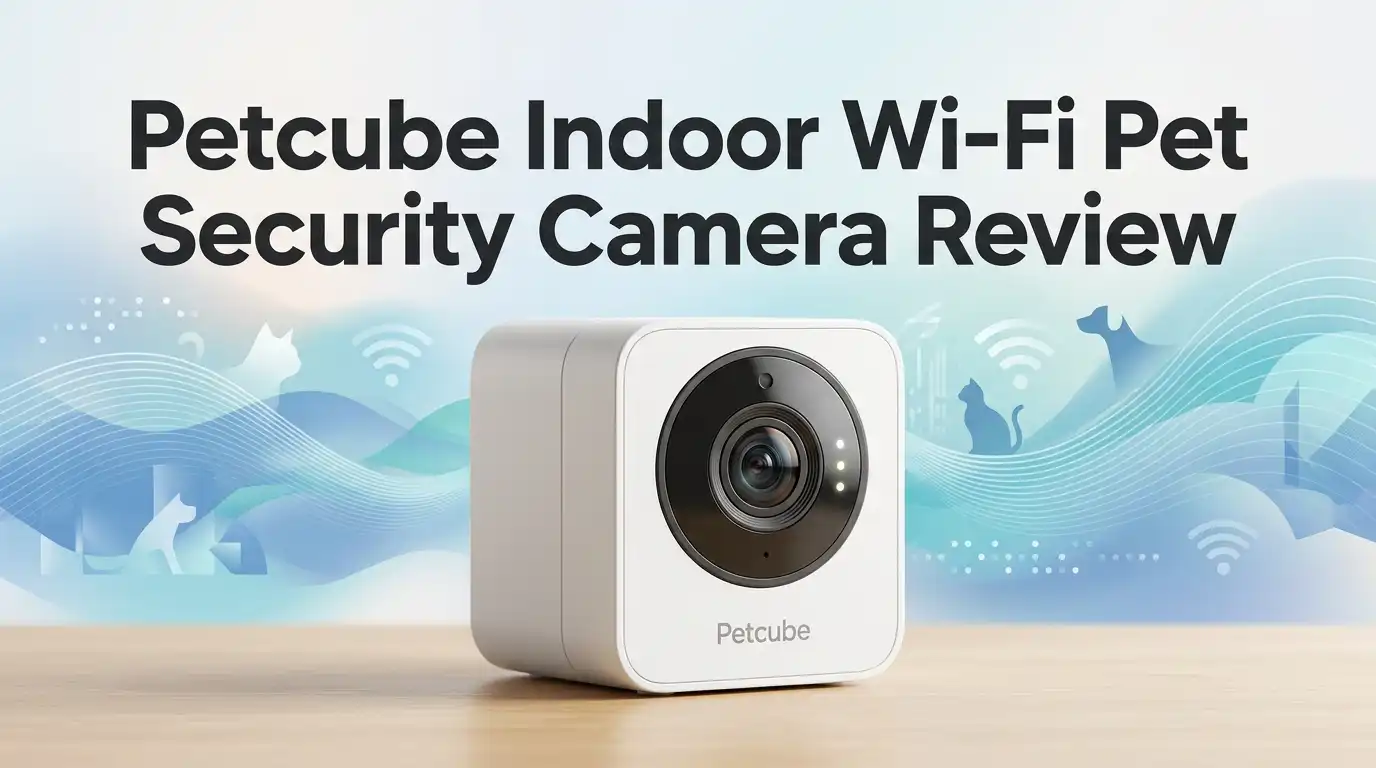
The Petcube Cam is the brand’s entry-level indoor camera. It launched as a no-fuss way to keep eyes on your home and pets.
It is a small cube, roughly 60 x 54 x 81mm, that sits on a shelf or sticks to metal. You plug it in, link it to your phone, and you are watching live video in minutes.
The camera streams 1080p HD video with a 110° wide-angle view and 8x digital zoom. It also has night vision and a two-way speaker.
There is no treat tosser and no 360° spin here. This is a watch-and-talk camera, plain and simple. That focus is the whole point.
Setting It Up and First Impressions
The box is small and clean. Inside you get the camera, a 2m USB cable, a power adapter, a magnetic foot, and 3M adhesive tape.
There is no thick manual to read, which I appreciated. The quick start card walks you through it in a few steps.
Setup took me under five minutes. You download the Petcube app, create a free account, and connect to your 2.4GHz Wi-Fi.
The camera plays a little tone when it links up, so you know it worked. It felt reassuring, almost like the device was saying hello.
The build quality surprised me for the price. The cube feels solid and well-made, not the cheap hollow plastic I expected.
Video Quality in Daylight and at Night
In daylight, the 1080p video is good enough to see what your pet is doing. You can tell if they are sleeping, pacing, or getting into trouble.
That said, the footage leans toward overexposure near bright windows. Detail gets soft when you push the zoom.
Night vision is where things get tricky. It reaches about 30 feet, which sounds great on paper.
In practice, spotting a black cat on a dark sofa becomes a squinting game. You wait for movement to confirm where they are.
I also noticed the app sometimes dropped my stream from 1080p down to 720p on its own. There is no way to force the higher resolution, which is annoying.
Top 3 Alternatives for Petcube Indoor Camera
If the Petcube does not fit your needs, these three are worth a look.
Furbo 360° Dog Camera
![Furbo 360° Dog Camera [Core Features, No Ongoing Cost]](https://devicediscoveries.blog/wp-content/plugins/aawp/public/image.php?url=YUhSMGNITTZMeTl0TG0xbFpHbGhMV0Z0WVhwdmJpNWpiMjB2YVcxaFoyVnpMMGt2TkRGNk9GYzJkR0pYU2t3dVgxTk1NVFl3WHk1cWNHYz18MTc5MDI5NjM1OA=)
Last update on 2026-09-19 / Affiliate links / Images from Amazon Product Advertising API Some of the links on this website are affiliate links, which means that at no additional cost to you, I earn a commission if you click through and make a purchase. I only recommend products and services that I believe will add value to my readers. Thank you for your support!
WYZE Cam Pan v3


Last update on 2026-09-19 / Affiliate links / Images from Amazon Product Advertising API Some of the links on this website are affiliate links, which means that at no additional cost to you, I earn a commission if you click through and make a purchase. I only recommend products and services that I believe will add value to my readers. Thank you for your support!
Tapo C120 2K Indoor/Outdoor Camera

Last update on 2026-09-19 / Affiliate links / Images from Amazon Product Advertising API Some of the links on this website are affiliate links, which means that at no additional cost to you, I earn a commission if you click through and make a purchase. I only recommend products and services that I believe will add value to my readers. Thank you for your support!
Each one solves a different problem. The Furbo tosses treats and rotates a full 360°, making it ideal for dogs.
The Wyze Pan v3 pans and tilts to follow movement and costs very little. The Tapo C120 offers sharper 2K video and works indoors or outside.
Pick based on what matters most: treats, movement tracking, or image clarity. I cover the right fit for each below.
The Two-Way Audio Experience
This is the feature I ended up loving most. The full-duplex audio lets you talk and listen at the same time, like a real phone call.
The sound stays crisp and clear even at low volume. My dog perked up the moment he heard my voice through it.
One warning: the app sets the default speaker volume very high at first. If you are not in the room to hear it, you might blast your pet by accident.
Fix this fast. Go into the app settings and turn the volume down before your first real check-in.
For separation anxiety, this audio is genuinely comforting. Hearing a familiar voice can calm a stressed pet during the workday.
How the Petcube App Really Performs
I want to be honest here. The app is the biggest weakness of this camera.
Connection is inconsistent. I ran into disconnection errors, random freezes, and video that stuttered even on fast Wi-Fi.
Worse, the audio sometimes ran ahead of the video. You hear your pet bark a second before you see it, which is disorienting.
Quitting and reopening the app usually fixed it. After a restart, streaming stayed stable for long stretches.
It works, but it asks for patience. If you want flawless, instant streaming every single time, this app will test you.
Subscription Costs and Hidden Paywalls
The camera works for free, which is great. You get live video, two-way audio, and motion and sound alerts at no cost.
But here is the catch. Video recordings triggered by motion need a paid plan.
Cloud storage sits behind the more expensive tiers. So if you want to scroll back and see what happened while you were out, you must pay monthly.
There is also a free single vet chat via the app. Honestly, it felt gimmicky to me.
The vet service runs on US time zones, and most of us already have a trusted local vet. I would not buy this camera for that feature alone.
Mounting Options and Placement Tips
The magnetic foot is the small detail I keep recommending. It snaps the camera onto any metal surface, like a fridge or a shelf bracket.
The included 3M tape lets you stick it to walls or non-metal spots. Both options held firmly during my testing.
The 2m USB cable gives you flexible placement. You are not stuck right next to an outlet.
One caution for puppy owners: that long cable is a chewing magnet. My friend’s pup went straight for it, hunting the “mystery voice.”
Place the camera high and out of reach. Tuck the cable behind furniture so curious paws and teeth cannot find it.
Honest Downsides and Who Should Skip It
Last update on 2026-09-19 / Affiliate links / Images from Amazon Product Advertising API Some of the links on this website are affiliate links, which means that at no additional cost to you, I earn a commission if you click through and make a purchase. I only recommend products and services that I believe will add value to my readers. Thank you for your support!
Let me be direct about the flaws. The app reliability is the main one, with drops and lag that frustrate over time.
The night vision struggles with dark pets. Subscription paywalls lock the features many buyers expect for free.
This camera is not for you if you want a security system, multi-room coverage, or a treat dispenser. Dog owners craving interaction should look at the Furbo instead.
It is also a poor pick if you need reliable cloud recordings without a monthly fee. The Wyze line handles that better.
This camera is right for you if you want a cheap, simple, no-subscription way to peek at one pet and talk to them. For that single job, it delivers.
Petcube vs the Competition in 2026
In a crowded market, the Petcube stays alive on price and simplicity. It is cheaper than the Furbo and easier than fiddly security cams.
But it falls into the jack-of-all-trades trap. It is a basic pet camera and a basic security cam, and it masters neither.
The Wyze Cam Pan v3 beats it on movement tracking and free storage. The Tapo C120 wins on 2K image clarity and outdoor use.
The Furbo 360° crushes it on dog-focused features like treat tossing. Petcube’s edge is purely the low entry cost.
If budget is your top concern and you have one calm pet, Petcube still earns a spot. Anything more demanding, and the rivals pull ahead.
My Final Verdict on the Petcube Cam
After weeks of testing, here is where I land. The Petcube Cam does what it promises at a price that is hard to beat.
The build quality impressed me. The two-way audio genuinely comforted my pet. Setup was painless.
But the shaky app and paywalled recordings keep me from calling it perfect. These are real, daily annoyances, not minor quirks.
I would recommend it to first-time buyers, renters, and single-pet households who want a simple check-in tool. That is its sweet spot.
If you need recordings, tracking, or treats, spend a little more elsewhere. For a basic, budget-friendly window into your pet’s day, the Petcube earns a cautious thumbs up.
Frequently Asked Questions
Does the Petcube camera require a subscription to work?
No. Live video, two-way audio, and basic motion and sound alerts are all free. You only pay if you want cloud recordings and saved video history.
Can the Petcube Cam see in the dark?
Yes. It has night vision up to 30 feet. Just know that dark-colored pets on dark furniture can be hard to spot until they move.
Does it work with both iPhone and Android?
Yes. It supports iOS 11.1 and higher and Android 7.1.2 and higher. You will need a 2.4GHz Wi-Fi network, as it does not use 5GHz.
Is the Petcube good for dogs specifically?
It is fine for watching and talking to dogs. But it has no treat dispenser or tracking, so active dog owners often prefer the Furbo 360°.
Can I use it as a home security camera too?
Sort of. It streams live and sends alerts, but without paid cloud storage and reliable recording, it is weak as a true security system.
Why does my Petcube app keep disconnecting?
This is a known issue. Most users fix it by closing and reopening the app, which restores a stable stream for long periods.
How do I stop the camera from being too loud?
Open the app settings right away and lower the speaker volume. The default volume is set very high, which can startle pets on the first use.
Disclosure: This content is part of an Amazon Creator Connections campaign, meaning I earn a commission from qualifying purchases.
Using these links costs you nothing extra but directly supports my blog and future content.

Hello everyone my name is Alenya and i am a gadget discovering Enthusiast 🐻🐻