Sensibo Air – Smart Air Conditioner Controller Review 2026: Worth Buying?
That window unit in your bedroom does one thing: it blasts cold air until you fumble for the remote at 3 a.m. The Sensibo Air promises to fix that. It turns a basic air conditioner into a connected device you steer from your phone.
I tested it across a hot stretch of weeks on an LG window unit and a ductless mini-split. This review covers setup, daily use, energy savings, and the flaws nobody mentions in the ads. By the end you will know if it earns a spot on your wall.
In a Nutshell
- What it does: The Sensibo Air learns your AC’s infrared remote and lets you control temperature, mode, and fan speed from an app. It works with window units, portable ACs, mini-splits, and heat pumps.
- Best for: Renters and homeowners with “dumb” remote-controlled air conditioners who want smart features without buying a new unit.
- Standout feature: Geofencing turns the AC off when you leave and back on before you return. This is where the energy savings actually come from.
- Voice control: Works with Alexa, Google Assistant, and Apple HomeKit. Setup takes about a minute.
- The catch: It only works with air conditioners that use infrared remotes. Bluetooth and Wi-Fi remotes are not supported.
- The cost concern: Some advanced automations and full data history sit behind a subscription, which frustrates buyers who expected everything free.

Last update on 2026-07-19 / Affiliate links / Images from Amazon Product Advertising API Some of the links on this website are affiliate links, which means that at no additional cost to you, I earn a commission if you click through and make a purchase. I only recommend products and services that I believe will add value to my readers. Thank you for your support!
What Exactly Is the Sensibo Air
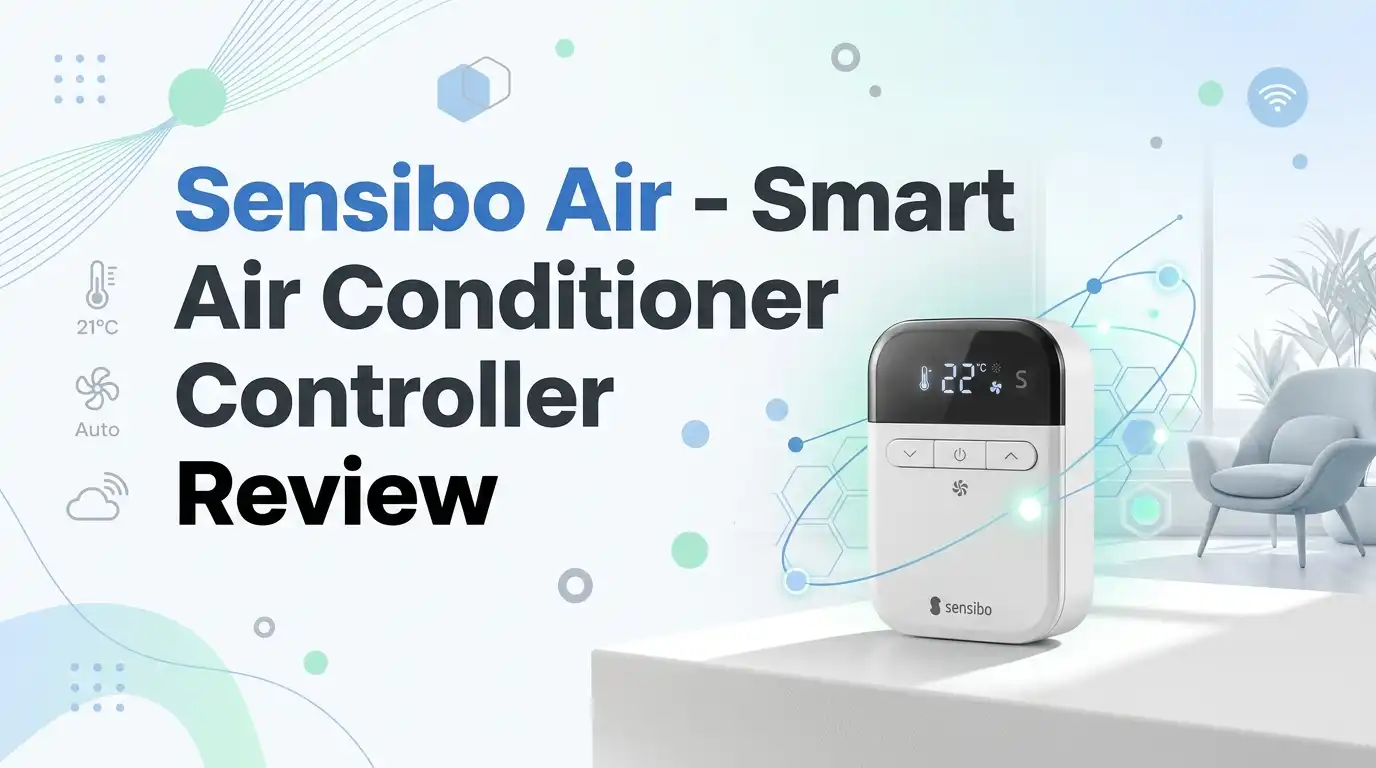
The Sensibo Air is a small square controller that sticks to your wall. It does not replace your AC. It mimics the infrared signals your remote already sends.
Think of it as a universal remote with a brain and a Wi-Fi chip. It sits in line of sight of your air conditioner and fires commands when you tap the app or set a schedule.
The hardware includes a built-in temperature and humidity sensor, so it reads the room and reacts. This matters for automations that hold a steady comfort level instead of just timing on and off.
It connects only to 2.4GHz Wi-Fi networks, which is standard for smart home gear but worth checking on your router. The device is best for anyone with a remote-controlled AC who does not want to swap out a working unit. That is its whole pitch, and it delivers on it.
Unboxing and First Impressions
The box is small and clean. Inside you get the controller, a wall mount with adhesive backing, a USB cable, and a power adapter. No paper manual clutter, just a quick-start card.
The unit itself feels light and plasticky, not premium. It is a matte white square about the size of a drink coaster. It will not win design awards, but it disappears on a wall.
The adhesive mount holds well on smooth surfaces. On textured paint, I needed the included screws for a firm grip. Plan for that if your walls are not flat.
Setup ran through the app. I aimed my old remote at the device, pressed power when prompted, and it recognized the LG unit instantly. The whole process took under two minutes. For a smart home gadget, that is refreshingly painless. First impressions land somewhere between “cheap build” and “shockingly easy,” which is a fair trade at this price.
Setting Up the Sensibo App
The app drives everything. There are no buttons on the device, so the software has to be good. It mostly is.
Onboarding walks you through Wi-Fi pairing and remote detection step by step. Most major AC brands are in the database, so detection is automatic. Off-brand units may need a manual scan, which still worked for me.
Once connected, the home screen shows current temperature, humidity, and your AC’s mode. Tapping any function fires the command in about a second. The lag is minor but real.
The interface is clean and uncluttered. Scheduling is the highlight: pick a day, a time, a target temperature, and a mode. I set my bedroom to cool to 68°F before bed and ease up during the day.
The app is where the value lives. Newcomers to smart home tech will not feel lost, and that is high praise for this category.
Top 3 Alternatives for Sensibo Air
If the Sensibo Air does not fit your setup, these three are the strongest competitors worth a look.

Last update on 2026-07-03 / Affiliate links / Images from Amazon Product Advertising API Some of the links on this website are affiliate links, which means that at no additional cost to you, I earn a commission if you click through and make a purchase. I only recommend products and services that I believe will add value to my readers. Thank you for your support!
Mysa Smart Thermostat for Mini-Split Heat Pumps & AC

Last update on 2026-07-19 / Affiliate links / Images from Amazon Product Advertising API Some of the links on this website are affiliate links, which means that at no additional cost to you, I earn a commission if you click through and make a purchase. I only recommend products and services that I believe will add value to my readers. Thank you for your support!
Tado Smart AC Control V3+

Last update on 2026-07-19 / Affiliate links / Images from Amazon Product Advertising API Some of the links on this website are affiliate links, which means that at no additional cost to you, I earn a commission if you click through and make a purchase. I only recommend products and services that I believe will add value to my readers. Thank you for your support!
Sensibo Sky Smart AC Controller
How Well Does It Actually Cool
Control is only useful if the AC responds reliably. Most of the time, the Sensibo Air nailed it. Commands fired and the unit obeyed.
The built-in sensor reads room temperature accurately. I cross-checked it against a separate thermometer and it stayed within a degree or two, which is fine for comfort.
The standout is Climate React, the feature that holds a target temperature. Set it to 72°F and it cycles the AC on and off to maintain that. This is smarter than a basic timer and where the device feels genuinely intelligent.
There is a real flaw, though. The controller fires signals but cannot always confirm the AC received them. On occasion my unit drifted out of sync, showing “on” in the app while the AC sat off. I came home to a warm room more than once. It is not constant, but it happens.
The Energy Savings Question
Sensibo markets big energy savings. The honest answer is it depends entirely on your habits. The device does not make your AC more efficient. It just runs it less.
The savings come from geofencing and scheduling. If you regularly leave the AC running in an empty home, turning it off automatically will cut your bill. That is the whole mechanism.
If you already shut your AC off when you leave, the savings will be modest. There is no magic here, just automation that prevents waste.
Sensibo claims up to 40% savings. Treat that as a best case for careless users, not a guarantee. My own reduction was noticeable but nowhere near that number.
For the right household, the device pays for itself over a season or two. For a disciplined one, the appeal is convenience over cash. Be honest with yourself about which one you are.
Voice Control and Smart Home Integration
This is a strong area. The Sensibo Air plays nicely with Alexa, Google Assistant, Siri, and Apple HomeKit. The HomeKit support sets it apart from many rivals.
I linked it to Alexa in a few minutes. Saying “Alexa, set the bedroom to 70 degrees” worked consistently. Voice commands felt natural and fast.
There is one quirk worth flagging. Because the controller cannot always confirm the AC’s true state, Alexa sometimes reverses on and off commands when the unit falls out of sync. A quick app refresh fixes it, but it is annoying.
HomeKit users get full integration into the Home app and automations. This is rare in the category and a genuine reason to pick Sensibo over cheaper competitors. If you live in the Apple ecosystem, that compatibility alone may seal the decision for you.
The Subscription Catch Nobody Mentions
Last update on 2026-07-19 / Affiliate links / Images from Amazon Product Advertising API Some of the links on this website are affiliate links, which means that at no additional cost to you, I earn a commission if you click through and make a purchase. I only recommend products and services that I believe will add value to my readers. Thank you for your support!
Here is the part the marketing glosses over. Core control is free forever: app, scheduling, geofencing, and voice all work without paying. That is good.
But Sensibo gates some features behind a paid tier called Sensibo Plus. Full climate data history, advanced automations, and filter cleaning alerts sit behind that paywall.
This frustrates buyers who assumed a one-time purchase meant everything included. Reading user reviews, the subscription model is the single most common complaint, more than any hardware issue.
To be fair, the free tier is genuinely usable for most people. You can run the device for years without paying a cent. The subscription adds polish, not necessities.
Still, it stings to buy hardware and then face a recurring fee for the data charts. If recurring costs bother you, weigh this carefully before buying. It is the device’s most divisive trait by a wide margin.
Honest Downsides and Who Should Skip It
No product is for everyone, and the Sensibo Air has clear deal-breakers. Skip it if your AC uses a Bluetooth or Wi-Fi remote, because it only speaks infrared.
The sync issue is the biggest functional flaw. When the controller loses track of your AC’s real state, automations misfire. Some users report this rarely, others report it often. It is a real gamble.
The 2.4GHz Wi-Fi requirement trips up people with modern mesh routers that hide that band. Check your network before buying.
Build quality is adequate, not premium. The plastic shell feels cheap next to the price tag. It works, but it does not impress in the hand.
Skip this if you want a fully free, set-and-forget device with zero quirks. Buy it if you have an infrared AC, value convenience, and can tolerate an occasional app refresh. That trade defines the entire experience.
Final Verdict
After weeks of daily use, my take is clear: the Sensibo Air does what it claims, with caveats you should know going in. It makes a dumb AC genuinely smart in about two minutes.
The app, scheduling, geofencing, and HomeKit support are excellent. For renters and anyone unwilling to replace a working unit, that value is real.
The sync drift and the subscription upsell are the soft spots. Neither ruins the product, but both deserve honesty. Go in knowing them and you will not feel cheated.
For an infrared-remote air conditioner, this remains one of the best controllers in 2026. Recommended, with eyes open.
Frequently Asked Questions
Does the Sensibo Air work with any air conditioner?
Only with units that use an infrared remote, which covers most window, portable, and mini-split ACs. It does not work with Bluetooth or Wi-Fi remotes. Check your remote type first.
Do I need a subscription to use it?
No. Core control, scheduling, geofencing, and voice commands are free. A paid Sensibo Plus tier adds full data history and advanced automations, but you can run the device fine without it.
Will it really lower my electricity bill?
It can, if you tend to leave the AC running in an empty home. The savings come from automation, not efficiency. If you already turn your AC off manually, expect modest gains.
Does it work with Alexa and Google Home?
Yes. It supports Alexa, Google Assistant, Siri, and Apple HomeKit. The HomeKit compatibility is rare in this category and a strong selling point for Apple users.
What is the most common complaint?
Two things: the occasional sync issue, where the app shows the wrong AC state, and the subscription for premium features. Both are manageable but worth knowing before you buy.
Disclosure: This content is part of an Amazon Creator Connections campaign, meaning I earn a commission from qualifying purchases. Using these links costs you nothing extra but directly supports my blog and future content.

Hello everyone my name is Alenya and i am a gadget discovering Enthusiast 🐻🐻