Owl Labs Meeting Owl 3 Review 2026: Still Worth It?
Hybrid meetings break down for one reason: remote people can’t see who is talking. The room laughs, nods, and reacts, while the laptop camera shows a single forehead and an empty wall. The Owl Labs Meeting Owl 3 attacks this exact problem with a 360-degree camera, mic, and speaker in one tabletop device.
It launched as the friendly face of conference cameras. Years later, it still sells. The question for 2026 is whether the 1080p, AI-tracking approach holds up against cheaper and sharper rivals.
This review pulls from manufacturer specs, hands-on tester notes, and blunt feedback from IT teams who deploy these daily. The goal is an honest verdict, not a sales pitch.
In a Nutshell:
- What it is: A single-cable, plug-and-play 360-degree conference camera that captures the whole room in 1080p HD and auto-focuses on whoever speaks.
- Best for: Small to mid-size huddle rooms, BYOD setups, and teams that move one device between rooms.
- Audio shines: Reviewers praise the 360-degree tri-speaker and 8-mic array. Voice pickup reaches roughly 18 feet, and people on calls call the sound clear.
- The catch: Output tops out at 1080p with no 4K and no HDMI port. It needs external power and a fussy USB-C connection.
- The tracking flaw: AI framing can over-react, zooming on shuffled paper or small movements. Some teams disable it.
- Verdict: Charming, simple, and good for the price, but not a fixed-install workhorse. It does everything okay, nothing perfectly.


Last update on 2026-10-14 / Affiliate links / Images from Amazon Product Advertising API Some of the links on this website are affiliate links, which means that at no additional cost to you, I earn a commission if you click through and make a purchase. I only recommend products and services that I believe will add value to my readers. Thank you for your support!
What Is the Meeting Owl 3?
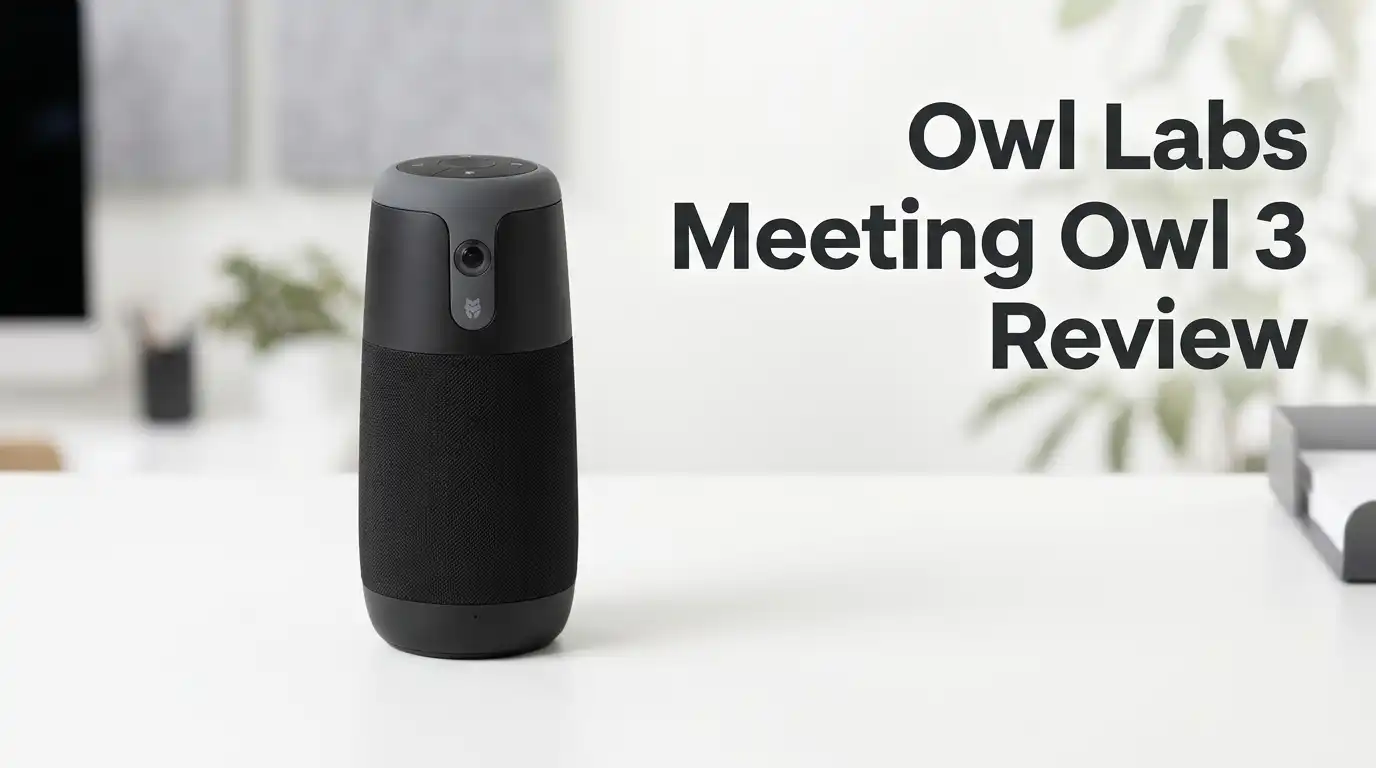
The Meeting Owl 3 is a tall, owl-shaped pod that sits in the center of a table. A single fish-eye lens on top captures a full 360-degree view of the room.
Inside sits a Qualcomm Snapdragon 605 processor, an 8-mic beamforming array, and a tri-speaker setup. It connects to a laptop or room display over USB-C and runs on web platforms like Zoom, Teams, Webex, and Slack.
Think of it as a meeting hub, not just a webcam. The AI software picks out active speakers and stitches them into a live panorama at the top of the frame. Remote participants see both the speaker and the whole room at once.
Tech Specs at a Glance
The hardware sounds modest on paper, and that is fair to note upfront.
The camera outputs 1080p HD across a 360-degree field of view. Video tracking works well up to 10 feet (3m), while audio pickup stretches to about 18 feet (5.5m). The unit stands 10.7 inches tall and weighs 2.6 pounds, so it feels solid on a desk.
Connectivity is a single USB-C cable plus a separate power brick. It is certified for Microsoft Teams and Zoom. You can add an Expansion Mic or pair two Owls for larger rooms through the app.
The big absences: no 4K, no HDMI, and no USB power delivery. You must use the included adapter.
The Unboxing and First Impressions
The box keeps things simple. You get the Owl, a USB-C cable, and the power adapter. Setup means plugging in and opening the mobile app to run a firmware update.
The design is the star. It genuinely looks like an owl, with eyes that light up and a soft “twit-twoo” hoot at startup. People smile at it. That charm matters in a room full of cold black gadgets.
The body feels premium and weighty. A rubber base grips the table, so a knocked elbow won’t topple it. The mute button sits low on the base, large and clearly marked, so you avoid the lens. That is smart design.
One gripe: the power brick dents the clean look and limits true portability.
Top 3 Alternatives for Meeting Owl 3
If 1080p or the tracking quirks give you pause, these are worth a look.

Last update on 2026-10-14 / Affiliate links / Images from Amazon Product Advertising API Some of the links on this website are affiliate links, which means that at no additional cost to you, I earn a commission if you click through and make a purchase. I only recommend products and services that I believe will add value to my readers. Thank you for your support!
Logitech MeetUp Video Conferencing System

Last update on 2026-10-14 / Affiliate links / Images from Amazon Product Advertising API Some of the links on this website are affiliate links, which means that at no additional cost to you, I earn a commission if you click through and make a purchase. I only recommend products and services that I believe will add value to my readers. Thank you for your support!
Poly Studio P15 Personal Video Bar

Last update on 2026-10-14 / Affiliate links / Images from Amazon Product Advertising API Some of the links on this website are affiliate links, which means that at no additional cost to you, I earn a commission if you click through and make a purchase. I only recommend products and services that I believe will add value to my readers. Thank you for your support!
Anker PowerConf C300 Webcam
Video Quality in Real Rooms
The 360-degree panorama is the headline feature, and it works. Remote viewers get a strip showing the whole table plus a focused view of the active speaker. The first reveal is striking.
Picture quality is solid for 1080p. One clever touch: the camera softly blurs non-active areas, which keeps the feed tidy and pushes attention to the speaker. It also held up in low light better than expected.
The honest limit is resolution. Side-by-side with 4K rivals, the Owl looks softer. For most calls this is fine, but detail lovers will notice.
There is also a layout truth nobody mentions: during a screen-share, most people look at the wall display, not the center camera. The Owl can’t fix that.
How the AI Speaker Tracking Performs
This is the feature people love and curse in equal measure. The AI tracking picks up voices and reframes the shot within a second or two. When it works, transitions feel smooth and fast.
When it misfires, it gets distracting. One IT manager reported the tracking was so sensitive it zoomed in on someone flipping paperwork. Viewers complained it made them motion-sick, and the team disabled the main selling point.
You can toggle the smooth animations on or off with a button. That helps. Active, talkative rooms get the best results. Rooms with lots of fidgeting and shuffling can overwhelm it.
So the AI is genuinely clever, but it rewards calm, seated meetings far more than busy ones.
Audio: The Strongest Feature
If one thing earns near-universal praise, it is the sound. The 8-microphone array and 360-degree tri-speaker punch above the price.
Testers and call participants repeatedly describe the audio as clear and natural. Voice pickup across an 18-foot radius means people at the far end of a table still come through. Some teams keep the Owl purely as a speakerphone when their room system acts up.
The Expansion Mic extends coverage for longer tables, and pairing two units handles bigger groups of 40-plus over Zoom.
For a device this affordable, the audio engineering is its quiet win. Many 4K cameras sound worse.
The Downsides You Should Know
This is where honesty matters most. The Owl 3 has real flaws that buyers should weigh.
First, setup can fail. Multiple users report the unit not being detected over the supplied USB-C cable. A common fix is swapping to a USB-C to USB-A cable, which is frustrating advice for a plug-and-play product.
Second, firmware updates are slow and occasionally brick the device. One user described a 30-minute to 2-hour update that required factory resets.
Third, long USB runs cause glitching. Fixed ceiling installs need an active repeater cable. Fourth, Owl Labs support draws frequent criticism for scripted, slow replies.
Who Should Avoid This Product
Last update on 2026-10-14 / Affiliate links / Images from Amazon Product Advertising API Some of the links on this website are affiliate links, which means that at no additional cost to you, I earn a commission if you click through and make a purchase. I only recommend products and services that I believe will add value to my readers. Thank you for your support!
The Owl 3 is not for everyone, and pretending otherwise helps no one.
Skip it if you need a permanent, fixed conference room install. IT teams managing fleets report units dying early, falling off tables, and demanding constant babysitting. For locked-down environments, Teams-certified bar systems like the Logitech Rally or Poly units are more reliable.
Avoid it if you want 4K detail or pristine framing in a busy, high-movement room. The over-eager tracking will annoy you.
Also reconsider if your USB run is long or your Wi-Fi uses strict encryption, as both trip the device up.
Is the Meeting Owl 3 Worth It in 2026?
Here is the balanced verdict. The Meeting Owl 3 is a charming, simple, portable device that does many things okay and audio well. That is its honest niche.
For a small huddle room, a recreation center, a community meeting, or a team that carries one camera between rooms, it earns its keep for the price. Setup is mostly painless, people warm to the design, and remote callers hear everyone.
But it is not a flagship. The 1080p ceiling, the touchy AI, the flaky USB, and the weak support are real. Newer 4K rivals exist, and the Owl 4+ now upgrades the camera.
If your needs are light and casual, buy it. If you need a bulletproof install, look elsewhere.
Expert FAQs
Does the Meeting Owl 3 shoot in 4K?
No. It maxes out at 1080p HD across its 360-degree view. For 4K, look at the Owl 4+ or rivals like the Poly Studio P15.
Does it work with Microsoft Teams and Zoom?
Yes. It is certified for Microsoft Teams and works with Zoom, Webex, Slack, and most web-based platforms. You select it as your camera, mic, and speaker.
Why won’t my Meeting Owl connect over USB-C?
A common fix is switching to a USB-C to USB-A cable. Also confirm the power adapter is plugged in, since the Owl will not run on USB power alone.
Can it cover a large conference room?
For bigger rooms, add an Expansion Mic or pair two Owls through the app. Video tracking is best within 10 feet, so very large rooms strain a single unit.
Can I turn off the startup hoot and animations?
You can toggle the smooth tracking animations with a button on the device. The signature hoot persists on the Owl 3, though the newer 4+ lets you silence it.
Is it good for fixed installations?
Not ideally. It suits portable, BYOD, huddle-room use. For permanent installs, IT teams generally prefer Teams-certified bar systems for reliability and easier management.
Disclosure: This content is part of an Amazon Creator Connections campaign, meaning I earn a commission from qualifying purchases. Using these links costs you nothing extra but directly supports my blog and future content.

Hello everyone my name is Alenya and i am a gadget discovering Enthusiast 🐻🐻