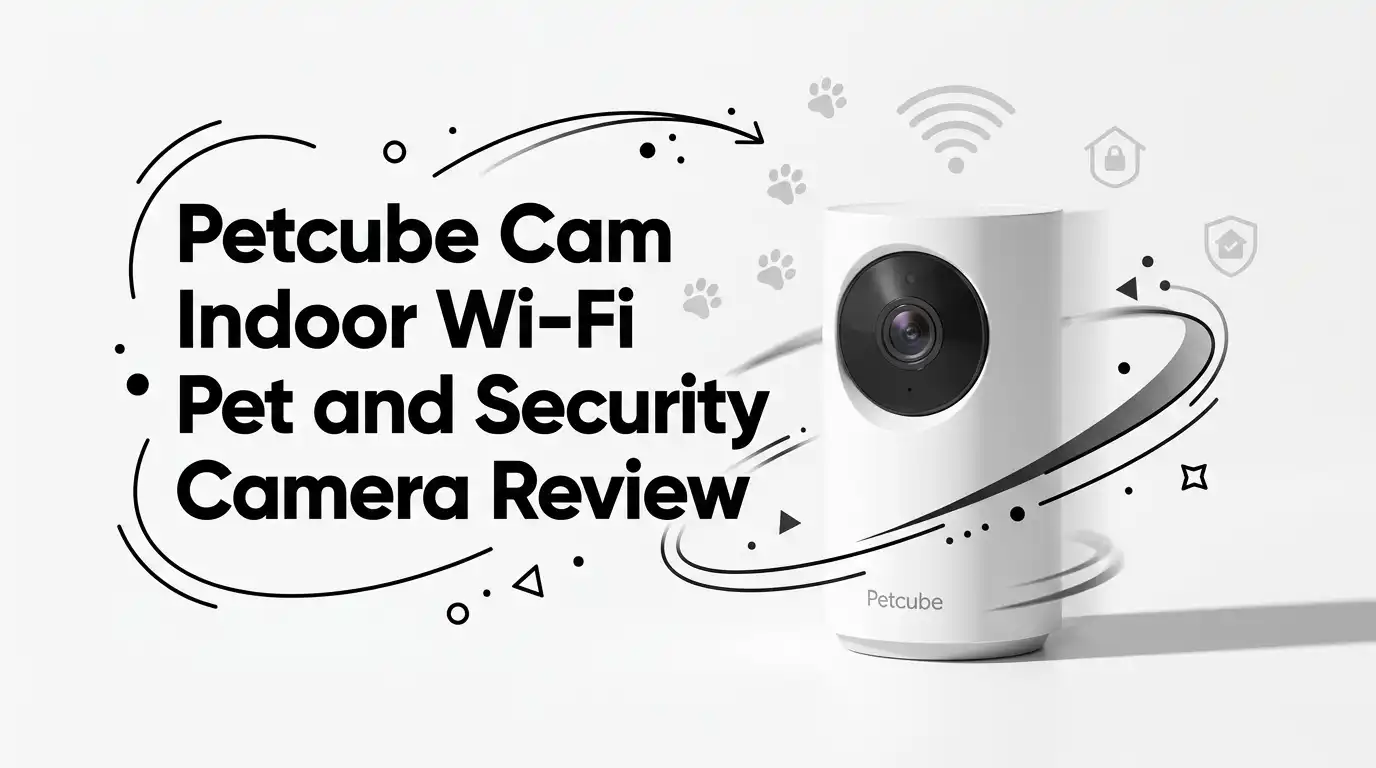
Petcube Cam Indoor Wi-Fi Pet and Security Camera Review
I adopted a second cat last spring, and the guilt of leaving two animals alone all day got loud. I wanted a cheap way to peek in without a monthly bill.
The Petcube Cam Indoor kept showing up as the budget pick, so I bought one and lived with it for weeks.
This is a review for anxious pet parents who want a simple live feed, not a smart-home command center. If you are a first-time pet owner or need a second camera for another room, this little white box is aimed squarely at you. Here is what I found after daily use.
In a Nutshell
- Price and value: At around $29.99, this is one of the cheapest name-brand pet cameras on Amazon.com. It undercuts almost every rival with a treat slot or pan-tilt motor.
- Core specs: You get 1080p HD video, a 110° wide-angle lens, 8x digital zoom, and night vision up to 30 feet. Coverage is solid for one room.
- Two-way audio: The full-duplex sound system is clear. My cats reacted to my voice, and my voice came through without harsh distortion.
- The catch: Smart alerts and saved video clips need Petcube Care, a paid plan starting at $5.99/month. Out of the box, you only get a live feed.
- The flaw: The app and Wi-Fi connection are the weak link. Reviewers and I both saw freezing, lag, and false “disconnected” messages.
- Best for: Renters, budget shoppers, and casual check-ins. Not for serious home security or treat-tossing fans.

Last update on 2026-07-30 / Affiliate links / Images from Amazon Product Advertising API Some of the links on this website are affiliate links, which means that at no additional cost to you, I earn a commission if you click through and make a purchase. I only recommend products and services that I believe will add value to my readers. Thank you for your support!
What Is the Petcube Cam Indoor
The Petcube Cam is a small, stationary indoor camera made for watching pets. It plugs into the wall, links to your 2.4 GHz Wi-Fi, and streams live to a phone app.
It does not pan, tilt, or toss treats. It points at one spot and stays there. You rotate the body by hand to aim it, then leave it alone.
The pitch is simplicity at a low price. Petcube stripped out the moving parts and toy features that drive up cost on other models. What remains is a clean, single-job device.
I see it best as an entry-level pet cam or a backup unit. If you already own one camera and want eyes on a second room, this fills that gap cheaply. As a sole security camera for a whole home, it asks too much of one fixed lens.
Unboxing and First Impressions
The box is tiny and light. Inside you get the camera, a USB power cable, a small wall adapter, a mounting plate with double-sided tape, and a quick-start card. No clutter, no manual the size of a novel.
The camera itself is sleek white plastic about the size of a golf ball on a small stand. It feels sturdier than the price suggests. It is not premium, but it does not feel cheap or hollow either.
The rubber foot on the base grips shelves well. I set mine on a bookcase and it stayed put without sliding. The body tilts up and down on its stand so you can angle the lens.
First impression: this is a no-fuss gadget. It looks unobtrusive on a shelf and blends into a room. Nobody walking by clocks it as a camera, which I liked.
Setup and the Petcube App
Setup is genuinely quick. You download the Petcube app for iOS or Android, make a free account, and follow the prompts to join your Wi-Fi. Mine connected in under five minutes.
One hard rule: it only works on 2.4 GHz Wi-Fi. If your phone sits on a 5 GHz band, you may need to switch networks during pairing. This trips up a lot of first-time buyers.
The app lets you take screenshots, record clips to your phone gallery, and share the feed with family. Sharing is easy; the other person just needs the app and your permission.
Here is the honest part. The app is the weakest piece of the product. It is not the most intuitive layout, and the menus feel a little dated. Setup is smooth, but daily use is where the friction starts.
Top 3 Alternatives for Petcube Cam Indoor
WYZE Cam Pan v3


Last update on 2026-08-03 / Affiliate links / Images from Amazon Product Advertising API Some of the links on this website are affiliate links, which means that at no additional cost to you, I earn a commission if you click through and make a purchase. I only recommend products and services that I believe will add value to my readers. Thank you for your support!
TP-Link Tapo C200 Pan/Tilt Security Camera

Last update on 2026-07-28 / Affiliate links / Images from Amazon Product Advertising API Some of the links on this website are affiliate links, which means that at no additional cost to you, I earn a commission if you click through and make a purchase. I only recommend products and services that I believe will add value to my readers. Thank you for your support!
Petcube Cam 360 Pan-Tilt Camera

Last update on 2026-08-03 / Affiliate links / Images from Amazon Product Advertising API Some of the links on this website are affiliate links, which means that at no additional cost to you, I earn a commission if you click through and make a purchase. I only recommend products and services that I believe will add value to my readers. Thank you for your support!
Video Quality in Daylight
The 1080p HD feed looks good in a bright room. Colors are accurate, and the 110° wide-angle view captures most of a normal-sized space without blind spots in the center.
The 8x digital zoom helps when you want a closer look at what your pet is chewing. Be realistic, though. Digital zoom crops the image, so the more you zoom, the softer and grainier it gets.
I noticed clarity drops when the camera sits far from the action. Placed high on a shelf to cover a whole kitchen, the picture looked less crisp than the spec sheet promised. Closer placement gives sharper results.
For its price, daytime video is more than acceptable. You will clearly see your dog napping, your cat knocking things off counters, and any visitor walking through. Just do not expect security-grade detail across a large room.
Night Vision Performance
The camera switches to night vision automatically in low or no light. No setting to toggle; it just reads the room and flips over.
Petcube rates visibility at up to 30 feet in pitch dark. In my testing, the infrared reached most of a normal bedroom and lit up my cats clearly as they prowled at 2 a.m.
The night image is black and white, which is standard for infrared. It is not color night vision like some pricier rivals offer. Detail is fine for spotting movement and identifying your pet, less so for reading fine detail across the room.
For checking that everyone is safe overnight, it does the job well. This is one area where the Cam quietly outperforms its price tag. The auto-switch is reliable, and I never had to fiddle with it.
Two-Way Audio and Talking to Your Pet
The two-way audio is a real strength here. Petcube calls it a full-duplex sound system, meaning you can talk and listen at the same time without that walkie-talkie cut-off.
My voice came through clearly enough that both cats turned toward the camera when I spoke. One ran over to it. The sound is natural, not the tinny squawk you get on some cheap units.
Listening in is just as clear. I could hear meowing, scratching, and the general chaos of a household from across town. The mic picks up ambient noise well.
There is a slight delay between speaking and your pet hearing it, which is normal for Wi-Fi audio. It is small enough that conversation still feels live. For soothing an anxious dog or interrupting bad behavior, this feature earns its keep.
Smart Alerts and the Petcube Care Subscription
This is where the budget price reveals its trade-off. The camera does not save video or send smart alerts for free. You get a live feed only unless you pay.
Petcube Care starts at $5.99/month and unlocks the good stuff: AI-powered alerts that tell pets from people, bark and meow detection, several days of cloud video history, and the new Daily Diary highlight clips. A pricier tier adds 24/7 vet chat.
Every camera comes with a 14-day free trial of Care, so you can test it before deciding. Without it, the camera is a glorified window into one room.
My honest take: the live-only experience feels limited. If you want notifications when your dog starts barking or a stranger appears, budget for the subscription. Factor that ongoing cost into the real price before you buy.
Mounting and Placement Flexibility
The Cam gives you two simple mounting paths. Set it on a flat surface using the non-slip rubber base, or stick the included plate to a wall or the underside of a shelf with double-sided tape.
I used the shelf method and it held fine for weeks. The tape is strong, but it is permanent-ish; peeling it off later can mark paint. Keep that in mind if you rent.
The real limit is power. This is a mains-powered camera with a cable, so placement is tied to an outlet. You cannot tuck it anywhere you please the way a battery unit allows.
Because the lens is fixed, aiming matters more here than on a pan-tilt camera. Point it where your pet actually spends time. Get that right and the 110° view covers most of a room. Get it wrong and you stare at an empty corner.
Who Should Skip This Camera
Last update on 2026-07-30 / Affiliate links / Images from Amazon Product Advertising API Some of the links on this website are affiliate links, which means that at no additional cost to you, I earn a commission if you click through and make a purchase. I only recommend products and services that I believe will add value to my readers. Thank you for your support!
Be honest with yourself about what you need. This camera is not for everyone, and a few groups should look elsewhere.
Skip it if you want whole-home security. One fixed lens cannot cover multiple rooms or follow movement, and serious security buyers will feel boxed in.
Skip it if you hate subscriptions. The best features sit behind Petcube Care, and paying monthly for smart alerts and saved clips annoys people who expected those for free.
Skip it if you want a treat-tossing or laser camera. This model has neither. The Petcube Play 2 or a Furbo serves that crowd.
The biggest red flag is the app and connection. Multiple reviewers report freezing, lag, and false offline messages even on fast Wi-Fi, and I saw the same. If reliable, instant access is non-negotiable, this may frustrate you.
Final Verdict
After weeks of daily use, my take is balanced. The Petcube Cam Indoor does its one core job well for a very low price, and that simplicity is both its strength and its ceiling.
The night vision, two-way audio, and clean 1080p daytime video genuinely impressed me for $30. My cats recognized my voice, and I felt calmer leaving them. As an entry-level or second camera, it delivers real peace of mind.
But the app stumbles and the subscription paywall keep it from being a slam-dunk. You are buying a basic live feed, with the smart features rented separately.
If you are a budget-minded, first-time pet parent who wants to check in now and then, it is worth buying. If you want flexibility, storage without fees, or rock-solid reliability, spend a little more on a pan-tilt rival instead.
Frequently Asked Questions
Does the Petcube Cam require a monthly subscription?
No, you can use the camera out of the box for free. But you only get a live feed. Saved video clips and smart alerts require a Petcube Care plan starting at $5.99/month.
Does the Petcube Cam have night vision?
Yes. It switches to night vision automatically in low light and works in pitch dark up to 30 feet. The night image is black and white, which is standard infrared.
Can the Petcube Cam pan, tilt, or rotate?
No. It has a fixed 110° wide-angle lens. You rotate the body by hand to aim it, but it cannot move remotely. For motorized movement, look at the Petcube Cam 360 or a Wyze Pan camera.
Does it work on 5 GHz Wi-Fi?
No. The camera requires a 2.4 GHz Wi-Fi connection. If your phone is on a 5 GHz band, switch networks during setup or pairing may fail.
Is the Petcube Cam good for home security?
It works as a basic indoor monitor, but the fixed lens covers only one room. For full home security, a pan-tilt or multi-camera setup serves you better.
Can I share the camera feed with family?
Yes. Through the Petcube app, you can grant access to family and friends. They just need to download the app, and you control their permission level.
Does it record audio and toss treats?
It records two-way audio and lets you talk to your pet. It does not toss treats or have a laser toy. For those features, consider the Petcube Play 2 or a Furbo.
Disclosure: This content is part of an Amazon Creator Connections campaign, meaning I earn a commission from qualifying purchases. Using these links costs you nothing extra but directly supports my blog and future content.

Hello everyone my name is Alenya and i am a gadget discovering Enthusiast 🐻🐻