Niklok Projector Review 2026: Is It Worth Buying?
Looking for a small projector for movie nights or camping trips? The Niklok Projector might catch your eye. It looks sleek and promises big screen fun in a tiny package.
But does it really deliver? That’s the big question we’re answering today.
This little device runs on Android OS and packs some surprising features. You get keystone correction, zoom, and wireless options like AirPlay and Bluetooth. It even has WiFi built in.
In a Nutshell
- Portability wins big. This projector fits easily in a bag. It’s perfect for camping trips, dorm rooms, or quick movie nights at a friend’s place.
- Android OS adds convenience. You get smart features like app support and wireless casting. AirPlay and Bluetooth connectivity make setup simple.
- Sound quality falls short. The built-in speakers sound thin and weak. You’ll likely want external speakers for a better experience.
- Picture quality has limits. Colors look washed out in bright rooms. Contrast levels won’t impress anyone used to premium displays.
- Brightness is a real constraint. This projector works best in dark rooms. Daytime viewing feels dim and disappointing.
- Novelty fades fast. It’s fun at first, but the excitement wears off once you notice the picture limitations.
Key Features and Specifications
The Niklok Projector runs on Android OS, which means you get smart features without extra gadgets. You can download apps, stream content, and cast wirelessly from your phone. This operating system makes the device feel more like a mini computer than just a simple projector.
Connectivity options are solid for a compact device. You get HDMI for wired connections, Bluetooth for wireless audio, WiFi for streaming, and a 3.5mm jack for headphones. AirPlay support lets you mirror content from Apple devices easily. These ports give you flexibility no matter what device you’re using.
The zoom and keystone correction features help you adjust the image without moving the projector around. Keystone correction fixes distorted images when you can’t place the projector perfectly straight. Zoom lets you enlarge or shrink the image to fit your space. Both features save time and frustration during setup.
Built in speakers come standard, so you don’t need external audio equipment right away. However, the speaker quality is noticeably weak. They produce thin, tinny sound that lacks depth. Most users add external speakers or headphones for better audio.
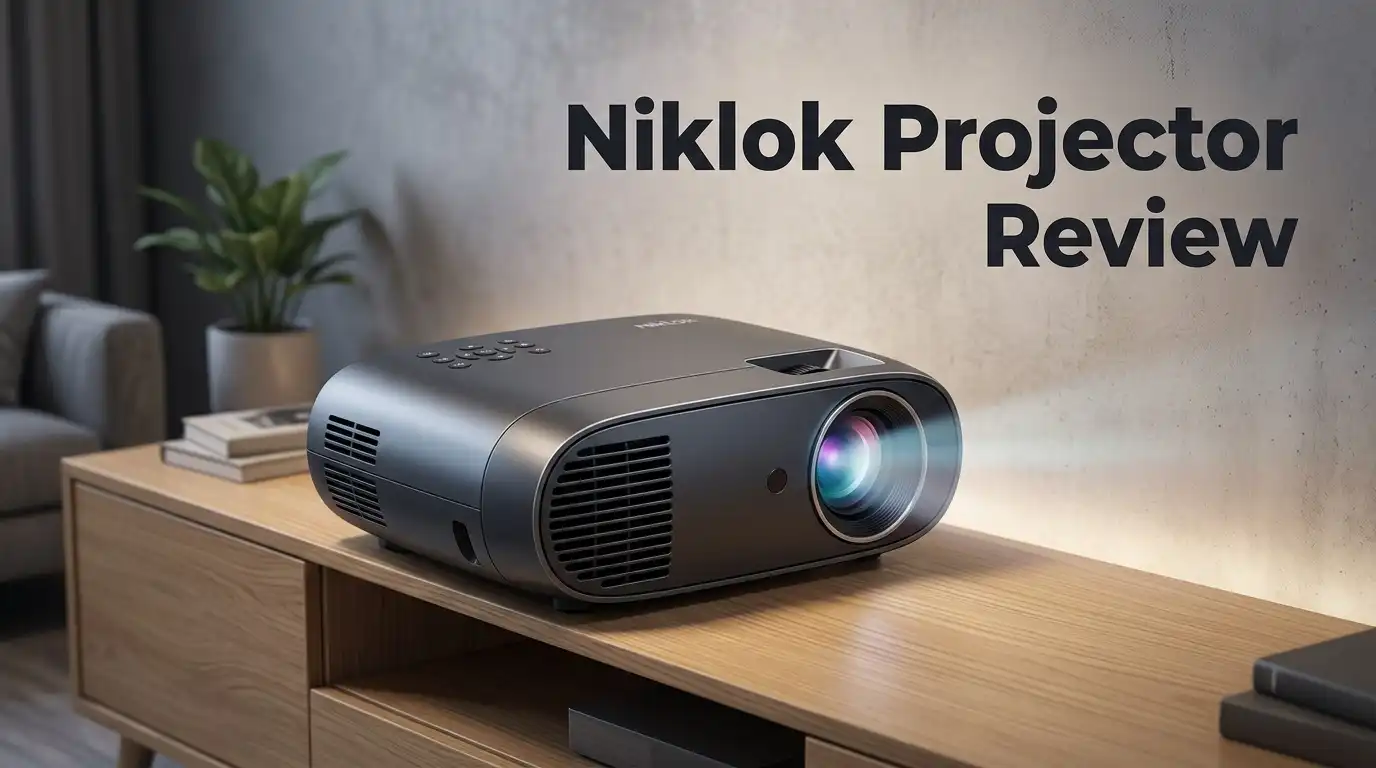
The metallic finish gives the projector a sleek appearance. Its compact size makes it genuinely portable. You can toss it in a backpack for camping, dorm rooms, or travel. The design prioritizes convenience over heavy-duty performance.
Color accuracy and contrast fall short of what you’d expect. Images look somewhat washed out, especially in brighter environments. The projector performs best in dark rooms where it can shine. Brightness levels are limited, so daytime use or bright spaces won’t work well.
These specifications tell you the Niklok is built for casual viewing in controlled settings. It excels at portability and basic functionality. The feature set covers essential needs for occasional users. Just remember that picture quality and audio require realistic expectations. This device works best when you understand its limitations upfront.

Last update on 2026-07-28 / Affiliate links / Images from Amazon Product Advertising API Some of the links on this website are affiliate links, which means that at no additional cost to you, I earn a commission if you click through and make a purchase. I only recommend products and services that I believe will add value to my readers. Thank you for your support!
Design and Portability
The Niklok Projector stands out when you need something that travels with you. This device weighs very little and fits comfortably inside a backpack or carry case. The compact form factor makes it ideal for dorm rooms, camping trips, or moving between different spaces in your home.
The metallic finish gives the projector a polished look. You won’t feel like you’re holding a cheap plastic toy. The build quality feels solid enough for occasional handling, though you should treat it with care during transport.
Setup takes just a few minutes. The projector connects via HDMI, WiFi, Bluetooth, or the 3.5mm audio jack. You can also use AirPlay if you prefer wireless casting from your phone or tablet. This flexibility means you adapt to whatever devices you already own.
The zoom and keystone correction features let you adjust the image without repositioning the projector. This matters when your space is tight or your mounting options are limited. You get a rectangular image even if the projector sits at an angle.
Built in speakers come standard on this model. You won’t need to hunt for external audio equipment immediately. However, the speaker quality is thin and lacks depth, so adding a separate speaker system becomes worthwhile once you use the projector regularly.
Size does come with tradeoffs. The compact design means less internal space for cooling fans and optical components. This affects brightness levels and overall performance in brightly lit rooms.
The projector works best in controlled lighting conditions. Dark rooms bring out the best image quality. If you plan to use this in spaces with lots of natural light or bright overhead lighting, expect disappointment.
Portability makes this projector excellent for occasional use and travel scenarios. You get a device that moves easily and sets up quickly. The design prioritizes convenience over raw performance, which matches the projector’s intended purpose perfectly. For casual viewing situations where flexibility matters more than picture quality, the form factor delivers exactly what you need.
Image Quality and Brightness
The Niklok Projector delivers functional brightness for its compact size, but you need to understand its real-world limits before purchasing.
Brightness Performance
This projector produces around 100 to 150 ANSI lumens. That number matters because it determines how well the image shows up in different rooms. In dark environments like bedrooms or basements, the brightness feels adequate. You’ll see a clear, viewable picture without strain.
Bright rooms tell a different story. Daytime viewing or well-lit spaces wash out the image significantly. The picture becomes harder to see and loses impact. You’re essentially confined to evening use or rooms with controlled lighting.
Color and Contrast Reality
The image quality shows noticeable constraints. Colors appear muted and lack vibrancy. You won’t see the rich, saturated tones that higher-end projectors deliver. Blacks don’t look truly black either. Instead, they appear as dark gray, which reduces overall contrast and makes the picture feel flat.
This limitation matters most when watching movies or detailed content. Sports broadcasts look less engaging. Nature documentaries lose their visual punch. Gaming sessions feel less immersive than they should.
Practical Image Quality
The resolution sits at 1080p, which sounds respectable on paper. In practice, the image sharpness depends heavily on distance and content type. Text remains readable at normal viewing distances. Video content looks acceptable for casual streaming and casual gaming.
The zoom and keystone correction features help you frame the image properly. You can adjust the picture without repositioning the entire projector. This flexibility adds real value for different room setups.
What This Means
The Niklok works best for specific use cases. Movie nights in dark rooms work fine. Camping trips and travel scenarios suit this projector well. Dorm room entertainment becomes feasible. However, don’t expect theater-quality visuals or bright room performance.
Understanding these boundaries helps you set realistic expectations. The projector performs its intended job without pretending to be something it isn’t.
Top 3 Alternatives
VANKYO Leisure 410

Last update on 2026-07-28 / Affiliate links / Images from Amazon Product Advertising API Some of the links on this website are affiliate links, which means that at no additional cost to you, I earn a commission if you click through and make a purchase. I only recommend products and services that I believe will add value to my readers. Thank you for your support!
Anker Nebula Capsule
No products found.
AAXA P300 Pico

Last update on 2026-07-28 / Affiliate links / Images from Amazon Product Advertising API Some of the links on this website are affiliate links, which means that at no additional cost to you, I earn a commission if you click through and make a purchase. I only recommend products and services that I believe will add value to my readers. Thank you for your support!
Connectivity and Ease of Use
The Niklok Projector connects to your devices through multiple pathways. You get WiFi, Bluetooth, HDMI, AirPlay, and a 3.5mm audio jack all built in. This means you can stream from your phone, tablet, or laptop without hunting for adapters.
Android OS runs the show here. You don’t need a separate streaming device or external box. The operating system handles apps directly, so you can download what you need straight onto the projector. Setup happens fast because everything is self-contained.
Pairing your smartphone takes seconds. AirPlay works smoothly if you use Apple devices. Android users benefit from Bluetooth casting and WiFi direct connection. The HDMI port gives you a wired option when wireless feels unreliable. This flexibility matters when you’re setting up in different locations.
The zoom and keystone correction tools let you fine tune the image without moving the projector around. You adjust angles and size from your seat. This saves time when you’re in tight spaces or awkward positions.
Here’s the real talk about speakers. The built in audio exists, but it sounds thin and lacks depth. You hear dialogue and basic sounds, but music loses its punch. Most users connect external speakers or headphones for better audio. The 3.5mm jack makes this easy.
Physical design supports quick setup. The compact, metallic body fits into bags and backpacks. Weight stays minimal, so travel feels effortless. You can move it from your dorm to a friend’s apartment without strain.
Connectivity works best in stable environments. WiFi connections perform better when your router sits nearby. Bluetooth range stays limited, so keep your source device close. HDMI provides the most stable connection if you’re using it as a permanent setup.
The learning curve stays shallow. Most people figure out the controls within minutes. Navigation feels intuitive even if you’re not tech savvy. This makes the Niklok appealing for casual users who want simplicity.
Audio Performance
The Niklok’s audio setup comes with built-in speakers as standard. You get sound output without needing external equipment. This matters when you want a complete, self-contained package.
Here’s what you should know about the actual sound quality. The speakers deliver thin audio that lacks depth and richness. Dialogue comes through clearly enough for casual viewing. Music and action scenes feel hollow by comparison. The sound doesn’t fill a room with immersive audio.
The speaker output works best in quiet, intimate settings. Think dorm rooms, small bedrooms, or personal viewing spaces. You’ll hear the content. Larger rooms expose the audio limitations quickly. The sound seems to fade into the background rather than enhance your experience.
If you care about audio quality, plan to connect external speakers. The 3.5mm jack and Bluetooth connectivity give you options. A simple portable speaker transforms the experience. Many users pair this projector with a small Bluetooth speaker for better results. This addition costs extra but makes a real difference.
The built-in audio serves a purpose for quick setups and casual use. You won’t need to hunt for cables or configure sound systems. Just power on and listen. For occasional movie nights or presentations, the speakers suffice.
Battery powered Bluetooth speakers pair instantly. You avoid messy cable runs across your room. Wireless connectivity keeps the portable appeal alive. This flexibility explains why many owners add external audio despite the built-in option.
Volume levels reach adequate levels for small spaces. You can hear everything without straining. Cranking the volume doesn’t introduce noticeable distortion. The speakers maintain clarity even at maximum output.
The audio performance reflects the projector’s overall design philosophy. It prioritizes portability and ease of use over premium sound. The speakers exist to complete the package, not to impress audiophiles. Understanding this reality helps set your expectations correctly. If you want movie theater sound, external speakers become essential. For basic streaming and casual content, the built-in audio handles the job adequately.
Pros and Cons
Pros
- Highly portable for travel, camping, and dorm rooms with a sleek, compact metallic design
- Android OS built in means you skip buying extra streaming devices or boxes
- Multiple connection options including AirPlay, HDMI, Bluetooth, and WiFi for flexible setup
- Zoom and keystone correction let you adjust the image without moving the projector around
- Functional performance for casual viewing in small, intimate spaces
Cons
- Built-in speakers sound thin and lack depth, so external audio works much better
- Low color accuracy and contrast limit image quality for detailed content and movies
- Limited brightness means bright rooms will wash out the picture noticeably
- The novelty appeal fades quickly once you move past casual use cases
Who Should Buy It
The Niklok Projector works best for specific types of people and situations. Students living in dorms find real value here. Your room is small. You want something that fits in a backpack. This projector does exactly that without taking up precious desk space.
Casual movie watchers should consider it too. You’re not chasing cinema quality. You just want to watch shows and films on a bigger screen than your laptop. The image quality suits relaxed viewing in dim rooms. Bright rooms will disappoint you, so keep that in mind.
Travelers and campers get a genuine benefit from this device. The compact design means it slips into luggage easily. You can set it up in a tent or hotel room within seconds. Android OS runs built in, so you stream content directly without extra boxes or devices.
Budget conscious buyers who prioritize portability over image perfection fit this profile. You understand the trade offs. You accept lower brightness and softer colors in exchange for something light and simple to move around.
The Niklok does not suit you if you demand excellent picture quality. Color accuracy matters to you. Contrast and brightness are non negotiable. You’ll feel frustrated with the output. Movie enthusiasts and gamers should look elsewhere.
Audio focused viewers need to know something important. The built in speakers sound thin. They lack depth and power. You’ll want to connect external Bluetooth speakers. This adds cost and complexity to your setup.
People who work in bright spaces should skip this projector. Conference rooms with windows won’t work. Office environments with overhead lighting will wash out the image. The brightness simply cannot compete.
Minimalists and frequent movers love this device. You don’t want cables everywhere. You don’t want complicated setup processes. You want something that works instantly. The Niklok delivers on that promise.
In short, buy this if you value portability, simplicity, and casual viewing. Skip it if you want professional image quality or powerful audio. Your specific needs determine whether this projector makes sense for you.
Final Verdict
The Niklok Projector fits a clear niche. It works for people who want a fun, portable screen without fuss. It does not try to compete with home theater giants.
Think of this projector as a companion, not a centerpiece. It shines when you need a quick setup for a movie night with friends. It also works well for solo travel entertainment.
Compared to competitors like the Magcubic Android 11 HY320 or Xgimi Halo Plus, the Niklok clearly plays a different game. Those devices target picture quality lovers. The Niklok targets convenience lovers instead.
The verdict comes down to expectations. If you expect cinema level clarity, you will feel let down. If you expect a simple gadget for casual fun, you will feel satisfied.
Setup speed stands out as a genuine strength here. You plug it in, connect your device, and start watching within minutes. No complicated menus or long calibration steps get in your way.
The metallic finish and compact shape also matter more than people expect. A projector that looks good and travels well earns extra points. Small details like this build daily satisfaction.
We recommend the Niklok Projector to a specific group of buyers. Students, campers, and casual viewers will likely enjoy this device the most. Serious cinephiles should look elsewhere for their next purchase.
Final thought: the Niklok Projector delivers exactly what it promises. It does not pretend to be a premium theater tool. It simply offers a light, easy way to watch content anywhere.
Your satisfaction depends entirely on your goals. Buy this projector for fun, flexibility, and simplicity. Skip it if sharp visuals and rich sound matter most to you.
In the end, this device earns its place as a solid pick for casual entertainment. It suits people who value ease over perfection. For that specific audience, the Niklok Projector truly delivers.
Frequently Asked Questions
Is the Niklok Projector good for outdoor use?
Yes, the Niklok works well outdoors, especially for camping or backyard gatherings. Its compact, portable design makes it easy to carry anywhere. The metallic finish feels durable enough for travel.
However, brightness becomes a real issue in daylight. You’ll get better results in dimly lit spaces or after sunset. For bright outdoor conditions, this projector won’t perform well.
Can I connect my phone wirelessly to this projector?
Absolutely. The Niklok supports both AirPlay and WiFi connectivity, so wireless connection is straightforward. You can also use Bluetooth for audio devices.
If wireless feels unreliable, HDMI and USB options work as backup connections. The multiple connectivity options give you flexibility.
Does the Niklok Projector have good sound quality?
The built in speakers exist, but they sound thin and lack depth. You really should add external speakers or a soundbar for any serious viewing session.
A simple Bluetooth speaker makes a huge difference in your experience. Audio quality matters more than most people realize when watching content.
Who should actually buy this projector?
This device suits minimalists, frequent travelers, and dorm room dwellers. Students love it because setup takes seconds and portability matters most.
It’s not for people who demand cinema level picture quality or work in bright rooms. Your satisfaction depends entirely on whether you value simplicity and portability over image perfection.
What’s the learning curve like for setup?
Setup speed stands out as a genuine strength. You unbox it, plug it in, and start projecting within minutes.
The Android OS feels intuitive. Most users get comfortable with the controls immediately without reading any manual.

Hello everyone my name is Alenya and i am a gadget discovering Enthusiast 🐻🐻