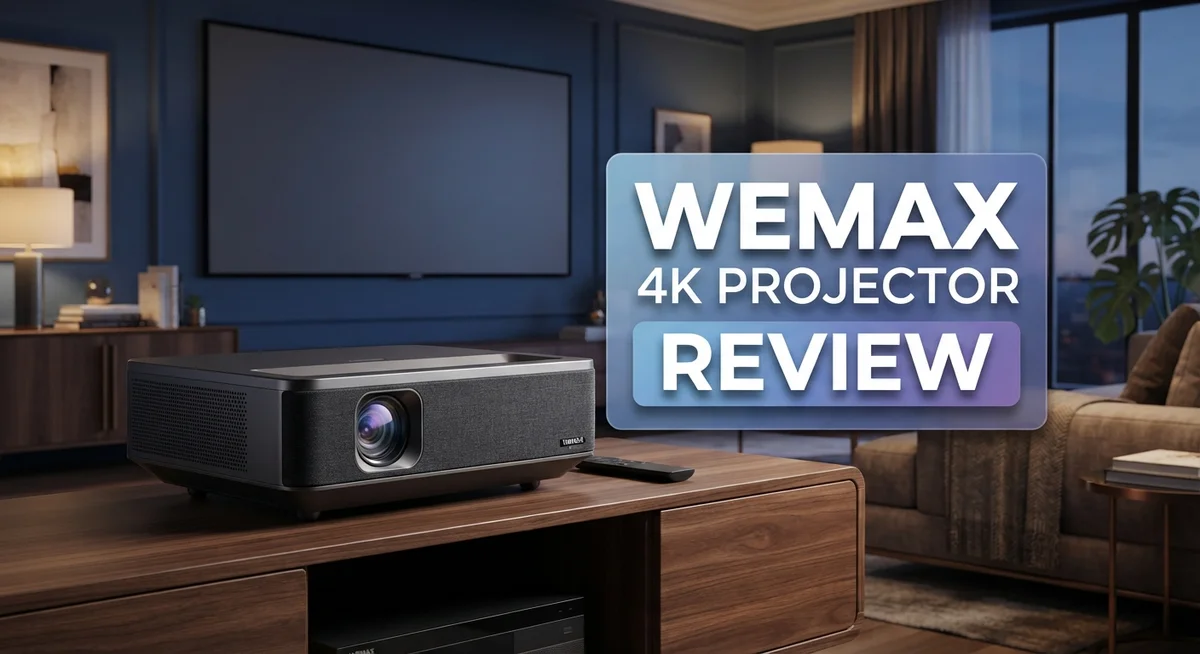
WEMAX 4K Projector Review: Top Tier or Trash?
Looking for a projector that brings the cinema home? The WEMAX Nova 4K Smart UST might be your answer.
This ultra short throw projector packs serious power into a compact body. It delivers crisp 4K resolution right on your wall or screen.
You don’t need much space to enjoy a big picture. The UST design sits close to your wall and still fills your room with stunning visuals.
Gamers will love the strong gaming picture mode. It keeps action smooth and colors sharp during intense sessions.
In a Nutshell
- 4K resolution brings sharp, clear images to your wall or screen. Every detail pops, from movies to games.
- Ultra short throw design means you place it close to the wall. No need for a long room or complex mounting.
- 30W built in audio gives you solid sound without extra speakers. It’s a nice bonus for casual viewing.
- Google Assistant and Google Play Store access turn this into a true smart projector. You can stream apps directly without extra devices.
- The included remote feels a bit basic. It lacks some advanced controls you might expect.
- Overall, this projector suits movie lovers and casual gamers alike. It blends smart features with strong picture quality in one neat package.
Key Features and Specifications
The WEMAX Nova 4K Smart UST packs impressive specs into a design that fits almost anywhere. Let’s explore what makes this projector stand out.
4K Resolution and Image Quality
This projector delivers 4K resolution, which means you get sharp and detailed images on your wall. Every scene comes through with clarity that makes movies and games feel immersive. The picture quality shines especially in gaming mode, where fast action scenes display smoothly without lag.
Ultra Short Throw Technology
The UST design lets you place this projector just inches from your wall. You don’t need to mount it on the ceiling or sit it far back in your room. This compact approach works great for small spaces, apartments, or rooms where traditional projector placement isn’t possible.
Audio and Connectivity
Built in 30W audio gives you solid sound for movies and shows. You won’t need external speakers for basic viewing, though serious audiophiles might add their own system. The projector includes 3 HDMI inputs, so you can connect your streaming device, gaming console, and media player all at once.
Smart Features and Control
Google Assistant integration puts voice control at your fingertips. You can adjust settings, search for content, and control other smart home devices without touching the remote. Access to Google Play Store means you can download apps directly onto the projector.
Keystone Correction
The 8 point keystone correction adjusts the image automatically if your projector sits at an angle. This feature saves time during setup and ensures your picture stays rectangular and properly aligned, even if your wall isn’t perfectly square.
What Could Be Better
The remote control feels basic compared to what some competitors offer. It gets the job done, but users who want more buttons and features might find it limiting. Despite this small drawback, the WEMAX Nova 4K Smart UST delivers solid performance for everyday viewing and gaming.

Last update on 2026-09-19 / Affiliate links / Images from Amazon Product Advertising API Some of the links on this website are affiliate links, which means that at no additional cost to you, I earn a commission if you click through and make a purchase. I only recommend products and services that I believe will add value to my readers. Thank you for your support!
Design and Build Quality
The WEMAX Nova 4K Smart UST shows solid engineering in its physical construction. The unit feels well built and sturdy when you handle it. The compact design is the star here. You can place this projector just inches from your wall, which opens up new possibilities for room layouts.
The body uses quality materials that resist dust and minor impacts. The finish feels premium without being flashy. The projector sits low and stable on any flat surface. You won’t worry about it tipping over during setup.
The ultra short throw lens system is the engineering highlight. This technology packs powerful optics into a small frame. The lens assembly feels precise and well protected. Dust caps and covers come included to keep everything clean.
The cooling system runs quietly in most modes. You’ll barely notice fan noise during movies or games. The vents are positioned to direct heat away from your viewing area. This design choice keeps your room comfortable.
The control panel sits on top and feels intuitive. Buttons are spaced well and respond quickly. The layout makes sense even without reading instructions. You can navigate menus one handed if needed.
The 8 point keystone correction system works through motorized adjustments. These mechanisms operate smoothly and silently. You can tilt the projector at angles and still get a perfect rectangle on your wall. The adjustments happen in real time as you make changes.
Connection ports are arranged on the back for easy access. The three HDMI inputs sit alongside other standard connections. Cable management stays clean because ports face backward. You won’t see messy wires cluttering your setup.
The remote control feels basic in hand. It’s lightweight plastic and fits your palm easily. The button layout is straightforward but lacks premium feel. Some users might want more buttons for advanced functions.
Overall, the WEMAX Nova 4K Smart UST demonstrates smart engineering choices. The build quality supports long term use. The compact design doesn’t sacrifice durability or performance. Every component serves a clear purpose in the system.
Picture Quality and Gaming Performance
Gaming on a projector transforms your experience completely. The WEMAX Nova 4K Smart UST excels here with its dedicated gaming picture mode that enhances motion and reduces input lag. You’ll notice faster response times compared to standard viewing modes.
The 4K resolution becomes your biggest advantage during gameplay. Every detail pops on screen, from intricate textures to distant objects. Games look sharper and more immersive than on smaller displays. The ultra short throw design means you can set up your gaming station without pushing furniture around.
Input responsiveness matters for competitive gaming, and this projector delivers solid performance. The three HDMI inputs let you connect your console, PC, or streaming device simultaneously. You can switch between devices without unplugging cables. This setup flexibility helps serious gamers maintain multiple connections.
The 8 point keystone correction keeps your image perfectly aligned even if your projector sits at an angle. This matters during intense gaming sessions when you might bump the unit slightly. The motorized adjustments happen automatically, so you stay focused on gameplay.
Brightness and contrast work together to enhance gaming visuals. Dark scenes in games display shadow detail without looking washed out. Bright explosions and effects maintain clarity without oversaturating. This balance keeps gameplay enjoyable during both day and night sessions.
The 30W audio system provides immersive sound for gaming. You hear directional cues and environmental effects clearly. Many gamers skip external speakers because this built in audio performs well enough for casual to moderate gaming.
One limitation appears during fast panning scenes. Some motion blur occurs if you move the camera rapidly. This happens less in slower paced games and story driven titles. For action games, you might notice the effect, but it doesn’t ruin gameplay.
Google Play Store access opens gaming possibilities. You can download mobile games and apps directly to the projector. This expands your entertainment options beyond traditional console gaming. The smart features integrate seamlessly with your gaming setup.
The WEMAX Nova 4K Smart UST proves itself a capable gaming projector for various game types and player skill levels.
Top 3 Alternatives
Anker Nebula Capsule

Last update on 2026-09-07 / Affiliate links / Images from Amazon Product Advertising API Some of the links on this website are affiliate links, which means that at no additional cost to you, I earn a commission if you click through and make a purchase. I only recommend products and services that I believe will add value to my readers. Thank you for your support!
ASUS ProArt A1


Last update on 2026-09-19 / Affiliate links / Images from Amazon Product Advertising API Some of the links on this website are affiliate links, which means that at no additional cost to you, I earn a commission if you click through and make a purchase. I only recommend products and services that I believe will add value to my readers. Thank you for your support!
BenQ LU9715

Last update on 2026-09-19 / Affiliate links / Images from Amazon Product Advertising API Some of the links on this website are affiliate links, which means that at no additional cost to you, I earn a commission if you click through and make a purchase. I only recommend products and services that I believe will add value to my readers. Thank you for your support!
Smart Features and Connectivity
The WEMAX Nova 4K Smart UST connects to your home in multiple ways. You get three HDMI inputs on the back panel. These ports let you plug in streaming devices, gaming consoles, or Blu ray players without swapping cables around.
Google Assistant integration gives you voice control over basic functions. You can speak commands to adjust volume, change inputs, or search for content. This feature works smoothly when you have a compatible smart speaker in your room.
Google Play Store access opens up entertainment options directly on the projector. You can download apps without needing an external streaming device. Popular services like Netflix, YouTube, and Disney+ install quickly. Gaming apps also become available through the store.
The projector runs on a smart operating system that feels responsive. Menu navigation happens fast without lag or stuttering. Switching between apps takes just a few seconds. The interface displays clearly on your screen.
Wireless connectivity lets you stream content from your phone or tablet. You can mirror your device screen for presentations or personal photos. Casting works smoothly with most Android devices and some iOS apps.
The remote control handles basic operations like power, volume, and input selection. However, it lacks advanced features that power users might want. You cannot program custom buttons or access all menu options through the remote alone. Using the on screen menu sometimes feels faster for complex tasks.
Connection setup happens easily out of the box. The projector finds your WiFi network quickly during initial setup. Pairing with Google Assistant requires just a few steps through the app.
Firmware updates arrive wirelessly to keep the system current. These updates add new features and improve stability over time. You don’t need to manually install anything or connect cables.
The combination of HDMI ports, wireless casting, and Google Play Store access makes this projector flexible for different needs. Whether you stream movies, play games, or give presentations, the connectivity options support your activities. The smart features integrate smoothly into your existing Google ecosystem.
Audio Quality and Sound Performance
The WEMAX Nova 4K Smart UST delivers sound that matches its visual performance. The 30W audio system produces clear dialogue and distinct sound effects across movies and games.
Speakers are positioned to project sound forward into your viewing area. This placement ensures you hear audio naturally without straining. The sound reaches you at comfortable levels during normal viewing sessions.
Bass response remains present without overwhelming the room. Lower frequencies come through during action scenes and music playback. You notice the difference when watching content with dynamic soundtracks. The system handles both quiet moments and loud explosions effectively.
Audio clarity stands out during dialogue heavy content. Voices sound crisp and easy to understand. Background music doesn’t mask speech, which matters for movies and shows. The projector separates different audio elements cleanly.
Volume adjustment happens smoothly through the remote or voice commands. Google Assistant lets you control sound levels hands free. You can increase volume for action sequences or lower it for late night viewing. The audio system responds quickly to your adjustments.
Gaming benefits from this sound setup. Sound effects in games reach you with good directional clarity. Explosions and impacts feel immersive without distortion. The 30W power handles intense gaming audio without cutting out.
Streaming services sound good through the built in speakers. Netflix shows, YouTube videos, and music apps all play through the system. You won’t need external speakers for casual listening. The audio quality satisfies most viewers for everyday entertainment.
One consideration emerges if you crave theater grade sound. The 30W system works well for standard rooms but may feel limited in very large spaces. Adding an external soundbar or receiver opens more options if you want enhanced audio.
Wireless audio connections work smoothly. You can send sound from your phone to the projector easily. Bluetooth connectivity lets you pair compatible devices without cables.
Overall, the audio system provides reliable performance. It handles movies, games, and streaming content competently. Most users find the sound quality sufficient for their needs.
Pros and Cons
Pros
- Strong gaming picture mode delivers crisp visuals during fast action sequences
- Compact UST design fits into tight spaces without taking up much room
- Google Assistant voice control lets you manage functions hands free
- Google Play Store access brings games and apps directly to your projector
- 8 point keystone correction keeps images perfectly aligned from any angle
Cons
- Remote control feels limited and lacks advanced features you might want
- Fast panning scenes show some motion blur during rapid screen movements
- Built in speakers won’t satisfy anyone seeking theater grade audio quality
Who Should Buy It
The WEMAX Nova 4K Smart UST works best for people who want a projector that fits into small spaces. Your room doesn’t need much depth because this ultra short throw model sits close to the wall. You get a full sized image without pushing the projector far into your living room.
Gamers find real value here. The strong gaming picture mode delivers crisp visuals during fast action sequences. Motion handling keeps up with rapid screen movements better than many competitors in this category. If you play console games or PC titles regularly, this projector responds well to your needs.
People who stream content constantly should consider this model seriously. Google Play Store access means you can download apps and games directly onto the projector. You don’t need extra devices sitting around your entertainment setup. Netflix, YouTube, and other services install and run smoothly on the smart operating system.
Home theater enthusiasts with modest expectations will appreciate the audio performance. The 30W speaker system handles dialogue clearly and delivers enough volume for a medium sized room. Bass response stays balanced without overwhelming your space. You won’t get theater grade sound, but the built in speakers work reliably for everyday viewing.
Tech savvy users enjoy the Google Assistant integration. Voice commands let you control basic functions without touching the remote. You can adjust volume, switch inputs, and manage smart home devices hands free. Wireless connectivity streams content from your phone or tablet without hassle.
Families appreciate the compact design and ease of use. Setup happens quickly out of the box. Firmware updates arrive wirelessly to keep everything current. The projector feels responsive and doesn’t frustrate you with lag or delays.
However, skip this model if you demand advanced remote features or premium audio quality. The remote control handles basic operations only and lacks the functionality some users expect. Anyone seeking theater grade sound should plan for external speakers instead.
This projector suits people who value space saving design, smart features, and solid gaming performance in one complete package.
Final Verdict
The WEMAX Nova 4K Smart UST earns its spot as a smart choice for casual viewers and gamers alike. It brings sharp 4K visuals into your room without needing a huge setup. The ultra short throw design saves space and simplifies installation.
Its gaming picture mode stands out as a genuine highlight. Fast paced titles look crisp and responsive on screen. This makes the projector a solid pick for weekend gaming sessions.
Google Assistant integration adds real convenience to daily use. You can control playback, adjust settings, and launch apps using just your voice. This hands free approach fits busy households well.
Access to the Google Play Store expands what this projector can do. You get direct access to streaming apps and games without extra hardware. This turns the Nova into a flexible entertainment hub.
The 8 point keystone correction feature ensures your picture stays aligned. Even if your setup isn’t perfectly centered, the image corrects itself easily. This saves time and frustration during setup.
On the downside, the remote control feels basic. It lacks the advanced functionality some users may expect. This is a minor tradeoff considering everything else the projector offers.
Motion blur during fast panning scenes is another small drawback. Action heavy content may show slight blur in quick movements. Most viewers won’t find this a dealbreaker for everyday use.
Overall, the WEMAX Nova 4K Smart UST delivers strong performance for its intended audience. It suits people who want a compact, smart projector for everyday streaming and gaming. Families, casual gamers, and tech enthusiasts will likely enjoy what it offers.
If you need studio grade audio or a premium remote, look elsewhere. But if you want a reliable, feature rich projector that fits into small spaces, this model deserves serious consideration. It balances smart features, solid visuals, and ease of use in one compact package.
Frequently Asked Questions
Does the WEMAX Nova 4K work with voice commands?
Yes, it does. The projector includes Google Assistant integration built in. You can control basic functions hands free using voice commands. This feature lets you adjust volume, switch inputs, and manage playback without touching the remote. It’s particularly useful when your hands are full or you’re relaxing on the couch.
Can I download apps and games directly on this projector?
Absolutely. The WEMAX Nova 4K has Google Play Store access. You can download streaming apps, games, and other software directly to the projector. This eliminates the need for external devices like Roku sticks or Fire TV boxes. Gamers especially appreciate having instant access to their favorite titles.
How does the image stay straight if I place the projector at an angle?
The projector uses 8 point keystone correction. This feature automatically adjusts the image to keep it perfectly aligned, even when the projector sits at odd angles or in tight corners. You won’t see trapezoid distortion or skewed pictures. The correction happens electronically without losing image quality.
What should I know about the remote control?
The remote feels basic and lacks advanced features. It handles standard functions like power, volume, and input switching. However, if you need programmable buttons or extensive customization options, you’ll find it limited. Many users prefer relying on Google Assistant voice commands instead.
Is the audio system good enough for movies?
The 30W speaker system handles casual viewing and gaming well. It delivers clear dialogue and decent sound effects. However, serious movie fans won’t find theater grade audio here. Consider adding external speakers if you want immersive sound for film watching.

Hello everyone my name is Alenya and i am a gadget discovering Enthusiast 🐻🐻