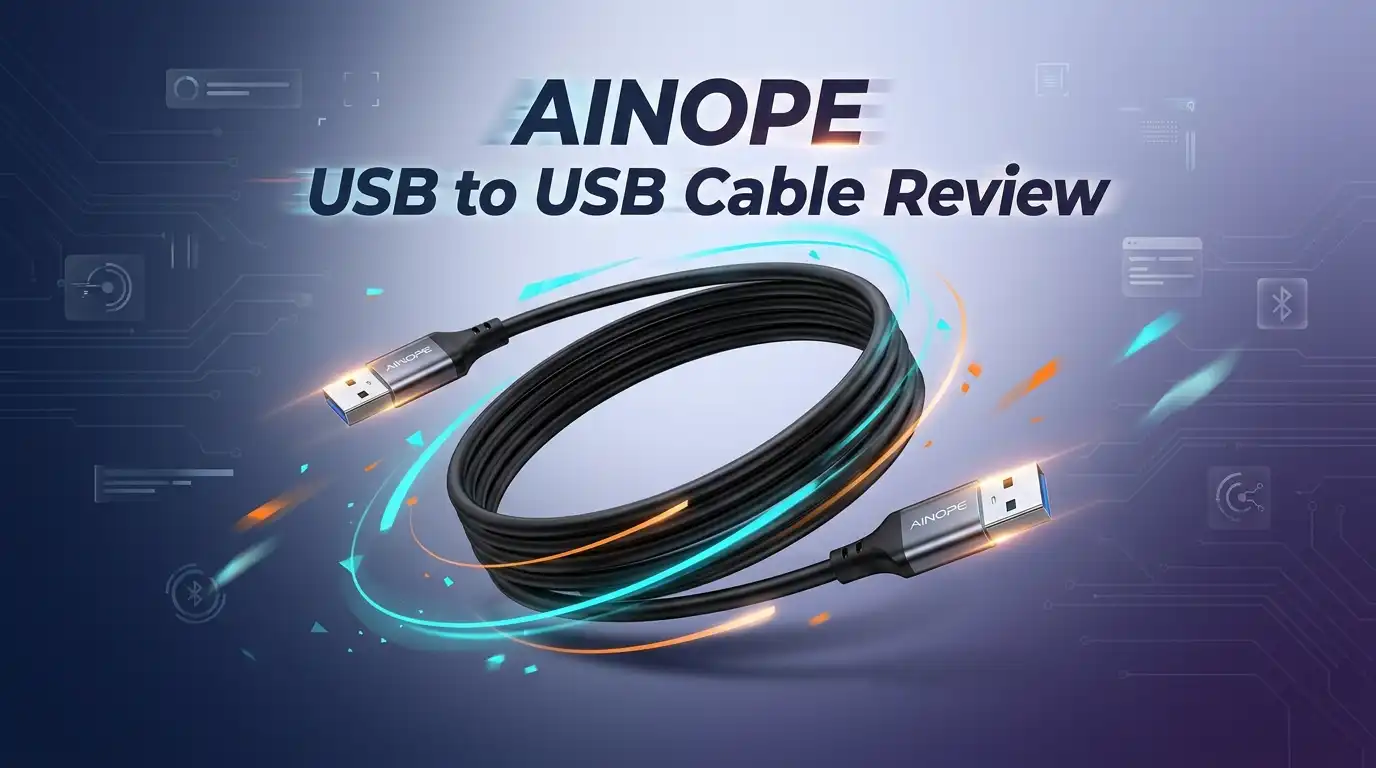
AINOPE USB to USB Cable Review: Worth Buying?
Hello friends! If you’ve ever sat there watching a file crawl across a slow cable, or fished a tangled cord out of a drawer only to find a cracked connector, this post is for you.
Today I’m sharing my honest, hands-on thoughts on the AINOPE USB 3.0 A to A Male to Male Cable after using it daily with my external drive and laptop cooling pad.
This is the cable I reached for when my old generic cord started dropping my drive mid-transfer. I wanted something durable, fast, and frankly something that wouldn’t fray after a month. Let’s dig in.
In a Nutshell
- Speed: It’s a true USB 3.0 cable rated up to 5Gbps, which is roughly 10 times faster than USB 2.0. My large video folders moved in seconds, not minutes.
- Build quality: The nylon braided jacket and reinforced SR (strain relief) joints feel genuinely solid. AINOPE claims a 20,000-bend test, and the connectors do feel sturdier than most.
- Power: It pushes up to 3A, which is plenty for a laptop cooling pad or a powered USB 3.0 hub.
- Best for: People connecting hard drive enclosures, KVM switches, DVD/Blu-ray players, cooling pads, and Wacom tablets with a Type-A port.
- Not for: Anyone needing to charge a phone or connect a modern USB-C device. This is A-to-A, a fairly specific cable.
- Value: At around $9.99, it sits at a fair price with a 4.6-star average across 22,000+ ratings.
![AINOPE USB to USB Cable, 6.6FT*1Pack USB 3.0 A to A Male to Male Cable [Never Rupture] Double End Type A Cord for Data Transfer, Compatible with Hard Drive Enclosures, Laptop Cooler, KVM, DVD Player](https://devicediscoveries.blog/wp-content/plugins/aawp/public/image.php?url=YUhSMGNITTZMeTl0TG0xbFpHbGhMV0Z0WVhwdmJpNWpiMjB2YVcxaFoyVnpMMGt2TlRGRVMwdFNjMmwyYVV3dVgxTk1NVFl3WHk1cWNHYz18MTc5MTcwMTc1Mw=)
Last update on 2026-09-19 / Affiliate links / Images from Amazon Product Advertising API Some of the links on this website are affiliate links, which means that at no additional cost to you, I earn a commission if you click through and make a purchase. I only recommend products and services that I believe will add value to my readers. Thank you for your support!
What Exactly Is This Cable
Let’s clear this up first, because A-to-A cables confuse a lot of people. Both ends are the classic rectangular USB Type-A plug. One goes into your computer, the other into a device that has a female Type-A port.
This is not a charging cable for your phone. It’s a data and power cable for older or specialty gear.
Think external hard drive enclosures, laptop cooling pads, KVM switches, set-top boxes, and some monitors or DVD players. If your device has a square-ish USB-B port or a USB-C port, this isn’t the one.
I want to be upfront because I’ve seen reviews where someone bought it expecting to charge a tablet. That’s a mismatch, not a flaw. Knowing your port saves a return.
Unboxing And First Impressions
The packaging is refreshingly simple. No giant plastic clamshell that needs scissors and a prayer. It came in a small recyclable sleeve with the cable coiled neatly and held by a reusable velcro strap.
My first thought picking it up was “oh, this feels nice.” The braid has a tight weave, and the connectors have a satisfying matte-metal housing.
I got the 6.6ft grey version. The color is a muted two-tone that looks clean behind a desk. There’s no plasticky smell, which I always appreciate.
It’s a small thing, but the included sticky cable buckle is genuinely useful for keeping the cord tidy. Little touches like that make a cheap accessory feel considered.
The Build Quality Up Close
This is where the AINOPE earns its keep. The nylon braid isn’t just for looks. It resists tangling and gives the cable a reassuring weight.
The standout feature is the reinforced strain relief at each connector. That bend point is where most cheap cables die first. Here it’s thick, flexible, and clearly built to survive being yanked.
AINOPE markets a 20,000-bend durability test. I can’t recreate that at my desk, but I can say the joints don’t creak or feel loose after weeks of plugging and unplugging.
The connectors are gold-plated, which helps resist corrosion over time. They slide into ports snugly without that wobbly, half-seated feeling cheaper cables give you.
Top 3 Alternatives for AINOPE USB to USB Cable

Last update on 2026-09-19 / Affiliate links / Images from Amazon Product Advertising API Some of the links on this website are affiliate links, which means that at no additional cost to you, I earn a commission if you click through and make a purchase. I only recommend products and services that I believe will add value to my readers. Thank you for your support!
Cable Matters 2-Pack USB 3.0 A to A Cable

Last update on 2026-09-19 / Affiliate links / Images from Amazon Product Advertising API Some of the links on this website are affiliate links, which means that at no additional cost to you, I earn a commission if you click through and make a purchase. I only recommend products and services that I believe will add value to my readers. Thank you for your support!
Ruaeoda USB 3.0 A to A Cable 6ft

Last update on 2026-09-19 / Affiliate links / Images from Amazon Product Advertising API Some of the links on this website are affiliate links, which means that at no additional cost to you, I earn a commission if you click through and make a purchase. I only recommend products and services that I believe will add value to my readers. Thank you for your support!
AINOPE USB 3.0 Extension Cable 2-Pack
Real World Speed Testing
Numbers on a box mean little until you actually move files. So I plugged it into my 2.5-inch external SSD enclosure and ran a few transfers.
A 12GB folder of video clips copied over in well under a minute. That’s the 5Gbps ceiling doing its job, and it matched what my drive could push.
It’s worth noting speed depends on your weakest link. If your drive or port is USB 2.0, the cable drops to that speed. The cable isn’t the bottleneck here, which is exactly what you want.
I also tested it backward-compatible on an older USB 2.0 port and it worked fine, just slower. No dropped connections, no random disconnects. For data integrity, that reliability matters more than headline speed.
Using It With A Cooling Pad
This was my secondary use, and honestly a strong one. My laptop cooling pad needs steady power, and weak cables make the fans stutter or spin down.
With the AINOPE pushing up to 3A, the fans ran at full, consistent speed. No flickering, no slowdown when I added load.
A lot of A-to-A cables skimp on the power wiring. This one clearly doesn’t, and the pure copper core is probably why.
If you run a cooling pad, a powered hub, or anything that draws real current over Type-A, this handles it without complaint. It’s a quietly capable little cable.
Honest Downsides And Who Should Skip It
No product is perfect, so here’s the honest part. The 6.6ft length is great for desks but can feel a little long if you just want a short hop between two stacked devices. They do sell shorter sizes, so pick wisely.
The braid, while durable, has a slight memory from being coiled in the package. It relaxes after a day or two, but out of the box it wants to curl.
Most importantly: this is an A-to-A cable. If you don’t already own a device with a female Type-A port, you genuinely don’t need this. Skip it if you’re chasing a phone charger or a USB-C cable.
A few buyers reported the occasional dud unit, which happens with any high-volume product. The free 30-day return takes the sting out of that risk.
How It Compares To Cheaper Cables
I’ve owned my share of bargain-bin no-name cables, and the difference is real. The flimsy ones flex at the connector until the shielding cracks and your drive starts dropping out.
The AINOPE feels a tier above that. The braiding, the strain relief, and the snug connectors all add up to something that should outlast three cheap cables.
Is it the absolute fanciest cable money can buy? No. There are pricier shielded options for high-interference environments.
But for everyday home and office use, this hits a sweet spot. You’re paying a few dollars more than the cheapest option for noticeably better build, and that’s money well spent in my book.
Who This Cable Is Perfect For
Let me paint the ideal owner. If you have an external hard drive or SSD enclosure with a Type-A port, this is a great match for fast, stable backups.
It’s also ideal for KVM switch users juggling multiple machines, or anyone running a laptop cooling pad that needs reliable power.
Tinkerers and Wacom tablet owners with older Type-A connections will appreciate it too. Basically, if your gear predates USB-C or uses that classic rectangular port, you’re the target buyer.
For these folks, it’s an easy recommendation. It does one job, does it well, and feels built to last longer than the device it’s connecting.
My Final Verdict
So, is the AINOPE USB to USB Cable worth buying? For the right person, yes, comfortably.
It’s fast, well-built, and fairly priced. The nylon braid and reinforced joints solve the number-one problem with cheap cables, which is dying at the connector. The strong 3A power delivery is a bonus for cooling pads and hubs.
Just buy it with eyes open. This is a specialty A-to-A cable, not a universal charger. Match it to your device’s port and you’ll be happy.
After weeks of daily use with my drive and cooling pad, it’s earned a permanent spot on my desk. That’s the highest praise I give a humble accessory.
Frequently Asked Questions
Is this an A-to-A or a charging cable?
It’s a USB 3.0 Type-A to Type-A cable, meaning both ends are the standard rectangular plug. It’s made for data transfer and powering devices, not for charging phones or connecting USB-C gear.
How fast is the data transfer?
It supports up to 5Gbps, about 10 times faster than USB 2.0. Real speed depends on your devices, since the cable matches the slowest component in the chain.
Will it power my laptop cooling pad?
Yes. It delivers up to 3A, which is enough for cooling pads, powered hubs, and similar devices that draw real current over Type-A.
Is it actually durable?
In my experience, yes. The nylon braid and reinforced strain relief feel well above average, and AINOPE cites a 20,000-bend test. It held up well during my testing.
What lengths does it come in?
It’s sold in several sizes from short 1.5ft options up to 10ft, in single or two-packs. I used the 6.6ft and found it ideal for a desk setup.
What if I get a faulty unit?
There’s a free 30-day refund or replacement through Amazon, so a rare dud is low-risk. Reach out to the seller and you should get a quick resolution.
This is a sensitive topic only in that buying the wrong connector type is the most common complaint, so double-check your device’s port before ordering. If you’re unsure what port you have, snap a photo and compare it before you buy.
Disclosure: This content is part of an Amazon Creator Connections campaign, meaning I earn a commission from qualifying purchases. Using these links costs you nothing extra but directly supports my blog and future content.

Hello everyone my name is Alenya and i am a gadget discovering Enthusiast 🐻🐻