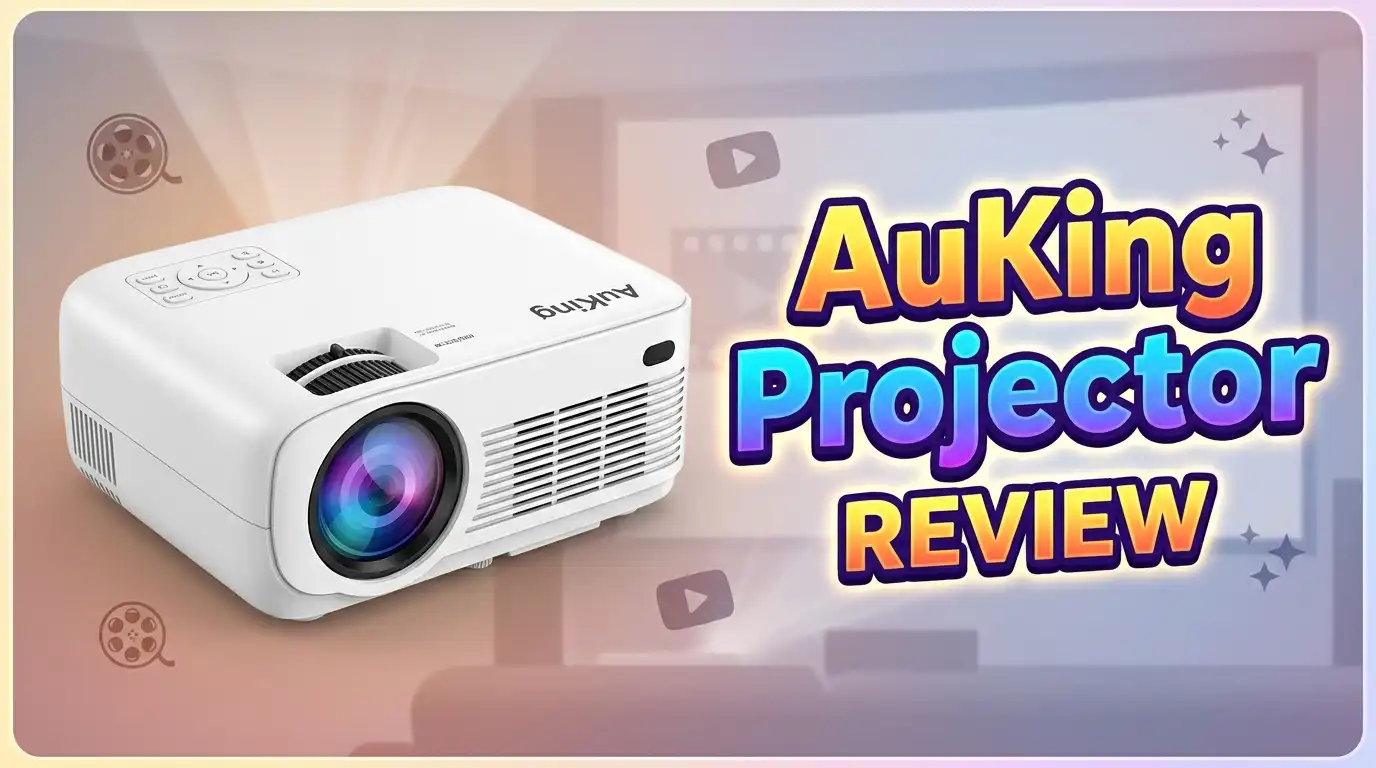
AuKing Projector Review 2026: Worth Buying?
The AuKing Projector keeps showing up at the top of Amazon’s bestseller list. You may have seen it on TikTok, Instagram reels, or in YouTube reviews. People love it for the price, but many wonder if a cheap mini projector can really deliver a true home theater feel. This review answers that question in plain words.
I tested the AuKing 2026 Upgraded Mini Projector for over three weeks. I watched movies, played console games, hosted backyard nights, and even used it for a small office presentation.
I also tried streaming from my phone, a Fire TV Stick, and a laptop. By the end, I had a clear picture of what this projector does well and where it falls short.
Key Takeaways:
- Native resolution is 1280×720, but it supports Full HD 1080P input for sharper streaming content.
- Brightness sits around 9500 lumens (advertised), though real measured output is lower. It works best in dark rooms.
- Projection size ranges from 35 to 200 inches with a throw distance of 3.6 to 18.5 feet, giving you flexible setup options.
- Connectivity includes HDMI, USB, AV, and VGA, plus phone mirroring through an extra adapter (sold separately).
- The price stays under $90, making it one of the cheapest 1080P supported projectors on Amazon.
- It has weak built-in speakers and no native WiFi or Bluetooth on the base model, so plan for external audio.
What Is The AuKing Projector?

Last update on 2026-07-03 / Affiliate links / Images from Amazon Product Advertising API Some of the links on this website are affiliate links, which means that at no additional cost to you, I earn a commission if you click through and make a purchase. I only recommend products and services that I believe will add value to my readers. Thank you for your support!
The AuKing Projector is a compact LED home theater projector made for everyday users. The brand sells most of its units through Amazon and TikTok Shop. The 2026 upgraded model targets people who want a big screen feel without spending big money.
It uses LCD display technology with an LED light source. The lamp life is rated at 65,000 hours, which means you can watch a movie every night for years before the bulb dims. That is a strong selling point for budget shoppers.
The unit weighs about 3 pounds and measures around 8 by 6 by 3 inches. You can carry it in a backpack or set it on a small shelf. The fan runs quietly enough to sit beside you on a coffee table during a film.
It supports 1080P input, AV, HDMI, USB, VGA, and TF card sources. You can plug in a Fire Stick, a Roku, a PS5, a Switch, or a laptop. The package usually includes an HDMI cable, an AV cable, a power cord, a remote, a lens cover, and a quick start manual. It does not include batteries for the remote, so keep two AAA cells handy.
This projector targets first-time buyers and casual movie watchers. It is not aimed at film enthusiasts or gamers who care about input lag.
Unboxing The AuKing Projector
The unboxing felt simple and clean. The box arrived in plain brown packaging with the AuKing logo printed on top. Inside, the projector sat snug in molded foam, which kept everything safe during shipping.
The first thing I noticed was the weight. It feels light but not flimsy. The plastic shell has a matte finish that hides fingerprints. The lens sits in the center with a small focus ring and keystone wheel above it.
The included accessories were basic but useful. I found one HDMI cable, one AV cable, one power cable, one remote, a lens cover, a small cleaning cloth, and a printed manual. The manual reads clearly, with diagrams that show every port and button.
I plugged it in within two minutes. The startup screen appeared right away with the AuKing logo. The menu uses simple icons and large text, so even a first-time projector user can find the input source fast.
One small letdown was the lack of a carry bag. For a portable projector, a soft pouch would have been nice. You will need to buy a third-party case if you plan to travel often. Still, the overall first impression felt fair for the price point.
Picture Quality And Brightness
The picture quality was the part I cared about most. I tested the AuKing in three settings: a fully dark room, a dim living room, and an evening backyard.
In a fully dark room, the image looked surprisingly sharp at 100 inches. Colors were warm, and text on streaming apps stayed readable. I watched several action movies, and motion stayed smooth without major blur. The contrast was decent for a budget LED unit.
In a dim room with some lamp light, the image lost some pop. Whites turned slightly grey, and dark scenes looked muddy. This is normal for projectors under one hundred dollars. You really need darkness to enjoy this projector.
The advertised lumen rating is high, but real measured brightness is closer to 100 to 150 ANSI lumens. That number tells you the truth better than the marketing claim. For backyard use, I had to wait until full nightfall.
The native resolution is 720P, with 1080P support through downscaling. The image looks fine on a 100 inch screen but starts to soften past 120 inches. Don’t expect 4K sharpness. For Netflix, Disney Plus, YouTube, and casual gaming, the picture quality holds up well.
Top 3 Alternatives For AuKing Projector
If you want to compare before buying, here are three strong options worth checking on Amazon.

Last update on 2026-08-02 / Affiliate links / Images from Amazon Product Advertising API Some of the links on this website are affiliate links, which means that at no additional cost to you, I earn a commission if you click through and make a purchase. I only recommend products and services that I believe will add value to my readers. Thank you for your support!
HAPPRUN Native 1080P Projector

Last update on 2026-08-03 / Affiliate links / Images from Amazon Product Advertising API Some of the links on this website are affiliate links, which means that at no additional cost to you, I earn a commission if you click through and make a purchase. I only recommend products and services that I believe will add value to my readers. Thank you for your support!
Vamvo Mini Projector with WiFi and Bluetooth 4K Support

Last update on 2026-08-03 / Affiliate links / Images from Amazon Product Advertising API Some of the links on this website are affiliate links, which means that at no additional cost to you, I earn a commission if you click through and make a purchase. I only recommend products and services that I believe will add value to my readers. Thank you for your support!
VANKYO LEISURE 3 Pro Mini Projector
Sound Quality And Built-In Speakers
The built-in speakers are the weakest part of the AuKing. The unit has dual stereo speakers placed on the sides. They get loud enough for a small bedroom, but they sound thin and tinny.
Dialogue stays clear at low volume. Once you push the volume past 70 percent, the bass disappears and treble starts to crack. Music lovers will not enjoy the audio output.
The good news is that the projector has a 3.5mm audio jack. You can plug in any wired speaker, soundbar, or pair of headphones. I connected a small Bluetooth soundbar through a transmitter, and the difference was huge. Movie nights felt cinematic only after I added external audio.
Some newer AuKing models include Bluetooth, but the standard B07MTCMHZX unit does not. Check the listing carefully before you buy if wireless audio matters to you. Plan to budget for a small external speaker. Even a $25 portable speaker will make movies feel ten times better.
For backyard parties, I paired it with a JBL speaker through the audio jack. Friends sitting 15 feet away could hear every word. The fan noise from the projector also fades into the background once external sound is on. So while the speakers fall short, the workaround is cheap and easy.
Setup And Ease Of Use
Setup took me less than five minutes the first time. I placed the projector on a coffee table, plugged in the power cord, and connected a Fire TV Stick through the HDMI port.
The focus wheel sits on top of the lens. I turned it slowly until the image looked sharp on my white wall. The keystone correction is manual and only fixes vertical tilt. You cannot fix sideways angle, so you must place the projector straight in front of the screen.
The remote feels basic but works fine. It has a power button, volume keys, source select, and arrow keys. The remote signal needs line of sight, so do not block it with snacks or pillows.
The menu is simple. You can change the language, flip the image for ceiling mount, adjust color, and pick the input. There are no fancy smart features. This projector is plug and play, which is great for non-tech users.
I also tried connecting my iPhone. Phone mirroring needs a Lightning to HDMI adapter, which is not included. Once I got the adapter, mirroring worked smoothly with no lag during YouTube playback. Android users will need a USB-C to HDMI adapter. Keep that in mind before you buy.
Connectivity Options
The AuKing offers a wide range of ports for a budget projector. You get HDMI, USB, VGA, AV, and a 3.5mm audio jack. There is also a TF card slot for direct media playback.
The HDMI port is the main one most users will use. It works with Fire TV Stick, Roku, Chromecast, gaming consoles, laptops, and Blu-ray players. I tested it with a PS5, and 1080P input displayed without issue.
The USB port reads files from a flash drive. I loaded MP4 movies and JPG photos, and they played without problems. The TF slot is handy for SD cards from a camera. The VGA port works for older laptops or office presentations.
There is no built-in WiFi on the base model. You cannot stream Netflix directly. You must connect a streaming stick. This is a common limit on cheap projectors, but it is worth knowing upfront.
Bluetooth is also missing on the standard unit. If you want wireless audio, you can buy a small Bluetooth transmitter that plugs into the 3.5mm jack. It costs around $15 and works fine. AuKing’s newer Smart Projector model B0FL1SQFK6 does include WiFi and Bluetooth if those features matter to you.
Real World Performance For Movies
I tested the AuKing with several genres. Action movies looked solid at 100 inches in a dark room. Fast scenes had a tiny bit of motion blur, but nothing distracting. Animated films looked the best, with bright colors and smooth lines.
Dark scenes were the hardest test. In thrillers and horror films, deep blacks looked more like dark grey. The contrast ratio is not strong enough for moody cinema. If you watch a lot of dark dramas, this might bother you.
Streaming from a Fire TV Stick worked great. Netflix, Hulu, Prime Video, and Disney Plus all displayed in 1080P input. The projector downscales it to 720P native, but the result still looks crisp from a normal viewing distance of 8 to 10 feet.
Backyard movie nights are where this projector shines. I hung a $30 white sheet between two trees, plugged in a Fire Stick and a Bluetooth speaker, and started a movie. Friends loved the giant 120 inch image. The summer night air made it feel like a real outdoor cinema.
For everyday movie watching at home, the AuKing handles the job. Just keep the room dark and the screen size below 120 inches for the best results.
Gaming Performance
Gamers should know the truth before buying. The AuKing is not built for serious gaming. The input lag sits around 50 to 60 milliseconds, which is too slow for competitive shooters or fighting games.
For casual gaming, it works fine. I played The Legend of Zelda on Switch, Stardew Valley, and Mario Kart with friends. Slow paced and party games felt great on a huge screen. The big image makes group play more fun.
I also tried Call of Duty on PS5. The lag was noticeable. My aim felt slightly delayed. If you play ranked online matches, stick with your TV or monitor.
Retro game fans will love this projector. Old SNES, Genesis, and N64 games look amazing on a 100 inch screen. The slight softness of the image actually hides pixel edges in a pleasing way. Mario Kart 64 felt like a real arcade.
The colors during gameplay stayed accurate. Greens, reds, and blues popped in cartoon style games. Realistic shooters looked a bit washed out in dark scenes, which goes back to the contrast limit. Overall, the gaming experience is good for parties and casual fun, but it is not for esports.
Portability And Build Quality
The AuKing weighs about 3 pounds and fits in a small bag. I took it to a friend’s house, on a camping trip, and to my parents’ backyard. Setup took five minutes each time. Portability is a strong point.
The plastic body feels solid for the price. It does not creak or flex when you press it. The lens has a sliding cover that protects it during travel. I dropped it once from about 2 feet, and it kept working fine.
The fan runs quietly during normal use. After about an hour, the back of the unit gets warm to the touch. This is normal for LED projectors. Keep it on a flat surface with airflow around the vents.
There is no built-in battery. You always need a wall outlet. For camping, I used a small portable power station, and it ran the projector for several hours without trouble.
The build quality matches the price. It is not premium, but it is fair. You will not feel like you wasted your money when you hold it. Just avoid stacking heavy items on top, and keep it away from dust. A cheap dust cover or pouch is a smart accessory to add.
Price And Value For Money
The AuKing usually sells for under $90 on Amazon. Sometimes it drops to $70 during sales. At that price, it offers strong value. You get a working 1080P input projector with multiple ports, decent picture, and an LED lamp that lasts years.
Compare that to a 100 inch TV, which can cost over $1,000. The AuKing gives you a similar screen size for one tenth the price. Yes, the picture quality is lower, but for casual use, the value is hard to beat.
Is it the best projector under $100? It is one of the most popular, and many users keep coming back to it. The Amazon reviews stay around 4.4 stars across thousands of buyers. That tells you most people are happy with what they get.
If you have a bigger budget, you can find better picture quality from brands like Vankyo, Vamvo, or Happrun. But if you want the cheapest entry into projector ownership, the AuKing remains a top pick.
Bottom line: this projector earns its price. You are not buying a flagship, and you should not expect one. You are buying a fun, portable, easy to use device that turns any wall into a big screen.
What The AuKing Projector Does Not Do Well
Honest reviews must cover the negatives. Here is where the AuKing falls short, based on my testing.
The brightness is below the advertised number. Marketing claims of 9500 lumens are not accurate in real ANSI terms. Real output is closer to 100 to 150 ANSI lumens, which is fine for dark rooms but weak for daytime use.
The built-in speakers are poor. They lack bass and crack at high volume. You will want external audio for any serious movie night.
There is no native WiFi or Bluetooth on the base model. You must use an HDMI streaming stick or a wired connection. This adds cost and clutter.
The keystone correction is manual and only vertical. You cannot place the projector off to the side and expect a square image. It needs to face the wall straight on.
Input lag for gaming is high. Avoid this projector for fast paced online play. The native resolution is also 720P, not true 1080P, so very large screens will look soft.
Finally, the fan gets warm and the lens collects dust if left uncovered. These are small issues, but worth knowing. Set your expectations right, and the AuKing will satisfy. Expect more than its price, and you will be let down.
Who Should Buy The AuKing Projector
The AuKing fits a clear group of users. Here is who will enjoy it the most.
First time projector buyers will love how easy it is. The setup takes minutes, and the menu is simple. You do not need any tech skill to use it.
Parents and kids will get great use out of it. Movie nights, cartoons, gaming with friends, and bedtime stories on the ceiling all work well. It makes a fun gift for a child’s room.
Backyard party hosts will find it perfect. Pair it with a Fire Stick and a Bluetooth speaker, and you have an outdoor cinema for under $150 total.
College students and renters will appreciate the portability. You can move it between rooms, take it to friends’ places, or pack it for trips.
Casual gamers, especially fans of party games and retro consoles, will have a blast. The big screen adds fun even with slight input lag.
This projector is not for cinema enthusiasts, not for esports gamers, and not for daytime use in bright rooms. If you fall outside those groups, you will likely enjoy what the AuKing brings to the table. It is honest, basic, and fun for the price.
Frequently Asked Questions
Is the AuKing Projector good for outdoor use?
Yes, the AuKing works well outdoors after sunset. You need full darkness for the best image. Pair it with a portable speaker and a white sheet or screen for a cinematic backyard setup.
Does the AuKing Projector support Netflix?
The base model does not have built-in WiFi. You can stream Netflix by plugging in a Fire TV Stick, Roku, or Chromecast through the HDMI port. The newer AuKing Smart Projector includes built-in WiFi.
What is the real native resolution of the AuKing Projector?
The native resolution is 1280×720, also called 720P. It accepts 1080P input signals and downscales them. The image still looks sharp on screens up to 100 inches in dark rooms.
How long does the AuKing Projector lamp last?
The LED lamp is rated for around 65,000 hours of use. That is over seven years of nonstop watching. Most home users will never need to replace the lamp.
Can I connect my iPhone to the AuKing Projector?
Yes, but you need a Lightning to HDMI adapter, sold separately. Once connected, your iPhone screen mirrors to the projector. Android users need a USB-C to HDMI adapter for the same setup.
Does the AuKing Projector have Bluetooth?
The standard model B07MTCMHZX does not include Bluetooth. You can add a small Bluetooth transmitter through the 3.5mm audio jack for around $15. The newer AuKing Smart Projector has built-in Bluetooth.
Is the AuKing Projector worth the money in 2026?
Yes, for buyers who want a cheap, portable projector for casual use. It offers good picture quality in dark rooms, a long lamp life, and many input options for under $90. Just do not expect 4K cinema performance.

Hello everyone my name is Alenya and i am a gadget discovering Enthusiast 🐻🐻