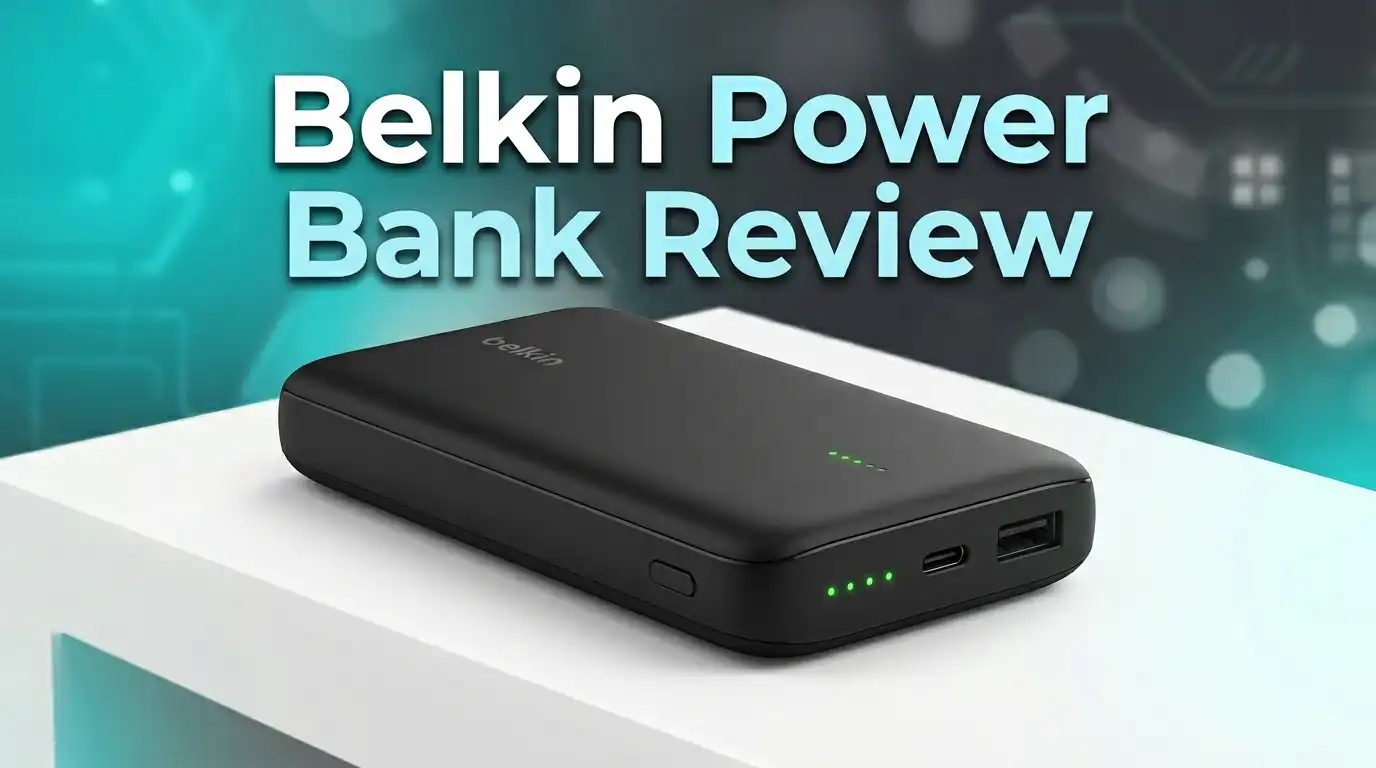
Belkin Power Bank Review 2026: Worth Your Money?
Your phone just hit 5%. You have no cable. The nearest outlet is across the room at a crowded airport gate. Sound familiar? A good power bank saves you from these moments. Belkin has been a trusted name in charging accessories for years. But does their latest lineup hold up in 2026?
In this Belkin Power Bank review, we tested the newest models from Belkin’s BoostCharge and UltraCharge series. W
e checked charging speeds, build quality, port options, and real battery performance. We also compared them against popular alternatives from Anker, Baseus, and INIU.
Key Takeaways
- Belkin’s 2026 power bank lineup covers capacities from 5,000mAh to 27,000mAh. Each model targets a specific use case, from pocket carry to full laptop charging.
- The Belkin BoostCharge Power Bank 20K with Integrated Cable (B0DW3J2KV6) delivers 30W USB-C Power Delivery. It charges an iPhone from 0 to 50% in under 25 minutes.
- The Belkin 3-Port Laptop Power Bank 20K (B0FZK1P5JH) pushes 65W output. It can charge a MacBook Pro 14-inch from 0 to 50% in about 42 minutes.
- Build quality remains a Belkin highlight. Every model we tested felt premium. The matte finishes resist fingerprints and the edges are smooth.
- Wireless charging options have expanded with the UltraCharge Pro line, now supporting Qi2.2 at 25W. This is a significant upgrade over the older 7.5W standard.
- Price is still the biggest drawback. Belkin power banks cost 20 to 40% more than competing brands with similar specs. You pay for brand trust, safety certifications, and Apple ecosystem optimization.
Belkin BoostCharge Power Bank 20K with Integrated Cable

Last update on 2026-09-20 / Affiliate links / Images from Amazon Product Advertising API Some of the links on this website are affiliate links, which means that at no additional cost to you, I earn a commission if you click through and make a purchase. I only recommend products and services that I believe will add value to my readers. Thank you for your support!
The Belkin BoostCharge Power Bank 20K with Integrated Cable is the model most buyers should consider first. It packs a 20,000mAh battery with a built-in USB-C cable. You do not need to carry a separate cord. Just pull the integrated cable, plug in your phone, and charge.
This model supports 30W USB-C Power Delivery. That means fast charging for iPhones, Samsung Galaxy phones, iPads, and even some smaller tablets. An iPhone 16 Pro goes from 0 to 50% in roughly 25 minutes. That speed matches most wall chargers.
The integrated cable sits flush against the body of the power bank. It does not dangle or get tangled in your bag. Belkin used a braided cable design that feels strong. However, this is also a potential weak point. If the built-in cable breaks, you cannot replace it separately.
The power bank also has a USB-A port for older devices. You can charge two devices at the same time. An LED indicator shows remaining battery life in four stages.
In our testing, the unit weighed about 14 ounces. It fits in a jacket pocket but adds noticeable bulk. The matte blue finish looks clean and resists smudges.
Belkin 3-Port Laptop Power Bank 20K 65W
Last update on 2026-09-20 / Affiliate links / Images from Amazon Product Advertising API Some of the links on this website are affiliate links, which means that at no additional cost to you, I earn a commission if you click through and make a purchase. I only recommend products and services that I believe will add value to my readers. Thank you for your support!
The Belkin 3-Port Laptop Power Bank steps up the game with 65W output. This is enough power to charge a MacBook Air or a MacBook Pro 14-inch at a usable speed. Most 20,000mAh power banks from other brands top out at 30W. Belkin’s 65W output puts this model in a different class.
It has two USB-C ports and one USB-A port. You can charge a laptop, a phone, and earbuds at the same time. A digital display on the front shows the exact remaining battery percentage. No more guessing with vague LED dots.
We charged a MacBook Pro 14-inch M3 from 0 to 50% in about 42 minutes. That is impressive for a portable battery. The power bank also supports pass-through charging. You can plug it into a wall outlet and charge your devices through it at the same time.
The body is heavier than the 30W model. It weighs around 16 ounces. The build feels solid. It survived a drop onto a tile floor during our testing without any damage. The corners are reinforced.
One downside is the price. This model costs significantly more than Belkin’s standard 20K banks. If you do not need laptop charging, save your money and pick the 30W version instead.
Belkin BoostCharge Power Bank 10K with Integrated Cable
Last update on 2026-09-20 / Affiliate links / Images from Amazon Product Advertising API Some of the links on this website are affiliate links, which means that at no additional cost to you, I earn a commission if you click through and make a purchase. I only recommend products and services that I believe will add value to my readers. Thank you for your support!
The Belkin BoostCharge 10K is the lighter option for daily carry. It has a 10,000mAh capacity and a built-in USB-C cable. At 20W output, it charges phones at a reasonable speed. An iPhone 16 gets about 1.8 full charges from this bank.
This model weighs just 8 ounces. It slides into a jeans pocket without making you look like you are smuggling a brick. The slim profile measures about half an inch thick.
Belkin added pass-through charging here too. Plug the power bank into a USB-C wall adapter, and it charges your phone while refilling itself. This feature saves time at hotels or coffee shops with limited outlets.
The LED indicator uses four small lights. They work fine but lack the precision of the digital display found on the 65W model. You get a rough estimate, not an exact percentage.
In real-world use, the 20W charging speed filled an iPhone 16 Pro from 10% to 60% in about 30 minutes. That is solid performance for a compact bank. The integrated cable held up through three weeks of daily plugging and unplugging.
The main limitation is capacity. At 10,000mAh, this bank works great for one device. If you carry a phone and a tablet, you will run out of juice quickly. Pick the 20K model for multi-device use.
Top 3 Alternatives for Belkin Power Bank

Last update on 2026-09-07 / Affiliate links / Images from Amazon Product Advertising API Some of the links on this website are affiliate links, which means that at no additional cost to you, I earn a commission if you click through and make a purchase. I only recommend products and services that I believe will add value to my readers. Thank you for your support!
Anker Zolo Power Bank 20,000mAh 30W


Last update on 2026-07-04 / Affiliate links / Images from Amazon Product Advertising API Some of the links on this website are affiliate links, which means that at no additional cost to you, I earn a commission if you click through and make a purchase. I only recommend products and services that I believe will add value to my readers. Thank you for your support!
Baseus 20,000mAh Compact Portable Charger 45W

Last update on 2026-09-20 / Affiliate links / Images from Amazon Product Advertising API Some of the links on this website are affiliate links, which means that at no additional cost to you, I earn a commission if you click through and make a purchase. I only recommend products and services that I believe will add value to my readers. Thank you for your support!
INIU 20,000mAh Power Bank 45W with Built-in USB-C Cable
Unboxing Experience and First Impressions
Opening a Belkin power bank feels premium. The packaging uses a clean white box with blue accents. Belkin prints the product image and key specs on the front. You immediately see the capacity, wattage, and port layout.
Inside the box, the power bank sits snugly in a molded tray. The 20K models include a USB-C to USB-C cable (about 2 feet long). The 10K model with the integrated cable does not include an extra cord. You get a quick start guide and a warranty card.
The power banks have a smooth matte finish. The texture is slightly rubberized on the sides of the 20K models. This helps with grip. The Belkin logo is printed, not embossed. It does not peel off over time.
First impressions are positive. The weight feels balanced. The ports are evenly spaced. The buttons click firmly without any wobble. Compared to budget brands that use thin plastic and rattling internals, Belkin’s build quality stands out immediately.
One small gripe: the box does not include a wall adapter. You must supply your own USB-C charger. For a product at this price point, including a basic 20W adapter would have been a nice touch.
Charging Speed and Performance
Charging speed matters more than capacity for many users. A 20,000mAh bank means nothing if it trickles power at 5W. Belkin’s 2026 models perform well here.
The 30W model charged a Samsung Galaxy S25 from 15% to 80% in 45 minutes. The 65W model handled a MacBook Air M3 from 20% to 85% in about 70 minutes. These numbers are competitive with Anker and Baseus equivalents.
Wireless charging on the UltraCharge Pro models reaches 25W through Qi2.2. This is a huge jump. Older Belkin wireless banks topped out at 7.5W. With Qi2.2, you get speeds close to wired charging without any cable.
We noticed some heat buildup during extended 65W sessions. The power bank got warm to the touch after 30 minutes of laptop charging. It never felt dangerously hot, but it was noticeable. Belkin’s internal thermal management kept it within safe limits.
Recharging the power banks themselves takes time. The 20K models need about 3 to 4 hours for a full recharge using a 30W adapter. The 10K model fills up in about 2 hours. These times are average for their respective capacities.
Build Quality and Design
Belkin has always prioritized clean, understated design. The 2026 lineup continues that tradition. Every model uses a rectangular slab shape with rounded corners. There are no flashy RGB lights or aggressive angles.
The matte finish on the 20K models resists scratches well. After three weeks in a backpack alongside keys and pens, our test unit showed no visible marks. The 10K model uses a smoother plastic surface that picks up minor scuffs more easily.
Port placements are logical. USB-C and USB-A ports sit on one end. The power button and LEDs are on the front face. You can charge a device while the power bank sits flat on a table without blocking any ports.
The integrated cable on two models tucks into a groove along the edge. It stays secure during transport. The cable connector has a small rubber cover that protects the USB-C tip. This cover is easy to lose, so be mindful.
Weight distribution feels even across all models. The 20K bank does not feel top-heavy. Belkin uses high-density lithium-polymer cells that pack more energy into less space. This keeps the dimensions reasonable for a 20,000mAh unit.
Battery Capacity and Real-World Usage
Manufacturer-stated capacity and real-world capacity are different things. A 20,000mAh bank never delivers the full 20,000mAh to your device. Energy conversion, voltage regulation, and heat all eat into the actual output.
In our tests, the Belkin 20K models delivered about 13,500mAh of usable power. That translates to roughly 2.5 full charges for an iPhone 16 Pro or 1.5 charges for an iPad Air. This efficiency rate of about 67% is standard for the industry.
The 10K model delivered about 6,800mAh usable. That gives you approximately 1.5 full charges for a modern smartphone. These numbers match what we see from Anker and Baseus at similar capacities.
For daily commuters, the 10K model handles a full day easily. Charge your phone once during the commute, and the bank still has juice left for AirPods or a smartwatch.
Travel users need the 20K. A cross-country flight with heavy phone use drains a battery fast. The 20K model kept a phone alive through a 5-hour flight plus a 2-hour layover with GPS, streaming, and constant messaging.
Port Options and Compatibility
Belkin covers both USB-C and USB-A in their 2026 power banks. Every model has at least one USB-C port. The 3-Port Laptop model has two USB-C ports and one USB-A port. This setup handles almost any device you own.
USB-C Power Delivery is the star here. It negotiates the right voltage and amperage for each device. Plug in a phone, and it gets 20W. Plug in a laptop, and it ramps up to 65W (on the supported model). This automatic adjustment protects your devices from overcharging.
The USB-A port outputs up to 12W. This is fine for earbuds, older phones, and fitness trackers. It does not support Qualcomm Quick Charge. Android users who rely on Quick Charge may see slower speeds through the USB-A port.
The integrated cable is USB-C only. If you still use a device with Lightning or Micro-USB, you need a separate adapter or cable. Belkin no longer includes Lightning cables in any 2026 power bank model.
Qi2.2 wireless charging appears on the UltraCharge Pro models. It works with iPhone 13 and later, Samsung Galaxy S24 and later, and other Qi2-compatible devices. The magnetic alignment ring holds the phone firmly during wireless charging.
Safety Features and Certifications
Safety is a serious concern with portable batteries. Cheap power banks can overheat, short-circuit, or even catch fire. Belkin invests heavily in safety certifications.
Every 2026 Belkin power bank carries UL certification. This means the product passed rigorous testing for electrical safety, temperature management, and drop resistance. Many budget brands skip this certification to save costs.
Belkin includes overcurrent protection, overvoltage protection, and short-circuit protection in every model. If a connected device draws too much power, the bank shuts off automatically. This safeguard protects both the power bank and your device.
The pass-through charging circuits include additional thermal monitoring. During our tests, the power bank paused output briefly when it detected rising internal temperatures. It resumed within 30 seconds after cooling down. This behavior is intentional and a sign of proper safety engineering.
Belkin also uses fire-retardant materials in the outer casing. The plastic meets V-0 flammability standards. This rating means the material self-extinguishes within 10 seconds if exposed to a flame.
All models are airline-safe. They fall under 100Wh, which meets TSA and international aviation regulations for carry-on luggage. You cannot pack any lithium battery in checked baggage.
What Belkin Power Banks Do Not Do Well
No product is perfect. Belkin power banks have clear weaknesses you should know before buying.
Price is the biggest issue. The 20K 30W model costs about 30% more than the Anker Zolo with identical capacity and wattage. The 65W laptop model costs nearly double some competitors. You pay a premium for the Belkin name and its safety certifications.
Recharge times are slow. The 20K models take 3 to 4 hours for a full recharge. Some competitors offer 45W input that cuts this time significantly. Belkin caps input at 30W on most models.
The integrated cable is not replaceable. If it frays or snaps, the feature is gone. You can still charge through the USB-C port with a regular cable, but you lose the convenience factor.
No Quick Charge support on USB-A ports hurts Android users. Samsung and Google phones that use Qualcomm Quick Charge will charge at basic USB-A speeds (12W max) through that port. You must use the USB-C port for fast charging.
The LED indicator on the 10K model is vague. Four dots give you a rough estimate. The 65W model has a digital display. Belkin should add digital displays across the entire lineup.
Belkin also does not include a wall charger in any box. At these prices, a basic 20W adapter should be standard.
Belkin UltraCharge Pro Power Bank 10K with Magnetic Ring
Belkin launched the UltraCharge Pro Power Bank 10K at CES 2026. This model supports Qi2.2 wireless charging at 25W and 30W wired USB-C charging at the same time. It represents a big step forward for wireless portable charging.
The magnetic ring design is unique. A secondary ring lets you attach accessories like wallets, grips, or phone stands while the power bank charges your phone. The magnets are strong. Our test iPhone stayed firmly attached even during a brisk walk.
A built-in kickstand lets you prop up your phone for video calls or streaming while it charges wirelessly. The kickstand is metal, not plastic. It feels durable and holds angles up to about 60 degrees.
The digital battery display shows exact remaining charge. This is a welcome upgrade from the basic LEDs on older Belkin models.
At $99.99, this model is expensive for a 10,000mAh bank. But the Qi2.2 support, magnetic ring system, and kickstand add genuine value. If you live in the Apple ecosystem and use MagSafe accessories daily, this power bank fits your workflow perfectly.
The pass-through charging feature works here too. Plug the bank into a wall charger, and it wirelessly charges your phone while refilling its own battery.
Belkin vs. Anker vs. Baseus: How Does Belkin Compare?
Competition in the power bank market is fierce. Anker, Baseus, and INIU all offer strong alternatives at lower prices. Here is how Belkin stacks up.
Anker Zolo 20K offers 30W output and a 20,000mAh capacity for about $25 less than the Belkin equivalent. Build quality is good. Anker uses a polycarbonate shell that feels solid. The Anker model charges devices at similar speeds. However, it lacks an integrated cable.
Baseus 20K 45W pushes more wattage at a lower price. It charges phones faster through its 45W USB-C port. The compact size is impressive for a 20,000mAh bank. The downside is that Baseus products lack the same level of UL certification coverage that Belkin provides.
INIU 20K 45W includes a built-in USB-C cable, similar to Belkin. It costs significantly less. Battery performance is comparable. The build quality feels cheaper, though. The plastic casing flexes slightly under pressure.
Belkin wins on safety, build quality, and Apple ecosystem integration. The competitors win on price and raw charging speed. If you value peace of mind and plan to charge expensive devices, Belkin justifies its premium. If you want the best specs per dollar, Anker or Baseus will serve you well.
Who Should Buy a Belkin Power Bank?
Belkin power banks suit specific types of users. iPhone and MacBook owners benefit the most. Belkin’s close partnership with Apple means optimized charging profiles, MagSafe support, and full Qi2.2 compatibility.
Frequent travelers should consider the 20K models. The airline-safe design, pass-through charging, and multiple ports cover every travel scenario. You charge your phone, tablet, and earbuds from one device.
Students and remote workers who carry laptops will appreciate the 65W model. It extends your MacBook’s battery life by hours. This matters in libraries, coffee shops, or lecture halls with few outlets.
Budget-conscious buyers may want to look elsewhere. Belkin charges a premium. If you need a basic phone charger and do not care about integrated cables or Qi2.2, a $20 Anker or INIU power bank does the job fine.
Android users should note the lack of Quick Charge support on USB-A ports. If your phone relies on Qualcomm Quick Charge, use the USB-C port exclusively or consider a brand that supports QC natively.
Final Verdict on Belkin Power Banks in 2026
Belkin delivers a polished, safe, and reliable power bank lineup in 2026. The BoostCharge 20K with Integrated Cable offers the best balance of capacity, speed, and convenience. The 65W Laptop model serves a niche that few competitors fill. The UltraCharge Pro with Qi2.2 pushes wireless charging forward.
The downsides are real. Prices run high. Recharge times could be faster. The non-replaceable integrated cable is a risk. No wall charger in the box feels stingy.
But if safety, build quality, and Apple compatibility matter to you, Belkin remains a top pick. The UL certifications, thermal management, and premium materials give you confidence that a $1,000 phone is safe while it charges.
For most users, the Belkin BoostCharge Power Bank 20K with Integrated Cable (B0DW3J2KV6) is the one to buy. It hits the sweet spot between price, capacity, and features.
Frequently Asked Questions
Is the Belkin 20K power bank good for iPhone 16 and iPhone 17?
Yes. The Belkin 20K power bank supports USB-C Power Delivery at 30W. It charges both the iPhone 16 and iPhone 17 series at their maximum supported input speeds. You can get a 0 to 50% charge in about 25 minutes.
Can the Belkin 65W power bank charge a MacBook Pro?
Yes. The Belkin 3-Port Laptop Power Bank 20K outputs 65W through USB-C. It charges a MacBook Pro 14-inch from 0 to 50% in roughly 42 minutes. It will not charge a 16-inch MacBook Pro at full speed, but it will slow the battery drain during use.
Does Belkin include a charging cable in the box?
The 20K models include a USB-C to USB-C cable. The models with integrated cables do not include an extra cord. No model includes a wall adapter. You need to supply your own USB-C power adapter.
Are Belkin power banks allowed on airplanes?
Yes. All Belkin power banks in the 2026 lineup are under 100Wh. This meets TSA and international aviation guidelines. You must carry them in your carry-on bag. Airlines do not allow lithium batteries in checked luggage.
How long does it take to fully recharge a Belkin 20K power bank?
The 20K models take approximately 3 to 4 hours for a full recharge using a 30W USB-C adapter. Using a lower-wattage charger will increase this time. The 10K model recharges in about 2 hours.
Is the Belkin UltraCharge Pro worth $99 for a 10K power bank?
It depends on your needs. The Qi2.2 wireless charging at 25W, magnetic ring, kickstand, and digital display add significant value. If you use MagSafe daily and want a cable-free charging experience, it is worth the price. If you only need basic wired charging, a standard 10K bank at half the cost is a better fit.

Hello everyone my name is Alenya and i am a gadget discovering Enthusiast 🐻🐻