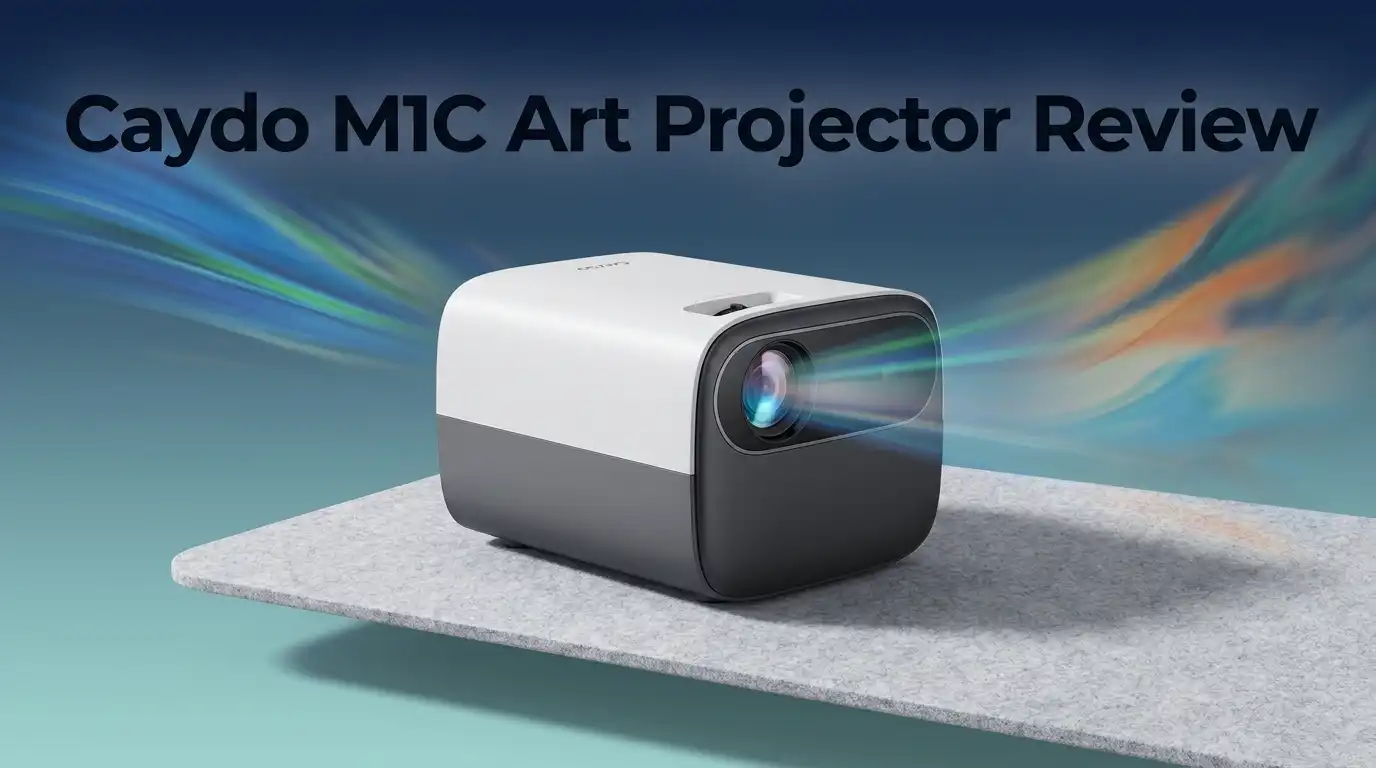
Caydo M1C Art Projector Review: Worth Buying?
If you trace reference photos onto canvas, plan murals, or decorate cookies, freehand scaling eats your time. The grid method works but drains hours before you make a single mark.
The Caydo M1C Art Projector promises a faster path. It beams your image straight onto the surface so you outline in minutes.
This palm-size DLP unit targets tracing artists, muralists, cookie decorators, and tufters who want portability without cords. It runs on battery, mirrors from your phone, and includes an art app with grid overlays.
I spent real time with it. Below is what the M1C does well, where it falls short, and who should skip it.
In a Nutshell
- Truly portable: The M1C is palm-size at 4.7 x 4.7 x 1.1 inches and weighs under 2 lbs. It fits in a bag with the included mini tripod.
- Cordless freedom: The 8000mAh battery delivers roughly 2.5 hours per charge, so you trace without hunting for an outlet.
- Artist-focused app: The built-in Drawing Assistant adds grid overlays, sketch mode, and black-and-white filters for cleaner outlines.
- Modest brightness: At 110 ANSI lumens, it shines in dim rooms but washes out under bright studio lights or daylight.
- Broad connectivity: HDMI, USB, Wi-Fi, Bluetooth, AirPlay, and Miracast let you cast from nearly any device.
- Best for small work: Ideal for A4/A3 tracing, cookies, and mural prep. Large canvas painters in lit rooms need a brighter unit.
What the Caydo M1C Actually Is
The M1C is a pico DLP projector built for artists rather than movie nights. DLP means it uses a digital light chip, which keeps images sharp for line work.
Its native resolution is 1280 x 720, and it accepts up to 4K input. So your source file can be high-res, though the projected detail tops out at 720p.

Last update on 2026-09-19 / Affiliate links / Images from Amazon Product Advertising API Some of the links on this website are affiliate links, which means that at no additional cost to you, I earn a commission if you click through and make a purchase. I only recommend products and services that I believe will add value to my readers. Thank you for your support!
The unit uses an LED light source rated for 30,000 hours. That translates to roughly two decades at four hours a day, so the bulb outlasts the device itself.
What sets it apart from a generic mini projector is the Drawing Assistant app. This software layer is why Caydo markets it to tracing artists instead of home theater buyers.
Unboxing and First Impressions
The box arrives compact and light. Inside you get the projector, a mini tripod, a remote, a USB-C charging cable, and a short manual.
The build feels solid for the price. The casing is matte plastic with a side focus dial that turns smoothly. It does not feel premium, but nothing rattles or flexes.
The mini tripod is the standout accessory. It lets you angle the beam onto a table or easel without stacking books. Larger tripods thread on too, thanks to a standard mount.
First power-on is quick. The auto keystone corrects vertical tilt within a second, and the interface loads like a basic Android TV screen. Setup took me under five minutes.
The Drawing Assistant App Explained
The Drawing Assistant is the heart of this projector. Open it, load your image, and you get artist tools most projectors lack.
You can toggle grid overlays to check proportions, apply a sketch filter that reduces a photo to clean lines, and switch to black-and-white for higher contrast on tricky surfaces.
For mural planning and cookie work, these modes save real effort. The sketch filter alone turns a busy photo into traceable outlines without editing in another app first.
It is not flawless. The app feels basic, and navigation with the remote can lag. Still, for beginner artists and hobby decorators, it removes friction that generic projectors leave in.
Top 3 Alternatives for Caydo M1C Art Projector

Last update on 2026-09-19 / Affiliate links / Images from Amazon Product Advertising API Some of the links on this website are affiliate links, which means that at no additional cost to you, I earn a commission if you click through and make a purchase. I only recommend products and services that I believe will add value to my readers. Thank you for your support!
Caydo P1 Art Projector with Exclusive Drawing App

Last update on 2026-09-19 / Affiliate links / Images from Amazon Product Advertising API Some of the links on this website are affiliate links, which means that at no additional cost to you, I earn a commission if you click through and make a purchase. I only recommend products and services that I believe will add value to my readers. Thank you for your support!
Caydo P3 Art Projector with Auto Focus and 360° Base

Last update on 2026-09-19 / Affiliate links / Images from Amazon Product Advertising API Some of the links on this website are affiliate links, which means that at no additional cost to you, I earn a commission if you click through and make a purchase. I only recommend products and services that I believe will add value to my readers. Thank you for your support!
Caydo P1 Art Projector for Artists and Tracing
Brightness and Image Quality
Here is the honest limit. At 110 ANSI lumens, the M1C is dim compared to plug-in art projectors that push 300 to 1,200 lumens.
In a dark or dim room, the image is crisp and bright enough to trace confidently. Blacks read clearly, and thin lines stay visible on canvas or paper.
Turn on overhead lights or let daylight in, and the picture washes out. You lose contrast fast, which frustrates artists who dislike working in the dark.
For small projections up to about A3 or 40 inches, quality holds well. Push toward the maximum 100-inch size, and the image dims and softens. Keep it small for the sharpest results.
Battery Life and Portability
This is where the M1C earns its keep. The 8000mAh battery runs about 2.5 hours on a full charge, enough for most tracing sessions.
No cord means you can set it on a shelf, an easel, or the mini tripod anywhere in the room. Muralists and tufters especially value this freedom on job sites.
Recharging happens over USB-C. You can also run it plugged in if a session runs long, so a dead battery never stops your work entirely.
At under 2 lbs, it disappears into a backpack. If you teach workshops or travel between studios, this portability alone may justify the purchase.
Connectivity Options
The M1C connects to almost anything. You get HDMI, USB-A, Wi-Fi, Bluetooth, and a 3.5mm audio out on the hardware side.
For wireless casting, it supports AirPlay and Miracast. iPad and iPhone users can mirror a Procreate canvas directly, which is a genuine convenience for digital artists.
Bluetooth lets you pair a speaker or use the remote without line-of-sight issues. The USB port reads image files straight from a drive, so you can skip a phone entirely.
One note: wireless screen mirroring for streaming apps sometimes needs an add-on device. For art projection from your own files, though, the built-in options cover you well.
Who Should Buy It
The M1C fits specific people. If you trace on A4 or A3 paper, decorate cookies, or prep mural outlines in a controllable-light space, it is a strong value.
Beginner artists benefit most. The grids and filters teach proportion and composition without the cost of a large digital projector.
Tufters and rug makers like Travis (“Tug Rug”) praise it for handling both tiny and large layouts while staying portable. Traveling instructors gain a light, cordless tool for small classes.
If portability, budget, and artist-specific software rank higher than raw brightness, the M1C likely satisfies you. It is a purpose-built tool, not a compromise.
Who Should Skip It
Be honest with yourself before buying. If you paint large canvases or murals in a well-lit studio, the 110 lumens will disappoint you.
Artists who dislike working in dim light should look at a brighter plug-in unit like the Artograph Flare 500 or the Caydo P3 instead.
If you need native 1080p sharpness for fine detail across a big surface, the 720p panel limits you. Detail softens as projection size grows.
Anyone wanting a dual-purpose home theater and art device should reconsider too. It handles casual viewing, but its brightness suits small, dim-room projection, not movie nights in your living room.
Common Flaws and Irritants
No product is perfect, so here are the real annoyances. The manual focus dial means you re-adjust if you move the projector even slightly.
Remote navigation through the app can lag, which slows down switching between grid and sketch modes mid-session. It works, but it is not snappy.
Some users report that wireless streaming setup is fussier than the art app itself. For pure tracing this rarely matters, but it surprises buyers expecting a full smart TV.
The biggest practical flaw stays the brightness ceiling. Plan to control your room lighting. Treat the M1C as a dim-room specialist and most irritants shrink to minor quirks.
Final Verdict
The Caydo M1C delivers on its core promise: portable, cordless, artist-focused projection at a budget-friendly price. For tracing, cookies, and mural prep in dim light, it works well.
Its weaknesses are predictable, not hidden. Low brightness and 720p detail are the trade-offs for a palm-size unit that runs on battery and fits in a bag.
Buy it if you value portability, work in controllable light, and want the Drawing Assistant tools. Skip it if you need daylight brightness or big, sharp canvas projection.
For the right artist, the M1C is easy to recommend. Match your workflow to its strengths, and it quietly earns its place in your kit.
Last update on 2026-09-19 / Affiliate links / Images from Amazon Product Advertising API Some of the links on this website are affiliate links, which means that at no additional cost to you, I earn a commission if you click through and make a purchase. I only recommend products and services that I believe will add value to my readers. Thank you for your support!
Frequently Asked Questions
Is the Caydo M1C bright enough to use with the lights on?
Only partly. At 110 ANSI lumens, it performs best in dim or dark rooms. With overhead lights or daylight, the image washes out. Keep the projection small and control your lighting for the clearest trace.
Can I connect my iPad or iPhone to the M1C?
Yes. The M1C supports AirPlay wireless mirroring, so you can cast a Procreate canvas or any image directly. It also offers HDMI, USB, Bluetooth, and Miracast for Android and other devices.
How long does the battery last per charge?
The 8000mAh battery runs about 2.5 hours on a full charge. That covers most tracing sessions. You can also run it plugged in over USB-C if you need a longer, uninterrupted work session.
What is the maximum projection size?
The M1C projects from 10 inches up to 100 inches. For the sharpest, brightest image, keep it under about 40 inches. Larger sizes dim and soften noticeably, which makes fine line tracing harder.
Does it work for cookie decorating and tufting?
Yes. Artists use it for both. The portable size and mini tripod suit small cookie designs, and tufters praise its ability to handle tiny and large rug layouts without losing clarity in dim studios.
Is the M1C good for beginners?
It is one of the better beginner options. The Drawing Assistant app adds grid overlays and sketch filters that teach proportion and composition, and the low price makes it easier to start than pricier plug-in projectors.

Hello everyone my name is Alenya and i am a gadget discovering Enthusiast 🐻🐻