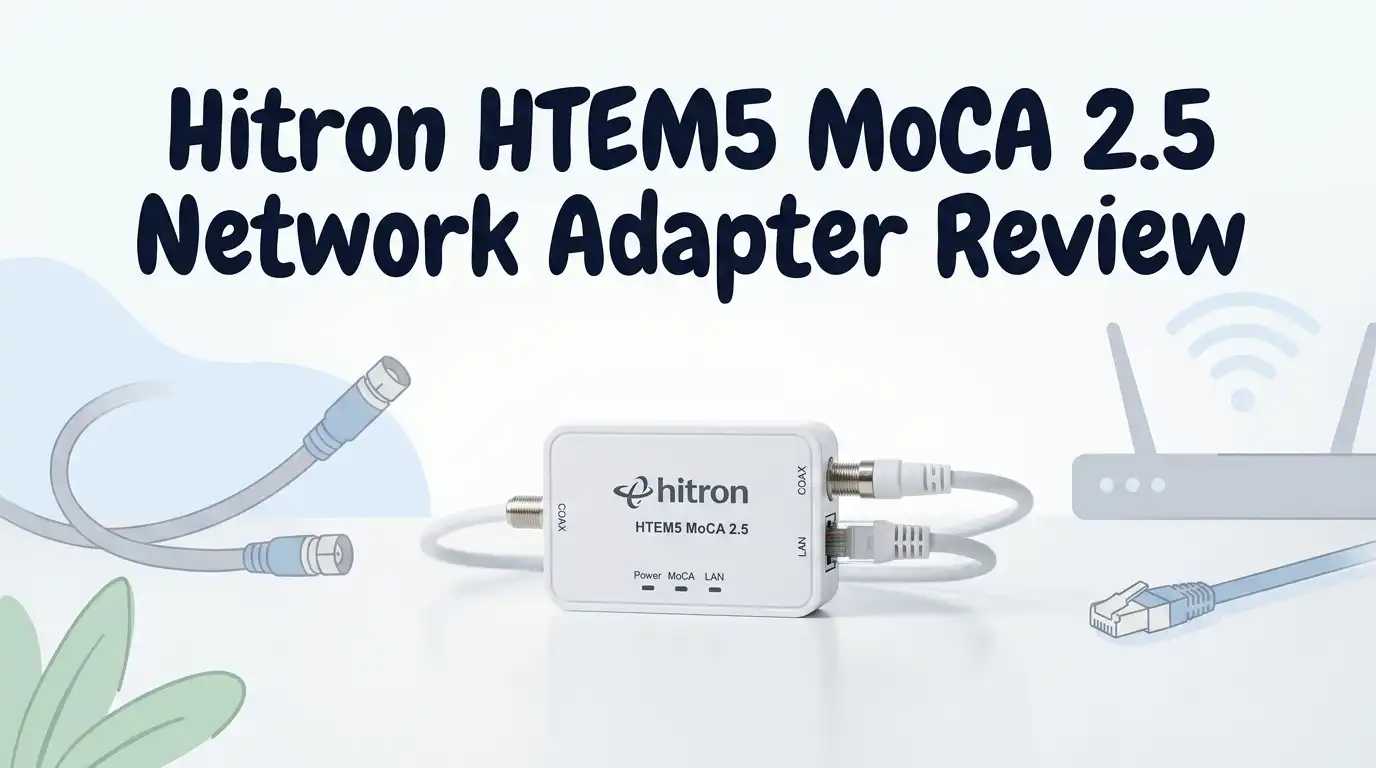
Hitron HTEM5 MoCA 2.5 Network Adapter Review: Worth It?
Hello friends! Today I’m stepping away from skincare to talk about something that quietly saved my work-from-home sanity. My WiFi upstairs was a disaster. Video calls froze. Downloads crawled. My router sat two floors away, and the signal just couldn’t reach.
I didn’t want to drill holes or run new cable through my walls. So I tried the Hitron HTEM5, a MoCA 2.5 adapter that turns the old coax TV wiring already in your house into a fast wired connection.
This review is for anyone with dead WiFi zones, a home office in a far room, or laggy gaming. Keep reading to see if it actually fixed things for me, and who should skip it.
In a Nutshell
- Real wired speed: The HTEM5 supports up to 2.5 Gbps over your existing coax. It gave me a stable wired line where WiFi simply couldn’t reach.
- Best for the right person: This shines for far rooms, home offices, and gaming setups. If your devices and router only do 1 Gbps, the older HTEM4 may be enough.
- Plug and play, mostly: Basic setup is simple. But “mostly” is doing heavy lifting here, more on that below.
- The hidden cost: Many homes need a MoCA filter and a MoCA-rated splitter to hit full speed. Budget for these extras.
- Low latency wins: Latency dropped to single digits for me. Calls stopped freezing and game lag disappeared.
- One coax jack only: Each unit has one coax port and one 2.5 Gbps Ethernet port. Plan your splitter setup around that.
What Is the Hitron HTEM5
Let me explain this simply, because I was confused at first too.
The HTEM5 is not a modem, router, or WiFi extender. It does not make WiFi by itself. It takes your internet signal and sends it through the coax cables already in your walls.
You need two units at minimum. One connects to your router. The other sits in the far room and gives you a wired Ethernet port there.
Think of it as a hidden tunnel. Your old cable TV wiring becomes a fast data highway between two rooms. No new holes. No cables taped along baseboards.

Last update on 2026-09-19 / Affiliate links / Images from Amazon Product Advertising API Some of the links on this website are affiliate links, which means that at no additional cost to you, I earn a commission if you click through and make a purchase. I only recommend products and services that I believe will add value to my readers. Thank you for your support!
It works with cable internet wiring, not satellite. That detail matters, so check your setup first.
Who This Product Is For
This is where honesty helps. The HTEM5 is not for everyone, and that’s okay.
It’s perfect for people with a home office in a distant room. My wife’s video calls were the whole reason I bought it.
It also suits gamers who want low lag and streamers pushing 4K to a far TV. A wired line beats flaky WiFi every time.
It fits homes that still have coax outlets in the walls but no longer use cable TV. That spare wiring is basically free infrastructure.
It is not for renters with no coax access, satellite-only homes, or anyone whose devices top out at slow speeds. You’d pay for headroom you can’t use.
Unboxing and First Impressions
The box is small and plain. Nothing fancy, which I actually appreciated. Inside the two-pack you get two adapters, two power bricks, two short Ethernet cables, and a tiny one-page guide.
Each unit is compact and matte black. It’s about the size of a small paperback. It tucks behind a TV or router without screaming for attention.
The build feels light but solid. No creaky plastic. The single coax port and Ethernet port sit on the back, clearly labeled.
Honestly, the one-page manual was thin. It pointed me to a QR code and not much else. I’ll be real about that frustration later.
Top 3 Alternatives for Hitron HTEM5
If the HTEM5 isn’t quite right, these are the three I’d compare it against first.
goCoax MoCA 2.5 Adapter (2-Pack) MA2500D
No products found.
ScreenBeam Bonded MoCA 2.5 Network Adapter


Last update on 2026-09-19 / Affiliate links / Images from Amazon Product Advertising API Some of the links on this website are affiliate links, which means that at no additional cost to you, I earn a commission if you click through and make a purchase. I only recommend products and services that I believe will add value to my readers. Thank you for your support!
Hitron HTEM4 MoCA 2.5 Adapter (2-Pack)

Last update on 2026-09-19 / Affiliate links / Images from Amazon Product Advertising API Some of the links on this website are affiliate links, which means that at no additional cost to you, I earn a commission if you click through and make a purchase. I only recommend products and services that I believe will add value to my readers. Thank you for your support!
Setup Experience and the Honest Truth
Here’s where I get real with you. The marketing says plug and play. For some people, it truly is. You plug in, wait a minute, and the lights connect.
For me, it was mostly that easy, but not fully. My home had no proper splitters, so getting both units to “see” each other took patience.
The fix that helped: a short coax cable to test the two units directly first. Once I confirmed they paired, I traced which wall jacks connected.
You don’t have to log into the web interface for basic use. That’s only for diagnostics. But the setup page is buried and the QR code wasn’t helpful.
If your wiring is simple, expect five minutes. If it’s tangled like mine was, expect an afternoon.
The MoCA Filter and Splitter Issue
This is the part nobody warns you about, so I will. To hit full speed, most homes need a MoCA filter and a MoCA-rated splitter.
The filter goes on your incoming cable line. It keeps the MoCA signal inside your house and protects your modem. Without it, speeds can stall.
Cheap old splitters can block the signal entirely. You may need a 3 GHz MoCA-optimized splitter instead. These are inexpensive but add to the total cost.
I learned this the hard way after a frustrating first day. Once I added the right filter and splitter, everything clicked and stayed stable.
So budget an extra small amount for these parts. The adapters alone may not be the whole story.
Real World Speed and Performance
Now the good news. Once it was set up correctly, the performance was genuinely excellent.
MoCA 2.5 supports up to 2.5 Gbps of shared bandwidth. Important word: shared. You won’t always see the full number, and that’s normal.
My real-world wired speed in the far bedroom jumped dramatically over WiFi. More importantly, it stayed consistent, with no random drops.
Latency was the real prize. It fell to single-digit milliseconds. My wife’s video meetings stopped freezing completely, which was the entire goal.
For 4K streaming it never buffered. For gaming, the low lag felt like a wired connection because, well, it basically is one.
Downsides and Things to Know
I promised honesty, so here are the flaws I noticed living with it.
The single coax jack can complicate setups where you also want cable TV in the same room. You may need a splitter to share the line.
Some users report units losing connection when idle. A power cycle fixes it, but it’s mildly annoying.
The thin manual is a real weak point for beginners. Plan to search online forums if your install is unusual.
And again, the hidden extra costs of filters and splitters. The sticker price isn’t always the final price.
None of these are dealbreakers for me. But they’re worth knowing before you buy, not after.
How It Compares to the HTEM4
People always ask me whether to save money with the older HTEM4. So let me clear this up plainly.
The big difference is the Ethernet port. The HTEM5 has a 2.5 Gbps port. The HTEM4 has a 1 Gbps port.
That extra speed only helps if your router and devices also support 2.5 Gbps. Many home setups still top out at 1 Gbps.
So if your gear is older, the HTEM4 may give you identical real-world results for less money. There’s no shame in saving.
But if you have or plan to get multi-gig hardware, the HTEM5 gives you room to grow. I bought it to future-proof, and I’m glad I did.
My Final Verdict
So, is the Hitron HTEM5 worth it? For me, a clear yes, with honest caveats.
It solved my exact problem. A rock-solid wired connection in a far room, no drilling, no new cable, no daily WiFi frustration.
The performance is genuinely strong once configured. Low latency, stable speeds, and quiet little boxes that disappear behind furniture.
But it rewards patience. Budget for a filter and splitter, accept a thin manual, and confirm your devices can use the speed.
If you have dead zones and existing coax wiring, this is one of the smartest fixes available. If your setup is satellite-only or super simple, look elsewhere.
For my home office struggle, it earned its place. I’d buy it again.
Frequently Asked Questions
Does the Hitron HTEM5 create WiFi?
No, and this trips up a lot of people. It is not a router or WiFi extender. It sends a wired signal through your coax. You connect a device or an access point to its Ethernet port to get coverage.
Will it work with any internet provider?
Yes. It works independently of your ISP because it just extends your own home network over coax. It needs cable-style coax wiring, though, so satellite-only homes won’t work.
Do I really need a MoCA filter?
For best results, yes. A 70+ dB MoCA filter on your incoming line keeps signals inside your home and protects your modem. Many people skip it and wonder why speeds stall.
How many adapters do I need?
At least two. One connects to your router, the other goes in the room you want wired. The two-pack covers a basic setup perfectly.
Why am I not getting the full 2.5 Gbps?
MoCA bandwidth is shared, not guaranteed per device. Old splitters, missing filters, or 1 Gbps devices all cap your speed. Fix those and your numbers usually climb.
Is setup hard for beginners?
It can be plug and play with simple wiring. With messy or splitter-heavy setups, expect some troubleshooting. Testing the two units with a short direct coax cable first really helps.
Disclosure: This content is part of an Amazon Creator Connections campaign, meaning I earn a commission from qualifying purchases. Using these links costs you nothing extra but directly supports my blog and future content.

Hello everyone my name is Alenya and i am a gadget discovering Enthusiast 🐻🐻