iContact Camera ProXL 4K HD Eye Contact Webcam Review 2026
Video calls have become a daily routine for most of us. Yet one thing still feels off during these calls. Eye contact never lines up properly because the webcam sits above the screen. The iContact Camera ProXL 4K HD aims to fix this exact problem for people who use large monitors.
This review covers everything you need to know about the iContact Camera ProXL in 2026. You will learn about its design, image quality, microphone performance, software, and real world use. By the end, you will know if this premium eye contact webcam fits your setup. Let’s get into the full breakdown.
In a Nutshell:
- The iContact Camera ProXL is built for monitors that measure 35 inches or larger, making it ideal for ultrawide and 4K displays.
- It uses a 12MP 4K Sony sensor and shoots up to 4K at 30fps or 1080p at 60fps for smooth video calls.
- The retractable arm pulls the lens down to your eye level, which creates natural eye contact during meetings.
- It works with Zoom, Microsoft Teams, Google Meet, and Webex through simple plug and play USB connection.
- The webcam includes dual beamforming microphones with noise cancellation and a built in SoftLight LED for low light rooms.
- The price sits at the premium end, so it suits professionals, executives, and creators who care about how they appear on camera.

Last update on 2026-08-03 / Affiliate links / Images from Amazon Product Advertising API Some of the links on this website are affiliate links, which means that at no additional cost to you, I earn a commission if you click through and make a purchase. I only recommend products and services that I believe will add value to my readers. Thank you for your support!
What Is the iContact Camera ProXL 4K HD Webcam?
The iContact Camera ProXL is a premium webcam built for one job. It fixes the eye contact problem during video calls. Most webcams sit on top of your monitor, so you appear to look down at people. The ProXL changes that with a clever design.
The camera has a retractable arm that swings down in front of your screen. This arm places the lens at your eye level. When you finish your call, the arm flips back up and the camera turns off. It acts as both a positioning tool and a privacy switch.
The ProXL is the larger sibling of the original iContact Camera Pro. The “XL” stands for extra large because this version targets bigger monitors. If you use a 35 inch ultrawide or a 38 inch curved screen, the standard model arm is too short. The ProXL has a longer arm that reaches further down.
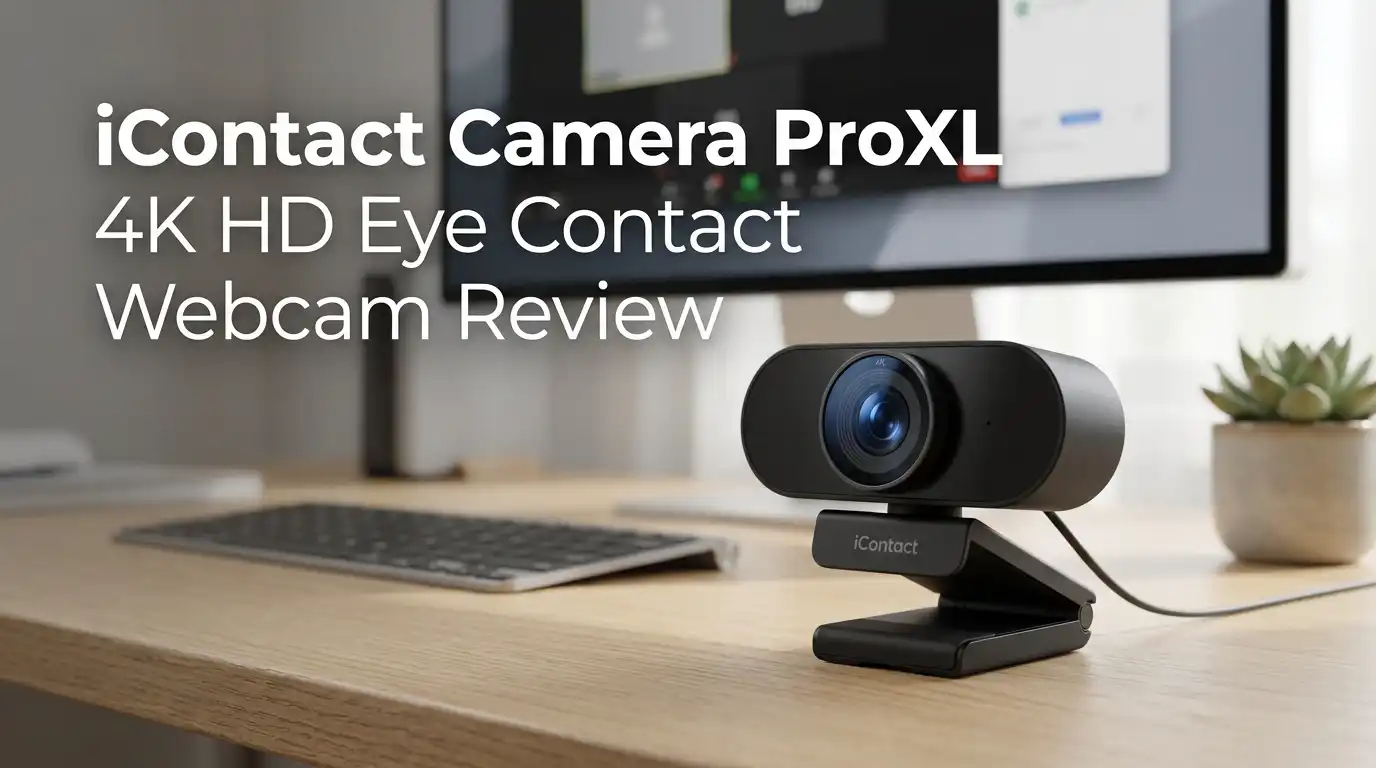
The camera ships with a 12MP 4K sensor, dual microphones, and an LED light. It plugs into your computer through USB and works without drivers. You can also mount it on a tripod if you prefer that setup. The build feels solid in hand, with a matte black finish that blends into most monitors.
Who Should Buy the iContact Camera ProXL?
This webcam is not for everyone. The price tag alone narrows the audience. Executives, sales professionals, and consultants get the most value from this product because eye contact builds trust during business meetings.
If you run a podcast or YouTube channel, the ProXL helps you read scripts while looking at the camera. Teleprompter style recording becomes much easier with the lens at eye level. Online teachers and coaches also benefit because students feel more connected when the instructor looks directly at them.
Remote workers who attend many meetings each day will notice a real change in how others react. When you appear to make eye contact, conversations feel warmer and more personal. People remember you better and trust your words more. Studies on virtual communication back this up.
However, casual users do not need this webcam. If you only join one or two video calls per week, a standard 1080p webcam will do the job. Streamers who use a separate camera setup might also skip this product. The ProXL is a focused tool that solves one specific problem really well.
Design and Build Quality
The iContact Camera ProXL looks unusual at first glance. The body is a black plastic rectangle, but the lens hangs from a thin arm on the side. The arm measures longer than the standard Pro model to reach across larger monitors.
The materials feel premium for a webcam. The body uses matte plastic that resists fingerprints, and the arm has a smooth swivel mechanism. The camera mounts on top of your monitor with a flexible hinge that grips the back panel. You can also screw it onto a tripod through the standard mount on the bottom.
The arm operation is simple. Push it down to start, push it back up to stop. The spring loaded hinge holds the arm in either position without drift. A small white LED lights up when the camera is active, so you always know when you are on air.
One concern is long term durability of the arm. The thin design works well, but heavy daily use over years could wear down the hinge. iContact does not list a rated cycle count, but the ProXL feels sturdier than the original Pro model. The cable is also removable, which is a nice touch for cable management.
Top 3 Alternative for iContact Camera ProXL
If the ProXL does not fit your budget or needs, these three webcams offer strong alternatives in 2026.
Logitech MX Brio 4K Webcam

Last update on 2026-09-19 / Affiliate links / Images from Amazon Product Advertising API Some of the links on this website are affiliate links, which means that at no additional cost to you, I earn a commission if you click through and make a purchase. I only recommend products and services that I believe will add value to my readers. Thank you for your support!
Insta360 Link 2 PTZ 4K Webcam

Last update on 2026-09-20 / Affiliate links / Images from Amazon Product Advertising API Some of the links on this website are affiliate links, which means that at no additional cost to you, I earn a commission if you click through and make a purchase. I only recommend products and services that I believe will add value to my readers. Thank you for your support!
OBSBOT Tiny 3 AI 4K Webcam

Last update on 2026-09-08 / Affiliate links / Images from Amazon Product Advertising API Some of the links on this website are affiliate links, which means that at no additional cost to you, I earn a commission if you click through and make a purchase. I only recommend products and services that I believe will add value to my readers. Thank you for your support!
4K Video Quality and Image Performance
The ProXL ships with a 12MP 4K sensor that captures sharp, detailed video. You can record or stream at 4K 30fps, 1080p 60fps, or 720p 60fps. Most video call apps cap at 1080p, but the extra resolution helps with cropping and zooming.
In good light, the image looks clean and natural. Skin tones come out accurate without the orange or pink shift you see on cheaper webcams. The auto white balance adjusts smoothly when light changes, like when clouds move past a window. Colors stay consistent throughout long calls.
Low light performance is decent for a webcam this size. The sensor pulls in enough light from a single desk lamp to keep your face visible. The built in SoftLight LED helps in dark rooms, though it sits behind the camera and does not blind you. You can turn it on with a tap on the body.
The 65 degree field of view is narrow enough to keep the focus on you without showing too much of the room behind. Auto focus locks onto your face quickly, and it does not hunt during normal movement. The 2x digital zoom works in software, so the image stays clear when you crop in. Overall, the video quality matches what you expect at this price point.
Microphone and Audio Quality
The ProXL has dual beamforming microphones built into the body. These mics use directional pickup to focus on your voice while ignoring sounds from the sides. The result is clear audio that sounds professional in meetings.
Noise cancellation works in real time. The microphones filter out keyboard clicks, fan noise, and street sounds without making your voice sound robotic. You still come through clearly, even when typing during a call. Most users will not need a separate microphone for standard meetings.
Voice tone comes across natural and warm. Bass and treble feel balanced, so you do not sound thin or muffled. The pickup range covers a normal desk setup, which means about two to three feet from the camera. If you sit further back, your voice may drop in volume.
One thing to know is that the microphones turn off when the arm is up. This means you cannot use the mic alone without showing yourself on camera. For most people this is fine, but it is worth keeping in mind. For podcast recording or music streaming, you will still want a dedicated USB microphone for the best quality.
Eye Contact Feature: Does It Actually Work?
The whole point of this webcam is the eye contact feature. So does it deliver? The answer is yes, with a small learning curve. The arm places the lens about four inches lower than a standard webcam position.
When you align your video call window with the camera, eye contact becomes natural. The person you talk to sees you looking right at them. This works best when you place the speaker tile directly behind the lens. Most apps let you pin a single person to that spot.
The change is subtle but powerful. Meetings feel more personal and engaged, and people respond differently when they sense direct eye contact. Sales calls close at higher rates, interviews feel warmer, and team check ins build stronger bonds. Several reviewers report this same effect.
If you tend to look at yourself during calls, the ProXL alone will not fix that habit. You still need to position your video window near the camera for the magic to work. Once you set up the layout right, eye contact happens without thinking about it. After a week of use, the new position feels normal. You will notice the difference the moment you switch back to a regular webcam.
Software and Compatibility
The iContact Camera ProXL works as a plug and play device. You connect it through USB and your computer recognizes it right away. Windows and macOS both support the camera without extra drivers. Linux is not officially supported but the basic video may still work.
The optional iContact app adds extra controls. You can adjust brightness, contrast, sharpness, saturation, and zoom through sliders. The app also includes background blur, text overlays, and color presets. These features run on top of the system camera, so they apply to most apps.
The webcam is certified for Zoom and works with Microsoft Teams, Google Meet, Webex, and Slack. You will not run into compatibility issues with mainstream meeting platforms. Streaming software like OBS and Streamlabs also picks up the camera with no setup needed.
The app has improved over earlier versions, but some bugs still appear. Microphone level resets and inconsistent feature support across apps remain an issue. For best results, use the camera with default settings and adjust through your meeting app instead. Firmware updates roll out every few months, so the experience keeps getting better.
Setup and Installation Process
Setting up the ProXL takes less than five minutes. Open the box, attach the camera to your monitor, and plug in the USB cable. That is the basic setup. The flexible mount grips most monitor types, including curved screens and ultrawide displays.
The cable is USB-C on the camera side and USB-A on the computer side. The included adapter handles USB-C ports if your computer uses the newer standard. Cable length runs about six feet, which works for most desk setups. You can buy longer cables if needed.
For best eye contact, align the camera with the center of your screen. Slide the body left or right along the top edge until the arm hangs over the middle of your video call window. This positioning takes one or two tries to get right. Once set, you rarely need to adjust again.
Tripod mounting is also an option. The bottom of the camera has a standard quarter inch screw thread that fits any photography tripod. This works well for desk arms or boom stands if you prefer not to clip the camera to your monitor. The whole system feels designed for quick setup and daily use.
Pros and Cons of the iContact Camera ProXL
Every product has strengths and weaknesses. Here is an honest look at both sides for the ProXL.
The pros stand out clearly. Eye contact alignment works as advertised, the 4K image quality looks sharp, and the build quality feels premium. The microphones perform well for meetings, and the SoftLight LED helps in dark rooms. Plug and play compatibility means anyone can set it up without technical skill.
On the downside, the price is high compared to standard webcams. The optional privacy shutter costs extra, which feels stingy at this price point. The arm cannot be used in the up position for the camera, so you need to flip it down every time. The companion app still has rough edges that need polish.
Another small concern is the long term durability of the swing arm. Daily use will wear the hinge over time, though no specific failure rate is published. The narrow 65 degree field of view also limits group shots if more than one person sits in front of the camera.
For the right user, the pros outweigh the cons by a wide margin. If eye contact matters to your work, the ProXL solves a real problem. For everyone else, the value gets harder to justify against cheaper options on the market.
Price and Value for Money
The iContact Camera ProXL sits at the premium end of the webcam market in 2026. The price reflects the unique design and the larger size compared to the standard Pro model. You pay for the eye contact feature more than the raw specs.
Compared to the Logitech MX Brio at a similar price, the ProXL offers a unique value that no other webcam matches. The Brio gives you better image quality and more features, but it does not solve the eye contact problem. That trade off depends on what you need most.
For business users, the cost can be justified by even one or two improved client meetings. Sales professionals, recruiters, and executives often spend more on a single suit or laptop accessory. A webcam that helps you connect better with people pays for itself quickly.
Casual users will find better value elsewhere. The Anker PowerConf C200 or the OBSBOT Tiny SE deliver good quality for a fraction of the price. The ProXL is a tool with a specific purpose, and that purpose comes at a cost. If eye contact does not matter for your work, your money goes further with a standard 1080p webcam.
Real World User Experience
After using the iContact Camera ProXL for daily meetings, the experience shifts in small but clear ways. Colleagues notice the difference even before you mention the camera. Comments like “you look really focused today” come up more often.
The arm in front of the screen feels strange for the first day or two. Your eyes naturally drift to the lens because it sits in the middle of your field of view. After about a week, you stop noticing it and just see your call window. The brain adjusts faster than you would expect.
One nice detail is the privacy aspect built into the design. When the arm sits up, the camera fully disconnects from the system. No app can secretly turn it on, because the camera is electrically off. This feels safer than a sliding shutter that could fail.
The downside in daily use is the small mental load of remembering to flip the arm. If you join calls back to back, you may forget once or twice. The camera shows up as offline in your meeting until you push the arm down. After a few of these moments, the habit becomes automatic and the issue disappears.
Final Verdict: Is the iContact Camera ProXL Worth It?
The iContact Camera ProXL 4K HD is a focused product that does one thing very well. It fixes the eye contact problem on large monitors better than any software based solution. If you spend several hours a day on video calls, it will change how you connect with people.
The image quality, microphones, and build all match the premium price. The unique design solves a real issue that most webcams ignore. For sales professionals, executives, online teachers, and content creators, the ProXL earns its place on the desk.
For casual users or budget shoppers, the value gets harder to justify. A standard 1080p webcam handles weekly meetings just fine. You do not need this level of investment unless eye contact is central to your work.
In the end, the ProXL is the best eye contact webcam available for ultrawide and 35 inch plus monitors in 2026. It has small flaws in software and price, but the core function works as promised. If the eye contact issue has bothered you on calls, this webcam is the most direct fix you can buy today.
Frequently Asked Questions
Does the iContact Camera ProXL work with Mac and Windows?
Yes, the ProXL works with both Windows and macOS through plug and play USB. No drivers are needed for basic video and audio. The optional companion app is available for both systems and adds extra image controls. Linux is not officially supported, though the basic camera function may still work on some distributions.
What monitor sizes does the ProXL support?
The ProXL is designed for monitors 35 inches and larger, including ultrawide and curved displays. The longer arm reaches further down to align with the center of bigger screens. If you use a smaller monitor, the standard iContact Camera Pro fits better and costs a bit less.
Can I use the ProXL without the eye contact arm?
No, the camera only works with the arm in the down position. Pushing the arm up disconnects the camera and microphones from the system entirely. This design also acts as a privacy feature, since no software can override the physical disconnection.
Does the ProXL include a privacy shutter?
The arm itself acts as a hardware privacy switch since the camera disconnects when the arm is up. A separate plastic privacy shutter is sold as an optional accessory. Many users feel the arm position alone provides enough privacy without the extra cover.
How is the audio quality for podcasts and streaming?
The dual beamforming microphones work great for meetings and casual content. For professional podcasts or music streaming, a dedicated USB microphone gives you better depth and tone. The ProXL mics handle voice calls well but are not built to replace studio audio gear.
Is the iContact Camera ProXL good for streaming on Twitch or YouTube?
Yes, the 4K sensor and clean image work well for streaming platforms. The camera connects directly with OBS, Streamlabs, and other streaming software. The eye contact feature also helps you connect with your audience more naturally, which is a real advantage for live content creators.

Hello everyone my name is Alenya and i am a gadget discovering Enthusiast 🐻🐻