REOLINK 8CH Network Video Recorder Review: Worth Buying?
Hello friends! If you have been piecing together a home security setup and feel buried under cloud subscription fees, you are in the right place. I tested the REOLINK RLN8-410 8CH Network Video Recorder for months across a multi-camera setup, and this is my honest take.
This little box solves one specific headache: storing weeks of footage locally without paying a monthly fee.
For homeowners with larger properties or small business owners who need many camera angles, that single feature changes everything. No more rationing your storage or losing clips after seven days.
In a Nutshell:
- Local storage, zero fees: It ships with a pre-installed 2TB Skyhawk HDD and records 24/7 with no cloud subscription. This is the main reason people pick it.
- True PoE convenience: Eight PoE ports power and connect your cameras through a single cable each, which kills the cable clutter fast.
- Reolink-only ecosystem: It works only with Reolink PoE cameras. Third-party cameras are not supported in any reliable way.
- Smart detection built in: Newer hardware versions support person and vehicle detection, which cuts down on false alerts from trees and cars.
- Expandable storage: You can push it to 16TB using the SATA bay plus the eSATA port for long retention.
- Best for serious setups: It is overkill for one or two cameras but excellent for whole-home or small-business coverage.

Last update on 2026-09-19 / Affiliate links / Images from Amazon Product Advertising API Some of the links on this website are affiliate links, which means that at no additional cost to you, I earn a commission if you click through and make a purchase. I only recommend products and services that I believe will add value to my readers. Thank you for your support!
What Is the REOLINK RLN8-410?
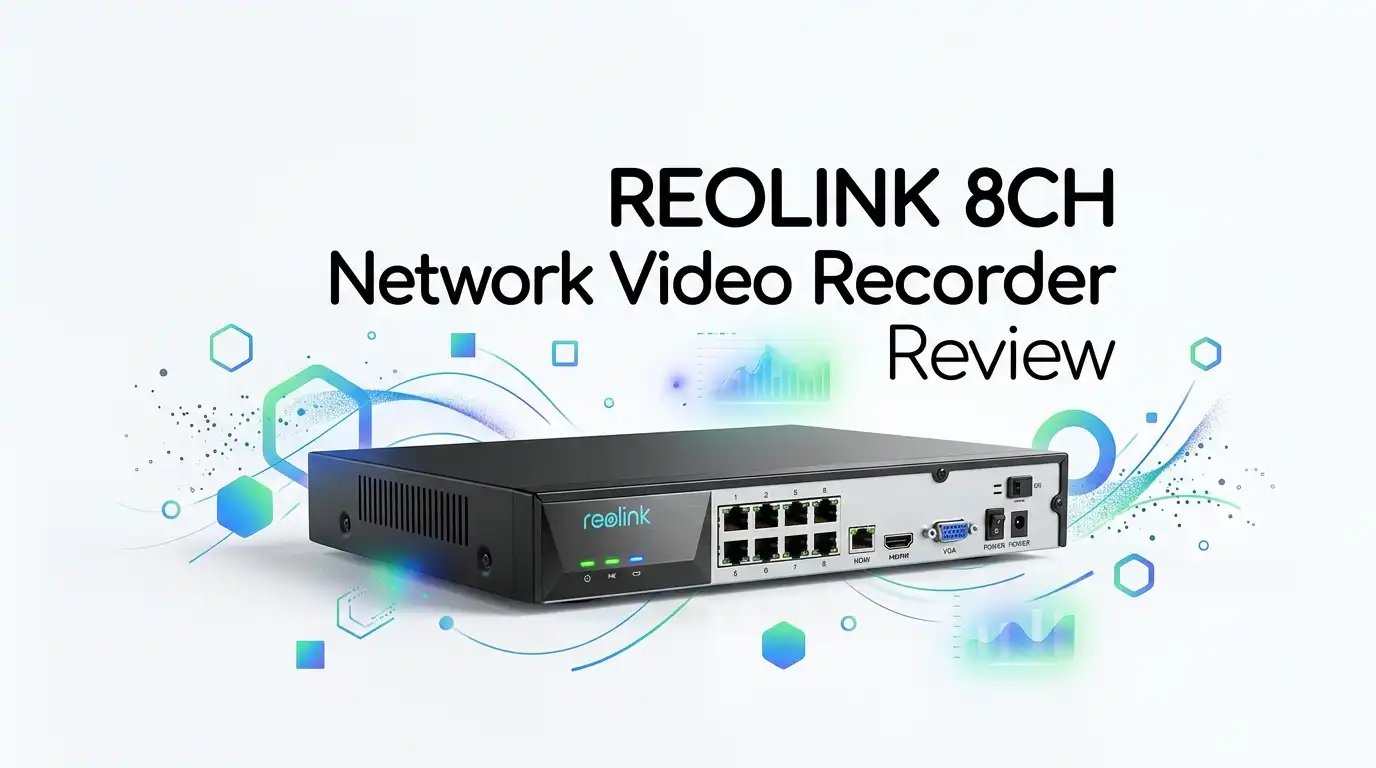
The RLN8-410 is a standalone network video recorder that acts as the brain of a wired Reolink camera system. Think of it as a dedicated computer that does one job: record and manage video around the clock.
It is roughly the size of a cable box, with a metal-and-plastic shell that feels sturdier than its price suggests. The front has a few navigation buttons and a USB port. Most people will ignore those buttons entirely.
The real magic sits on the back: eight PoE ports that handle both power and data for your cameras. This is what makes it appeal to anyone tired of running separate power adapters to every corner of the house.
Key Specs at a Glance
Let me cut through the spec sheet noise. The unit supports up to eight wired PoE cameras and can live-stream up to 12 devices at once when you mix in Wi-Fi cameras.
It accepts Reolink cameras from 4MP all the way up to 16MP/4K, so it scales as you upgrade. The pre-installed 2TB drive handles continuous recording out of the box.
Storage tops out at 16TB total, split as 8TB internal SATA and 8TB external eSATA. The rear panel offers HDMI and VGA outputs, plus an audio-out jack and a LAN port. Connectivity is genuinely flexible here.
One note on hardware revisions: capacity caps and smart detection vary by model batch. Always check the listed hardware version before assuming you get person and vehicle detection.
Top 3 Alternatives for the REOLINK RLN8-410
If the Reolink ecosystem does not fit your plans, these are worth a look.

Last update on 2026-09-19 / Affiliate links / Images from Amazon Product Advertising API Some of the links on this website are affiliate links, which means that at no additional cost to you, I earn a commission if you click through and make a purchase. I only recommend products and services that I believe will add value to my readers. Thank you for your support!
Amcrest NV4108E-A2 4K 8CH PoE NVR

Last update on 2026-09-19 / Affiliate links / Images from Amazon Product Advertising API Some of the links on this website are affiliate links, which means that at no additional cost to you, I earn a commission if you click through and make a purchase. I only recommend products and services that I believe will add value to my readers. Thank you for your support!
ANNKE 8CH 12MP PoE Network Video Recorder

Last update on 2026-09-19 / Affiliate links / Images from Amazon Product Advertising API Some of the links on this website are affiliate links, which means that at no additional cost to you, I earn a commission if you click through and make a purchase. I only recommend products and services that I believe will add value to my readers. Thank you for your support!
REOLINK RLK8-800B4 4K 8CH PoE Security Camera System
Unboxing and First Impressions
The box is plain and practical, which honestly fits the no-nonsense product inside. Inside you get the NVR, an HDMI cable, an ethernet cable, a power adapter, a small wired mouse, and a quick-start guide.
I appreciated that the HDMI cable comes included. If you plan to use the VGA port instead, you will need to find your own cable.
The unit has a faint clean-electronics smell on day one that fades within hours. The drive is already screwed in, so there is no fiddly installation before you start. For a first-timer, that matters a lot.
It does not feel premium, and it is not pretty. But it feels solid and purposeful, like a tool meant to sit in a closet and just work. I was fine with that trade-off.
Setup Experience: How Easy Is It Really?
Reolink calls this plug-and-play, and for once that claim mostly holds up. You connect it to a monitor or TV, plug it into your router, attach the mouse, and power on.
The setup wizard walks you through creating a password and adding cameras. Plugging cameras into the PoE ports auto-detects them in seconds. No IP address juggling required.
Here is my honest observation though: using the mouse to type passwords and Wi-Fi keys is clunky. The on-screen keyboard slows you down, and I fumbled more than once.
Once cameras are linked, the Reolink mobile app takes over for daily viewing. Pairing the NVR to the app was painless. After the initial fuss, I rarely touched the physical unit again.
Daily Use and Interface
The default view is a live grid of every connected camera. You can switch to single-camera full screen, a 2×2 layout, or the full eight-camera view with a couple of clicks.
Status icons tell you what each camera is doing: recording, detecting motion, or losing signal. They are easy to read once you learn them.
The interface is functional but dated. It will not win any beauty awards, and the menus feel a little 2016. That said, the learning curve is genuinely short.
Searching old footage works well. You filter by time, date, or event type, then scrub through the timeline. For security-focused users who need to find a specific moment fast, this search system is a real strength.
Smart Detection and Recording Options
Last update on 2026-09-19 / Affiliate links / Images from Amazon Product Advertising API Some of the links on this website are affiliate links, which means that at no additional cost to you, I earn a commission if you click through and make a purchase. I only recommend products and services that I believe will add value to my readers. Thank you for your support!
This is where the newer units earn their keep. Person and vehicle detection filters out the wind, shadows, and passing cars that trigger basic motion alerts.
You set up to three responses per event: sound an alarm tone, send an email alert with a snapshot, and trigger recording. I leaned on email alerts and found them reliable.
You can also schedule recording per camera. Choose 24/7 continuous, motion-only, or off on a simple time grid. Motion-only mode stretches your storage much further.
A handy touch: you can mask zones in each camera’s view to ignore busy streets or neighbor yards. This dramatically cut my false alerts. For anyone in a high-traffic area, that feature alone is worth configuring carefully.
Storage and Long-Term Value
The pre-installed 2TB Skyhawk drive is built for surveillance, not a recycled desktop disk. That distinction matters because security drives handle constant writing better.
With motion-only recording across four cameras, 2TB lasted me weeks. Continuous 24/7 recording on all eight channels fills it faster, so plan accordingly.
When you outgrow it, the eSATA port and internal bay let you reach 16TB. Note that the external drive needs its own power supply.
Here is the long-term math that wins people over: no recurring cloud fees, ever. You pay once. Compared to subscription camera systems, the savings stack up quickly over a few years. For budget-conscious buyers playing the long game, this is the headline benefit.
The Downsides: Who Should Skip This
Let me be straight with you, because no product is perfect. The biggest limitation is the Reolink-only camera lock. If you own other brands, this NVR is useless to you.
It is also genuine overkill for small setups. If you only need one or two cameras, save your money and record to a microSD card or your PC instead.
The mouse-driven interface frustrates during setup, and the dated UI takes adjusting to. Some buyers have also reported mixed quality control across batches, so inspect yours on arrival.
Finally, this is a wired-first system. If you wanted a tidy all-wireless setup, the PoE cabling will feel like a project. Renters or anyone avoiding cable runs should look elsewhere.
My Final Verdict
After living with the RLN8-410, I think it is a quietly excellent buy for the right person. It does exactly what it promises and asks for nothing monthly in return.
If you are committed to Reolink PoE cameras and want reliable local storage for a whole home or small business, I recommend it without hesitation. The setup is forgiving, the smart detection works, and the value compounds over time.
If you want something pretty, wireless, or brand-flexible, this is not for you. Know what you are signing up for, and you will be happy.
Expert FAQs
Does the REOLINK RLN8-410 work with non-Reolink cameras?
Not reliably. It is built for Reolink PoE cameras only. While some users report partial ONVIF workarounds, support is shaky and not officially backed. If you own other brands, choose a different NVR.
Do I need a monthly subscription to use it?
No. This is the whole appeal. All footage records to the local hard drive with zero cloud fees. You can optionally use Reolink’s cloud, but it is not required for full functionality.
How many cameras can it actually handle?
It has eight PoE ports for wired cameras and can live-view up to 12 devices total when you add Wi-Fi cameras to the mix. For most homes, eight wired channels is plenty.
Can I expand the storage later?
Yes. It supports up to 16TB total through the internal SATA bay and the eSATA port. The external drive needs its own power source, so factor that into your plan.
Is it hard to install for a beginner?
Not really. The drive comes pre-installed and cameras auto-detect when plugged in. The only annoyance is typing with the mouse during setup. Most beginners finish in under an hour.
Does it support remote viewing on my phone?
Yes. The Reolink mobile app gives you live view, playback, and alerts from anywhere. Pairing it to the NVR is quick, and daily use mostly happens through the app.
Disclosure: This content is part of an Amazon Creator Connections campaign, meaning I earn a commission from qualifying purchases. Using these links costs you nothing extra but directly supports my blog and future content.

Hello everyone my name is Alenya and i am a gadget discovering Enthusiast 🐻🐻