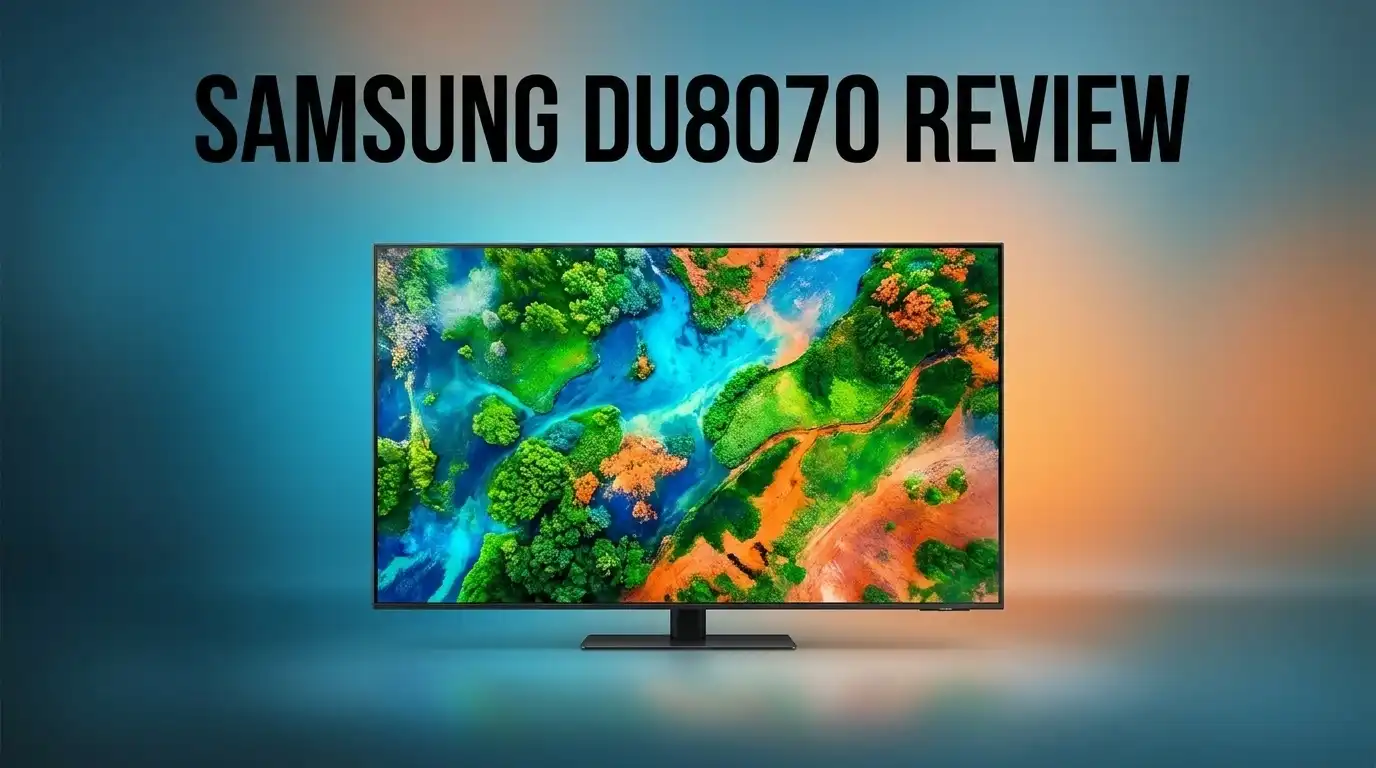
Samsung DU8070 Review: Is It a Big Upgrade?
Are you thinking about a new TV for your living room? The Samsung DU8070 might be on your list. It promises big screen fun with 4K clarity.
This model comes in 50″, 55″, and 70″ sizes. So, you can pick the perfect fit for any room. It uses 4K UHD LED technology to bring your movies and games to life.
But is it a real step up from older models? Samsung packed this TV with smart features. You get Vision AI, which works to improve both picture and sound automatically.
In a Nutshell
Here’s what stands out:
- Vision AI technology adjusts picture and sound based on what you watch. This makes movies, sports, and shows look better without extra work.
- The Tizen OS keeps things simple. Menus load fast and setup takes just minutes.
- Sound quality impresses for a TV in this class. You may not need extra speakers for casual viewing.
- Multiple HDMI ports let you connect game consoles, soundbars, and streaming devices at once.
- Response time stays quick for most tasks. The back button reacts fast, which helps during daily use.
But this TV does have some limits. Side viewing angles aren’t great, so seating placement matters. The OS can also slow down over time and might need a hard reset.
Compared to QLED or OLED models, brightness and clarity fall a bit short. Still, for large rooms and casual watching, this TV holds its own.
Key Features and Specifications
The Samsung DU8070 packs several standout features that make it worth considering. Let’s break down what sets this TV apart.
Picture quality gets a major boost from the 4K UHD LED backlit display. You get 3840×2160 resolution, which means sharper images across all screen sizes. The HDR 10+ support adds more color depth and brightness range compared to standard HDR.
The Vision AI technology is a game changer here. This feature watches what you’re watching and adjusts both picture and sound automatically. Sports look crisper. Movies feel more immersive. You don’t need to fiddle with settings constantly.
Samsung’s Supersize Picture Enhancer works especially well on the 70 inch model. It upscales lower resolution content to near 4K quality. Older shows and streaming content look surprisingly good on this large screen.
The Tizen OS keeps the TV running smooth and simple. Apps load without excessive lag. Navigation feels intuitive. You can jump between Netflix, YouTube, and other apps without frustration. The lightweight operating system means fewer slowdowns over time.
Connectivity options are solid. Multiple HDMI ports let you connect gaming consoles, soundbars, and streaming devices simultaneously. You won’t need to swap cables constantly.
Sound quality deserves mention too. The built in speakers deliver clear dialogue and decent bass. You won’t need external audio for casual viewing, though a soundbar still enhances the experience.
Response time stays responsive for most everyday tasks. Scrolling through menus feels snappy. Switching between inputs happens quickly.
One thing to note: viewing angles aren’t ideal. Sit off to the side, and the picture loses some brightness and clarity. This TV performs best when you watch straight on from the center of your room.
The overall build feels sturdy without being overly heavy. Setup takes minutes. Most people get it running within an hour of unboxing.
These features combine to create a TV that handles everyday viewing well. It excels at delivering a big screen experience without overwhelming complexity.


Last update on 2026-07-27 / Affiliate links / Images from Amazon Product Advertising API Some of the links on this website are affiliate links, which means that at no additional cost to you, I earn a commission if you click through and make a purchase. I only recommend products and services that I believe will add value to my readers. Thank you for your support!
Picture Quality and Display Performance
The Samsung DU8070 delivers impressive picture quality that stands out on large screens. The 4K UHD LED backlit display produces sharp, detailed images across all content types. Whether you’re watching movies, sports, or streaming shows, the crisp visuals make everything look engaging.
Samsung’s Supersize Picture Enhancer truly shines on this model. This feature optimizes the picture specifically for larger screen sizes. The 70 inch version benefits most from this technology. You get better color accuracy and sharper details throughout your viewing experience.
The Vision AI technology takes picture performance further. This system analyzes what you’re watching in real time. It then adjusts brightness, contrast, and color automatically. The result feels like a personalized viewing experience that adapts to different content types.
However, the DU8070 has some display limitations worth knowing. Brightness and clarity don’t match QLED or OLED models. If you compare it side by side with premium Samsung TVs, you’ll notice the difference. The picture looks good from straight ahead, but viewing angles disappoint. Sit to the side, and colors shift noticeably. Image quality drops when you’re not centered in front of the screen.
The LED backlit technology works well for everyday viewing. You get solid contrast and decent black levels. The display handles fast action scenes smoothly without excessive blur. Gaming and sports fans will appreciate the responsive performance here.
Color reproduction feels natural and balanced. The HDR 10+ support adds depth to compatible content. Streaming services, Blu rays, and gaming platforms all look sharp. The overall picture quality justifies the upgrade for anyone using an older TV model.
The DU8070 excels for direct viewing but falls short if your room setup requires side angles. The picture quality improvement over budget models is noticeable. Compared to high end options, the trade offs become apparent. For most living rooms where viewers sit centered, this display performs admirably.
Smart TV Experience and User Interface
The Tizen OS powers the DU8070, and it keeps navigation straightforward. You get a lightweight system that doesn’t slow down during extended viewing sessions. The interface feels intuitive, so you won’t struggle to find your favorite apps or settings.
Samsung built the remote with basic functionality in mind. The back button responds quickly with minimal lag, which helps you move through menus without frustration. However, some users report the remote design feels a bit basic compared to premium models.
Accessing streaming services happens fast on this TV. Apps like Netflix, YouTube, and other platforms load smoothly. The OS handles multiple apps without major performance issues during normal use.
One thing to watch for: the operating system can occasionally become slow or buggy. A hard reset fixes most issues, but this remains a minor inconvenience. Samsung’s lightweight approach helps avoid these problems most of the time.
The menu system uses clear icons and simple text. New users can set up the TV without reading lengthy instructions. Picture settings, sound adjustments, and input switching all sit in easy to reach locations.
Vision AI technology enhances your experience by adjusting picture and sound automatically. The system learns what you watch and optimizes performance accordingly. This means less manual tweaking on your part.
Connectivity feels solid with multiple HDMI ports available. You can connect game consoles, soundbars, and streaming devices simultaneously. Switching between inputs happens quickly without noticeable delays.
The TV supports HDR 10+ content, which expands your viewing options. Streaming services and newer movies display with better contrast and color depth. The system handles these formats without stuttering or buffering issues.
Overall, the smart TV experience delivers what you’d expect from a mid range Samsung model. The interface won’t impress tech enthusiasts, but it works well for everyday use. Responsive controls and simple menus make this TV accessible to all skill levels.
Top 3 Alternatives
LG QNED Mini LED

Last update on 2026-07-27 / Affiliate links / Images from Amazon Product Advertising API Some of the links on this website are affiliate links, which means that at no additional cost to you, I earn a commission if you click through and make a purchase. I only recommend products and services that I believe will add value to my readers. Thank you for your support!
The LG QNED Mini LED brings advanced picture quality to your living room. This TV uses thousands of tiny backlights to control brightness in different zones. You get deeper blacks and brighter whites compared to standard LED TVs.
Sony Bravia XR
No products found.
Sony’s Bravia XR line uses cognitive processing to understand how humans watch TV. The technology analyzes images and upscales lower-quality content automatically. You’ll notice sharper details and more natural colors on screen.
TCL QM8 Series

Last update on 2026-07-27 / Affiliate links / Images from Amazon Product Advertising API Some of the links on this website are affiliate links, which means that at no additional cost to you, I earn a commission if you click through and make a purchase. I only recommend products and services that I believe will add value to my readers. Thank you for your support!
TCL’s QM8 Series offers mini LED backlighting at a competitive level. The TV produces bright highlights and deep shadows with good separation between them. Gaming features include variable refresh rates for smooth performance.
Design, Build Quality, and Size Options
The Samsung DU8070 comes in three screen sizes: 50 inches, 55 inches, and 70 inches. This range lets you pick the perfect fit for your living space. The larger models really shine when it comes to picture performance.
Build quality feels solid throughout. The TV doesn’t weigh much, which makes installation easier. You won’t struggle moving it around during setup. The frame sits flat against your wall without any awkward gaps or loose parts.
The physical design keeps things simple and clean. Samsung removed unnecessary bulk while maintaining structural strength. The bezels stay thin, so your focus stays on the screen content rather than the frame itself.
Size matters for this model. The DU8070 performs best on bigger screens because of how Samsung engineered the Supersize Picture Enhancer. The 70 inch version gives you the full experience the TV was built for. If you have a smaller room, the 50 or 55 inch options still deliver solid performance without overwhelming your space.
Connectivity sits on the back panel with multiple HDMI ports ready to use. You get everything needed to connect gaming consoles, streaming devices, or cable boxes. Setup takes just a few minutes since ports are clearly labeled and easy to access.
One important note about positioning: the DU8070 works best when you sit directly in front of the screen. Side angles don’t show the picture as clearly. This matters if your seating arrangement spreads across a wide room. Plan your TV placement to keep viewers centered for the best experience.
The overall footprint stays compact compared to older TV models. The stand takes up minimal floor space, leaving room for sound bars or other devices. Wall mounting works just as well if you prefer that setup.
The TV’s lightweight design means you have flexibility with installation. Whether you mount it or use the stand, the DU8070 adapts to different room layouts. Just remember that the picture quality really shines when you’ve got good direct viewing angles in place.
Audio Quality and Sound Performance
The DU8070 delivers solid audio performance that complements its visual strengths. Samsung equipped this model with speakers that handle everyday content well, from dialogue in movies to sound effects in games.
The Vision AI technology doesn’t just improve your picture. It also optimizes audio by analyzing what you’re watching and adjusting sound output automatically. This means dialogue stays clear during dramatic scenes, and action sequences get appropriate audio punch without manual tweaking.
The speakers produce balanced sound across different frequency ranges. You’ll notice vocals come through clearly, and background music doesn’t overpower conversations. For casual viewers who watch streaming content and broadcast TV, the audio quality meets expectations without feeling tinny or hollow.
However, the DU8070 has real limits if you want theater-like sound. The built-in speakers can’t match dedicated soundbar systems or higher-end TV models with advanced audio tech. If you’re serious about audio, you’ll want to add external speakers to get the full experience.
The TV integrates well with external audio equipment through its HDMI ports. You can easily connect a soundbar or surround sound system without complicated setup steps. This flexibility lets you upgrade your audio without replacing the entire TV.
Room acoustics matter here too. The DU8070 performs better in smaller to medium sized rooms where sound doesn’t need to travel far. Larger spaces might leave you wanting more volume or depth from the built-in speakers alone.
One practical advantage: the TV doesn’t produce audio lag when connected to external speakers through HDMI. You won’t experience sync issues between picture and sound, which keeps your viewing experience smooth.
For the price segment where the DU8070 sits, the audio quality represents a reasonable offering. It won’t disappoint casual viewers, but enthusiasts should plan for audio upgrades. The combination of solid baseline sound and easy expansion options gives you flexibility to build your ideal setup over time.
Pros and Cons
Pros
- Crystal clear 4K picture quality that shines on larger screens thanks to Samsung Supersize Picture Enhancer
- Vision AI automatically adjusts picture and sound to match what you’re watching
- Fast, responsive interface with minimal lag when navigating menus and apps
- Lightweight operating system keeps the TV running smoothly during extended viewing sessions
- Multiple HDMI ports provide solid connectivity for gaming consoles, soundbars, and streaming devices
Cons
- Picture brightness and clarity fall short compared to Samsung’s QLED and OLED models
- Side viewing angles produce a noticeably dimmer image if you’re not sitting directly in front
- Operating system occasionally becomes slow or buggy and may need a hard reset to fix
- Remote control feels basic and lacks the premium feel of higher end Samsung remotes
Who Should Buy It
The Samsung DU8070 works best for specific viewer types. If you own a large living room with a 55″ to 70″ screen space, this TV delivers impressive results. The Supersize Picture Enhancer truly shines on bigger displays, making the 4K picture pop.
Sports fans and casual streamers should consider this model. The responsive interface handles quick channel switching without lag. You can jump between live games, news, and apps smoothly. The Vision AI adjusts picture quality on the fly, so fast action scenes stay crisp.
Gamers who sit directly in front of their screen will appreciate the performance. Side angles weaken the image quality, so your seating position matters. If everyone gathers around the TV from different angles, this might disappoint you.
Families wanting easy setup find the DU8070 user friendly. Tizen OS keeps things simple without overwhelming menus. Kids and older relatives can navigate without confusion. The lightweight operating system means fewer crashes during long viewing sessions.
This TV fits homes where you don’t need premium brightness. If your room gets bright sunlight, you might struggle. The picture lacks the intensity of QLED or OLED models. Darker rooms work better for this display.
Movie enthusiasts seeking theater sound should look elsewhere. The speakers deliver decent audio, but they won’t replace a soundbar. You’ll want to add external speakers for immersive experiences. The TV connects easily to audio equipment through HDMI ports.
People who move frequently or rent apartments benefit from the lightweight design. Installation takes minutes without complex mounting. The compact footprint doesn’t dominate your space.
Skip this TV if you demand premium contrast or viewing flexibility. The DU8070 doesn’t perform well from angles. QLED and OLED competitors offer better performance for side seating.
The DU8070 suits viewers who prioritize simplicity, large screen enjoyment, and straightforward streaming. You get solid 4K quality without fancy features. If that matches your needs, this TV delivers real value.
Final Verdict
The Samsung DU8070 delivers solid 4K performance for everyday viewing. It works well for streaming, casual gaming, and family entertainment.
This TV shines when you want a simple, no fuss upgrade from an older model. It won’t replace a high end OLED or QLED screen, but it does not try to.
Some quirks remain. The Tizen OS occasionally freezes and needs a hard reset. This can interrupt your viewing at odd moments.
The remote control feels basic and lacks premium build quality. Response time also lags slightly behind flagship models from Samsung and LG.
If you compare the DU8070 to LG OLED or Sony TVs, you will notice a gap in contrast and color depth. Sharp TVs in this category offer similar limitations too.
Still, the DU8070 holds its own for buyers who want a straightforward 4K experience. It does not overwhelm you with unnecessary features or complicated menus.
Who should buy this TV? Anyone who watches sports, news, or casual streaming content will find this set reliable. It suits living rooms where viewers sit directly facing the screen.
Who should skip it? Home theater fans chasing deep blacks and wide viewing angles should look at Samsung’s QLED lineup instead. Gamers who need instant response times might also want a faster panel.
The Samsung DU8070 proves that a bigger screen does not need premium pricing tiers to feel satisfying. It focuses on the basics and executes them well.
Overall, this TV earns a fair recommendation for casual households. It balances picture clarity, ease of use, and everyday functionality without unnecessary complexity.
If your priorities include large screen enjoyment and simple operation, the DU8070 fits that need. Just keep expectations realistic about its OS quirks and remote design.
Frequently Asked Questions
Is the Samsung DU8070 a big upgrade from older TV models?
Yes, if you own a TV from 5+ years ago. The DU8070 brings 4K UHD resolution and HDR 10+ support, which older models lack. You will see sharper images and better color range. The Tizen OS makes streaming faster and easier than outdated smart TV systems.
However, if you already have a 4K TV, the upgrade feels smaller. The DU8070 lacks the brightness and contrast of Samsung’s QLED models.
Can I watch sports and news on this TV?
Absolutely. The DU8070 performs well for sports and news content. The picture stays clear during fast action scenes.
The Vision AI feature improves picture and sound quality automatically based on what you watch. This helps sports broadcasts look sharper and sound better without manual adjustments.
What’s the biggest weakness of the DU8070?
The side viewing angles disappoint most users. If you sit at an angle, the picture dims noticeably and colors shift.
The remote control also feels basic and lacks premium materials. Some owners report the OS needs occasional hard resets when it slows down or freezes.
Does this TV work for gaming?
It works for casual gaming if you sit directly in front. The response time is slightly laggy compared to gaming focused TVs.
You will enjoy the large screen sizes available (50″, 55″, 70″), which make games feel immersive. Serious competitive gamers should explore other options.
How does the DU8070 compare to LG OLED or Sony TVs?
The DU8070 trails both brands in contrast and color depth. OLED TVs deliver deeper blacks and wider viewing angles.
The DU8070 wins on simplicity and ease of use. It requires less tweaking and works great for straightforward streaming and casual viewing.

Hello everyone my name is Alenya and i am a gadget discovering Enthusiast 🐻🐻