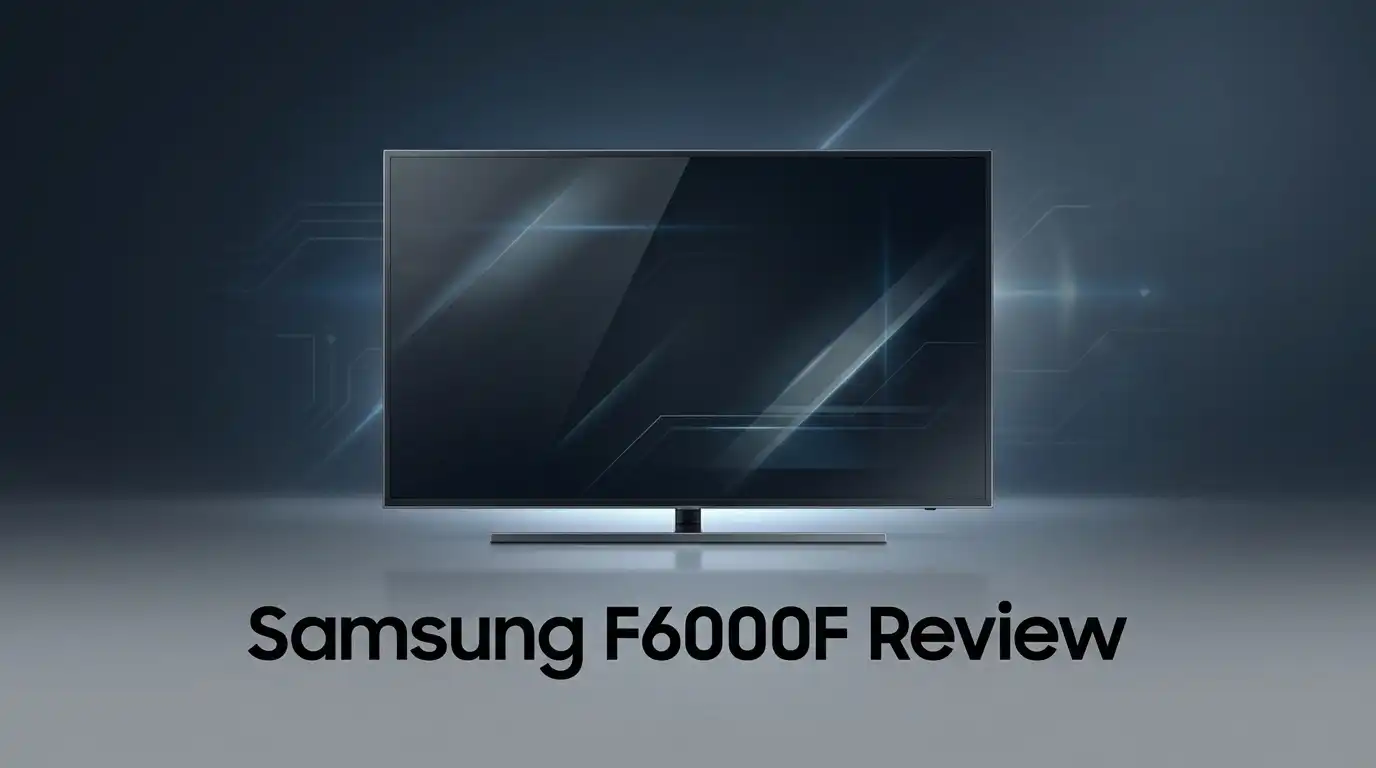
Samsung F6000F Review: Top Tier or Trash?
Looking for a smaller TV that still delivers a great picture? The Samsung F6000F might catch your eye. It comes in 32″ and 40″ sizes, perfect for bedrooms and kitchens.
This TV runs on Samsung’s Tizen platform. You get a fast, clean interface that feels easy to use from day one. Setup takes just minutes.
The Full HD display supports HDR, so colors look vibrant and contrast stays sharp. Many users praise its picture quality, especially at this tier. It punches above its weight.
In a Nutshell
Here’s what stands out:
- Picture quality shines for a 1080p panel. Colors look rich and contrast feels balanced, even with HDR content.
- Tizen Smart TV platform makes streaming simple. You get quick access to apps without a steep learning curve.
- One UI feels smooth and easy to use. Menus load fast, and setup takes just a few minutes.
- Sound quality lags behind the display. You may want external speakers for movies or music.
- Light leaking can occur on darker scenes. This is common for panels in this tier, so keep expectations realistic.
- Best suited for smaller rooms like bedrooms, kitchens, or dorms. It’s not built for large living rooms or serious home theater setups.
If you want a no-fuss screen for casual viewing, this TV covers the basics. Just don’t expect flagship performance from every angle.
Display Quality and Picture Performance
The Samsung F6000F delivers solid performance in the display department. The 1080p Full HD resolution keeps images sharp and detailed for everyday viewing. You’ll notice clean lines and crisp text when watching content or browsing apps.
Color reproduction stands out as a real strength here. The panel handles reds, blues, and greens with natural accuracy. Skin tones look realistic, and scenery pops without appearing oversaturated. This matters whether you’re streaming movies, watching sports, or scrolling through your favorite shows.
Contrast performance works well for this category. Dark scenes show decent separation between shadows and blacks. Bright moments feel punchy and engaging. The Full HD panel won’t match premium 4K displays, but it handles the basics without disappointing you.
HDR support adds extra dimension to compatible content. Your streaming apps can deliver enhanced color ranges and brightness levels. Movies and shows with HDR encoding look more dynamic than standard versions. Not every show supports it, but when available, the improvement is noticeable.
One area to watch involves light leaking. Some units show minor glow around the edges during dark scenes. This happens most on the budget panel design. It’s not severe on every TV, but it’s worth knowing about before purchasing.
The screen size options matter for picture quality too. The 32 inch and 40 inch variants both display content well. Larger screens sit further from your viewing position, so 1080p resolution remains acceptable. Sitting closer to a smaller screen might reveal more pixel structure, but most viewers won’t notice this.
Brightness levels feel adequate for most rooms. You can watch comfortably during daytime hours without excessive glare. Nighttime viewing works smoothly without straining your eyes.
Overall, the display performs above expectations for this tier. The F6000F won’t replace a premium flagship TV, but it handles everyday content with confidence. If you prioritize clear visuals and accurate colors over cutting edge resolution, this panel delivers genuine value in its class.


Last update on 2026-09-19 / Affiliate links / Images from Amazon Product Advertising API Some of the links on this website are affiliate links, which means that at no additional cost to you, I earn a commission if you click through and make a purchase. I only recommend products and services that I believe will add value to my readers. Thank you for your support!
Design and Build Quality
The Samsung F6000F sports a straightforward design that fits seamlessly into any room. The bezel sits thin around the display, so the screen takes center stage without unnecessary bulk.
The stand feels sturdy enough for most TV stands and entertainment centers. It connects securely to the base without wobbling during normal use. Wall mounting works well too, thanks to the standard VESA compatibility. The back panel uses plastic construction, which keeps things light and easy to handle.
Build quality reflects the entry-level positioning of this model. The frame and chassis use durable materials that handle everyday use. However, don’t expect premium feel or heavy-duty reinforcement. The plastic body shows its budget nature, but it won’t fall apart with careful handling.
The remote control pairs nicely with the TV’s overall design. It feels comfortable in your hand and responds quickly to commands. Navigation buttons sit in logical spots, making operation intuitive even for first-time users.
Durability stands as a moderate point here. The F6000F holds up well in typical home environments. Bedrooms, kitchens, and smaller living spaces see no issues from this TV. The panel construction supports regular use without degradation. Heat management works adequately during extended viewing sessions.
One concern involves the panel’s susceptibility to light leaking. Darker scenes may show some brightness bleeding from the edges. This occurs more noticeably on budget-tier LED panels. Viewing angles matter when multiple people watch together. The display performs best when viewed straight on rather than from extreme angles.
The overall aesthetic feels clean and minimal. The TV doesn’t scream luxury, but it looks presentable on any wall or stand. The matte finish on the bezel resists fingerprints reasonably well. Cable management at the back allows for neat wire organization.
The F6000F prioritizes function over flashy design elements. This approach works perfectly for practical buyers who want a reliable screen without unnecessary frills. The build quality matches its positioning as a no-nonsense option for everyday viewing.
Smart TV Platform and User Interface
The Samsung F6000F runs on Tizen Smart TV platform, which keeps things simple and straightforward. You get access to major streaming apps without confusion. The interface loads quickly, so you spend less time waiting and more time watching.
One UI integration makes navigation feel natural if you own other Samsung devices. Your remote responds fast to commands. Menu options appear exactly where you expect them. Switching between apps happens smoothly without lag or freezing.
The remote control works intuitively with this TV. You can navigate menus with ease using the directional buttons. Voice search options help you find content faster. The layout feels logical, even for first time users.
App availability covers the essentials well. Netflix, YouTube, Prime Video, and other popular services install without issues. You won’t find every niche streaming service, but standard options are there. Updates roll out regularly to keep things current.
Smart features stay practical without overwhelming you. The TV connects to your home WiFi reliably. Casting from your phone works smoothly. Smart home integration functions properly if you use compatible devices.
The interface responds quickly to your inputs. Menu loading times stay short. App switching feels snappy and responsive. You won’t experience frustrating delays during normal use.
One thing to note involves the screen resolution. The 1080p display means some streaming apps may not offer 4K options. This doesn’t affect usability, but it’s worth knowing. Standard HD content looks great on this panel.
Customization options let you organize your home screen. Rearrange app shortcuts to match your preferences. Favorite channels display prominently for quick access. The setup process takes just minutes to complete.
Overall, the Tizen platform delivers a user friendly experience without unnecessary complexity. Navigation feels intuitive from day one. You won’t need a manual to figure out basic functions. The interface prioritizes ease of use over fancy features, which works perfectly for this TV’s position in the market.
Top 3 Alternatives
LG OLED TV

Last update on 2026-09-19 / Affiliate links / Images from Amazon Product Advertising API Some of the links on this website are affiliate links, which means that at no additional cost to you, I earn a commission if you click through and make a purchase. I only recommend products and services that I believe will add value to my readers. Thank you for your support!
LG OLED TVs deliver stunning picture quality through self-emissive pixels. Each pixel produces its own light, so blacks appear truly black. You get perfect contrast without backlighting issues that other TVs face.
Sony Bravia XR

Last update on 2026-09-19 / Affiliate links / Images from Amazon Product Advertising API Some of the links on this website are affiliate links, which means that at no additional cost to you, I earn a commission if you click through and make a purchase. I only recommend products and services that I believe will add value to my readers. Thank you for your support!
Sony Bravia XR TVs use cognitive processor technology to enhance every image. The system analyzes content and adjusts picture settings automatically. You get natural-looking colors and sharp details across all content types.
TCL QM8 Series

Last update on 2026-09-19 / Affiliate links / Images from Amazon Product Advertising API Some of the links on this website are affiliate links, which means that at no additional cost to you, I earn a commission if you click through and make a purchase. I only recommend products and services that I believe will add value to my readers. Thank you for your support!
The TCL QM8 Series offers impressive features at a reasonable value point. Mini-LED backlighting provides excellent contrast control. Bright scenes pop while dark scenes maintain detail and shadow separation.
Audio Performance and Sound Quality
The Samsung F6000F brings Object Tracking Sound Lite technology to the table, which is a step above basic TV speakers. This feature follows movement on screen and adjusts sound direction accordingly. You’ll notice the audio responds to action sequences and dialogue shifts more naturally than standard flat speakers.
Sound clarity stands as a real strength for this model. Voices come through crisp and easy to understand during movies and shows. Dialogue never gets lost or muddled, even when background music plays. This matters most if you watch dramas, news programs, or talk shows regularly.
Bass performance feels limited, which is typical for TVs in this category. You won’t get deep rumbling effects from action scenes or explosions. The speakers focus more on mid and high frequencies instead. If you love cinematic sound with heavy bass, an external soundbar would serve you better.
The audio output reaches decent volume levels without distortion at normal listening volumes. You can turn it up for larger rooms without the sound breaking up or crackling. Extreme volume settings may introduce some harshness, but everyday viewing stays clean and balanced.
Stereo separation works adequately here. Sound spreads across the screen width rather than coming from one center point. This creates a more immersive experience than mono audio, though it doesn’t match premium TV speakers.
The F6000F struggles with complex audio mixes. When multiple sound elements play simultaneously, some details get buried. Subtle background sounds may disappear during intense scenes. This limitation won’t bother casual viewers, but audio enthusiasts will notice it.
For bedrooms and kitchens, the audio performance proves perfectly acceptable. You’ll enjoy movies, streaming content, and music without complaint. The speakers handle everyday content without issues.
If you spend significant time gaming or watching action films, consider pairing this TV with an external sound system. A basic soundbar transforms the experience completely. The TV’s audio foundation works well on its own, but it has clear limits in delivering immersive sound experiences that demanding viewers expect.
Setup and Installation
Getting your Samsung F6000F up and running takes very little time. The TV arrives well packaged, and you’ll find all necessary cables included in the box. Samsung keeps the setup process straightforward for first time buyers.
Out of the box, the stand assembly requires just a few minutes. The legs attach to the bottom of the display with simple screws. You won’t need any special tools or technical knowledge here. Most people finish this step in under five minutes.
Once the stand is secure, connect your power cable and turn on the TV. The initial boot sequence runs automatically. The TV walks you through language selection and network connection in a clear, step by step manner. You’ll connect to your WiFi network using the remote control, which feels intuitive even for non tech savvy users.
The One UI interface appears immediately after setup completes. Samsung designed this menu system to feel familiar if you use other Samsung products. Navigation happens smoothly, and you can start watching content right away without complex configuration steps.
Mounting on a wall works equally well if you prefer that option. The VESA mounting pattern follows standard specifications, so compatible brackets fit easily. Make sure you use appropriate wall anchors for your wall type before hanging the display.
Cable management stays simple thanks to the TV’s rear panel design. Ports sit in logical positions, and you won’t struggle routing HDMI cables or other connections. The cable clips on the back help keep things organized.
One thing worth noting involves the remote pairing process. Hold the designated button for a few seconds, and the remote connects automatically. You don’t need to manually enter codes or perform complicated pairing procedures.
The entire setup from unboxing to watching your first show typically takes between 15 to 20 minutes. No special skills are required. Samsung really nailed the user experience during this initial phase, making the F6000F accessible to everyone.
Pros and Cons
Pros
- Crystal clear picture quality with vibrant colors and strong contrast on the LED display
- HDR support brings better brightness and detail to supported content
- Fast, responsive interface that feels smooth when switching apps and menus
- Excellent for smaller rooms like bedrooms and kitchens where 1080p performs well
- Object Tracking Sound Lite audio outperforms basic TV speakers in clarity
Cons
- Light bleeding appears on the budget panel, especially noticeable in dark rooms
- 1080p resolution means less detail than 4K alternatives on larger screens
- Sound lacks depth with limited bass response for movies and music
- Build quality reflects the entry level positioning with lighter materials throughout
Who Should Buy It
The Samsung F6000F works best for people who prioritize simplicity and straightforward entertainment. If you spend most of your viewing time in bedrooms or kitchens, this TV delivers exactly what you need without unnecessary features.
First time TV buyers benefit greatly from this model. The One UI interface feels intuitive right away. You won’t struggle with confusing menus or complicated settings. Everything responds quickly when you switch between apps and channels.
People who watch content on smaller screens will appreciate the 1080p resolution here. If your viewing distance stays beyond 6 feet, the full HD display shows excellent detail and clarity. The vibrant colors and strong contrast make shows look crisp and engaging.
Those sensitive to audio quality should know this TV has limitations. If you mainly watch news, talk shows, or streaming content, the Object Tracking Sound Lite audio performs well enough. However, if movies and music matter to you, consider pairing this with a soundbar or external speaker system.
Casual streamers and TV watchers fit this TV perfectly. You get access to popular apps through the Tizen Smart TV platform. Browsing and loading content happens smoothly without frustrating delays.
Gamers and sports fans might want to look elsewhere. The 1080p resolution and potential light bleeding become more noticeable during fast action scenes. If you care deeply about picture perfection in dark rooms, this budget panel may disappoint you.
Renters and people who move frequently appreciate the straightforward setup. Assembly takes minutes. The TV doesn’t demand special installation knowledge or tools. You can unbox, connect, and start watching within 20 minutes.
Finally, anyone seeking a secondary TV for guest rooms or offices finds great value here. This TV handles everyday viewing tasks reliably. It won’t win awards for premium features, but it performs its basic job very well. The clear picture quality and responsive interface make it a solid choice for spaces where you don’t need cutting edge technology.
Final Verdict
The Samsung F6000F earns its place as a smart choice for anyone who wants stress free television viewing. It focuses on doing the basics well instead of chasing every feature under the sun.
Simplicity stands out as this TV’s biggest strength. You get a clean interface, sharp visuals, and dependable performance without extra clutter getting in the way.
This model fits perfectly into a secondary role within your home. Think guest rooms, home offices, or that spare bedroom that needs a screen upgrade.
Samsung built this TV for people who value ease over extras. If you already own Samsung devices, the ecosystem connection adds another layer of convenience.
The F6000F won’t replace your main entertainment hub if you crave cinematic sound or ultra sharp detail. That said, it never claims to be that kind of television.
Think of it as a reliable companion rather than a showstopper. It handles daily streaming, casual shows, and background entertainment with zero fuss.
Long term reliability also matters here. Samsung’s build quality, even at this tier, tends to hold up well over years of regular use.
Should you buy it? If your priorities include quick setup, decent picture quality, and hassle free operation, then yes.
Skip this model if audio quality or ultra high resolution ranks high on your wishlist. Those needs call for a different television altogether.
For everyone else, especially those upgrading a smaller room or replacing an aging set, the F6000F delivers real value without overcomplicating things.
Final thought: this TV proves that you don’t need every premium feature to enjoy quality viewing. Sometimes the simple choice turns out to be the smart one.
If straightforward entertainment sounds appealing, the Samsung F6000F deserves a spot on your shortlist. It does what it promises, nothing more, nothing less.
Frequently Asked Questions
Does the Samsung F6000F support 4K resolution?
No, this TV maxes out at Full HD (1080p). The display delivers sharp images on smaller screens, but you won’t get the ultra fine detail that 4K offers on larger panels. If you watch content from a distance or on a 40 inch screen, the difference becomes more noticeable.
Can you use this TV for gaming?
Gaming works, but it’s not ideal. The 1080p resolution limits visual sharpness in modern games. Gamers who want smooth frame rates and crisp graphics should consider other options. Casual gaming and older titles run fine here.
How is the audio quality on the F6000F?
The Object Tracking Sound Lite system beats basic TV speakers. However, audio depth remains limited with weak bass response. Movies and music lack the punch you’d get from external speakers. If sound matters to you, pairing this TV with a soundbar makes sense.
Is the picture quality good for the money?
The LED display shows vibrant colors and strong contrast. Blacks look deep, and bright scenes pop well. HDR support adds extra detail to compatible content. The main drawback is occasional light bleeding on the budget panel, especially in dark rooms. Overall, picture performance punches above what you’d expect at this tier.
What should I use this TV for?
The F6000F excels in bedrooms, kitchens, and guest rooms. It works perfectly for casual streaming, news, and everyday TV watching. The fast, smooth interface makes navigation simple. Think of it as a reliable companion for secondary spaces rather than your main entertainment hub.

Hello everyone my name is Alenya and i am a gadget discovering Enthusiast 🐻🐻