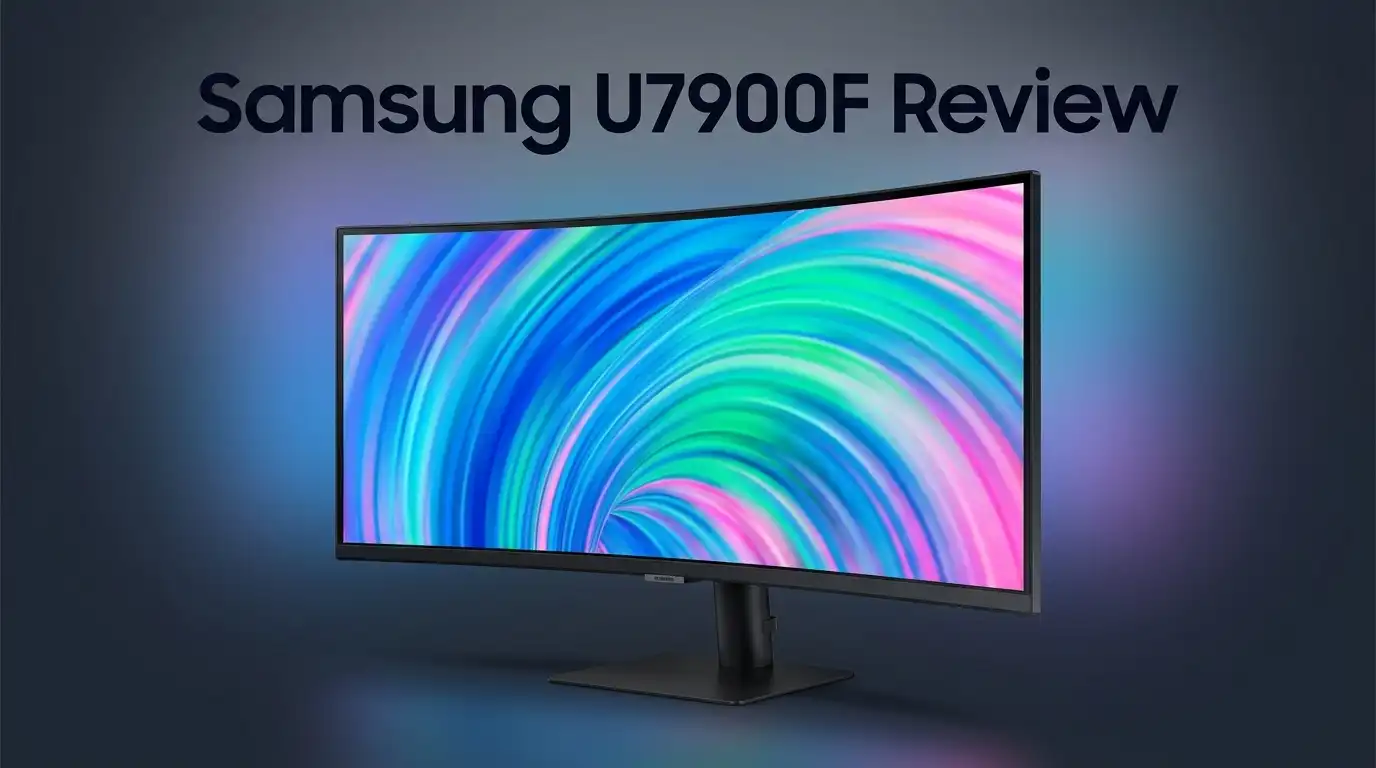
Samsung U7900F Review: Is This 4K TV Worth Buying?
Are you thinking about buying the Samsung U7900F? This TV promises crisp 4K detail and vibrant colors. But does it truly deliver on that promise?
Samsung packs this model with a Crystal Processor 4K and AI upscaling. It also throws in HDR10+ support and access to over 2,700 free channels through Samsung TV Plus. On paper, it sounds like a solid pick for movie nights and everyday streaming.
But specs only tell half the story. Real world performance matters more. Does the U7900F handle fast action scenes well? Can it keep up with bright rooms and dark corners alike?
In a Nutshell
- Sharp 4K Detail: This TV delivers vibrant colors and crisp visuals. Everyday viewing looks great with accurate SDR performance.
- No Local Dimming: This is a big drawback. Dark scenes lack depth and contrast suffers as a result.
- Motion Issues: Fast action scenes can look blurry. The slow response time struggles with sports and gaming content.
- Uneven Screen: Some panels show mediocre uniformity. You might notice inconsistent brightness across the screen.
- Limited Connectivity: This model comes with fewer inputs than competitors. This could be a problem if you have many devices.
- Sluggish Software: The interface can feel slow. Navigating apps and menus takes patience.
- Massive Content Library: Samsung TV Plus gives you 2,700+ free channels. This is a huge win for streaming fans.
Display Quality and Picture Performance
The Samsung U7900F features a 4K UHD LED-LCD panel that delivers sharp details across its 55″, 65″, and 75″ screen sizes. Colors pop right out of the box thanks to solid SDR color accuracy. You get vibrant reds, blues, and greens without much calibration needed.
The Crystal Processor 4K with AI upscaling helps boost picture quality on lower-resolution content. This processor analyzes footage and enhances it in real time. Standard definition streams look noticeably sharper than on basic TVs.
Peak brightness reaches 300 nits, which keeps images visible even in bright rooms. The display handles daylight viewing well without washing out colors or creating glare issues.
However, this TV has a major limitation: no local dimming. Local dimming technology darkens specific zones on the screen to improve contrast and black levels. Without it, dark scenes lack depth and appear flat. Blacks look more like dark gray.
Motion handling is another weak point. Fast action scenes, like sports or gaming, can appear blurry. The 60Hz refresh rate combined with slow response times means moving objects don’t stay sharp. If you watch a lot of action content, this becomes frustrating quickly.
Screen uniformity also falls short of expectations. Some panels show uneven brightness across the display. You might notice darker or lighter patches, especially on solid color backgrounds. This inconsistency is noticeable in darker viewing environments.
The good news: HDR10+ support gives compatible content excellent dynamic range. Bright highlights and dark shadows both display with proper detail. HDR movies and shows look genuinely impressive when the source material is high quality.
Overall, the display excels at color and sharpness for everyday viewing. Bright, colorful content looks fantastic. But if you care about motion clarity, deep blacks, and uniform brightness across the entire screen, this panel shows its limitations. It performs adequately for casual watching but struggles with demanding picture quality standards.
No products found.
Design, Build, and Connectivity
The Samsung U7900F comes in three screen sizes: 55″, 65″, and 75″. This flexibility lets you pick the right fit for your living room or bedroom.
The TV uses a standard LED-LCD panel. It has a flat bezel design that looks clean and modern. The stand feels sturdy when you set it up, and wall mounting works smoothly with standard VESA brackets.
Connectivity is where this model stumbles. The U7900F has fewer ports than you’d expect. You get a couple of HDMI inputs, but that limits how many devices you can connect at once. If you own multiple gaming consoles, a soundbar, and a streaming device, you’ll need an HDMI switcher to manage everything.
The TV includes built in WiFi for streaming apps. Bluetooth support lets you pair wireless headphones or speakers without running cables. However, the lack of optical audio output is frustrating if you want to connect older sound systems.
The interface feels sluggish at times. Navigating menus and opening apps takes longer than it should. You’ll notice slight delays when switching between Samsung TV Plus channels or accessing the app store. This slowness doesn’t ruin the experience, but it’s noticeable compared to faster smart TV platforms.
The remote is basic but functional. It has dedicated buttons for popular streaming services, which saves you a few clicks. Voice control works reasonably well if you prefer hands free operation.
One bright spot: Samsung TV Plus gives you access to 2,700+ free channels. You get live TV, movies, and shows without paying for cable or subscriptions. This is a genuine bonus for cord cutters.
Build quality feels decent overall. The plastic frame doesn’t feel cheap, and the screen mounting is secure. The TV doesn’t feel premium, but it should hold up fine with normal use.
The U7900F struggles to compete on connectivity and interface speed. If you have many devices to connect or demand lightning fast menus, look elsewhere. For basic streaming and casual viewing, the connections work fine.
Smart TV Features and User Interface
The Samsung U7900F runs Samsung’s Tizen operating system, which powers the smart TV experience. The interface lets you access streaming apps, adjust settings, and browse content all from your remote.
App performance is where you’ll notice some friction. Opening apps takes noticeably longer than on faster competitors. Scrolling through menus feels sluggish compared to newer models. This delay adds up when you’re switching between Netflix, YouTube, and other services multiple times per session.
The good news is that Samsung TV Plus gives you instant access to 2,700+ free channels. You don’t need subscriptions to watch news, sports, movies, and shows. This feature alone provides serious entertainment value without extra costs.
Voice control works through the included remote, which supports basic commands. You can search for shows and adjust volume hands-free. The remote itself feels basic but responsive enough for everyday use.
Navigating the home screen takes some getting used to. Menus aren’t as intuitive as LG or Google TV options. You’ll spend time learning where settings hide. New users might find this frustrating during their first week.
The TV supports popular streaming apps like Netflix, Prime Video, Disney+, and Hulu. Installation happens quickly and smoothly. Once apps load, playback quality is solid.
WiFi connectivity is built in, so you can stream wirelessly without extra equipment. The connection stays stable during normal use. You won’t experience frequent disconnections or buffering issues.
One limitation stands out: the interface lacks the snappiness of premium Samsung models. If you value fast app switching and smooth menu navigation, this TV feels noticeably slower. Budget shoppers might overlook this, but power users will notice the delay.
Overall, the smart TV experience works fine for casual streaming. You get reliable access to content and free channels. Just don’t expect lightning-fast performance or cutting-edge interface design. The system does its job without impressing you with speed or elegance.
Top 3 Alternatives
LG OLED C3
No products found.
Sony Bravia XR

Last update on 2026-08-01 / Affiliate links / Images from Amazon Product Advertising API Some of the links on this website are affiliate links, which means that at no additional cost to you, I earn a commission if you click through and make a purchase. I only recommend products and services that I believe will add value to my readers. Thank you for your support!
TCL QM8 Mini-LED


Last update on 2026-07-27 / Affiliate links / Images from Amazon Product Advertising API Some of the links on this website are affiliate links, which means that at no additional cost to you, I earn a commission if you click through and make a purchase. I only recommend products and services that I believe will add value to my readers. Thank you for your support!
Motion Handling and Response Time
The Samsung U7900F handles motion differently than high refresh rate models. This TV uses a standard 60Hz refresh rate, which means it processes 60 frames per second. For most everyday content like news, sports, and regular movies, you won’t notice major issues.
However, fast-moving scenes reveal the TV’s limitations. Action movies and sports broadcasts can appear slightly blurry during quick pans. The response time is slower than gaming-focused displays. If you watch a lot of fast-paced content, this matters.
The lack of local dimming compounds motion problems. Without this feature, the TV cannot darken specific areas of the screen independently. This means contrast suffers during action scenes. Dark objects moving across bright backgrounds lose definition.
Gaming performance is another consideration. The 60Hz panel makes this TV unsuitable for console gaming at higher frame rates. The input lag is acceptable for casual play, but competitive gamers should look elsewhere. The TV supports standard HDMI inputs, but no special gaming modes optimize the experience.
For streaming and cable television, motion handling remains adequate. You won’t experience constant stuttering or jarring transitions. The Crystal Processor 4K helps smooth lower-quality content to some degree. Standard broadcast material plays smoothly without noticeable artifacts.
The real issue surfaces when comparing this model to competitors. Other TVs in this category offer better motion processing. Some include higher refresh rates or motion smoothing technology. The U7900F feels sluggish in direct comparison.
Bottom line: motion handling is functional but not impressive. The 60Hz refresh rate and slower response time create noticeable limitations for action content. If you primarily watch slower-paced shows and movies, this won’t bother you. Sports fans and gamers should consider alternatives that offer better motion performance. The TV performs adequately for general viewing, but motion is definitely a weak point in its overall package.
HDR and Color Accuracy
The Samsung U7900F delivers solid HDR10+ support, which means it can process the enhanced color and brightness information that modern content provides. However, there’s a catch. The TV’s 300 nits peak brightness limits how much of that HDR potential actually reaches your eyes.
When you watch HDR content, you’ll notice vibrant colors and sharp details right away. The LED-LCD panel excels at producing punchy reds, deep blues, and natural skin tones in standard daylight scenes. Out of the box, SDR color accuracy is genuinely good. You don’t need to spend hours tweaking settings to get a pleasing picture for everyday viewing.
The real limitation shows up in dark scenes. No local dimming means the entire backlight stays at one brightness level. When an action scene cuts from a bright explosion to a shadowy room, the TV can’t dim specific zones to create true blacks. This flattens the contrast and makes HDR content feel less immersive than it should.
Fast-paced movies reveal another weakness. The combination of slow response times and lack of local dimming creates visible motion blur during quick camera pans or sports broadcasts. The TV keeps up fine with slower content, but action sequences expose the gap between this model and higher-end displays.
For typical streaming and cable TV, the U7900F’s color performance handles everyday content well. Netflix shows, news broadcasts, and regular TV programming look clean and detailed. The Crystal Processor 4K with AI upscaling helps lower resolution content appear sharper than it actually is.
Gaming enthusiasts should know this isn’t a gaming TV. The slow response time makes fast-paced games feel sluggish, and the lack of advanced features like variable refresh rate support limits competitive gaming.
The bottom line: the U7900F produces good colors in bright scenes and handles regular content decently. However, the missing local dimming and modest brightness ceiling prevent it from delivering the full HDR experience that premium displays offer. You get functional HDR support, not exceptional HDR performance.
Pros and Cons
Pros
- SDR color accuracy comes great right out of the box without heavy calibration needed
- The display gets bright enough for well lit rooms and shows vibrant, sharp details
- Samsung TV Plus unlocks 2,700+ free channels instantly with no extra subscriptions
- Crystal Processor 4K with AI upscaling makes lower resolution content look better
Cons
- No local dimming means dark scenes lose depth and contrast compared to premium models
- Motion handling feels sluggish due to slow response time, especially in fast paced content
- Screen uniformity issues create uneven brightness and color across the panel
- Limited input ports restrict how many devices you can connect simultaneously
Who Should Buy It
The Samsung U7900F works best for specific viewer types. Understanding who benefits most helps you decide if this TV matches your needs.
Casual streamers and cable TV viewers should consider this model. You spend most of your time watching Netflix, Hulu, or traditional broadcast channels. The U7900F delivers solid color performance for everyday content. You won’t encounter the motion limitations as often since streaming shows don’t demand fast refresh rates. The 4K upscaling also improves lower resolution content quality.
Families in bright living rooms find real value here. The display reaches 300 nits brightness, which handles daylight well. You can watch comfortably even with windows open. Vibrant colors pop on screen without heavy glare issues.
Budget conscious buyers who want a large screen appreciate the available sizes. The 55″, 65″, and 75″ options let you pick what fits your space. You get a recognizable Samsung brand without paying for premium features you won’t use.
Cord cutters love the free channels feature. Samsung TV Plus offers 2,700+ channels at no cost. You access news, entertainment, and sports without subscriptions. This alone saves money over time.
However, skip this TV if you’re a gamer. The slow response time hurts fast paced gaming. Competitive shooters and action games feel sluggish. You’ll notice input lag during intense moments.
Film enthusiasts should look elsewhere too. Dark movie scenes lack depth because there’s no local dimming. You miss shadow details that premium models reveal. Fast action sequences also suffer from slow response times.
Sports fans with high expectations might feel disappointed. Quick plays and rapid camera cuts expose the motion handling weaknesses. You want smooth, crisp action on screen.
Anyone connecting multiple devices should reconsider. Limited input ports mean you can’t plug in everything simultaneously. You’ll swap cables frequently if you own gaming consoles, streaming devices, and soundbars.
The U7900F shines for straightforward TV watching. It struggles when you demand fast motion, dark scene detail, or heavy connectivity. Match your actual viewing habits to this TV’s strengths before purchasing.
Final Verdict
The Samsung U7900F earns a mixed recommendation based on what you need from a TV. It performs well for basic entertainment but struggles in demanding scenarios.
Casual viewers will likely feel satisfied with this TV. It delivers solid everyday performance without complicated setup or calibration steps.
Enthusiasts and gamers should look at other options first. The Samsung U8000F offers a slight upgrade in overall performance if you stay within the Samsung lineup.
The Samsung Q7F presents another alternative worth checking. It may address some weak points found in the U7900F, especially for viewers who want better consistency.
Outside the Samsung brand, the TCL Q7 75″ stands out as a strong competitor. It competes directly in the same size category and often draws comparisons from shoppers.
Think about your typical viewing habits before deciding. Do you watch mostly daytime shows, news, or casual streaming content? If yes, the U7900F handles these tasks well.
Do you prioritize movie nights with dimmed lights or intense gaming sessions? The U7900F falls short in these specific areas due to its known limitations.
Screen size options remain a strong point for this model. Buyers who want a bigger display for their living room have flexibility here.
The combination of free content and decent daytime picture quality makes this TV practical for many households. It fits well into simple, everyday entertainment setups.
However, this is not a TV built for cinephiles or serious gamers. Its weaknesses become obvious once you push it beyond casual use.
Consider your priorities carefully before making a final decision. Match your expectations with what this TV actually delivers.
For most casual households, the Samsung U7900F gets the job done. It handles daily entertainment needs without major complaints.
If you fall into the categories mentioned above needing better performance, explore the suggested alternatives instead. They may serve your specific needs more effectively than this model.
Frequently Asked Questions
Does the Samsung U7900F have local dimming?
No, it does not. The U7900F uses a standard LED-LCD panel without local dimming zones. This means the backlight cannot adjust brightness in specific areas of the screen. Dark scenes lose depth and contrast because the entire backlight stays at one brightness level. If you watch movies with lots of dark content, you may notice this limitation right away.
How fast is the response time for gaming?
The U7900F has a slow response time. Motion handling feels sluggish, especially during fast paced action sequences. Gamers will notice blur and ghosting effects on moving objects. If competitive gaming matters to you, this TV is not the best choice. Sports fans with high expectations might also feel disappointed by the motion performance.
What inputs does the U7900F offer?
The TV has limited input ports. You cannot connect as many devices simultaneously as you might want. If you use a cable box, gaming console, soundbar, and streaming device all at once, you may run out of ports. Check the exact port count before purchasing if you have multiple devices to connect.
Can the U7900F upscale lower resolution content?
Yes. The Crystal Processor 4K with AI upscaling makes lower resolution content look sharper and clearer. Streaming services and cable TV feeds benefit from this feature. The processor analyzes the image and enhances details intelligently. This helps when watching older shows or lower quality streams.
Is the interface fast and easy to use?
The interface is sluggish. Navigation menus respond slowly to remote commands. Switching apps or adjusting settings takes longer than expected. If you want snappy performance, faster TVs exist in the market.

Hello everyone my name is Alenya and i am a gadget discovering Enthusiast 🐻🐻