TP Link Router Review 2026: Performance, Features, and Reliability
Looking for a new router? TP Link makes some of the most popular choices on the market today.
Many homes need strong WiFi. You stream shows. You join video calls. You play online games. A weak router ruins all of it.
TP Link routers promise something simple. They promise steady connections without extra fuss. Models like the Archer A6 bring solid speeds and wide coverage to small and medium homes.
In a Nutshell
- Solid everyday performance: Models like the Archer A6 offer dual band speeds up to 867 Mbps on 5GHz and 300 Mbps on 2.4GHz. Four external antennas help boost signal reach.
- Flexible port options: You can find models with ports ranging from 100 Mbps to 10 Gbps. This gives you room to pick based on your home setup.
- Smart extras included: Features like OneMesh let you extend coverage easily. ECO mode and Alexa compatibility add convenience too.
- Some performance gaps: Testing shows modest results compared to rivals. Power and specs often fall short of what competitors like ASUS deliver.
- Security concerns exist: Past issues with Mirai botnet targeting raise red flags. Some users also report regular disconnection or buffering problems.
- Best suited for simple needs: These routers work well for entry-level to mid-range users. If you need heavy-duty performance, you might want to look elsewhere.
Key Features and Specifications
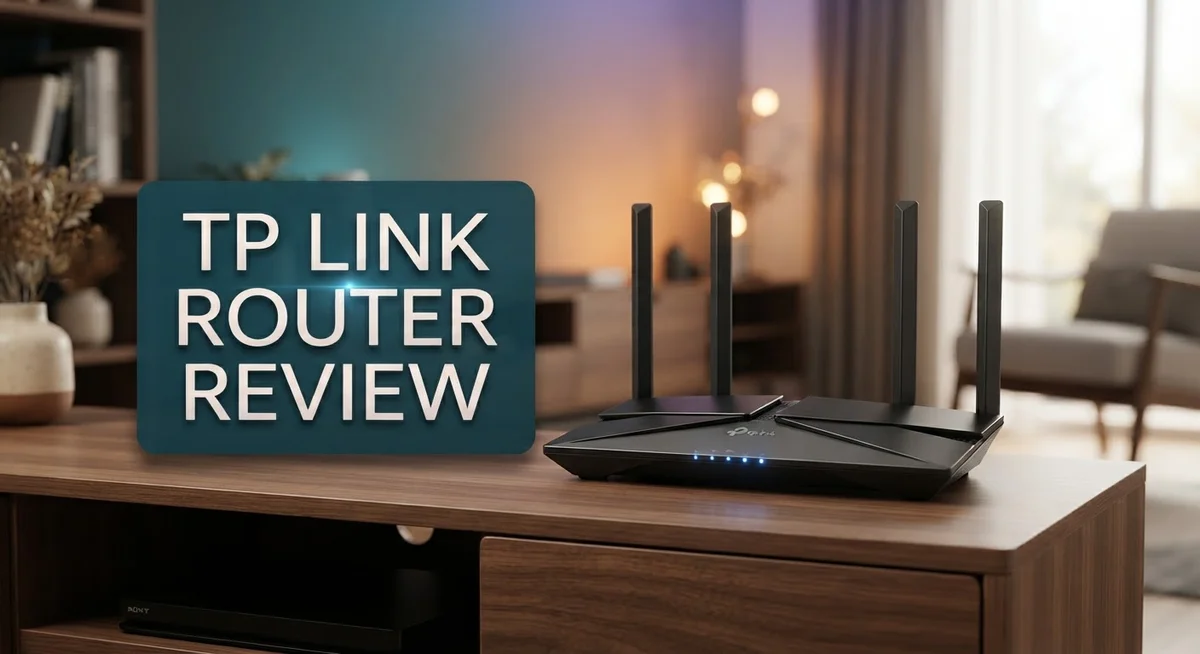
TP Link routers pack several standout specs that appeal to everyday users. The Archer A6 serves as a solid entry point with AC1200 speeds. You get 300 Mbps on the 2.4GHz band and 867 Mbps on 5GHz. The router includes four external antennas for better coverage across your home.
Port flexibility varies across TP Link’s lineup. Entry models start with standard 100 Mbps ports. Higher end options jump to gigabit speeds. Some premium units even offer 10 Gbps capabilities. This range means you can match the router to your actual internet speed.
The company includes modern wireless standards across most models. 802.11ac technology appears on mid range units. Newer Wi Fi 7 models like the BE6500 bring even faster speeds to the table. You benefit from faster data transfers and smoother streaming with these upgrades.
MU MIMO technology lets multiple devices connect without slowdowns. Instead of serving one device at a time, the router handles several simultaneously. This matters if your household streams video, games, and browses at once.
Security features include WPA3 encryption on current models. This protects your network from unauthorized access. Older models use WPA2, which still works but offers less protection against newer threats.
OneMesh support lets you expand coverage easily. You can add compatible TP Link devices to create a mesh system without buying a completely new setup. This flexibility appeals to people who start small and grow their network later.
ECO mode reduces power consumption when you don’t need full performance. Your router uses less electricity during off peak hours or light usage periods. This feature helps lower your energy bills over time.
The Alexa compatibility on select models adds voice control options. You can check connection status or restart your router using voice commands. This convenience appeals to smart home users.
Overall, TP Link routers deliver straightforward specs without unnecessary complexity. The feature set focuses on what most households actually need rather than adding expensive extras you won’t use.


Last update on 2026-09-19 / Affiliate links / Images from Amazon Product Advertising API Some of the links on this website are affiliate links, which means that at no additional cost to you, I earn a commission if you click through and make a purchase. I only recommend products and services that I believe will add value to my readers. Thank you for your support!
Design, Build Quality, and Range
TP Link routers come in various physical designs that suit different home setups. The Archer A6 features four external antennas that stick upright from the unit. This antenna design helps catch signals across your living space more effectively.
The build quality feels solid for everyday use. The plastic casing is durable enough to survive normal handling and desk placement. Most TP Link models sit flat or stand upright without wobbling. The ports are clearly labeled on the back, making setup straightforward.
When it comes to range, TP Link routers perform decently for average homes. The Archer A6 covers about 100 square meters with strong signals in the 5GHz band. Thicker walls and multiple floors can reduce this range somewhat. You’ll get reliable coverage in most rooms on a single floor.
The antenna placement matters for signal strength. External antennas on TP Link models can be adjusted to improve coverage in specific directions. Rotating them helps optimize performance for your room layout.
OneMesh support adds flexibility to your setup. You can connect additional TP Link devices to extend range without buying a full mesh system. This feature works well if you need coverage in distant areas like a garage or backyard.
Heat management is generally good. TP Link routers stay cool during normal operation without loud fans. The ventilation slots allow air to flow freely around the unit.
Compared to competitors like ASUS, TP Link routers have a simpler appearance. They don’t feature RGB lighting or aggressive gaming aesthetics. This makes them blend into most home environments without standing out.
The overall construction reflects the entry to mid range positioning. You won’t find premium materials or fancy touches. What you get is a practical device built to last several years with normal use. The straightforward design means fewer things can break or malfunction over time.
Performance and Speed Testing
Real world speed tests reveal how TP Link routers handle everyday internet tasks. The Archer A6 delivers solid performance on the 5GHz band, reaching speeds close to its rated 867 Mbps under ideal conditions. On 2.4GHz, you get around 300 Mbps, which works well for basic browsing and streaming.
When you test multiple devices at once, the MU MIMO technology keeps things running smoothly. This feature lets several gadgets connect without competing for bandwidth. Your phone, laptop, and smart TV can work together without major slowdowns.
Real world conditions tell a different story than lab tests. Distance from the router cuts your actual speeds. Walls and obstacles reduce performance by 20 to 40 percent. Most users experience 60 to 80 percent of the advertised speeds in typical home setups.
Streaming performance stays reliable for standard HD video on most TP Link models. 4K streaming works on stronger connections, though you may see occasional buffering if you’re far from the router. Gaming requires a stable connection more than raw speed, and TP Link routers handle this reasonably well for casual players.
Compared to competitors like ASUS, TP Link shows modest results in independent testing. The difference becomes clear when you run speed tests side by side. ASUS models often maintain higher throughput at greater distances, but the gap narrows for users closer to their router.
Latency (ping times) stays acceptable for everyday use. Online gaming experiences minimal lag in most scenarios. Video calls remain clear and responsive without noticeable delays.
The 5GHz band performs better than 2.4GHz for speed sensitive tasks. Switch to 5GHz when you need faster downloads or uploads. The 2.4GHz band offers better range, so use it for coverage in distant rooms.
ECO mode reduces performance slightly when activated, but cuts power consumption meaningfully. Enable it during off peak hours if you want to balance speed with energy savings.
Overall, TP Link routers deliver practical speeds for entry level to mid range households. They handle standard internet activities without problems, though power users may notice performance limitations compared to higher end alternatives.
Top 3 Alternatives
ASUS WiFi Router

Last update on 2026-09-19 / Affiliate links / Images from Amazon Product Advertising API Some of the links on this website are affiliate links, which means that at no additional cost to you, I earn a commission if you click through and make a purchase. I only recommend products and services that I believe will add value to my readers. Thank you for your support!
ASUS WiFi routers deliver strong performance for most households. These devices offer reliable connectivity across multiple rooms. You get easy setup through a mobile app. The interface feels intuitive even for beginners.
ASUS routers include parental controls and guest network features. Many models support the latest WiFi standards. Signal strength remains consistent in different areas of your home. Customer support is available through multiple channels.
Netgear Nighthawk Router

Last update on 2026-09-22 / Affiliate links / Images from Amazon Product Advertising API Some of the links on this website are affiliate links, which means that at no additional cost to you, I earn a commission if you click through and make a purchase. I only recommend products and services that I believe will add value to my readers. Thank you for your support!
Netgear Nighthawk routers focus on speed and power. These devices work well for gaming and streaming. The dashboard gives you clear visibility into your network. You can monitor connected devices easily.
Nighthawk routers feature advanced security options to protect your data. Setup takes just a few minutes. Many users appreciate the responsive customer service. The range covers large homes effectively. Performance stays stable during heavy usage periods.
Linksys Mesh WiFi

Last update on 2026-10-12 / Affiliate links / Images from Amazon Product Advertising API Some of the links on this website are affiliate links, which means that at no additional cost to you, I earn a commission if you click through and make a purchase. I only recommend products and services that I believe will add value to my readers. Thank you for your support!
Linksys Mesh WiFi systems eliminate dead zones throughout your space. Multiple nodes work together to create seamless coverage. Moving between rooms feels smooth with automatic handoff. Your devices stay connected without interruption.
Setup is straightforward with the Linksys app. You can add extra nodes as your home grows. The system manages bandwidth intelligently across all connected devices. Parental controls help you manage family internet usage. Security features update automatically to protect against threats. Mesh systems work well for larger properties where traditional routers struggle.
Security and Firmware Updates
TP Link takes security seriously across its router lineup. Most current models include WPA3 encryption, the latest wireless security standard. This protects your network from unauthorized access and keeps your data safe from common attacks.
Firmware updates are critical for security. TP Link releases patches regularly to fix vulnerabilities and improve performance. You can check for updates through the router’s admin panel or mobile app. The company pushes security patches automatically on many models, so your router stays protected without extra effort.
Regular firmware updates matter because new threats emerge constantly. TP Link addresses security issues quickly when researchers discover them. The company learned from past incidents like Mirai botnet targeting and now prioritizes security improvements. You should enable automatic updates if your model offers this option.
The update process is straightforward on TP Link routers. You log into the admin interface, navigate to the firmware section, and check for available updates. Most updates complete in under five minutes. Your router may restart during the process, so plan updates when you don’t need internet access.
TP Link provides security features beyond encryption. Many models include a built in firewall to block unwanted traffic. Parental controls let you manage what devices can access. Guest networks keep visitors separate from your main network.
Keeping your firmware current reduces security risks significantly. Delayed updates expose your network to known vulnerabilities. Hackers actively exploit outdated firmware on routers. TP Link makes staying protected easy through automatic update options and clear admin interfaces.
Check your router’s current firmware version regularly. Compare it against TP Link’s official support page for your specific model. If you see a newer version available, update immediately. This simple habit protects your home network, connected devices, and personal information from security threats.
Setup, Configuration, and Ease of Use
Setting up a TP Link router takes just a few minutes. The box includes everything you need to get online quickly.
You can start with the web interface. Open your browser, enter the default IP address, and log in with the default credentials. The dashboard shows all your main settings in one place. Navigation feels intuitive, so you won’t need to hunt for options.
Mobile app setup is even simpler. Download the TP Link Tether app, scan the QR code on your router, and follow the prompts. The app walks you through each step without confusion. Most users finish in under five minutes this way.
Wi Fi naming and password changes are straightforward. You can customize your network name (SSID) and create a strong password right away. The app lets you do this without touching a computer.
Advanced settings exist if you need them. You can adjust channel width, switch between 2.4GHz and 5GHz bands, and enable OneMesh for multiple TP Link devices. These options stay organized in logical menus. Even beginners can find what they’re looking for.
The reset process is simple too. If something goes wrong, hold the reset button for 10 seconds. Your router returns to factory defaults. Then you start fresh with setup.
Firmware updates happen automatically on most models. You can also check manually in the settings menu. The update process requires just a few clicks and takes several minutes.
One thing to note: some users report occasional interface lag when many devices connect. This doesn’t affect Wi Fi performance, just the admin panel responsiveness. It’s rare and usually clears after a restart.
TP Link routers don’t overwhelm you with unnecessary features. The setup stays simple whether you’re tech savvy or new to routers. Everything works out of the box without complicated configurations.
Pros and Cons
Pros
- Delivers reliable performance straight out of the box for everyday browsing and streaming
- Works well for entry-level to mid-range users who need solid Wi-Fi coverage
- MU-MIMO technology keeps multiple devices running smoothly without slowdowns
- Wi-Fi 7 models available at competitive performance levels
- Simple setup process gets you online in minutes using the app or web interface
Cons
- Real-world speeds fall behind competitors like ASUS in independent testing
- Users report occasional disconnection and buffering issues during peak usage
- Lower specifications and power compared to higher-end router brands
- History of security vulnerabilities means staying current with firmware updates is essential for protection
Who Should Buy It
TP Link routers work best for specific types of users. Entry-level households benefit most from these models. You get reliable Wi-Fi for basic browsing, email, and streaming without extra complexity.
Small apartments and studios are ideal spaces for TP Link routers. The range covers these areas well. You won’t need advanced features you’ll never use.
Students and young professionals should consider TP Link routers. Setup takes just minutes using the mobile app. You can start using your network immediately without technical knowledge.
Families with multiple devices find MU-MIMO technology helpful. This feature keeps tablets, phones, and laptops running smoothly at the same time. Buffering becomes less common when devices connect simultaneously.
People who work from home occasionally fit this router type well. Video calls and document uploads work fine for light remote work. Heavy streaming or gaming during peak hours may cause occasional disconnection issues.
Users who value simplicity over advanced customization should buy TP Link routers. The interface doesn’t overwhelm you with unnecessary settings. Everything you need sits right on the main screen.
You should skip TP Link routers if you need maximum performance. Competitive brands like ASUS deliver faster real-world speeds in independent testing. High-end gamers and content creators need different equipment.
Large homes with thick walls may struggle with coverage. Consider mesh systems or higher-power alternatives instead. Standard TP Link models work better in open floor plans.
People requiring advanced security features beyond basic encryption should look elsewhere. While TP Link takes security seriously and provides regular firmware updates, enterprise-level protection requires different solutions.
Casual users who value straightforward setup represent the ideal customer. You get out-of-box performance that works immediately. Firmware updates happen automatically on most models, keeping your network protected without extra effort.
If you want Wi-Fi 7 technology at reasonable specifications, newer TP Link models deliver this option. You get modern performance without unnecessary complexity.
Final Verdict
TP Link routers earn their spot as a solid choice for everyday home networking. They handle basic tasks well. Streaming, browsing, and gaming on a few devices run smoothly most of the time.
Security remains a real concern. Past Mirai botnet incidents highlight the need for regular firmware checks. TP Link does push updates, but staying alert matters here.
The brand’s ecosystem adds convenience. Alexa compatibility and OneMesh support let you build a connected smart home setup without extra hassle. These features work seamlessly with other TP Link devices you might already own.
Compared to ASUS models like the RT-AX55, TP Link trades some raw power for simplicity. ASUS pulls ahead in testing benchmarks and advanced controls. TP Link wins on ease of use and straightforward operation.
Wi-Fi 7 availability stands out as a genuine strength. Getting newer wireless standards without jumping to premium competitor pricing gives TP Link an edge for forward thinking buyers.
Customer support experiences vary across user reviews. Some praise quick responses. Others mention longer wait times for troubleshooting help. This inconsistency is worth noting before you commit.
ECO mode deserves a mention too. It helps reduce power consumption during idle periods, which appeals to environmentally conscious households.
So, who benefits most from a TP Link router? Anyone wanting reliable, no fuss networking without diving into complex settings. It suits casual users who want their Wi-Fi to simply work.
Tech enthusiasts craving cutting edge performance or heavy customization should look at premium brands instead. The gap in testing results and security track record matters for that audience.
Overall, TP Link delivers solid value for everyday connectivity needs. It’s not the top performer in every category. But it covers the basics well and keeps things simple.
Your final choice depends on what you prioritize: ease of use or peak performance. TP Link answers the first need confidently.
Frequently Asked Questions
Do TP Link routers work well in large homes?
TP Link routers perform best in smaller to medium spaces. Large homes with thick walls may experience coverage gaps, especially on upper or lower floors. If you have a multi-story house or need signal in distant rooms, consider a mesh system instead. The four external antennas help, but they have limits in sprawling layouts.
What security features does TP Link include?
TP Link routers come with WPA3 encryption and basic firewall protection. These features handle everyday threats for home users. However, they lack advanced security tools found in premium brands. Firmware updates are essential. Past Mirai botnet incidents show the importance of keeping your router software current.
Can I connect many devices at once?
Yes. MU-MIMO technology lets multiple devices stream and browse without major slowdowns. This works well for families with smartphones, tablets, laptops, and smart home gadgets. Real-world performance remains modest compared to top competitors, so expect solid rather than exceptional speeds under heavy load.
Is setup complicated?
No. You can get online in minutes using the mobile app or web interface. Most users find the process straightforward. The Alexa compatibility and OneMesh support add convenience if you use those ecosystems. Advanced configuration options exist, but you don’t need them for basic home networking.
Should I buy a TP Link router?
Choose TP Link if you want reliable, simple networking without fuss. They suit students, small households, and occasional work-from-home users well. Skip them if you need maximum performance or live in a large home. Tech enthusiasts wanting cutting-edge features should look at premium brands instead.

Hello everyone my name is Alenya and i am a gadget discovering Enthusiast 🐻🐻