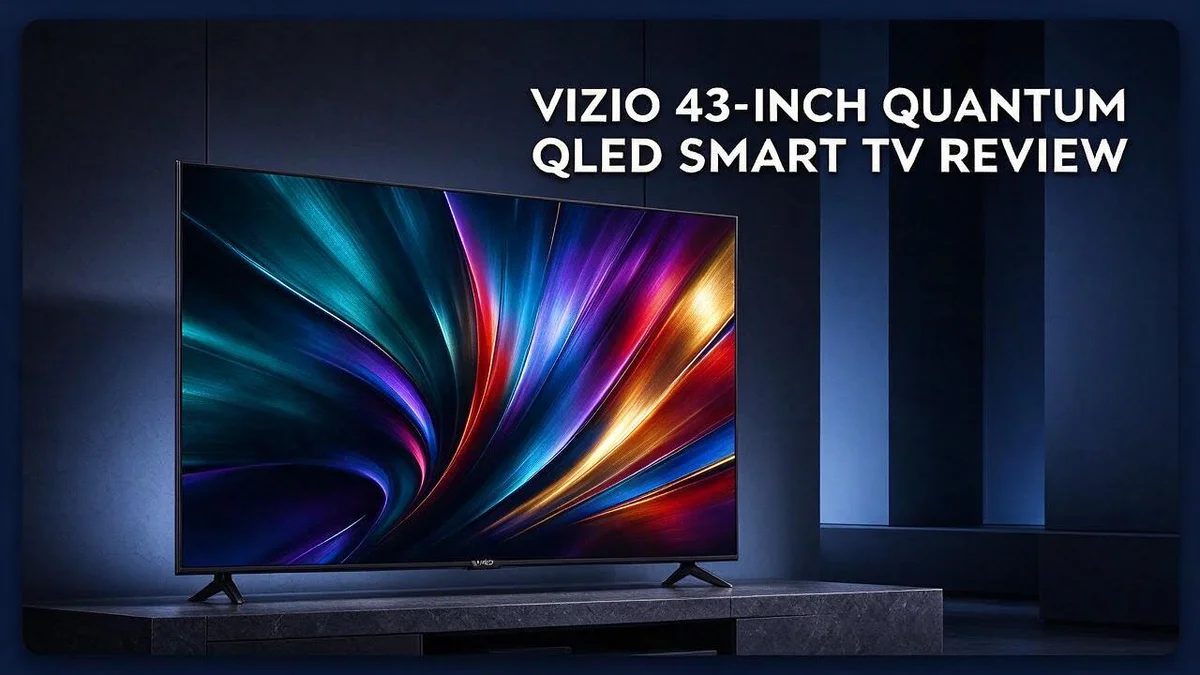
VIZIO 43-Inch Quantum QLED Smart TV Review: The Only Guide You’ll Need
Searching for a sharp, colorful TV that fits a smaller room? The VIZIO 43 inch Quantum QLED Smart TV deserves a close look.
This model brings 4K UHD resolution and Quantum Color to your living space. It also supports HDR10 plus, HDR10, and Dolby Atmos sound. Its wireless features keep streaming easy.
Gamers will also find plenty to love. Game Mode and 120fps support at 1080p help play feel smooth and fast.
In this review, we break down the picture, setup, and daily performance. We also share where this TV falls short, so you can decide with confidence. Here is what you need to know.
In a Nutshell
-
Who it suits: This set fits people who want a simple TV for a bedroom, office, or kitchen. Its compact screen makes it a practical pick for smaller spaces.
-
Entry level roots: Released in 2023, this TV sits at the entry level of the VIZIO lineup. That position means it skips some premium extras, so keep your expectations realistic.
-
Easy setup: Most owners find the setup quick and simple, even with little tech experience. The VIZIO OS and voice remote help new users get through the first steps.
-
Light for its size: It weighs less than many TVs with the same screen size. This makes moving it, mounting it, or rearranging a room much easier.
-
Upscaling is a weak spot: Lower resolution shows and older videos can look soft on screen. Stronger rivals such as the TCL Q6 or Samsung and LG models often handle this step better.
-
Firmware and quality concerns: Some buyers report quality control problems and firmware issues. Reading recent owner feedback helps you judge whether this model suits your needs.
Picture Quality and HDR

Last update on 2026-10-30 / Affiliate links / Images from Amazon Product Advertising API Some of the links on this website are affiliate links, which means that at no additional cost to you, I earn a commission if you click through and make a purchase. I only recommend products and services that I believe will add value to my readers. Thank you for your support!
Picture quality is where this TV earns its place. Colors look lively, and everyday shows feel fresh and clear.
The screen uses quantum dot technology to create rich shades. Reds and greens look vivid without appearing overly fake.
Brightness matters most in a sunny room. Light from windows can wash out dark scenes on the screen. Placing the set away from direct sun helps keep the image strong.
Black levels show how deep the picture can go. Dark scenes in movies look solid, though they will not match the deepest blacks of OLED panels.
HDR brings extra highlights and depth. When HDR content plays, bright areas like sunlight or city lights pop off the screen. Streaming movies show this effect most clearly.
Not every program uses HDR. Many cable channels and older shows stay in standard range. The TV still looks good with those shows, but the biggest wow moments come from HDR sources.
Picture mode settings make a big difference. Movie or Standard presets often look more natural than Vivid. Users can adjust brightness and sharpness in the menu.
Fine details like fabric textures and hair strands show up well on a 43 inch screen. The smaller size makes the picture look dense and tidy, especially from a short distance.
Sitting far to the side can dull the image slightly. Center seating gives the best color and contrast for most families.
Streaming quality depends on the source. A steady internet connection lets 4K streams show full detail. Compressed or low bitrate streams can look blocky, even on a strong panel.
Sports fans will enjoy crisp action when the motion settings suit the scene. Bright stadium lights and bold team colors often look lively on this screen.
Watching in a bedroom at night is a good fit. Lower brightness settings reduce eye strain during late viewing.
Overall, the picture feels bright and inviting. Viewers who watch mostly dark movies in a dim room may want deeper contrast. Still, most households will be happy with the results.
Gaming Performance
Gaming on this TV feels smooth and fun for most players. It packs many features that gamers look for. Here is how it performs during play.
Three HDMI ports give gamers room to grow. You can connect a console, a gaming PC, and a streaming box at once. Switching between them takes only a few button presses.
Dolby Atmos support can add a sense of space to game audio. Footsteps and distant explosions sound more natural with the right sound setup. A soundbar or headset can make this feature shine.
Turn on Game Mode before every gaming session. This setting reduces processing delay, so controls respond more quickly. Many players notice the difference right away during fast action scenes. Keep it on for all console and PC sessions.
The voice remote helps you open settings fast. You can switch modes without hunting through menus. Less time in the menus means more time in the game.
Older console games can look soft on this screen. The upscaler does not always sharpen lower resolution graphics well. Native 1080p or 4K games usually look crisper on the panel.
Firmware glitches can interrupt long gaming nights. Some owners report software problems, so check for updates before a big session. A stable system keeps your play time smooth.
Bright sunlight can wash out dark game scenes. Place the TV away from direct windows. Close the blinds during evening play for deeper shadows and better contrast.
Shoppers often compare this model with the TCL Q6 and sets from Samsung or LG. Each brand offers its own gaming tools. Read reviews about input response before you choose.
Casual players will enjoy this TV most. Competitive gamers should test responsiveness in person first. A quick look at the controls can tell you a lot.
Design and Setup
The design of this TV keeps things plain. Its look is practical rather than fancy, which suits a bedroom shelf or an office desk.
Measure your stand before you open the box. A 43 inch screen needs a stable base that is wide enough to hold it. Leave a little space on each side so the TV never tips forward.
Check the depth of your cabinet too. The back of the set needs room for cables and vents, so a shallow shelf can cause problems.
Think about a wall mount. A wall mount frees up shelf space and can lift the screen to eye level. Check the mounting holes on the back first. Then match the hole pattern to the mount you plan to buy.
Plan your cable route before you connect anything. Three HDMI ports give you room for a streaming box, a console, and a soundbar. Use cable clips or ties to keep wires neat behind the stand.
Leave room for air to flow. Keep several inches of space behind the TV so heat can escape. Good airflow helps the set run comfortably over long viewing sessions.
Use the on-screen guide during first startup. The first boot walks you through language, network, and account steps one at a time. Take your time with each screen, and you will avoid mistakes later.
Pair your accessories early. The voice remote and Bluetooth support make it easy to connect headphones or a speaker during setup. Keep spare batteries nearby so the remote never fails when you need it most.
Sit about four to six feet away for the best view. This distance lets you see the whole picture without strain. Adjust your seat until the screen fills your natural field of vision.
Clean the screen gently with a dry microfiber cloth. Never spray liquid directly onto the panel. A light touch keeps the surface clear and protects the finish for years.
Top 3 Alternatives
Samsung Q60 QLED


Last update on 2026-10-05 / Affiliate links / Images from Amazon Product Advertising API Some of the links on this website are affiliate links, which means that at no additional cost to you, I earn a commission if you click through and make a purchase. I only recommend products and services that I believe will add value to my readers. Thank you for your support!
The Samsung Q60 QLED is a strong choice for bright rooms. Its quantum dot color makes images look vivid and clear.
The screen also handles fast action well. Sports and games look smooth, and many people enjoy its clean design and easy menus.
Hisense A6 Series

Last update on 2026-10-30 / Affiliate links / Images from Amazon Product Advertising API Some of the links on this website are affiliate links, which means that at no additional cost to you, I earn a commission if you click through and make a purchase. I only recommend products and services that I believe will add value to my readers. Thank you for your support!
The Hisense A6 Series is a simple pick for everyday viewing. It supports HDR, so colors pop in movies and shows.
Its built-in apps load quickly, so streaming feels easy. Setup takes only a few minutes, even for beginners.
TCL 4-Series

Last update on 2026-09-19 / Affiliate links / Images from Amazon Product Advertising API Some of the links on this website are affiliate links, which means that at no additional cost to you, I earn a commission if you click through and make a purchase. I only recommend products and services that I believe will add value to my readers. Thank you for your support!
The TCL 4-Series offers a sharp picture for movie nights. It delivers deep black levels and a bright display.
Smart features let you find shows with simple voice commands. This model fits living rooms and bedrooms alike.
Smart Platform, Sound, and Upscaling
The VIZIO OS home screen puts your favorite apps in one place. Most streaming services load quickly enough for daily viewing. You can add or remove apps whenever you want.
Take a minute to rearrange the tiles. Move the apps you use most to the front row. This saves time on busy evenings.
Keep the software current. Updates bring new features and fix bugs. Check for updates once a month so the system runs smoothly.
Built in speakers handle everyday shows well. Dialogue sounds clear in most talk shows and news. Action scenes can sound thin, though. A soundbar adds depth and bass that a slim screen cannot produce.
Start with the audio settings menu. Pick the output that matches your setup. Play a scene with lots of background noise to check the balance.
Sound lag can appear with some external speakers. If lips seem out of sync, adjust the audio delay setting. Small changes often fix the problem fast.
Upscaling turns lower resolution content into a larger picture. This TV handles it with mixed results. Older cable channels and standard definition shows can look soft on the screen.
Stream in 4K whenever possible. Apps from major streaming services send high resolution video. The picture looks crisp because the TV does less work.
Avoid heavy sharpening filters. They can add halos around faces and edges. Set sharpness to a low or medium level for a natural look.
Test a few sources to see what looks best. Compare a streamed show with a cable channel. You will quickly spot where the screen shines and where it struggles.
Good sound and sharp images depend on setup. Small tweaks make a big difference. Spend ten minutes on these settings and you will enjoy the TV much more.
Pros and Cons
Pros
– Picture looks bright and colorful for a 43 inch screen.
– The light frame makes it easy to lift and move alone.
– Quantum Color and HDR support add depth to movies.
– Strong 120 frame rate support at 1080p suits PC players.
Cons
– Some units show quality control problems out of the box.
– The Vizio Quantum Pro offers more power for demanding viewers.
– Fewer top end features may leave home theater fans wanting more.
Who Should Buy It
This TV suits a certain kind of viewer. Think about your room, your habits, and your viewing goals before you decide.
Small room owners are a great match. A 43 inch screen fits a bedroom, a kitchen nook, or a study without overwhelming the space.
Casual movie fans also enjoy the picture. Quantum Color and HDR bring movies to life during evening shows.
Students and renters starting out often want one screen that handles everything. The built in apps make it easy to start watching right away.
PC players at 1080p will like the strong 120 frame rate support. Game Mode also helps keep controls responsive during fast matches.
Gamers with a small desk can use this set in place of a bulky monitor. Its size fits where a larger screen would crowd the room.
Families with children can let kids find their shows without much help. The clear menus keep things simple for everyone.
Home theater fans who want top end extras should look elsewhere. Buyers chasing those features should look at higher tier models.
People with large DVD libraries may feel let down. Upscaling gives mixed results, so older shows can look soft on the bigger panel.
Renters who move often should keep the original box. Packing it well protects the screen during every move.
Dorm and guest room users want a set that works without fuss. Plug it in, connect your streaming stick, and start watching.
Careful shoppers should test the screen early. Some units show quality control problems, so check dark scenes and fast motion soon after setup.
Anyone who compares brands should look at the TCL Q6 as well. Samsung and LG sets are also common picks at this size.
In short, this set fits everyday viewers. It works best for people who want a simple, bright picture without extra complexity. Plan your viewing, then decide with confidence.
Final Verdict
The VIZIO 43 inch Quantum QLED is a sensible choice for the right viewer. It packs many features into a compact screen. Still, a few weak spots deserve a close look.
Think of this set as a strong everyday screen, not a showpiece. Most people will enjoy it for daily shows. Serious movie buffs may feel limited.
Build quality is the biggest concern for many buyers. Some reports mention firmware bugs and uneven units. Checking the set right after delivery helps you catch problems early.
Test the TV during the first days you own it. Watch a 4K show, play a short game, and check the sound. Keep the receipt and box in case you need to send it back.
Plan for some compromises. The design feels plainer than many higher tier sets. Its best moments come from clear, well lit scenes.
Compare it with the TCL Q6 before you commit. Shoppers often line these two up side by side. Read recent reviews to see how each brand handles updates.
The Vizio Quantum Pro is the next step up. Consider it if you plan to upgrade later. It may suit viewers who expect more from their set.
Samsung and LG sets also deserve a look. Many user comments name these brands as strong rivals. Their track records may appeal to cautious buyers.
Buyers who care most about reliability should look closely. Quality control is the main risk with this model. Pick a seller with easy returns for extra peace of mind.
Overall, this TV earns a good score for casual use. It handles movies, streaming, and simple gaming with ease. Demanding home theater fans should keep shopping.
Your room and habits matter most. A small space with simple viewing needs suits this screen well. A larger room or strict picture standards may call for another model.
Bottom line: this TV works best as a clear, simple screen for everyday fun. Test it early, check for software updates, and enjoy the bright picture.
Frequently Asked Questions
Does this TV support Dolby Vision?
Some product listings mention Dolby Vision, but the main specs list HDR10+, HDR10, and HLG. Check the picture settings after setup to see which formats your favorite shows use. The set also supports Dolby Atmos audio, so movie nights can sound fuller.
How many devices can I connect?
The TV has three HDMI ports for your gear. It also offers Bluetooth, so you can pair wireless headphones or speakers. A game console, a streaming stick, and a cable box can all share the screen without trouble.
Does the TV work well with a game console?
Yes, it includes Game Mode for gaming sessions. Console players can jump into action quickly and switch modes with ease. PC players can also enjoy 120 frames per second at 1080p, which suits fast games.
Can I control it with my voice?
Yes, the voice remote works with VIZIO OS. You can search for shows, open apps, or change inputs by speaking. This feature saves time, especially for kids and guests who prefer talking over typing.
Is a different TV a better choice for some buyers?
Shoppers who want a more polished design may prefer a higher tier model. Many people also compare Samsung and LG sets before they decide. Make a short list of your must have features first. Then you can see which screen fits your home best.

Hello everyone my name is Alenya and i am a gadget discovering Enthusiast 🐻🐻