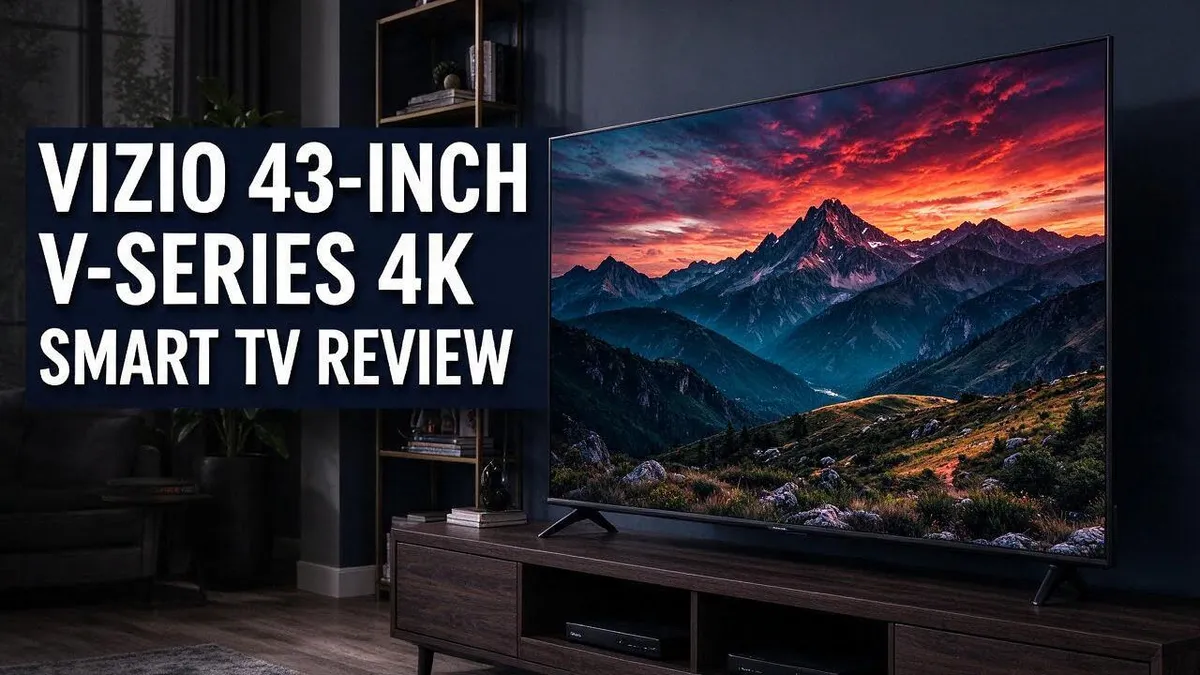
VIZIO 43-Inch V-Series 4K Smart TV Review: Everything You Need to Know
Searching for a new TV can feel overwhelming. Many models look alike on the shelf. This guide helps you decide if the VIZIO 43 inch V Series 4K Smart TV is right for you.
This screen delivers 4K HDR picture quality with Dolby Vision support. Colors look rich, and blacks look deep in most rooms. The lightweight design also makes it easy to mount or move.
Gamers will also find plenty to like. The set offers FreeSync, Auto Game Mode, and input lag under 10ms. Smart features include AirPlay, Chromecast, and voice support for Siri, Google Assistant, and Alexa.
Still, this TV has a few limits. Sound quality sits at a basic level, and some reviewers rate LG and Samsung higher. Keep reading to see if this model matches your viewing habits.
In a Nutshell
-
Made for smaller rooms: This 43 inch class model has a 42.5 inch screen. It fits bedrooms, kitchens, and dorm rooms well, and it sits nicely on a standard stand or wall mount.
-
Strong shopper feedback: Owners give it a 4.6 out of 5 rating from more than 12,000 reviews. That high score shows that most people feel satisfied with their purchase.
-
Easy streaming options: AirPlay and Chromecast let you share content from your phone or tablet. You can also control the TV with Siri, Google Assistant, or Alexa.
-
Sound is the weak spot: The built in speakers offer basic audio that can sound thin during movies and music. A soundbar is a smart addition if you want fuller sound.
-
Other brands lead on picture quality: Reviewers often rank LG and Samsung higher for overall quality. TCL also appears as a common alternative to consider.
-
Good match for casual viewers: The light frame makes the TV easy to move and mount. It suits people who want simple, dependable viewing for daily shows and sports.
Picture Quality and HDR
No products found.
Picture quality matters most when you judge a new screen. This model uses 4K resolution to show sharp detail in every frame.
The panel also supports high dynamic range, or HDR. HDR makes bright highlights pop while dark areas keep more texture.
Dolby Vision adds scene by scene adjustments to brightness and color. Bright sunlight and deep shadow can look more natural together.
Earlier reviews of this product line noted deep blacks. Dark movie scenes look rich instead of washed out.
Motion looks smooth too. The 60 frames per second rate helps sports and action scenes stay clear during quick camera moves.
Room lighting plays a big role. Direct sunlight on the screen can wash out colors, so place the TV away from bright windows.
Try the picture modes in the menu. Test a few settings until skin tones look natural and text stays crisp.
Not every show uses HDR. Check the app or disc label before you watch, so you know the picture will look its best.
Older shows and standard definition channels look softer than native 4K content. The TV scales those images to fit the panel, so they still look clean.
Night viewing benefits from the strong contrast. Turn down room lights a little to make dark scenes stand out.
Glare matters on a screen this size. Position the TV away from lamps to keep reflections low during daytime shows.
Colors look bright and lively in most rooms. Skin tones may shift slightly in some scenes, so adjust the tint setting if faces look off.
Viewers should still expect some limits. The picture is strong for everyday watching, but it may not match top rated sets on every scene.
Sit about five to six feet away for the best view. At this size, the 4K detail shows clearly without strain.
A little tuning goes a long way. Spend ten minutes on settings and you will notice a clearer, more natural image.
Overall, picture quality suits casual viewers well. Everyday shows, movies, and streaming apps look clear and enjoyable.
Gaming Performance and Input Lag
Gamers care about speed above almost everything else. A sharp picture means little if the screen reacts slowly.
This model aims to keep up with fast action. The maker lists its input lag at under 10ms. Input lag is the short delay between pressing a button and seeing the result on screen.
Console players get a helpful boost from the 4K at 60fps support. Games run at a smooth pace on modern consoles and gaming PCs. Smooth frames also make it easier to track moving targets.
Auto Game Mode does much of the work for you. When the TV detects a game console, it switches to a faster picture setting. The change happens without any fuss, so you never need to dig through menus.
FreeSync and variable refresh rate, or VRR, add another layer of help. These features match the screen refresh rate to the frame rate from your console. The result is less screen tearing during fast scenes.
Check a few settings after setup. Turn on Game Mode in the input menu so the TV uses its quickest path. Motion smoothing and other extra effects can add delay, so switch them off for gaming.
Use a wired internet connection for online play when possible. A steady link helps keep lag low even when the TV responds quickly. Wired connections also avoid sudden drops during matches.
Remember that the 10ms figure comes from the manufacturer. Real results depend on your console, cables, and room layout. Play a game you know well and judge the feel yourself. A short test session tells you more than any spec sheet.
Connectivity and Smart Features
Smart features turn a TV into a hub for daily life. This model works with the voice assistants many families already use.
Siri, Google Assistant, and Alexa all fit into this setup. You can search for a movie, open an app, or check the weather with your voice.
Voice control works best when your assistant device sits on the same home network as the TV. Setting that up early saves time later.
Pick the assistant you already trust. If your household uses an iPhone and a Google Nest speaker, you can choose the option that feels natural.
Privacy matters too. Look in the settings menu for options that control the microphone and voice history. Turn off anything you do not want.
Software updates keep smart features working well. Check for updates after setup and every few weeks. A quick update can bring new app support and fixes.
Your app library shapes the experience. Sign in to the streaming services you use most. Arrange your favorite apps on the home screen so they open with one press.
The remote pairs with the TV so you can control playback and menus. Keep the batteries fresh so commands respond quickly.
A family room TV often serves many people. Check whether the platform offers separate profiles so each person sees their own recommendations.
A few tips help you start fast. Connect to your network first. Then sign in to your accounts. Finally, test voice search with a simple question.
Smart features are a strong reason to look at this TV. They make daily viewing simple, especially for casual families and busy households.
Top 3 Alternatives
Samsung Crystal UHD

Last update on 2026-10-30 / Affiliate links / Images from Amazon Product Advertising API Some of the links on this website are affiliate links, which means that at no additional cost to you, I earn a commission if you click through and make a purchase. I only recommend products and services that I believe will add value to my readers. Thank you for your support!
Samsung Crystal UHD gives you clear 4K pictures for everyday viewing. Its crystal processor sharpens colors and fine details.
The sleek design fits well in most living rooms. Streaming apps load quickly and the menus feel simple. Picture settings are easy to adjust for bright or dim rooms.
Many buyers like the easy remote and clear sound. It works well for families, news nights, and casual movie marathons.
Hisense A6 Series

Last update on 2026-10-30 / Affiliate links / Images from Amazon Product Advertising API Some of the links on this website are affiliate links, which means that at no additional cost to you, I earn a commission if you click through and make a purchase. I only recommend products and services that I believe will add value to my readers. Thank you for your support!
The Hisense A6 Series brings bright 4K visuals to your living room. Colors look lively during sports and daytime shows.
It supports popular streaming apps and voice control. Gamers will enjoy its low input lag, so fast scenes stay smooth. Viewers can switch between sports and movies with ease.
Setup takes only a few minutes. Good contrast makes movies look rich, even in dim rooms.
TCL 4-Series

Last update on 2026-09-19 / Affiliate links / Images from Amazon Product Advertising API Some of the links on this website are affiliate links, which means that at no additional cost to you, I earn a commission if you click through and make a purchase. I only recommend products and services that I believe will add value to my readers. Thank you for your support!
The TCL 4-Series offers a sharp 4K display with vivid colors. Its clean smart system includes plenty of popular apps.
The included voice remote helps you find shows fast. You can search by title or genre without typing.
This model suits families who want a comfortable TV for daily use. It also fits well in bedrooms and small spaces. It makes a practical choice for shoppers who value simple setup.
Sound Quality and Build Design
Sound is where this TV shows its limits. The built in speakers handle daily viewing well enough. Dialogue on news and talk shows stays clear and easy to follow.
Many reviewers describe the audio as base level. Music and action scenes can sound thin, and bass feels light during movies.
Reviewers also rate LG and Samsung higher for overall quality. If sound matters most to you, compare those brands side by side before you decide.
A soundbar is the easiest upgrade. Place it below the screen and connect it with a single cable. Your TV remote may control soundbar volume too, depending on the connection.
Speaker output also changes with room size. A large living room may need more power than the built in speakers provide. A smaller bedroom often sounds fine without extra gear.
The body feels light yet solid. Its frame looks clean and simple, so it blends into most living rooms.
The stand sits low and wide, which keeps the screen steady on a media console. Measure your cabinet depth before you set it up, because the stand needs clear space in front.
Connect your devices before you lift the screen onto the stand. Cable access can feel tight once the TV sits in place.
Surface feel matters too. The stand and frame feel sturdy when you lift the set. Gentle handling keeps the finish looking new over time.
Test the sound before you commit. Play a movie scene with quiet talking and loud music. Listen for harsh highs and muddy voices.
Good build and clear sound make this model easy to live with. Many households find the setup simple. Pair it with a soundbar, and the TV feels like a complete entertainment center.
Clear sound and a simple build suit a family room. Kids and guests can use the remote without confusion, so daily use stays easy. Good sound from a soundbar helps dialogue stay clear during busy scenes.
Pros and Cons
Pros
- Deep blacks make dark movie scenes look rich.
- 4K HDR and Dolby Vision add brighter highlights and more vivid color.
- Over 12,000 shoppers give it a 4.6 out of 5 rating.
- It sits above the 1080p D-Series in the lineup.
Cons
- The picture quality review comes from the 2019 model, so results may differ.
- Reviewers call the overall picture okay, not standout.
- Its entry-level design means fewer premium features than higher tiers.
Who Should Buy It
This TV fits some viewers better than others. Think about your room, your habits, and your goals before you decide.
Small and medium rooms suit this set well. A bedroom, a kitchen nook, or a home office gives the screen a comfortable viewing distance.
The 43 inch size fits neatly on a dresser or narrow shelf. It does not crowd the space or dominate the wall. Smaller spaces also keep the viewing angle tight and sharp.
Console gamers who want a 4K screen will find it useful. The TV supports features that help fast games look smooth.
Low input lag keeps controls responsive during action scenes. Shooter and racing fans often notice the difference right away. Quick response times make online matches feel fair.
First time 4K owners can start here. Many people still watch shows on older 1080p sets.
Moving up to 4K brings sharper edges and finer detail to everyday content. It offers a clear step up without a steep learning curve. Streaming services often look cleaner on a 4K panel.
Cord cutters with one main screen also fit the profile. This TV can serve as the single display for streaming, news, and video calls.
It keeps everything in one place. You do not need a separate box for every service you use. Simple setups like this save time each evening.
Some viewers should look elsewhere. People who want the most lifelike picture should compare LG and Samsung models side by side.
Home theater fans who plan a large surround sound setup may prefer a higher tier. Serious movie buffs may want a larger panel. Those choices give more room to grow later.
Take a moment to measure first. Check your stand space and wall mount size before you order.
Write down the width and depth first. A quick measurement saves time later. It also helps the set sit securely on your furniture.
Final Verdict
Our final take is simple. This TV offers a clear 4K picture for everyday viewing. It does not try to win every category.
It works best as a practical screen, not a showpiece. Shoppers who want the richest colors or the strongest sound may look higher up the market. Those who want a dependable display will feel at home here.
Ask yourself three quick questions before you buy.
First, do you mostly stream shows and apps? Voice assistants and casting tools make that easy.
Second, do you plan to add a soundbar later? The screen pairs well with one.
Third, do you need a screen for a large family room? If so, look at bigger sizes.
Think about the next five years. Streaming apps update often, so current app support keeps a TV useful longer. Screen needs may change as your home changes.
Window glare can change how the picture looks. Place the screen away from bright windows when you can. Soft room light often gives the best view.
Look at the remote and menus too. Simple menus make daily use smoother for every person in the home. Older users often appreciate clear buttons.
Who should skip this set? Buyers who want top tier sound or the strongest color should compare LG and Samsung models first. Those models often fit shoppers who care most about picture polish.
Check the model number and the current listing. Model years can change details, so confirm the specs before you order.
Finally, review the return policy. Many stores allow returns within a set window. Test the picture, the apps, and the remote in your home.
In short, this TV earns a spot as a sensible first 4K screen. Compare it side by side with rivals before you decide.
The right choice fits your room, your habits, and your viewing style. Trust your own needs over any single score.
Frequently Asked Questions
What size is this TV in real measurements?
The name says 43 inches, but the screen measures 42.5 inches across. Measure your shelf or wall space with that number in mind. Most buyers find the gap small, yet it matters when space is tight. A quick tape measure check before delivery saves time.
Is this TV easy to move between rooms?
Yes. Reviewers describe it as lightweight, which makes moving it simpler. One person can often carry it from room to room. This helps if you like to shift the screen from a bedroom to a living area or back again.
How does it compare with LG, Samsung, and TCL?
Reviewers rate LG and Samsung higher for picture quality. TCL is another common option to consider. Compare the picture side by side in a store if you can. Your room lighting and viewing habits will shape which picture looks best to you.
How can I confirm I get the right model?
Look for the model code V435 J01 on the box or the back label. Some listings show a related model instead of the exact one. Check the code before you buy so you know exactly what you receive.

Hello everyone my name is Alenya and i am a gadget discovering Enthusiast 🐻🐻