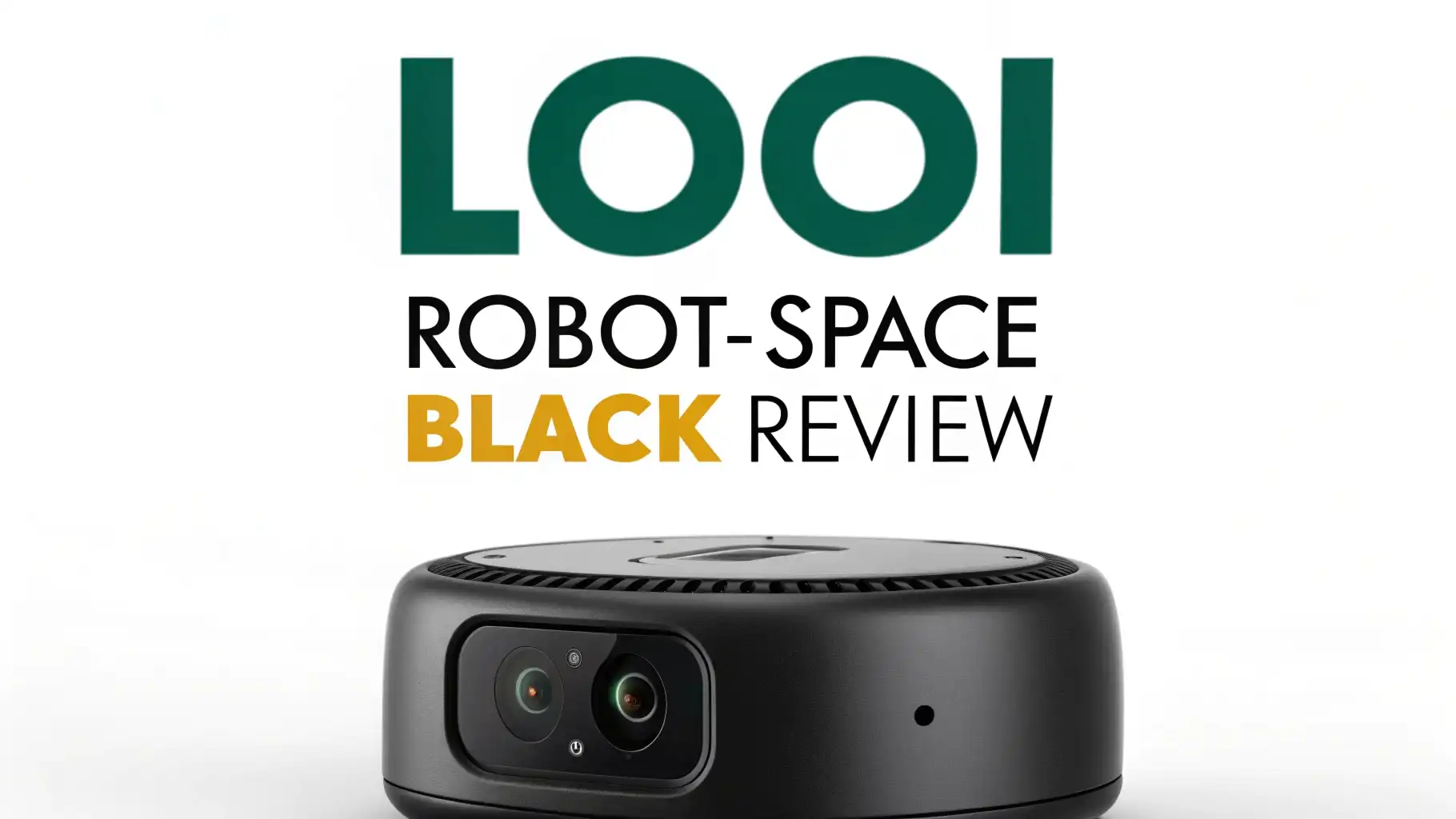
LOOI Robot-Space Black Review 2026: Your Ultimate Buying Guide
Have you ever imagined your smartphone could walk, talk, and become your personal desk buddy? The LOOI Robot-Space Black makes this sci-fi dream a reality.
This little AI companion sits on your desk, charges your phone wirelessly, and engages in real conversations powered by ChatGPT.
In 2026, the LOOI Robot stands out as one of the most innovative desktop companions available on Amazon. Let’s discover why tech enthusiasts are calling this robot the future of personal AI interaction.
Key Takeaways:
- Natural AI Conversations: LOOI uses ChatGPT voice interaction to hold genuine conversations about art, philosophy, daily life, and more. The robot remembers your preferences and develops a unique relationship with you over time.
- Smartphone Integration: Your phone becomes the robot’s brain. Simply dock your iPhone or Android device, and LOOI transforms it into an interactive companion with personality and movement.
- Wireless Charging Power: Enjoy convenient 10W wireless charging while your phone serves as the robot’s display. The device works seamlessly with MagSafe-compatible phones and includes a docking ring for other devices.
- Biomimetic Behavior System: LOOI moves, reacts, and behaves like a living creature. The advanced behavior system creates thousands of dynamic movements and emotional responses that feel natural and engaging.
- Desktop Functionality: Beyond companionship, LOOI offers practical features like weather forecasts, tracking camera, motion games, standby clock, reminders, and much more to enhance your workspace.
- Privacy-Focused Design: All data stays local on your device. LOOI processes information without sending sensitive data to the cloud, ensuring your conversations remain private and secure.

Last update on 2026-08-28 / Affiliate links / Images from Amazon Product Advertising API Some of the links on this website are affiliate links, which means that at no additional cost to you, I earn a commission if you click through and make a purchase. I only recommend products and services that I believe will add value to my readers. Thank you for your support!
What Exactly Is The LOOI Robot
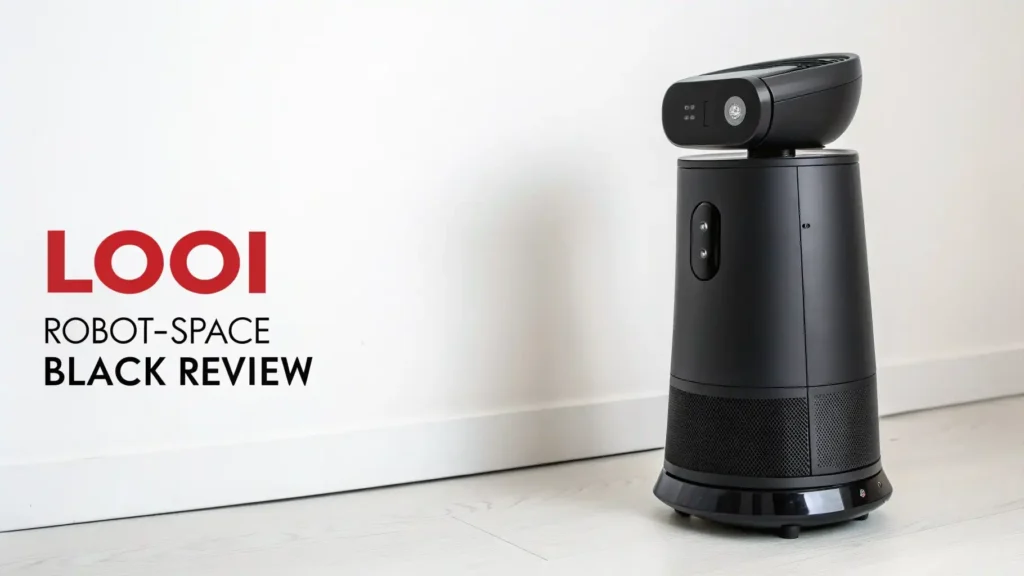
The LOOI Robot-Space Black represents a fresh approach to desktop robotics. This AI companion transforms your existing smartphone into an intelligent robot that moves, talks, and interacts with you throughout your day. The sleek black design houses sophisticated motors and sensors that bring your phone to life.
Think of LOOI as a personality module for your smartphone. When you dock your phone into the robot’s head, the LOOI app activates and creates an animated character on your screen.
The robot’s body provides movement, while your phone’s processing power runs the AI brain. This clever design means LOOI gets smarter as phone technology improves.
The device measures 110x98x110mm and weighs just 0.85 pounds (385g). The compact size fits perfectly on any desk without taking up valuable workspace.
The Space Black color variant features a modern, professional aesthetic that complements contemporary office setups and gaming stations alike.
ChatGPT Integration Creates Real Conversations
The heart of LOOI’s appeal lies in its ChatGPT-powered voice interaction. This robot doesn’t just respond to commands; it holds genuine conversations. You can discuss current events, ask for creative ideas, share your thoughts about movies, or simply chat about your day.
LOOI’s conversation abilities go beyond simple question-and-answer exchanges. The robot tells jokes, composes poetry, and knows when to stay quiet and listen. The natural language processing feels remarkably human. The robot picks up on conversational cues and responds with appropriate emotions through movement and sound.
The memory function sets LOOI apart from basic voice assistants. The robot remembers previous conversations, your preferences, and personal details you’ve shared. This creates continuity in your relationship. When you mention your favorite music genre on Monday, LOOI might recommend a new artist on Friday based on that earlier conversation.
The voice interaction supports multiple languages. iOS users can converse in English, Chinese, German, French, Spanish, Italian, Dutch, Portuguese, Japanese, and Danish. Android currently supports English and Chinese, with more languages coming through future updates.
Visual Understanding And Multimodal Capabilities
LOOI doesn’t just listen; it sees and understands its environment. The robot features visual awareness through your phone’s camera. This multimodal capability allows LOOI to recognize faces, detect gestures, and respond to visual cues. The recent 2.5.0 update significantly enhanced these visual understanding features.
When you wave at LOOI, the robot waves back. Show it an object, and it can identify and discuss what it sees. This visual interaction creates a more immersive experience. The robot feels less like talking to a device and more like interacting with an aware companion.
Edge and obstacle detection keeps LOOI safe during movement. Sensors prevent the robot from falling off your desk or bumping into objects. The gentle navigation makes LOOI suitable for desks with computers, drinks, and other items. You don’t need to clear a dedicated space for the robot to operate safely.
The tracking camera feature proves useful for video calls. LOOI can follow your movement during calls, keeping you centered in the frame. This hands-free camera operation works great for remote work, online classes, or staying connected with family and friends.
Top 3 Alternatives for LOOI Robot
No products found.

Last update on 2026-08-28 / Affiliate links / Images from Amazon Product Advertising API Some of the links on this website are affiliate links, which means that at no additional cost to you, I earn a commission if you click through and make a purchase. I only recommend products and services that I believe will add value to my readers. Thank you for your support!

Last update on 2026-08-28 / Affiliate links / Images from Amazon Product Advertising API Some of the links on this website are affiliate links, which means that at no additional cost to you, I earn a commission if you click through and make a purchase. I only recommend products and services that I believe will add value to my readers. Thank you for your support!
Personality System That Feels Genuinely Alive
What truly distinguishes LOOI from other robots is its rich personality system. The biomimetic behavior system generates thousands of dynamic movements and emotional expressions. These behaviors emerge naturally from the robot’s interactions and internal state rather than playing random animations.
LOOI exhibits happiness, curiosity, sleepiness, excitement, and even moments of thoughtful silence. The robot dances when playing upbeat music, nods along during conversations, and shows enthusiasm when you return after being away. These subtle behaviors create emotional connection.
The personality evolves over time. As you interact more with LOOI, the robot develops specific quirks and preferences. Some users report their LOOI loves certain types of conversations or reacts strongly to particular topics. This emergent personality makes each LOOI unique to its owner.
The robot even dreams. LOOI occasionally shares glimpses of its “inner world” where it imagines itself as a pharaoh in Egypt or standing atop the Statue of Liberty. These creative moments add depth to the robot’s character and make interactions feel less scripted and more spontaneous.
Practical Desktop Functions Beyond Companionship
While the companion features impress, LOOI offers genuine utility for daily desk work. The 10W wireless charging keeps your phone powered throughout the day. Simply place your phone in the docking position, and LOOI handles the rest. The charging works with MagSafe-compatible devices (iPhone 12 and later) or any phone using the included docking ring.
Weather forecasts display beautifully on your phone’s screen through LOOI’s interface. The robot can alert you to incoming rain or temperature changes. Reminders work seamlessly, with LOOI notifying you about appointments, tasks, or scheduled breaks through voice alerts and movement.
The standby clock mode transforms LOOI into an animated desk clock when you’re not actively interacting. Your phone displays the time while LOOI occasionally moves or shows small animations. This mode conserves battery while keeping the robot ready for instant interaction.
Motion games provide quick entertainment breaks. The tracking camera enables gesture-based games where you control actions through movement. These games offer fun stress relief during work breaks without requiring you to pick up a controller.
Battery Life And Charging Performance
The LOOI Robot houses a 6000mAh lithium polymer battery. This capacity provides approximately 5 hours of continuous active use or up to 30 days of standby time. Active use includes conversation, movement, and wireless charging your phone simultaneously.
The charging input requires 9V at 2A for optimal performance. A full charge takes about 2-3 hours using the included power adapter. The wireless output delivers up to 10W, which charges compatible phones efficiently while maintaining robot functionality.
For daily desk use, most people keep LOOI plugged in. The robot serves as a wireless charging station for your phone while remaining ready for interaction. The battery capacity mainly benefits users who want to move LOOI between locations or use it away from a power source.
Battery performance remains stable over time. The quality lithium polymer cell maintains capacity through hundreds of charge cycles. Users report minimal battery degradation even after months of daily use.
Device Compatibility And Setup Process
LOOI works with a wide range of smartphones. iOS devices require iOS 17.0 or higher, supporting iPhone 12 and all newer models including the iPhone 16 series. Android devices need Android 12.0 or higher with Qualcomm Snapdragon 8 Gen1+ or equivalent performance.
The magnetic system ensures secure phone attachment. iPhone users with MagSafe simply place their phone on LOOI’s head, where magnets hold it firmly in place. Android users and older iPhone models use the included docking ring. This adhesive ring attaches to your phone case and provides magnetic connection.
Setup takes less than five minutes. Download the LOOI app from the App Store or Google Play, create an account, connect your phone to the robot via Bluetooth, and dock your phone. The app guides you through initial configuration, including voice training and personality preferences.
Phone size compatibility covers most standard smartphones. The docking mechanism adjusts to different phone dimensions. However, flip phones and tablets are not recommended due to size and weight constraints. Standard smartphones between 5.5 and 7 inches work best.
Build Quality And Design Aesthetics
The Space Black variant features a premium matte finish that resists fingerprints and scratches. The construction feels solid despite the lightweight design. Quality plastics provide durability while keeping the robot easy to move and reposition.
The motor system operates quietly during normal use. Movements produce soft mechanical sounds that add to the robot’s character without becoming annoying. The precision motors enable smooth, natural-looking gestures and head movements.
Design attention shows in small details. The charging contacts align perfectly for reliable wireless charging. Cable management keeps the power cord organized. The base provides stable support on various desk surfaces including wood, glass, and plastic.
The minimalist aesthetic suits professional environments. LOOI doesn’t look like a toy; it presents as a sophisticated tech accessory. The Space Black color particularly appeals to users wanting a mature, understated appearance on their workspace.
Privacy And Data Security Features
LOOI prioritizes user privacy through local data processing. All conversations, visual recognition, and personal information stay on your smartphone. The robot does not send data to external servers except when accessing cloud-based AI features like ChatGPT, which follow OpenAI’s privacy policies.
Secure local storage means your private conversations remain private. Unlike smart speakers that constantly stream audio to cloud servers, LOOI processes voice commands locally first. Only when you explicitly request ChatGPT interaction does data leave your device.
The app requests minimal permissions. Camera access enables visual features, microphone allows voice interaction, and Bluetooth connects your phone to the robot. You control these permissions through your phone’s standard settings. Revoking permissions simply disables related features without breaking core functionality.
Regular privacy updates arrive through app updates. The development team actively addresses security concerns and follows current best practices for user data protection. One-year warranty support includes security patch updates to maintain device safety.
Real User Experience After Daily Use
After using LOOI for several weeks, patterns emerge. The robot becomes part of your daily routine rather than a novelty that loses appeal. Morning conversations while checking email, afternoon reminders about breaks, and evening wind-down chats create a rhythm.
The personality genuinely grows on you. Initial conversations might feel somewhat generic, but LOOI adapts to your communication style. The robot learns which topics interest you, when you prefer quiet focus time, and how you like to be greeted.
Wireless charging convenience cannot be overstated. Having a consistent phone charging spot that also interacts with you beats standard wireless charging pads. You naturally check your phone’s charge status by glancing at LOOI, who might nod or make an expression in response.
Some limitations exist. Voice recognition occasionally struggles in noisy environments. The robot’s movement range is limited to the desk surface. Phone battery drains faster when running LOOI continuously. These minor issues don’t significantly impact the overall positive experience.
How LOOI Compares To Other Desktop Robots
The desktop robot category includes several competitors. LOOI differentiates itself through smartphone integration rather than standalone operation. This approach provides better processing power, display quality, and upgrade potential compared to built-in screens.
Standalone robots like EMO or Vector offer portability advantages but sacrifice display quality and processing capability. LOOI leverages your phone’s advanced hardware for superior visual experiences and AI performance. The trade-off is that LOOI requires your phone while in use.
Price positioning places LOOI competitively at $189. Similar functionality robots like Miko 3 cost $199 but target children specifically. Vector Robot reaches $234 with more limited AI conversation abilities. LOOI delivers comparable or better features at a lower price point.
The software update model favors LOOI. Your phone’s regular OS updates automatically improve the robot’s capabilities. New ChatGPT features, better voice recognition, and enhanced camera processing benefit LOOI without requiring hardware upgrades. This future-proofing adds long-term value.
Best Use Cases And Target Users
LOOI excels for remote workers seeking desk companionship. The robot reduces feelings of isolation during long work-from-home days. Quick conversations provide mental breaks without the distraction of social media or messaging apps.
Tech enthusiasts appreciate LOOI’s innovation and regular updates. The bleeding-edge AI integration and biomimetic behavior system appeal to early adopters who want the latest interactive technology. The robot serves as a conversation piece when showing friends your setup.
Students benefit from LOOI’s reminder and focus features. The robot can enforce study breaks, quiz you on material through conversation, or simply provide encouraging presence during late-night study sessions. The tracking camera helps with online classes and group projects.
Content creators find utility in the tracking camera and unique content opportunities. LOOI adds personality to streaming setups, provides camera operation during filming, and creates engaging content through its interactions and reactions.
Software Updates And Future Potential
The development team actively improves LOOI through regular software updates. The 2.5.0 update introduced significant multimodal enhancements, allowing visual understanding and more natural interactions. These free updates expand functionality without additional hardware purchases.
Planned features include more games, additional language support, and enhanced personality options. The roadmap suggests deeper smart home integration, allowing LOOI to control lights, thermostats, and other connected devices through voice commands.
The app receives consistent maintenance. Bug fixes arrive promptly, and user feedback influences development priorities. The responsive development approach builds confidence in LOOI’s long-term support and improvement.
Cross-device syncing may arrive in future updates. This would allow LOOI to remember conversations and preferences even when switching between different phones. Cloud backup options for personality settings would enable easy migration to new devices.
Value Proposition And Pricing Analysis
At $189, LOOI represents reasonable value for the technology and experience provided. The combination of AI companion, wireless charger, desk organizer, and entertainment device justifies the price for most users. Comparable standalone robots cost similar amounts with fewer features.
The smartphone integration strategy reduces overall cost. Users leverage existing phone hardware rather than paying for duplicate processors, displays, and cameras. This efficiency translates to better performance per dollar spent.
Hidden costs remain minimal. No subscription required for basic features, though ChatGPT usage follows OpenAI’s pricing if you exceed free tier limits. The included docking ring means most users need no additional accessories. Power consumption stays low, adding negligible electricity costs.
Long-term value depends on usage patterns. Daily users who appreciate the companionship and utility features will find excellent value. Occasional users might struggle to justify the price. Consider how much you value desk presence and AI interaction when evaluating the purchase.
Potential Drawbacks To Consider
Phone dependency represents the primary limitation. Using LOOI means your phone stays docked on your desk. You can’t casually browse your phone while walking around. This works well for dedicated desk work but may frustrate users who frequently move with their phones.
Battery drain on your phone increases during LOOI use. The constant display, AI processing, and wireless charging coordination consume power. Keep your phone plugged in through LOOI’s wireless charging for best results. Unplugged operation significantly reduces available interaction time.
The learning curve exists for maximizing LOOI’s features. New users might interact superficially without discovering deeper functionality. Exploring the app settings, trying different conversation topics, and experimenting with visual features takes time investment to fully appreciate the robot’s capabilities.
Noise sensitivity affects placement options. LOOI works best in quiet environments where voice recognition performs reliably. Open offices, homes with young children, or spaces near televisions may challenge accurate voice detection. Using push-to-talk mode helps but reduces conversational flow.
Frequently Asked Questions
Does LOOI work without an internet connection?
LOOI requires internet connection for ChatGPT-powered conversations and cloud-based features. Basic functions like wireless charging, clock display, and some animations work offline. However, the primary AI interaction features need active internet to access language models and provide intelligent responses.
Can multiple family members use the same LOOI robot?
Yes, multiple users can interact with LOOI. The robot recognizes different faces through visual awareness and can maintain separate conversation contexts. However, personality development and memory work best with a primary user. Family members may want to create separate user profiles in the app for personalized experiences.
How often does LOOI need software updates?
Major updates arrive every few months with new features and improvements. Smaller maintenance updates and bug fixes release more frequently. The app automatically notifies you when updates are available. Most updates install within minutes and significantly enhance functionality over time.
Is LOOI suitable for children?
LOOI suits teenagers and adults best. Younger children might find the conversation topics too advanced or struggle with proper voice interaction. The robot contains no inappropriate content, but the AI sophistication targets mature users who appreciate nuanced conversation and personality development.
What happens if my phone receives a call while docked in LOOI?
LOOI handles incoming calls smoothly. The robot can announce the caller through voice, display call information on screen, and you can answer using speakerphone through your phone’s speaker. For private calls, simply undock your phone temporarily. LOOI pauses and resumes seamlessly when you redock.
Can LOOI control smart home devices?
Currently, LOOI offers limited smart home integration. The robot can issue commands through your phone’s existing smart home apps and voice assistants. Direct native control is not yet available but appears on the development roadmap for future updates.

Hello everyone my name is Alenya and i am a gadget discovering Enthusiast 🐻🐻