ASUS TUF Gaming Mini Wireless Mouse Hatsune Miku Edition Review 2026
If you are a Hatsune Miku fan and a gamer, ASUS just built your dream mouse. The ASUS TUF Gaming Mini Wireless Mouse Hatsune Miku Edition blends anime style with real gaming performance.
It weighs just 65 grams, supports tri-mode wireless, and costs less than most premium mice on the market. But does it deliver beyond the looks?
We spent weeks testing this mouse for FPS, casual gaming, and daily use. This review covers every detail you need before you buy. Keep reading to find out if this limited edition mouse deserves a spot on your desk.
Key Takeaways:
- The ASUS TUF Gaming Mini Wireless Mouse Hatsune Miku Edition weighs only 65 grams, making it one of the lightest wireless gaming mice in its price range. You can game for hours without any wrist fatigue.
- It features a 12,000 DPI optical sensor with a 1,000Hz polling rate in wireless mode. Tracking is accurate and responsive for FPS titles and fast-paced games.
- Tri-mode connectivity lets you switch between 2.4GHz wireless, Bluetooth, and USB-C wired mode. You can pair it with up to three devices at once, which is great for multi-setup users.
- Battery life reaches up to 134 hours in Bluetooth mode. You will not need to charge this mouse every day, even with heavy use.
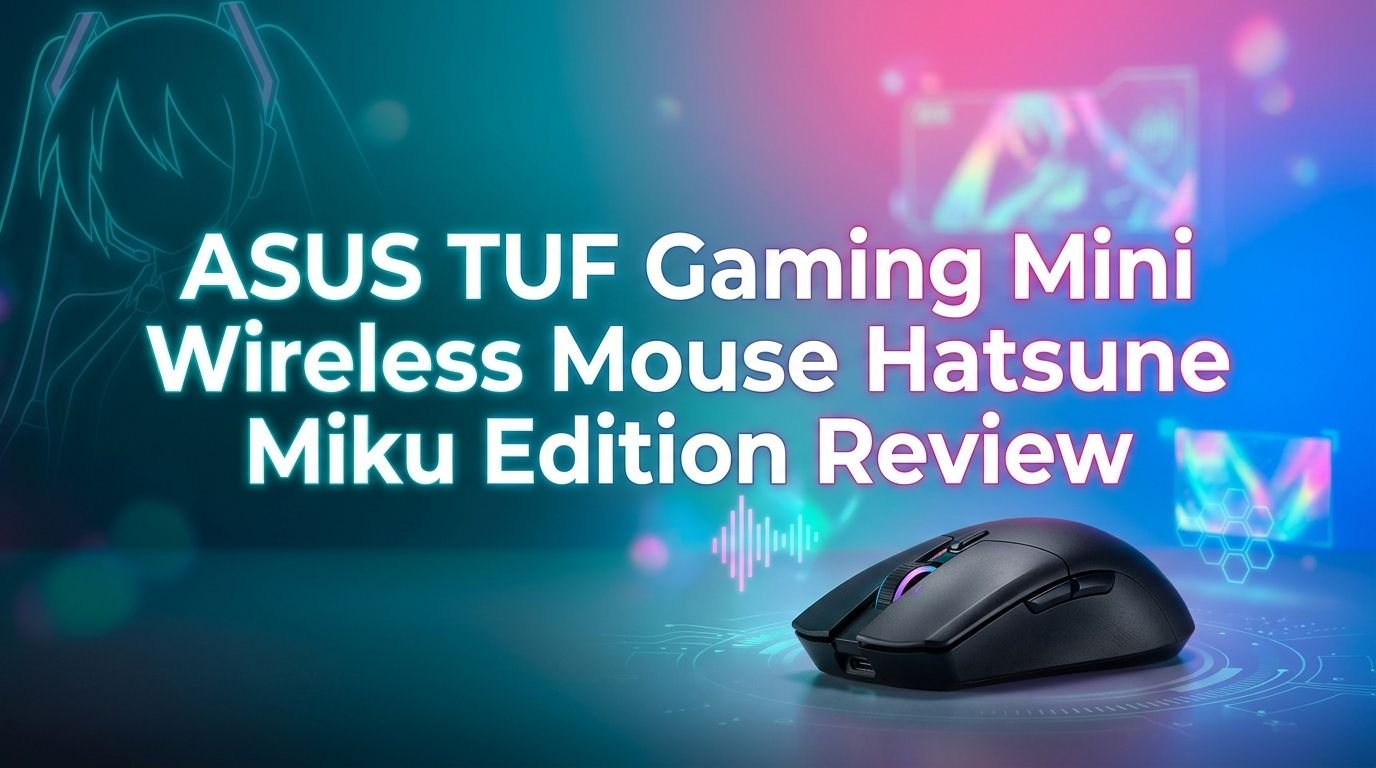
- The Hatsune Miku design is detailed and authentic. It uses the signature teal, gray, and magenta color scheme with Miku silhouettes, LED lighting, and the “01” Vocaloid reference on the body.
- The mouse includes six programmable buttons, PTFE mouse feet, and 100-million-click lifespan switches. These features place it above many budget mice in terms of durability and function.


Last update on 2026-09-19 / Affiliate links / Images from Amazon Product Advertising API Some of the links on this website are affiliate links, which means that at no additional cost to you, I earn a commission if you click through and make a purchase. I only recommend products and services that I believe will add value to my readers. Thank you for your support!
ASUS TUF Gaming Mini Wireless Mouse Hatsune Miku Edition Overview
The ASUS TUF Gaming Mini Wireless Mouse Hatsune Miku Edition is a compact wireless gaming mouse released as part of the ASUS TUF Gaming x Hatsune Miku collaboration in 2025. ASUS partnered with Crypton Future Media to create a full set of Miku-themed peripherals. This mouse sits alongside a keyboard, headset, and mousepad in the collection.
The mouse targets gamers who want portability, style, and solid performance without paying flagship prices. It uses an ambidextrous shape that suits both right-handed and left-handed users. The body is compact, and it fits smaller hands especially well.
ASUS built this mouse with a 12,000 DPI optical sensor, six programmable buttons, and mechanical switches rated for 100 million clicks. You can connect through 2.4GHz wireless, Bluetooth, or a wired USB-C cable. The PTFE feet keep the glide smooth across most surfaces.
The retail price hovers around $69.99 to $110, depending on the retailer. That puts it in a competitive spot against popular budget and mid-range options. The Miku design adds a collectible quality that most gaming mice simply cannot match.
Design and Build Quality
The first thing you notice about this mouse is its stunning Hatsune Miku aesthetic. ASUS used a teal, gray, and magenta color scheme that matches Miku’s iconic outfit. The right-click button features stylized text that references her “01” Vocaloid identity. A Miku silhouette sits on the base of the mouse.
The body is made from smooth, high-quality plastic with a matte finish. It does not attract fingerprints or smudges easily. The build feels solid despite its lightweight 65-gram frame. Nothing rattles or creaks during fast movements.
ASUS also includes grip tape in the box. This is a thoughtful addition for users who play on smooth or slippery surfaces. The grip tape adds traction without adding noticeable weight. The LED lighting on the scroll wheel area adds a soft glow that complements the Miku theme without being too flashy.
The overall shape is symmetrical and ambidextrous. It does not favor one hand over the other. This makes it a flexible choice for gamers with different grip styles. The compact size also makes it easy to carry in a bag or pouch.
Sensor and Tracking Performance
The 12,000 DPI optical sensor in this mouse handles tracking with precision. It supports acceleration up to 35g and speeds up to 300 IPS. These numbers mean the sensor can keep up with fast flicks and sudden direction changes in FPS games.
A dedicated DPI button lets you switch between four preset sensitivity levels on the fly. You do not need to open software to adjust your DPI during a game. This is helpful for players who switch between sniping and close-range combat.
The 1,000Hz polling rate in 2.4GHz wireless mode keeps input delay low. You get a report every millisecond, which is the standard for competitive wireless gaming mice. In real-world testing, the mouse felt responsive in Valorant and Fortnite with no noticeable lag.
The sensor tracks well on cloth pads, hard pads, and even wooden desks. It does not spin out or lose tracking during fast swipes. For a mouse at this price point, the sensor performance is reliable and consistent.
Top 3 Alternatives for ASUS TUF Gaming Mini Wireless Mouse Hatsune Miku Edition
1. Razer DeathAdder V3 HyperSpeed Wireless Gaming Mouse

Last update on 2026-09-19 / Affiliate links / Images from Amazon Product Advertising API Some of the links on this website are affiliate links, which means that at no additional cost to you, I earn a commission if you click through and make a purchase. I only recommend products and services that I believe will add value to my readers. Thank you for your support!
2. Logitech G PRO X Superlight 2 Wireless Gaming Mouse

Last update on 2026-09-19 / Affiliate links / Images from Amazon Product Advertising API Some of the links on this website are affiliate links, which means that at no additional cost to you, I earn a commission if you click through and make a purchase. I only recommend products and services that I believe will add value to my readers. Thank you for your support!
3. Logitech G305 Lightspeed Wireless Gaming Mouse

Last update on 2026-09-19 / Affiliate links / Images from Amazon Product Advertising API Some of the links on this website are affiliate links, which means that at no additional cost to you, I earn a commission if you click through and make a purchase. I only recommend products and services that I believe will add value to my readers. Thank you for your support!
Tri-Mode Wireless Connectivity
This mouse supports three connection modes: 2.4GHz wireless via a USB dongle, Bluetooth, and USB-C wired. The 2.4GHz mode delivers the lowest latency and is the best choice for gaming. Bluetooth works well for casual browsing and productivity tasks.
The USB-C wired mode lets you game while charging. You do not need to stop playing when the battery runs low. The included cable is functional, though it is not a paracord-style cable like some premium mice offer.
One standout feature is the ability to pair the mouse with up to three devices. You can switch between your gaming PC, laptop, and handheld console without re-pairing each time. This multi-device support makes it ideal for users with complex setups.
The dongle is small and stores neatly inside the mouse body. This prevents it from getting lost during travel. ASUS made the connection process simple, and switching between modes takes just a button press.
Battery Life and Charging
ASUS claims the mouse lasts up to 134 hours on a single charge in Bluetooth mode. That is a strong number for a wireless gaming mouse. In 2.4GHz mode, the battery life is shorter but still lasts several days of regular use.
The mouse charges via USB-C, which is convenient since most modern devices use the same connector. A full charge takes about two hours. You can also use the mouse while it charges through the wired connection.
There is no RGB lighting that drains the battery excessively. The subtle LED on the scroll area uses minimal power. This helps the mouse maintain its long battery life without sacrificing visual appeal.
For gamers who travel or attend LAN events, this battery performance is a big advantage. You will not need to carry a charger for a weekend trip. The battery indicator in the ASUS Armoury Crate software helps you monitor charge levels.
Weight and Comfort
At just 65 grams, this mouse is one of the lightest wireless options available. It sits in the same weight class as the Razer DeathAdder V3 HyperSpeed (55g) and the Logitech G Pro X Superlight 2 (60g). The difference is small, but every gram matters for FPS players.
The compact shape fits small to medium hands comfortably. Larger hands may find it slightly small, but most users report a good grip with claw or fingertip styles. The lightweight body reduces wrist strain over long gaming sessions.
Palm grip users may need to adjust to the smaller form factor. The mouse does not fill the entire hand the way larger ergonomic mice do. However, many users find the compact size perfect for fast, twitchy movements in games like Overwatch and Apex Legends.
The PTFE mouse feet on the bottom provide a smooth, low-friction glide. They work well on both cloth and hard mousepads. The included grip tape further improves handling on slippery surfaces.
Programmable Buttons and Software
The mouse has six programmable buttons including left click, right click, scroll click, DPI button, and two side buttons. You can remap these buttons through ASUS Armoury Crate software on Windows.
Armoury Crate lets you create custom profiles, adjust DPI settings, and change lighting effects. The software is straightforward and does not require a steep learning curve. You can save profiles directly to the mouse’s onboard memory for use on other PCs.
The side buttons are well-placed and easy to reach during gameplay. They have a satisfying click and do not feel mushy. These buttons are useful for binding grenades, abilities, or push-to-talk functions.
The DPI button sits behind the scroll wheel. It does not get in the way during normal use, but it is easy to press when you need to switch sensitivity levels quickly. Each of the four DPI presets is customizable through the software.
Hatsune Miku Design Details
Last update on 2026-09-19 / Affiliate links / Images from Amazon Product Advertising API Some of the links on this website are affiliate links, which means that at no additional cost to you, I earn a commission if you click through and make a purchase. I only recommend products and services that I believe will add value to my readers. Thank you for your support!
The Miku design on this mouse goes beyond a simple logo print. ASUS used multiple design elements that reference Hatsune Miku’s identity as the “01” Vocaloid character. The color scheme matches her signature teal hair, gray bodysuit, and magenta accents.
The right button features stylized lettering that runs along the bar near the scroll wheel. It is a subtle touch that adds character without cluttering the surface. The silhouette on the base is original and recognizable at a glance.
The LED lighting effect around the scroll wheel adds a soft glow in Miku’s colors. It creates a nice visual accent during use, especially in a dim room. The lighting is tasteful and not overdone.
Compared to other anime collaboration mice, this one stands out for its attention to detail. Reviewers from Siliconera and Dexerto praised the design as one of the best character collaboration products they have tested. It feels like a genuine tribute to the character rather than a lazy branding exercise.
Gaming Performance in FPS Titles
This mouse performs well in competitive FPS games. Testing in Valorant and Fortnite showed responsive tracking and smooth cursor movement. The 12,000 DPI sensor and 1,000Hz polling rate handle quick flick shots and precise micro-adjustments with ease.
The lightweight 65-gram body allows fast, effortless swipes across the mousepad. You can move from one edge to the other without feeling resistance. This is critical for low-sensitivity players who make large arm movements.
The mechanical switches have a crisp actuation that registers every click. There is no double-click issue or mushy feedback. The 100-million-click lifespan means these switches will last through years of intense gaming.
For rhythm games like Hatsune Miku: Project DIVA Mega Mix+, the mouse also performs admirably. The button response is fast enough for rapid inputs. The Miku theme makes it an especially fitting controller for this genre.
How It Compares to Premium Wireless Mice
The Logitech G Pro X Superlight 2 costs between $130 and $160 and offers a 44,000 DPI Hero 2 sensor. The ASUS Miku mouse cannot match that sensor resolution, but most gamers will never need more than 12,000 DPI. The Logitech is lighter at 60g but lacks any unique design flair.
The Razer DeathAdder V3 HyperSpeed is another competitor at 55 grams with a 26,000 DPI sensor. It has better raw specs, but it also costs more. The ASUS Miku mouse offers a better value for gamers who do not need top-tier esports hardware.
For budget buyers, the Logitech G305 is a popular alternative at around $40. It has a 12,000 DPI sensor and Lightspeed wireless. However, it weighs more (99g with battery) and uses an older design with no USB-C charging.
The ASUS Miku mouse fills a unique middle ground. It costs less than premium options but offers modern features like USB-C, tri-mode connectivity, and a collectible design. No other mouse in this price range looks this good.
Armoury Crate Software Experience
ASUS Armoury Crate is the companion software for this mouse. It runs on Windows 10 and Windows 11. You can adjust DPI presets, remap buttons, change lighting modes, and update firmware through this app.
The interface is clean and easy to use. Each setting has clear labels and sliders. You do not need to dig through menus to find what you want. Creating and saving custom profiles takes just a few minutes.
Onboard memory stores your settings directly on the mouse. This means you can unplug the mouse, take it to another computer, and use the same configuration without reinstalling any software. It saves one profile at a time.
Some users report that Armoury Crate can feel bloated if you install the full ASUS software suite. For the mouse alone, the experience is smooth. You can also skip the software entirely and use the default settings, which work fine for most users.
Who Should Buy This Mouse?
This mouse is a perfect pick for Hatsune Miku fans who also play PC games. The design is authentic, the performance is solid, and the price is fair. It doubles as both a functional gaming tool and a collectible display piece.
FPS and rhythm game players will enjoy the lightweight body and responsive sensor. The 65-gram weight and smooth PTFE feet make fast movements easy. The low-latency 2.4GHz wireless connection keeps your input accurate.
Laptop and multi-device users benefit from the tri-mode connectivity and Bluetooth pairing. You can switch between a desktop and a portable setup without carrying extra dongles. The long battery life means less time charging and more time using.
However, if you have very large hands or prefer a heavy, ergonomic mouse, this may not be the best fit. The compact shape works best for small to medium hands with claw or fingertip grips.
Pros and Cons of the ASUS TUF Gaming Mini Wireless Mouse Hatsune Miku Edition
Pros: The mouse is extremely light at 65 grams. The Hatsune Miku design is detailed and well-executed. Tri-mode connectivity offers great flexibility. Battery life reaches up to 134 hours in Bluetooth mode. The 12,000 DPI sensor tracks accurately for gaming.
Cons: The mouse may feel small for users with large hands. The DPI tops out at 12,000, which is lower than flagship competitors. There is no 4K or 8K polling rate option, which some esports players may miss.
The build quality is good but not premium. The plastic shell is durable, but it does not feel as refined as mice from Razer or Logitech in the $100+ range. The included USB-C cable is basic and not paracord-wrapped.
The Armoury Crate software works but can be resource-heavy. Users who want a plug-and-play experience can skip it entirely. Overall, the pros outweigh the cons, especially at this price point.
Is the ASUS TUF Gaming Mini Wireless Mouse Hatsune Miku Edition Worth the Price?
At a retail price between $69.99 and $110, this mouse delivers strong value. You get a lightweight wireless mouse with tri-mode connectivity, a capable sensor, durable switches, and a head-turning design. Many mice at this price lack one or more of these features.
The Hatsune Miku design adds collectible value. Limited edition gaming peripherals often sell out and appreciate in price over time. If you are a Miku fan, this mouse is both a functional tool and a piece of memorabilia.
For pure gaming performance, there are mice with higher DPI sensors and faster polling rates. But those mice cost $50 to $100 more and do not offer the same visual appeal. The ASUS Miku mouse gives you 90% of the performance at 60% of the price.
If style matters to you as much as substance, this is one of the best value gaming mice available in 2026. It performs well, looks amazing, and will not empty your wallet.
Final Verdict
The ASUS TUF Gaming Mini Wireless Mouse Hatsune Miku Edition is a rare product that combines genuine fandom with real gaming hardware. It is not just a pretty face. The 65-gram weight, 12,000 DPI sensor, tri-mode wireless, and 134-hour battery life make it a legitimate competitor in the wireless gaming mouse market.
The Miku design is among the best character collaborations we have seen on a gaming peripheral. ASUS and Crypton Future Media put real effort into the colors, artwork, and lighting. It feels like a love letter to Hatsune Miku fans.
Gamers who play FPS, rhythm games, or casual titles will find this mouse responsive and comfortable. Multi-device users will appreciate the Bluetooth pairing and USB-C charging. And Miku fans will treasure the design.
We recommend this mouse to anyone who wants a lightweight, wireless gaming mouse with character. It is fun, functional, and fairly priced. The ASUS TUF Gaming Mini Wireless Mouse Hatsune Miku Edition earns a strong recommendation in 2026.
FAQs
Is the ASUS TUF Gaming Mini Wireless Mouse Hatsune Miku Edition good for FPS gaming?
Yes, the mouse performs well in FPS titles like Valorant and Fortnite. The 12,000 DPI sensor and 1,000Hz polling rate provide accurate tracking and low input delay. The lightweight 65-gram body makes fast flick shots easy and comfortable.
How long does the battery last on the Hatsune Miku mouse?
The battery lasts up to 134 hours in Bluetooth mode. In 2.4GHz wireless mode, the battery life is shorter but still provides several days of use. The mouse charges via USB-C and can be used while charging.
Can you use this mouse with a Mac or PlayStation?
The mouse supports Bluetooth and USB-C wired connections, which work with Mac computers. ASUS lists PS5 compatibility as well, though the full software experience is limited to Windows. Basic functions like clicking and scrolling work on most platforms.
Is this mouse too small for large hands?
The compact size suits small to medium hands best. Users with large hands may find it uncomfortable for palm grip. Claw and fingertip grip users with larger hands can still use it, but testing it in person is recommended before committing.
What makes this mouse different from the regular ASUS TUF Gaming M4 Wireless?
The Miku Edition features a custom Hatsune Miku color scheme, silhouette artwork, LED lighting, and themed packaging. The internal specs are similar, but the Miku Edition adds a compact 65-gram form factor and tri-mode wireless. The design and collectible appeal set it apart from the standard version.
Where can I buy the ASUS TUF Gaming Mini Wireless Mouse Hatsune Miku Edition?
The mouse is available on Amazon, Best Buy, Newegg, Walmart, and the ASUS official store. Prices vary by retailer. It is a limited edition product, so stock may fluctuate. Check multiple retailers for the best deal.

Hello everyone my name is Alenya and i am a gadget discovering Enthusiast 🐻🐻