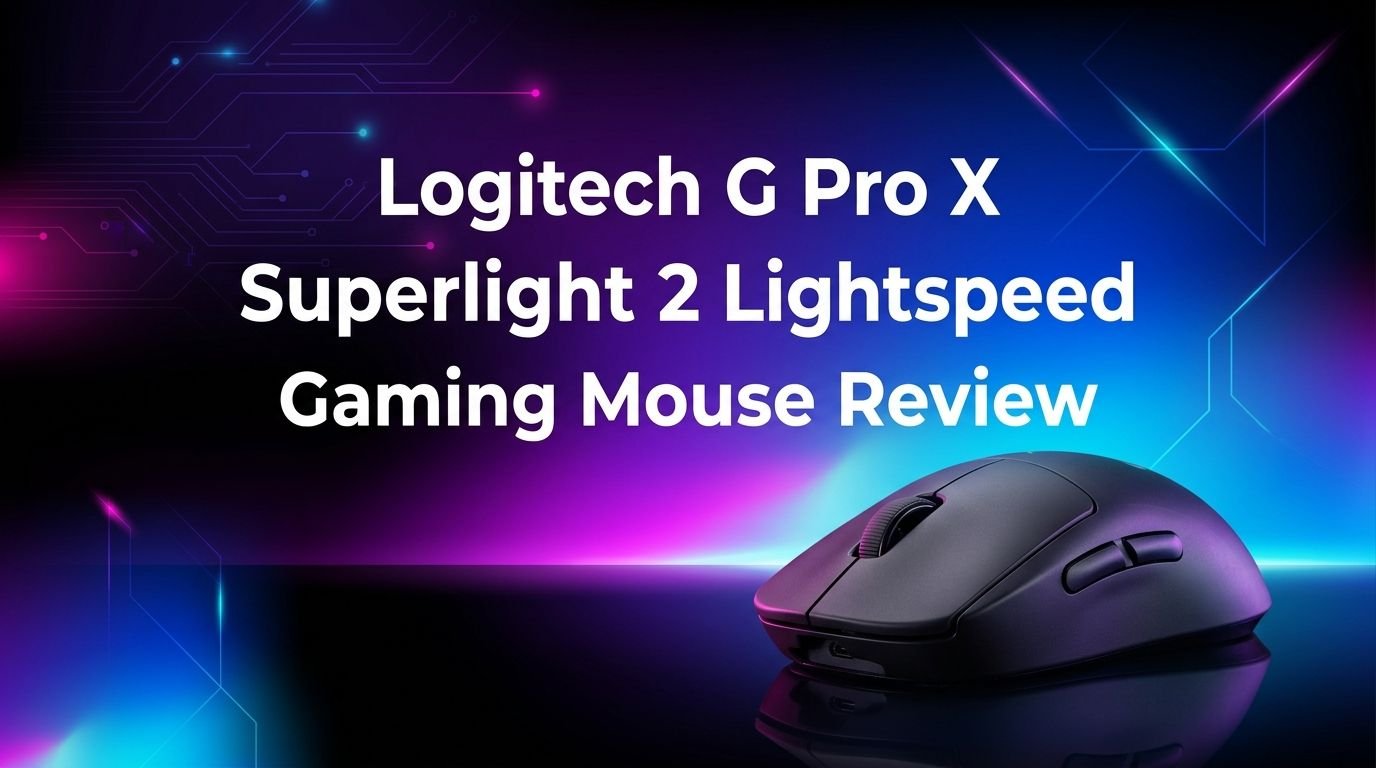
Logitech G Pro X Superlight 2 Lightspeed Wireless Gaming Mouse Review 2026
If you play competitive games, you already know that every millisecond counts. The Logitech G Pro X Superlight 2 Lightspeed has been a dominant force in the esports world since its release.
Pro players across Counter-Strike, Valorant, and Fortnite continue to trust it as their primary weapon. But does it still hold up in 2026?
This mouse packs a 60g ultra-lightweight body, the HERO 2 sensor with 44,000 DPI, LIGHTFORCE hybrid switches, and up to 8 kHz polling rate through LIGHTSPEED wireless.
Key Takeaways:
- The Logitech G Pro X Superlight 2 weighs just 60 grams, making it one of the lightest wireless gaming mice you can buy from a major brand. This featherweight design reduces hand fatigue during long gaming sessions and allows faster flick shots in FPS titles.
- The HERO 2 sensor supports up to 44,000 DPI and tracks at 888+ inches per second. It delivers sub-micron precision with zero smoothing, zero acceleration, and zero filtering. Sensor performance is truly flawless in real-world use.
- LIGHTFORCE hybrid optical-mechanical switches combine the speed of optical actuation with the satisfying click feel of a mechanical switch. These switches are rated for 70 million clicks and consume very little power compared to pure optical designs.
- LIGHTSPEED wireless now supports up to 8 kHz polling rate, which means the mouse reports its position to your PC up to 8,000 times per second. This results in extremely smooth cursor movement and reduced input lag. You will need the Logitech 8 kHz dongle for the full 8 kHz experience.
- Battery life reaches up to 95 hours at the standard 1 kHz polling rate. USB-C charging replaces the older micro USB found on the first Superlight. The mouse is also compatible with the Logitech POWERPLAY wireless charging system for unlimited battery life.
- The retail price sits around $149.99 to $179.99, placing it in the premium tier. However, frequent sales have brought it lower. For what you get in terms of performance, weight, and reliability, it remains a strong value proposition for serious gamers.

Last update on 2026-09-19 / Affiliate links / Images from Amazon Product Advertising API Some of the links on this website are affiliate links, which means that at no additional cost to you, I earn a commission if you click through and make a purchase. I only recommend products and services that I believe will add value to my readers. Thank you for your support!
Logitech G Pro X Superlight 2 Lightspeed Wireless Gaming Mouse Overview
The Logitech G Pro X Superlight 2 arrived as the successor to one of the most popular esports mice ever made. Logitech built this mouse in direct collaboration with professional gamers from teams across the globe. The goal was clear: make the original Superlight faster, more precise, and more reliable without adding weight.
At its core, this mouse keeps the same symmetrical, ambidextrous shape that made the original a hit. It measures approximately 125 mm long, 63.5 mm wide, and 40 mm tall. The shape works well for claw grip, fingertip grip, and palm grip depending on your hand size.
Logitech made three major internal upgrades. First, the HERO 2 sensor replaced the original HERO 25K sensor. Second, the LIGHTFORCE switches replaced the standard Omron mechanical switches. Third, the wireless polling rate jumped from 1 kHz to 8 kHz with the right dongle. These upgrades address performance, longevity, and responsiveness all at once.
The mouse ships with a LIGHTSPEED USB-A receiver, a USB-C charging cable, optional grip tape, and a receiver adapter. The packaging is minimal and eco-friendly, which Logitech has promoted with their reported 8.28 kg CO2e carbon footprint figure for this product. Overall, the Superlight 2 is a focused, no-frills performance mouse built for one purpose: winning.
Design and Build Quality
The Logitech G Pro X Superlight 2 looks nearly identical to its predecessor from the outside. Logitech clearly adopted the “if it isn’t broken, don’t fix it” philosophy here. The smooth, matte exterior has a soft-touch coating that provides grip without feeling sticky or slippery.
There is no RGB lighting on this mouse. Logitech removed all LEDs to save weight and battery life. If you want a flashy light show, look elsewhere. This mouse is built strictly for function over form. The only visual indicator is a small LED on the bottom that shows battery status.
Build quality is excellent for a 60-gram mouse. There is minimal flex on the shell when you press on it. The side walls feel solid, and the buttons do not wobble or rattle. Some early units had reports of slight creaking, but this appears to have been addressed in later production batches.
The PTFE mouse feet are large and smooth. They cover a generous area on the bottom of the mouse and provide a consistent glide across most mouse pads. Some enthusiasts swap these for aftermarket feet, but the stock feet perform well for most users. The USB-C charging port is located at the front of the mouse, which keeps the cable out of the way during wired play.
HERO 2 Sensor Performance
The HERO 2 sensor is the star of the show inside the Logitech G Pro X Superlight 2. This sensor tracks at up to 44,000 DPI and handles speeds of 888+ inches per second. It also manages acceleration forces of up to 88 g-force. These numbers far exceed what any human player actually needs, but they provide a huge margin of safety.
In practice, the HERO 2 sensor delivers flawless tracking. There is no jitter at low DPI settings. There is no spin-out during fast swipes. There is no detectable smoothing or acceleration applied to the raw input. This is as close to a 1:1 translation of hand movement to cursor movement as you can get.
Sensor calibration is automatic. The HERO 2 adapts to different mouse pad surfaces without manual tuning. You can still adjust the lift-off distance through Logitech G HUB software if you prefer a specific setting. Most players will find the default calibration works perfectly.
Power efficiency is another HERO 2 advantage. The sensor draws very little power compared to competing sensors like the PixArt PAW3950. This helps the Superlight 2 achieve its impressive 95-hour battery life. You get top-tier tracking without sacrificing endurance.
LIGHTFORCE Hybrid Switches Explained
The LIGHTFORCE switches represent a genuine leap forward in mouse switch technology. Logitech developed these in-house to solve a long-standing problem. Traditional mechanical switches offer great tactile feedback but wear out and develop double-click issues. Pure optical switches are fast and durable but often feel mushy.
LIGHTFORCE combines both technologies. The switch uses an optical actuation mechanism for speed and reliability. It also includes a mechanical contact point that produces the satisfying click and tactile bump gamers expect. The result is a switch that feels mechanical but performs like an optical switch.
Click latency is extremely low. In testing by various independent reviewers, the Superlight 2’s click latency consistently measures among the lowest of any wireless mouse. This matters in fast-paced shooters where the difference between hitting and missing a shot can come down to a few milliseconds.
The switches are rated for 70 million clicks. That is a significant upgrade over the Omron switches in the original Superlight, which were rated for 20 million clicks and were prone to double-clicking issues. LIGHTFORCE eliminates the double-click problem entirely because optical actuation does not suffer from contact bounce. This is one of the most meaningful upgrades in the Superlight 2.
Top 3 Alternatives for Logitech G Pro X Superlight 2
1. Razer Viper V3 Pro


Last update on 2026-09-05 / Affiliate links / Images from Amazon Product Advertising API Some of the links on this website are affiliate links, which means that at no additional cost to you, I earn a commission if you click through and make a purchase. I only recommend products and services that I believe will add value to my readers. Thank you for your support!
2. Razer DeathAdder V3 HyperSpeed

Last update on 2026-09-19 / Affiliate links / Images from Amazon Product Advertising API Some of the links on this website are affiliate links, which means that at no additional cost to you, I earn a commission if you click through and make a purchase. I only recommend products and services that I believe will add value to my readers. Thank you for your support!
3. Pulsar X2V2 Wireless

Last update on 2026-09-19 / Affiliate links / Images from Amazon Product Advertising API Some of the links on this website are affiliate links, which means that at no additional cost to you, I earn a commission if you click through and make a purchase. I only recommend products and services that I believe will add value to my readers. Thank you for your support!
LIGHTSPEED Wireless and 8 kHz Polling Rate
Logitech’s LIGHTSPEED wireless technology has been an industry benchmark for years. It delivers a stable, low-latency connection that performs on par with wired mice. The Superlight 2 takes this a step further with support for up to 8 kHz polling rate.
At 8 kHz, the mouse sends position updates to your PC 8,000 times per second. Compare that to the standard 1 kHz rate, which sends updates 1,000 times per second. The result is smoother cursor movement and reduced system latency. This difference is most noticeable on high-refresh-rate monitors (240Hz and above).
There is a catch. To use 8 kHz wireless polling, you need the Logitech LIGHTSPEED 8K dongle, which may not ship in the standard box depending on your purchase. The included receiver supports up to 2 kHz. The 8 kHz mode also reduces battery life significantly, dropping from 95 hours at 1 kHz to a much shorter runtime.
Signal stability is outstanding. LIGHTSPEED handles crowded RF environments well, which makes it reliable at LAN events and tournaments. The connection has not shown any dropouts or interference issues in real-world testing. The included USB-A dongle is compact, and Logitech includes a USB extension adapter so you can place the receiver closer to your mouse for optimal performance.
Battery Life and Charging
The Logitech G Pro X Superlight 2 delivers up to 95 hours of battery life at the standard 1 kHz polling rate. That translates to weeks of use for most gamers before you need to plug in. This is a strong improvement over the original Superlight’s 70-hour rating.
USB-C charging is a welcome upgrade. The original Superlight used micro USB, which felt outdated even at launch. The USB-C port sits at the front of the mouse and supports charging while you play. A full charge takes about one and a half hours from empty.
Battery life decreases at higher polling rates. At 2 kHz, you can expect roughly 50 to 60 hours. At 8 kHz, the runtime drops further to around 20 to 30 hours. These numbers still outperform many competitors at the same polling rates, thanks to the power-efficient HERO 2 sensor and LIGHTFORCE switches.
For unlimited battery life, the Superlight 2 is compatible with Logitech POWERPLAY. This wireless charging mouse pad system keeps the mouse topped up at all times. POWERPLAY is a separate purchase and adds significant cost, but it completely removes the need to charge. If you never want to think about battery life again, POWERPLAY is the solution.
Comfort and Ergonomics
The Superlight 2 uses a symmetrical, ambidextrous shape. It suits right-handed players best because the side buttons sit on the left side only. Left-handed players can use the mouse for basic functions but will not have convenient access to thumb buttons.
The shape works with multiple grip styles. Claw grip users will find the hump supports their palm nicely. Fingertip grip users benefit from the low profile and light weight. Palm grip users with small to medium hands (up to about 19 cm) will feel comfortable. Larger hands may find the mouse slightly small for a full palm grip.
At 60 grams, the mouse almost disappears in your hand. This ultra-low weight reduces strain during extended sessions. Many users report less wrist and forearm fatigue after switching from heavier mice. The smooth PTFE feet contribute to the effortless feel by reducing the force needed to move the mouse.
The optional grip tape included in the box adds texture to the sides and top of the mouse. If you find the stock surface too slippery during intense gameplay, applying the grip tape makes a noticeable difference. The tape is easy to apply and remove without leaving residue. Comfort is subjective, but Logitech has clearly optimized this shape for the widest possible audience.
Logitech G HUB Software Experience
The Superlight 2 uses Logitech G HUB as its companion software. G HUB lets you adjust DPI settings, customize button assignments, set polling rate, and calibrate the sensor. The software stores up to five onboard profiles directly on the mouse so your settings travel with you.
G HUB has improved over the years but still divides opinions. Some users find it clean and intuitive. Others report occasional bugs, slow startup, or settings that fail to save. Logitech has pushed regular updates, and the 2025/2026 versions are more stable than earlier releases.
DPI adjustment is granular. You can set your DPI in increments of 50, from 100 all the way up to 44,000. Most competitive players use between 400 and 1600 DPI, but the full range is there if you need it. You can program up to five DPI stages and cycle through them using the DPI button below the scroll wheel.
Button remapping is straightforward. The five buttons (left click, right click, middle click, and two side buttons) can all be reassigned. You can map keyboard keys, macros, or system functions to any button. The software is functional and gets the job done, even if it is not the most polished companion app on the market.
Gaming Performance Across Genres
The Superlight 2 excels in first-person shooters. Games like Valorant, Counter-Strike 2, and Apex Legends demand precise aim and fast reactions. The combination of the HERO 2 sensor, LIGHTFORCE switches, and LIGHTSPEED wireless delivers an input chain that is nearly lag-free. Flick shots, tracking, and micro-adjustments all feel sharp and responsive.
Battle royale games like Fortnite and Warzone benefit from the light weight. These games require long sessions with frequent camera movements. A 60-gram mouse reduces fatigue and keeps your aim consistent over hours of play. The large PTFE feet help with the wide sweeping movements common in battle royale titles.
For MOBA and RTS games, the Superlight 2 works well but is not the ideal choice. These genres benefit from extra buttons and programmable macros. With only five buttons, the Superlight 2 offers limited customization for games that require many hotkeys. A mouse like the Logitech G502 X would serve MOBA players better.
Productivity and general desktop use feel great with this mouse. The sensor tracks smoothly on any surface, and the light weight makes extended work sessions comfortable. However, the lack of a tilt scroll wheel, horizontal scrolling, or extra buttons limits its productivity versatility. The Superlight 2 is a specialist, and its specialty is competitive gaming.
Logitech G Pro X Superlight 2 vs. Razer Viper V3 Pro
The Razer Viper V3 Pro is the most direct competitor to the Superlight 2. The Viper V3 Pro weighs 54 grams, making it even lighter. It uses Razer’s Focus Pro 35K sensor and Gen-3 optical switches. It also supports 8 kHz polling and delivers up to 95 hours of battery life at 1 kHz.
In terms of build quality, the Viper V3 Pro has a slight edge. The mouse feet are smoother out of the box, and the shell feels a bit more rigid. The Superlight 2 counters with its tried-and-true shape that many pros have used for years.
Click feel is where the two mice diverge. The LIGHTFORCE switches on the Superlight 2 offer a crisper, more tactile click. The Razer Gen-3 optical switches feel lighter and slightly mushier. Preference here is personal, but many players favor the LIGHTFORCE feel.
Price is comparable. Both mice retail in the $149 to $179 range. The Viper V3 Pro is the better choice if you want the absolute lightest weight. The Superlight 2 is the better choice if you prefer the classic GPX shape and LIGHTFORCE click feel. Both are elite-tier esports mice, and you cannot go wrong with either.
Who Should Buy This Mouse?
The Logitech G Pro X Superlight 2 is built for competitive FPS gamers who want every possible advantage. If you play ranked modes in Valorant, Counter-Strike 2, Apex Legends, or Overwatch 2, this mouse is made for you. The sensor, switches, wireless, and weight all work together to deliver peak performance.
Esports professionals and aspiring pros will appreciate the reliability and tournament-grade wireless connection. This mouse has been used to win major championships, and its track record speaks for itself. Logitech’s support ecosystem, including POWERPLAY and G HUB, adds extra value for serious competitors.
If you are coming from the original G Pro X Superlight, the upgrade is worthwhile. USB-C charging, LIGHTFORCE switches that eliminate double-clicking, and the 8 kHz polling option are meaningful improvements. The sensor upgrade provides extra headroom, and the slightly refined shell offers better build quality.
This mouse is NOT the best choice for users who need lots of buttons, RGB lighting, or heavy ergonomic support. Productivity workers, MOBA players, and casual users may find better options elsewhere. The Superlight 2 is a surgical instrument for competitive gaming, and it does that one job exceptionally well.
Pricing and Value for Money
The Logitech G Pro X Superlight 2 has a retail price of $179.99. However, it frequently goes on sale for around $149.99 or even lower during major sale events like Amazon Prime Day and Black Friday. At the discounted price, it offers outstanding value for a premium wireless gaming mouse.
Compared to the Razer Viper V3 Pro (around $159), the pricing is competitive. The Pulsar X2V2 comes in at a lower price point near $100 to $120, which makes it an attractive budget alternative. The Superlight 2 justifies its premium through Logitech’s proven track record, LIGHTFORCE switches, and the LIGHTSPEED ecosystem.
Longevity is a key value factor. The LIGHTFORCE switches are rated for 70 million clicks and do not develop double-click issues. The HERO 2 sensor has no known reliability problems. The USB-C port is a modern standard that will remain relevant for years. This mouse is built to last through several years of heavy gaming use.
If you want the best performance without spending on the POWERPLAY system, the Superlight 2 standalone is already a complete package. The 95-hour battery life means you will charge it infrequently. The included grip tape, receiver adapter, and USB-C cable cover all your immediate needs. For serious gamers, this is money well spent.
Pros and Cons of the Logitech G Pro X Superlight 2
What the Superlight 2 does well is impressive. The 60g weight feels incredible in hand. The HERO 2 sensor delivers flawless tracking with zero perceptible lag. LIGHTFORCE switches solve the double-click problem while providing one of the best click experiences on any gaming mouse. Battery life at 95 hours means you rarely think about charging.
The LIGHTSPEED wireless connection is tournament-grade reliable. USB-C charging is a long-overdue upgrade that Logitech finally delivered. The shape suits most hand sizes and grip styles. Onboard memory for five profiles means your settings follow you to any PC. Logitech G HUB, while imperfect, provides all the customization you need.
On the downside, the mouse has only five buttons. There is no RGB lighting. The 8 kHz polling requires a separate dongle that may not be included. The symmetrical shape limits left-handed use. The G HUB software still has occasional stability issues.
The stock mouse feet, while good, are not the best in the market. Some competitors ship with smoother, thicker PTFE feet. The mouse is also not the cheapest option. Budget-conscious buyers can find capable alternatives for half the price. Despite these minor drawbacks, the overall package is hard to beat for competitive gaming.
Final Verdict: Is the Logitech G Pro X Superlight 2 Worth It in 2026?
Yes. The Logitech G Pro X Superlight 2 remains one of the best wireless gaming mice you can buy in 2026. It is not the newest mouse on the market. Newer competitors have emerged with slight advantages in weight or features. But the total package of sensor accuracy, switch quality, wireless reliability, battery life, and proven shape keeps the Superlight 2 at the top.
This mouse has won championships. It has earned the trust of professional players across every major esports title. Logitech’s continued firmware updates and software improvements show strong post-launch support. The LIGHTFORCE switches alone make this a generational upgrade over the original Superlight.
If you are a competitive gamer looking for a reliable, lightweight, and high-performance wireless mouse, the Superlight 2 is a safe and excellent choice. It does one thing and does it at the highest level. For esports-focused players, this is still the gold standard in 2026.

Last update on 2026-09-19 / Affiliate links / Images from Amazon Product Advertising API Some of the links on this website are affiliate links, which means that at no additional cost to you, I earn a commission if you click through and make a purchase. I only recommend products and services that I believe will add value to my readers. Thank you for your support!
Frequently Asked Questions
Is the Logitech G Pro X Superlight 2 good for large hands?
The Superlight 2 has a medium-sized body that fits hands up to about 19 cm comfortably with a palm grip. Larger hands (20 cm and above) may find it small for a full palm grip but can still use it effectively with claw or fingertip grip. If you have large hands and prefer palm grip, consider the Logitech G Pro X Superlight 2 DEX, which offers an ergonomic right-handed shape.
Does the Logitech G Pro X Superlight 2 have Bluetooth?
No. The Superlight 2 uses Logitech’s proprietary LIGHTSPEED wireless technology via a USB-A receiver. It does not support Bluetooth. LIGHTSPEED provides much lower latency than Bluetooth, which is essential for competitive gaming. The mouse can also be used wired through its USB-C cable while charging.
How long does the battery last at 8 kHz polling rate?
Battery life drops significantly at 8 kHz polling. You can expect approximately 20 to 30 hours at 8 kHz compared to 95 hours at the standard 1 kHz rate. Most players use 1 kHz or 2 kHz for daily gaming and reserve 8 kHz for competitive matches where every bit of responsiveness matters.
Can I use the Logitech G Pro X Superlight 2 without G HUB software?
Yes. The mouse works out of the box without installing G HUB. It defaults to a standard DPI setting and 1 kHz polling rate. However, you will need G HUB to customize DPI stages, change button assignments, adjust polling rate, and update firmware. Onboard memory stores your profiles so you can uninstall G HUB after setup if you prefer.
Is the Superlight 2 worth upgrading from the original Superlight?
For most competitive gamers, yes. The LIGHTFORCE switches eliminate the double-click problem that plagued the original. USB-C charging replaces the dated micro USB port. The HERO 2 sensor and 8 kHz polling support provide measurable performance gains. If your original Superlight still works well and you do not experience double-clicking, the upgrade is nice but not urgent.
Does the Logitech G Pro X Superlight 2 work on Mac?
Yes. The Superlight 2 works on both PC and Mac. Logitech G HUB is available for macOS, so you can customize settings on either platform. Basic mouse functions work without any software on Mac. Sensor tracking and wireless performance remain identical across both operating systems.

Hello everyone my name is Alenya and i am a gadget discovering Enthusiast 🐻🐻