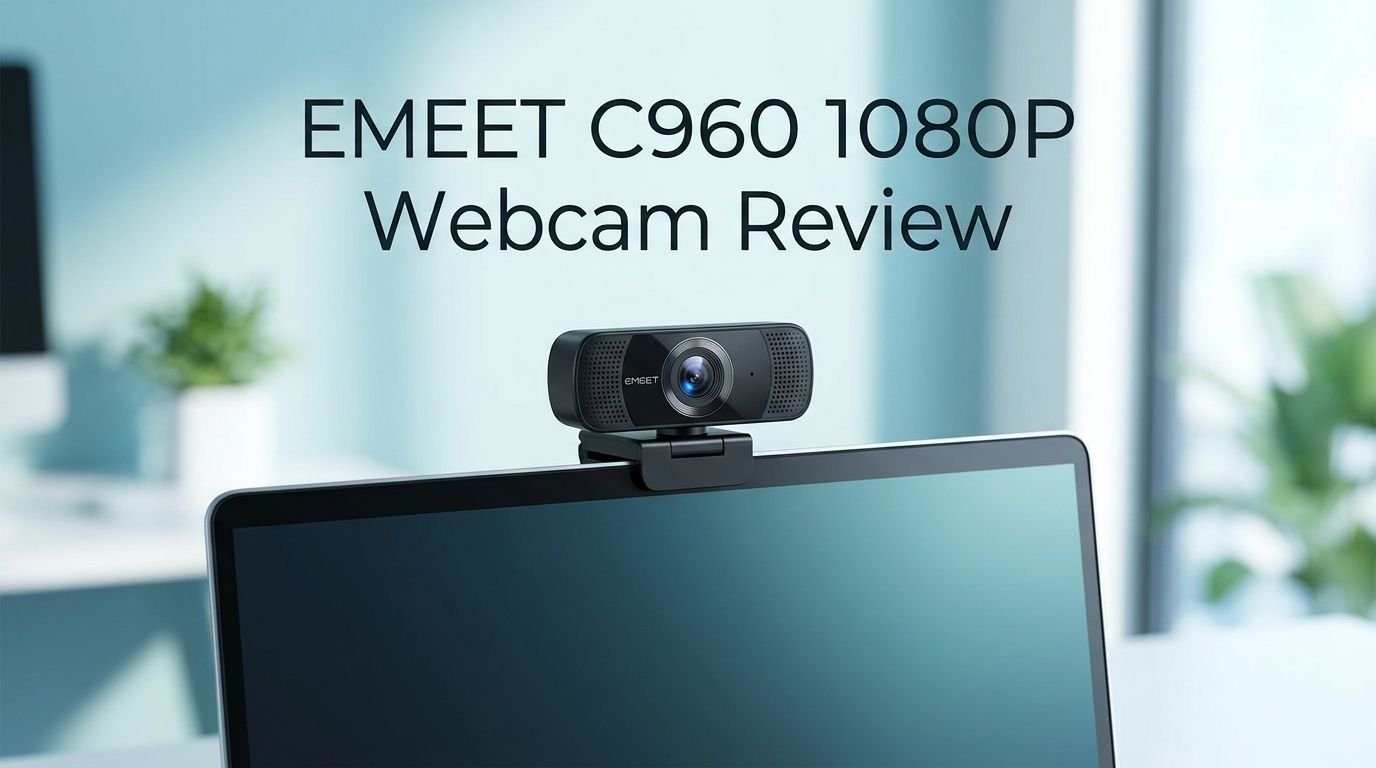
EMEET C960 1080P Webcam Review 2026: Still Worth It?
You need a reliable webcam. You want clear video for work calls, online classes, or streaming. But you also want to keep your budget in check.
The EMEET C960 1080P Webcam has been one of Amazon’s most popular webcams for years now. It promises full HD video, dual microphones, and a plug and play setup at an incredibly low price point.
But does it still hold up in 2026? With so many new webcams on the market, you might wonder if the C960 is still a smart buy. I spent weeks testing this webcam across different lighting conditions, video call platforms, and daily use scenarios.
Key Takeaways
- The EMEET C960 delivers solid 1080p video quality at 30 frames per second, which is more than enough for professional video calls and casual streaming. You get clear, sharp video as long as your room has decent lighting.
- Two built in noise cancelling microphones pick up your voice from up to 8 feet away. The audio quality is acceptable for meetings, though a dedicated external mic will always sound better for content creation.
- The 90 degree wide angle field of view captures a broad scene, which is great for group calls or showing your workspace. Some users may find this too wide for solo calls, but most platforms let you crop or zoom.
- Plug and play USB connectivity means zero driver installation required. You connect the USB A cable to your computer and it works immediately on Windows, Mac, Chrome OS, and Linux.
- The included privacy shutter is a stick on design. It works, but it feels less premium than built in sliding shutters found on pricier models. Still, it gets the job done.
- At its current price point under $40, the EMEET C960 remains one of the best budget webcams you can buy in 2026. It competes well against cameras that cost twice as much.

Last update on 2026-08-28 / Affiliate links / Images from Amazon Product Advertising API Some of the links on this website are affiliate links, which means that at no additional cost to you, I earn a commission if you click through and make a purchase. I only recommend products and services that I believe will add value to my readers. Thank you for your support!
EMEET C960 1080P Webcam Overview
The EMEET C960 is a full HD 1080p webcam built for everyday video communication. It first hit the market during the remote work boom and has since become one of Amazon’s best selling webcams. The camera uses a CMOS sensor paired with a 5 layer anti glare lens to deliver clear 1920 x 1080 resolution video.
This webcam connects to your computer through a USB A cable that measures about four feet long. It works right out of the box with no software installation needed. The camera body sits on a flexible clip mount that attaches to monitors, laptop screens, or tripods through a standard threaded hole on its base.
EMEET also offers a free companion app called eMeetLink. This app lets you adjust white balance, contrast, sharpness, and other image settings. However, most video conferencing apps already include similar controls, so the app is optional.
The C960 has held its ground against newer competitors thanks to its dependable performance and extremely affordable price tag. It ships with a stick on privacy shutter, the USB cable, and a quick start guide. The build feels lightweight yet sturdy enough for daily use.
Video Quality and Resolution
The EMEET C960 records and streams video at 1920 x 1080 pixels at 30 frames per second. This resolution is the standard for most video calls and online meetings. Colors appear natural and vibrant in well lit environments.
The camera uses a fixed focus system with a focal range of 11.8 to 118.1 inches. This means objects within that range stay sharp without any manual adjustment. You do not get autofocus on this model, which is typical for webcams at this price.
The 5 layer anti glare lens reduces reflections and produces a cleaner image. In side by side tests with similar budget webcams, the C960 holds its own. Skin tones look accurate and text on whiteboards behind you remains readable.
One thing to keep in mind is that video quality drops noticeably in dim lighting. The image becomes grainy and colors lose accuracy. This is the biggest weakness of the C960. If your home office lacks natural light, consider adding a ring light or desk lamp to improve your picture.
Streaming on platforms like OBS Studio also works well. The camera outputs in both YUY2 and MJPEG video codecs, giving you flexibility for different streaming software configurations.
Top 3 Alternatives for EMEET C960 1080P Webcam
1. Logitech C920 HD Pro Webcam

Last update on 2026-08-28 / Affiliate links / Images from Amazon Product Advertising API Some of the links on this website are affiliate links, which means that at no additional cost to you, I earn a commission if you click through and make a purchase. I only recommend products and services that I believe will add value to my readers. Thank you for your support!
2. NexiGo N60 1080P Webcam

Last update on 2026-08-28 / Affiliate links / Images from Amazon Product Advertising API Some of the links on this website are affiliate links, which means that at no additional cost to you, I earn a commission if you click through and make a purchase. I only recommend products and services that I believe will add value to my readers. Thank you for your support!
3. Logitech Brio 100 Full HD Webcam


Last update on 2026-08-28 / Affiliate links / Images from Amazon Product Advertising API Some of the links on this website are affiliate links, which means that at no additional cost to you, I earn a commission if you click through and make a purchase. I only recommend products and services that I believe will add value to my readers. Thank you for your support!
Built In Microphone Performance
The EMEET C960 features two omnidirectional noise cancelling microphones. These microphones pick up audio within a range of approximately 8 feet. For basic video calls, the microphone quality is perfectly adequate.
Voices come through clearly in quiet rooms. The noise cancellation does a reasonable job of filtering out background hum from fans, air conditioning, and distant traffic. However, the microphones struggle with louder ambient noise like keyboard clicks, barking dogs, or nearby conversations.
For professional meetings and one on one calls, the dual mic setup works fine. Your colleagues will hear you without issues. But if you record podcasts, create YouTube content, or stream on Twitch, you should invest in a separate USB microphone. The built in mics lack the richness and depth that dedicated microphones provide.
One useful test is to open your video conferencing app and switch between the C960 microphone and your laptop’s built in mic. In many cases, laptop microphones have improved significantly, so the difference may surprise you. Still, the C960 mic provides a reliable backup and works well for its intended purpose.
Field of View and Camera Angle
The EMEET C960 offers a 90 degree wide angle field of view. This is wider than many competing budget webcams, which typically offer 60 to 78 degrees. The wider angle captures more of your surroundings, including the space on either side of you.
This wide FOV is ideal for group calls where two or three people sit in front of the same camera. It also works well if you want to showcase a workspace, art studio, or home setup during a call.
However, for solo video calls, 90 degrees can feel too wide. You may appear smaller in the frame, and more of your background becomes visible. This is easy to fix on most platforms. Zoom, Teams, and Google Meet all offer cropping and zoom features that let you tighten the frame.
The camera body pivots up and down on its mount. This gives you flexibility to adjust the vertical angle. The jaws style clip mount fits securely on most monitors and laptop screens. It also sits flat on a desk if you prefer that setup. A standard tripod mount thread on the bottom lets you use it with any compatible tripod.
Low Light Performance
Low light performance is the most common complaint about the EMEET C960. The camera does include automatic low light correction, but it has clear limits. In dim environments, the image becomes noticeably grainy and washed out.
Colors lose their accuracy in low light. Dark clothing blends together and fine details disappear. Skin tones can appear slightly yellow or flat. These are common issues for budget webcams that lack advanced sensors.
If you often work in a dimly lit room, you have two options. First, add supplemental lighting like a ring light, LED desk lamp, or even a bright monitor to illuminate your face. Second, consider a slightly more expensive webcam with a better low light sensor.
That said, the C960 performs acceptably in moderately lit rooms. A window behind your monitor or a standard overhead light provides enough illumination for clear video. The auto light correction feature does help balance exposure, but it cannot create detail where the sensor simply cannot capture it.
For its price, the low light performance is understandable. Cameras with better night vision typically cost two to three times as much.
Setup and Compatibility
Setting up the EMEET C960 takes less than a minute. You plug the USB A cable into your computer, and the webcam installs automatically. There are no drivers to download and no registration screens to navigate. It is a true plug and play device.
The webcam works with Windows 7 and above, macOS, Chrome OS, and Linux. It is compatible with all major video conferencing platforms including Zoom, Microsoft Teams, Google Meet, Skype, Webex, and FaceTime on Mac.
Streamers will appreciate that the C960 works with OBS Studio, Streamlabs, and XSplit without any extra configuration. You simply select it as your video source and start broadcasting.
The 2025 version of the C960 also includes a USB A to USB C adapter in the box. This is a welcome addition for users with newer laptops that only have USB C ports. The adapter works reliably and does not affect video quality.
The optional eMeetLink desktop app lets you fine tune camera settings. You can adjust brightness, contrast, saturation, white balance, and sharpness. You can also mirror or flip the image. Most users will never need this app, but it is a nice bonus for those who want extra control.
Build Quality and Design
The EMEET C960 has a compact, cylindrical design with a matte black finish. It looks professional and unobtrusive on top of a monitor or laptop screen. The camera weighs only a few ounces, so it will not tip over thin laptop displays.
The clip mount uses a spring loaded jaws mechanism that opens wide enough for thick monitors and narrow enough for thin laptops. A rubber pad on the inside of the clip prevents scratching. The hinge lets you tilt the camera up and down to adjust your framing.
Build quality is solid for the price. The plastic body does not feel flimsy, though it obviously lacks the premium heft of a Logitech Brio or Razer Kiyo. The USB cable feels durable and long enough for most desk setups.
The stick on privacy shutter is functional but not elegant. You peel off an adhesive backing and attach the shutter manually above the lens. It flips down to cover the camera when not in use. While this works, a built in sliding privacy cover would feel more polished. Many competitors in 2026 now include integrated shutters.
The LED indicator light next to the lens turns on when the camera is active. This gives you a visual confirmation that video is streaming.
Performance on Zoom and Microsoft Teams
I tested the EMEET C960 extensively on Zoom and Microsoft Teams, the two most popular video conferencing platforms. On both apps, the webcam delivered clear 1080p video with natural skin tones and sharp details in good lighting.
On Zoom, the camera was detected instantly. Video appeared smooth at 30 fps with no dropped frames or stuttering. The 90 degree field of view captured a wide frame, but Zoom’s built in crop feature made it easy to tighten the shot.
Microsoft Teams also recognized the C960 immediately. Video quality matched what I saw on Zoom. The dual microphones performed reliably during group calls with four to six participants. Background noise suppression on both platforms helped supplement the camera’s built in noise cancellation.
Google Meet delivered similar results. One thing to note is that Google Meet sometimes defaults to 720p even if your camera supports 1080p. You may need to manually adjust the video quality in settings.
The webcam also worked perfectly with Skype, Webex, and Discord during my testing. Overall, platform compatibility is a strong point for the C960. It handles everyday video calls with zero friction.
Who Should Buy the EMEET C960?
The EMEET C960 is best suited for budget conscious buyers who need a reliable webcam for video calls, online classes, and casual streaming. It is an excellent choice for remote workers, students, and anyone who wants a significant upgrade over their laptop’s built in camera.
If you work from home and attend regular video meetings, this webcam gives you professional looking 1080p video without spending a lot. It is also a great pick for job interviews over Zoom or Teams, where first impressions matter.
Students taking online courses will find the C960 more than capable. The wide field of view even allows two students to share the frame during group presentations.
Casual streamers on Twitch or YouTube can use the C960 as a starter camera. It will not match a dedicated streaming webcam, but it provides clean enough video for a new channel.
This webcam is not the best choice for professional content creators who need autofocus, 4K resolution, or exceptional low light performance. If you record YouTube tutorials, product reviews, or course content, you should consider spending more on a camera with better specs.
Similarly, if your room is consistently dark, the C960’s limited low light capabilities may frustrate you. In that scenario, a webcam with a larger sensor or a simple ring light setup would serve you better.
EMEET C960 vs Logitech C920
Last update on 2026-08-28 / Affiliate links / Images from Amazon Product Advertising API Some of the links on this website are affiliate links, which means that at no additional cost to you, I earn a commission if you click through and make a purchase. I only recommend products and services that I believe will add value to my readers. Thank you for your support!
The Logitech C920 has been the gold standard for affordable webcams for over a decade. So how does the EMEET C960 compare? Both cameras offer 1080p resolution at 30 fps, dual stereo microphones, and USB A connectivity.
The biggest difference is autofocus. The Logitech C920 includes autofocus while the EMEET C960 uses fixed focus. In practice, the C920 adjusts focus smoothly when you move closer to or farther from the camera. The C960 keeps everything in focus within a set range but cannot adapt to changes.
Image quality is surprisingly close between the two. In well lit environments, both cameras produce clear video with accurate colors. The Logitech has a slight edge in low light scenarios thanks to its HD auto light correction system.
The field of view differs as well. The C960 offers 90 degrees while the C920 provides 78 degrees. The wider C960 captures more background, which can be a pro or a con depending on your setup.
Price is where the EMEET C960 wins. It typically costs about half the price of the Logitech C920. For budget shoppers who prioritize value, the C960 offers nearly identical performance for significantly less money.
Pros and Cons of the EMEET C960
Every product has strengths and weaknesses. Here is an honest breakdown of what the EMEET C960 does well and where it falls short.
The biggest pros include its price, plug and play simplicity, and solid 1080p video quality. You get a webcam that works out of the box with every major platform. The 90 degree field of view is versatile, and the dual microphones eliminate the need for an external mic in casual settings.
The USB A to C adapter in the 2025 version is a thoughtful addition. The free eMeetLink software gives power users extra control. The lightweight, compact design fits on any setup without taking up space.
On the downside, low light performance is below average. The fixed focus system lacks the flexibility of autofocus. The stick on privacy shutter feels like an afterthought compared to integrated designs on newer webcams.
The microphone quality is serviceable but not impressive. The USB cable length of four feet may be too short for some desk arrangements. The 30 fps cap also means you will not get the buttery smooth 60 fps video that some streamers prefer.
Overall, the pros significantly outweigh the cons at this price point. The EMEET C960 does exactly what most people need a webcam to do, and it does it at a price that is hard to beat.
Is the EMEET C960 Still Worth Buying in 2026?
Yes, the EMEET C960 1080P Webcam remains one of the best budget webcams in 2026. The competition has grown, but the C960 continues to deliver reliable 1080p video, easy setup, and wide compatibility at an unbeatable price.
If your needs are straightforward, this camera checks every box. Video calls look professional. The setup takes under a minute. It works with every major platform and operating system. The dual microphones provide clean audio for meetings.
The only reason to pass on the C960 is if you need specific features it does not offer. Autofocus, 4K resolution, 60 fps, and strong low light performance are all found on more expensive models. If any of these features are must haves for you, expect to spend more.
For everyone else, the EMEET C960 is a smart, practical choice that delivers real value. It has earned its position as one of Amazon’s top selling webcams, and it continues to deserve that spot.
Final Verdict
The EMEET C960 1080P Webcam is a proven budget performer that still holds its own in 2026. It gives you full HD video, dual noise cancelling microphones, a wide field of view, and universal compatibility for less than $40. The build is solid, the setup is instant, and the image quality is impressive for its price category.
I recommend the EMEET C960 to anyone who wants a dependable webcam without overspending. Remote workers, students, casual streamers, and everyday users will all find this camera meets their needs. Just make sure your workspace has decent lighting to get the best possible video quality.
The C960 proves that you do not need to spend a fortune to look great on camera. It is a simple, effective tool that does exactly what it promises.
Frequently Asked Questions
Does the EMEET C960 work with Mac computers?
Yes, the EMEET C960 is fully compatible with macOS. It works with FaceTime, Zoom, Google Meet, Microsoft Teams, and other Mac compatible video apps. You simply plug in the USB cable and the camera is ready to use. No additional drivers or software are needed. If your Mac only has USB C ports, you can use the included USB A to C adapter.
Does the EMEET C960 have autofocus?
No, the EMEET C960 uses a fixed focus system. The camera keeps objects in focus within a focal range of 11.8 to 118.1 inches. This range covers most typical desk setups. Fixed focus means the camera will not adjust if you lean very close or move far away. For most video call scenarios, the fixed focus works perfectly fine.
Can I use the EMEET C960 for streaming on Twitch?
Yes, the EMEET C960 works with popular streaming software like OBS Studio and Streamlabs. It supports both YUY2 and MJPEG video codecs, which gives you flexibility in your streaming setup. The 1080p resolution at 30 fps provides clean video for new streamers. For advanced streaming with 60 fps or 4K, you would need a higher end webcam.
Is the EMEET C960 good for low light rooms?
The EMEET C960 has automatic low light correction, but its performance in dark rooms is limited. The image becomes grainy and colors lose accuracy in dim environments. For the best results, add a ring light or desk lamp to brighten your face. A window that provides natural light also helps significantly.
Does the EMEET C960 come with a tripod?
The standard EMEET C960 package does not include a tripod. However, the camera base has a standard threaded hole that fits most universal tripods. EMEET sells a separate bundle that includes a mini tripod if you prefer that setup. The included clip mount works well on monitors and laptop screens for most users.
What is the difference between the EMEET C960 and C960 4K?
The EMEET C960 4K is a higher end model that features a Sony CMOS sensor, 4K UHD resolution, phase detect autofocus, and a 73 degree field of view. It costs significantly more than the standard 1080p C960. The 4K version is better for content creators and users who need sharper detail and superior autofocus performance. The standard C960 remains the better value pick for everyday video calls.

Hello everyone my name is Alenya and i am a gadget discovering Enthusiast 🐻🐻