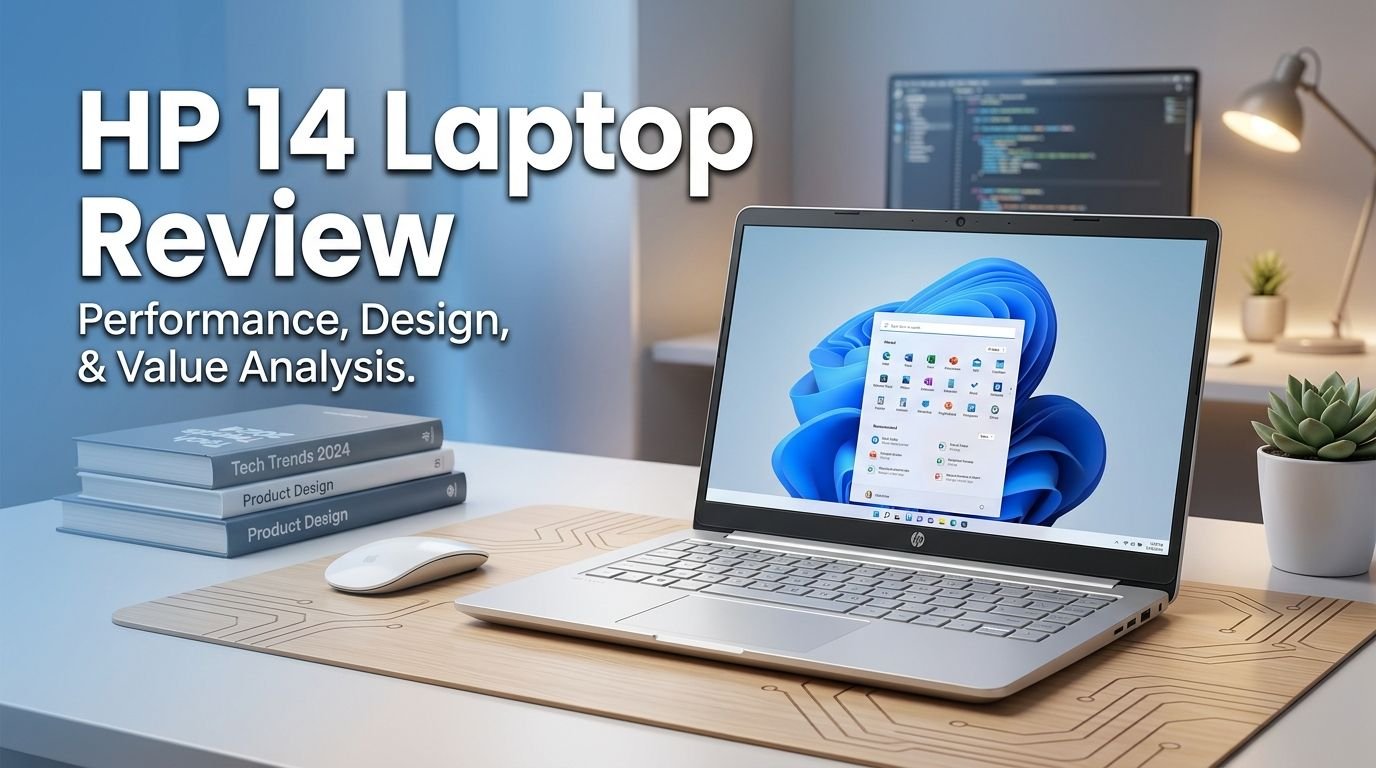
HP 14 Laptop Review 2026: Should You Buy This?
Are you looking for a cheap, reliable laptop that handles everyday tasks without breaking the bank? The HP 14 Laptop has been one of the most popular budget laptops on Amazon for years. It promises solid performance for students, remote workers, and casual users at a price point under $300.
But does it actually deliver on that promise in 2026? With so many options in the market, it is fair to ask whether the HP 14 Laptop still makes sense. I spent time reviewing its specs, performance, display, battery life, and overall build quality. I also compared it against similar options.
In this detailed review, I break down everything you need to know. You will learn what this laptop does well, where it falls short, and who should buy it. If you are on a tight budget and need a portable machine for basic computing, this review will save you time and money.
Key Takeaways:
- The HP 14 Laptop is a solid budget pick for students, light office work, web browsing, and streaming video. It does not try to do everything. It does the basics well at a very low price.
- The Intel N150 (or Celeron N4500) processor provides enough power for light multitasking. You can open a few browser tabs, run Microsoft Office apps, and stream 1080p content without issues. Do not expect it to handle video editing or gaming.
- Battery life is one of its strongest selling points. HP rates it at up to 10 to 12 hours on a single charge. Real world use gives you around 8 to 9 hours. That is more than enough for a full school or work day.
- The 14 inch HD display is decent but not impressive. Colors appear slightly washed out, and the 1366 x 768 resolution feels dated in 2026. A Full HD panel would have made a big difference here.
- Build quality is lightweight and portable at around 3.1 pounds. The slim design makes it easy to carry in a backpack or messenger bag. The plastic chassis feels adequate for the price.
- Connectivity includes Wi-Fi 6 and a Copilot AI key. You also get USB-C, USB-A, HDMI, and a headphone jack. The inclusion of Windows 11 and Microsoft Copilot adds extra value for productivity.

Last update on 2026-09-19 / Affiliate links / Images from Amazon Product Advertising API Some of the links on this website are affiliate links, which means that at no additional cost to you, I earn a commission if you click through and make a purchase. I only recommend products and services that I believe will add value to my readers. Thank you for your support!
HP 14 Laptop 2026 Overview and First Impressions
The HP 14 Laptop is a budget machine built for everyday computing tasks. It targets students, home users, and professionals who need a reliable portable device. The laptop runs Windows 11 and comes with Microsoft Copilot AI built in.
My first impression was positive. The laptop feels surprisingly light at just over 3 pounds. It slips into a bag without adding bulk. The silver or rose gold finish gives it a clean, modern appearance that looks more expensive than it actually is.
HP keeps things simple here. You get a 14 inch display, an Intel quad core processor, up to 16GB of RAM depending on the configuration, and SSD storage. There are no flashy gimmicks. This laptop focuses on delivering a functional experience at a low cost.
The packaging on most Amazon bundles includes useful accessories like a wireless mouse, HDMI cable, and sometimes a portable external drive. These extras add genuine value, especially for first time laptop buyers. Overall, the first impression is strong for a sub $300 device.
Design and Build Quality
The HP 14 Laptop uses a plastic chassis with a smooth matte finish. It does not feel flimsy, but you can tell this is not a premium aluminum build. At this price, that is expected and perfectly acceptable.
The thin profile measures less than 0.8 inches thick. Combined with its 3.1 pound weight, this laptop is one of the lighter options in the budget category. You can carry it all day without shoulder fatigue. Students who walk between classes will appreciate this.
The hinge feels sturdy and opens with one hand. The keyboard deck has minimal flex. The bottom panel has ventilation grilles to help with airflow, though heat is rarely an issue with the low power processor inside.
Color options include Natural Silver, Sky Blue, Pale Rose Gold, Honey Lavender, and Snowflake White. HP gives you more aesthetic choices than most competitors at this price. The overall design is understated and professional. It would look appropriate in a classroom, office, or coffee shop.
Processor and Performance
The HP 14 Laptop ships with either the Intel Processor N150 or the Intel Celeron N4500 depending on the specific model. Both are entry level chips built for basic computing. The N150 features 4 cores with a turbo boost up to 3.6 GHz and 6MB of cache.
In real world use, this processor handles web browsing, word processing, email, and video streaming smoothly. You can keep 5 to 8 Chrome tabs open alongside a Word document without noticeable slowdowns. Google Docs, Sheets, and Slides run without lag.
However, this is where expectations matter. The HP 14 is not built for heavy workloads. Video editing software like Premiere Pro will struggle. Photo editing in Photoshop will feel sluggish. Gaming beyond very basic browser games is out of the question.
Benchmark tests place the Intel N150 roughly on par with older dual core chips like the Core i3 10110U. That comparison helps set proper expectations. This is a productivity workhorse for light tasks, and it performs that role well. Boot times are fast thanks to the SSD, and the system feels responsive during typical daily use.
Top 3 Alternatives for HP 14 Laptop
1. Lenovo IdeaPad 14 Laptop

Last update on 2026-09-19 / Affiliate links / Images from Amazon Product Advertising API Some of the links on this website are affiliate links, which means that at no additional cost to you, I earn a commission if you click through and make a purchase. I only recommend products and services that I believe will add value to my readers. Thank you for your support!
2. Acer Aspire Go 14 AI Ready Laptop

Last update on 2026-09-19 / Affiliate links / Images from Amazon Product Advertising API Some of the links on this website are affiliate links, which means that at no additional cost to you, I earn a commission if you click through and make a purchase. I only recommend products and services that I believe will add value to my readers. Thank you for your support!
3. ASUS VivoBook 14 Laptop

Last update on 2026-09-19 / Affiliate links / Images from Amazon Product Advertising API Some of the links on this website are affiliate links, which means that at no additional cost to you, I earn a commission if you click through and make a purchase. I only recommend products and services that I believe will add value to my readers. Thank you for your support!
Display Quality
The HP 14 Laptop features a 14 inch HD display with a resolution of 1366 x 768 pixels. This is standard for budget laptops, though it feels a bit dated in 2026 when many competitors offer Full HD at similar prices.
The screen brightness is adequate for indoor use. You can work comfortably in a well lit room or a library. However, outdoor visibility is limited. The anti glare coating helps reduce reflections, but the panel is not bright enough to fight direct sunlight.
Colors appear somewhat muted compared to IPS panels on mid range laptops. Watching Netflix or YouTube is still enjoyable, but photo editors or designers who need accurate color reproduction should look elsewhere. The viewing angles are narrow, so the screen looks best when viewed straight on.
The micro edge bezels around the display give the laptop a more modern look. They also make the 14 inch screen feel slightly larger than it is. For reading documents, browsing the web, or attending video calls, this display gets the job done. It is the weakest link in an otherwise capable budget package.
RAM and Storage Options
Different configurations of the HP 14 Laptop offer various RAM and storage combinations. The base model starts at 4GB RAM with 128GB UFS storage. Higher tier bundles offer 8GB or even 16GB RAM with expanded storage options.
The 4GB RAM model works fine for very basic tasks like browsing and email. But I recommend the 8GB or 16GB versions strongly. Modern web browsers consume a lot of memory. With 8GB, you get smoother multitasking and fewer frustrating slowdowns.
Storage is another area where configuration matters. The 128GB UFS or SSD gives you fast boot times and quick app loading. But 128GB fills up quickly with the operating system, apps, and files. Many Amazon bundles include a 500GB external drive or an SD card to offset this limitation.
If you pick the 16GB RAM and 512GB storage variant, the HP 14 becomes a surprisingly capable everyday machine. The extra memory and storage remove most of the bottlenecks found in the base model. Spend the extra money here if your budget allows it.
Battery Life and Charging
Battery life is one of the strongest features of the HP 14 Laptop. HP rates it at up to 10 to 12 hours depending on the model and usage patterns. During my research, real world tests consistently showed 8 to 9 hours of mixed use.
That means you can get through an entire school day or a full work shift without bringing your charger. This is a major advantage over many competing budget laptops that struggle to reach 6 hours.
The low power Intel processor helps keep energy consumption down. Light tasks like document editing and web browsing extend battery life further. Video streaming drains the battery faster, but you can still expect around 6 to 7 hours of continuous playback.
Charging speed is average. The included adapter brings the battery from empty to full in about 2 to 2.5 hours. Some newer HP models support fast charging that gives you a partial charge in under an hour. Check the specific model listing for fast charge support.
Keyboard and Trackpad Experience
The HP 14 Laptop features a full size keyboard with decent key travel. The keys feel responsive and provide enough tactile feedback for comfortable typing. Students writing essays or professionals handling emails will find it satisfactory.
One common complaint across user reviews is the all silver keyboard on certain models. The letters on the keys blend into the silver background, making them difficult to see in low light. Models with darker colored keys offer better visibility.
The keyboard does not include backlighting. This is a notable omission. If you type in dimly lit rooms or late at night, you will need a desk lamp or external light source. Backlit keyboards are still rare at this price point, so this is not unusual for the budget category.
The trackpad is smooth and responsive. It supports multi touch gestures like two finger scrolling, pinch to zoom, and three finger swipe. Click feedback feels crisp. The trackpad size is adequate, though it is smaller than trackpads on 15 inch laptops. Overall, both the keyboard and trackpad perform well for a budget device.
Webcam and Audio Quality

Last update on 2026-10-14 / Affiliate links / Images from Amazon Product Advertising API Some of the links on this website are affiliate links, which means that at no additional cost to you, I earn a commission if you click through and make a purchase. I only recommend products and services that I believe will add value to my readers. Thank you for your support!
The HP 14 Laptop includes an HP True Vision 720p HD webcam. This camera handles video calls on Zoom, Google Meet, and Microsoft Teams adequately. Image quality is clear enough for meetings and online classes.
In well lit rooms, the webcam produces a bright and reasonably sharp image. Low light performance drops off quickly, which is common for built in laptop cameras. If you attend many evening video calls, consider an external webcam for better results.
The dual array digital microphones pick up your voice clearly. Background noise reduction works decently for quiet environments. In noisy spaces like coffee shops, the microphones may pick up ambient sounds. A headset with a microphone solves this issue.
Speaker quality is basic. The built in speakers produce thin audio that lacks bass. They work fine for video calls and casual YouTube viewing. For music, movies, or any media where sound quality matters, you will want external speakers or headphones. This is a typical limitation of thin budget laptops with limited internal space for speaker drivers.
Software and Windows 11 Experience
The HP 14 Laptop ships with Windows 11 Home or Windows 11 Pro depending on the model. Both versions provide a clean, modern interface with a centered taskbar and improved snap layouts for multitasking.
Microsoft Copilot AI comes integrated into Windows 11 on this laptop. A dedicated Copilot key on the keyboard gives you one press access to AI assistance. You can use Copilot to summarize documents, generate text, answer questions, and help with everyday tasks.
Many Amazon bundles include Microsoft Office as either a lifetime license or a one year Microsoft 365 subscription. This adds tremendous value for students and professionals. You get Word, Excel, PowerPoint, and Outlook ready to use out of the box.
The system runs smoothly on Windows 11 with adequate RAM. The 4GB model may feel sluggish after Windows updates accumulate over time. The 8GB and 16GB models handle Windows 11 with ease. App loading times are fast thanks to the SSD storage. The overall software experience is clean, responsive, and free of unnecessary bloatware.
Connectivity and Ports
The HP 14 Laptop offers a solid selection of ports for a budget device. You get one USB Type C port, two USB Type A ports, one HDMI port, a headphone and microphone combo jack, and an SD card slot.
Wi-Fi 6 support is included. This means faster wireless speeds and better performance on crowded networks compared to older Wi-Fi 5 devices. Bluetooth 5.0 or newer allows you to connect wireless headphones, mice, keyboards, and speakers.
The HDMI port lets you connect an external monitor or TV for a larger screen experience. This is useful for presentations, Netflix viewing on a bigger display, or extending your desktop workspace. The USB C port supports data transfer and can connect newer peripherals.
The SD card slot is a practical inclusion for photographers, students, and anyone who needs to expand storage quickly. Pop in a 256GB or 512GB microSD card and you gain significant extra space for files, photos, and documents. Overall, the connectivity options cover all essential needs.
Who Should Buy the HP 14 Laptop
The HP 14 Laptop is ideal for a specific set of users. If your daily tasks include web browsing, email, document editing, video streaming, and video calls, this laptop will serve you well. It does these things reliably at a very affordable price.
Students will benefit the most. The lightweight design, long battery life, and included Office software make it a great school companion. You can take notes in class, write papers, research online, and attend virtual lectures without any trouble.
Home users who need a basic computer for recipes, online shopping, social media, and casual browsing will find it more than adequate. It also works well as a secondary device for people who own a more powerful desktop or gaming laptop.
Remote workers with light workloads can use it for email, Slack, Google Workspace, and simple spreadsheets. However, those who run resource heavy applications, multiple large spreadsheets, or creative software should invest in a more powerful machine. The HP 14 knows its limits, and it performs best when you stay within them.
Who Should Avoid the HP 14 Laptop
This laptop is not a good fit for power users. If your work involves video editing, 3D rendering, graphic design, or software development, you will hit performance walls quickly. The entry level processor and integrated graphics cannot handle demanding applications.
Gamers should skip this model entirely. Even lightweight indie games may struggle. The Intel UHD integrated graphics lack the power to deliver playable frame rates in most titles. If you want a budget gaming option, look at laptops with dedicated GPUs or at least AMD Ryzen processors with stronger integrated graphics.
Content creators and photographers need better displays too. The 720p HD panel with muted colors is not suitable for color critical work. A Full HD IPS display is the minimum requirement for any creative professional.
Heavy multitaskers who run 20 or more browser tabs alongside multiple applications will overwhelm the base 4GB model quickly. Even the 16GB version has processor limitations that show up under sustained heavy workloads. If your computing needs are anything beyond basic, consider spending more on a mid range laptop.
Pros and Cons Summary
The HP 14 Laptop brings clear strengths to the budget category. Its long battery life stands out as one of the best at this price. The lightweight, slim design makes it extremely portable. Multiple color options give buyers aesthetic choices that competitors often ignore.
The inclusion of Windows 11, Copilot AI, and Microsoft Office in many bundles delivers exceptional value. You get a ready to use productivity machine right out of the box. Wi-Fi 6 support and a decent port selection keep the laptop connected and versatile.
On the other hand, the HD resolution display feels outdated in 2026. The lack of keyboard backlighting is a noticeable omission. Base models with 4GB RAM and 128GB storage feel restrictive for anyone beyond the most basic user.
Speaker quality is below average, and the webcam struggles in low light. The processor cannot handle intensive workloads. These are real limitations that buyers need to accept before purchasing. For the price, the trade offs are reasonable, but you should know exactly what you are getting.
Final Verdict: Is the HP 14 Laptop Worth It in 2026
The HP 14 Laptop is one of the best budget laptops you can buy in 2026 if you understand its purpose. It excels at basic computing tasks. It offers outstanding battery life. It looks good and feels light in your hands.
For students on a budget, home users, and anyone who needs a simple, reliable computer under $300, this laptop delivers genuine value. The bundles available on Amazon often include accessories and software that push the value even higher.
If you need more power, a better display, or creative software performance, this is not the right laptop. But for its intended audience, the HP 14 Laptop hits the sweet spot between price and functionality. It does exactly what it promises, and it does it well.
My recommendation: Pick the 8GB or 16GB RAM variant for the best experience. Add a microSD card for extra storage. And enjoy a dependable laptop that will last you through the school year or the work week without complaint.
Frequently Asked Questions
Is the HP 14 Laptop good for college students?
Yes, the HP 14 Laptop is an excellent choice for college students who need a machine for note taking, essay writing, web research, and video calls. Its light weight and long battery life make it easy to carry across campus all day. The included Microsoft Office software adds extra value for academic work.
Can the HP 14 Laptop run Microsoft Office smoothly?
The HP 14 Laptop runs Microsoft Word, Excel, and PowerPoint without any issues. The SSD storage ensures fast loading times for these applications. Models with 8GB or 16GB RAM handle multiple Office documents open at the same time without lag.
Is the HP 14 Laptop good for video editing?
No, the HP 14 Laptop is not suitable for video editing. The entry level Intel N150 or Celeron processor lacks the power to run editing software like Adobe Premiere Pro or DaVinci Resolve smoothly. You will experience frequent lag and slow rendering times.
How long does the HP 14 Laptop battery last?
The HP 14 Laptop battery lasts approximately 8 to 10 hours during normal use. Tasks like document editing and web browsing extend battery life. Heavy streaming or intensive browser use reduces it to around 6 to 7 hours.
Does the HP 14 Laptop have a touchscreen?
Most standard HP 14 Laptop models do not include a touchscreen. Some specific configurations on Amazon may offer a touchscreen variant at a higher price. Check the product listing carefully before purchasing if a touchscreen is important to you.
Can you upgrade the RAM on the HP 14 Laptop?
Most HP 14 budget models have soldered RAM that cannot be upgraded after purchase. This means the amount of RAM you buy is what you will have for the life of the laptop. I strongly recommend choosing the 8GB or 16GB option from the start.

Hello everyone my name is Alenya and i am a gadget discovering Enthusiast 🐻🐻