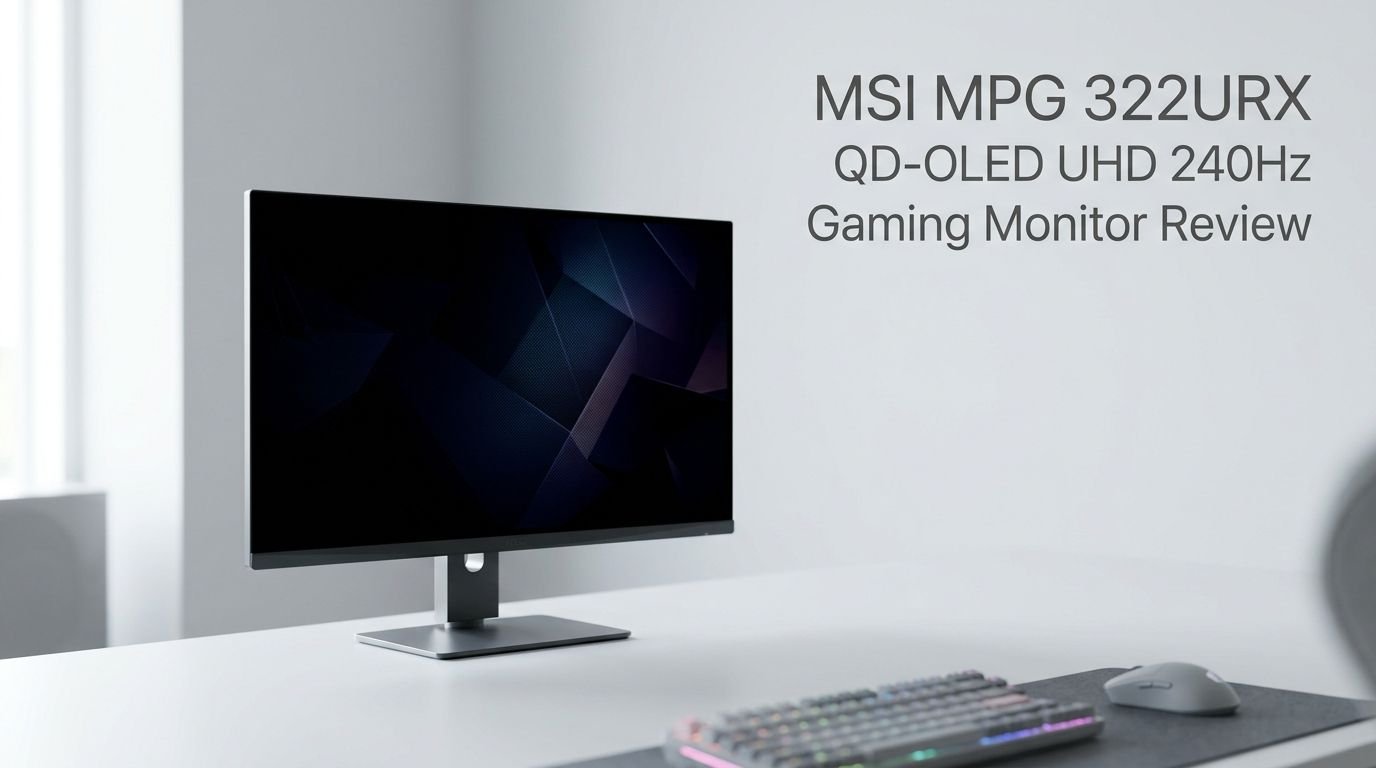
MSI MPG 322URX QD-OLED UHD 240Hz Gaming Monitor Review 2026
Are you searching for a gaming monitor that delivers perfect blacks, jaw-dropping colors, and bleeding-edge connectivity all in one package? The MSI MPG 322URX QD-OLED might be exactly what you need.
This 32-inch 4K 240Hz display uses Samsung’s third-generation QD-OLED panel. It also features something very few monitors can boast right now: a DisplayPort 2.1a UHBR20 connector. That means uncompressed 4K at 240Hz without relying on Display Stream Compression.
MSI built this monitor for gamers who refuse to compromise. From its 0.03ms response time to its glossy anti-reflective coating, every detail serves a purpose. The price sits at around $1,299.
Key Takeaways
- The MSI MPG 322URX QD-OLED delivers 4K resolution at 240Hz with one of the fastest response times available at 0.03ms GtG. It handles fast-paced games with near-zero motion blur and supports both G-Sync Compatible and Adaptive Sync for tear-free gameplay.
- DisplayPort 2.1a UHBR20 is the standout feature. This port pushes 80Gb/s of bandwidth. It allows fully uncompressed 4K 240Hz output. Only a handful of monitors offer this right now, and you need an NVIDIA RTX 5080 or RTX 5090 to take full advantage.
- Color accuracy is exceptional. Reviewers measured a Delta-E of just 0.49. The panel covers 97% of the DCI-P3 gamut and 94% of AdobeRGB. These numbers make it a serious contender for creative work alongside gaming.
- QD-OLED means infinite contrast and true blacks. Each pixel produces its own light and switches off independently. This removes backlight bleed and blooming entirely. HDR content looks stunning with DisplayHDR True Black 400 certification.
- Build quality is solid but not perfect. The stand feels plastic-heavy and cable management could be better. However, the monitor supports 100×100 VESA mounting, height adjustment, tilt, swivel, and pivot.
- MSI OLED Care 2.0 and a three-year burn-in warranty offer strong protection against image retention. Features like Pixel Shift, Panel Protect, and static element detection keep the display healthy over time.


Last update on 2026-09-19 / Affiliate links / Images from Amazon Product Advertising API Some of the links on this website are affiliate links, which means that at no additional cost to you, I earn a commission if you click through and make a purchase. I only recommend products and services that I believe will add value to my readers. Thank you for your support!
MSI MPG 322URX QD-OLED Overview
The MSI MPG 322URX QD-OLED is a 32-inch 4K gaming monitor built around Samsung’s third-generation QD-OLED panel. It launched in early 2025 as the successor to the highly praised MSI MPG 321URX. The core panel remains the same. The major upgrade is the addition of DisplayPort 2.1a UHBR20, which allows native uncompressed 4K output at a full 240Hz refresh rate.
This monitor targets enthusiast gamers and content creators who want top-tier color accuracy and the fastest possible pixel response. The 0.03ms GtG response time eliminates ghosting in nearly all scenarios. The 240Hz refresh rate provides buttery-smooth motion. And the QD-OLED technology delivers a visual experience that IPS and VA panels simply cannot match.
The retail price hovers around $1,299. That places it at the premium end of the market. But MSI packs in features to justify the cost. You get USB-C with 98W power delivery, HDMI 2.1 for console gaming, a built-in KVM switch, and a comprehensive OLED Care suite. For gamers who want the best display money can buy, this monitor makes a compelling case.
Display Quality and Panel Technology
The QD-OLED panel inside the MSI MPG 322URX is the same third-generation Samsung display found in several high-end monitors. But MSI’s implementation stands out. The glossy anti-reflective coating enhances color vibrancy and deepens blacks compared to matte alternatives. Colors appear bolder and more saturated without the slight haze that matte screens introduce.
Samsung’s QD-OLED technology combines quantum dots with organic light-emitting diodes. Blue OLED material generates the base light. Quantum dot layers then convert that light into red and green wavelengths. The result is a wide color gamut with exceptional saturation. The MSI MPG 322URX covers 97% of DCI-P3 and 94% of AdobeRGB, making it suitable for both gaming and professional color work.
The infinite contrast ratio is one of the biggest advantages. Since each pixel emits its own light, the monitor achieves perfect black levels. There is no backlight bleed. There is no IPS glow. Dark scenes in games and movies look rich and detailed. Paired with DisplayHDR True Black 400 certification, HDR content pops with vivid highlights against deep shadows.
Text clarity has also improved with the third-generation panel. Earlier QD-OLED displays suffered from color fringing around text due to the triangular subpixel layout. This version reduces that issue significantly. Enabling Windows ClearType further smooths out any remaining imperfections.
Color Accuracy and Gamut Performance
Color accuracy is where the MSI MPG 322URX truly shines. Independent testing revealed a Delta-E of just 0.49. For context, anything below 2.0 is considered good. Anything below 1.0 is excellent. A score of 0.49 means the colors you see on screen are nearly indistinguishable from the source material.
What makes this even more impressive is the maximum outlier staying below 0.99 Delta-E. Most monitors have at least a few colors that drift further from accuracy. The 322URX keeps every measured color within a tight margin. This level of consistency is rare, even among professional-grade displays.
The 97% DCI-P3 coverage means the monitor handles the wide color gamuts used in modern HDR games, streaming content, and film production. The 94% AdobeRGB coverage extends its usefulness to photographers and graphic designers. These numbers fall slightly short of MSI’s claimed 99% DCI-P3 and 97% AdobeRGB, but the difference is negligible in practice.
MSI includes several preset color profiles in the on-screen display. You can switch between sRGB, DCI-P3, and custom modes depending on your workflow. The OSD itself is responsive and easy to navigate using a five-way joystick located on the rear of the monitor.
Top 3 Alternatives for MSI MPG 322URX QD-OLED
1. ASUS ROG Swift OLED PG32UCDM

Last update on 2026-09-19 / Affiliate links / Images from Amazon Product Advertising API Some of the links on this website are affiliate links, which means that at no additional cost to you, I earn a commission if you click through and make a purchase. I only recommend products and services that I believe will add value to my readers. Thank you for your support!
2. Samsung 32″ Odyssey OLED G8 (G80SD)

Last update on 2026-09-19 / Affiliate links / Images from Amazon Product Advertising API Some of the links on this website are affiliate links, which means that at no additional cost to you, I earn a commission if you click through and make a purchase. I only recommend products and services that I believe will add value to my readers. Thank you for your support!
3. LG UltraGear OLED 32GS95UE

Last update on 2026-09-19 / Affiliate links / Images from Amazon Product Advertising API Some of the links on this website are affiliate links, which means that at no additional cost to you, I earn a commission if you click through and make a purchase. I only recommend products and services that I believe will add value to my readers. Thank you for your support!
DisplayPort 2.1a UHBR20: The Game Changer
The headline feature of the MSI MPG 322URX is its DisplayPort 2.1a UHBR20 port. UHBR20 stands for Ultra-High Bit Rate 20. It delivers up to 80Gb/s of bandwidth. That is enough to push 3840×2160 at 240Hz without any compression. Most other monitors rely on Display Stream Compression (DSC) to achieve the same resolution and refresh rate through DisplayPort 1.4a.
DSC is visually lossless, and most users cannot tell the difference. But purists and professionals prefer a fully uncompressed signal path. The MSI MPG 322URX is one of only a few monitors on the market that provides this option right now. The Gigabyte Aorus FO32U2P is another, but it comes at a different price point.
There is an important caveat. Not all DisplayPort 2.1a connections are equal. VESA’s specification allows UHBR10 (40Gb/s) and UHBR13.5 (54Gb/s) to also carry the “DisplayPort 2.1a” label. AMD’s Radeon RX 9070 XT, for example, supports DisplayPort 2.1a but only at UHBR13.5 speeds. Currently, only NVIDIA’s RTX 5080 and RTX 5090 GPUs support the full UHBR20 bandwidth this monitor can use.
This makes the MSI MPG 322URX a future-proof investment. As more GPUs adopt UHBR20, this monitor will be ready to deliver the full experience. In the meantime, it works perfectly well with DSC over older DisplayPort standards and HDMI 2.1.
Gaming Performance at 4K 240Hz
Gaming on the MSI MPG 322URX is an exceptional experience. The 0.03ms GtG response time makes this one of the fastest monitors you can buy. Pixel transitions happen almost instantly. Ghosting and smearing are virtually nonexistent, even during rapid camera movements in first-person shooters.
The 240Hz refresh rate provides a clear advantage in competitive games. Smooth motion, reduced input lag, and crisp image tracking all contribute to a responsive feel. The monitor supports both G-Sync Compatible and Adaptive Sync. This means tear-free gameplay regardless of whether you use an NVIDIA or AMD GPU.
Reaching the full 4K 240Hz ceiling in modern games remains a challenge, however. Even the RTX 5090 can only hit that target in lighter titles like CS2 and Doom Eternal. In demanding games like Call of Duty: Black Ops 6, frame rates sit closer to 120fps at maximum settings. Multi Frame Generation and DLSS can help bridge the gap, but you may need to lower some settings or use upscaling to get closer to 240fps.
The 32-inch screen size works well for 4K gaming. The pixel density of 137.68 PPI keeps text and UI elements sharp without needing Windows scaling adjustments. It strikes a good balance between immersive screen real estate and comfortable desktop usage at typical sitting distances.
HDR and Brightness Performance
The MSI MPG 322URX carries VESA DisplayHDR True Black 400 certification. This standard requires perfect black levels and a peak brightness of at least 400 nits in HDR mode. The QD-OLED panel meets these requirements with its infinite contrast ratio and self-emitting pixel technology.
HDR content looks remarkably vivid on this monitor. The combination of wide color gamut, true blacks, and respectable peak brightness creates a convincing HDR presentation. Highlights pop against perfectly dark backgrounds. Small specular highlights like reflections on water or sparks in an explosion carry genuine visual impact.
Full-screen sustained brightness is more modest. Reviewers measured around 223 nits for a full white screen in SDR mode. This is typical for QD-OLED panels and represents one of the technology’s few weaknesses. In bright rooms with lots of ambient light, the screen can appear dim compared to IPS or Mini-LED alternatives.
The glossy coating also plays a role here. While it enhances blacks and color richness, it picks up reflections more readily than matte screens. You will want to control your room lighting for the best experience. In a dimly lit or dark room, this monitor delivers visuals that no IPS or VA panel can match.
Design and Build Quality
The MSI MPG 322URX shares its physical design with its predecessor, the 321URX. The monitor features a slim silver chin with the MSI logo. Ultra-thin black bezels frame the panel. The screen itself measures just 4mm thick at its slimmest point. All the internal components, including a fanless heatsink and graphene film, sit in a separate housing behind the panel.
The included stand allows for height adjustment up to 110mm, tilt between -5 and 15 degrees, swivel from -30 to 30 degrees, and pivot of 10 degrees in either direction. Assembly requires no tools. You attach the base with a thumbscrew and click the stem into place. It is quick and straightforward.
The stand does feel somewhat plastic-heavy for a $1,299 monitor. Competitors like the ASUS ROG Swift PG32UCDM offer more premium-feeling stands. Cable management is also a weak point. The downward-firing ports route cables below the screen’s chin before they reach the stand’s keyhole. This can look untidy if you notice it.
A 100×100 VESA mount is available for those who prefer a monitor arm. This provides greater flexibility in positioning. One note: the mounting holes sit within a recessed area, which means some quick-release arm attachments may not fit. Standard screw-on mounts work without any issues.
Connectivity and Ports
Last update on 2026-09-19 / Affiliate links / Images from Amazon Product Advertising API Some of the links on this website are affiliate links, which means that at no additional cost to you, I earn a commission if you click through and make a purchase. I only recommend products and services that I believe will add value to my readers. Thank you for your support!
The MSI MPG 322URX offers a generous selection of ports. The star is the DisplayPort 2.1a UHBR20 connection. Alongside it, you get two HDMI 2.1 ports with 48Gb/s bandwidth. These are ideal for PlayStation 5 and Xbox Series X, which max out at 4K 120Hz. A USB Type-C port with DisplayPort Alt mode and 98W power delivery rounds out the video inputs. That is an increase from the 90W offered on the predecessor.
For data and peripherals, the monitor includes two USB 3.2 Gen 1 Type-A ports and one USB 3.2 Gen 1 Type-B upstream port. The upstream connection enables a built-in KVM switch. This allows you to share peripherals between two connected systems. A 3.5mm headphone jack is also present for audio output.
This port selection strikes a solid middle ground. Some monitors offer more USB-A ports, and a few include Ethernet passthrough. But for most users, the MSI’s connectivity covers all essential needs. The USB-C with 98W power delivery is particularly useful for laptop users. It carries video, data, and charging through a single cable.
MSI includes cables in the box, though you will want to ensure you have a UHBR20-certified DisplayPort cable if you plan to use the full bandwidth. Standard DP 1.4 cables will not support the higher speeds.
OLED Care 2.0 and Burn-In Protection
Burn-in remains the primary concern for OLED display buyers. MSI addresses this with its OLED Care 2.0 suite and a three-year burn-in warranty. These protections work together to keep the panel healthy over years of use.
OLED Care 2.0 includes several active features. Pixel Shift subtly moves the image by a few pixels at regular intervals. This prevents any single pixel from displaying the same content for extended periods. Panel Protect dims static UI elements like taskbars and game HUDs to reduce wear on those pixels.
The system also features static element detection. It identifies logos, health bars, and other persistent on-screen elements. It then applies targeted dimming to those areas. Every four hours of use, the monitor prompts you to run a panel refresh cycle. This process clears residual voltage from the pixels and helps prevent long-term image retention.
MSI’s three-year warranty covers burn-in specifically. If you develop permanent image retention during normal use, MSI will repair or replace the panel. This gives buyers meaningful peace of mind. Not all OLED monitor manufacturers offer such clear burn-in coverage.
OSD and Software Features
The on-screen display on the MSI MPG 322URX is well-organized and easy to use. Navigation happens through a five-way joystick on the rear of the monitor. It responds quickly and accurately. You can reach any setting within a few clicks.
The OSD offers multiple preset display modes. These include modes optimized for FPS games, RPG games, movies, and professional color work. You can also create custom profiles with your preferred brightness, color temperature, and gamma settings. Shortcut buttons can be reassigned to frequently used functions like brightness adjustment or blue light filtering.
One notable software feature is AI Vision, which includes a Night Vision mode. This brightens dark areas of the screen in real time. In competitive games, it helps you spot enemies hiding in shadows. For single-player story games where atmosphere matters, you will likely want to keep it off. But it provides a tangible competitive advantage in multiplayer titles.
The monitor also integrates with MSI’s Gaming Intelligence software on PC. This desktop application lets you manage display settings, configure picture-in-picture modes, and adjust the KVM switch without diving into the OSD. It adds a layer of convenience for users who prefer mouse-driven control over joystick navigation.
Who Should Buy This Monitor?
The MSI MPG 322URX QD-OLED targets a specific audience. It is built for enthusiast PC gamers who own or plan to buy high-end NVIDIA GPUs. If you have an RTX 5080 or RTX 5090, this monitor lets you experience uncompressed 4K at 240Hz. That is a rare capability in today’s market.
It also appeals to content creators and professionals who need accurate colors alongside gaming performance. The 0.49 Delta-E color accuracy and wide gamut coverage make it a dual-purpose display. You can edit photos in the morning and game at night on the same panel.
Console gamers will benefit from the HDMI 2.1 ports and stunning image quality. However, since current consoles cap at 4K 120Hz, you will not use the full 240Hz capability. The price may be hard to justify if console gaming is your primary use case.
Budget-conscious buyers should look elsewhere. At $1,299, this is a premium product. Alternatives like the MSI MPG 321URX offer nearly identical image quality at $899 if you do not need UHBR20. The Samsung Odyssey OLED G8 and ASUS ROG Swift PG32UCDM also compete closely at lower prices.
Power Consumption and Efficiency
The MSI MPG 322URX is surprisingly energy-efficient for a 32-inch 4K display. Power consumption ranges from a minimum of 23W to a maximum of 107W. Average usage during mixed content falls around 65W. This is lower than many IPS and Mini-LED monitors of similar size.
QD-OLED technology contributes to this efficiency. Pixels only consume power when they are lit. A dark scene uses significantly less energy than a bright one. This self-emitting nature also eliminates the need for a power-hungry backlight. The result is lower electricity costs over time compared to traditional LCD panels.
The monitor includes a fanless cooling design using a custom heatsink and graphene film. This keeps operation completely silent. There are no moving parts to produce noise. For late-night gaming sessions in a quiet room, this is a welcome feature that adds to the overall experience.
The lower brightness ceiling of QD-OLED also contributes to reduced power draw. While this means the display is less bright than Mini-LED alternatives, it keeps heat output and energy consumption in check. The trade-off between brightness and efficiency is one that most OLED buyers accept willingly.
MSI MPG 322URX vs MSI MPG 321URX
The MSI MPG 322URX and its predecessor, the 321URX, share the same panel, design, and feature set. The upgrade path comes down to one key difference: DisplayPort 2.1a UHBR20. The 321URX uses DisplayPort 1.4a, which requires DSC to achieve 4K at 240Hz. The 322URX sends that same signal uncompressed.
In everyday use, DSC is visually lossless. Most users cannot see any difference between compressed and uncompressed output. Professional benchmarks confirm this. So if image quality alone is your concern, the 321URX delivers an almost identical experience at a significantly lower price of around $899.
The 322URX also bumps USB-C power delivery from 90W to 98W. This is a minor improvement that benefits laptop users. The 322URX received official G-Sync Compatible certification, whereas the 321URX relied on broader Adaptive Sync support. In practice, both work seamlessly with NVIDIA and AMD GPUs.
If you already own a 321URX, upgrading to the 322URX does not make much sense unless you own an RTX 5080 or 5090 and want that uncompressed signal path. For new buyers in 2026, the 322URX is the obvious pick if budget allows. It offers better future-proofing as more GPUs adopt UHBR20 in coming years.
Final Verdict: Is the MSI MPG 322URX QD-OLED Worth It?
The MSI MPG 322URX QD-OLED is one of the best gaming monitors you can buy in 2026. Its combination of a stunning QD-OLED panel, industry-leading color accuracy, and cutting-edge UHBR20 connectivity places it at the top of the market. The 0.03ms response time and 240Hz refresh rate deliver silky-smooth gaming across all genres.
The $1,299 price is the biggest barrier. Alternatives exist at lower price points with similar image quality. The Gigabyte Aorus FO32U2P offers UHBR20 at $1,000. The MSI MPG 321URX drops to $899 without the new port. Both are excellent choices for buyers who want to save money.
But if you want the absolute best 32-inch 4K gaming monitor available right now, the MSI MPG 322URX QD-OLED earns that title. It is future-proof, visually stunning, and packed with features that protect your investment for years to come. For the enthusiast who accepts nothing less than the best, this monitor delivers.
Frequently Asked Questions
Is the MSI MPG 322URX QD-OLED worth the price in 2026?
Yes, for enthusiast gamers and professionals who demand top-tier color accuracy and future-proof connectivity. The UHBR20 port and exceptional QD-OLED panel justify the premium price. However, budget buyers can find similar image quality in the MSI MPG 321URX for $400 less.
Does the MSI MPG 322URX have burn-in issues?
MSI includes OLED Care 2.0 with Pixel Shift, Panel Protect, and static element detection. The monitor also comes with a three-year burn-in warranty. While no OLED is completely immune to burn-in, these measures significantly reduce the risk during normal use.
What GPU do I need for the MSI MPG 322URX at full 4K 240Hz?
You need an NVIDIA RTX 5080 or RTX 5090 to use the UHBR20 port at full bandwidth. These GPUs also benefit from DLSS and Multi Frame Generation to push frame rates closer to 240fps in demanding games. AMD GPUs and older NVIDIA cards still work through HDMI 2.1 or DisplayPort with DSC.
Is the MSI MPG 322URX good for console gaming?
Yes. The two HDMI 2.1 ports support 4K at 120Hz with VRR and ALLM. The QD-OLED panel delivers superb image quality for PS5 and Xbox Series X. You will not use the full 240Hz on consoles, but the visual experience is still outstanding.
How does the MSI MPG 322URX compare to the ASUS ROG Swift PG32UCDM?
Both use the same third-generation QD-OLED panel. The MSI offers UHBR20 and a glossy coating for deeper blacks and bolder colors. The ASUS has a premium heatsink design and arguably better build quality. The choice depends on whether you prioritize the latest port technology or overall build refinement.
Can I use the MSI MPG 322URX for photo and video editing?
Absolutely. The 0.49 Delta-E color accuracy, 97% DCI-P3 coverage, and 94% AdobeRGB coverage make it highly capable for creative work. It supports 10-bit color depth with 1.07 billion colors. The wide gamut and accurate reproduction make it a strong dual-purpose display.

Hello everyone my name is Alenya and i am a gadget discovering Enthusiast 🐻🐻